




CONSUMER GOODS

Go to market with zero compliance doubts

Filestage keeps all your packaging and campaign reviews in one place, so every asset passes through the same checks before it goes to print or your DAM. 

  • 14-day free trial
  • No credit card needed
  • GDPR compliant
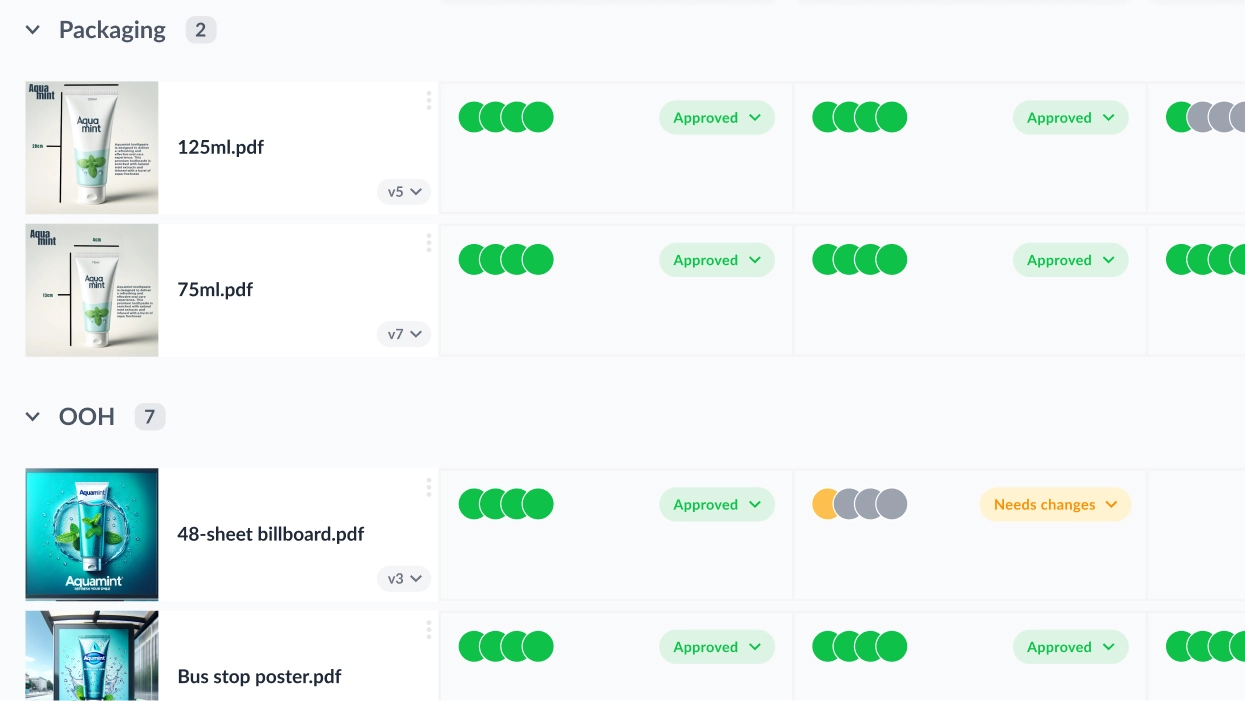
Project dashboard packaging design

Trusted by 20,000+ people from top brands and agencies

How it works

From first draft to approved asset in 4 simple steps

Filestage helps you build compliance into your content workflow, keeping everyone on the same page from start to finish.

Step 1 – Upload your files

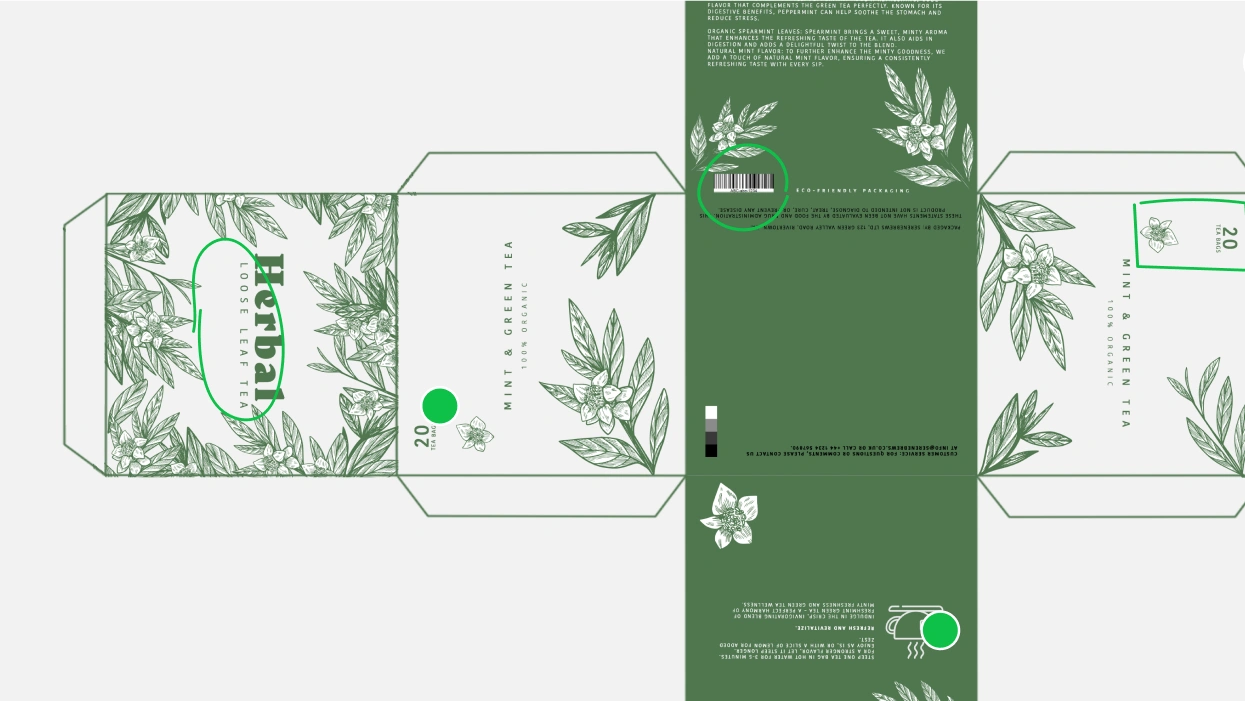
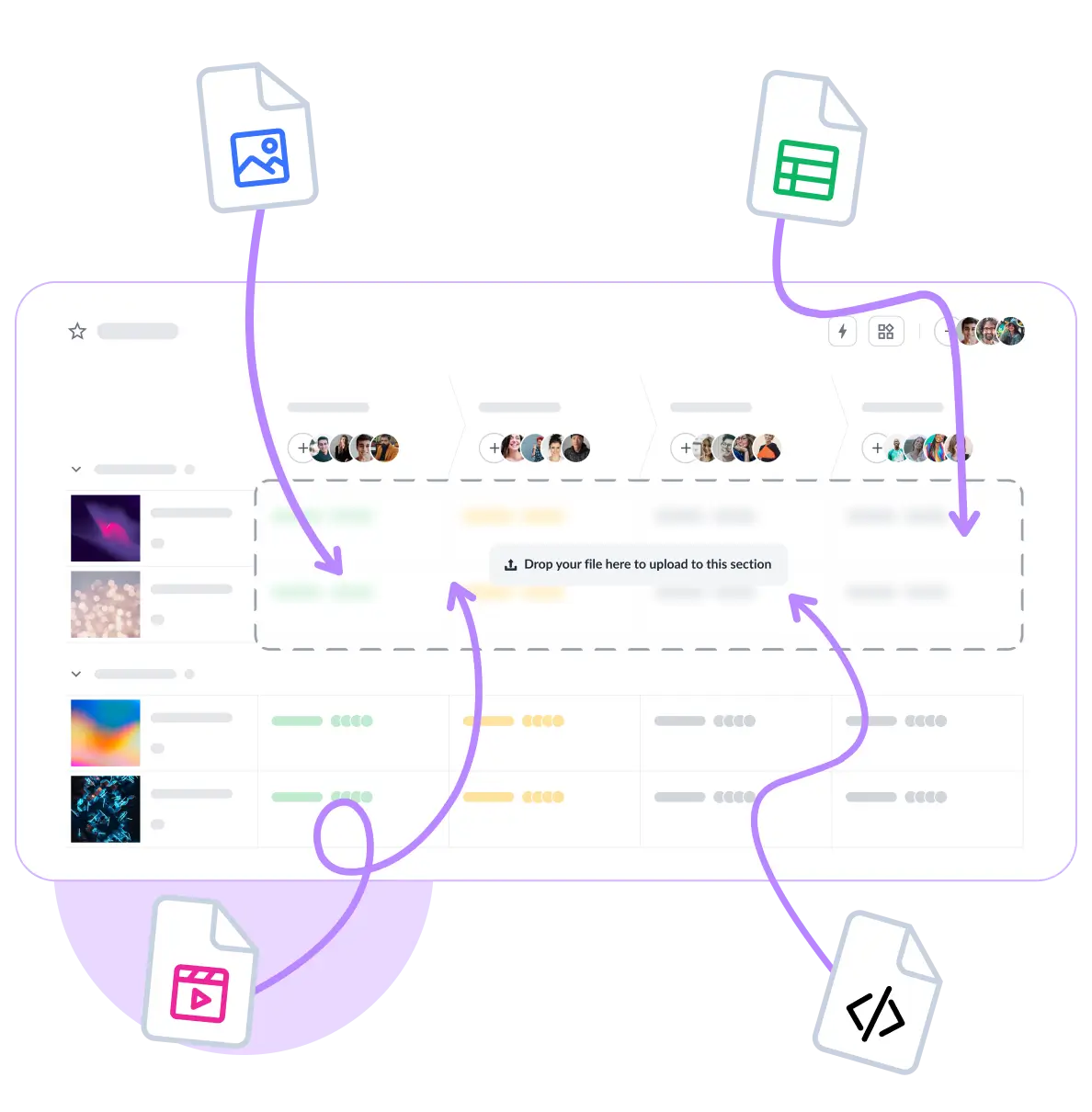
Drag and drop any file type into your dashboard – including artwork and packaging designs.

Step 2 – Build your approval workflow

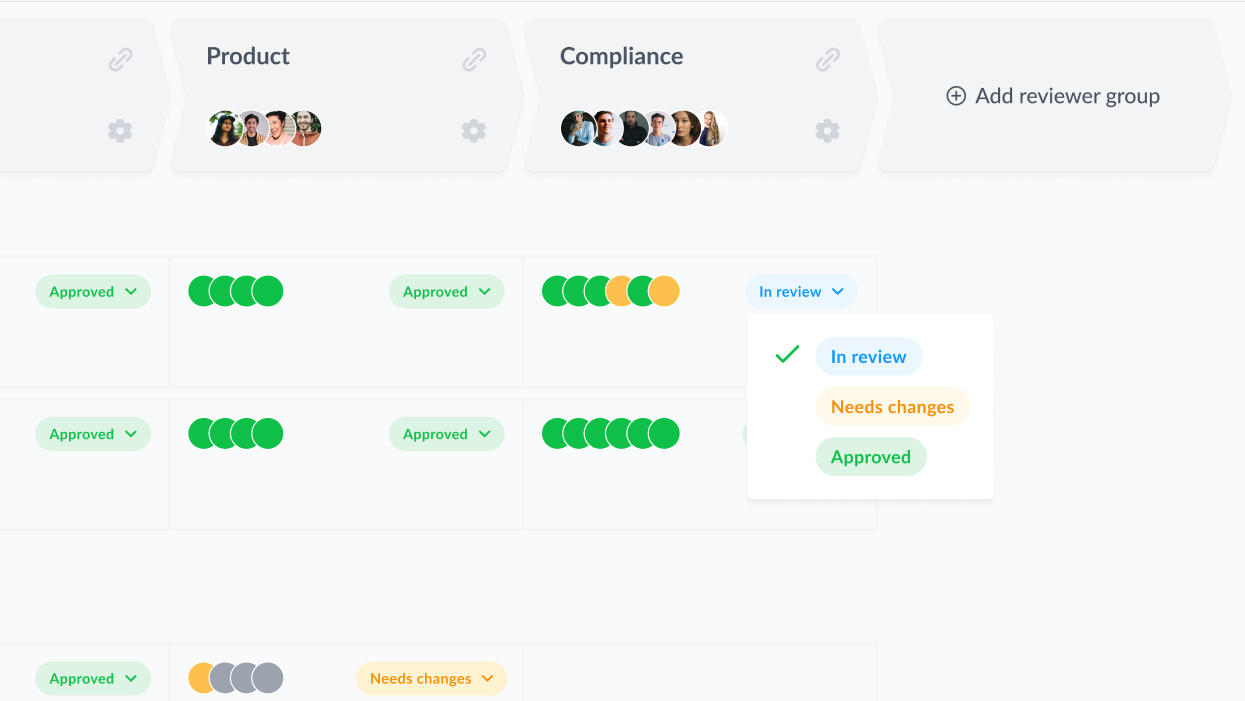
Create groups for design, legal, and compliance – each reviews in turn.

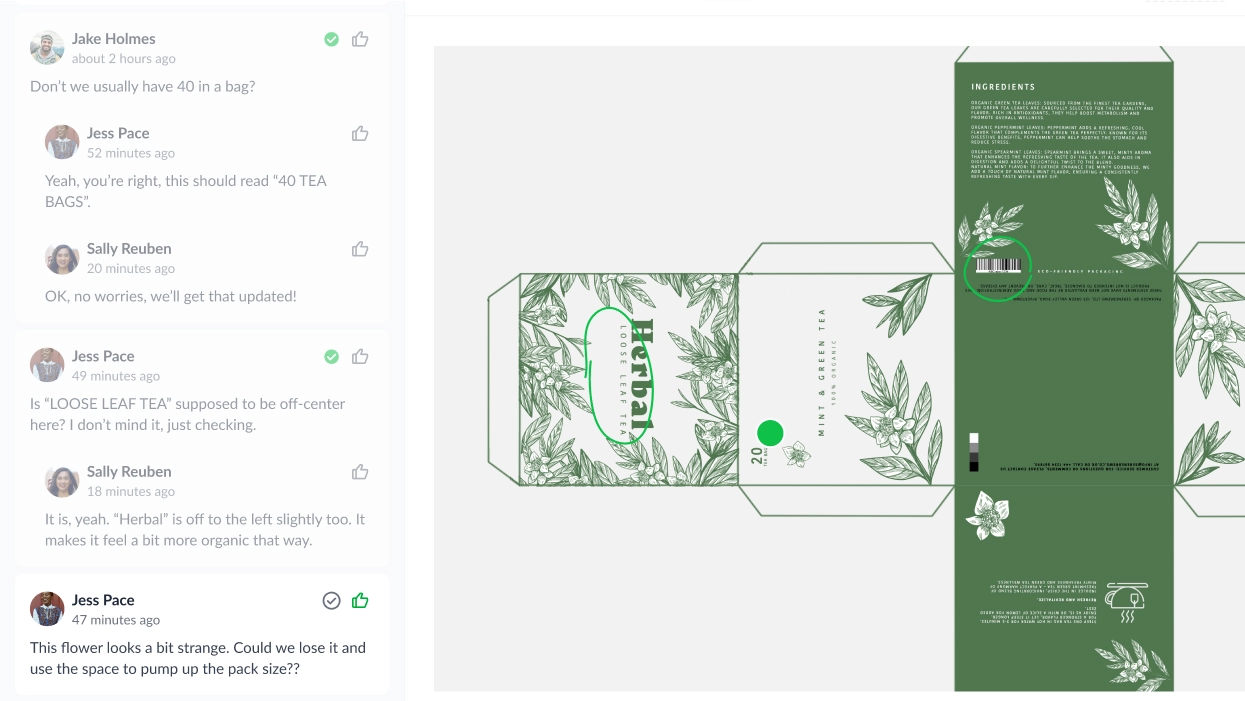
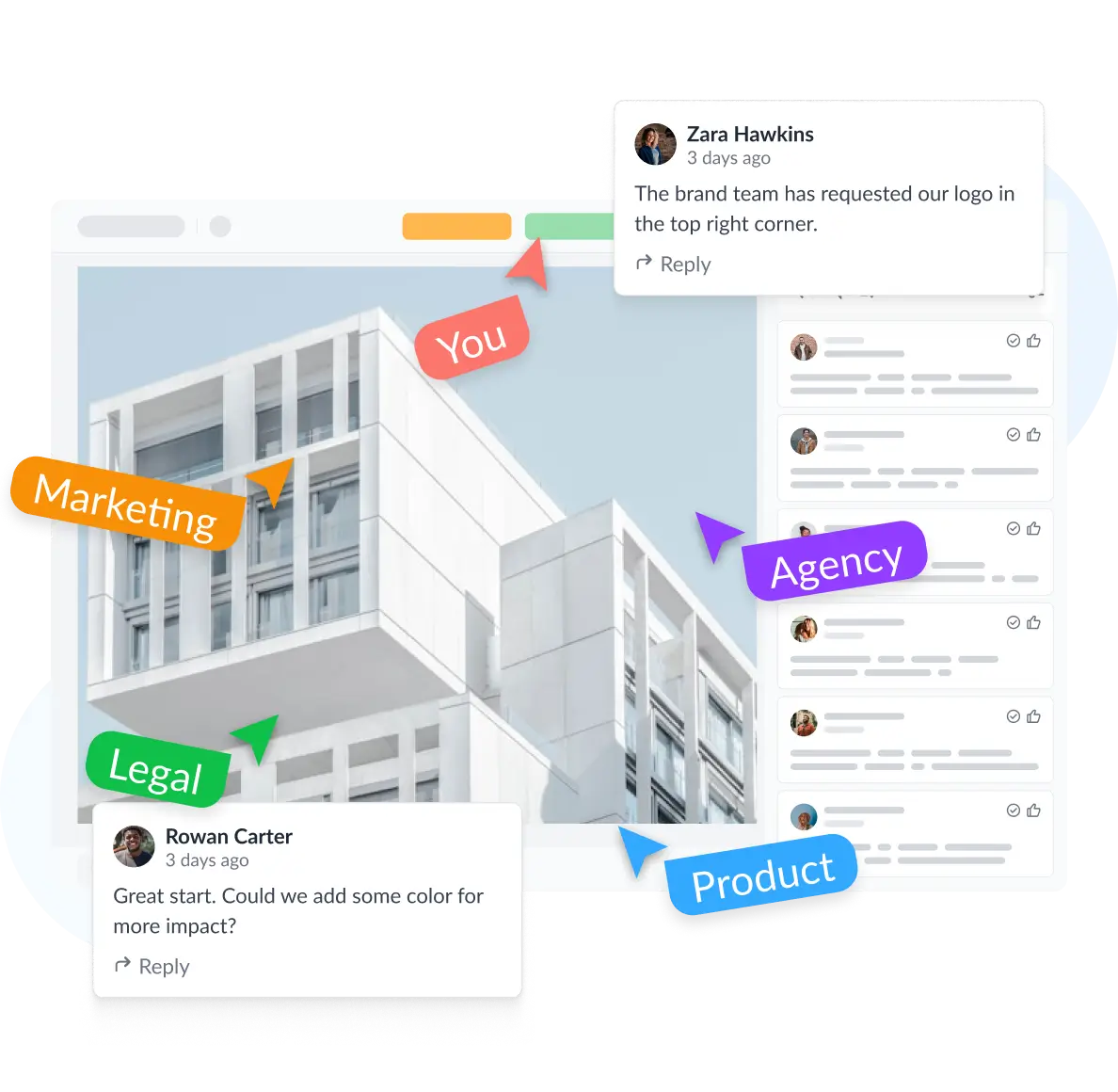
Step 3 – Collect feedback in context

Review Agents flag routine errors so your team can leave clear, consolidated feedback from the start.

Step 4 – Get approval and move on

Approvals automatically trigger the next review group, tracking every decision along the way.

Upload any file to Filestage
Invite reviewers to your file
Collect feedback directly on the file
Track status in real time in Filestage
Upload any file to Filestage

Step 1 – Upload your files

Drag and drop any file type into your dashboard – including artwork and packaging designs.

Invite reviewers to your file

Step 2 – Build your approval workflow

Create groups for design, legal, and compliance – each reviews in turn.

Collect feedback directly on the file

Step 3 – Collect feedback in context

Review Agents flag routine errors so your team can leave clear, consolidated feedback from the start.

Track status in real time in Filestage

Step 4 – Get approval and move on

Approvals automatically trigger the next review group, tracking every decision along the way.

Johannes Morath

Johannes Morath

Manager Marketing Projects Home & Garden, Kärcher

Since rolling out Filestage, we’ve saved hundreds of hours on our artwork reviews

The tool allows multiple stakeholders to simultaneously review multiple projects in the most transparent way.

See all success stories
Julia Wolf - dm

Julia Wolf

Team Leader of National Market Communication, dm-drogerie markt

We have far fewer queries in the review process than before

Fewer ‘special requests’ because someone doesn’t have access and sends feedback by email, which then has to be merged. Overall, less time and frustration.

See all success stories
Suzie M

Suzie M

Brand Manager

Simple and easy to use

Super easy to work with multiple agencies and freelance creatives within the same project and give each access only to their work and the specific reviewer group!

See all success stories

Built for the regulations you work with

approved icon

EFSA (EU)

Version comparison catches changes to nutritional values and health claims.

Lock icon

FDA (US)

Route labels and claims through regulatory sign-off; e-signature support in line with 21 CFR Part 11.

API document icon

FSA (UK)

Allergen and ingredient checks documented with a full approval record.

Take human error out of the equation with standardized review workflows for different types of projects

Product launches

Packaging redesigns

Ad campaigns

In-store displays

Brochures

  • Include a dedicated reviewer group for product experts to share feedback
  • Use sections keep your assets and formats organized
  • Loop in compliance to make sure everything meets your regulations
Product launches dashboard
  • Put every label and packaging design through the same rigorous process
  • Use auto-compare to quickly spot the differences between two versions
  • Minimize the risk of missed feedback so you can go to print with confidence
Packaging redesign dashboard
  • Invite your agency to upload content for your teams to review
  • Centralize file formats to save time jumping between tools
  • Send automated reminders to make sure feedback arrives on time
Ad campaigns dahsboard
  • Manage high-volume point of sale (POS) projects with ease
  • Collaborate with international markets to localize content
  • Set up an integration to export approved assets to your DAM
In-store displays dahsboard
  • Manage complex brochure projects from pagination to print
  • Set up dedicated reviewer groups to keep feedback focused
  • Save time consolidating comments from emails and Adobe Acrobat files
Brochures dashboard

Find out how your team can review more assets with less risk

Book a 30-minute, tailored walkthrough of your real workflows to see how Filestage can support your team. Learn how leading brands get documents signed off faster.

Get a demo
Best support badge
most implementable badge
regional leader Europe badge
Best Estimated ROI badge
regional leader EMEA badge
highest user adoption badge
Easiest Admin badge

Keep every review clear and on record, no matter how many files or versions are in play

Files

Versions

Feedback

Audit trails

Review statuses

Automations

  • Share and manage all your files from your project dashboard
  • Review everything from designs and artwork to videos and interactive HTML
  • Use sections to organize content by channel or format
Project dashboard with design files
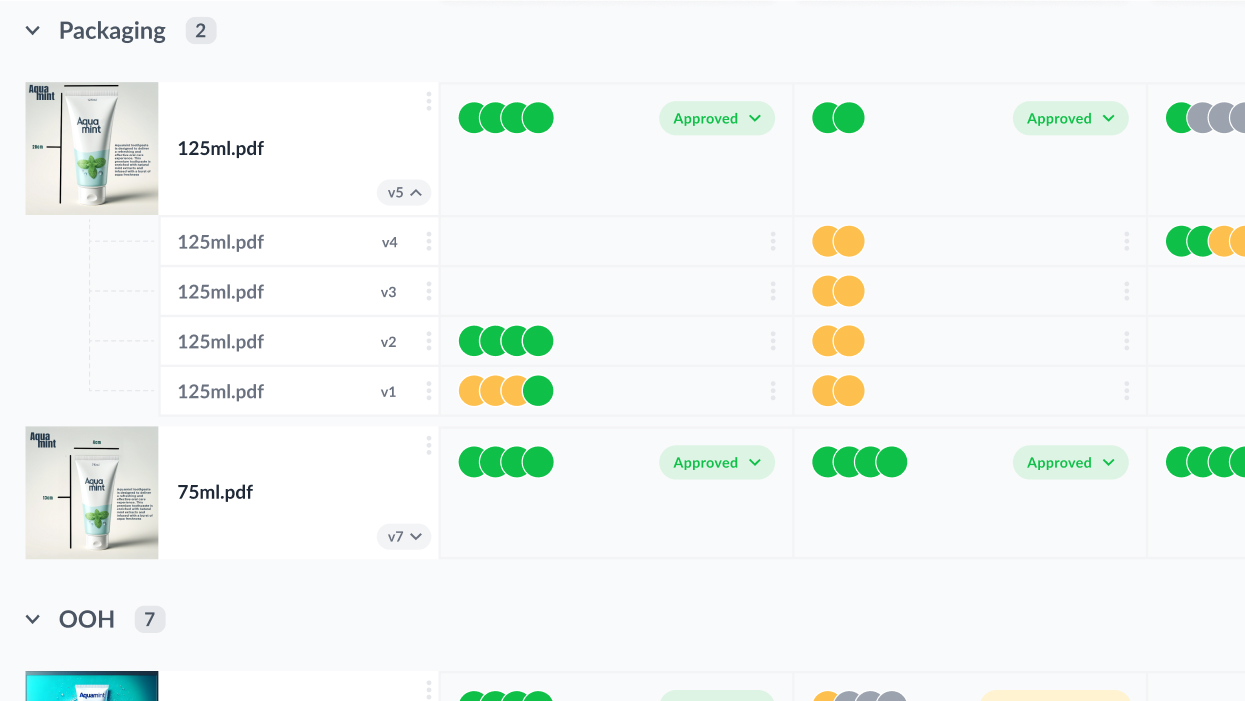
  • Upload new versions on top of your existing files
  • Check each file’s version history from your dashboard
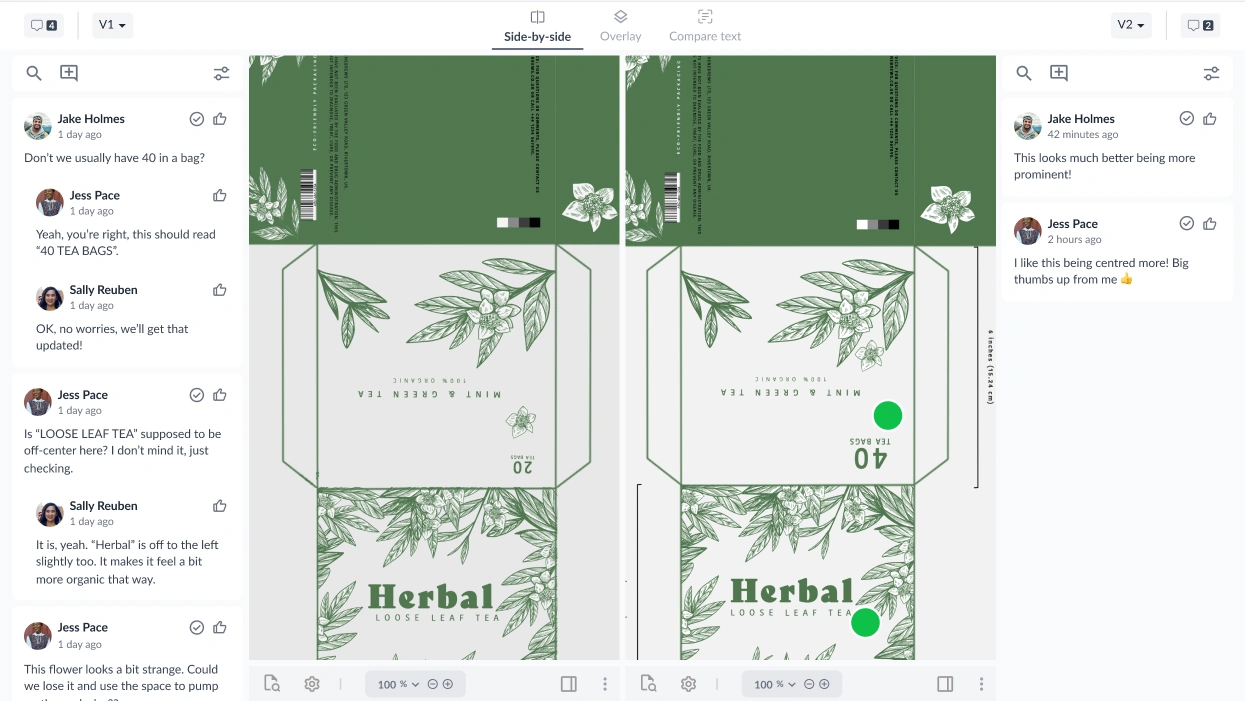
  • Compare versions side by side to see what’s changes
Version history of artwork file
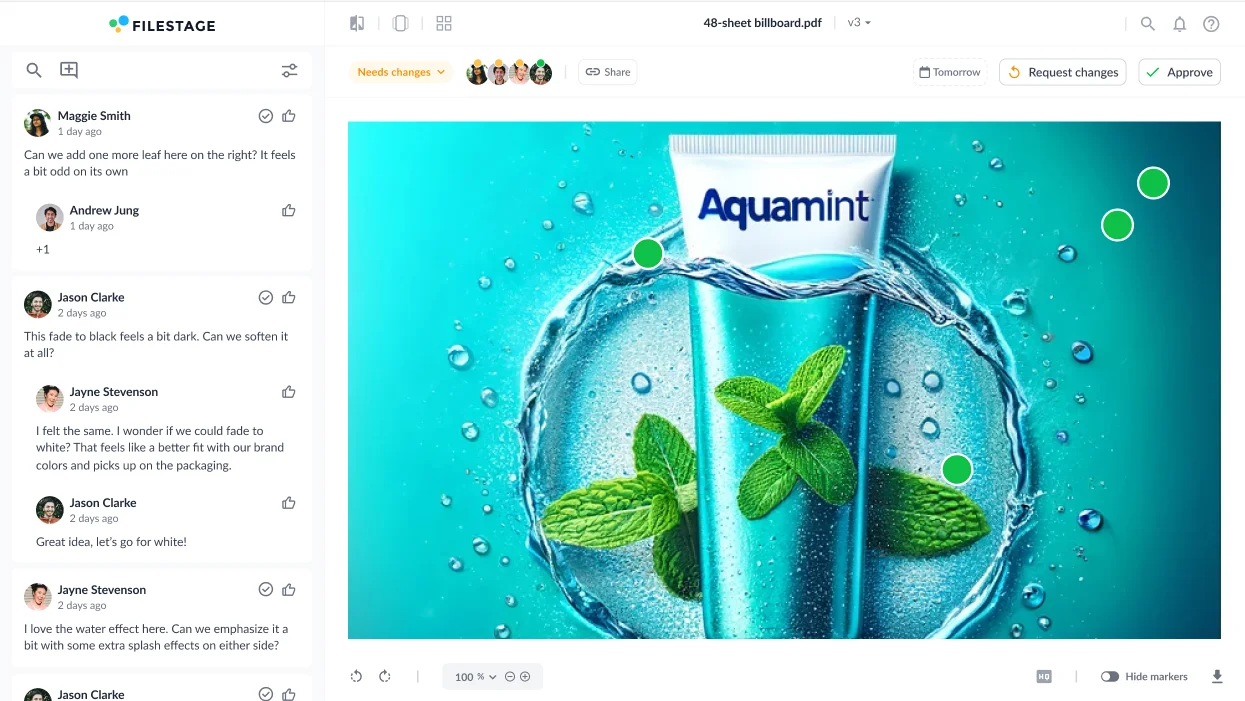
  • Open a review to see the latest feedback in that reviewer group
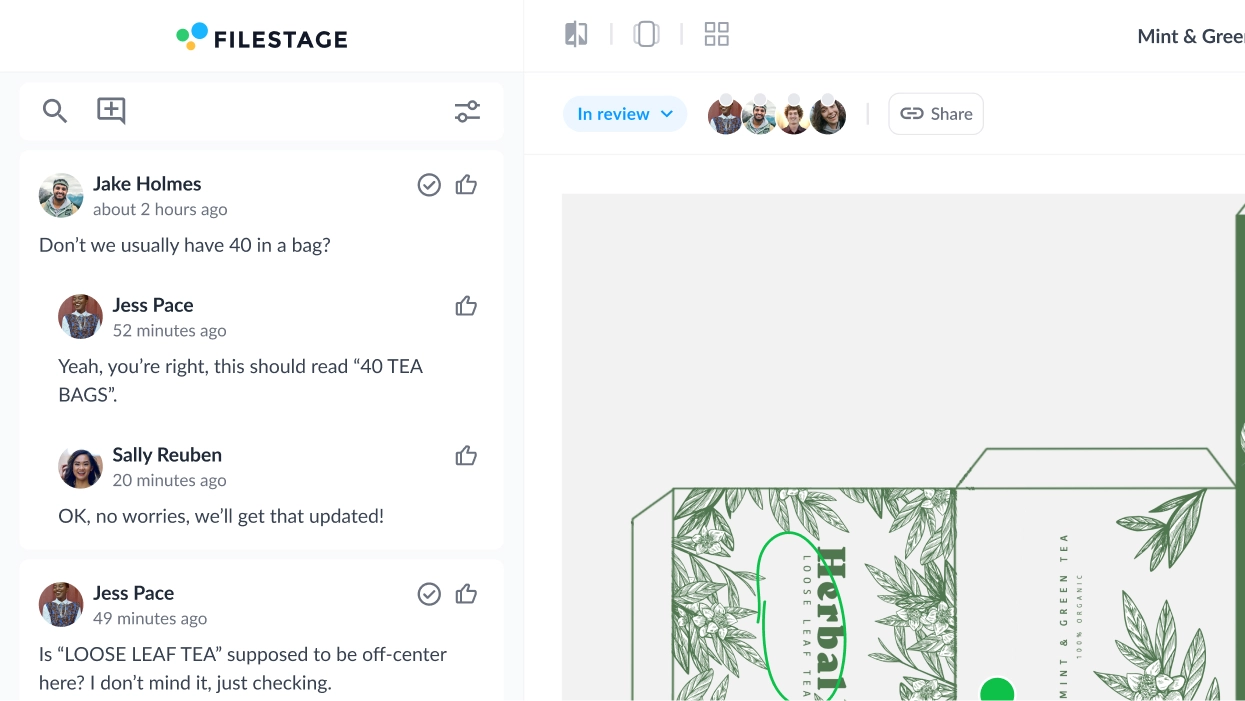
  • Use comment threads to discuss ideas right alongside your files
  • Automatically remind reviewers to give feedback as the due date approaches
Feedback on packaging design
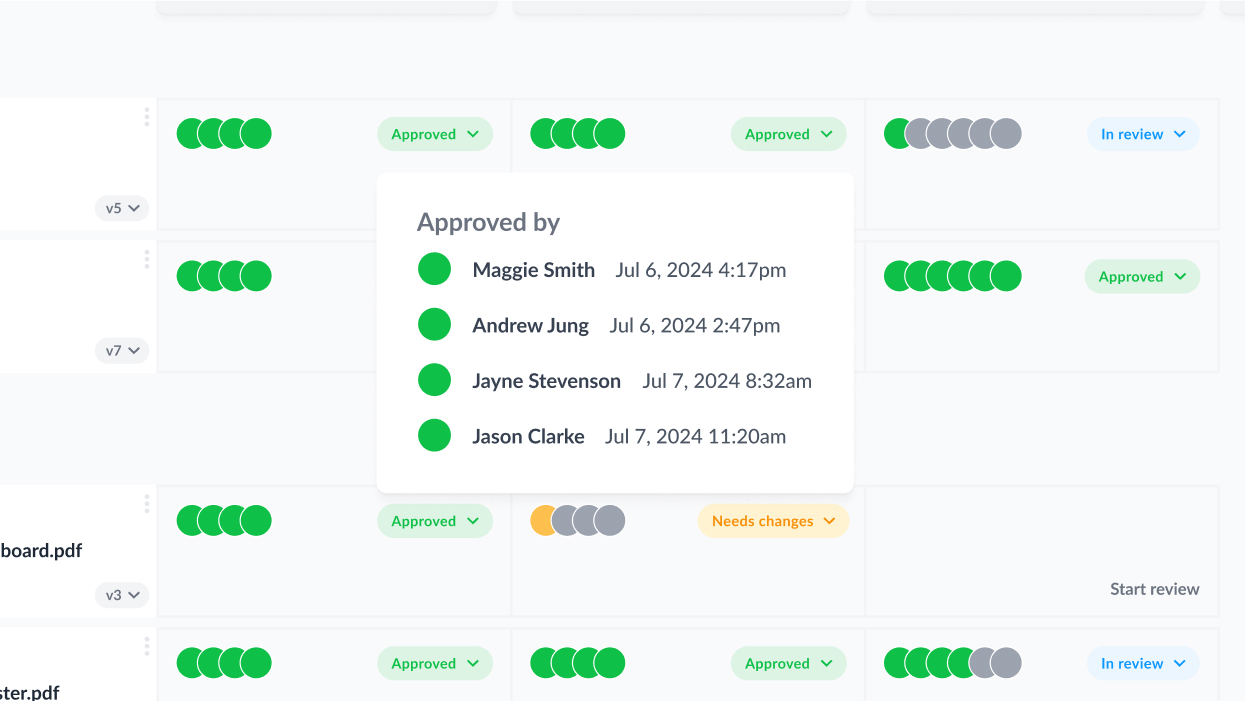
  • Every review, comment, and approval is tracked and logged as it happens
  • Get a documented human sign-off for every approval decision to meet regulatory standards 
  • Pull a complete, dated record of who approved what, whenever legal, a client, or a regulator needs it
Review decisions for a file: all approved
  • Manually update review statuses based on feedback and review decisions
  • Make it clear which files need changes and are ready to be worked on
  • Automatically share a version with the next reviewer group when it’s approved
Change the review status of a file
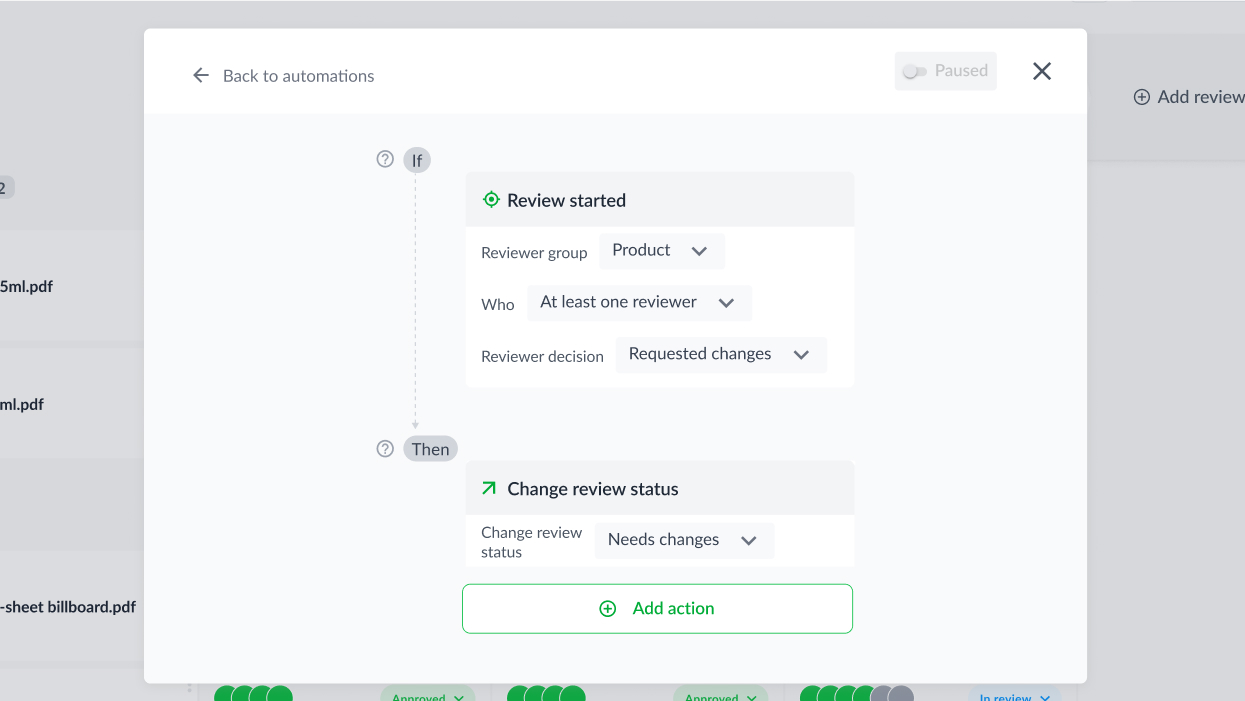
  • Assign due dates for a set number of days in the future
  • Update file statuses based on your stakeholders’ review decisions
  • Share versions with the next reviewer group as soon as they’re approved
Crop automations

Make sure feedback is clear, precise, and never gets missed with intuitive tools for your reviewers

Review Agents

Comments

Annotations

To-do lists

Compare versions

Due dates

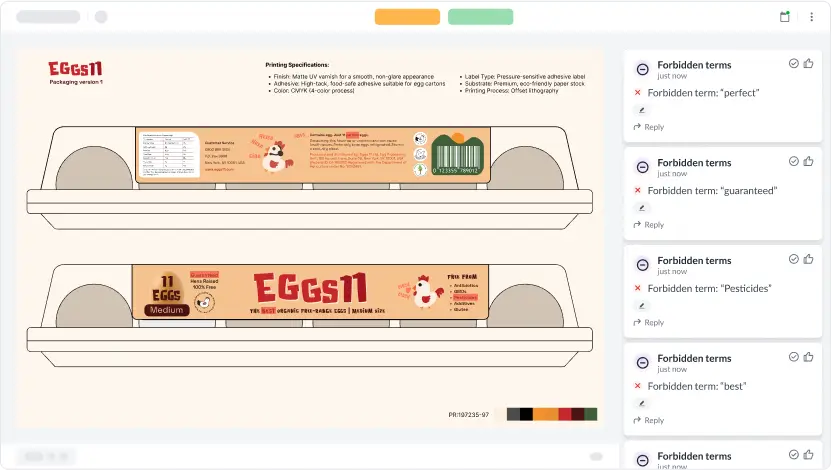
  • Flag routine errors like typos, grammar mistakes, and broken barcodes before your team opens the file 
  • Stop compliance issues slipping through by automatically checking content against your guidelines
  • Available on Business and Enterprise plans
AI reviewer_forbidden terms
  • Tap anywhere on a file to create a marker and add a comment
  • Automatically add timecodes to comments when reviewing videos
  • Click on a comment to jump to that part of your design or video
Packaging design review comments
  • Draw lines, boxes, and arrows to make feedback more visual
  • Use highlights and strikeouts when reviewing documents and PDFs
Packaging design review annotations
  • Check off comments while making edits to the next version
  • Toggle resolved comments on and off to double check feedback has been met
Packaging design review to-do lists
  • View versions and comments side by side to check feedback has been met
  • Auto-compare versions to make sure edits don’t slip through the net
  • Use overlay mode to spot subtle differences between two versions
Packaging design review_compare versions (1)
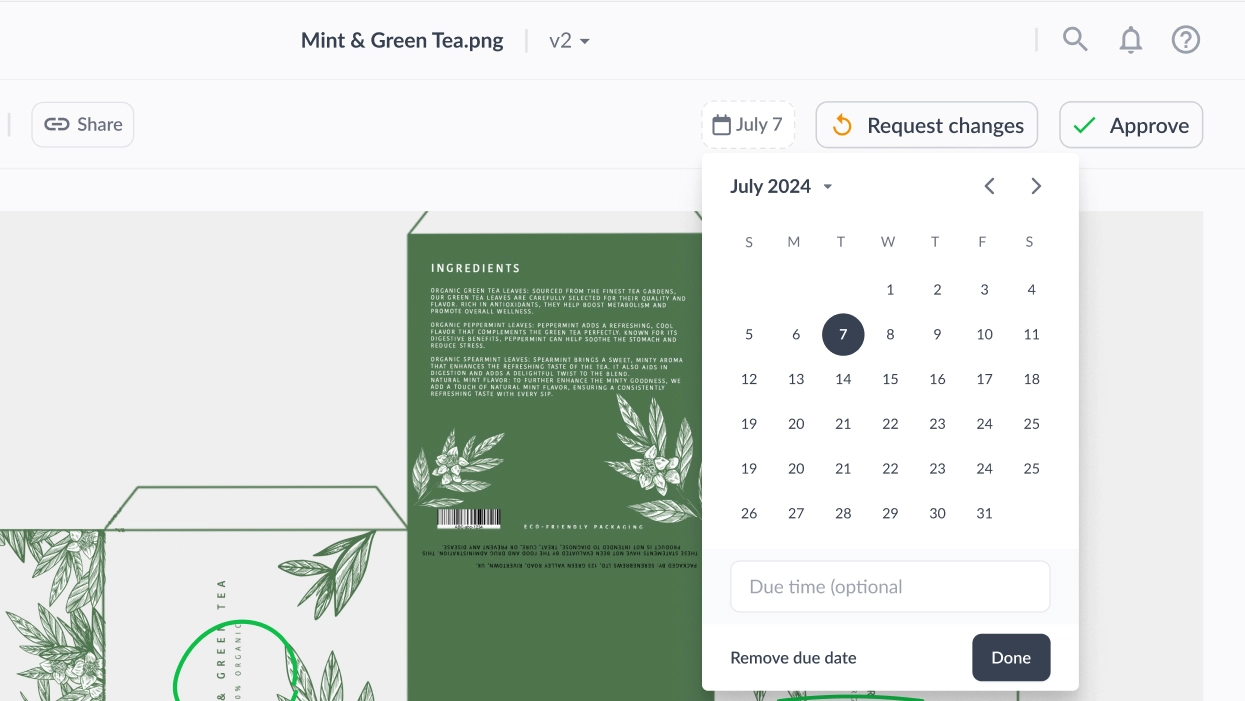
  • Set due dates so reviewers know when their feedback is expected
  • Send automated reminders as the due date approaches
  • Sort pending reviews by due date to focus on files with the tightest deadline
Packaging design review due dates
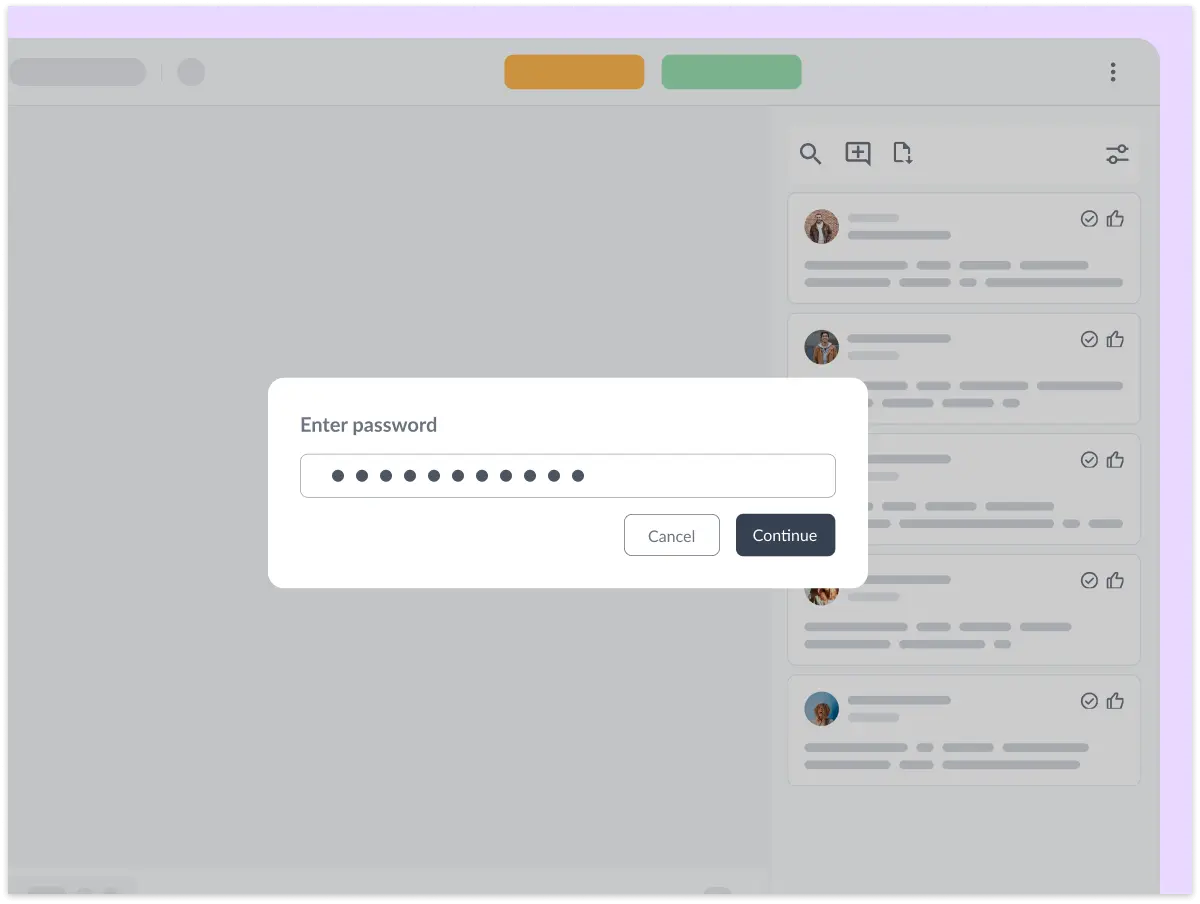
Password protect your files

Share your content with confidence

With Filestage, you can share packaging with confidence with password protection, download restrictions, and anonymized feedback.

Filestage offers full GDPR compliance, AES 256 encryption that’s certified against ISO/IEC 27001:2022, and certified EU servers.

Start free trial
ISO_IEC 27001_2022 GDPR AICPA SOC 2

Connect Filestage with your favorite apps

Automate your workflow with our native and custom Zapier integrations.

Project management

Assign review tasks to your teammates and track file statuses in your project management tool.

Asana, Slack, Trello, Jira, Click-Up, Basecamp logos

Messenger

Share files, comments, and review decisions in your favorite channels and spaces.

Slack, MS teams, discord logos

Content creation

Upload files and see comments in your content creation tools, so you can iterate and get approval faster.

Adobe Premiere, Photoshop, Indesign logos

And many more!

Create custom integrations in Zapier, turn marketing request forms into projects, and more.

Zapier, Drive, Dropbox, Excel, Jotform logos

Your consumer packaged goods software questions, answered

How does Filestage help with FDA, EFSA, and FSA compliance?

Filestage lets you build a standardized approval workflow that includes your regulatory reviewers, so no asset is published or printed without their sign-off. Auto-compare highlights changes to claims, allergen information, and nutritional values between versions.

Can regulatory and legal teams sign off inside Filestage?

Yes. You can create dedicated reviewer groups for legal and regulatory, and require their approval before an asset moves forward. Reviewers can “Approve and sign” in line with FDA 21 CFR Part 11 and EU Annex 11 requirements.

Does Filestage keep an audit trail of approvals?

Yes. Every comment, change request, and approval is logged with a timestamp and can’t be altered after the review is closed. You can download a PDF report for any file showing exactly who approved what and when.

How do you manage reviews across multiple markets and languages?

Create a reviewer group for each market, then invite local marketing and regulatory stakeholders to review in their own stage. Translations and market-specific artwork stay centralized alongside the original.

Can you use Filestage with external agencies?

Yes. Invite agency partners by email or shareable link, and control exactly which projects and reviewer groups they can access. No account is needed for them to review or approve.

What types of assets can consumer goods teams review in Filestage?

Packaging artwork, labels, brochures, POS and in-store displays, TV and social video, digital ads, and websites, all in one platform, so brand and compliance reviews follow the same process regardless of format.

How long does it take to get set up?

Most teams run their first review within a day. You can create a project, upload files, and invite reviewers in minutes.

Is Filestage secure and GDPR compliant?

Yes. Filestage is fully GDPR compliant and ISO 27001:2022 certified as a company, with data hosted on AWS EU servers in Frankfurt and AES 256 encryption at rest.

Best support badge
most implementable badge
regional leader Europe badge
Best Estimated ROI badge
regional leader EMEA badge
highest user adoption badge
Easiest Admin badge

The stage is set

Start for free, upgrade anytime. No credit card needed.