


Minimize printing errors and costs with artwork proofing software
Set up a consistent design review process for collecting feedback and catching mistakes, saving your organization thousands in reprinting costs..
- ✓ 14-day free trial
- ✓ No credit card needed
- ✓ GDPR compliant

Trusted by professionals from top brands and agencies


- Proven results with Filestage
Real results from marketing, creative, and production teams


Teams spend less time chasing approvals and more time creating with Filestage’s automated online proofing software.
*Based on customer usage data and internal analysis.

Create a standardized artwork approval process for your print assets
Make sure every file gets approved by the right people
Invite agencies to upload content to your internal approval process
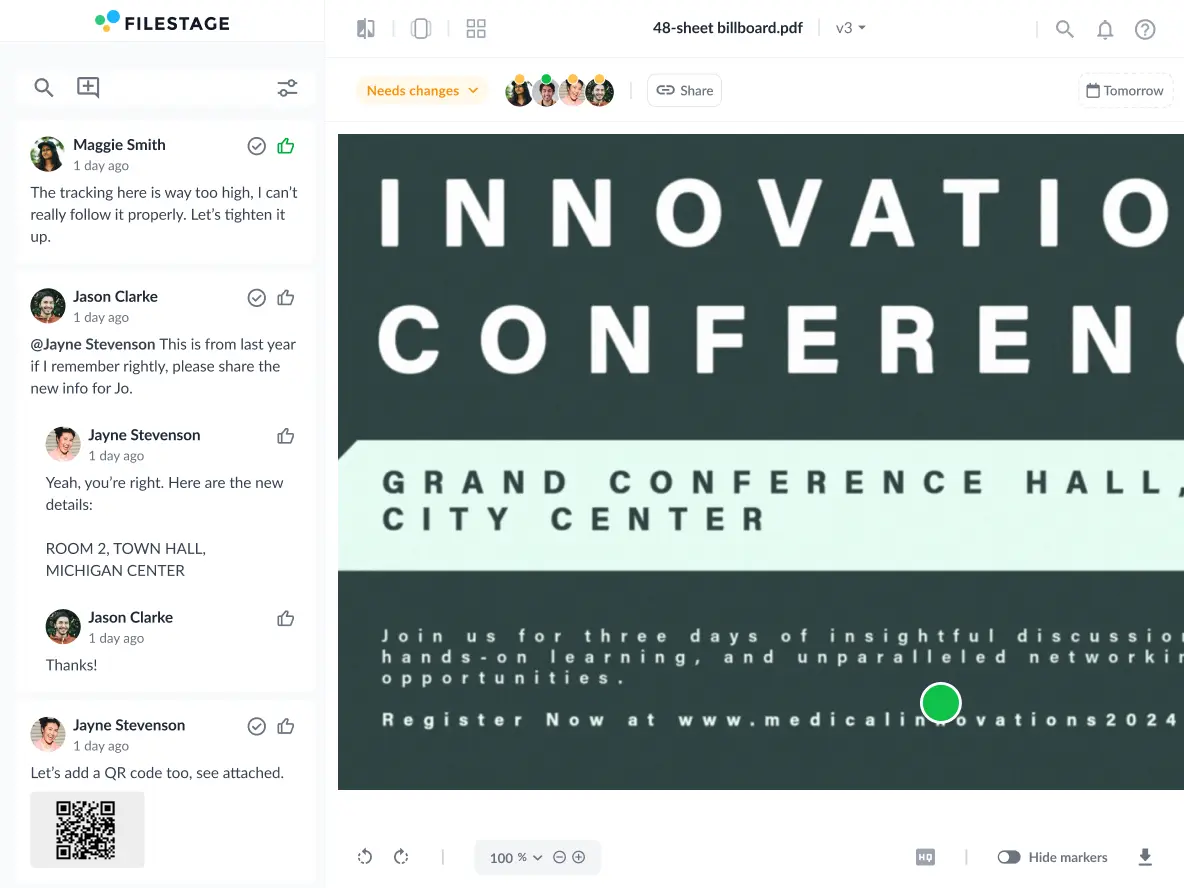
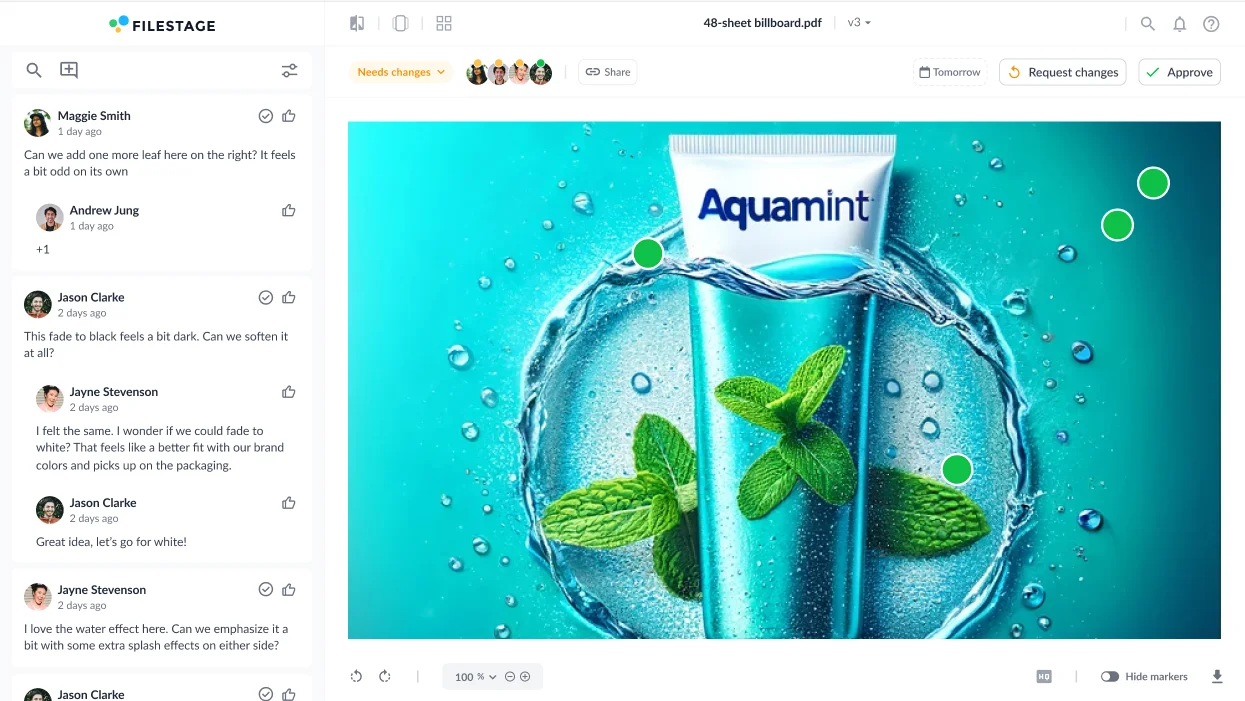
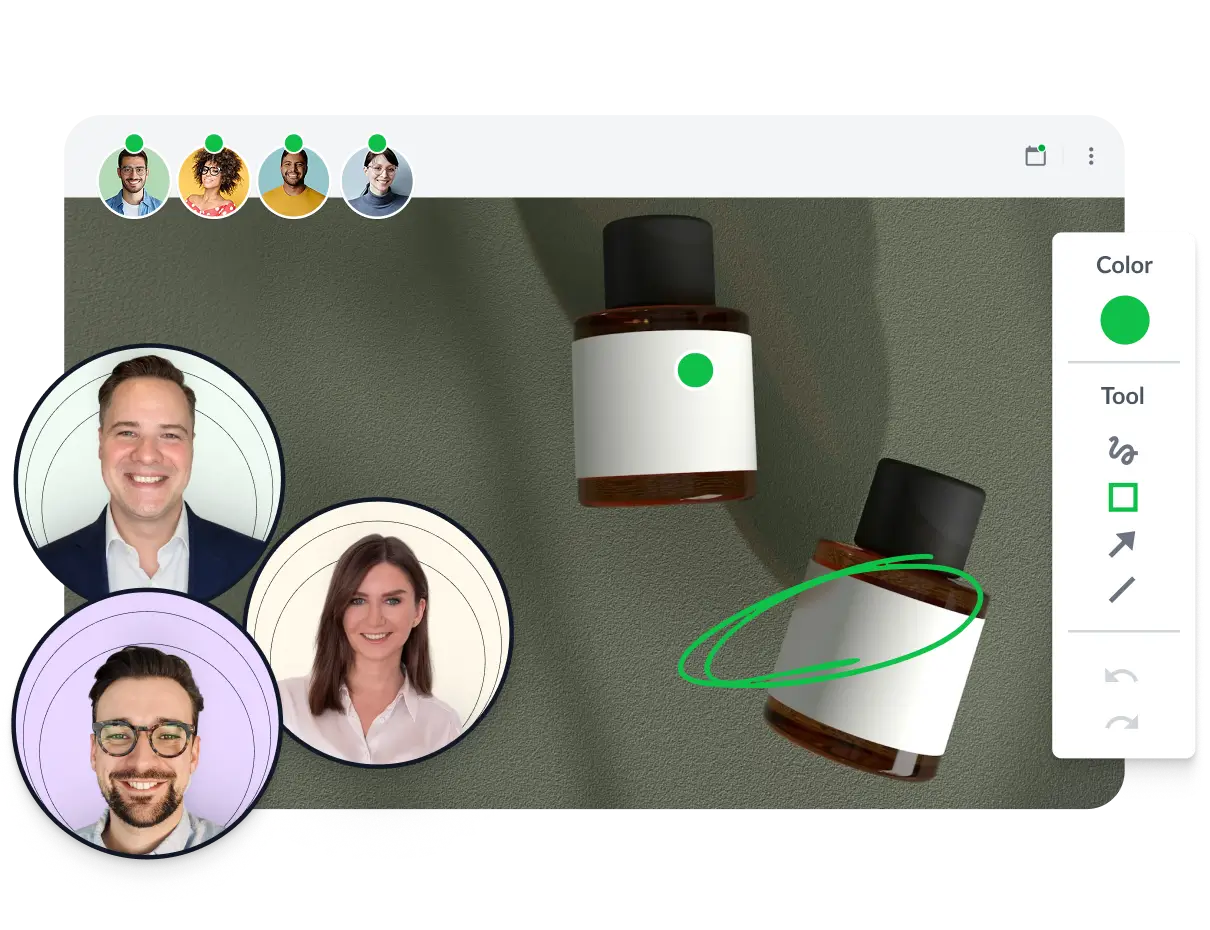
Collect collaborative feedback right alongside your designs
Get clear and accurate feedback that’s easy to action
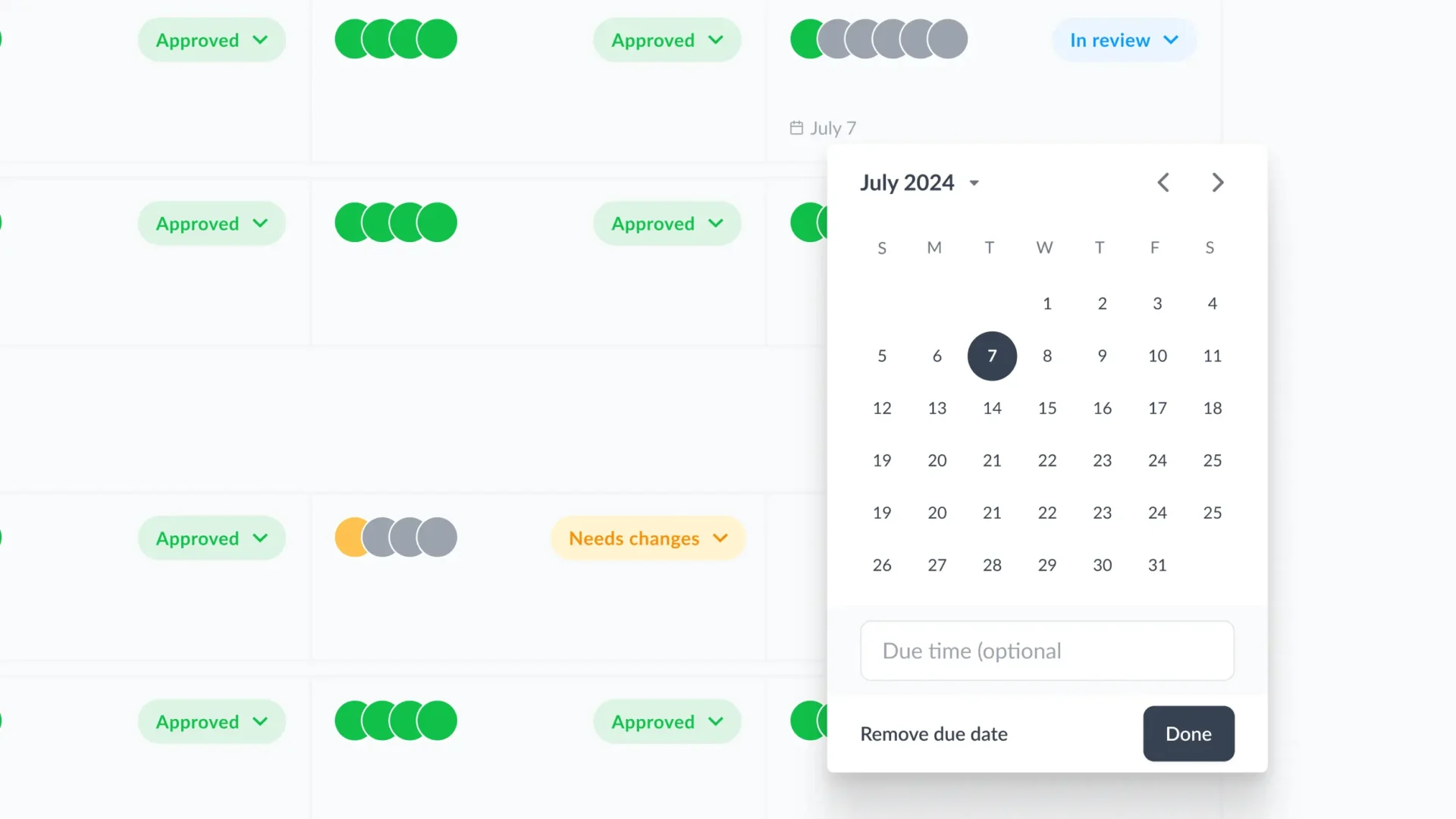
Set due dates so reviewers know when feedback is expected


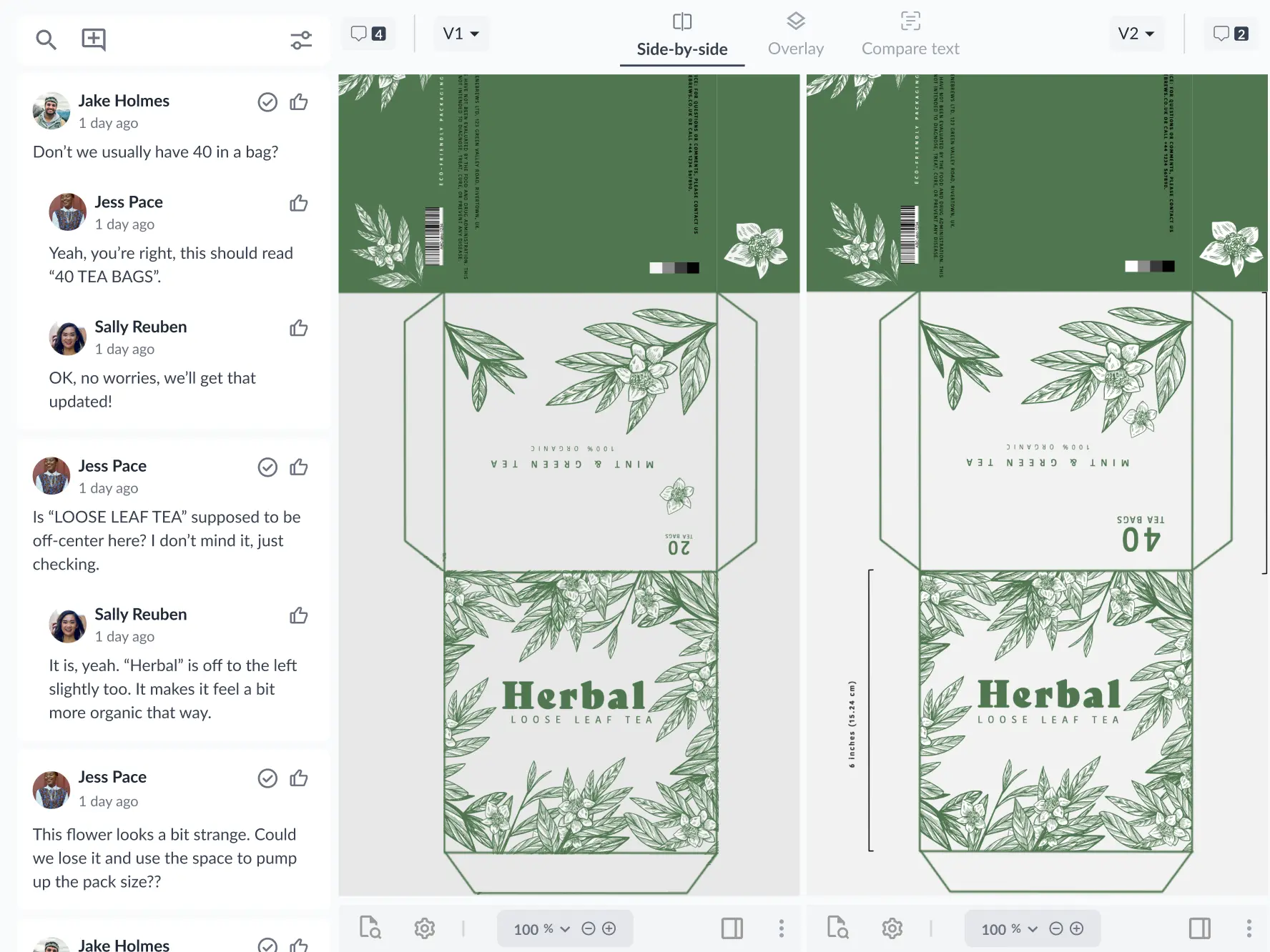
Compare versions and comments to verify that feedback has been met
Auto-compare versions to highlight text changes in your designs
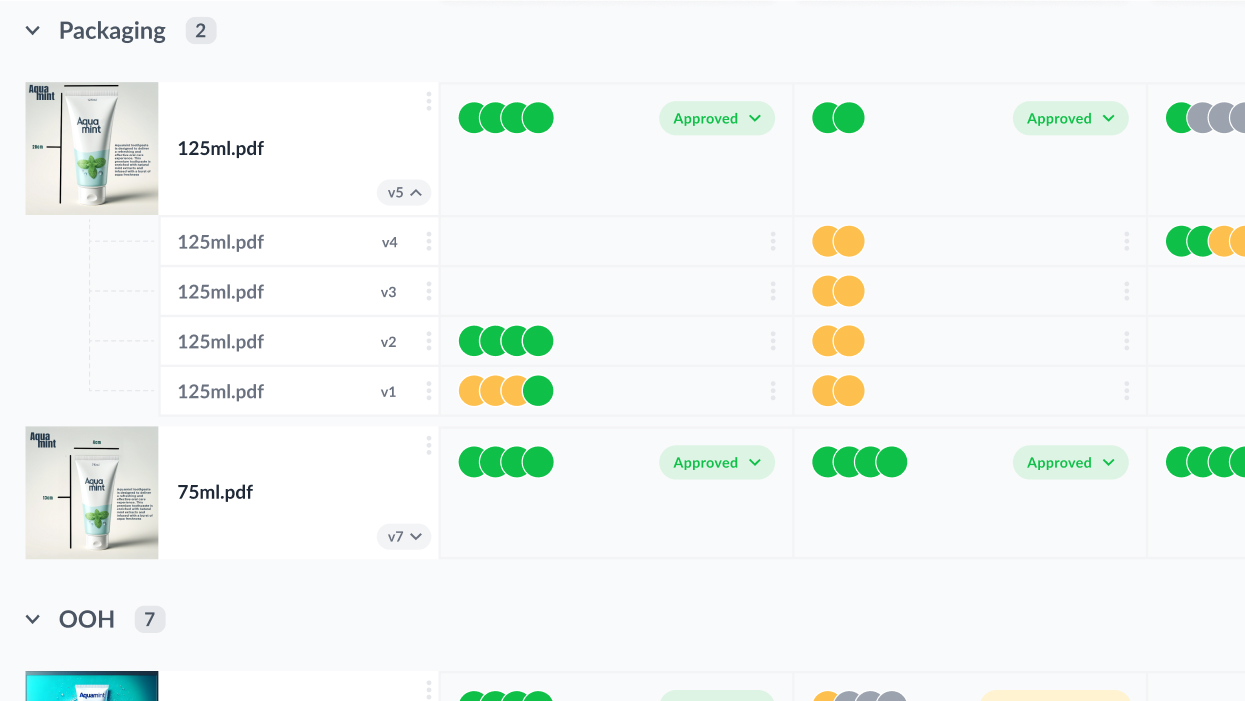
Make it easy for reviewers to find the latest version
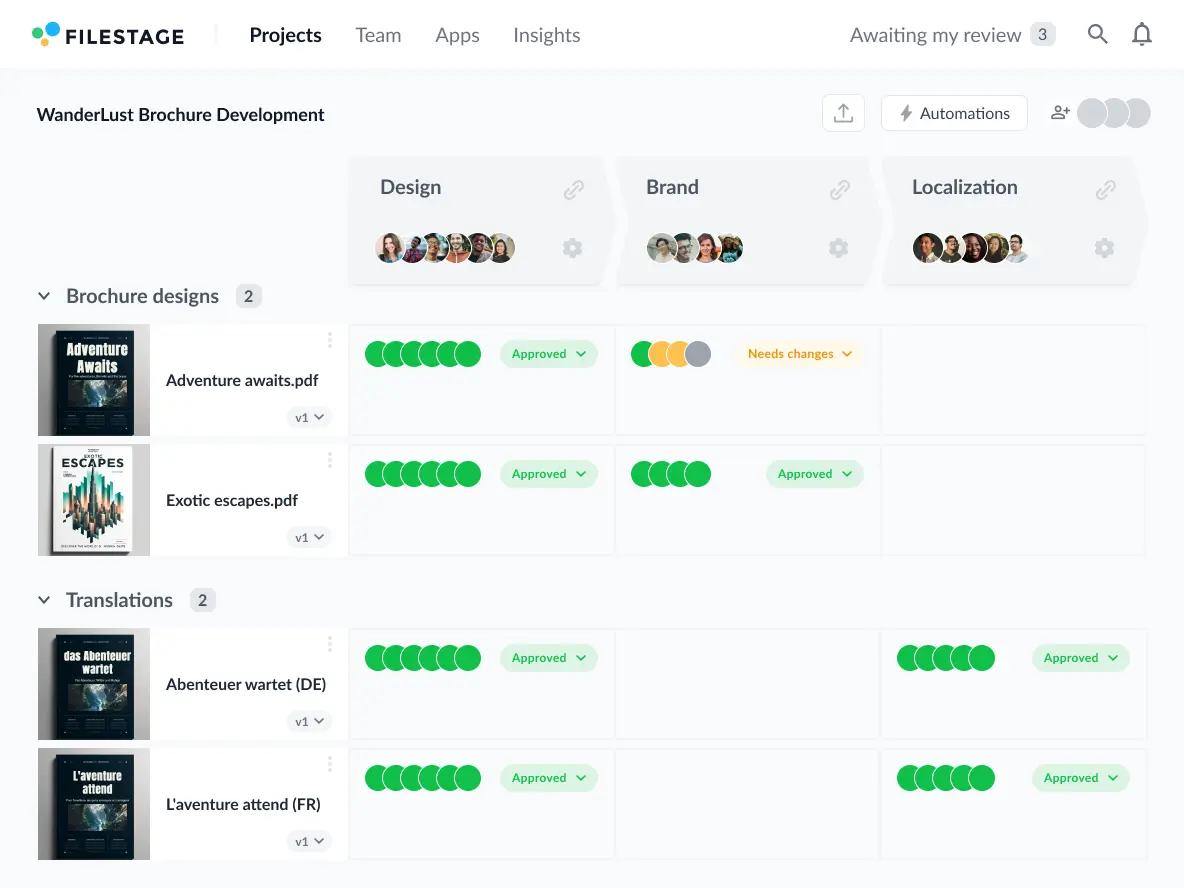
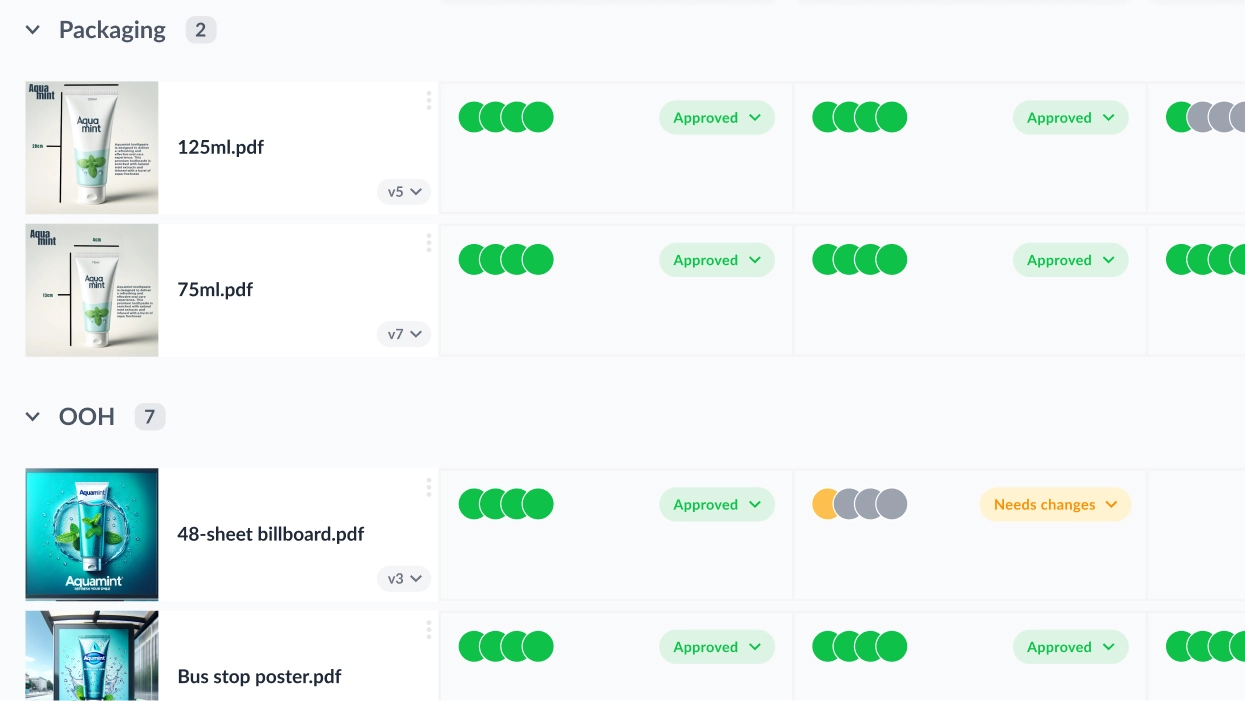
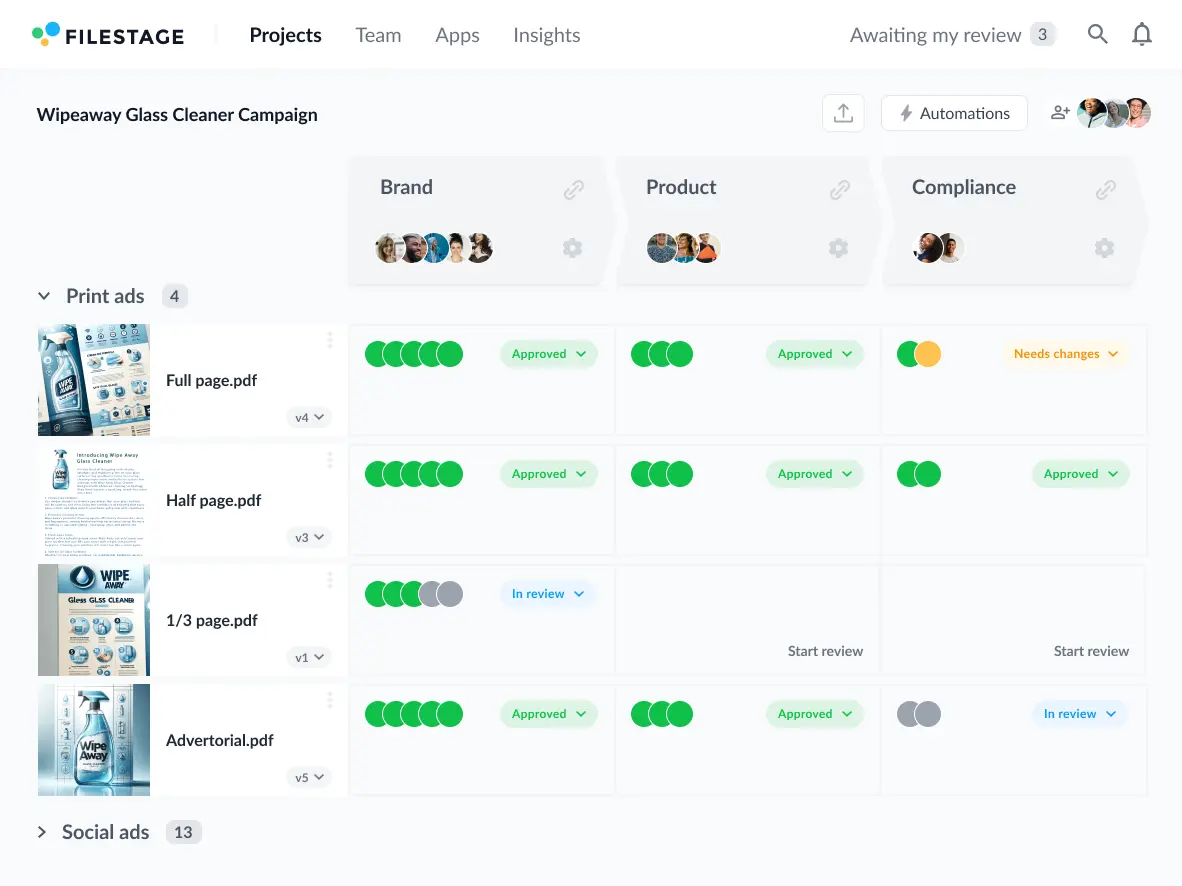
Track your approval process from your project dashboard
- Set up a standardized workflow for every file in your project
- Invite reviewers to make sure every file gets approved by the right people
- Save workflows as templates to reuse across multiple creative projects

- Share and manage all your files from your project dashboard
- Centralize reviews from Adobe Creative Cloud and other design tools
- Use sections to organize content by channel or format

- Set due dates so reviewers know when their feedback is expected
- Send automated reminders as the due date approaches
- Sort pending reviews by due date to focus on files with the tightest deadline

- Upload new versions on top of your existing files
- Check each file’s version history from your dashboard
- Compare versions side by side to see what’s changes

- Open a review to see the latest feedback in that reviewer group
- Use comment threads to discuss ideas right alongside your files
- Automatically remind reviewers to give feedback as the due date approaches

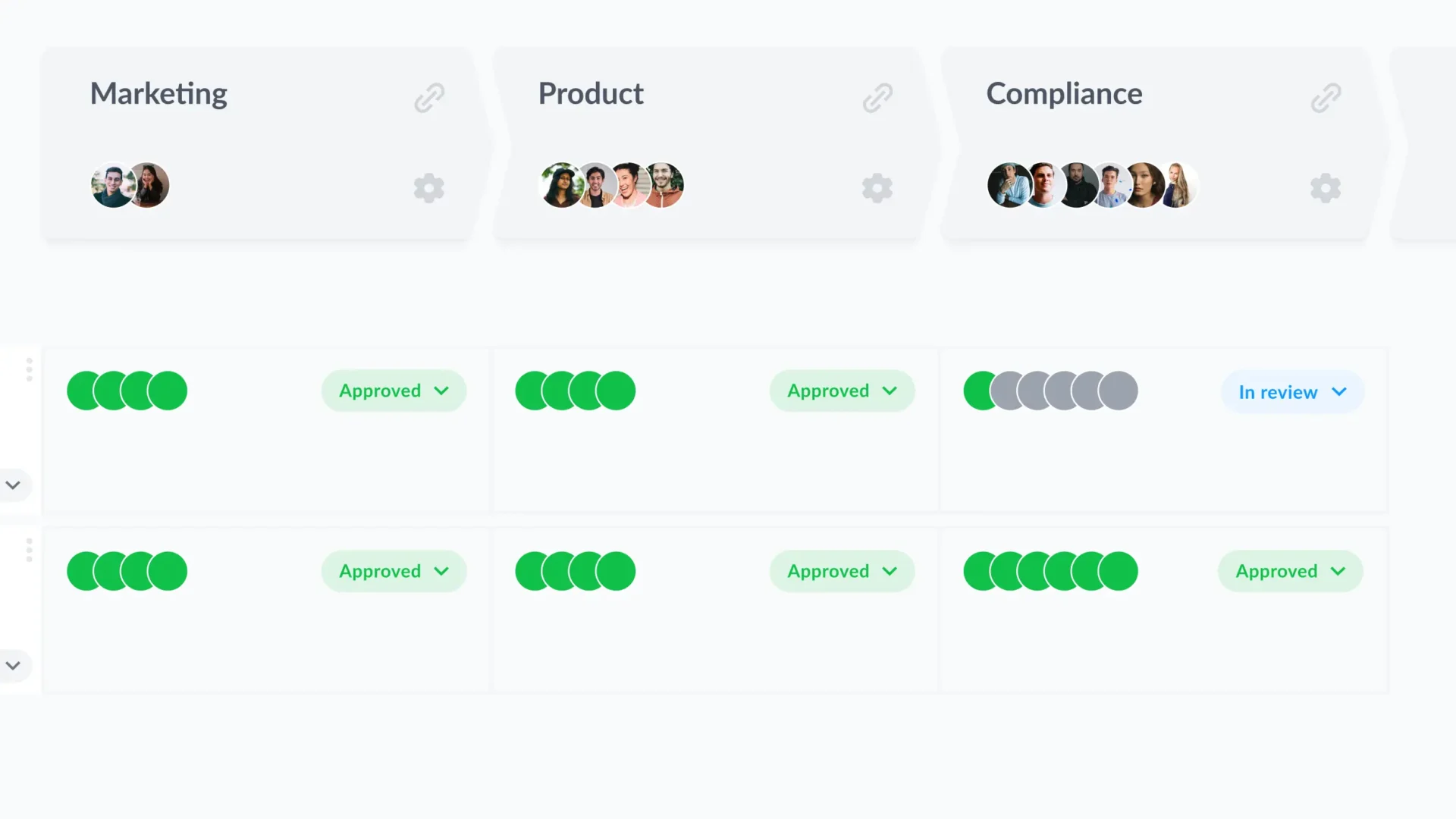
- Approve a file or request changes with a single click
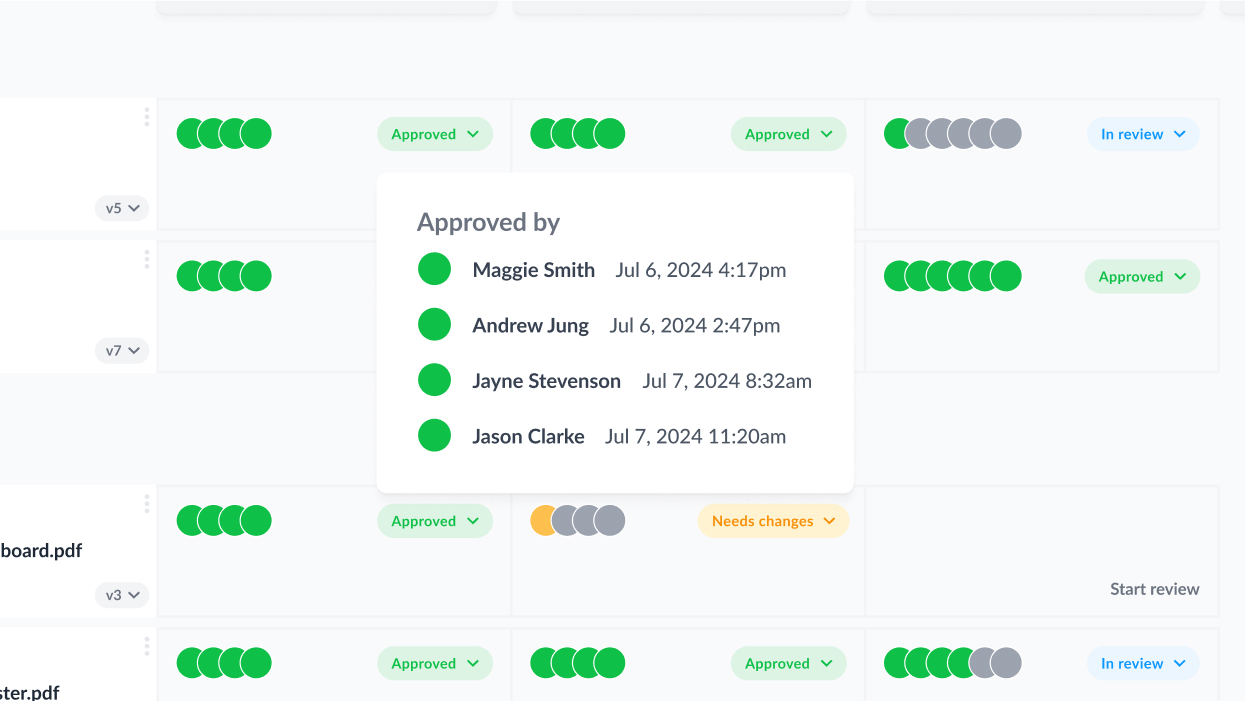
- See who’s given their approval or requested changes at a glance
- Keep a record of who approved what for future auditing

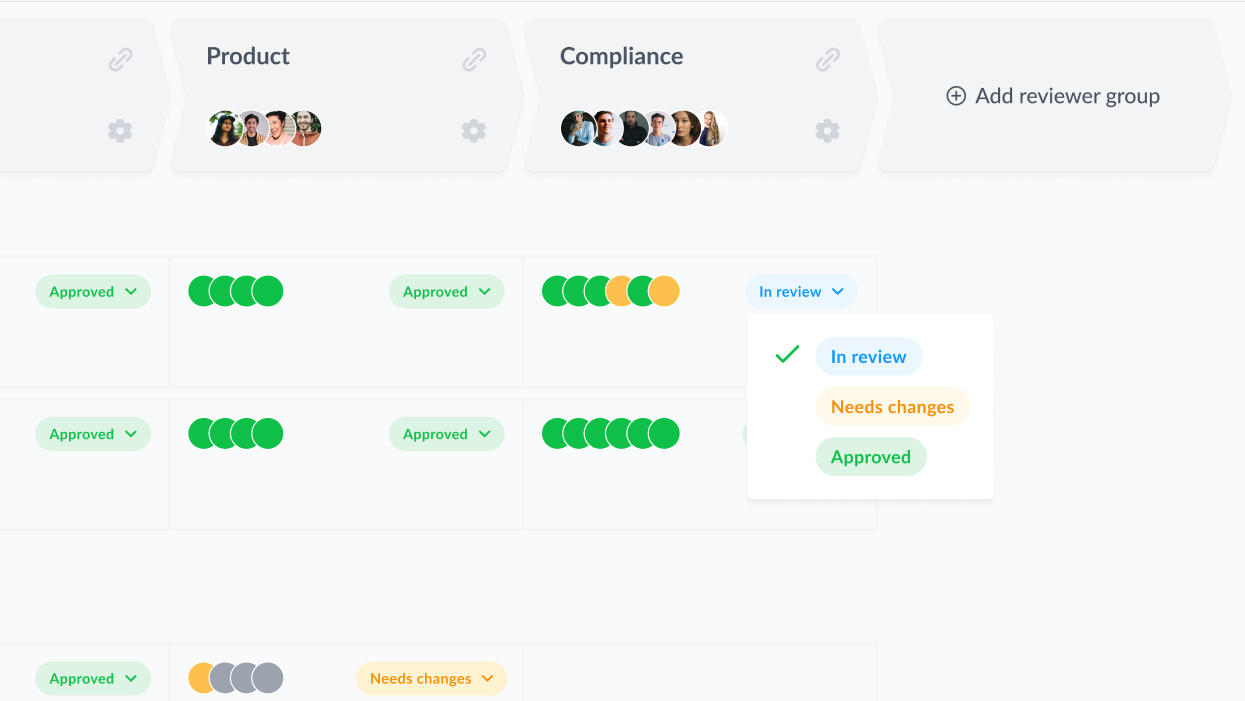
- Manually update review statuses based on feedback and review decisions
- Make it clear which files need changes and are ready to be worked on
- Automatically share a version with the next reviewer group when it’s approved


Let us show you the ropes
Needs assessment
We’ll briefly discuss why you’re here and the biggest problems you need Filestage to solve.
Product demo
See Filestage in action as we build a review process based on your exact use case.
Specialist advice
Get guidance on features, pricing, and how we can set you up for a smooth onboarding.
Connect Filestage with your favorite apps
Automate your workflow with our native and custom Zapier integrations.
Project Management
Assign review tasks to your teammates and track file statuses in your project management tool.


Messenger
Share files, comments, and review decisions in your favorite channels and spaces.


Content creation
Upload files and see comments in your content creation tools, so you can iterate and get approval faster.


And many more!
Create custom integrations in Zapier, turn marketing request forms into projects, and more.


FAQs about artwork proofing software
What is online proofing?
Online proofing is the process of managing files, versions, feedback, and approvals in a centralized tool. In the same way you use project management software for tasks and messenger apps for team chat, online proofing tools help you manage your review and approval process. This improves workflow efficiency by removing messy email reviews from the creative process.
Where does artwork proofing software fit in the creative process?
Artwork proofing software bridges the gap between creative tools and asset management platforms. This replaces the chaotic process of sharing files and consolidating feedback over email, so you can keep everyone on the same page and minimize costly mistakes.
How does Filestage help marketers and project managers?
How does Filestage help creative teams?
What file formats can you share in Filestage?
Filestage’s artwork proofing tool supports a wide range of formats for your designs and packaging artwork, including PDF, PSD, PSB, AI, and TIFF. You can also share videos, images, websites, audio, and interactive HTML, helping to centralize all your content reviews. To find out more, check out our full list of supported formats.