


AI-assisted print proofing software for faster sign-offs and fewer reworks

Replace manual markups and confusing email chains with Filestage’s AI-assisted proofing tool. Marketing teams and agencies get sign-off 30% faster with automated compliance checks and verified approvals.

  • 14-day free trial
  • No credit card needed
  • GDPR compliant

print proofing software

Trusted by 20,000+ people from top brands and agencies

Johannes Morath

Johannes Morath

Manager Marketing Projects, Kärcher

Since rolling out Filestage, we’ve saved 100s of hours on our artwork reviews

Filestage gives our suppliers and agencies a centralized platform to submit creative assets for feedback and approval. This helps us deliver content at speed and scale.

See all success stories
Karina Berner

Karina Berner

Creative Production Specialist, Sartorius

Filestage saves our company a huge amount of time

Instead of writing detailed instructions over email, reviewers can just click on a file to add comments in context. This makes everything faster – from giving feedback, to managing the process, to making edits before sharing the next version.

See all success stories
Zsolt Arnodi

Zsolt Arnodi

Digital Communication Specialist, B. Braun

Our review turnaround time has significantly improved

Filestage helps us reduce long email threads and revision loops by working more interactively and collaboratively.

See all success stories
Julia Wolf - dm

Julia Wolf

Team Leader of National Market Communication, dm-drogerie markt

We have far fewer queries in the review process than before

Since using Filestage we have fewer ‘special requests’ because someone doesn’t have access and sends feedback by email, which then has to be merged. And thus, overall less time and frustration.

See all success stories
Angelika Schneider

Angelika Schneider

Executive Creative Direction Motion Design, Sixt

Filestage has simplified the approval process for us and the departments we are working with

It is now much easier for us to process the collected feedback since we can access all the information in a single place.

See all success stories

Why print proofing gets stuck

Manual print proofing vs AI-powered print proofing software

When teams rely on email threads, PDF markups, and shared folders, errors slip through – wrong barcodes ship, legal lines go missing, and reprints cost thousands. Filestage’s proofing software tracks every change before a single file goes to press, so you can:

Catch errors before print

AI-powered checks scan for typos, broken QR codes, and layout shifts so nothing slips past human review.

Cut review time by 30%+

Designers, brand managers, legal, and external printers all review in the same place for faster approvals.

Verify every approval

Every approval status and sign-off is timestamped and traceable, so each asset has a clear audit trail.
How Filestage accelerates print proofing

A structured review and approval process for every asset

Build a structured, four-step workflow that takes your artwork from first draft to press-ready:

1. Upload your print files

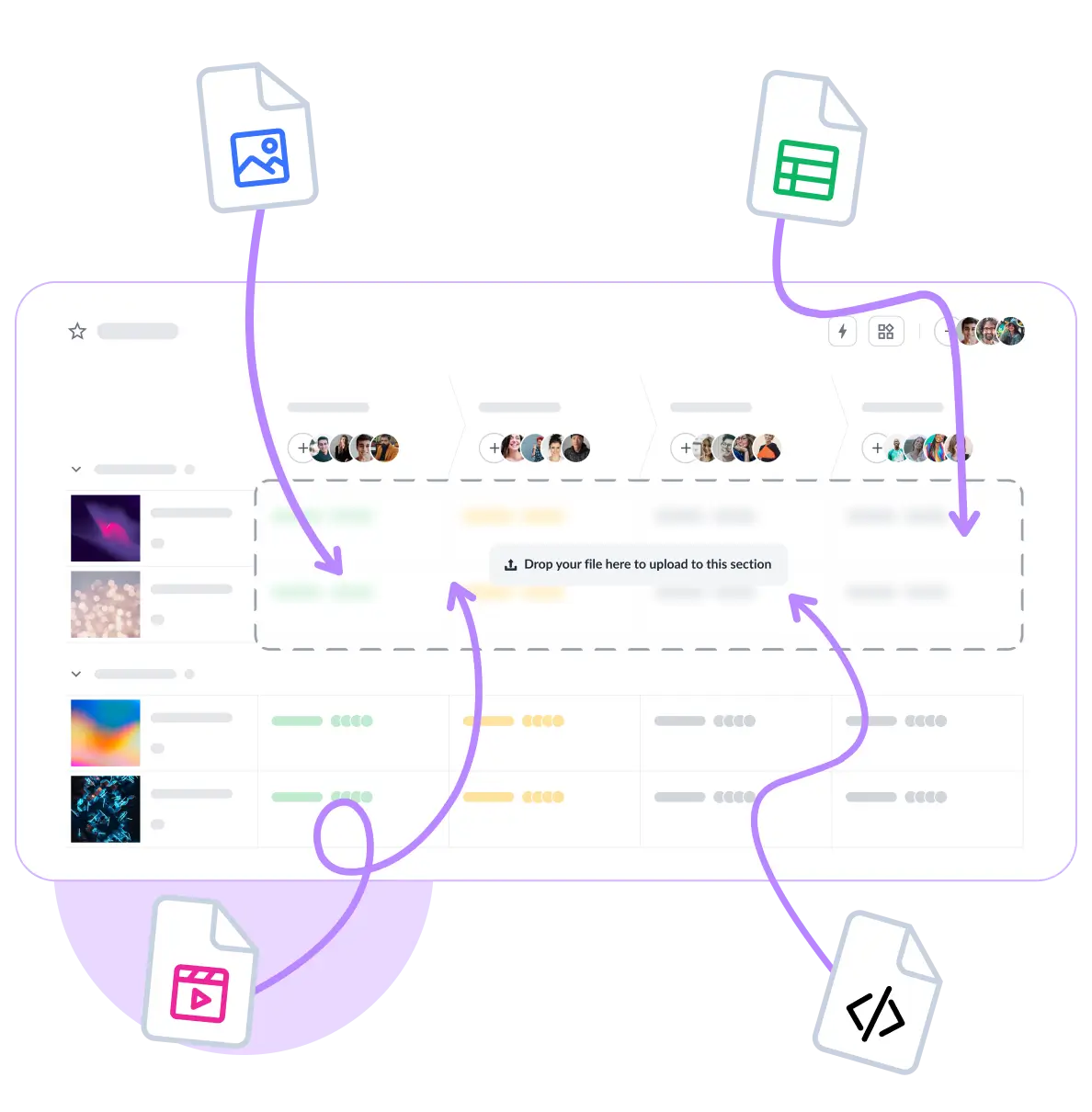
Drag in high-resolution PDFs, PSDs, or AI files. Filestage handles large format files without compression or lag.

2. Run automated AI checks

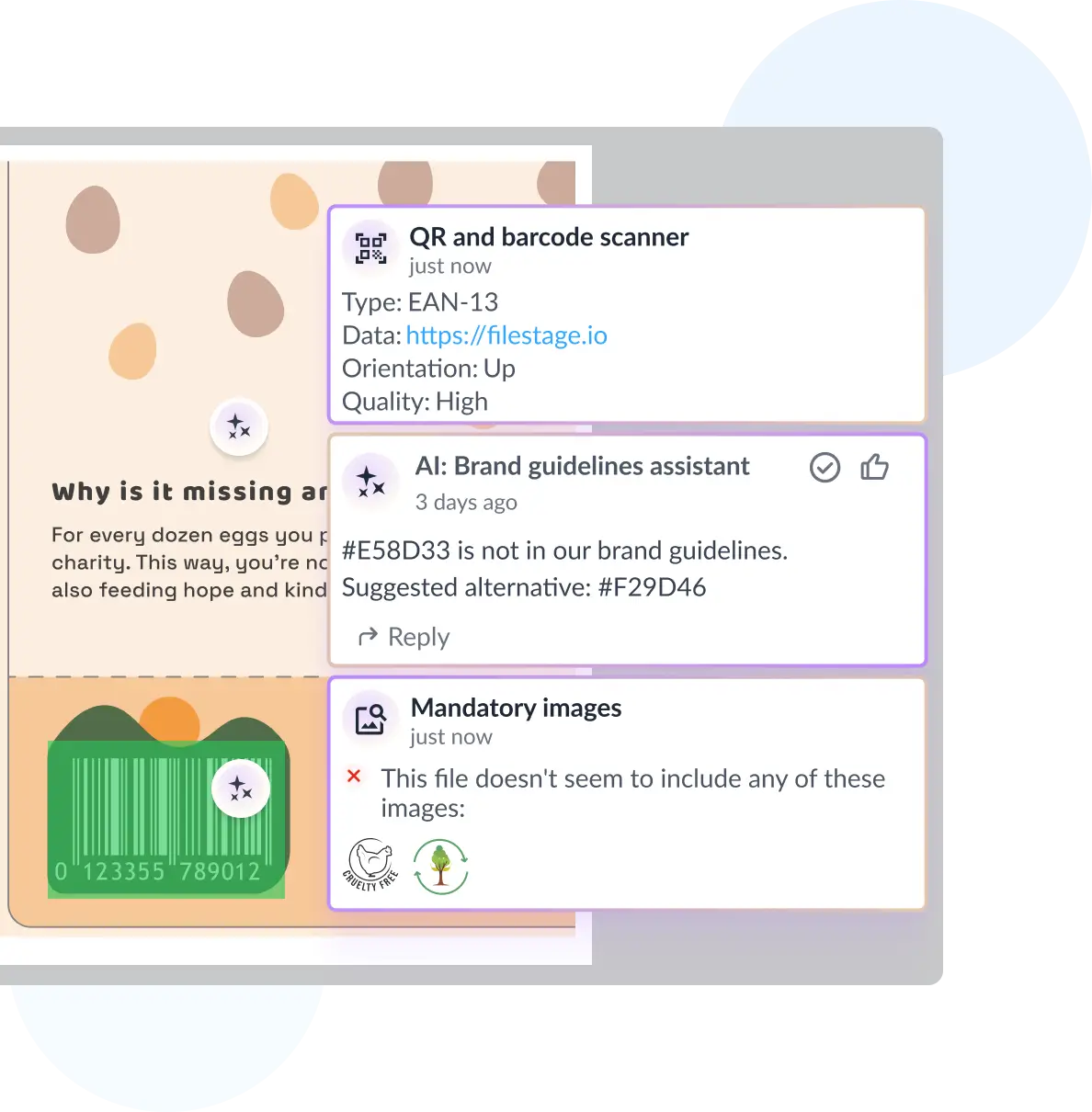
Filestage’s AI reviewers flag typos, grammar errors, missing legal lines, QR code validity, and mandatory brand elements.

3. Collect stakeholder feedback

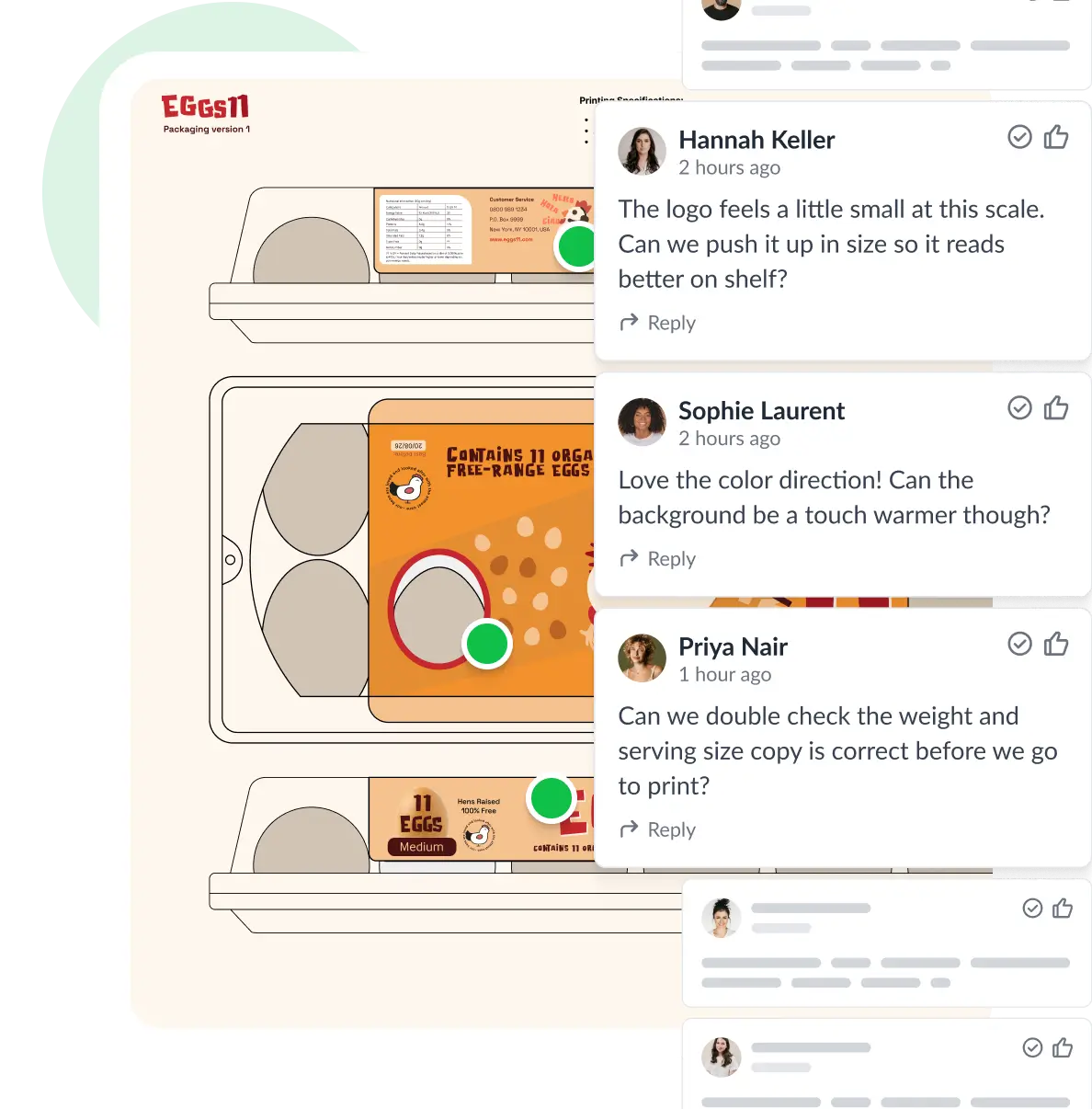
Reviewers leave threaded comments directly on the artwork so stakeholder feedback is visible and never gets lost in email threads.

4. Lock in approvals

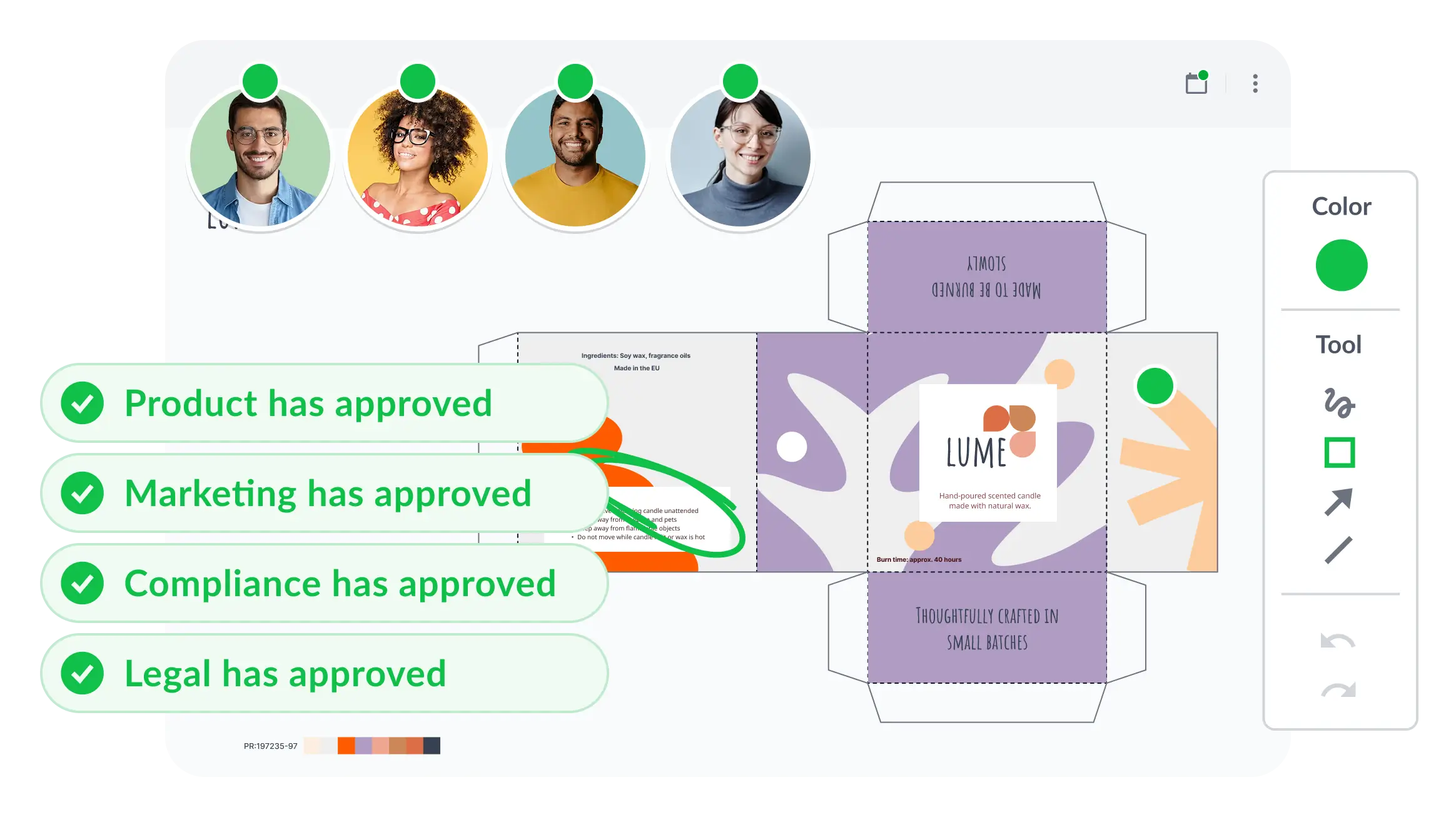
When every stakeholder signs off, Filestage captures a timestamped, verified approval with a full audit trail.

Upload any file to Filestage
Run automated AI checks in Filestage
Collect feedback directly on the file in Filestage
Track status in real time in Filestage
Upload any file to Filestage

1. Upload your print files

Drag in high-resolution PDFs, PSDs, or AI files. Filestage handles large format files without compression or lag.

Run automated AI checks in Filestage

2. Run automated AI checks

Filestage’s AI reviewers flag typos, grammar errors, missing legal lines, QR code validity, and mandatory brand elements.

Collect feedback directly on the file in Filestage

3. Collect stakeholder feedback

Reviewers leave threaded comments directly on the artwork so stakeholder feedback is visible and never gets lost in email threads.

Track status in real time in Filestage

4. Lock in approvals

When every stakeholder signs off, Filestage captures a timestamped, verified approval with a full audit trail.

See how top teams approve artwork 30% faster

Book a 30-minute, tailored walkthrough of your real workflows to see how Filestage can support your team. Learn how leading teams get packaging and artwork signed off faster.

Get a free workflow consultation
Best support badge
most implementable badge
regional leader Europe badge
Best Estimated ROI badge
regional leader EMEA badge
highest user adoption badge
Easiest Admin badge

Print proofing for every use case

Built for every stage of the print production process

Packaging artwork

Marketing collateral

Labels and compliance

Agency and vendor collaboration

  • Manage multi-SKU packaging runs with automated review workflows.
  • Share artwork with legal, brand, and regulatory teams simultaneously and track every sign-off in one dashboard.

Since rolling out Filestage, we’ve saved hundreds of hours on our artwork reviews. The tool allows multiple stakeholders to simultaneously review multiple projects in the most transparent way.

Johannes Morath

Johannes Morath

Manager Marketing Projects at Kärcher
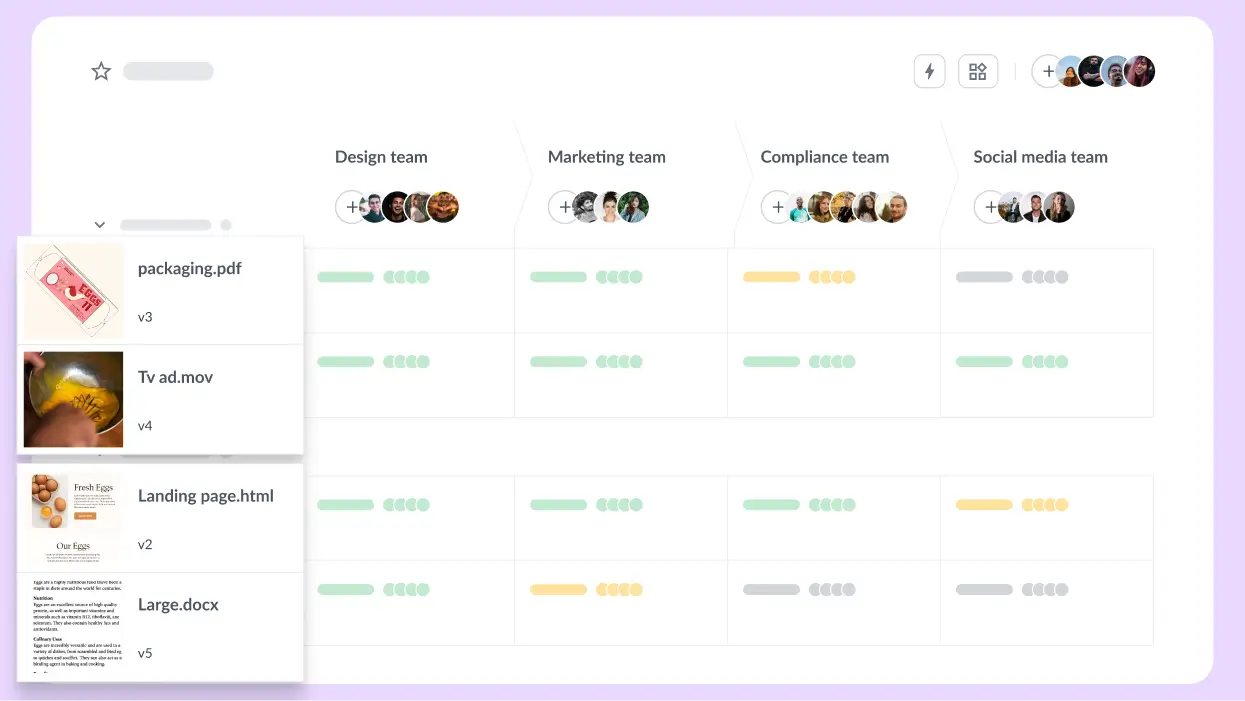
Manage all file types in one dashboard
  • From brochures to point-of-sale displays, keep campaigns moving with deadline reminders and automated version control.
  • Maintain full visibility of what’s approved and what’s still in review.

Filestage has reduced our team’s daily email inbox by roughly 25–30% so now we can focus on other important tasks for the day.

Rain Balares

Rain Balares

INCA Lead at GroupM

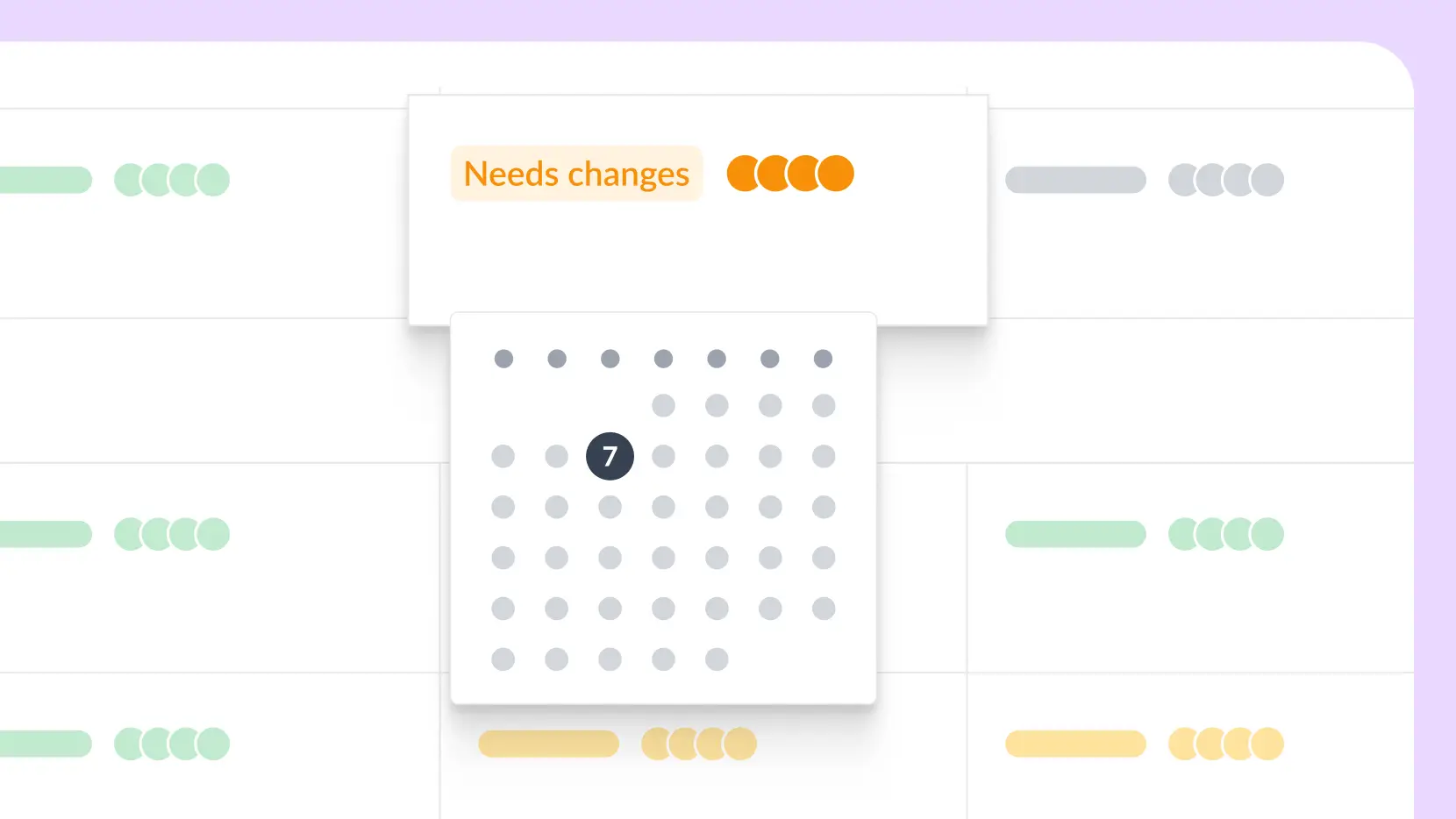
Add due dates to your files
  • Make sure mandatory elements like allergen warnings and barcodes are correct on every label before print.
  • Run automatic AI checks on every asset to catch errors and speed up sign-offs.

Filestage is one of the only tools that lets our marketing team and agency partners collaborate in one platform. This makes sure everything goes through the necessary product managers and technical experts before it goes out the door.

Karina Berner

Karina Berner

Creative Production Specialist at Sartorius

AI-assisted packaging check in Filestage
  • Invite external printers, agencies, and suppliers as reviewers – no account required.
  • Set up custom review steps so internal teams sign off before files ever reach your external print vendor or agency.

The whole process is streamlined and we have a tracked record that shows our clients when they review the comments and the date that they approved it.

Mark Stern

Mark Stern

CEO at Custom Box Agency
Clear overview of the file status
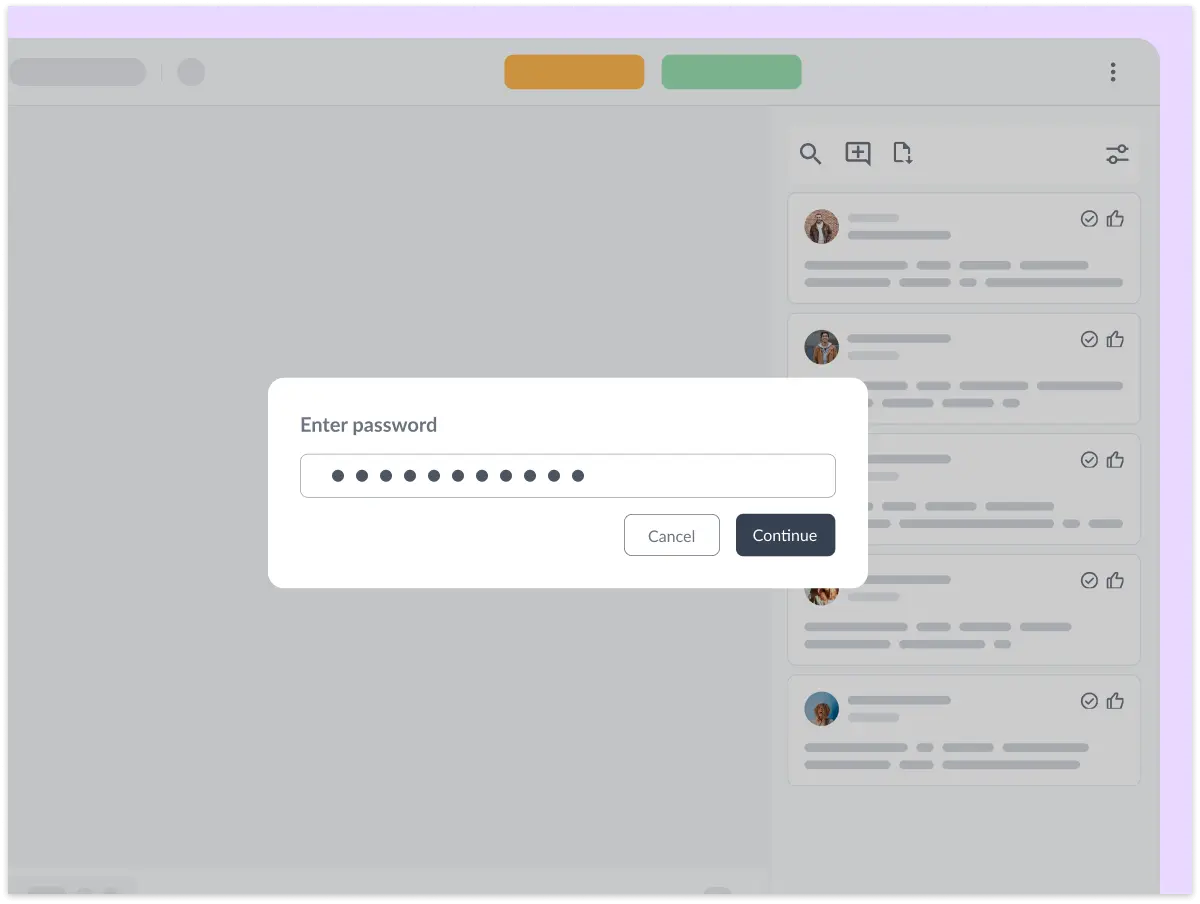
Password protect your files

Secure proofing software for regulated industries

Filestage is built to meet the requirements of enterprise packaging, pharmaceutical, and regulated marketing environments. Share files securely with password protection, download restrictions, and anonymized feedback.

Filestage offers full GDPR compliance, AES 256 encryption that’s certified against ISO/IEC 27001:2022, and certified EU servers.

Start free trial
iso SSL badge GDPR badge

Connect Filestage with your favorite apps

Automate your workflow with our native and custom Zapier integrations.

Project management

Assign review tasks to your teammates and track file statuses in your project management tool.

Asana, Slack, Trello, Jira, Click-Up, Basecamp logos

Messenger

Share files, comments, and review decisions in your favorite channels and spaces.

Slack, MS teams, discord logos

Content creation

Upload files and see comments in your content creation tools, so you can iterate and get approval faster.

Adobe Premiere, Photoshop, Indesign logos

And many more!

Create custom integrations in Zapier, turn marketing request forms into projects, and more.

Zapier, Drive, Dropbox, Excel, Jotform logos

Frequently asked questions about print proofing

What is print proofing software?

Print proofing software is a digital tool that lets teams review, annotate, and approve print-ready artwork online – replacing manual PDF markups and email-based feedback. It centralizes the entire approval process, from first draft to final sign-off, with version control, automated checks, and a full audit trail.

How does print proofing software help prevent reprints?

Reprints are almost always caused by errors that weren’t caught before the file went to press – a wrong barcode, a missing legal line, a colour shift between versions. Print proofing software like Filestage addresses this by automating compliance checks on every upload, enabling pixel-level version comparison, and ensuring that every approval is formally verified. Errors get caught in the workflow, not after production.

Which features should I prioritize when choosing print proofing software?

For print-heavy teams, the most critical features are: automated compliance and error checking (so AI catches what humans miss), precision version comparison (to spot layout shifts between iterations), structured sign-off with audit trails (for regulated industries), and unlimited external reviewer access (so printers and agencies can participate without extra cost). File performance with large, high-res formats matters too as poor compression ruins the review experience. Filestage offers all of these features.

Can print proofing software automatically check barcodes and other printed codes?

Yes. Filestage’s AI-powered reviewers can automatically check QR codes and barcodes in every review cycle. They also scan for common compliance issues like missing mandatory elements, typographic errors, and layout inconsistencies before the file reaches human reviewers. This means critical errors are flagged before print production.

How can I tell if a print proofing tool meets our security and compliance requirements?

Look for ISO 27001 certification (independently audited security management), GDPR compliance with data residency controls, SSO integration with your identity provider, encrypted file storage, and detailed audit logs. For regulated industries such as CPG, pharma, or manufacturing, you should also confirm the vendor can sign a Data Processing Agreement and supports region-specific data hosting. Filestage meets all of these standards.

How do I manage multiple rounds of print revisions without losing track?

The key is keeping all versions, feedback, and approvals in one place rather than scattered across email threads and shared drives. Print proofing software like Filestage automatically versions every file you upload, so you can compare any two versions side by side, see exactly what changed, and track which comments have been resolved. Every reviewer always works from the latest file with no risk of someone marking up an outdated version.

What file formats does print proofing software support?

Leading print proofing tools like Filestage support the full range of formats used in packaging and marketing production: PDF, AI (Adobe Illustrator), PSD (Photoshop), INDD (InDesign), TIFF, PNG, and JPEG. High-resolution and large-format files should be supported without compression or quality loss, since accurate colour and detail are critical in print review.

How many reviewers can I invite to a print proofing project in Filestage?

Filestage supports unlimited reviewers on every project, regardless of your plan. That means you can bring in your entire supply chain, including internal teams, external agencies, print vendors, and compliance leads without worrying about per-seat costs or reviewer limits. Everyone who needs to sign off gets access.

How does Filestage’s version comparison feature work?

Filestage’s smart compare feature automatically overlays two versions of a file and highlights every difference. Changes in layout, copy, typography, color, and element positioning are flagged visually, so reviewers don’t have to read through the entire document to find what changed. It’s particularly valuable for catching subtle shifts between late-stage print revisions.

Can external reviewers use Filestage without creating an account?

Yes. External reviewers like print vendors, packaging suppliers, and agency partners can access and review files via a shared link with no account creation or software installation required. They get full annotation and approval capabilities, making it easy to onboard new external stakeholders without any friction.

Does Filestage have AI capabilities?

Yes, Filestage’s AI reviewers automatically scan your files and flag errors. There are AI reviewers for different use cases, including checks against your brand guidelines, industry regulations like FDA, and mandatory packaging elements. They help you speed up review and approval cycles by spotting errors before humans enter the process.c

Does Filestage support approval workflows with multiple review stages?

Yes. Filestage lets you build custom multi-step approval workflows where different reviewer groups are notified in sequence. For example, your design team can review first, followed by legal, then the brand manager, and finally the external print vendor. Each stage only unlocks once the previous one is complete. This ensures nothing reaches production without clearing every required checkpoint.