


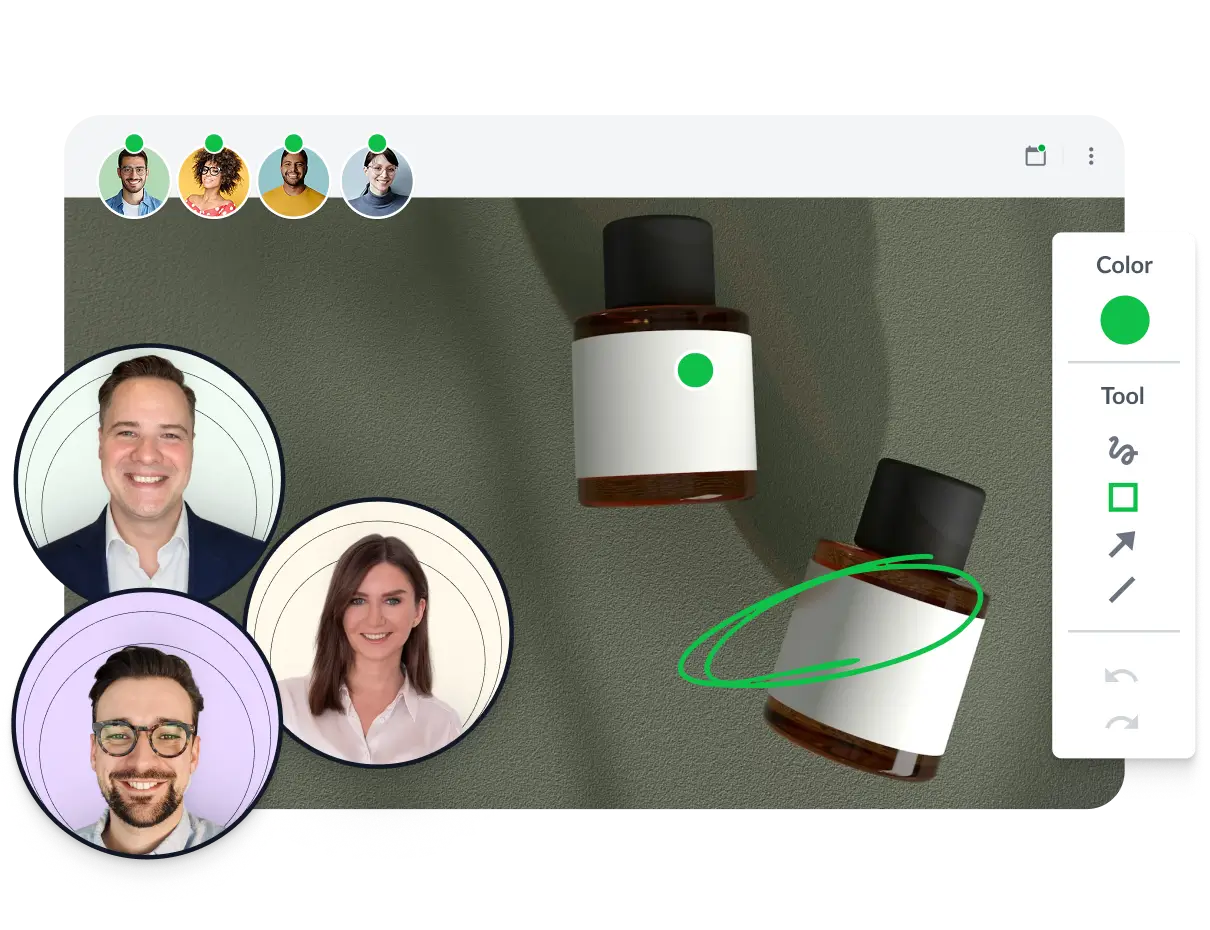
The all-in-one online proofing software

Everything you need to centralize feedback, accelerate review rounds, and deliver great work with confidence.

Free

For small brands and agencies who have outgrown email reviews.

$ 0

Unlimited team members

Get started free
Upload all your files and versions in one platform and invite an unlimited number of people to review them.
checkmark icon

Unlimited essentials

Set up projects to keep your files organized. You can archive an unlimited number of projects to free up space for new work.
checkmark icon

2 active projects

Store your files securely thanks to the latest 256 bit AES encryption technology. The servers are ISO 27017 certified. All your personal data is hosted in Germany according to GDPR.
checkmark icon

2 GB secure storage

Create reviewer groups for each stage of your project, then invite different reviewers to each group to make sure all your files get approved by the right people.
checkmark icon

2 reviewer groups

Connect your systems to our REST API to set up your own custom automations, making your approval process faster and more productive.
checkmark icon

API

Connect Filestage with your existing tools to automatically share files, send notifications, and more.
checkmark icon

Integrations

Basic

Essential tools to centralize feedback and manage simple approval workflows.

$ 109 / month

Unlimited team members

Start free trial
checkmark icon

Everything in Free

Set up projects to keep your files organized. You can archive an unlimited number of projects to free up space for new work.
checkmark icon

10 active projects

Store your files securely thanks to the latest 256 bit AES encryption technology. The servers are ISO 27017 certified. All your personal data is hosted in Germany according to GDPR.
checkmark icon

1 TB secure storage

Create reviewer groups for each stage of your project, then invite different reviewers to each group to make sure all your files get approved by the right people.
checkmark icon

2 reviewer groups

Automate manual tasks by setting up custom triggers and actions.
checkmark icon

2 automations per project

Save your reviewer groups as a template, so you can set up new projects with the same approval process in a couple of clicks.
checkmark icon

1 project template

Keep conversations private between your teammates and creatives. So you can get aligned before sharing your thoughts.
checkmark icon

Team-only comments

Copy selected comments from one reviewer group to another – perfect for filtering out noise or unhelpful feedback before passing it on to other teams or partners.
checkmark icon

Copy comments

Enterprise

Our unlimited plan for organizations with the most demanding approval workflows and security needs.

Contact sales

Unlimited team members

Book a demo
checkmark icon

Everything in Professional

Set up projects to keep your files organized. You can archive an unlimited number of projects to free up space for new work.
checkmark icon

25 active projects

Store your files securely thanks to the latest 256 bit AES encryption technology. The servers are ISO 27017 certified. All your personal data is hosted in Germany according to GDPR.
checkmark icon

Unlimited secure storage

Create reviewer groups for each stage of your project, then invite different reviewers to each group to make sure all your files get approved by the right people.
checkmark icon

Unlimited reviewer groups

Automate manual tasks by setting up custom triggers and actions.
checkmark icon

Unlimited automations

Save your reviewer groups as a template, so you can set up new projects with the same approval process in a couple of clicks.
checkmark icon

Unlimited project templates

Track and optimize performance across your projects, with real-time insights on projects, files, reviews, and reviewers.
checkmark icon

Insights

Ensure maximum security and smooth onboarding of your users and authenticate your team with your own identity provider via SSO.
checkmark icon

Single sign-on

Add a password to your review links to give your files an extra layer of protection. And confirm who your reviewers are before they share their feedback.
checkmark icon

Advanced security settings

Set up custom roles for your team members and choose who has permission to view all projects, upload files and manage your account.
checkmark icon

Custom team roles

Download a PDF report containing every comment and review decision across all reviewer groups, so you can keep a record of your approval process.
checkmark icon

Full file reports

Create separate teams so people only see the projects that matter to them.
checkmark icon

Multiple teams

Through our separate Service Level Agreement (SLA), we guarantee you the best possible service for Filestage.
checkmark icon

Service level agreement (SLA)

We make sure that your team gets off to a smooth start with Filestage.
checkmark icon

Dedicated team onboarding

Enjoy a seamless onboarding experience with your personal Customer Success Manager. We’ll set up the perfect approval process for you, support you with training, and make sure you’re reaching your goals.
checkmark icon

Dedicated customer success manager

Transform the ‘Approve’ button into ‘Approve and sign’. This requires reviewers to verify their identify with a password in line with FDA 21, CFR Part 11, and EU Annex 11 regulations.
checkmark icon

Verified approvals

Control who sees your content by limiting access to reviewers who have been invited by your project collaborators. This prevents stakeholders from being able to share your review links with other teammates.
checkmark icon

Limit access to invited reviewers

Compare all features

Project workflow management

Free

Basic

Professional

Enterprise

Unlimited files Upload videos, images, designs, documents, websites, interactive HTML, and audio files, all in one platform.
Unlimited versions Upload new versions of your files without overwriting previous versions. You can also go back to previous versions any time to check the comments.
Unlimited reviewers Invite people to add comments and approve your files, or simply send them a link. They don’t need to make an account to give feedback.
Active projects Set up projects to keep your files organized. You can archive an unlimited number of projects to free up space for new work. You can also add more active projects to your plan at any time. 2 10 25 25
Favorite projects Find projects faster by adding them to your favorites.
Project templates Save your reviewer groups as a template, so you can set up new projects with the same approval process in a couple of clicks. You can add more templates to your plan at any time. 0 1 2 Unlimited
Dashboards Get separate dashboards for team members and reviewers. Your team members can view all the reviewer groups in your project, but reviewers can only see the reviewer groups you invite them to.
Reviewer groups Create reviewer groups for each stage of your project, then invite different reviewers to each group to make sure all your files get approved by the right people. You can add more reviewer groups to your plan at any time. 2 2 3 Unlimited
Sections Keep your projects organized by grouping files into sections. Unlimited Unlimited Unlimited Unlimited
Status indicators Use color-coded status indicators to see which reviewers have approved (green), requested changes (orange), or still need to take a look (gray) at each of your files.
Review status Set each file’s review status to “In review”, “Needs changes”, or “Approved”, so your reviewers and content creators know what to work on next.
Due dates Add due dates to your files so your reviewers know when to share their feedback.
Automated reminders Send automated email reminders as the due date approaches, or set up integrations to send reminders to your favorite tools.
Awaiting my review View, sort, and prioritize all the files you need to review, so even the busiest stakeholders never miss a thing.
Notification center Get notified and keep track of everything that’s going on in the projects you’re working on.
Email notifications Customize your notification settings for new reviews, feedback roundups, and more.
Custom branding Add your own logo to the Filestage dashboard so your brand always shines through. You can also add different logos for each team to make your experience more personal.
Quick find Tap the F key in your project dashboard or file viewer to quickly search for a specific project, file, version, comment, or help article.

File proofing


Comments Tap anywhere on your file to leave a comment, and reply to other comments in real time.
Pin comments Pin comments to the top of the sidebar, perfect for reminding reviewers of the brief or pointing out where you need feedback.
Team-only comments Keep conversations private between your teammates and creatives. So you can get aligned before sharing your thoughts.
Copy comments Copy selected comments from one reviewer group to another – perfect for filtering out noise or unhelpful feedback before passing it on to other teams or partners.
Timestamps Filestage automatically adds timestamps when you annotate videos and audio files, making it easy to skip to the right points when reviewing feedback.
Mentions Tag your team members or reviewers in a comment, then we’ll send them a notification so they can take a look.
Annotations Draw on videos, images and documents to bring your comments to life. You can also highlight or strike through text to make sure your feedback is clear.
Attachments Attach files to your comments, making it easy to share references, company logos and anything else your team may need.
Measuring tools Measure distance, perimeter, and area directly in the file viewer while adding feedback or comments.
To-do lists Turn all your comments into a to-do list, making it easy for your team to go through the feedback and keep track of what’s been done.
Request changes Tap the ↻ Request changes button when you’ve added your comments. Your team members will then see that you’ve finished leaving feedback, so they can start working on the next version.
Approve Everyone’s favorite feature! Tap the ✓ Approve button when you’re ready to move the file to the next reviewer group.
Extra review decisions Minimize review rounds by adding an option to approve files with changes, or let your stakeholders reject files completely.
Batch review Browse your files in a gallery viewer to approve or reject multiple files at once.
Compare versions Compare two versions side by side with all the comments to see what’s changed. Or switch to overlay mode to fade from one version to another, making it easy to identify visual changes.
Auto compare text Auto compare versions to highlight text that’s been added to the new version and removed from the previous version.
Bulk download Select and download multiple files at once from your project dashboard.
External partner uploads Invite people to upload files to specific projects, like freelancers or agency partners.
Disable review decisions Invite reviewers to add comments or collaborate on feedback without needing to submit a review decision.

Integrations and automations


Automations Automate manual tasks by setting up custom triggers and actions. 2 per project 4 per project Unlimited
API access Connect your systems to our REST API to set up your own custom automations, making your approval process faster and more productive.
Webhooks Set up webhooks to get your Filestage notifications sent straight to your team’s messenger app.
Adobe After Effects Share motion designs and collect feedback inside Adobe After Effects.
Adobe Premiere Pro Share sequences and collect feedback inside Adobe Premiere Pro.
Adobe InDesign Share design files and collect feedback inside Adobe InDesign.
Dropbox Upload files directly from your Dropbox folders.
Google Drive Upload files directly from your Google Drive folders. And sync folders with your Filestage projects to automatically share your latest versions for review.
Microsoft Teams Send automated updates to your favorite channels whenever something happens in Filestage.
Jira Track review progress in Jira with real-time updates on versions, due dates, and statuses.
Integrately Set up ready-made automations with all your favorite tools, including Google Drive and Mailchimp.
Make (formally Integromat) Create your integrations, then watch them play out in real time without lifting a finger.
Slack Connect your projects and Slack channels for instant updates about new files, change requests, and approvals.
Monday Send review tasks and status updates directly to your monday.com projects.
Pabbly Connect with 700+ tools to create smart triggers and actions, saving hours of manual tasks every week.
Zapier Set up automations between Filestage and the rest of your tech stack using Zapier.
Custom integrations Get expert support to integrate Filestage with your existing tech stack.

Reporting and insights


Insights Track and optimize performance across your projects, with real-time insights on projects, files, reviews, and reviewers.
Export review reports Download a PDF report containing every comment and review decision in a specific reviewer group, so you can keep a record of your approval process.
Export full file reports Download a PDF report containing every comment and review decision across all reviewer groups, so you can keep a record of your approval process.

Legal, privacy, and security


Storage Securely store your AES-256-encrypted files on ISO 27017 certified German servers. You can add more secure storage to your plan at any time. 2 GB 1 TB 3 TB Unlimited
Verified approvals Transform the “Approve” button into “Approve and sign”. This requires reviewers to verify their identify with a password in line with FDA 21, CFR Part 11, and EU Annex 11 regulations.
Password protected review links Add a password to your review links to give your files an extra layer of protection.
Limit access to invited reviewers Control who sees your content by limiting access to reviewers who have been invited by your project collaborators. This prevents stakeholders from being able to share your review links with other teammates.
Verify email addresses Confirm who your reviewers are before they share their feedback. And make sure updates, reminders, and new versions are sent to the right people.
Google SSO Sign up and log into Filestage using your Google account.
Federated SSO Ensure maximum security and smooth onboarding of your users and authenticate your team with your own identity provider via SSO. Add-on
Information privacy and security assessments Need to perform a third-party information privacy and security assessment? We’ll answer your questionnaires and supply supporting evidence. Add-on
Custom terms Need custom terms? We’re happy to negotiate them. Need us to sign your terms? We’re open to negotiating those too. Add-on

Support


Email and in-app chat Chat to our team to get help and support with your account or review process.
24/7 help center Get access to a wide range of tutorials, guides and articles to help you get the most out of Filestage.
Dedicated Customer Success Manager Enjoy a seamless onboarding experience with your personal Customer Success Manager. We’ll set up the perfect approval process for you, support you with training, and make sure you’re reaching your goals.
Service level agreement (SLA) Through our separate Service Level Agreement (SLA), we guarantee you the best possible service for Filestage.
Priority access to Filestage Lab Get priority access to Filestage Lab, where you can view our feature roadmap and talk about upcoming improvements with our team.

Administration and control


Member role Give team members limited access so they can only see the projects they’ve been invited to.
Custom roles and permissions Set up custom roles for your team members and choose who has permission to view all projects, upload files and manage your account.
Teams Create separate teams so people only see the projects that matter to them.

How teams boost efficiency every week with Filestage

75+ comments

posted in context instead of getting lost in frustrating email chains

Approve, check, done, review

15+ approvals

with full clarity of who said what and which version is the latest

50+ hours saved

freeing teams up to deliver more campaigns with the same resources

See how much you’ll save in feedback costs

Your current review process

12
5
15
30 mins
$ 40
35

Your return on investment

Annual cost of current process

$ 630,000

Estimated cost savings with Filestage

$ 170,052

Estimated return on investment

2,679%

Your cost savings explained
Filestage makes feedback more visual and intuitive, cutting review time for stakeholders by 10-30%. It also centralizes communications and improves version control, reducing the number of versions needed to get approval by around 20%.

Ready to see more?

We’ll give you a personalized demo to show how Filestage will save your team time and money.

Get a demo
Johannes Morath

Johannes Morath

Manager Marketing Projects, Kärcher

Since rolling out Filestage, we’ve saved 100s of hours on our artwork reviews

Filestage gives our suppliers and agencies a centralized platform to submit creative assets for feedback and approval. This helps us deliver content at speed and scale.

See all success stories
Karina Berner

Karina Berner

Creative Production Specialist, Sartorius

Filestage saves our company a huge amount of time

Instead of writing detailed instructions over email, reviewers can just click on a file to add comments in context. This makes everything faster – from giving feedback, to managing the process, to making edits before sharing the next version.

See all success stories
Zsolt Arnodi

Zsolt Arnodi

Digital Communication Specialist, B. Braun

Our review turnaround time has significantly improved

Filestage helps us reduce long email threads and revision loops by working more interactively and collaboratively.

See all success stories
photo-sharp-naeran

Naeran Rubio

Associate Director of Content & Communications, Sharp

The process has become much more automated and simple

There have been quite a few instances where we were able to go back to something someone said in Filestage and make a correction that perhaps was missed, so the tool has proven to be very useful.

See all success stories
Angelika Schneider

Angelika Schneider

Executive Creative Direction Motion Design, Sixt

Filestage has simplified the approval process for us and the departments we are working with

It is now much easier for us to process the collected feedback since we can access all the information in a single place.

See all success stories
See how Filestage's online proofing software works

Let us show you the ropes

See how Filestage works for your use case and get all your questions answered by our specialists.

Get a demo
Conversation, talking, review

Needs assessment

We’ll briefly discuss why you’re here and the biggest problems you need Filestage to solve.

Approve, review, image, check (2)

Product demo

See Filestage in action as we build a review process based on your exact use case.

approve icon

Specialist advice

Get guidance on features, pricing, and how we can set you up for a smooth onboarding.

Frequently asked questions

How does the free trial work?

You can test Filestage for 30 days, absolutely free. This gives you a chance to test all of Filestage’s features without any limits. At the end of those 30 days, you’ll automatically switch to our Free plan unless you choose to upgrade.

How does the pricing work?

Our pricing plans are based on two main factors: the number of projects you’ll be working on and the range of features you need. Our Free, Basic, and Professional plans offer one fixed price for your entire team, so you can add as many team members as you want without incurring extra costs. Our Enterprise plan works slightly differently due to our advanced security and support features, so please get in touch for a quote.

Do you offer any discounts?

Absolutely! If you choose one of our yearly plans, you’ll automatically get two months free compared to our monthly pricing. On top of that, we also offer custom discounts for educational institutions and nonprofits. Email us at hello@filestage.io to find out about our discounts.

What are my billing options?

You can choose between a monthly or annual subscription. Payments are taken in advance and are renewed automatically unless you cancel before your notice period.

How long does it take to get up and running with Filestage?

Teams can go from creating an account to sharing files for feedback within a couple of minutes. To help with this, there’s a self-onboarding process within the platform. This quickly teaches users how to set up projects, share files, and track feedback and approvals.

Do reviewers also need an account?

No, reviewers don’t need to set up an account to give feedback or approve files. All they need to do is enter their email address so that they can receive notifications about files they’ve been invited to review. We do offer a free reviewer account that gives stakeholders more ways to manage their pending reviews, but this isn’t mandatory.

How does Filestage keep files secure?

Filestage uses AES 256-bit encryption to keep all your documents, videos, designs, and other files secure. These are backed up regularly on our ISO 27017 certified servers in Frankfurt, Germany. So you can rest assured that files, versions, and feedback are safe. For extra security, you can also password protect your file reviews.

Can I sign a data processing agreement (DPA) with Filestage?

Yes, this is a key part of setting up your contract. We’ll draft your DPA in accordance with Art. 28 GDPR to make sure everything meets the latest guidelines.

Does Filestage integrate with my existing workflow?

Filestage integrates with a wide range of tools, including Google Drive, Adobe Premiere Pro, and Microsoft Teams. You can also use Zapier to connect Filestage to your favorite apps.

Best support badge
most implementable badge
regional leader Europe badge
Best Estimated ROI badge
regional leader EMEA badge
highest user adoption badge
Easiest Admin badge

The stage is set

Start for free, upgrade anytime. No credit card needed.