



TL;DR
A project completion checklist helps project managers close work without loose ends. It keeps project deliverables, project documentation, and stakeholders informed in the final phase of the project lifecycle. This guide provides a practical checklist for project completion, along with templates you can reuse. You’ll also learn how to create a final project report that supports future projects and how to reduce stress when completing a project.
Project completion reports: the final step to successful project closure
The end of a project life cycle often indicates that the project has been completed and the project completion report has been submitted.
The project completion report is a detailed documentation that gives an overview of the project’s progress, accomplishments, milestones, roadblocks, budgets, and the team’s performance during the project. It’s a vital part of project management.
In fact, PMI’s Pulse of the Profession 2025 found that professionals who measure project performance more comprehensively use 9.1 success factors vs 6.3, and they see fewer project failures (8% vs 11%).
Besides assessing the success of a project, the report also serves as an important tool for identifying best practices and challenges to improve future project management processes.
In this article, I’ll walk you through how to perform your project completion successfully and provide a guide on how to write a comprehensive project completion report.
Supercharge your content reviews
Share, review, and approve all your content in one place with Filestage.
What is successful project completion?
In project management, delivering what you agreed on in the scope of the project means that you’ve completed your project successfully. On top of that, you have to ensure you’re meeting all acceptance criteria, satisfying stakeholders, and fulfilling business objectives.
The completion report offers a great opportunity to analyze a project’s performance, taking stock of what went well and what could be done differently next time.
What is a project completion plan? – Free project completion checklist to guide your every step
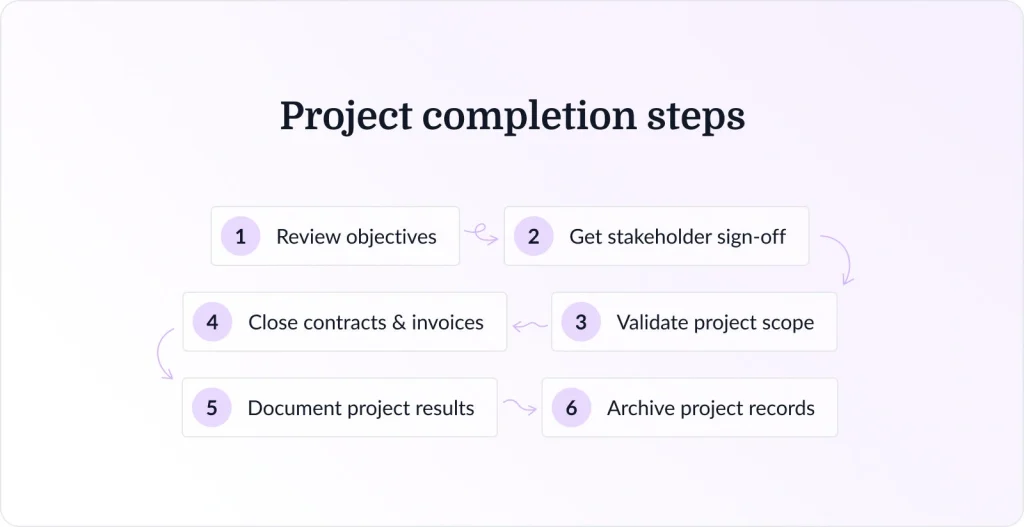
A project lifecycle can’t end unless everyone meets all the project completion criteria. This is why it’s essential for project managers to always have a project completion checklist to keep the team on the same page and guide them through to the final phase of the project.
Plus, the project completion checklist ensures your team completes meaningful tasks during this stage.
Let’s go through the key stages of the project completion checklist one by one.
1. Compare objectives and reality
At the beginning of every project, a project manager sets objectives and goals for the project team members, which they should achieve by the end of the project. When assessing your project completion plan, the first thing to evaluate is how closely reality aligns with the objectives you set at the beginning of the project.
Have you achieved all your objectives? Did you tweak any objectives to account for the realities of undertaking the project? Comparing “what you planned to do” with “what you did” will give you a better understanding of how successful your project was.
2. Confirm project completion with stakeholders
Stakeholders and clients are vital to every project, and their input is invaluable. Their opinions are crucial to the project’s success, and it can’t be completed unless the stakeholders are satisfied.
Project stakeholders need to sign off on any project to mark its completion. So, ensure they are in the loop and aligned on how your project is progressing. Ask for their input or feedback, and follow through accordingly to get their sign-off.
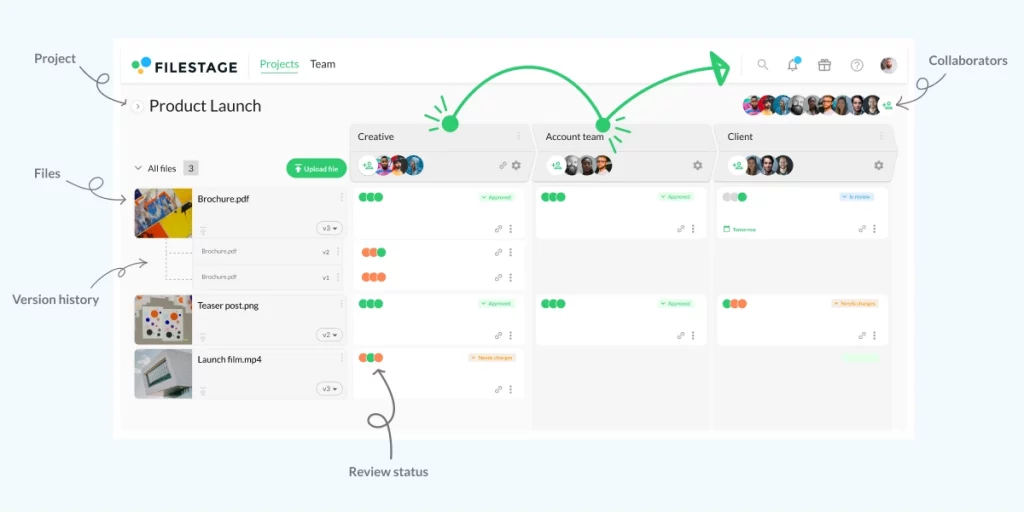
Filestage’s online proofing tool makes it easy to collect feedback from stakeholders on any asset that is created during the project. With this review and approval platform, you can share files with all relevant stakeholders within seconds.
All your reviewers can leave comments directly on the file, discuss feedback with each other, and approve the final version. This allows project managers and creatives to manage the entire process in one place.
3. Confirm if the project is within scope
In the beginning, you’ll probably create a detailed project scope and a formal process, which you’ll then use to guide you to project completion.
Has the project scope statement been met entirely? If not, is that an issue? This period of reflection can be useful to all stakeholders involved in the project.
Changes to the project’s scope during the project are quite common. However, as a project manager, you must ensure that change requests to the project scope are well documented, communicated with all team members, and implemented.
This step is also necessary because it helps project managers prevent scope creep, which often results in the final product’s features and specifications not meeting the project’s expectations.
4. Clear pending contracts and invoices
It’s important that all relevant project costs are charged to it. This helps tidy up loose ends, ensures your organization gets paid, and avoids potential confusion in the future. Plus, it prevents you from dealing with late invoices or bills.
Additionally, stakeholders will want to know whether the project is within budget. Starting the contract closure process by clearing all pending contractors and invoices before the project is completed will give you a clear overview of expenses.
This will also highlight where you underused or exceeded the budget. Also, as a project manager, this will make it easier to gather project records and help explain where notable differences may occur in budget management.
5. Write a post-project report
A post-project report is a document that details the overall process and presents your results. This report can help you take key lessons from the project and identify areas for improvement in the next round. You should share the report within your organization to maximize effectiveness.
Here are all the elements that you should include in your post-project report to make it comprehensive:
- A project overview with a summary statement
- A description of the results and outcomes of the project
- A comparison of the target vs. actual accomplishments
- Project milestones and timelines, stating the project duration and schedule variance, if any
- A list of risks and issues identified and analyzed while executing the project
- Details on how many changes were requested, describing those that were approved and implemented,a nd how they impacted the overall project
- Details on the project cost, showing the total expenditure for the project’s completion, the difference between the projected budget and the final payments
- A summary of the essential feedback collected and lessons learned during implementation
6. Archive all documentation
Throughout the project, you likely created many files and versions of deliverables. While they might seem useless at the moment, it’s vital that you properly catalog them in case you or your colleagues need them in the future.
Archiving all your project documentation ensures the project manager has credible, comprehensive resources they can always refer to in the future.
For instance, based on the data collected from past projects, a project manager can make predictions to proactively reduce risks in new projects. This will ensure they get the best project results on time and on budget.
How can you reduce the stress of completing a project?
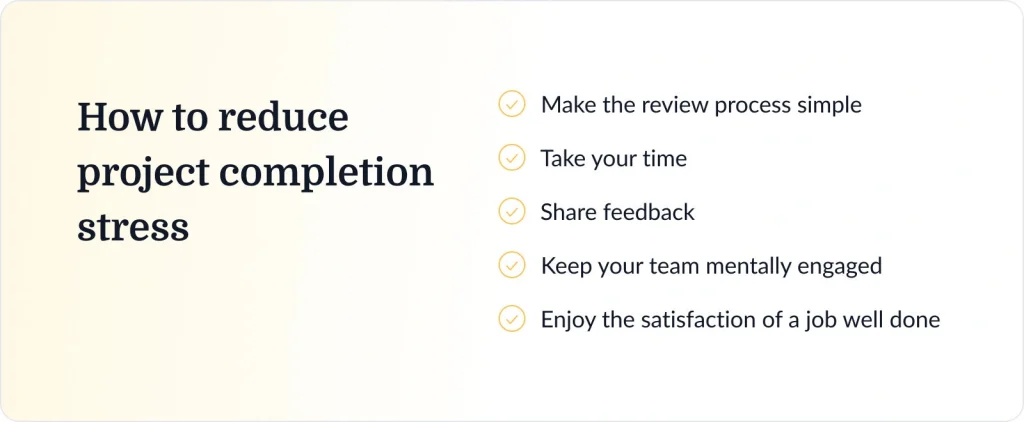
The closing phase of a project lifecycle isn’t typically any less tedious than any of the earlier stages.
Here are some steps a project manager can take to prioritize their work and reduce stress for themselves and their team as they approach project completion.
1. Make the review process simple
Your deliverables are almost ready, but last-minute changes may be requested. You can’t afford to inject confusion into the project at this stage, so it’s essential that your review process is transparent and clear.
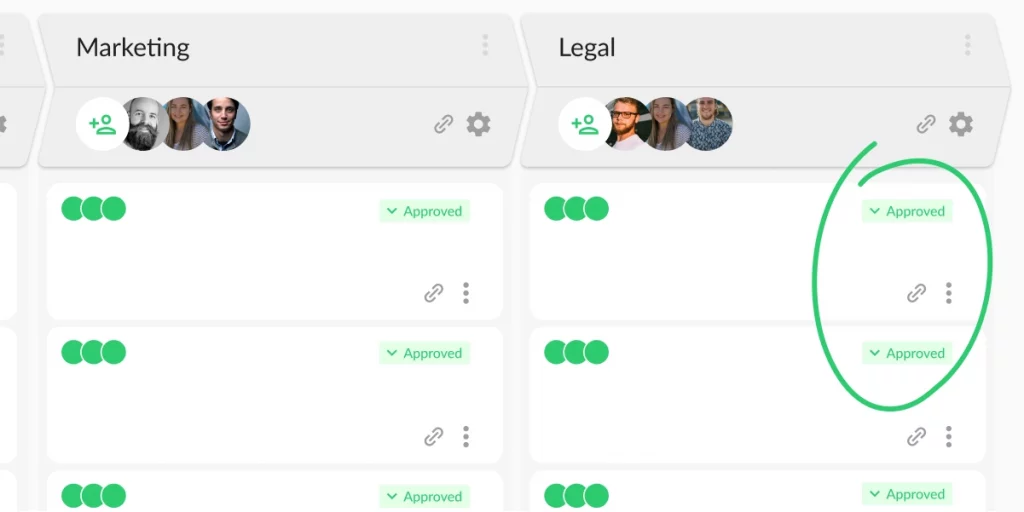
To ensure this, you’ll want to provide formal notice of updates to the project team and streamline your review and approval process with a tool like Filestage.
2. Take your time
Now that the finish line is in sight, it can be very tempting to rush toward it, with arms outstretched in victory. But now is the time to be methodical and cautious in applying high-quality management practices.
Work through your project completion template slowly and resist the temptation to celebrate prematurely. The project will be wrapped up before you know it!
3. Share feedback
With the project wrapping up, this is the perfect time to share performance feedback with the rest of your team. This can galvanize and motivate them, ensuring they give the project the final push it needs. You can also take this opportunity to excite them for the future and the next big project.
4. Keep your team mentally engaged
Your team knows that the project has almost been completed, and they’re ready to breathe a large collective sigh of relief. As the project manager, it’s your job to ensure every member of your team remains engaged.
Making the final tweaks and delivering materials is a delicate stage of the project, so you want your team at their best.
5. Enjoy the satisfaction of a job well done
At the end of the project, take time to look back and admire the work you and your team have accomplished. This can keep you motivated and show you just how far you’ve come, which is an important fuel to keep you rocketing through amazing digital projects.
You can even send a project completion email to your entire team, congratulating everyone on their efforts and accomplishments, and highlighting key aspects of the project.
Free project completion templates for reporting
If you need help writing a project completion report, the three free templates below will help you stay organized and save time.
Get Filestage’s free project completion template
After you’ve completed the project, you’ll want to produce a report for your superiors and the rest of the team. This can help you to assess the positives and negatives that appeared along the way and refine your approach for future projects.
Here’s a sample completion report template that you can use. Follow the steps in the doc to make a copy of the template.
Project completion report template by Template.net
Writing a comprehensive project report for a new business and in a way that will be presentable to your stakeholders doesn’t have to be difficult, thanks to this template by Template.net.
This template has been designed by business gurus, specifically for project reports for new businesses. It’s fully customizable and can be downloaded and edited in both Microsoft Word and Google Docs.
Project closure report template by Smartsheet
If you’re drafting your finished project report, we recommend checking out Smartsheet’s free templates for project closeout reports.
The templates provide sections for the project summary, roles and responsibilities, deliverables, project costs, schedule, and lessons learned. You can download, edit, and share templates in Microsoft Word, Excel, and PDF format.
Project completion example
Writing a report on a completed project is not as difficult as it seems. However, including all steps and details is usually not a walk in the park for project managers.
Here’s an example of a project completion report, so you have an idea of how to start when drafting your report.
- Compare objectives and reality: Does the final website delivery align with the objective?
- Get confirmation from stakeholders: Do the stakeholders approve of the completed website? Are there any notes?
- Confirm project is within scope: Has the scope of the project been fully met? Were all the resources earmarked for website creation used?
- Clear pending invoices: Have all pending invoices for procurement contracts, such as web design and copywriting, been cleared? And did all signed contracts end?
- Post-project feedback and evaluations: These provide details on all the processes you followed during the project and the results your team achieved at each stage.
- Archiving all documentation: All project-related documentation should be stored in an archive for future reference.
Important tips while writing a project completion report

So, how do you write a comprehensive project completion report?
Here are some tips to get you started.
Remove ambiguity
Ensure that your report is as clear and concise as possible. Stay honest and factual throughout your report. Tailor your language to suit your target audience, so that there is no ambiguity in your documentation.
Your project results should be written in such a way that they’re easily understood, leaving no room for guesses, assumptions, or misunderstandings.
Consult with team members and stakeholders
As a project manager, it’s important to work closely with your team members and stakeholders throughout the project lifecycle. The contract-closure process determines how well your team will work together on future projects.
So, seek input from your team members and stakeholders when closing the project and writing the final project report.
It’s critical that the report provide accurate and complete information, and achieving this can be difficult if the project manager begins closing the contract and writing the report without sending contract-closure updates or considering feedback from other collaborators.
Review all deliverables to make sure nothing is outstanding
Before you begin writing your project completion report, you should review the project goals and objectives that were stated in the project proposal. Did you produce all project deliverables? Are there any outstanding tasks you couldn’t complete within the project timeline?
Reviewing and sharing project deliverables with stakeholders is critical to a project’s success. Only when all deliverables and assets have been reviewed and approved by stakeholders will your project be completed.
Conclusion
Follow the process and tips we’ve provided above to guide your project completion plan. We have also provided a variety of project completion templates you can use to create your report, including our free template.
It’s okay if the first draft of the report is not perfect. Remember, the completion report is a summary of all project-related efforts. You can edit and revise the content as much as you like, until you have a copy that sufficiently describes the life cycle of the completed project.
If your completion report needs input and sign-off from multiple stakeholders, you can also run a quick review round in Filestage to collect comments in one place and keep approvals clear. Feel free to start a free trial if that would help.
FAQ
1. What is the difference between a project completion checklist and a project closure checklist?
A project completion checklist focuses on confirming that the work is done, meaning project deliverables meet acceptance criteria and the project scope statement has been satisfied. A project closure checklist goes wider. It covers the official process for closing the project, including final payments, archiving project documentation, confirming that stakeholders are informed, and wrapping up contracts with other partners.
2. What should a project completion audit checklist include for compliance and governance?
A project completion audit checklist should verify that the success criteria were met, that key performance indicators were tracked, and that project reports are complete. It should also confirm that risk assessment records, approvals, and task dependencies were managed throughout the project life cycle. Finally, it should confirm that access is removed where needed and that the final version of the files is stored correctly for future projects.
3. What is the fastest way to collect sign-off on the project report and project results?
Set clear owners, deadlines, and one place for review. Share the final project report with stakeholders at the project completion stage, then request approval against the project objectives and acceptance criteria. Tools like Filestage help by keeping comments tied to the final version, so the project team can resolve feedback quickly and avoid reopening completed work.
4. How do project managers prevent “completed” projects from drifting back into active work?
Lock the finish line with a clear closeout routine. Confirm outstanding tasks are either completed or moved into a new project plan for the next project phase. Run a short debriefing meeting, document lessons learned, and store all the resources in one location. A structured review workflow in Filestage can also help by showing what was approved, when, and by whom, so teams stay on the same page after the project is delivered.
