Approve artwork and designs faster – all in one place

Filestage’s design approval software helps your marketing team or agency centralize creative reviews, give precise visual feedback, and track every version. For faster sign-offs and fewer headaches.

  • 30-day free trial
  • No credit card needed
  • GDPR compliant

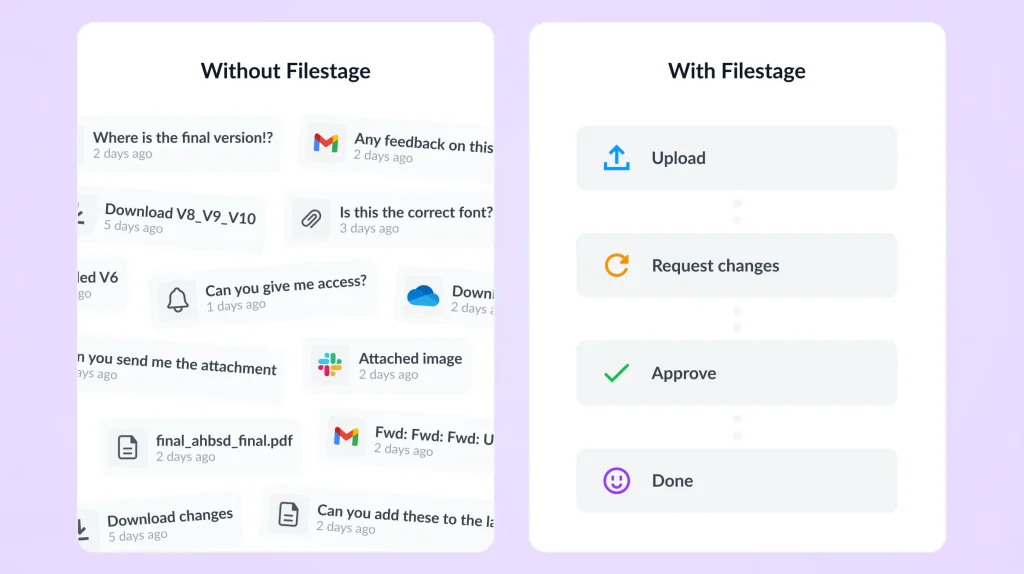
design approval without vs with Filestage

Trusted by 20,000+ people from top brands and agencies

rain balares

Rain Balares

INCA Lead, GroupM

Filestage has reduced our team’s daily email inbox by 25-30%

Since our inboxes are not swamped by these emails about content approvals anymore, we can focus on other important tasks for the day.

See all success stories
Zsolt Arnodi

Zsolt Arnodi

Digital Communication Specialist, B. Braun

Our review turnaround time has significantly improved

As Filestage offers many file formats, we can easily review all kinds of content formats without any issues.

See all success stories
photo-sharp-naeran

Naeran Rubio

Associate Director of Content & Communications, Sharp

The process has become much more automated and simple

Our designer simply uploads the video, sends it to the group, and everyone is able to comment and select the area where the changes need to happen.

See all success stories

Bring clarity to your artwork reviews with design approval software

You don’t need to waste hours chasing design approvals and managing scattered feedback anymore. There’s a better way.

Centralize design reviews in one place
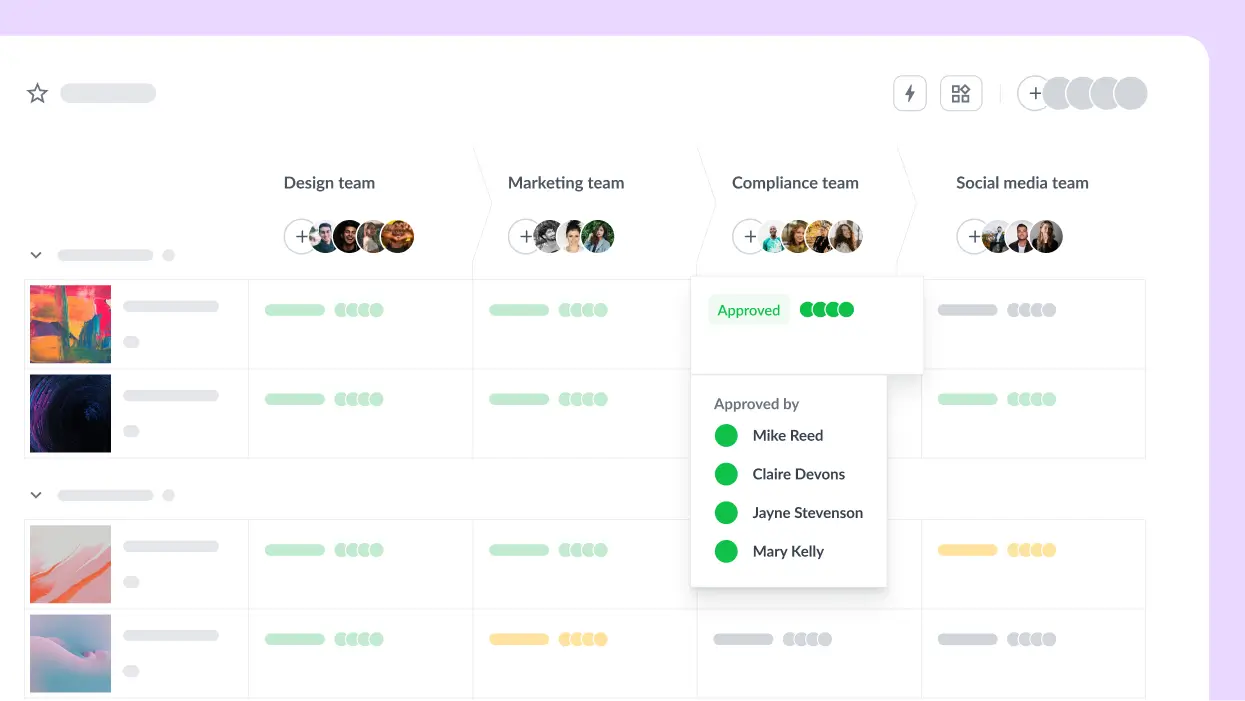
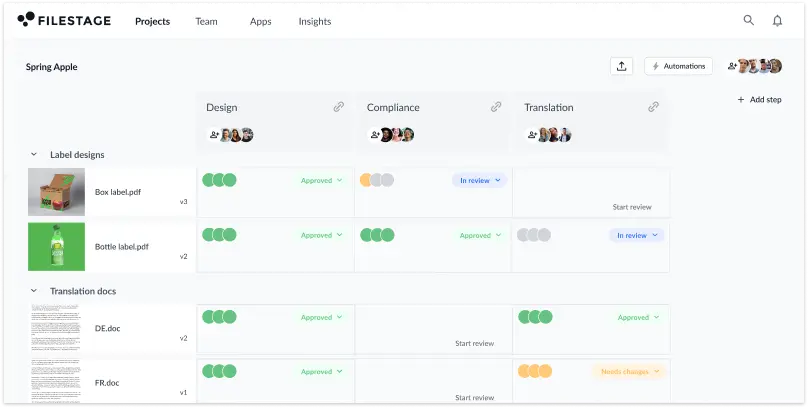
Track every approval and feedback comment from a simple dashboard for full project-level visibility.

Give clear, actionable feedback
Annotate files directly for clearer collaboration and fewer follow-ups. No more vague or conflicting feedback.

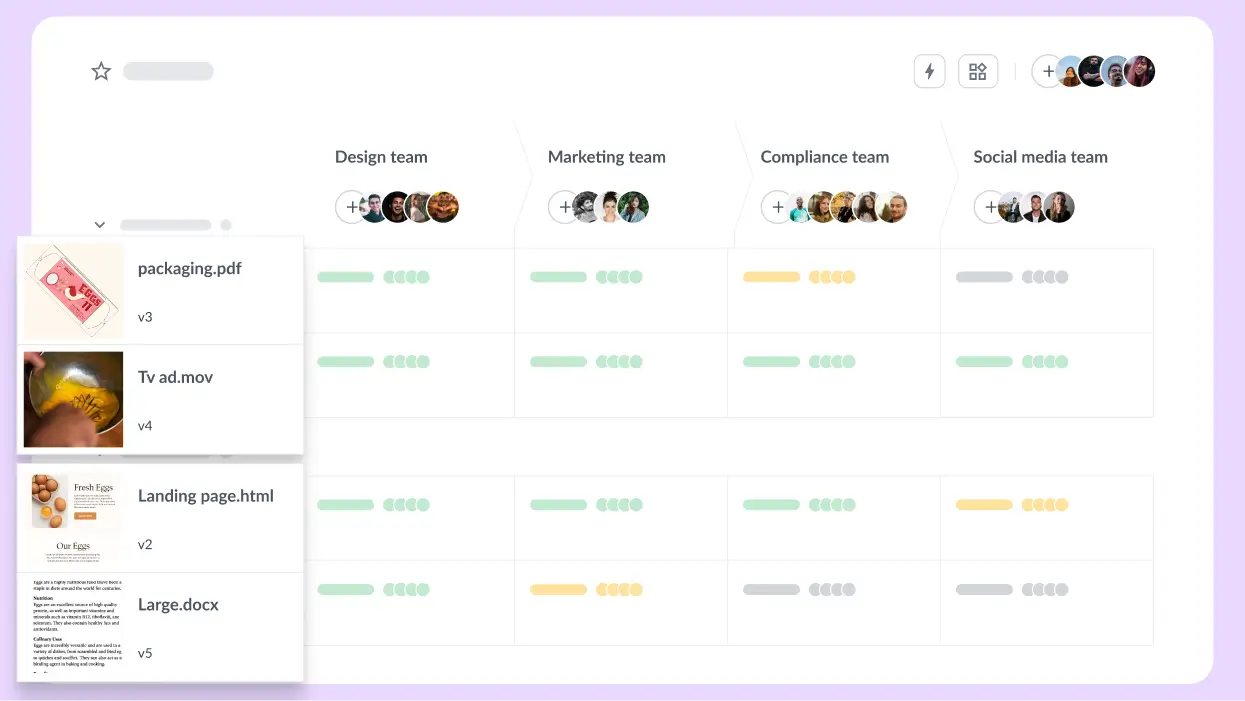
Keep every version organized
Every asset version is stacked in your dashboard, so you never have to waste time looking for the right file again.

Everything you need to get designs from V1 to approved

Centralized reviews

Precise visual feedback

Version control

Custom workflows

  • Keep every comment, asset, and approval in one place – no more scattered emails or lost asset versions
  • Your marketing team or agency can collaborate in real time with total clarity

With Filestage, we have the whole review process in one tool. That means no emails, no PowerPoint presentations with screenshots, and most importantly: happy users.

Caro Berlinghof

Caro Berlinghof

Senior Concept Developer & Project Manager, CAMAO

Manage all file types in one centralized dashboard
  • Give exact, actionable feedback on designs with visual annotations
  • Reduce miscommunication and endless revisions by making it clear what to change

Our content approvals are now much more precise as you can be more specific about the content’s details and make your comment on-the-spot.

Rain Balares

Rain Balares

INCA Lead at GroupM

Give precise visual feedback on designs
  • Maintain full transparency throughout the approval process
  • Easily access past iterations, compare updates, and track every change

Filestage makes things easy. All the files and versions are in the same place. The clients really appreciate the ease of use and being able to have a clear overview of their projects.

Sarah Chen

Sarah Chen

Copy Director/Medical Director, Publicis Health France

Simple version control: Manage all versions of a file
  • Build approval workflows that fit your team or project
  • Assign reviewers, automate steps, and keep projects moving efficiently (even with multiple stakeholders)

Since rolling out Filestage, we’ve saved hundreds of hours on our artwork reviews. The tool allows multiple stakeholders to simultaneously review multiple projects in the most transparent way.

Johannes Morath

Johannes Morath

Manager Marketing Projects Home & Garden at Kärcher

Clear overview of the file status in the Filestage dashboard
Compare two versions side-by-side with online proofing software

Compare two versions in one click

Quickly pinpoint exactly what changed between file versions and make sure all feedback has been implemented.

And if your client preferred the last version, you can easily revert to earlier versions when needed. No reworks or stress. And approvals stay on track.

AI reviewer brand guidelines

Let AI handle repetitive design checks

Our AI reviewers catch details to speed up design reviews. AI will instantly flag missing logos, broken QR codes, or forbidden terms to avoid costly reprints or compliance delays.

That gives your team more time to focus on the creative work.

Streamline your design proofing process in three simple steps

Here’s how you can save time and maintain transparency in the design review process with Filestage.

Step one: Upload your assets
Upload designs to a project and invite stakeholders instantly. Set custom reviewer groups to keep things organized.

Step two: Collect visual feedback
Stakeholders can comment directly on your designs with precise visual annotations. Assign due dates to keep projects moving.

Step three: Approve and track versions
Track every revision and get final approvals quickly. See who has approved designs and when, all from a central dashboard.

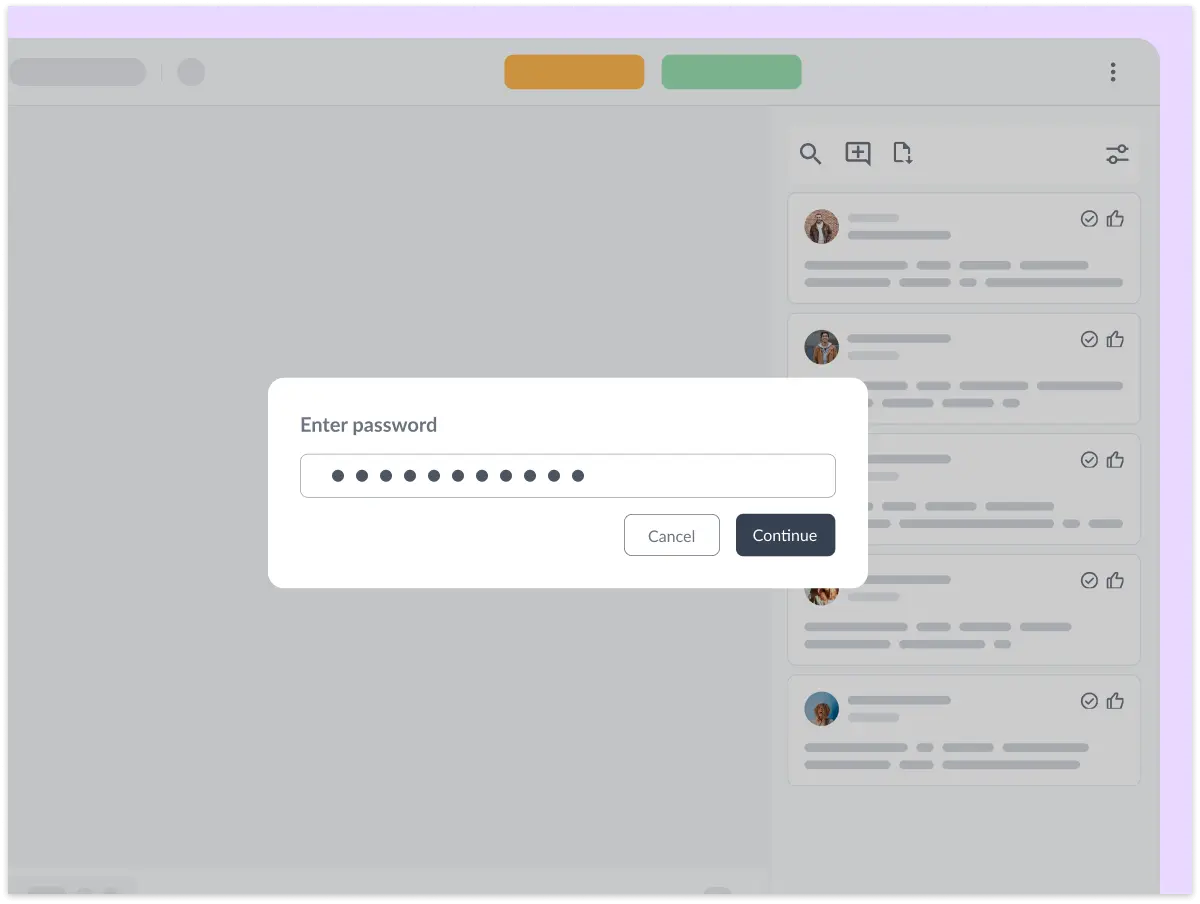
Password protect your files

Share content with confidence

Manage your files in a GDPR-compliant platform

Filestage uses enterprise-grade AES 256 encryption that’s certified against ISO/IEC 27001:2022.

Control who can access your content

Use password-protected links and email verification to choose who can see your files.

See enterprise features
iso SSL badge GDPR badge

Connect Filestage with your favorite apps

Automate your workflow with our native and custom Zapier integrations.

Project management

Assign review tasks to your teammates and track file statuses in your project management tool.

Asana, Slack, Trello, Jira, Click-Up, Basecamp logos

Messenger

Share files, comments, and review decisions in your favorite channels and spaces.

Slack, MS teams, discord logos

Content creation

Upload files and see comments in your content creation tools, so you can iterate and get approval faster.

Adobe Premiere, Photoshop, Indesign logos

And many more!

Create custom integrations in Zapier, turn marketing request forms into projects, and more.

Zapier, Drive, Dropbox, Excel, Jotform logos

Your design approval questions, answered

What is design approval software?

Design approval software is a platform for sharing designs, artwork, and other creative content for feedback and approval. It makes the design feedback process more visual and collaborative, doing away with the need for endless email chains.

Who uses design approval software?

Design approval software is best suited to teams who need to get their content signed off before it can be posted, published, or sent to the printers. This includes creative teams, marketing teams, and project management teams at creative agencies. It keeps all your files, versions, feedback, and approvals in one place, so you can send your work out into the world with confidence.

What kind of designs can you review with Filestage?

With Filestage, you can review any creative project that can be saved as an image or PDF, like posters, packaging, and social posts. Simply export your files from Adobe Creative Cloud tools like Photoshop and InDesign, then upload them to Filestage for feedback.

What other file formats can you review in Filestage?

As well as images and PDFs, Filestage also supports videos, documents, live websites, interactive HTML, and audio files. So if you’re working on multimedia projects and integrated campaigns, you can review all your files and feedback in one place.

What are the benefits of design approval software?

A design approval tool streamlines the artwork approval process for a faster, smoother creative workflow. For instance, with Filestage, you can create custom workflows to make sure every design is approved by the right stakeholder at the right time. The intuitive interface makes it easy for any reviewer (internal or external) to jump on and leave precise feedback directly on design assets. What’s more, centralized feedback saves your team time and confusion in the creative review process.

What features should I look for in a design approval tool?

If you’re a marketing team or agency, look for design approval software that speeds up the proofing process with workflow automation tools, precise visual annotation tools, a project-level dashboard for full transparency, and strong version control to reduce confusion. If you manage multiple stakeholders, opt for a tool that lets you control permissions at a user level.

What is a design approval?

Design approval is the process of reviewing creative assets to make sure they meet brand guidelines, project goals, and stakeholder expectations. It usually involves centralizing feedback and providing clear visibility into every step of the approval process. This improves creative collaboration and helps your team automate time-consuming manual tasks like consolidating scattered feedback and chasing stakeholder approvals. With a structured design approval workflow, your team saves time and avoids confusion so projects run smoothly.

Best support badge
most implementable badge
regional leader Europe badge
Best Estimated ROI badge
regional leader EMEA badge
highest user adoption badge
Easiest Admin badge

The stage is set

Start for free, upgrade anytime. No credit card needed.