Your document version control questions, answered
What is document version control software?
Document version control software is a tool that helps you manage different versions of a document. It keeps track of changes made over time, so you can easily access previous versions if needed. With Filestage, teams can collaborate from anywhere, safe in the knowledge that everyone is looking at the most up-to-date version. This prevents confusion and saves time by providing a centralized platform for document management. With document version control software, you can track edits, compare versions, and merge changes seamlessly. It’s a handy tool for organizing and maintaining document integrity.
What is enterprise document management software?
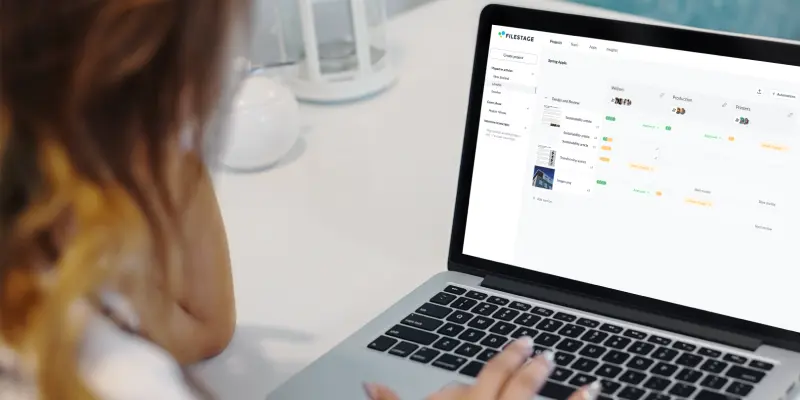
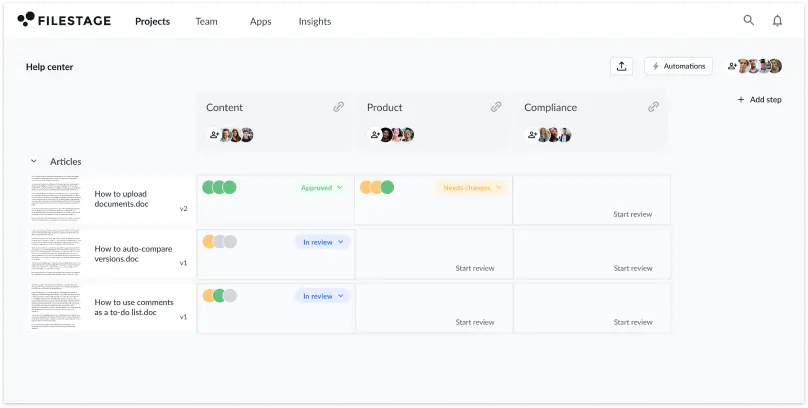
Enterprise document management software is any tool or platform that helps large organizations to store and share documents. Filestage does this by letting you create project dashboards for managing all your documents and versions. You can then see everything in one place, including which version you’re up to and where you are in the approval process.
How does Filestage compare to other types of document management platform?
Filestage is far more than an online document management system. It’s a complete document approval tool for sharing content, collecting feedback, managing versions, and tracking approvals. And with built-in automations and integrations, you can save valuable time throughout every stage of your review process.
Does document version control software support multiple users?
Yes, document version control software supports multiple users. It allows team members and stakeholders to collaborate on documents simultaneously, keeping everyone on the same page. Filestage goes a step further by letting you create approval workflows to support your business processes. This lets you organize stakeholders into reviewer groups like Marketing, Product, and Legal, helping to keep conversations focused on specific topics. This also gives you full control of when stakeholder groups see your documents, further strengthening your document control measures.
Can you access previous versions of a document with version control software?
Absolutely! With a document version control system, you can easily access previous versions of a document. Filestage keeps a record of the changes made over time, so you can review and retrieve any earlier version you need. That means no more worrying about losing important information or struggling to find the right version.
Does document version control software support version comparison?
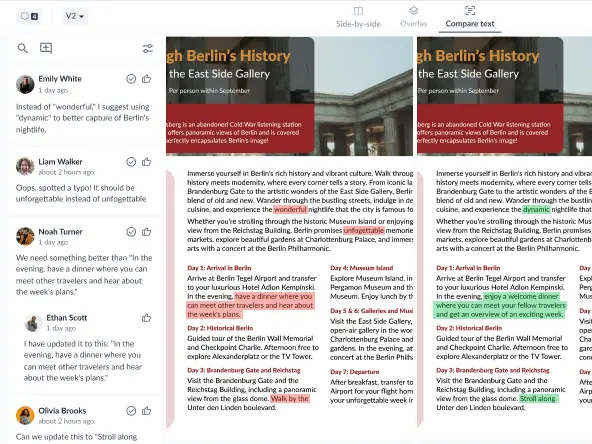
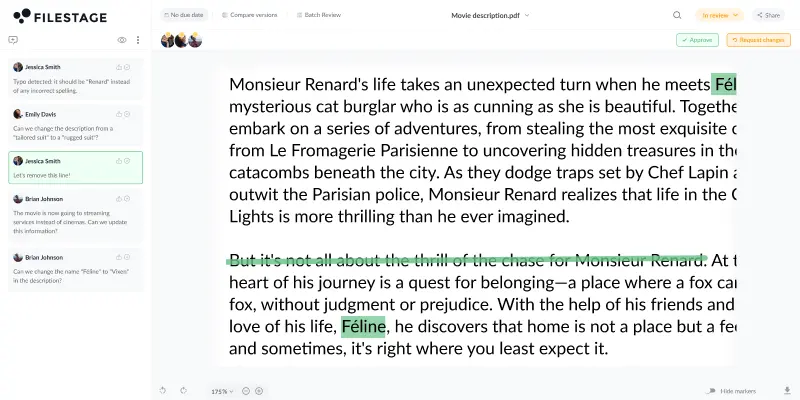
Yes, document version control software supports side by side version comparison. This makes it easy to compare the content of two different versions, as well as all the comments. On top of that, Filestage includes one of the best version control software features – auto-compare text! This highlights everything that’s been added to the new version in green, and everything that’s been removed from the previous version in red. Not only does this support quality management during your review process, it also helps you give feedback and approve documents faster.
Does document version control software allow for commenting and feedback on specific document versions?
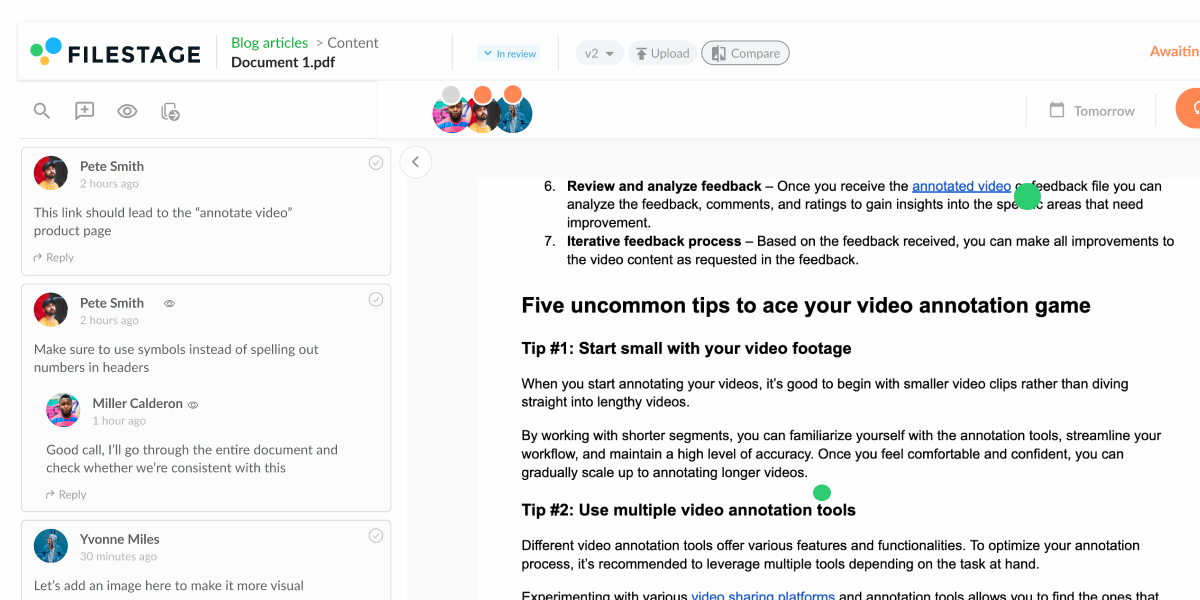
Some document version control software lets you collect feedback and document approval from stakeholders – and Filestage is one of them!
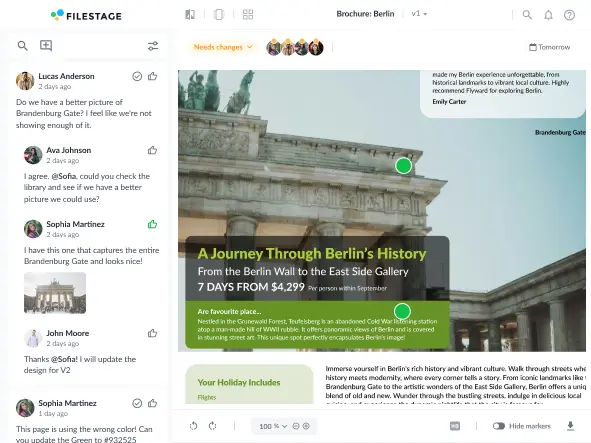
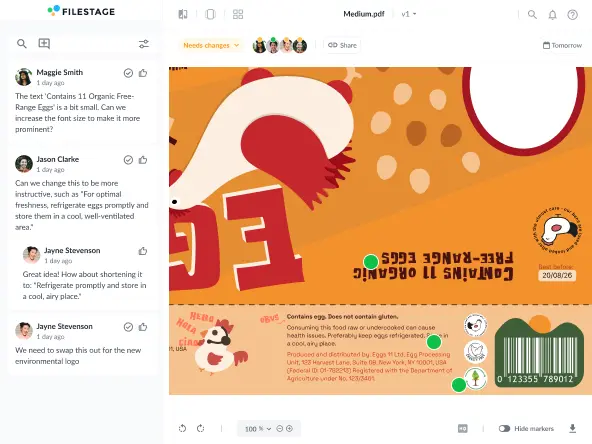
You and your reviewers will be able to open documents on any desktop or mobile devices. Then you can highlight text or create markers and annotations to add clear feedback. Other key features include replying in threads and adding attachments to comments to keep everything in context.
Does an online document management system let you edit documents directly?
Yes, some document management software lets you edit documents directly. But this can have security risks when it comes to revision control – especially for enterprise document management where compliance is key. When you share documents in Filestage, each version is fixed. You and your reviewers can add comments and collaborate to discuss what should be added or removed from the next version, but changes can’t be made directly. This makes sure that only select users can edit documents directly.
Can document version control software integrate with other tools and systems?
Yes, document version control software can integrate with a range of other tools, including Asana, Slack, Google Drive, and Dropbox. With Filetstage’s Zapier integration, you can automate your business processes in a variety of ways. For example, you can remind stakeholders to share feedback in Slack or Microsoft Teams. Or you can automatically download approved files to your Google Drive or other document management solution.
How secure is document control software in terms of data protection and access control?
Filestage’s document version control software lets you share documents using AES 256-bit encryption. Files are stored on our ISO 27017 certified EU servers and all data is handled in line with GDPR. Filestage also offers a range of access controls to support document management. As a collaborator, you can choose who has access to share documents or invite reviewers to give feedback. And by password-protecting your review links or turning off downloads until files are approved, you can rest assured that only the final version will see the light of day.
What types of documents can you share and review with a document management system?
Document management software supports a wide range of Microsoft Office formats, including DOC (Microsoft Word), DOCX (Microsoft Word Open XML), XLSX (Microsoft Excel Open XML), and PPTX (Microsoft PowerPoint Open XML). You can also share Google Workspace content by exporting Google Docs, Slides, and Sheets as PDF/X files.
Filestage supports a wide range of other formats too, including videos, images, designs, audio, live websites, and interactive HTML. For more information, take a look at our full list of supported file formats.
Can you keep an audit trail from document generation to the final version?
Yes, Filestage allows you to keep and download audit trails using file and review reports. These include every comment, change request, and approval on each version, including timestamps. For the eco-conscious, this is a great step towards a paperless work environment. Instead of printing out documents with all their version control and approval records, you can save and access everything digitally using cloud storage.
How do you stop people from editing versions of your documents directly?
If you want to prevent people from editing your Word documents and Google Docs directly, you should export them as a PDF first. You can then share them using Filestage’s document version control system. This will give everyone the opportunity to add comments and request changes without being able to make changes themselves.