The pressure to create content that truly performs keeps building. A 2025 Sprout Pulse survey found that 90% of marketers say influencer content outperforms their own brand posts.
That insight highlights a growing challenge. Audiences now expect authenticity and steady output, not just polished campaigns. Automated content creation helps marketing teams rise to that challenge by producing more consistent, engaging material without sacrificing quality.
Used well, content automation is less about replacing creativity and more about supporting it. By taking care of repetitive tasks and first drafts, automation tools free your team to focus on strategy, storytelling, and big ideas. You know, the parts that make your content worth reading.
In this guide, I show you how to use automation to increase your output without losing the quality and personality that earn your target audience’s trust.
What is automated content creation?
Automated content creation goes beyond simple templates. It uses artificial intelligence, machine learning algorithms, and specialized automation tools to generate or repurpose text, images, and videos with minimal effort from your team.
So, what does automation in content creation actually look like? It’s the use of technology to take care of the heavy lifting in your content workflow, leaving your team free to focus on the parts that really need a human touch.
Of course, even the most advanced AI tools still need human direction. Your team’s experience shapes the strategy and guarantees every piece of content sounds like your brand and speaks to your audience. The best results come when AI handles the groundwork while people guide the story.
Top three benefits of automated content creation
These are the key advantages your marketing or creative team will enjoy with automated content creation.
Saves time and boosts productivity
Automated content creation tools handle time-consuming tasks like research, formatting, and basic writing, allowing your team to focus on creative work that moves the needle. This leads to significantly increased efficiency in your content production, giving your team back hours each week that can be redirected to strategic planning and creative direction.
Enables scalability
With content automation, you can produce more content output without proportionally increasing team size or resources. This scalability is essential for businesses looking to expand their content marketing efforts across new channels or markets, or for teams that want to ramp up their content production without the traditional hiring and training cycles.
Maintains brand consistency
AI-powered tools can be trained to follow your brand voice and guidelines, ensuring consistent messaging across all your marketing content. This is particularly valuable for maintaining brand consistency when creating content for different audience segments or managing a global audience across multiple regions and languages.
A great example of this is Filestage’s AI reviewers. You can train AI on your brand voice and style guidelines, so it automatically flags issues like:
- Forbidden terms – words and phrases that go against your brand voice (or compliance standards)
- Spelling and grammar – typos or errors that could impact your brand’s reputation
- Mandatory images – incorrect placement of logos, icons, and other visual elements that could lead to costly reworks

Supercharge your content reviews
Share files, get feedback, and manage approvals all in one place – with Filestage.
The limitations and risks of automated content creation
In the wrong hands, automating content creation can be risky. Here are three potential limitations to watch out for.
Can lack originality and depth
Let’s face it, AI-generated content can sound a little flat if left on its own. It tends to feel generic and lacks the nuanced understanding that human creativity provides. While excellent for drafts and basic content, it may struggle with complex topics requiring deep expertise or the unique storytelling perspective that comes from genuine human experience.
Requires human oversight
Automation isn’t set-and-forget. Human creators remain essential for strategic alignment and quality control. Your team needs to check for accuracy, add insight, and shape the final message so that the content generated meets your standards and business objectives. This human touch is what transforms competent AI-generated drafts into content your target audience actually connects with.
Demands compliance vigilance
In regulated industries, automated content production requires careful monitoring to maintain compliance with legal requirements. Human expertise is crucial for verifying accuracy and protecting brand reputation, particularly in fields like consumer goods, healthcare, or legal services, where inaccurate information can have serious consequences.
Five awesome use cases and tools for automated content creation
In this section, I’ve put together five of the most popular ways marketing teams use automated content creation to save time and headaches.
1. Text-based content
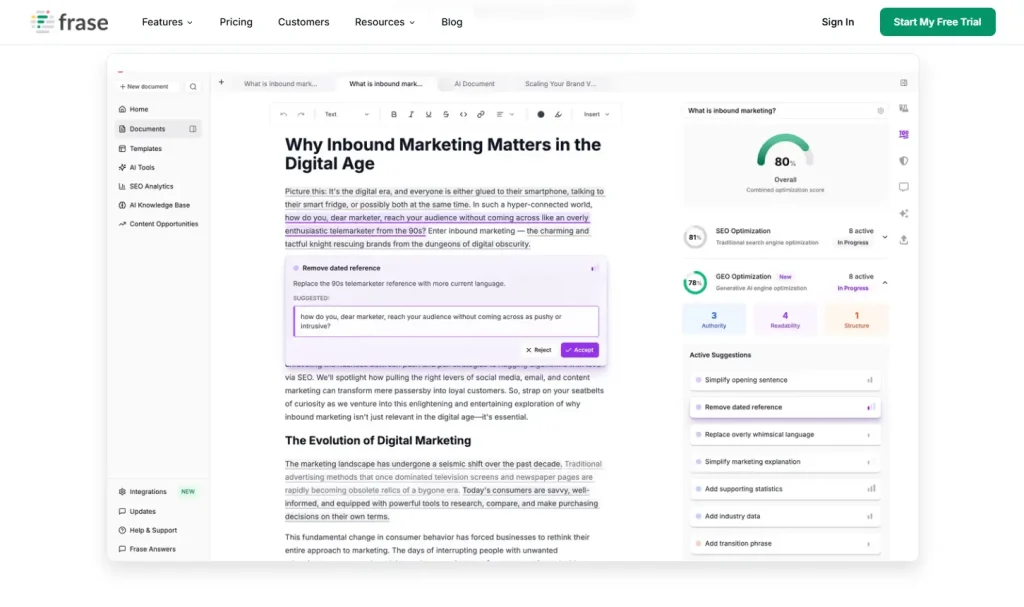
People often ask, “Is there an AI that creates content”? The answer is yes. And quite a few of them are already transforming how marketing teams work. Tools like Jasper, Copy.ai, and Frase are designed to help you generate first drafts, brainstorm new ideas, or repurpose existing material with less effort and more consistency.
These platforms are ideal for blogs, newsletters, social media updates, and product copy. They help your team get past blank-page moments and keep content flowing, even during busy campaign cycles.
If you’re already streamlining your workflow, you might also find content creation platforms useful for managing your publishing schedule and collaboration.
Here’s a closer look at how each of these tools supports your workflow:
- Jasper – An AI-powered writing assistant that helps create blog and social media posts, as well as product descriptions, all while maintaining your brand voice
- Copy.ai – Specializes in generating social media captions, email copy, and meta descriptions quickly and efficiently
- Frase – Combines AI content creation with SEO optimization to create contextually relevant content that performs well in search engines
2. Visual content

Visual assets play a big role in how audiences perceive your brand. Whether it’s a social media graphic, ad banner, or product image, consistent visuals help people recognize and remember you. But creating those visuals from scratch every time can eat up hours that could be better spent on strategy or storytelling.
That’s where automation steps in. Modern design tools can now generate layouts, resize images for multiple platforms, and even build branded templates automatically. Instead of tweaking dimensions or reformatting by hand, you can spend that time developing campaign ideas that stand out.
Some of the most effective tools in this space include:
- Canva – Offers automated design templates and brand kit features that streamline image creation while keeping visuals on-brand
- Adobe Firefly – A family of generative AI models from Adobe, integrated into Creative Cloud apps, for generating and editing images and text effects
- Looka – Automates logo creation and brand guide development, helping maintain visual brand consistency
For a closer look at how to make your design process more efficient, explore our guide to visual content creation.
3. Video, audio, and multimedia

Video and audio are now at the heart of digital marketing content. They capture attention quickly and make it easier for people to connect with your message. The problem is that producing multimedia content has traditionally been slow and expensive, and that’s exactly where automation helps.
Today’s tools can automatically generate videos, create voiceovers, and edit audio files that sound professional. They make it possible for smaller teams to compete with big-budget productions, opening the door to more engaging, accessible content across channels.
- Lumen5 – Automatically turns blog posts and articles into engaging video content using AI powered technology
- Descript – Offers automated transcription, audio content editing, and AI voice generation for multimedia projects
- Murf – Provides AI-generated voiceovers in multiple languages and accents, helping create professional audio content quickly
For more insight into how automation is reshaping creative work, check out our post on AI content creation.
4. Localization

If your business serves audiences in different regions, localization is key to connecting with them in a way that feels authentic. Automated content creation makes that process faster and more consistent, helping you translate and adapt content without losing your brand voice.
The right localization tools manage workflows, store translation memories, and make it easier to maintain consistent language choices across all your platforms. Combined with human review, they help global teams produce content that feels locally relevant while staying true to the brand.
- Smartling – Uses machine learning to automate and streamline translation workflows while maintaining brand voice across languages
- Lokalise – A localization platform that combines AI translation with flexible human review options using your team or their partner network
- Phrase – Offers AI-powered translation memory and automated quality checks for efficient localization
5. Content review and approval
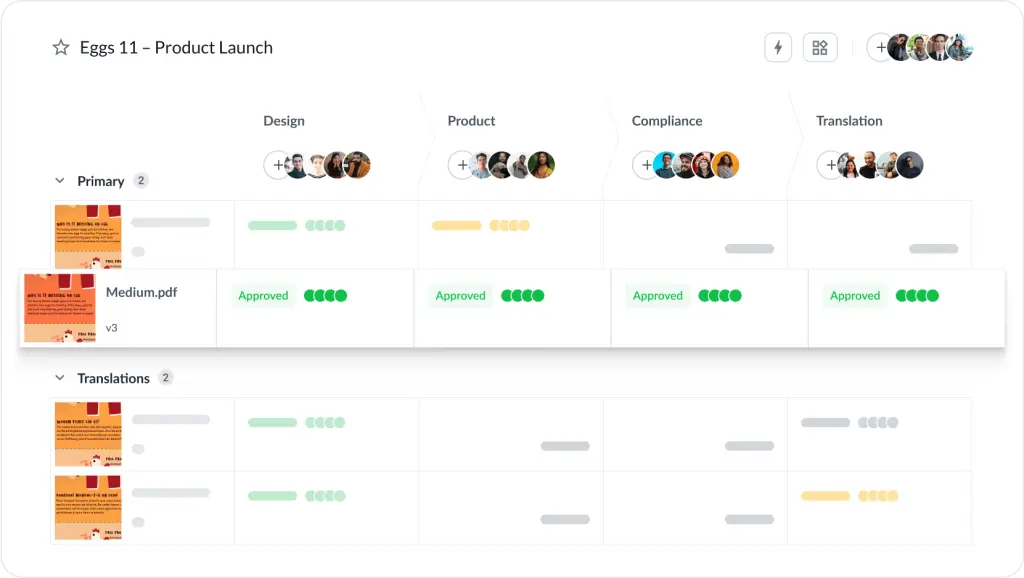
While automated content creation handles the initial production, you still need efficient processes for review and approval. This is where a tool like Filestage fits perfectly into your workflow.
Filestage makes it easy to manage feedback for every type of content, from AI-generated blog posts to videos and design assets. Its automation features keep projects on track without endless back-and-forth emails or version confusion.
Here are some of my favorite Filestage automations:
- You can set up custom approval workflows that automatically send content to the right reviewers in the right order
- Reviewers get automatic reminders and deadline notifications, helping teams stay aligned without anyone chasing updates
- When the final reviewer has signed off on a file, Filestage can automatically move it to the “Ready for publishing” section so your content team knows it’s ready to go live
- Filestage also automatically tracks versions and stores feedback in one place, so you can move from draft to final approval without the usual friction
Together, automated content creation and Filestage’s structured feedback process form a complete workflow that helps your team produce great content faster. And with less stress.
For a detailed look at how this works in practice, take a look at our article on content creation workflow.
Supercharge your content reviews
Share files, get feedback, and manage approvals all in one place – with Filestage.
How to use automation in your content strategy
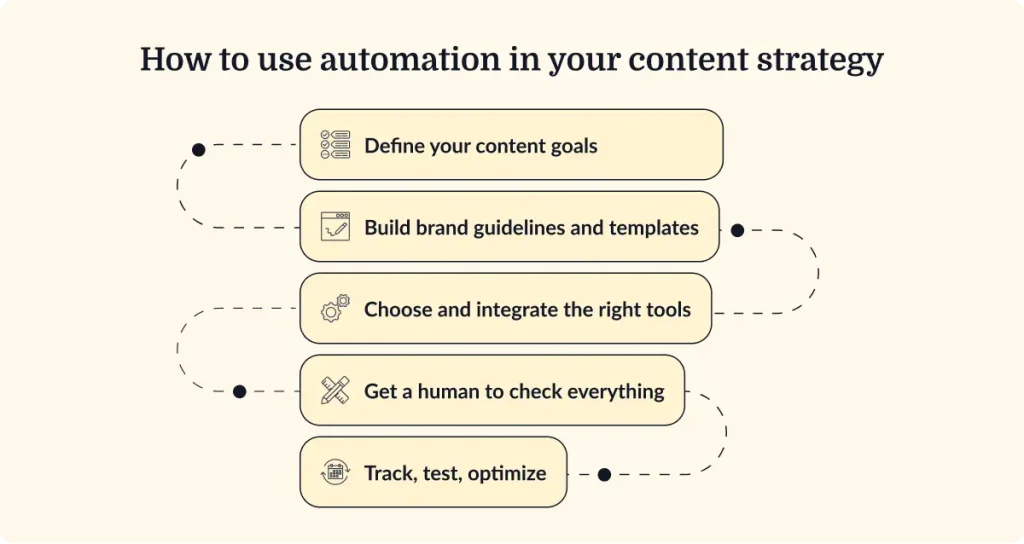
Step 1: Define your content goals
Start by being clear on what you want automation to achieve. Maybe you want to publish more frequently, reach new audiences, or improve search rankings. Specific goals will help you choose the right tools and measure their impact.
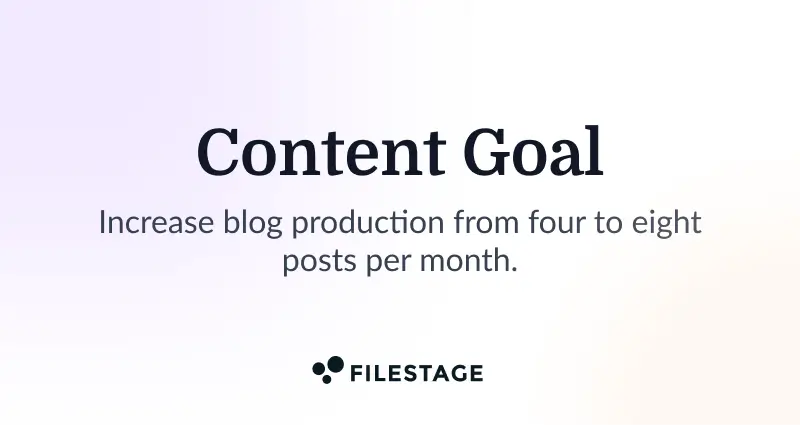
For example, you might aim to increase blog production from four to eight posts monthly or expand your social media presence to three new platforms. Knowing what success looks like helps you pick the automation features that matter most.
Step 2: Build brand guidelines and templates
Create comprehensive content templates and brand guidelines that serve as guardrails for your automated content production. This helps your AI tools stay aligned with your voice and tone right from the start.
Your guidelines might cover tone of voice, preferred formatting, and examples of language to avoid. The clearer your structure, the easier it becomes for automated systems to produce work that feels recognisably yours.
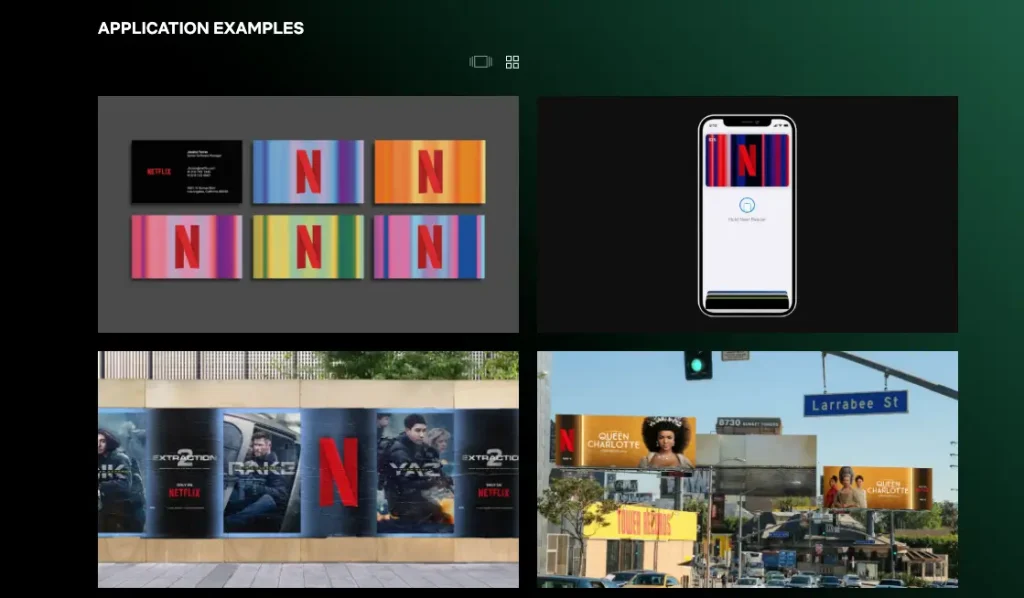
If you’re looking for inspiration, I recommend checking out Netflix’s brand guidelines.
Step 3: Choose and integrate the right tools
Pick automation tools that fit neatly with your current tech stack. Look for platforms that connect with your content calendar, CMS, or analytics tools like Google Analytics, so everything flows smoothly.
Consider starting with one or two tools that address your most pressing pain points, then expand your toolkit as your comfort with content automation grows.
Step 4: Combine human and machine for a hybrid approach
Automation works best when people stay involved. Use AI for first drafts and repetitive jobs, then have your team review, refine, and elevate the results.
This mix of machine efficiency and human insight creates content that’s quick to produce yet still feels thoughtful and authentic. Define clear checkpoints where human reviewers take over to add that extra layer of creativity and accuracy.
Step 5: Track, test, and optimize
Automation isn’t a one-and-done fix. Review performance data regularly and make adjustments based on what works. Check engagement rates, conversion data, and search visibility to see how automated content performs against your goals.
When you spot trends, tweak your templates or prompt structures. Small, regular adjustments help you get more value from your automation setup over time.
Five practical tips to get started with automated content creation
Here’s a quick recap of how to begin building your automation workflow:
- Start small and focused – Begin by automating one or two content types, like social media captions or blog post outlines, to refine your process before scaling.
- Maintain quality assurance – Always keep human review checkpoints in place to maintain quality, check for typos, catch factual inaccuracies or “hallucinations”, and add creative flourishes to AI-generated drafts.
- Bake in compliance from the start – If you’re in a regulated industry, establish automated checks and mandatory human review steps from the beginning to prevent legal issues.
- Document your review process – Create clear guidelines for how generated content moves through approval, specifying who reviews what and when.
- Iterate based on data – Use insights from performance reports to continuously improve your templates, tool configurations, and content automation strategy.
Conclusion
Automated content creation marks a real shift in how marketing teams work. When used strategically, it transforms content production from a slow, manual process into a faster, more adaptable system that still delivers quality.
The best approach blends human creativity with machine efficiency. Automation speeds up the groundwork, while your team adds the context, insight, and voice that keep your content compelling.
Start with one area you can automate today, be it a blog outline, a social caption, or a translation task, and build from there. You’ll soon find that automation isn’t about taking away from our creativity, but rather giving it room to grow.
For more on building a modern, connected process, read our guide to digital content creation.
FAQ – Automated content creation
What is automation in content creation?
Automation in content creation refers to using AI tools and machine learning algorithms to handle various aspects of the content creation process. This includes generating text, creating images, producing videos, and distributing content across multiple platforms with minimal human intervention.
Is there an AI that creates content?
Yes, many AI content creation tools specialize in generating different types of content. Tools like Jasper create written content, Canva and Adobe Firefly generate visual content, and Lumen5 produce video content, all using advanced algorithms to automate parts of the creative process.
What’s the best tool for checking AI content?
If you need to review high volumes of AI-generated content, try an online proofing platform like Filestage. You can automate large parts of the content review process and use trained AI reviewers to spot obvious tells, inconsistencies in brand voice, and other inaccuracies.