TL;DR
Approval workflows streamline how teams review and approve content by organizing stakeholders into structured review steps, reducing bottlenecks and manual processes. Teams can gather feedback directly on files using markup tools, compare versions side by side, and track approval status in real time across multiple stakeholders. Social media, packaging, and video content each require specific approval process workflows with different stakeholders and compliance requirements. Approval workflow software like Filestage centralizes feedback, automates notifications, and provides version control so teams complete projects faster with fewer errors.
Why effective approval process automation saves your team time
Manual feedback loops are the silent killers of productivity. According to recent industry benchmarks on operational efficiency, creative and marketing teams lose an average of 20% of their total work week simply managing the “work about work”, specifically chasing approval requests and consolidating feedback.
That is time your team cannot spend building campaigns, shipping client work, or fixing the things that actually move performance. As organizations grow, this complexity scales: more stakeholders join reviews, feedback fragments across different business systems, and “final” quickly turns into five different versions.
This is exactly why approval process automation is essential. A clear approval flow keeps reviews moving, flags exactly where a workflow task is blocked, and creates audit trails of who signed off, on what, and when. It replaces guesswork with a structured workflow that people can actually follow.
In this article, you’ll learn what a solid approval workflow looks like, where most teams get stuck, and the practical steps that help you shorten cycles without losing quality or control.
See how Filestage can speed up your approvals
Enjoy a free, 30 minute consultation with our experts, tailored to your team and use cases.
What is an approval workflow?
An approval workflow is a part of standard business processes where team members and other stakeholders must approve certain milestones and steps in the production process. The goal of the approval process workflow is to make sure that the final content meets all relevant standards.
The approval flow can range from being straightforward with one or two review steps to becoming highly complex by including various external stakeholders and multiple review rounds.
Depending on the industry and the type of work, there are three types of approval workflows.
Let’s have a look at all three of them!
Three types of approval workflow (and how to build them)
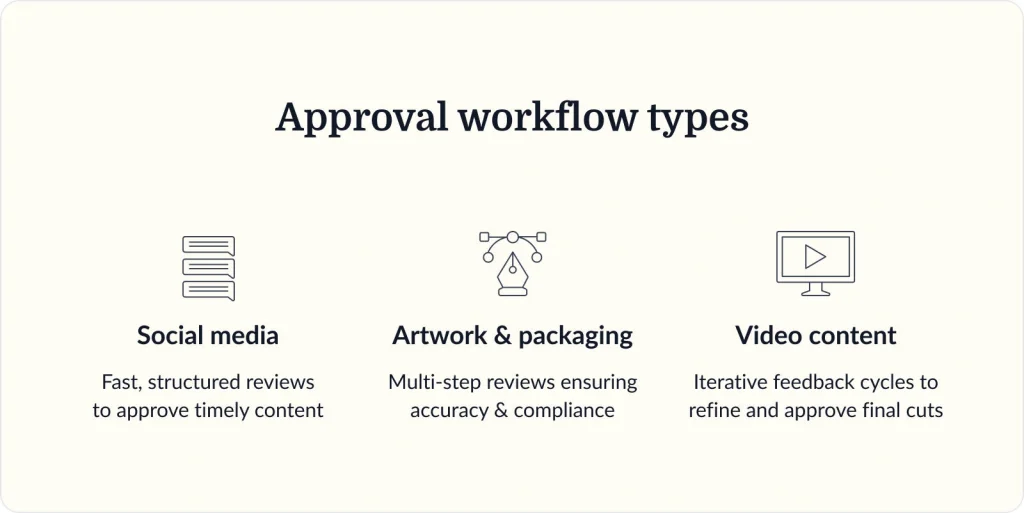
To make the process from production to publishing content as fast and efficient as possible, you need to build effective approval workflows. But different fields and industries require various procedures and practices when creating approval workflows.
So, let’s look at the different types of approval workflows and their characteristics.
Social media approval workflows
Working in social media is all about creating a transparent and efficient approval workflow for your clients or internal stakeholders. This content approval workflow example makes it essential to have timely information, the right angle, and to know which information to share with your audience.
Here are four steps you need to follow to build an effective social media approval workflow:
- Decide which stakeholders need to be involved – Is your manager or your client the only person who needs to see your post? Or is there someone else, like the Art Director or the CMO, who also needs to approve the content?
- Set due dates for review rounds – When working on content that needs others’ approval, it’s important to plan your content creation and approval deadlines realistically. To avoid chasing your client or manager for approval just hours before the post goes live, set due dates and get your reviewers notified when it’s time for them to provide their feedback or approval.
- Fit the approval workflow into your overall social media workflow –The content creation workflow typically consists of setting up topics, creating a content calendar, working on graphics and developing the copy, and getting feedback and approval from your client. And approval usually takes part in the final stage. By mapping out your overall social media workflow, YOU’LL become more efficient in content creation.
- Automate all steps with social media workflow management software – With a social media approval tool like Filestage, you can automate everything from sending files to the next reviewer group, kick-starting new review rounds, or sending automated messages to specific stakeholders in your review and approval process.
Artwork and packaging approval workflows
A typical approval workflow for artwork and packaging is unique, as it takes longer and requires more stakeholders to get the final approval.
For packaging approval workflows, the emphasis is heavily on meeting legal and regulatory requirements, which requires more precision and attention to detail.
Here are four steps that will help you transform your artwork approval process:
- Upload and share your artwork – In Filestage, you can review and approve all the different formats of your artwork in one place, including billboards, posters, print ads, A5 flyers, or packaging. This is super helpful for big projects like travel brochures where you need to review a mixture of copy docs, photography, and design layouts.
- Invite reviewers to add comments and discuss feedback – The number of people that need to be involved in the artwork management approval workflow can be overwhelming. That’s why Filestage allows you to draw annotations on the content to add clarity to your comments, share references or important files like fonts and logos in attachments, highlight specific words and sentences that need editing, and select which parts of a document you want to be deleted.
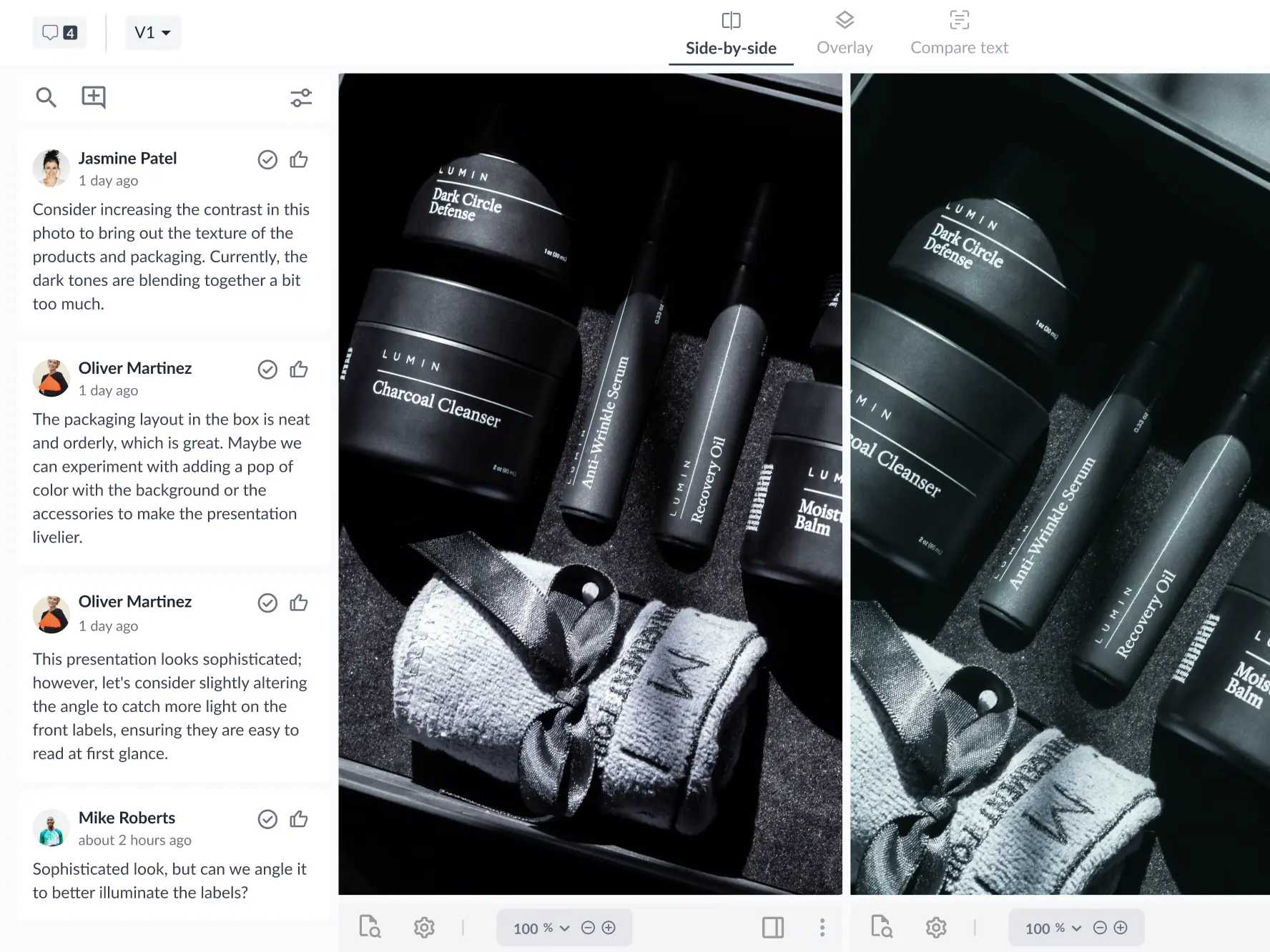
- Make edits and share the next version – When handling your approval processes over email, versions, and comments get lost in endless email chains. In an approval workflow software like Filestage, you can compare versions to view two versions of your content side by side. This way, you can quickly check the previous comments and see what’s new.
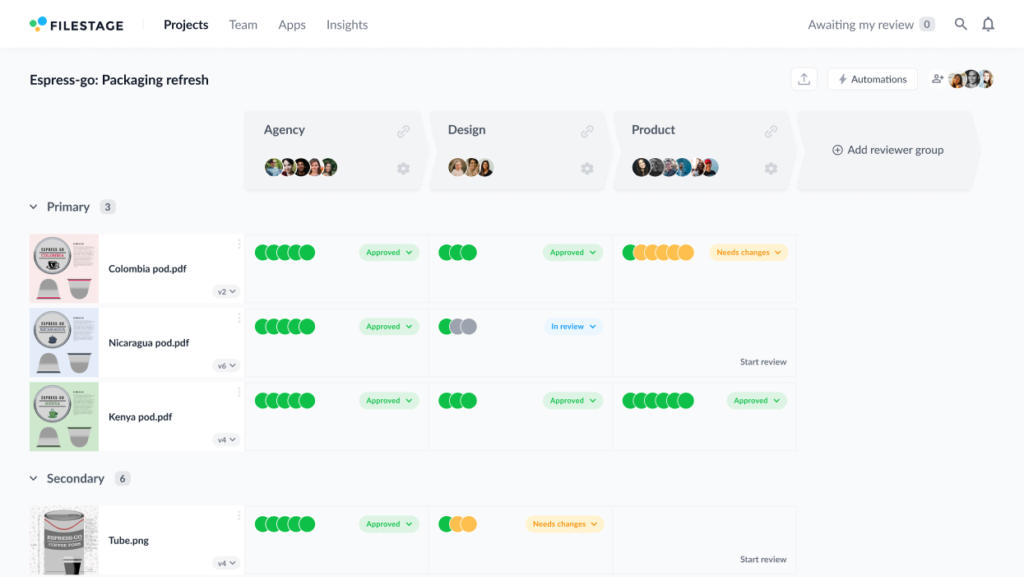
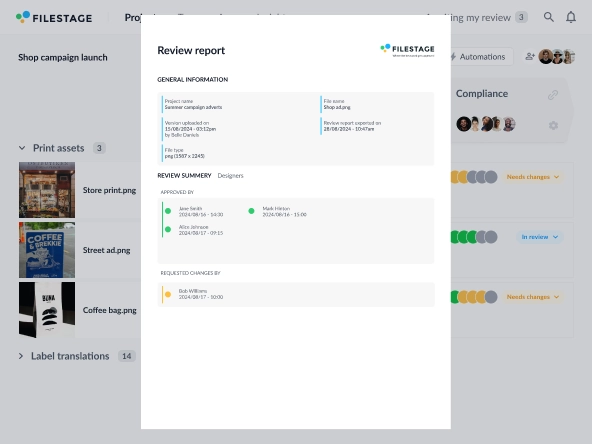
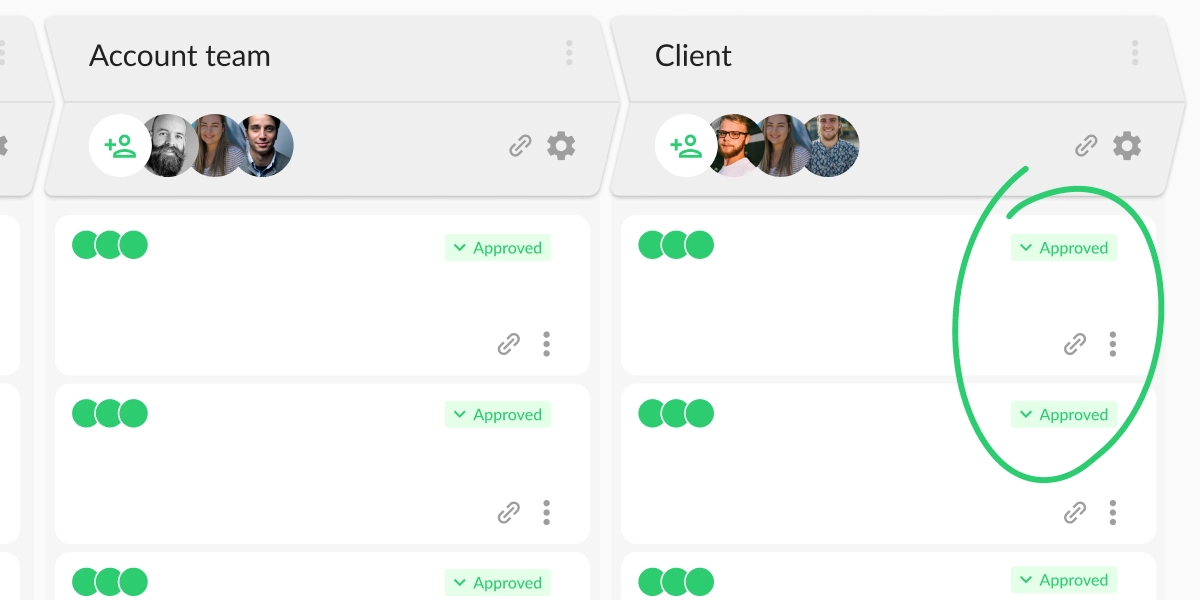
- Get approval and send your artwork to print – The final step of your approval workflow process is getting the actual approval from all stakeholders. With Filestage, you can easily track who has and hasn’t signed off on your artwork. If it’s approved, the status indicator will be green, and you can automatically send the artwork to print with confidence.
Video content approval workflows
Video content approval processes are specific because of the number of approval and review rounds it takes to get a single video polished and ready for publishing.
That’s why you can easily save time and resources for each video project you produce if you manage this workflow efficiently.
Here are the three most important things to consider when developing your video content approval workflow:
- Define all tasks
- Determine important stakeholders
- Map out necessary actions
1. Define all tasks
First and foremost, it’s essential that you define all the bigger and smaller tasks in video production and approval. Here you determine everything from the project’s scope to the script and the overall video production workflow.
Each of these three major tasks requires separate approval before you can deal with the next one. Only once you get approval from essential stakeholders about the project’s scope can you deal with developing the script and seek approval for it.
Therefore, make sure to map out and group all your tasks before kicking off any video project.
2. Determine important stakeholders
Defining important stakeholders is the second important step in getting your video approval workflow. And you’ll probably need different stakeholders to approve various tasks in the project.
Try asking yourself: Who needs to approve the scope of the project? Are the same people involved in approving the script? And who do you turn to for approval on the video production workflow?
Once you have the answers, involving all the important stakeholders in your video content approval process becomes much easier.
3. Map out important actions
Each milestone in video production means handling a list of different actions. Though this is only indirectly tied to the video content approval workflow, it’s still important to correctly assign each action to each team or person.
By being transparent and setting up accountability, you’ll make sure everything stays on schedule and that your approval workflow engine runs smoothly.
See how Filestage can speed up your approvals
Enjoy a free, 30 minute consultation with our experts, tailored to your team and use cases.
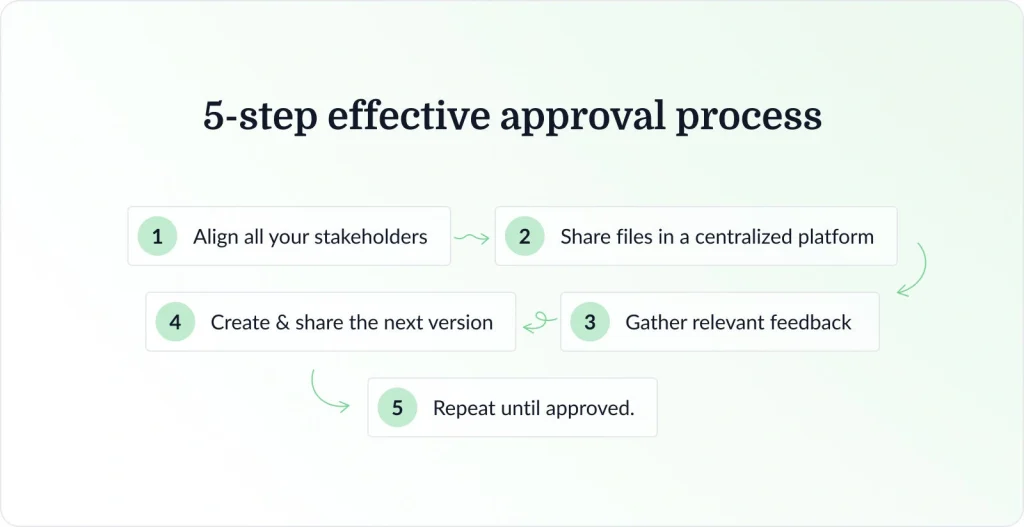
Five steps to create an effective approval process
Different fields and types of creative content require specific approaches in approval workflows. But there are certain steps and characteristics that each approval workflow should consist of if you want to end up having all your approvals in one place in time for publishing.
To make your approval workflow effective and save time and nerves, you should switch from handling your approval process via email to using a dedicated tool.
Here’s how you can create an effective approval process in Filestage:
- Align all your stakeholders
- Share files in a centralized platform
- Gather relevant feedback
- Create and share the next version
- Repeat the process until you get approval
1. Align all your stakeholders
Setting up a successful approval process is all about involving and aligning stakeholders on the specifics of the project.
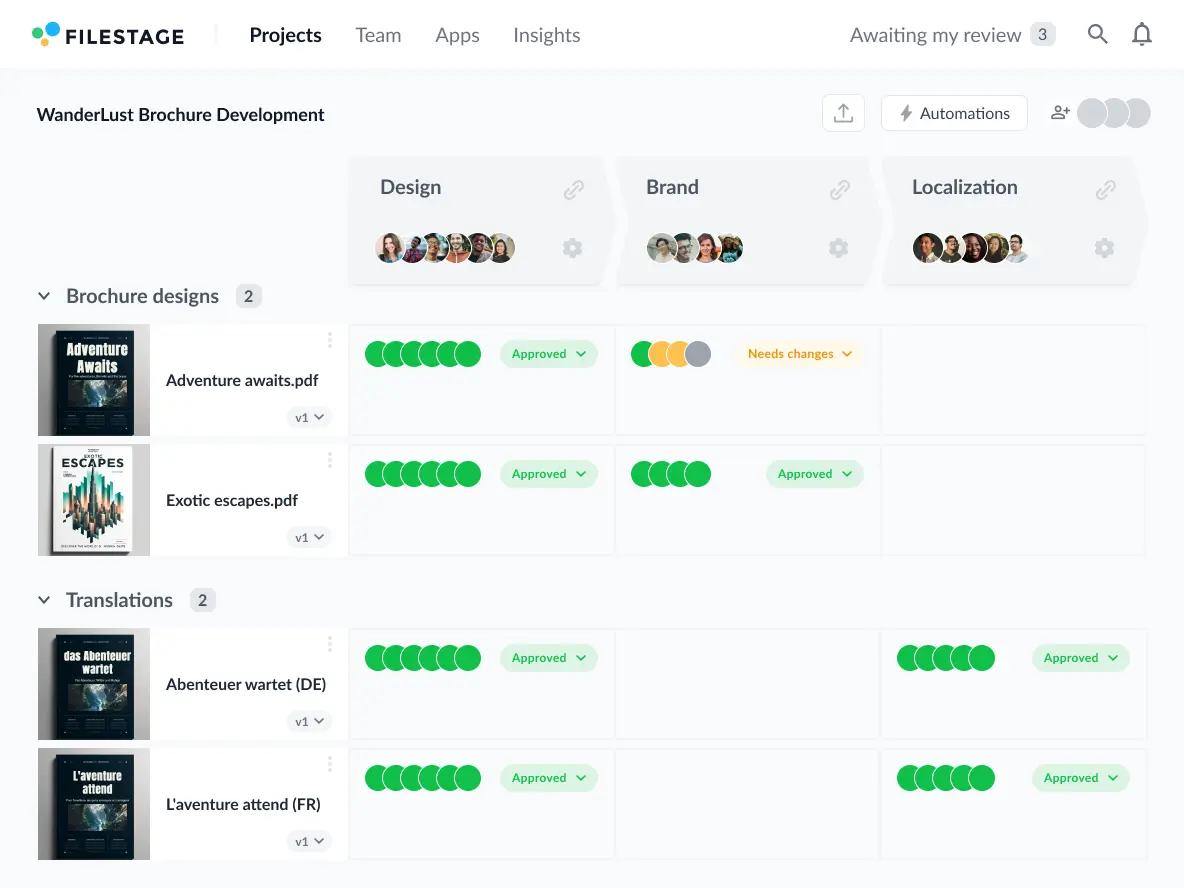
With Filestage, you’ll be able to organize your reviewers into review steps and collect everyone’s feedback and approval on top of your work.
Here’s how you can organize automated approval workflows in Filestage to align all your stakeholders:
- Creative – for discussing creative ideas, execution, and style
- Marketing – for reviewing whether the content meets brand guidelines
- Legal and compliance – for checking if the work is in line with relevant regulations
2. Share files in a centralized platform
Just think of when you received some feedback in your Slack channel, other teammates gave it over email, and your client called you to elaborate on their feedback. Plus, their feedback was completely contradictory for some parts of your work.
To avoid getting exhausted and confused from conflicting feedback handled in different places, you need a centralized platform like Filestage, where you’ll share all your work and gather everyone’s feedback.
With Filestage, you can:
- Upload as many versions of your files as you need to reach approval
- Create different review steps for various stakeholders and avoid conflict
- Have your reviewers “Request changes” or “Approve” your work, so you always know if you still need to improve your project
- Create automated approval workflows for faster approval
3. Gather relevant feedback
In most cases, you’re looking for approval from at least three stakeholders. You’re probably managing approvals from your manager, your art or marketing director, and your client, approving most of your work.
And for a successful approval process, you need to make gathering all their feedback as effortless as possible.
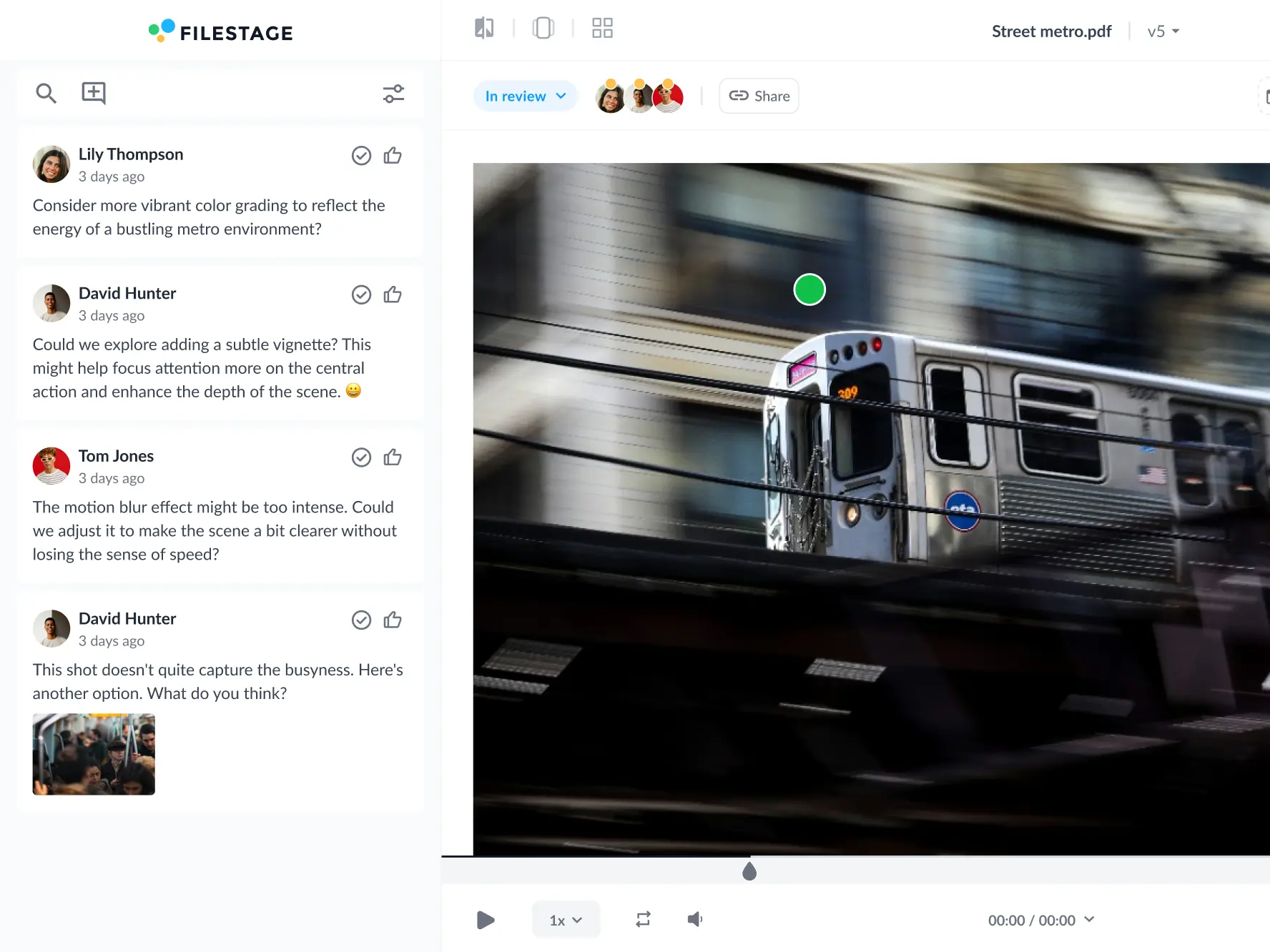
Here are a few ways Filestage makes feedback easier:
- Zoom, rotate, and drag to hone in on every detail of your designs
- Click anywhere to create a marker and add a comment
- Highlight text to give feedback on a specific word or sentence
- Strikeout text to show which parts should be deleted
- Draw annotations to make feedback clearer and more visual
- Add references and essential assets as attachments to comments
See how Filestage can speed up your approvals
Enjoy a free, 30 minute consultation with our experts, tailored to your team and use cases.
4. Create and share the next version
One of the biggest advantages of approval software is reliable version control.
Tools like Google Docs are very appealing for fast collaboration. But once everyone with access to the document starts making changes, there’s no way to go back and track progress across previous versions.
In an approval software like Filestage, you can share as many versions of your files as needed and have them neatly organized in your dashboard. This makes tracking feedback and the progress of your project super easy.
Here’s how Filestage version control improves your overall workflow approval:
- Have an overview of constantly evolving files and every edit or resolved comment
- Know exactly where to draw the line between one version and the next
- Avoid having reviewers duplicate your file and make edits directly
- Make sure people don’t waste time giving feedback on the wrong version
- Track files through different approval steps and make sure to always know the accurate approval status
5. Repeat the process until you get approval
Finally, once all your files are carefully reviewed and polished, it’s time to gather final approvals from everyone involved with the project. To make sure your work gets all the green lights it needs before publishing, you need your stakeholders’ explicit approval.
In Filestage, your reviewers can choose between two buttons every time they give feedback:
- ✓ Approve
- ↻ Request changes
This instantly changes their status indicator to green or orange in your project dashboard, depending on their choice. So you can easily see what needs more work and what can move on to the next document review step.
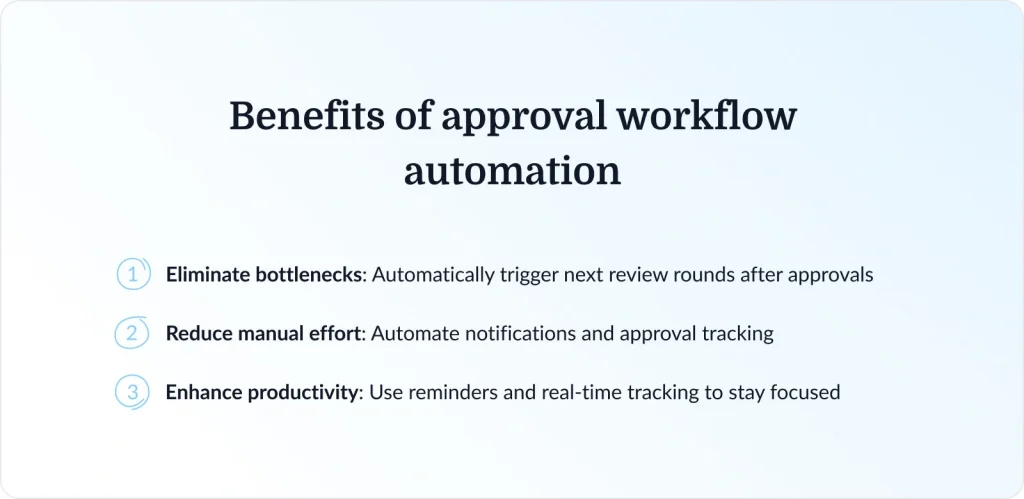
Benefits of approval workflow automation
Automating the entire approval process helps your team save time, reduce errors, and improve overall workflow efficiency. It also helps you streamline approvals, maintain compliance, and improve collaboration.
Sounds too good to be true?
Let’s see how workflow automation in Filestage helps you achieve all these goals:
- Eliminate bottlenecks – Speed up the entire process by automatically kickstarting a new review round for the following group of stakeholders, as soon as you get all approvals from previous stakeholders.
- Reduce manual effort – No more chasing emails or tracking approvals manually; set up automated email notifications and keep your feedback on track
- Enhance productivity – With automated reminders and real-time tracking, teams can focus on creating great work instead of managing approvals.
With tools like Filestage, you can seamlessly automate your approval workflows and complete projects faster with fewer headaches.
Why your team needs a great workflow approval process
Setting up an efficient review and approval process for you and your team will help streamline your processes and have all projects done faster with fewer mistakes made along the way.
There’s no doubt that getting feedback on top of your work is good for the quality of the final project. But you can either stick to clunky manual processes that will frustrate and demotivate everyone involved, or you can try your best to optimize them.
Once all team members experience efficient approval workflows, they will start producing better work and enjoy giving and receiving feedback more. All of this starts with the right workflow and a robust content automation tool.
Final thoughts
Effective approval workflows save everyone’s time, improve productivity, and help companies improve financial gains. And depending on the industry you’re in, the type of your approval workflow can slightly differ.
But at the end of the day, all successful approval workflows involve great organization and require using specialized tools.
Check out why Filestage should be your go-to tool for approval workflows and start a free trial.
FAQ
What is an automated approval workflow?
An automated approval workflow is a predefined digital process that routes tasks, documents, or requests through a series of approval steps without manual coordination. It uses software rules and triggers to automatically assign reviewers, send notifications, track decisions, and move items to the next stage. This reduces delays, minimizes human error, and increases transparency across teams.
How do I set up an effective approval workflow?
To set up an effective approval workflow, start by aligning all your stakeholders on goals, timelines, roles, and approval criteria so everyone understands what’s expected. Next, share files in a centralized platform to ensure all collaborators are working from the same version and can easily track updates. Then, gather relevant feedback in one place to avoid scattered comments and conflicting input. After that, create and share the next version based on the feedback received. Finally, repeat the process until you get approval, making sure each round is clearly documented and efficiently managed to prevent delays.
Why does my team need audit trails and review reports?
In industries with regulatory requirements, simply following a process isn’t enough. Filestage ensures your brand remains compliant by automatically generating audit trails that provide a permanent record of the entire approval tracking history, showing exactly who gave necessary approvals and when.
By downloading a comprehensive review report, you create a seamless data flow that can be stored in your existing cloud storage as a permanent archive. This ensures that when it’s time to analyze data during a compliance check, you have a verified, time-stamped record of every decision made throughout the automated approval process, protecting your brand from the risks of manual record-keeping.
How do I identify bottlenecks in my current process?
If your review process feels time-consuming, use your software to identify bottlenecks where approval requests often stall. Common issues include having multiple approvers with conflicting feedback or a lack of status updates. To fix this, refine your approval workflow, use automated notifications to nudge slow reviewers, and ensure everyone is on the same page by using templates for every new project.