
Would you describe your content creation process as a well-oiled machine or more of a chaotic scramble to hit publish? You’d be surprised at how many marketing teams are dealing with the latter.
It’s the constant battle between missed deadlines and maintaining any semblance of content quality. The result is often inconsistent output that fails to hit the mark.
But there is a solution. A powerful content operations framework. This is what enables marketing teams to consistently produce high-quality content that actually drives business growth.
In this guide, you’ll learn how to build a content operations strategy that streamlines your entire content production process, from the first spark of an idea to performance analysis.
What is content operations?
Content operations is the combination of people, processes, and technology that work together to make sure you can manage the entire content lifecycle (from initial planning to distribution). Content operations is what brings the focus back to creating high-quality content, freeing your team from time-consuming administrative hurdles.
What’s the purpose of content operations?
The core purpose of content ops is to transform content creation into a scalable system that delivers consistent results. It connects your content efforts directly to your business objectives, ensuring every piece of content serves a strategic goal.
Why do you need it?
You need content operations if your team experiences any of the following pain points:
- Frequent missed deadlines and rushed content production
- Inconsistent content quality and brand voice
- Difficulty proving the ROI of your content marketing
- Repetitive, manual tasks that lead to human error
Who needs it?
Any team producing content at scale needs content operations. This includes marketing teams, in-house creative departments, and agencies. Essentially, if you have multiple teams involved in the content workflow, you need content operations to keep everyone aligned. This goes for everyone from content strategists and writers to designers and SEO specialists.
The benefits of adopting content operations
A mature content operations strategy delivers clear benefits, such as:
- Efficient processes that accelerate content production
- Improved content consistency and quality
- Better user engagement and search engine rankings
- Data-driven insights that guide your content optimization efforts
- Smoother content collaboration across all teams involved
Who is involved in content operations?
A winning content operations team functions like a professional sports team. Each player has a specialized position, but they all move together with a single game plan to get the content across the finish line.
Content operations team structure
While structure varies, a robust content operations team often includes:
- A content operations manager to oversee the system
- Content strategists to define the vision and editorial calendar
- Writers, designers, and videographers for creating content
- SEO specialists for keyword research and content optimization
- Data analysts for performance measurement
What does a content operations manager do?
A content operations manager is the architect of your content ops framework. They are responsible for building and maintaining the systems that make content production efficient.
Their job involves:
- Designing and optimizing the content workflow
- Selecting and managing content management systems and other tools
- Establishing content governance and brand guidelines
- Tracking key performance indicators (KPIs) to measure success
- Implementing change management as processes evolve
Implementing content operations in eight steps
Building a powerful content operations framework doesn’t happen overnight. Follow these eight steps to build a solid foundation.
1. Audit your current state
Begin by mapping your entire content production process. Identify bottlenecks, pain points, and areas where human error commonly occurs.
This audit will reveal where you need to streamline processes the most. For example, you might discover that your team spends five hours a week just chasing feedback across different platforms.
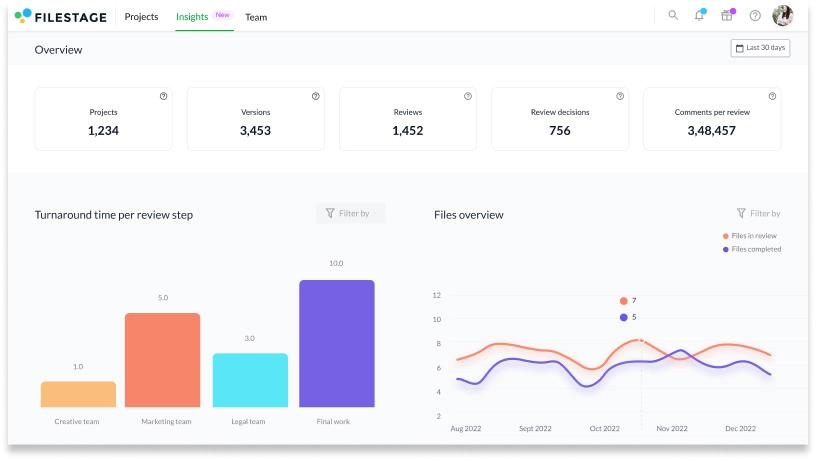
Tip: Use online proofing software like Filestage to easily visualize where bottlenecks lie in your content review process. Here’s how Filestage’s Insights dashboard looks.
2. Define your content operations strategy
Align your content efforts with overarching business objectives. This content operations strategy should outline your goals, target audience, key messaging, and the KPIs you will track.
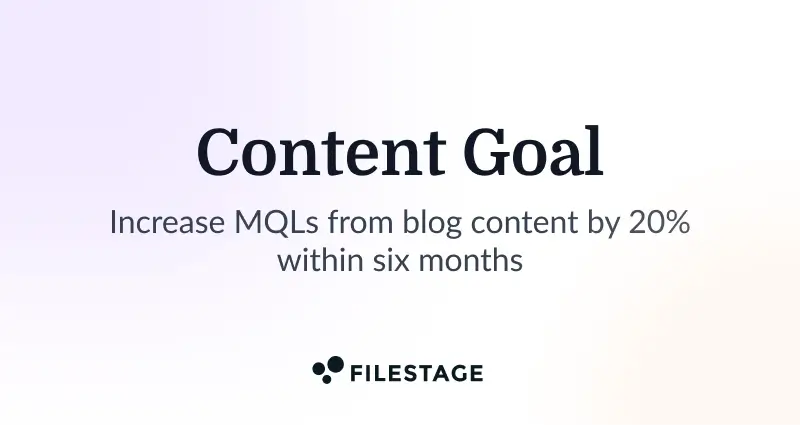
A good strategy might focus on a specific goal, like increasing marketing-qualified leads from blog content by 20% within six months.
3. Establish roles and responsibilities
Create a clear map of roles and responsibilities for every team member involved in the content lifecycle. This eliminates confusion and ensures accountability from ideation to delivering content.
A simple RACI chart (Responsible, Accountable, Consulted, Informed) can be an effective tool to clarify this for every piece of content.
4. Build your content lifecycle management process
Define each stage of your content lifecycle:
- Planning – Using an editorial calendar to plan content
- Creation – Producing content according to brand guidelines
- Review – Implementing a robust content review and approval process
- Publication – Delivering content across various channels
- Analysis – Conducting performance analysis to inform future content strategies
5. Streamline your content review and approval process
This is often the biggest bottleneck. You’ll need to implement a structured process, ideally using online proofing software, to gather clear, actionable feedback from stakeholders, ensure version control, and guarantee timely delivery.
This is one of the most effective ways to streamline content operations and can often cut review cycles by more than half.
Here’s a 60-second overview of Filestage, and how it can help streamline content reviews in your team.
Supercharge your content review rounds
Get quick and clear feedback right on top of your content with Filestage.
6. Select the right technology stack
Choose tools that support your content operations framework. This includes a content management system, project management platforms, online proofing software like Filestage, analytics tools, and AI tools for keyword research and ideation. More on this below.
Tip: Opt for tools that integrate for a smooth content operations experience that doesn’t involve toggling different tabs. For instance, Filestage integrates with leading project management and content creation software so you can easily manage the full content lifecycle.
7. Measure and optimize
Your work isn’t done once the system is live. Continuously monitor your KPIs and conduct performance analysis. Then, use these data-driven insights to optimize content strategies and improve your content operations strategy over time. Schedule a quarterly review of your key performance indicators to discuss what’s working and where your processes can be refined.
8. Plan for scale
Once your core system is running smoothly, focus on making it scalable. This ensures your content operations can handle increased volume without a drop in content quality or team burnout.
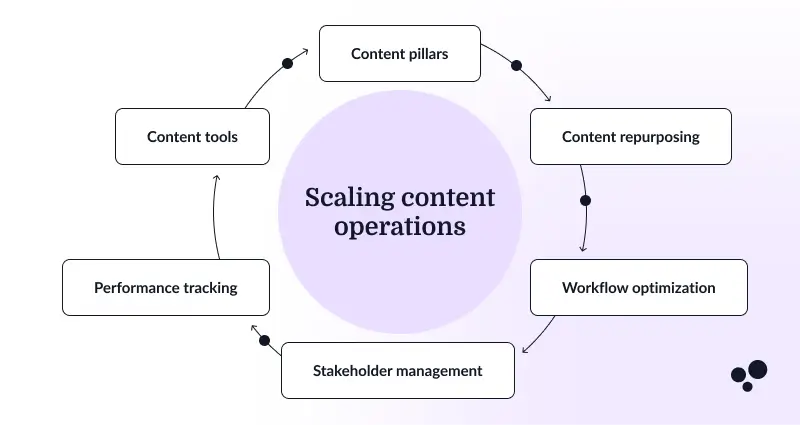
Key tactics include developing a content pillar strategy to efficiently organize topics and formalizing a process for repurposing high-performing assets into new formats.
Six types of tools that help with content operations
The right technology is crucial for streamlining content operations. Here are the six essential categories of tools for your content ops stack, with specific platforms that can power your process.
1. Content management systems
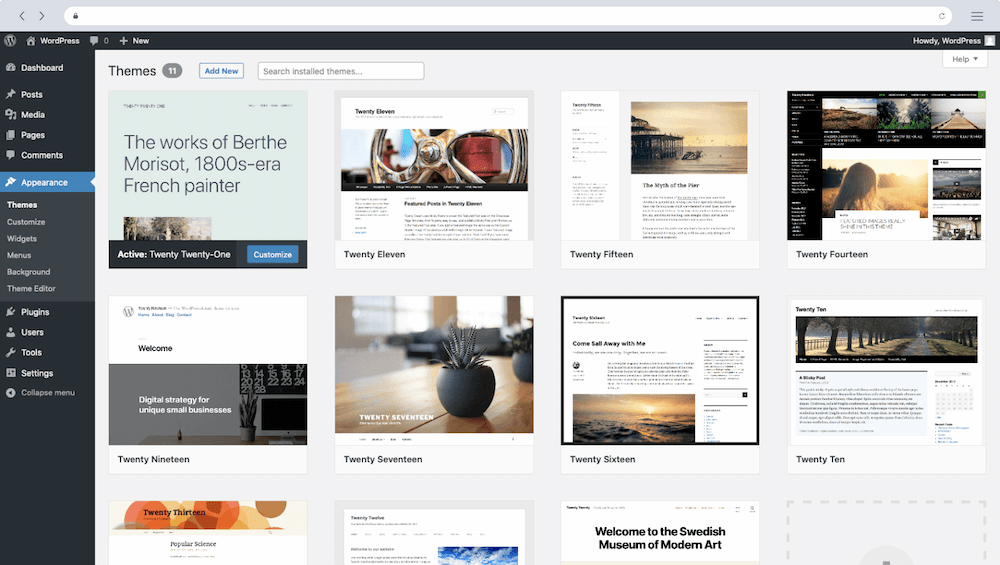
A content management system (CMS) is the central hub for your content assets. It helps you store, organize, schedule, and publish your high-quality content across various channels like your website and blog.
- WordPress – The world’s most popular CMS, known for its flexibility and vast ecosystem of plugins, making it ideal for blogs and websites of all sizes.
- HubSpot – An all-in-one platform that combines a powerful CMS with CRM, marketing, and sales tools, perfect for teams focused on lead generation and customer experience.
- Contentful – A headless CMS that gives developers more flexibility to deliver personalized content across websites, apps, and other digital channels.
2. Online proofing software
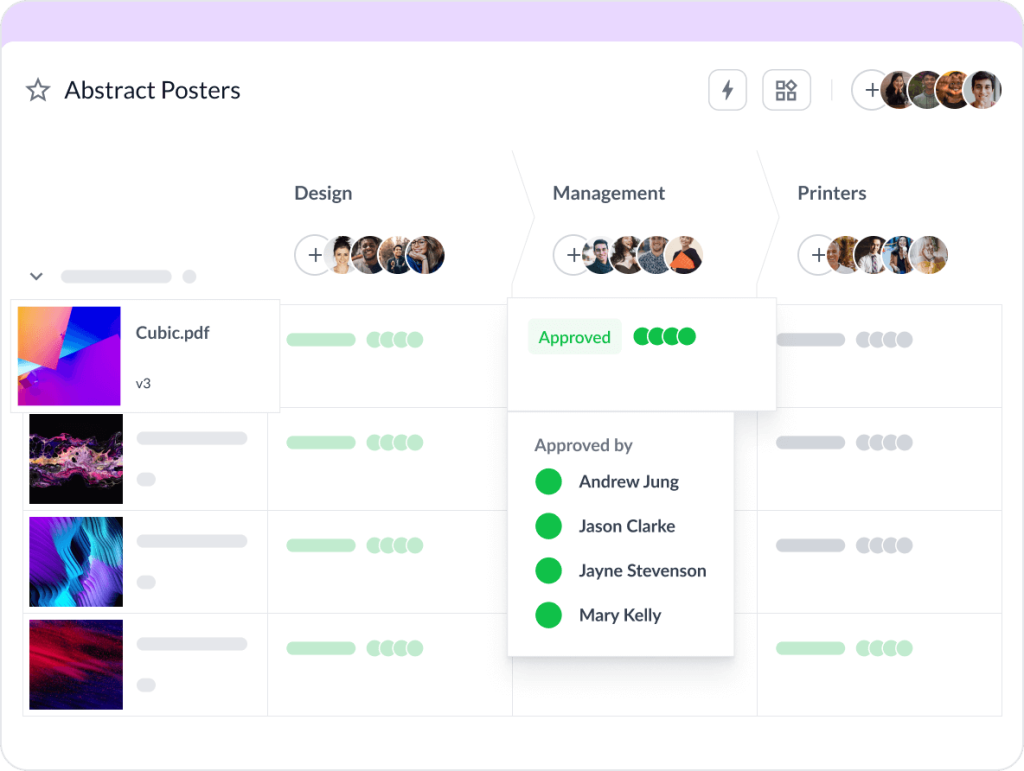
These tools are dedicated to streamlining the content review and approval process. They replace chaotic email threads with a centralized platform for collecting precise, actionable feedback, ensuring content quality and speeding up timely delivery.
- Filestage– A dedicated review and approval platform that simplifies content review for videos, PDFs, images, and audio files. It helps marketing teams get clear, timestamped feedback from clients and stakeholders, all in one place.
- Frame.io – A video-focused collaboration platform popular with video production teams for its frame-accurate feedback and integration with editing software.
3. SEO and analytics tools

These tools provide the data-driven insights you need for performance measurement. They help with keyword research, tracking search engine rankings, monitoring organic traffic, and understanding audience preferences.
- Ahrefs – A comprehensive SEO toolset for keyword research, competitor analysis, and tracking your search engine rankings.
- Semrush – An all-in-one platform for SEO, PPC, content, and competitive research, helping you identify gaps and opportunities in your content strategy.
- Google Analytics – The essential free tool for measuring content performance, user engagement, and organic traffic.
4. Project management platforms

Project management platforms are essential for planning and tracking the content production process. They help you manage your editorial calendar, assign tasks, and ensure timely delivery of all content assets.
- Asana – A versatile project management tool that helps content teams coordinate tasks and projects from idea to publication with multiple views like list, board, calendar, and timeline (Gantt-style).
- Trello – A visual tool based on Kanban boards that is excellent for managing content workflows and tracking the status of blog posts and other assets.
- ClickUp – An all-in-one platform that aims to replace multiple apps by combining project management, docs, goals, and chat.
5. Collaboration tools
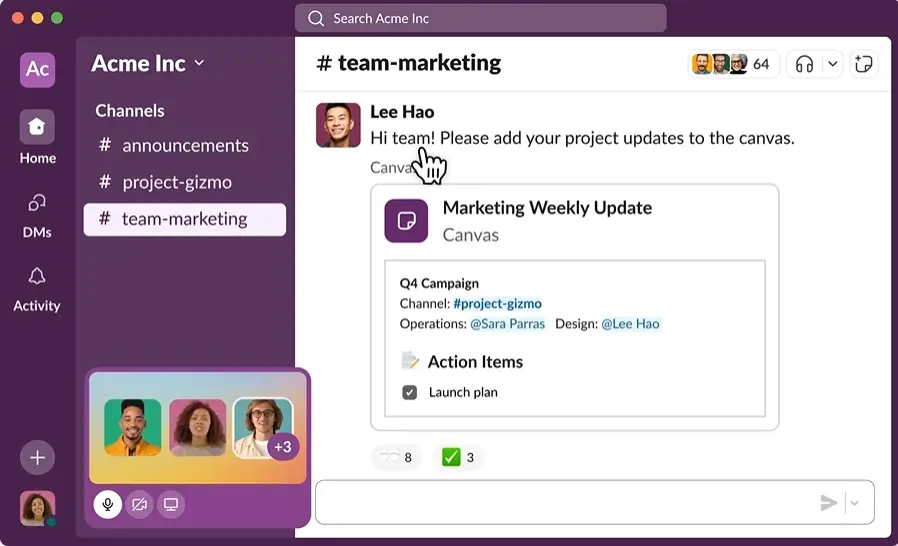
Effective content operations requires seamless communication between all teams involved. Collaboration tools centralize communication and content collaboration, keeping everyone from writers to data analysts on the same page.
- Slack – A messaging app that organizes team communication into dedicated channels, reducing email and speeding up decisions.
- Microsoft Teams – A unified platform that combines chat, video meetings, and file sharing, deeply integrated with the Microsoft Office suite.
- Google Docs – A cornerstone for creating content, allowing multiple team members to write, edit, and comment in real-time.
6. AI and automation tools
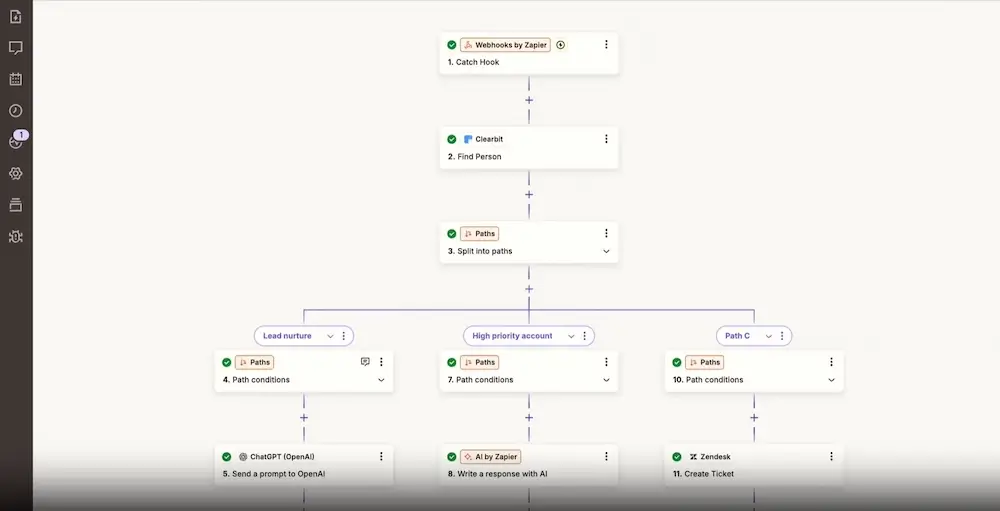
Think of AI tools as your content team’s new assistant. They’re there to brainstorm content ideas and take over the mundane chores, which frees up each team member to focus on the big-picture strategy.
- Jasper – An AI writing assistant that helps generate content ideas, create drafts, repurpose existing content, and even assist in email marketing campaigns.
- Frase – An AI-powered tool that assists with content optimization and research by summarizing top search engine results for any keyword.
- Zapier – An automation platform that connects your different apps and tools, helping you streamline processes by automating tasks like notifying your team in Slack when a new blog post is approved.
How to optimize content operations
Tip One – Implement a formal content review workflow
Don’t let feedback get lost in emails. Use a dedicated platform to manage your content review and approval process. For example, a tool like Filestage allows stakeholders to leave time-stamped comments directly on content, which drastically reduces revision cycles and improves content quality.
Tip Two – Conduct regular content audits
Your existing content is a goldmine of insights. Regularly audit it to identify gaps, update high-performing content, and retire underperforming assets. This is crucial for content optimization and maintaining strong search engine rankings.
Tip Three – Create a culture of data-driven decisions
Encourage every team member to use data-driven insights from performance analysis to guide their work. This could mean using audience preferences to shape content ideas or utilizing user engagement metrics to refine your content marketing process.
Optimize your content operations with Filestage
Building a mature content operations function is about building a culture of continuous improvement. This is how you stop treating content marketing as a scattered to-do list and start running it like a strategic growth engine.
The path forward is clear. Stop wrestling with chaotic workflows and give your team a defined content operations strategy to work with. When you streamline your process and equip them with the right tools, your team can consistently create high-quality content that actually connects with your target audience and delivers measurable value.
This guide has given you the blueprint. Now it’s your turn to build. Start by tackling your biggest content bottleneck today, and see how a streamlined operation transforms your results.
Start your Filestage free trial today.
FAQ
What is the meaning of content operations?
Content operations refers to the strategic framework that manages the people, processes, and technology behind content creation and distribution. It’s the operational backbone that ensures consistent, high-quality content production across all your content efforts.
What are the tools of content operations?
Key tools include content management systems like WordPress, online proofing software like Filestage, SEO tools like Ahrefs, project management platforms like Asana, collaboration tools like Slack, and AI tools like Jasper for automation and ideation.
What does a content operations manager do?
A content operations manager designs and maintains the systems for efficient content production. They establish content workflows, select technology, track KPIs, and ensure the entire content lifecycle runs smoothly while aligning with business objectives.
What is a content operator job description?
A content operator typically handles the tactical execution within the content operations framework. They manage day-to-day content workflows, coordinate between teams involved, and keep content moving efficiently through the content production process from creation to delivery.