

Marketing teams and creative agencies waste hours on inefficient review processes. And we have the research to prove it.
Our Creative Collaboration report revealed:
- It takes brands and agencies eight days to get a creative asset approved
- The average approval process requires three content versions
- 71% of marketers and agencies say waiting for feedback is the biggest cause of delays
When we consider how many creative assets a marketing team publishes every month, eight days is just too long. Not to mention the chaos when there’s a typo or messaging misalignment.
If your team is producing high volumes of creative content or you have multiple stakeholders involved in the review process, you need a proper workflow.
That usually means implementing online proofing software.
Keep reading to find out how the right solution can speed up your creative review process, reduce errors, and give you more time for high-stakes work.
You’ll also get a nice surprise – a free (ungated) guide on choosing the best online proofing software for your team.
What is online proofing software?
Online proofing software is a dedicated tool used by brands and agencies to streamline the review and approval process for creative assets.
It offers a centralized hub where multiple reviewers can collaborate, leave feedback, and suggest changes to creative work like artwork, packaging design, or videos.
Most tools also offer workflow automation and integrations with other apps like design tools or cloud storage.
Who uses online proofing software?
If you’re producing high volumes of content or your assets need to be reviewed by multiple stakeholders, online proofing software is for you.
Marketing teams
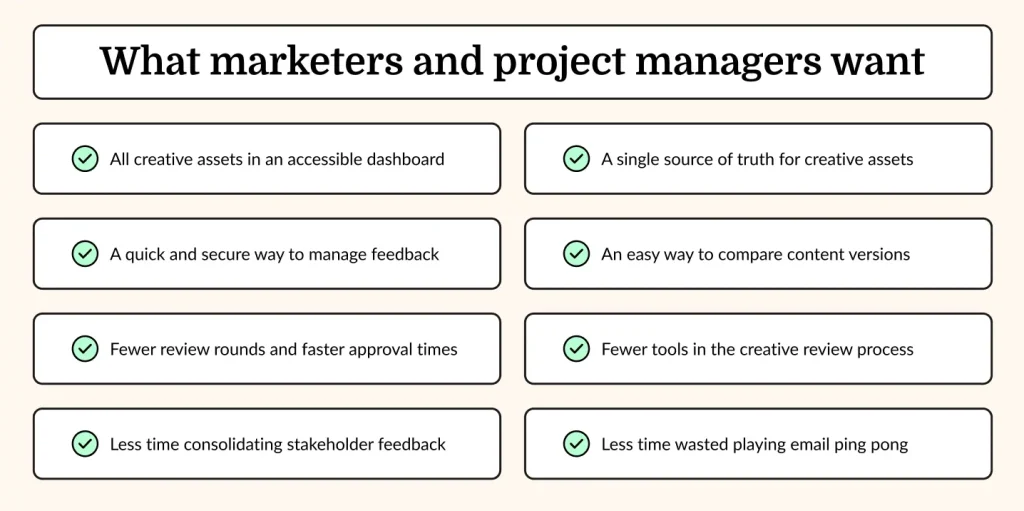
Marketing teams create hundreds of assets every month, including video content, artwork, packaging design, and white papers. Each asset needs to be checked by multiple people to make sure it fits your brand guidelines, legal requirements, and messaging hierarchy. And, of course, to make sure it’s free from errors.
Online proofing tools offer a central hub to manage this process so that everyone is working off the same content version and every asset has passed the appropriate checks.
Creative agencies
Agencies need a quick and simple way to share creative work with clients. As we know, email is just not an effective solution for this because things get missed and there’s always that one person who gives their feedback on the old version of an asset.
Online proofing software (also known as a client feedback tool) gives agency project managers a streamlined way to share drafts and receive feedback. They simply share the link with the client, and the client can leave contextual feedback directly on top of assets.
As a result, it’s easy to keep track of project status and visualize who has signed off.
Freelancers
Freelance photographers, graphic designers, and creative directors need a fuss-free way to share their work with clients and collect feedback.
Most freelancers just don’t have the time or resources to chase up feedback by email. But delivering work that misses the mark isn’t an option either. Most leading online proofing tools offer a free plan that’s ideal for freelancers.
Essential features
It’s important to find an online proofing platform that meets your specific needs. For instance, if you have multiple stakeholders in your review process, you’ll want a user-friendly solution. If you work exclusively with one file format, you should look out for a solution that excels in that area.
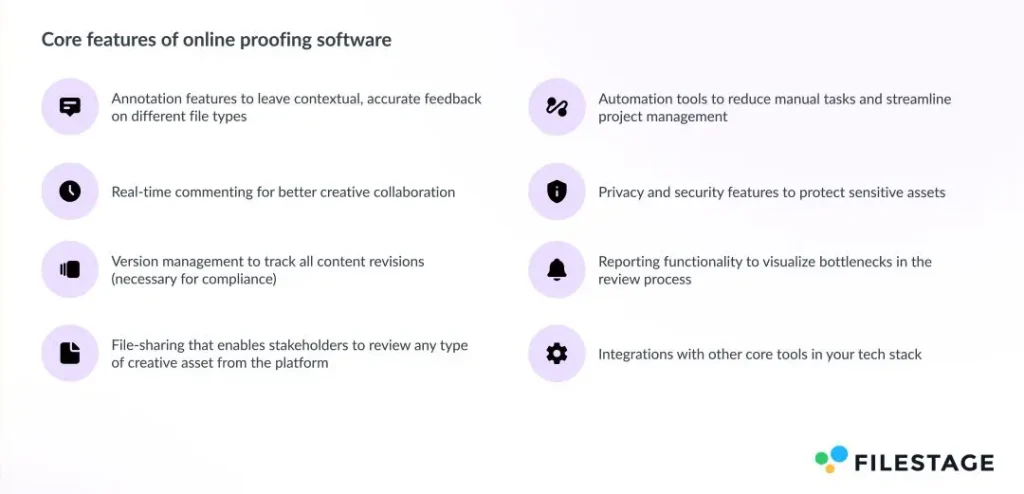
With that said, there are eight features that are essential for almost every use case:
- Annotation features to leave contextual, accurate feedback on different file types
- Automation tools to reduce manual tasks and streamline project management
- Real-time commenting for better creative collaboration
- Privacy and security features to protect sensitive assets
- Version management to track all content revisions (necessary for compliance)
- Reporting functionality to visualize bottlenecks in the review process
- File-sharing that enables stakeholders to review any type of creative asset from the platform
- Integrations with other core tools in your tech stack
Our free guide has an extensive features checklist to help you compare different solutions and choose the best option for your needs.
Less time chasing feedback, more time on creative strategy
Online proofing software can cut review cycles by 30%, freeing up time for high-stakes work. Read our guide to see if it’s the right solution for your team.
Signs you need an online proofing tool
The content game is changing. Brands and agencies are under more pressure than ever to create original creative work faster than ever before. But that can lead to costly errors, dilution of your brand message, and key people being left out of the review process.
If this sounds familiar, you may need online proofing software. Here are some other signs:
- You create high volumes of visual content like artwork, packaging design, or illustrated documents
- Your creative work has to meet strict compliance regulations
- Your team spends hours checking assets against brand guidelines and industry regulations
- More than five stakeholders are involved in the approval process

“In our review process, we have around 20 contacts who have to approve up to 500 assets per week”
Caro Berlinghof – Project Manager at CAMAO

Benefits of online proofing solutions
Through extensive research and conversations with our clients, we have found that online proofing software offers six main business benefits. These are:
- Centralized hub for creative assets – faster feedback cycles and fewer missed comments
- Less time wasted chasing and consolidating feedback – reduced operational costs
- Contextual feedback that requires fewer follow-up questions – 1-2 fewer review rounds
- AI-assisted features – more accurate reviews and fewer reworks
- Less email clutter – 30% fewer emails to sort through
- More collaborative parallel reviews – smoother stakeholder alignment

“Filestage has reduced our team’s daily email inbox by roughly 25-30% [so now] we can focus on other important tasks for the day”
Rain Baleres, INCA lead at GroupM
How to choose the right online proofing software for your team
Implementing new software always comes with some pressure. You’ve got to consider budget, integrations, learning curve, and whether it solves your team’s problems.
The wrong tool can end up creating more bottlenecks in your workflows.
To help make the right decision, start by answering these eight questions.
- What does your current review and approval process look like?
- What types of content do you usually review?
- How do you want users to interact with the platform?
- What markup features do reviewers need?
- Who makes decisions in your review and approval process?
- What are your security and integration needs?
- How will you track the review and approval process?
- Do you have to meet specific compliance regulations?
We’ve put together an actionable checklist for each question in the guide. We also go into detail on how to compare vendors.
Get your free guide
I hope this gives you a brief overview of what online proofing software can do for your brand or agency (and whether it’s a smart investment). But we’ve just scratched the surface.
If you want a deeper understanding of this software, download our guide for brands and agencies.
Here’s what you’ll cover:
- What is online proofing software?
- Is it the right solution for your team?
- How to choose the right software
- Making the business case and getting internal buy-in
- Checklist of features broken down by the job-to-be-done
- FAQs
Less time chasing feedback, more time on creative strategy
Online proofing software can cut review cycles by 30%, freeing up time for high-stakes work. Read our guide to see if it’s the right solution for your team.