












What is document approval?
Document approval is the green light that lets you know a document is ready to be used or published.

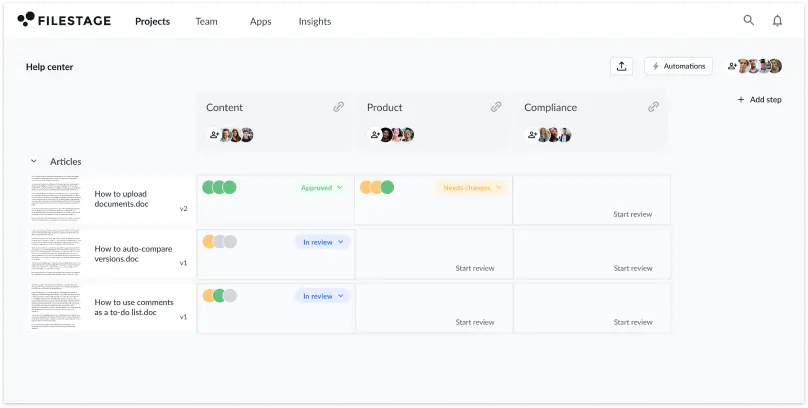
Keep feedback and discussions in context at every stage of your approval process, from v1 to sign-off. So you can speed up review rounds and hit your deadlines.


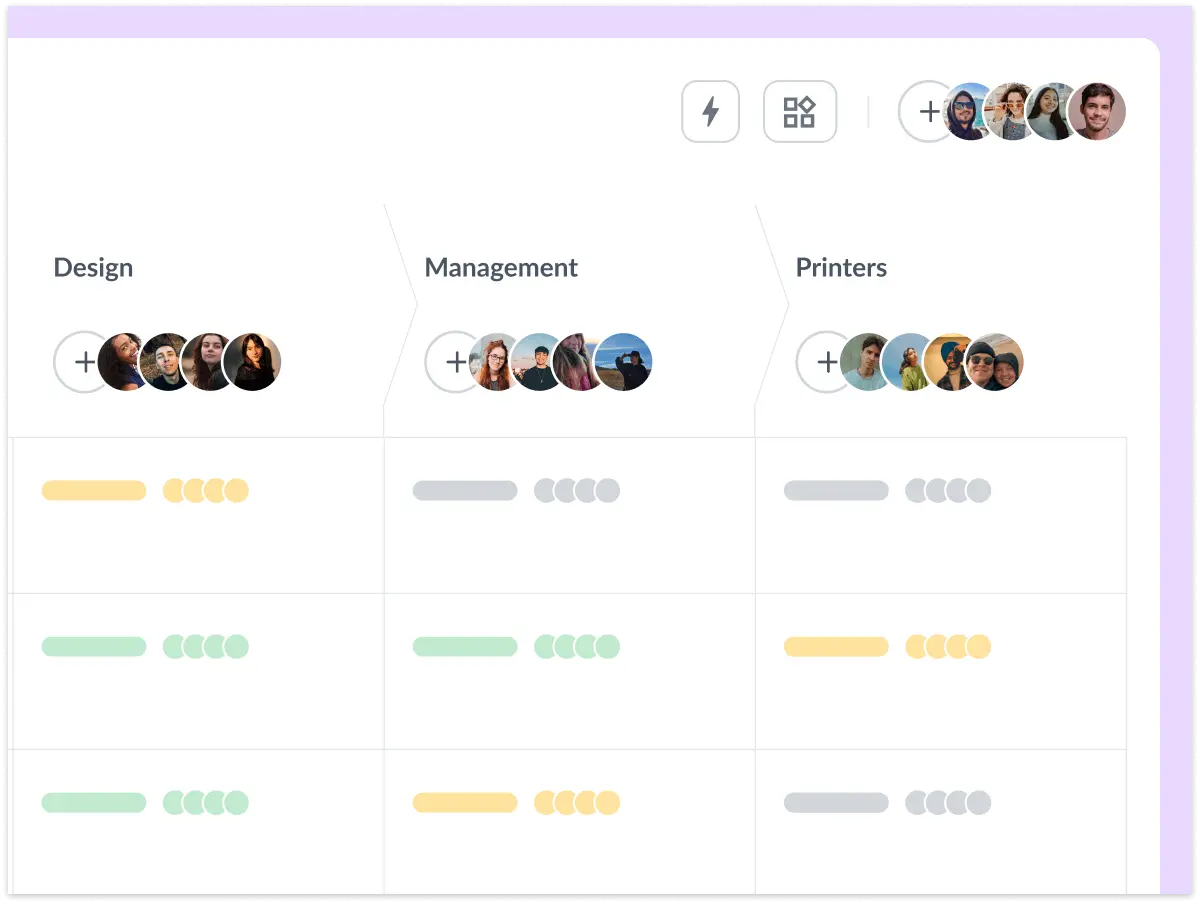
With Filestage’s document approval software system, you can set up your project’s review and approval workflow upfront. And you can invite all your reviewers too. So each time you share a new file, version, or comment, you can loop in all the right people and get feedback or approval without needing to send a single email. Document approval, made easy.
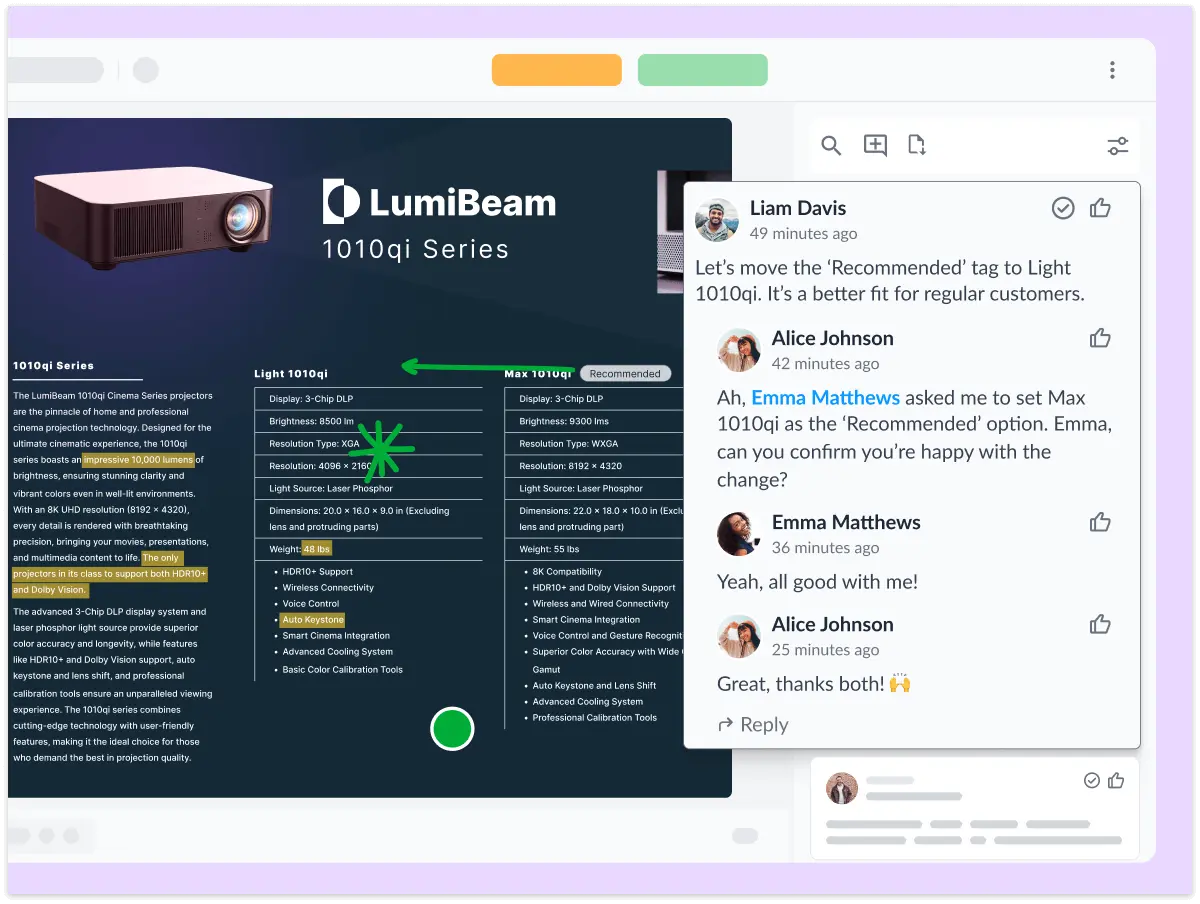
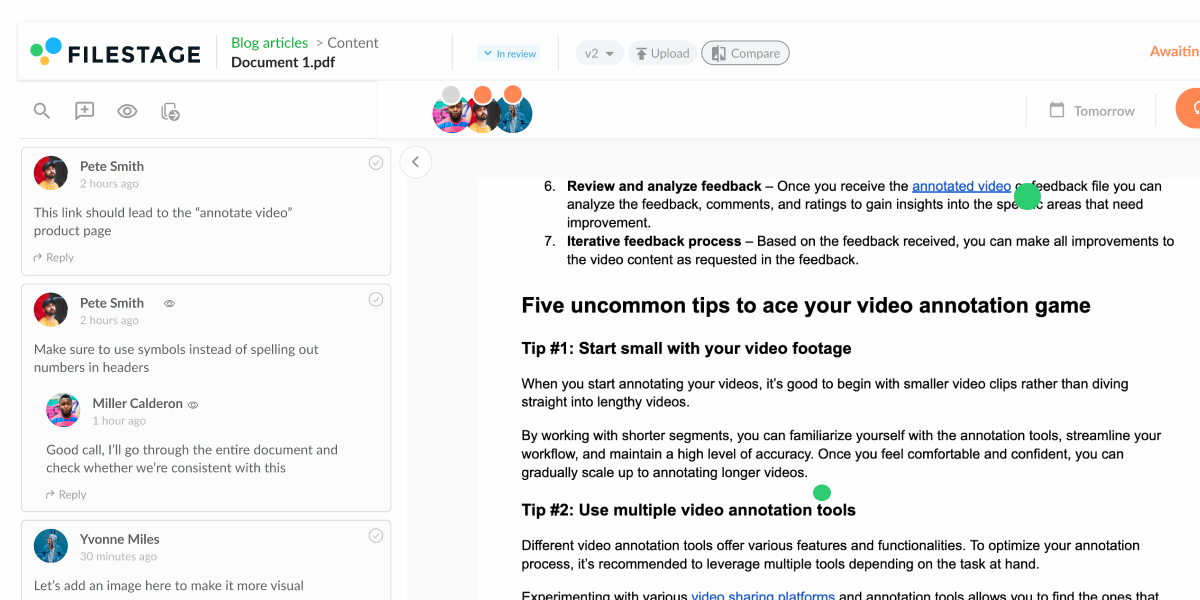
There’s nothing worse than getting feedback in different places with no consolidation between stakeholders. With document approval workflows in Filestage, everyone shares their comments in one place – right alongside your content. So if there are any conflicts, they can be sorted out in real time with full context.

Filestage’s document approval software makes version and document management easy. Each time you upload a new version, it’ll be stacked on top of the previous one so everyone knows which one is the latest. And the best bit? You can open two versions side by side to auto-compare the content, check the comments, and see what’s changed.

Designs and mockups
Get consolidated feedback on all your document approvals and designs, so you can save time juggling emails.

Company documents
Review everything from company presentations and pitch decks to job ads and employee contracts.

Blog articles
Loop in key stakeholders from compliance to make sure long-form content is clear and accurate.

From highlights and strikeouts to hand-drawn annotations, Filestage’s document approval software is packed with features to make feedback more accurate for your team. And because everyone’s feedback appears in one place, it’s easy to collaborate in the comments to get aligned before working on the next version.
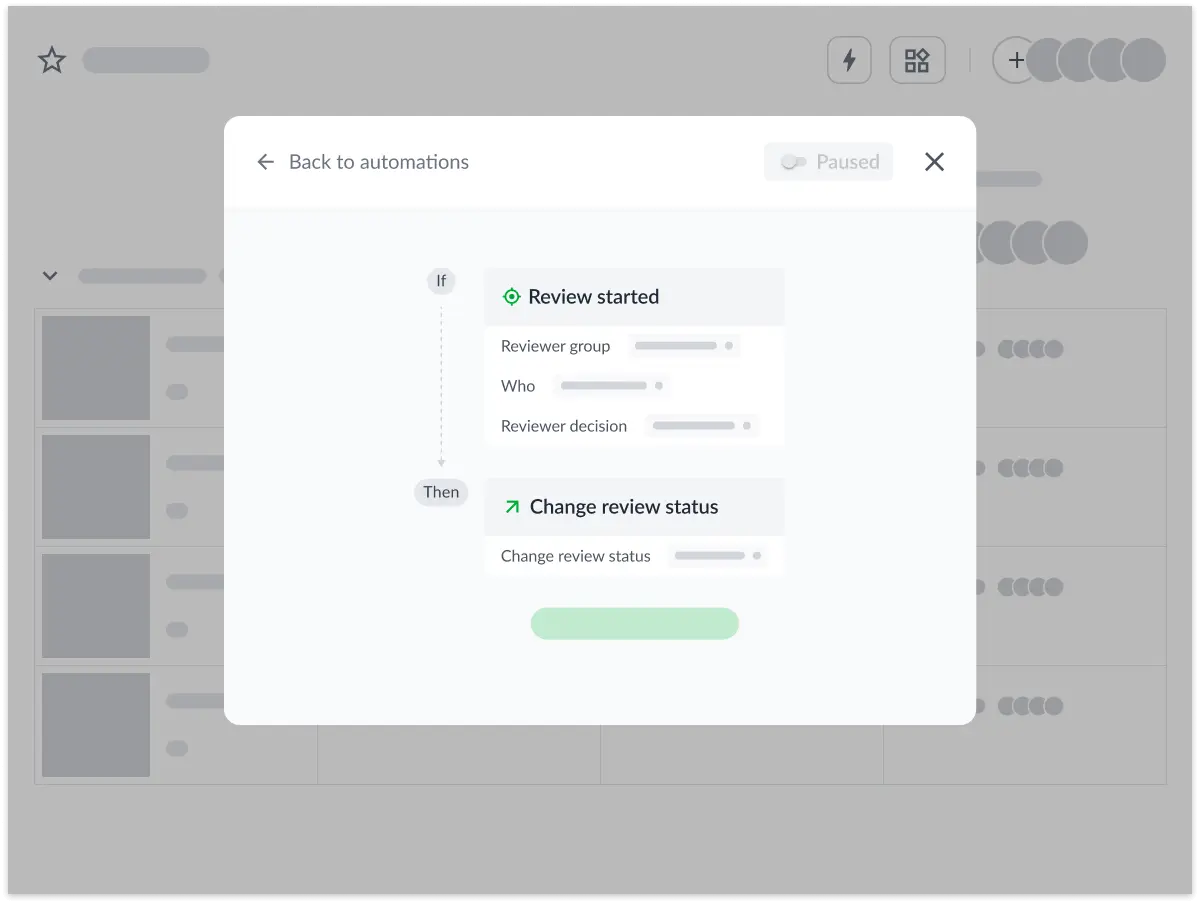
Filestage’s document approval system is all about saving you time. You can set due dates to trigger automated reminders for your stakeholders, instead of chasing them manually over email! And with workflow automations, you can share files with the next reviewer group the second they’re approved.

Filestage isn’t just for document approvals. You can also share videos, images, designs, live websites, interactive HTML, and audio, all in the same project. So instead of getting feedback on one file here and another there, you can have one easy-to-use platform for sharing work and getting it approved.

Create your project and reviewer groups
Set up document approval processes with separate reviewer groups for each sign-off stage.

Upload content to your dashboard
Sort your documents and other formats into sections to keep your document approvals organized.

Invite reviewers to give feedback
Add reviewers in Filestage or send them a link, then they’ll be kept up to date automatically.

Discuss ideas for the next version
Reply to comments and bounce ideas around until everyone’s on the same page.

Share new versions until you get approval
Develop your content until your first reviewer group is happy.

Repeat for the remaining reviewer groups
Make your work better and better until you get approval from all your reviewers.
Get consolidated feedback automatically
See everyone’s comments in one place, instead of juggling multiple email chains.

Minimize versions and review rounds
Make sure everyone’s looking at the right version so you can avoid mistakes and rework.

Add comments and discuss work faster
Use intuitive tools like highlights and annotations to add feedback in seconds.

Compare versions and comments side by side
Save time searching through your inbox to check what you said about the last version.

Tick off feedback as you work on new edits
Turn comments into to-do lists to go through the feedback and keep track of what’s been done.

Send reviewers automated reminders
Add due dates and send automated reminders to make sure feedback is on time.
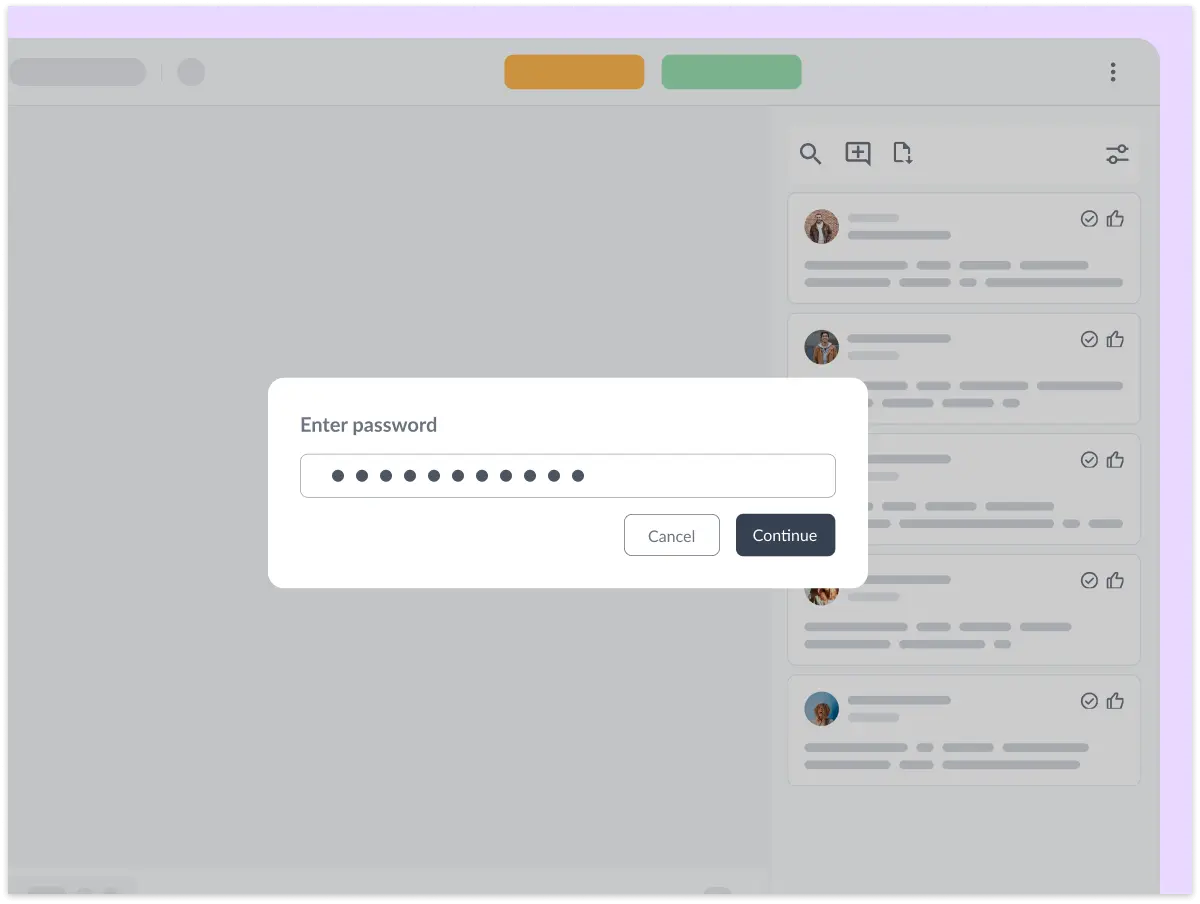
Filestage is packed with security features that put you in full control of your review process. Password-protect your content, restrict downloads, and anonymize feedback – all in a couple of clicks.
And with full GDPR compliance, AES 256-bit encryption, and ISO 27017 certified EU servers, you can rest assured that your data is in good hands.
What is document approval?
Document approval is the green light that lets you know a document is ready to be used or published.
What is a document approval process?
A document approval process is the steps a document needs to go through before it can be used or published. Most document approval processes involve a range of stakeholders, from creative and marketing, to legal and finance. Filestage gives you an easy way to bring all these stakeholders together in one document approval system.
What is document approval software?
Document approval software is a browser-based tool for sharing documents and PDFs for feedback and approval. It’s a centralized platform where your teammates and clients can discuss ideas, request changes, and approve content in one place.
Can you a create document approval workflow in Filestage?
Absolutely! Most document approval workflows involve specific groups of stakeholders, like Marketing, Product, and Legal. In Filestage, you can set this up as a kanban, so documents are always shared, reviewed, and approved in the right order. On top of that, you can also automate your document approval workflow. This lets you move approved documents from one step to the next as soon as they’re signed off, instead of needing to do it manually.
Can Filestage be used as contract approval workflow software?
Filestage offers some great benefits for contracts, invoices, and legal document approvals. You can upload documents and ask for feedback and approval from specific people using password-protected links. And by managing all your versions and comments in one place, you get a complete audit trail of how each document was signed off. You can even export review reports for your legal documents to save a record on your own systems.
Do reviewers need an account to approve documents?
No, reviewers don’t need a Filestage account to add comments or approve your documents. They will need to enter their name and email address. But that’s only so you can see who their comments are from and so they can stay up to date on new versions and replies.
What document formats can you review in Filestage?
Filestage supports a wide range of documents, including PDF, PDF/X, DOC, DOCX, XLSX, and PPTX. You can also use live website reviews to get feedback and approval on documents in Office 365 and Google Docs. And of course, Filestage also supports video, images, audio, and HTML content.


