
TL;DR
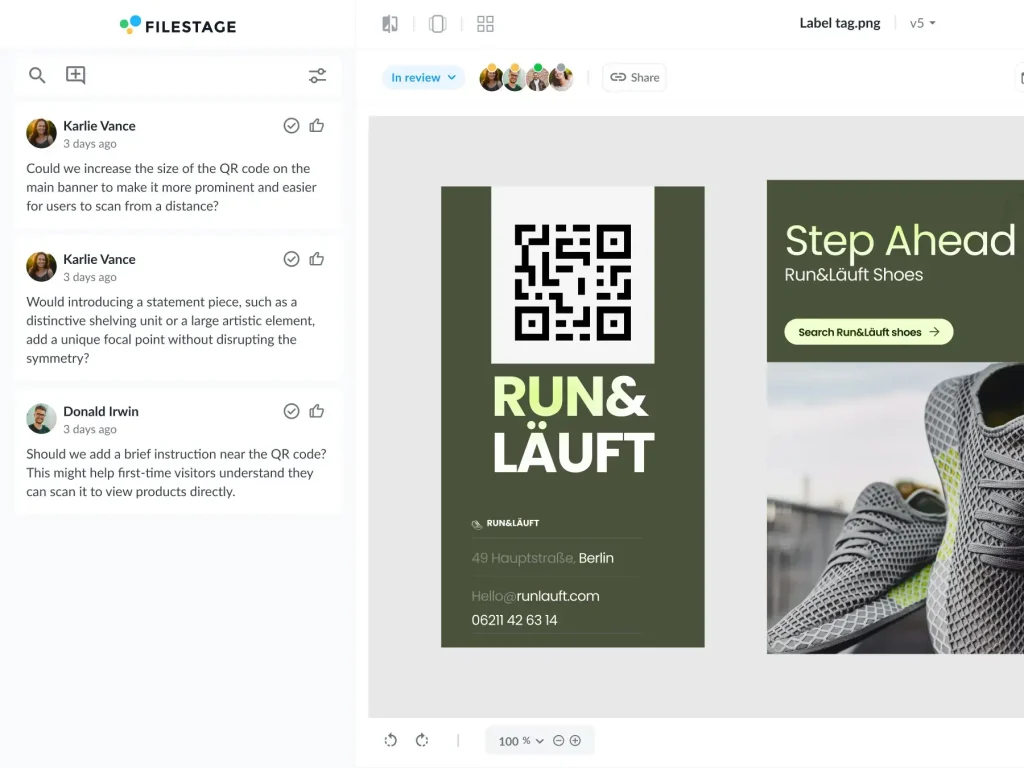
Design review software gives creative teams a central place to share files, collect actionable feedback, and move designs through a structured approval process without trawling through email chains. The tools in this guide help graphic designers and project managers collect feedback on everything from social media posts to complex marketing materials. They use visual annotations, robust version control, and real-time collaboration to streamline workflows and keep multiple projects on track.
Why messy design reviews are slowing your launches
Tired of project delays and endless feedback loops? You’re not alone. Research shows that the average content approval process takes around eight days from start to finish – a huge chunk of time for work to sit in review instead of moving campaigns forward.
Fortunately, there’s a better way. The right design review software can help you take control, get feedback in minutes instead of days, and keep your projects moving forward.
The market for these tools is growing rapidly. So, let’s dive into what makes the best design review software and how you can find the perfect fit for your team.
Why your current design review process is broken
If you’re still juggling feedback through email, you know the pain. It’s a system that’s practically designed for failure. Marketing leaders even say the quality of design review is a key predictor of whether a project will be delivered on time.
Here’s where the old way falls short:
- Fragmented feedback – When comments are scattered across different apps, large portions of design feedback can get lost in the shuffle. This leads to misunderstandings, unnecessary revisions, and frustrated teams.
- Endless email chains – Trying to track approvals in an email thread is a nightmare. Who has reviewed the file? Are we looking at the latest version? This confusion grinds projects to a halt.
- No single source of truth: Without a central hub for your designs and feedback, you can’t be sure everyone is on the same page. Stakeholders may end up reviewing outdated files, and critical comments can slip through the cracks.
Key features of the best design review software
The right design review software can save your team time, money, and a lot of frustration. Based on our experience, these are the core features that can make all the difference.
1. Centralized and contextual feedback
Instead of writing long emails trying to describe a change, you can simply click on the design and leave a comment. Top-tier software lets you add annotations, draw directly on files, and discuss feedback in threads directly on the creative asset. This eliminates guesswork and makes sure everyone understands the required changes.
2. Clear version control
We’ve all been there. One stakeholder is reviewing V2 when V4 is already waiting to be approved. A key function of design review software is robust version control that allows you to:
- Automatically stack new versions on top of old ones
- Compare two versions side-by-side to instantly check if feedback has been addressed
- Lock old versions to prevent accidental comments
3. Structured approval workflows
Structured workflows create a clear path for every design to follow. That way, you can set up sequential review steps (for example, from the creative team to marketing and then to legal). The software automatically notifies the next person in line when it’s their turn to review. This gives you a real-time overview of your project’s status, so you always know who to nudge and what’s been approved.
4. Cloud-based accessibility
With teams more distributed than ever, cloud-based platforms are essential. They allow designers, clients, and stakeholders to collaborate in real time from anywhere in the world. Everyone has access to the latest files and feedback, keeping the entire project in sync.
3 best design review software for different use cases
1. Filestage – best for gathering design feedback on creative assets

Filestage is a design review and approval tool that helps creative teams, agencies, and marketers streamline feedback and speed up the process. Filestage makes it easy to collect feedback and get approval on artwork, brand visuals, and marketing assets without the chaos of long email threads or scattered comments.
Key features:
- Visual annotations: Comment directly on designs, images, and PDFs to give clear, in-context feedback.
- Centralized feedback: Collect and manage all design feedback in one place, so nothing gets lost or overlooked.
- Version comparison: Compare two designs side-by-side to easily spot changes and make sure feedback has been implemented.
- Custom workflows: Set up reviewer groups (e.g., design team → marketing → client) to keep projects moving smoothly.
- Easy access: Share the review link with clients, stakeholders, or freelancers. They don’t need an account to leave their feedback.
- Status tracking: See at a glance which files are approved, in review, or need changes.
Pricing:
Filestage offers a free plan ($0/month) for small teams. The Starter ($199/month on a yearly plan), Business ($329/month on a yearly plan), and custom-priced Enterprise plans all come with unlimited reviewers and a free 30-day trial.

“Since rolling out Filestage, we’ve saved hundreds of hours on our artwork reviews. The tool allows multiple stakeholders to simultaneously review multiple projects in the most transparent way.”
Johannes Morath, Manager Marketing Projects Home & Garden at Kärcher
See how Filestage can speed up your approvals
Enjoy a free, 30 minutes consultation with our experts, tailored to your team and use cases.
2. Figma – best for collaborative design and prototyping

Figma is a collaborative interface design tool that allows teams to create, review, and iterate on designs in real time. Known for its browser-based platform, Figma makes it easy for designers and stakeholders to collaborate on everything from wireframes to high-fidelity prototypes.
Key features:
- Real-time collaboration: Multiple reviewers can view and comment on designs simultaneously, making feedback faster and more interactive.
- In-context comments: Stakeholders can leave precise feedback directly on design elements, reducing ambiguity.
- Prototyping & sharing: Create interactive prototypes and share them via a simple link – no special software or downloads required.
- Design systems: Keep visual consistency across projects with shared components and styles.
Pricing:
The Professional Plan starts at $15/user/month for a Dev seat. There’s also a free plan available for small teams.
3. Ruttl – best for giving visual feedback on web apps
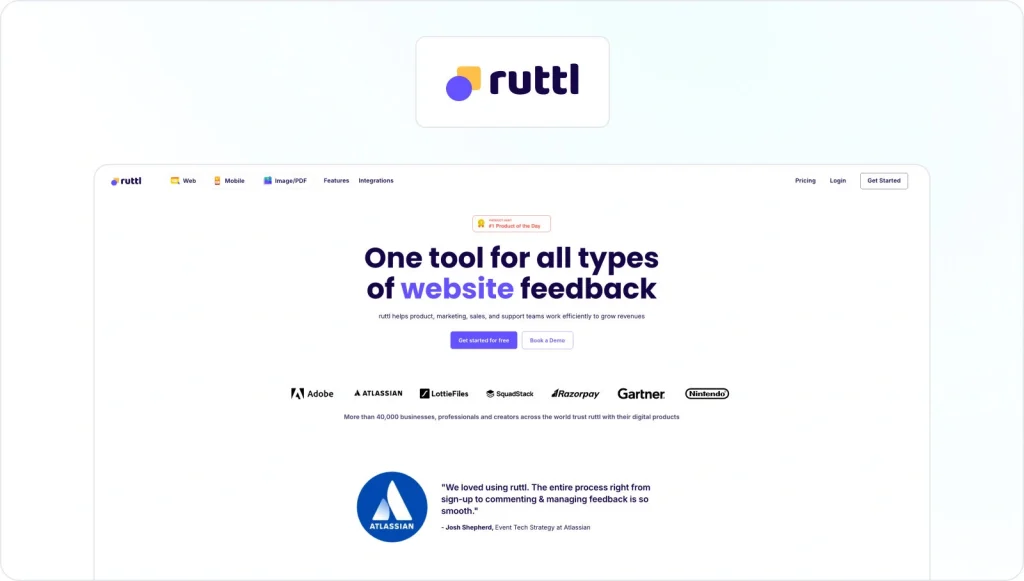
Ruttl is a visual feedback and collaboration tool designed to streamline the design review process for websites, web apps, and static designs. It allows designers, developers, and stakeholders to leave fast and precise feedback directly on live websites or uploaded files.
Key features:
- Live website commenting: Leave feedback directly on live or staging websites by simply pasting a URL.
- Static design reviews: Upload images or PDFs to review static designs with pinpoint comments.
- Visual annotations: Click anywhere on a design to leave contextual comments with ease.
- Version Comparison: Compare design versions side-by-side to see changes and track progress.
- Edit mode: Suggest visual changes (like text edits or spacing tweaks) directly in the browser. This is great for quick UI fixes.
- Client access: Share review links with clients or external stakeholders, no login required.
Pricing:
The Starter plan costs from $10/month/user. There’s also a free plan for small projects or teams.
AI and immersive collaboration are the future
The design software industry is undergoing an AI revolution. The next generation of design review tools is leveraging artificial intelligence and machine learning to automate parts of the review process. Imagine an AI that can check for brand guideline consistency or flag potential compliance issues before a human even sees the file.
For complex product development in engineering and manufacturing, there’s also a growing need for tools that offer immersive 3D experiences, letting stakeholders review and interact with designs in a more intuitive way.
How to choose the right design review tool
If you’re sick of lengthy email-led design reviews, it may be time for a change. Here’s a simple checklist to help you find the best design review software for your team.
1. Assess your needs
What are your biggest bottlenecks? Are you losing feedback, struggling with version control, or spending too much time chasing design approvals? Identify your main pain points first.
2. Check your file types
Make sure the software supports all the formats you work with, whether it’s PDFs, videos, static images, live websites, or complex CAD files.
3. Look for integrations
The best tools fit right into your existing workflow. Look for integrations with your favorite project management apps (like Asana or Trello) and creative software (like Adobe Creative Cloud).
4. Start a free trial
The best way to know if a tool works is to use it. That way, you get a real sense of how it works and how easy it would be for your stakeholders to use (after all, the best design review software is the one your team actually uses).
Let’s take Filestage as an example.
Our design review software comes with a free 30-day trial and a super-quick set-up so you can start reviewing your first design file in just a few minutes.
Here’s how it works:
- Sign up for a free trial
- Set up your workspace
- Create your first project
- Upload your design files
- Invite reviewers to annotate and comment on assets
- Collect the feedback and turn it into to-do lists
Final thoughts
Switching from a messy email-based system to a dedicated design review tool isn’t just a small upgrade. It can save your team time and money. Our customers report saving a day a week, thanks to reducing their email workload and time wasted on repetitive tasks. And that can translate into significant savings for your company.
With a clear process and the right software, your design reviews will be faster and more precise than ever before.
FAQ
1. What is design review software?
Design review software is a dedicated tool that gives teams a central hub to share creative files, gather feedback, and manage the approval process. Instead of relying on scattered emails and chat threads, it creates a structured design feedback process that allows stakeholders to comment directly on artwork, web pages, social media posts, and other marketing materials.
Good design review software supports standard file formats for vector graphics and raster images, lets you add visual annotations to designs, and provides robust version control so you can compare iterations and keep your design workflow organized across multiple projects.
2. Why is design review software better than email for feedback?
Email is fine for quick messages, but it breaks down fast when you’re managing feedback on complex designs. Design review software keeps all client feedback and internal comments in one place, right on top of the design elements themselves.
Instead of long descriptions like “move the logo up a bit on page 3”, reviewers click directly on the layout and leave actionable feedback with clear visual cues. You also get a transparent timeline of the review process, so project managers can see who’s approved what and where project progress is blocked – without digging through project documents or inboxes.
3. What industries and teams use design review software?
Design review tools are used anywhere visual content is created and approved. Common examples include:
– Marketing teams and agencies reviewing graphic design, social media posts, and other marketing materials
– In-house creative teams managing complex projects with multiple stakeholders
– Product and UX teams are iterating on app screens and web pages
– Brand and content teams are checking that assets maintain brand consistency across campaigns
Whether you’re working in photo editing or interface design, design review software helps creative teams, project managers, and external partners stay aligned and streamline workflows on everything from small campaigns to large-scale projects.
4. How much does design review software cost?
Pricing varies depending on the platform, your team size, and the advanced features you need. Most tools follow a subscription model with tiers for solo designers, small creative teams, and larger organizations.
Some, like Filestage, offer a free plan for smaller teams, plus paid tiers that unlock more extensive features, such as custom workflows, asset management options, and additional cloud storage. As you move up the tiers, you’ll typically get more advanced features for real-time collaboration, automations, and managing designs with more reviewers.
5. How does design review software work with graphic design software like Adobe Photoshop or Illustrator?
Design review software is designed to complement, not replace, your graphic design tools. Graphic designers still create assets in programs like Adobe Photoshop, Adobe Illustrator, Affinity Designer, or other graphic design apps, then export them (for example, as PNGs, JPGs, or PDFs) and upload them to the review platform. Some platforms also offer a direct integration with graphic design tools.
From there, stakeholders can add comments, use markup tools, and leave visual annotations on top of any design. This keeps the creative workflow intact while giving you a more straightforward, more professional way to manage feedback and approvals without constantly resaving files or losing comments.
6. Is design review software useful for solo designers and small teams, or only for big agencies?
Design review software is valuable for solo designers, small studios, and large creative teams alike. Solo designers can send a simple review link to clients, collect feedback in context, and avoid confusing email threads. Small teams can use it as an all-in-one solution to organize feedback, standardize the design review process, and simplify workflows across a handful of client projects.
Larger teams and agencies benefit from more advanced features like structured workflows, cloud storage for shared assets, support for multiple projects, and clear approval paths for external partners. Many platforms offer a free plan or entry-level tier, so new users can start small and upgrade as their client base and project load grow.