Struggling to keep on top of all your rich media assets? As your multimedia production ramps up, shared drives and folders just don’t cut it anymore. What you need is a professional media asset management solution. One that keeps every video, audio file, and creative asset organized and easy to find.
In this guide, I’ll walk you through everything you need to know about media asset management software (or MAM software), including:
- What the software does
- Key asset management features to look for
- The best MAM tools on the market today
What is media asset management software?
Let’s start with the basics. Media assets, in this context, are multimedia files like videos, animations, and audio clips. In other words, rich media content that powers everything from advertising campaigns and social posts to internal comms and beyond.
Media asset management software acts as a central location for all those media assets, keeping your valuable files organized and secure.
With a centralized media library, everyone knows exactly where to find the latest approved version of each file. That means smoother collaboration, faster project turnaround times, and far fewer “Is this the right video?” messages in your inbox.
Which industries use MAM software?
Media asset management software is useful for just about any team that creates, shares, or stores rich media content, but here are a few industries that rely on MAM every day (plus how they use it).
- Advertising and marketing – To manage campaign assets across channels, maintain brand consistency, and speed up approvals for videos, graphics, and social content.
- Broadcast and media production – To store high-resolution footage, manage version control, and streamline editing workflows for TV, film, and streaming content.
- Corporate communications – To organize internal videos, presentations, and event recordings so teams can reuse and repurpose assets with ease.
- Education – To centralize recorded lectures, promotional videos, and course materials for easy access by students and staff.
- Retail and eCommerce – To keep product videos, lifestyle photos, and promotional content organized across multiple brands and platforms.
- Sports and entertainment – To archive and share highlight reels, press content, and live footage efficiently between teams and media partners.
- Public sector and nonprofits – To maintain a secure, searchable library for training videos, campaign materials, and public information content.
What’s the difference between MAM and DAM software?
The terms “MAM” and “DAM” are often confused or used interchangeably, and it’s easy to see why. They’re closely related and often overlap in functionality. But there’s a key difference between the two.
- Media asset management software – MAM software specializes in handling rich media, like video files and audio files. It’s built to manage larger file types, support complex production workflows, and keep large volumes of multimedia content organized and accessible.
- Digital asset management software (DAM) – DAM software has a broader focus. It’s built to manage a wider range of digital content, including images, PDFs, brand guidelines, and sales decks. Its purpose is to help teams maintain consistency across all marketing materials and channels.
Seven benefits of MAM software
As you’ve seen, media asset management software is useful for any team that creates and stores a large volume of rich media content. But its benefits extend beyond centralized storage.
Here are some of the key benefits of implementing a MAM system.
1. Centralized storage
I know, I know, I’ve said this already. But just to reiterate, the main benefit of MAM software is that it centralizes and organizes all your audio, video, and multimedia files. This means everyone in your team has easy access to files, and nothing gets lost or duplicated along the way.
2. Simplified search
Searching for specific media files is so much easier with a media asset management system. With powerful tagging, metadata, and keyword search tools, you can find what you need in seconds, freeing up your team’s time to focus on more creative tasks.
3. Streamlined collaboration
By giving everyone easy access to the latest versions of assets, you can keep projects moving forward without unnecessary delays. Some MAM systems also allow users to comment, edit, and even approve digital assets there and then, keeping your whole collaborative workflow in one place.
For a more streamlined review and approval process, we recommend using Filestage. You can easily connect the software with your favorite MAM tool, so your assets are automatically shared for review, and the final approved versions are exported back to your MAM.

4. Improved security
Storing and distributing media files on different platforms can pose a security threat, especially when you’re working with sensitive content. MAM systems typically have robust security features and allow you to control who can view, edit, or share specific assets.
5. A bird’s-eye view of media assets
MAM systems give you a clear and comprehensive overview of all the multimedia assets belonging to your organization. This helps when it comes to planning and decision-making, as you can easily identify gaps in existing content and see which assets need to be produced for upcoming projects.
6. Better scalability
Media asset management software is essential for future-proofing. As your organization grows, your high-res media library expands, and your media workflows become more intricate, your MAM system will adapt to these changes without slowing down your processes.
7. Brand consistency
Last but not least, MAM software ensures that teams always use the correct files across all campaigns and channels. By giving teams easy access to the latest, approved assets, it removes the risk of outdated logos or off-brand visuals slipping through the cracks. This means that your brand will show up consistently across every touchpoint.
If branding is your forte, discover the best brand asset management solutions on the market right now.
Supercharge your media asset reviews
Share, review, and approve all your content in one place with Filestage.
What are the important features of MAM software?
While every MAM system is different, most share a core set of features to help teams handle rich media in the smoothest possible way.
Here are some of the most important features to look out for.
- Centralized media library – A secure, searchable hub where all your multimedia files live.
- Advanced search and metadata management – Tag, categorize, and filter assets by keywords, project names, or custom metadata to make search and retrieval easier.
- Version control – Automatically track changes made to assets over time and revert to previous versions if needed.
- Access control and permissions – Set roles and user permissions so that only authorized stakeholders can view, edit, or download specific assets.
- Collaboration tools – Comment on and annotate files directly within the platform to keep creative feedback clear and transparent.
- Preview and playback tools – Instantly view or play back large media files in-browser without having to download them first.
- Integration capabilities – Connect seamlessly with other software, such as project management tools, CRM systems, and editing tools, to streamline production workflows.
- Cloud storage and scalability – Manage growing volumes of high-resolution media without worrying about space or server limits.
- Automated transcoding – Convert media files into multiple file formats and resolutions automatically, saving valuable post-production time.
Top five media asset management software solutions
There are plenty of MAM options out there, so it’s all about finding the best one for your team’s needs.
Here are five of the best MAM solutions on the market in 2025.
1. Iconik – Best for creative teams
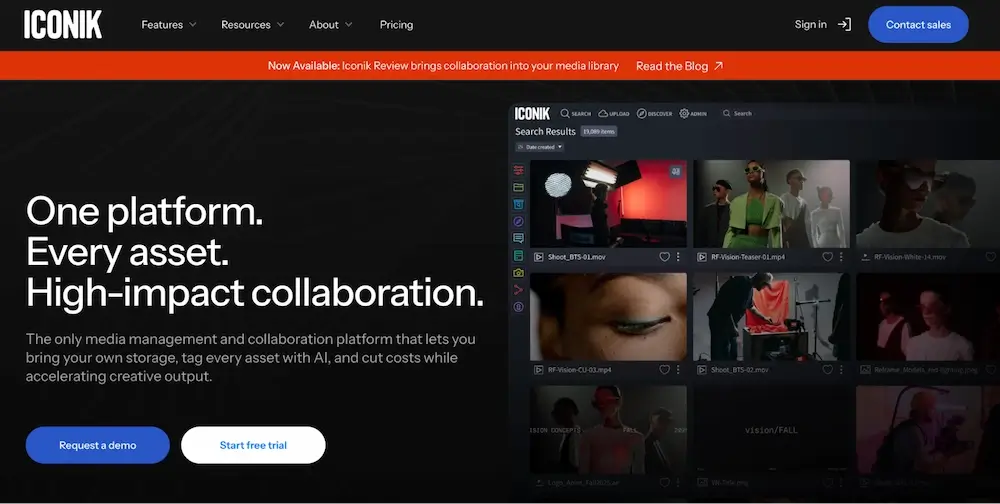
Iconik is a MAM platform built with creative collaboration in mind. It lets teams store, share, and review large media files from anywhere, with smart AI tagging and seamless integrations for tools like Adobe Premiere Pro and Final Cut Pro. Whether you’re producing video content or managing cross-department campaigns, Iconik keeps your media workflows smooth, scalable, and secure.
2. Bynder – Best for large organizations

Bynder is a powerful all-in-one platform for managing digital files and media assets at scale. It offers advanced search tools, automated workflows, and strong brand governance features, making it ideal for global teams managing content across multiple regions and campaigns.
While technically a digital asset management system, Bynder’s robust media capabilities make it a popular choice for enterprise-level MAM needs.
3. Evolphin Zoom Media Asset Management – Best for post-production teams
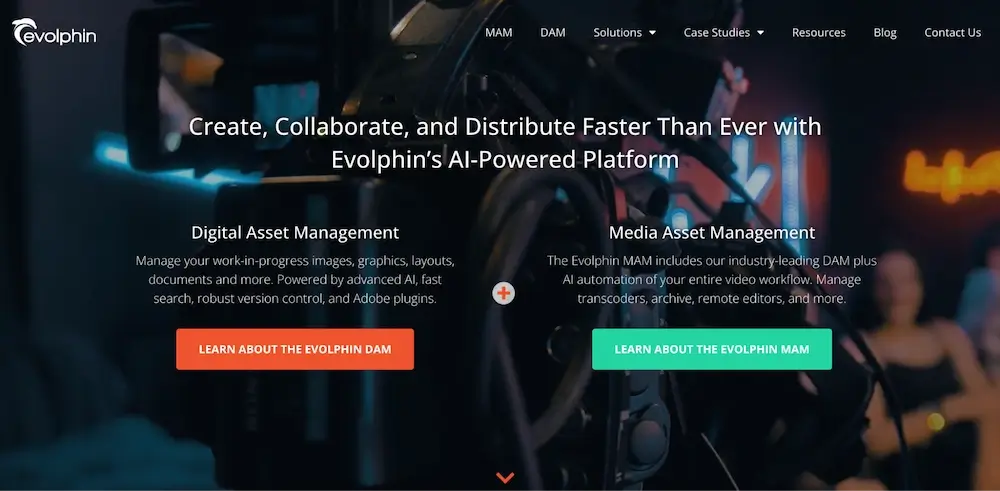
Evolphin Zoom is purpose-built for creative production environments. It offers powerful AI features, deep integrations with editing tools like Adobe Premiere and Apple Final Cut Pro, and is designed to handle the complex demands of post-production. From first cut to final delivery, Evolphin Zoom keeps every stage of your media workflow connected and organized.
4. Canto – Best for small to mid-sized teams

Canto is an intuitive and user-friendly platform that simplifies media management for smaller teams. It’s great for marketing and creative departments that need a reliable place to store and share photos, video content, and design assets – without the steep learning curve of enterprise systems.
Canto integrates with all the usual suspects like Adobe Creative Cloud, Slack, and Google Drive, helping to streamline your workflows and boost productivity.
5. Brandfolder – Best for marketing and brand management

Brandfolder combines the accessibility of a DAM system with the power of media asset management, helping sales and marketing teams keep brand assets consistent and easy to distribute. Its analytics tools offer valuable insights into asset performance, while custom portals make sharing with external users (like partners and clients) a breeze.
If marketing is your bread and butter, check out our guide to marketing asset management.
Seven best practices for implementing MAM software
As you’ve seen, every MAM system is slightly different, but here are some best practices that apply across the board when implementing MAM software.
1. Set up a naming and folder structure
Start by establishing a consistent naming convention and folder structure to keep your media assets organized. This makes it as easy as possible for everyone to find and identify files using the search feature.
Folders should be organized by project or campaign, and the same naming format should be used across the board. For example, use a format like this:
“ProjectName_VideoDescription_Date_VersionNumber”
Then stick to it to avoid things getting messy.
2. Use metadata to avoid copyright issues
Metadata isn’t just there to make your files easier to find, it’s also a lifesaver when it comes to compliance. Tag your media assets with copyright information, licensing details, and usage rights to make sure every file is used correctly and legally.
3. Make sure assets are approved before they’re uploaded
This one’s key. Before adding new media to your library, make sure every file has been approved by the right stakeholders. This keeps your library clutter-free and full of ready-to-use assets that your whole team can trust.
Use a review and approval tool like Filestage to set up a clear review process, and check each asset for quality, relevance, and compliance with brand guidelines. Here’s a 60-second overview of how it works:
4. Set clear access permissions and user roles
When you’re working with large teams or multiple stakeholders, setting clear access permissions and user roles is essential. Defining exactly who can view, edit, and manage different types of media protects sensitive content and prevents unauthorized changes.
For example, internal marketing teams might have full editing rights, while external agencies only have access to approved assets. This keeps your media library secure and allows team members to perform their tasks without risking overstepping boundaries.
5. Regularly update and audit the system
Take time to regularly review and audit your media library to keep it up-to-date and clutter-free. This includes checking for outdated or duplicate files, removing anything that’s no longer needed, and making sure every asset still complies with your brand and legal standards.
Keeping things clean and current means your library remains a reliable, go-to resource, so that your team always has access to the latest, most accurate materials.
6. Train staff to use the MAM system effectively
To keep everything running as smoothly as possible, it’s important to provide comprehensive training for your team on how to use it effectively. Cover the basics of uploading, naming, tagging, and retrieving assets, as well as more advanced features like version control and workflow automation.
The better they understand the system, the more equipped they’ll be to use it independently and to its full potential.
7. Integrate your MAM software with other tools
Media asset management software really proves its worth when integrated with the rest of your tech stack. From your project management tools and content management systems to your collaboration platforms and editing software, integrating your MAM system with the software you use every day creates a seamless workflow for managing and using your multimedia assets.
For example, connecting your system with Filestage streamlines the review and approval process, allowing team members to give feedback and approve assets without ever leaving your chosen platform.
The future of media asset management
AI is transforming the way teams manage and use media assets, and it’s only just getting started. From automatic tagging and intelligent content recognition to smart search and predictive recommendations, AI is making it faster and easier than ever to organize, retrieve, and repurpose rich media.
As MAM tools continue to evolve, expect to see deeper automation in areas like metadata generation, rights management, and quality control. This will mean even less time spent on admin, more time for creativity, and smoother collaboration across production workflows.
Final thoughts
With a media asset management system, all your videos, audio files, and other multimedia assets are neatly stored and organized in a single, reliable location. Your team can find what they need fast, use the right versions every time, and keep projects consistent from start to finish.
If you want to make sure every asset is reviewed and approved before it lands in your MAM system, give Filestage a go. Start a free trial today →