
See how top brands get videos approved 30% faster
Book a 30-minute, tailored walkthrough of your real workflows to see how Filestage can support your team. Learn how leading brands get video campaigns signed off faster.



Why video approvals get stuck
Manual video reviews quickly become chaotic: missing timecodes, confusing screenshots with no context, and feedback arrives via email, Slack, or PDFs. It’s just not scalable. With Filestage’s video feedback tool, you can set up clear approval stages and automated workflows to:

Centralize feedback
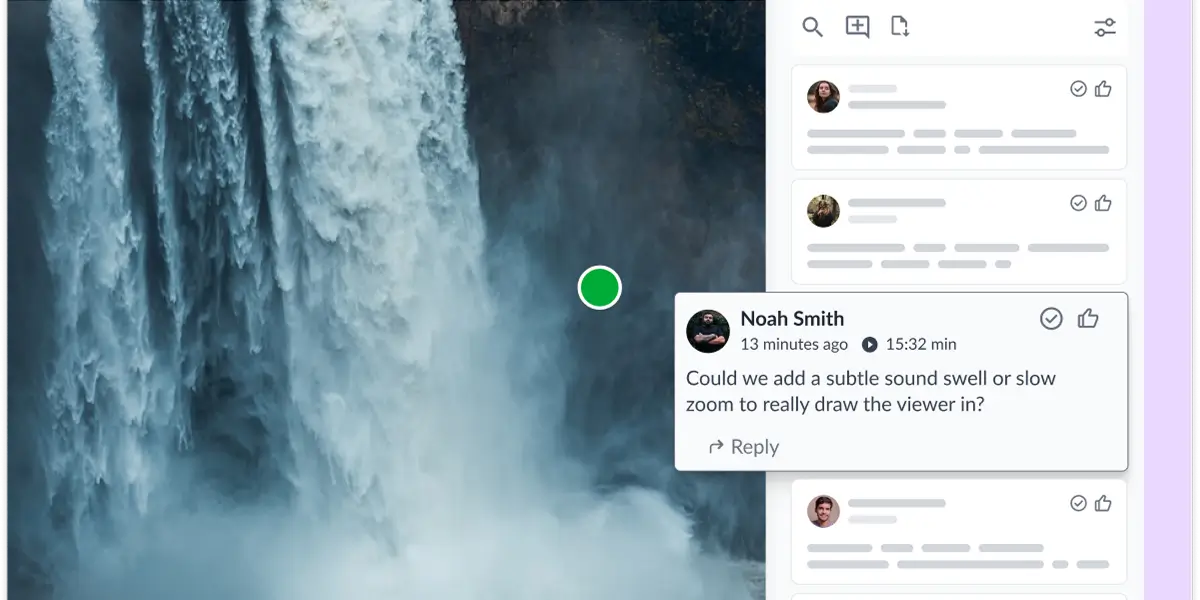
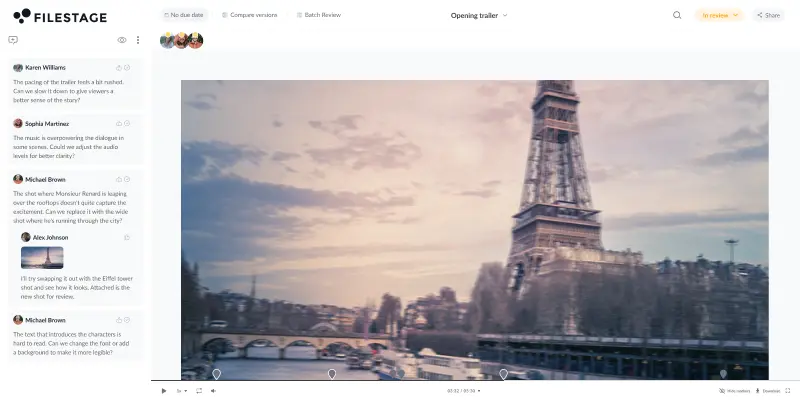
Keep all comments in one place on the video timeline. This reduces time wasted consolidating scattered feedback.

Automate timestamps
Link comments to the exact video timeline to make sure feedback has the context editors need.

Manage video versions
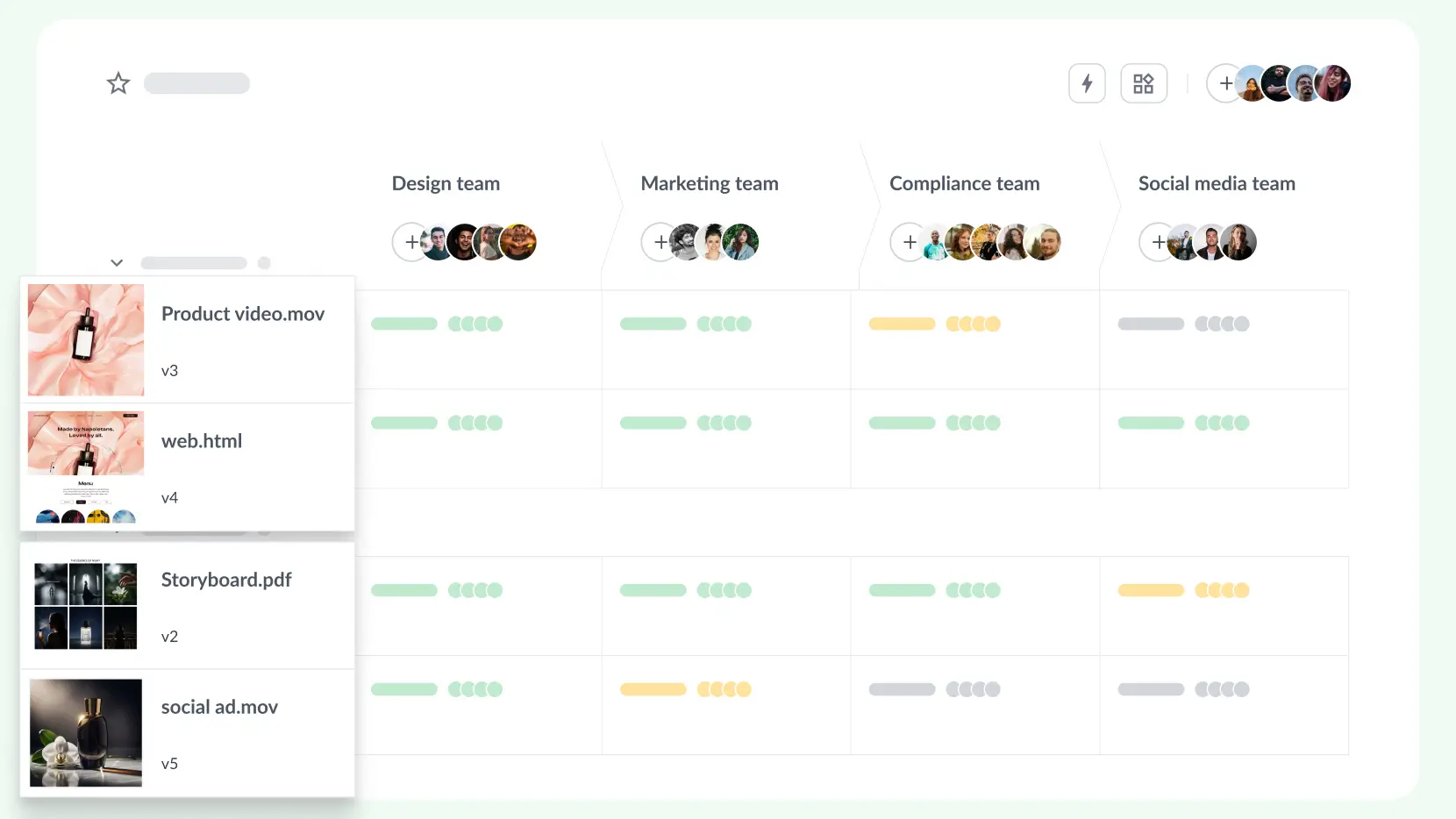
Automatically track changes and approvals in a central dashboard. Stack all video versions in one place.
How Filestage accelerates video reviews
Keep feedback clear and approvals fast, from draft to final cut:
Drag and drop your videos into your Filestage project. Keep all versions in a central dashboard.
Add team members, clients, or external partners with a single link. No account or setup required.
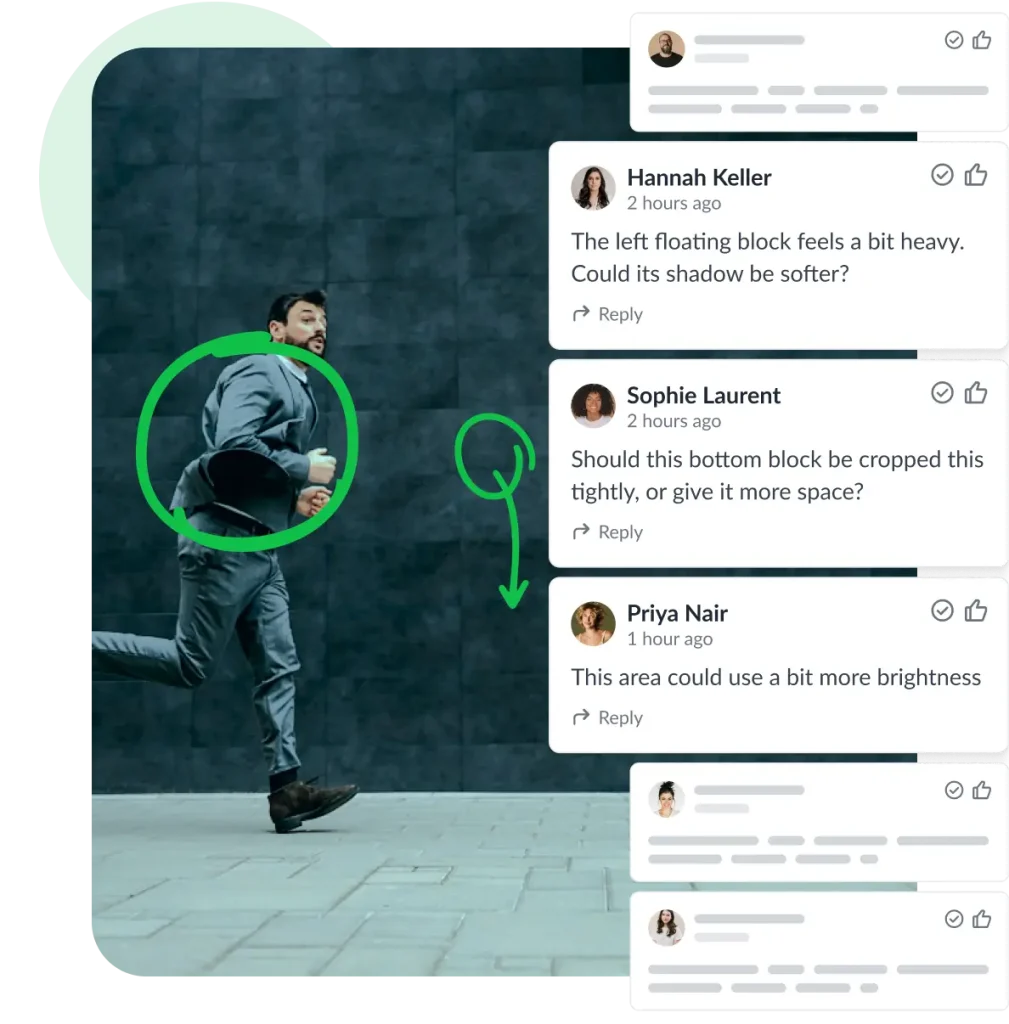
Reviewers click on the video to leave frame-accurate feedback. Timestamped comments and annotations keep context clear.
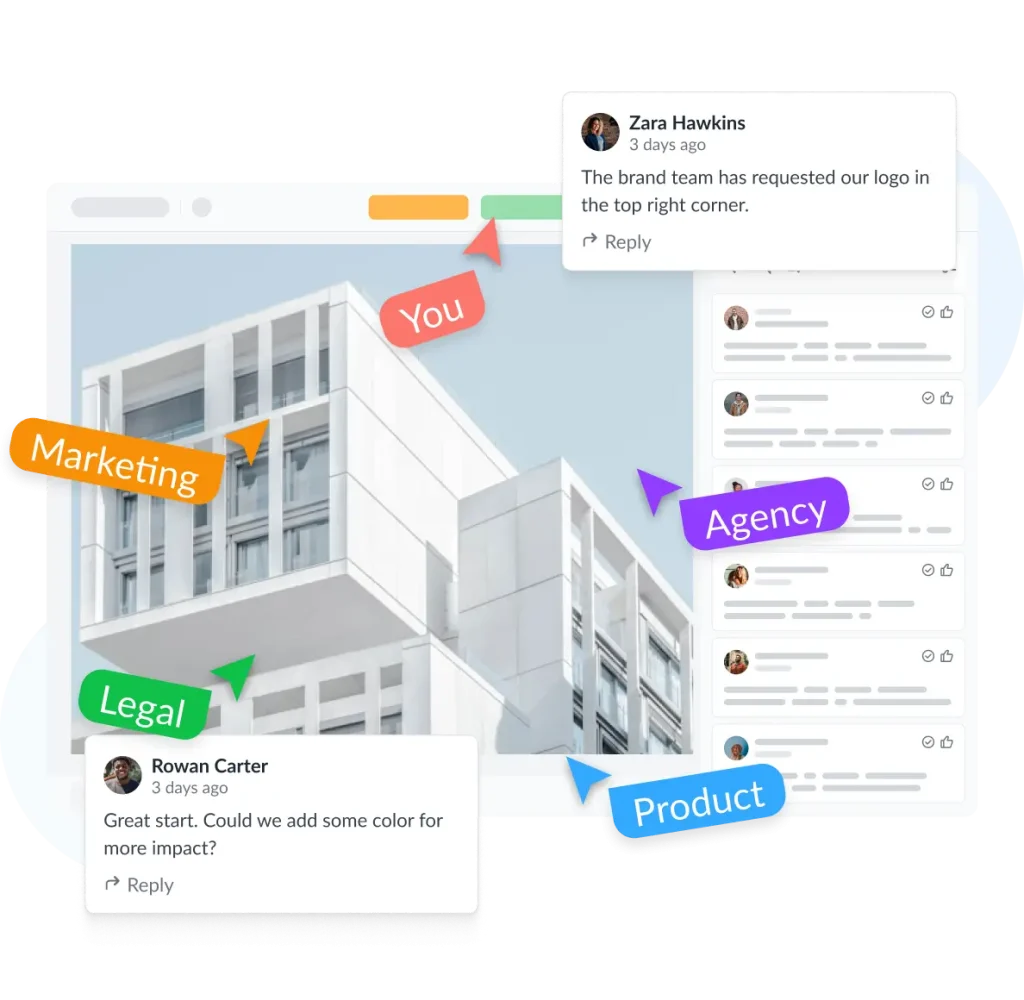
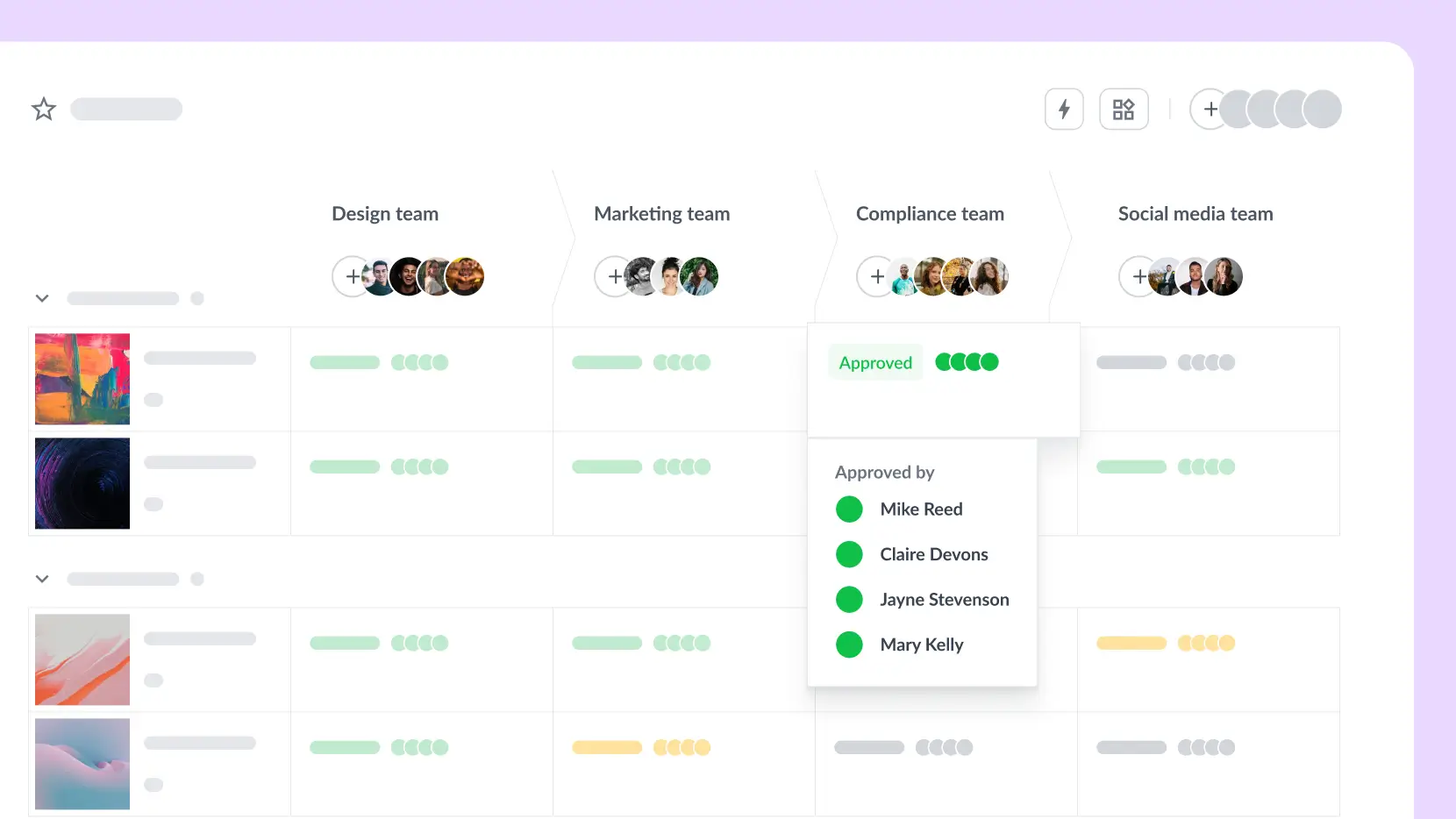
Track the video approval process and change requests in real time. Structured reviewer groups make sure the right people sign off.


Drag and drop your videos into your Filestage project. Keep all versions in a central dashboard.
Add team members, clients, or external partners with a single link. No account or setup required.
Reviewers click on the video to leave frame-accurate feedback. Timestamped comments and annotations keep context clear.
Track the video approval process and change requests in real time. Structured reviewer groups make sure the right people sign off.
Reduce bottlenecks across teams so video campaigns launch on time. No more last-minute escalations, missed approvals, or siloed feedback.

10 days saved per project
Fanuc now gets files from V1 to approved in just five days.
Read the story


320% ROI on marketing reviews
Kärcher saves around $79,000 in feedback time with a 320% ROI.
Read the story


30% faster campaign approvals
Sixt has reduced feedback time by 30% and eliminated communication mistakes.
Read the story

Book a 30-minute, tailored walkthrough of your real workflows to see how Filestage can support your team. Learn how leading brands get video campaigns signed off faster.


Video approval for every use case
Transparent workflows
In-context feedback
Version compare
Custom workflows
Filestage helped us reduce miscommunication in video approvals because the feedback can no longer get lost over a series of emails.

Angelika Schneider
Executive Creative Direction Motion Design at Sixt
Filestage makes our approval process much more thorough. Our designer simply uploads a video and all reviewers can comment and select the area where the changes need to be made.

Naeran Rubio
Sharp Imaging and Information Company of America

Filestage is a must for marketing agencies. It allows everyone, from our team to our clients, to have all the information they need and know exactly where to find all versions.

Melissa Abrini
Creative Director at Story

During the approval process we need on average 1-2 review rounds less per approval, and we send and receive about 20% fewer emails.

Stephanie Isabelle Flaig
Head of Operations at Videoboost
Share video content with confidence with password protection, download restrictions, and anonymized feedback.
Filestage offers full GDPR compliance, AES 256 encryption that’s certified against ISO/IEC 27001:2022, and certified EU servers.



Automate your workflow with our native and custom Zapier integrations.
Assign review tasks to your teammates and track file statuses in your project management tool.

Share files, comments, and review decisions in your favorite channels and spaces.

Upload files and see comments in your content creation tools, so you can iterate and get approval faster.

Create custom integrations in Zapier, turn marketing request forms into projects, and more.

What is video approval software?
Video approval software is a collaborative platform that lets teams share video content, collect frame-accurate feedback, and get final approval from stakeholders all in one place. Instead of exchanging files over email or consolidating notes from Slack and PDFs, everyone reviews the same version of the video in their browser, leaves timestamped comments directly on the frame, and clicks to approve or request changes. It makes it easy to manage feedback on video assets.
How is video approval software different from video review software?
Video review software focuses on collecting feedback like comments, annotations, and timestamps. Video approval software takes this further by adding structured sign-off workflows: staged reviewer groups, approval statuses, audit trails, and automated reminders. Filestage combines both, so teams can collect clear feedback and track every approval decision in one place.
What’s the best online video approval software for marketing teams?
The best tool depends on your workflow. Marketing teams and agencies that manage multiple asset types (videos, designs, documents, websites) alongside cross-functional stakeholders – from creative to legal to clients – benefit most from a platform like Filestage that handles all formats with multi-stage approval workflows. Video production teams may prefer a tool built exclusively for video post-production.
Can you set up multi-stage video approvals in Filestage?
Absolutely! You can organize reviewers into groups that reflect your real approval chain, for example, internal team first, then client, then legal. Each group reviews and approves before the video moves to the next stage – and you can easily track progress in the project dashboard. This prevents external stakeholders from seeing content before it’s been internally signed off.
Do external reviewers and clients need to create an account?
No. Reviewers can access videos and leave feedback via a shared link – no account, download, or software installation required. They simply add their name and email, watch the video in their browser, and click to comment or approve.
Does video approval software work with Adobe Premiere Pro and After Effects?
Filestage integrates directly with Adobe Premiere Pro and After Effects. Video editors can send renders to Filestage without leaving their editing software, and incoming feedback appears directly in their timeline. This eliminates the back-and-forth of exporting files and cross-referencing comments. It also connects with project management tools so you can manage the full creative process from one place.
Is Filestage free video review software?
Filestage’s video review app offers a Free plan for 10 team members. It includes one project, two reviewer groups, five new files per month, and unlimited reviewers. If you’re managing more projects or need more reviewer groups and storage, you can upgrade to one of our paid plans. We also offer a free 30-day day trial if you’d like to put Filestage to the test.
How do you compare versions in video review and approval software?
When you upload a new version, it stacks automatically on top of the previous one. You can flip between versions at any point or compare two versions side by side to verify that specific changes were made. All comments and approval decisions from each round are preserved. This is ideal for managing client feedback or if you need to revert back to an earlier iteration.
What video formats does Filestage support?
Filestage supports all major video formats including MP4, MOV, and AVI. Beyond video, you can also review and approve audio files, images, PDFs, documents, designs, live websites, and interactive HTML in the same platform.
Do reviewers need to download videos to give feedback?
No, Filestage works in your browser on your desktop, tablet, or mobile. When you invite someone to give feedback, they’ll get a link in their inbox – or you can copy and paste it to them in your chat tool. Then they can open the link, watch the video, and click directly on your content to add feedback.
How many people can you invite to review videos?
With Filestage, you can invite as many people as you like to give feedback and approve your content. If you’re working with external agencies or production partners, you can also give them access to upload content.
How does video approval software speed up the review process?
The main time savings come from three areas: 1) Eliminating version confusion by keeping all files and feedback in one dashboard, (2) Removing unclear feedback with frame-accurate timestamped comments, and (3) Automating the approval chain with due dates, reminders, and real-time status tracking. Teams using Filestage report up to 30% fewer revision rounds and significantly fewer approval-related emails.