Brands are like people. The best ones are those we know we can trust and rely on. If you’re flaky and inconsistent, chances are you’re going to have trouble making and maintaining healthy, happy relationships.
This same rationale applies to brands. We want to like their character, and take comfort in knowing what to expect when we interact with them. Which is why brand compliance software is indispensable for brands of every size.
So, let’s take a look at the best tools on the market right now that will protect your brand reputation through consistency, collaboration, and all that good stuff.
What is brand compliance (and why does it matter)?
Brand compliance is the process of making sure every branded asset (think logos, colors, fonts, packaging, and messaging) stays consistent across every channel and touchpoint. Look at how little Coca-Cola’s marketing strategy has shifted across markets and decades, and it’s easy to see why consistency pays off.
That’s the theory. The practical part is building a system that makes sure everyone follows your brand guidelines and maintains a unified voice. It’s a quality control function, usually handled through structured approval workflows, strong brand guidelines, and regular audits.
For a deeper look at what that involves, check out our brand compliance guide, or our brand governance guide for how to set up a structured process.
To decide who reviews what, and how much review each asset needs, start with a brand governance framework.
How we evaluated these tools
We picked these tools by matching what each one does against the brand compliance tasks marketing and creative teams handle most: collecting requests through a creative intake form, setting brand guidelines, reviewing content and approving it, storing on-brand assets, and monitoring how a brand shows up once it’s live.
Each entry is built from the vendor’s own product documentation, current pricing pages, and independent user reviews.
Note: Filestage is our own product, and we’ve evaluated it against the same criteria as everything else on this list.
Quick-answer comparison table
| Tool | Best suited for | Free plan | Starting price | Key differentiator |
|---|---|---|---|---|
| Frontify | Building and hosting brand guidelines | No | Custom / quote-based | Centralized brand portal with guideline version history |
| Filestage | Reviewing and approving marketing content | Yes | $199/month | Multi-format review and approval workflow, automated brand checks |
| Bynder | Managing digital brand assets at scale | No | Custom / quote-based | AI-powered asset tagging and search |
| Brandworkz | Enterprise brand and DAM management | Yes | Custom / quote-based | Unlimited storage on every paid plan |
| Marq | Locking templates so non-designers stay on-brand | Yes | $10/user per month | Free second seat included on the Team plan |
| Adobe GenStudio | AI-generated, on-brand content at performance-marketing scale | No | Custom / quote-based | Brand guardrails built into generation, not checked after |
| Ziflow | Online proofing with automated brand checks | Yes | $199/month | Reviews many file types, including live websites and rich media |
| Brand24 | Monitoring brand mentions and reputation online | 14-day trial | $199/month | AI sentiment and topic analysis across social, news, and reviews |
| Sprinklr | Social and customer experience compliance at enterprise scale | No | Custom / quote-based | Unified governance across social, care, and marketing channels |
| PerformLine | Regulated-industry compliance monitoring (finance, insurance) | No | Custom / quote-based | Purpose-built for FDA, FINRA, and other regulatory frameworks |
The best brand compliance software tools
We’ve grouped these picks by what they solve: building brand guidelines, reviewing and approving content, managing brand assets, locking down templates, generating on-brand content with AI, and monitoring how your brand shows up once it’s live.
Each entry below covers what the tool does well, where it falls short, and what it costs.
1. Frontify – best for building brand guidelines
Source: frontify.com
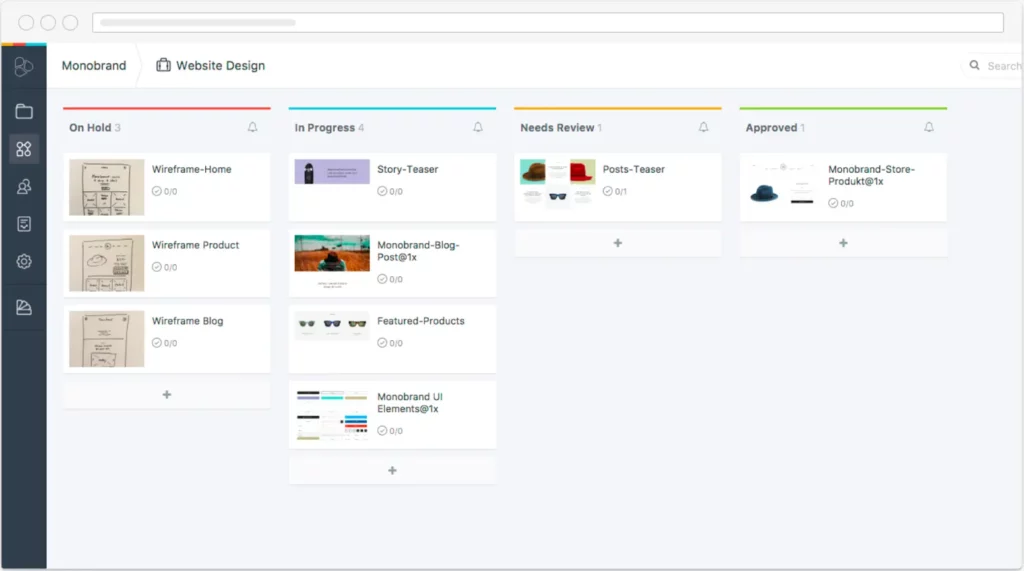
Frontify turns brand guidelines into a searchable, living portal instead of a PDF nobody reopens. Style guide customization lets you tailor exactly what gets shown and how, built-in stats show how your brand assets get used across the team, and translation tools mean the same guidelines work whether your reviewer sits in New York or Nairobi. It’s built for people who’ve never touched a style guide before, brand specialists included.
Pros
- Style guide customization tailors branded content to your exact needs
- Built-in stats and analytics show how your brand assets are being used
- Translation and localization make guidelines accessible across countries and cultures
Cons
- Limited tools for monitoring social media conversations about your brand
- Analytics can feel too basic for brands wanting deeper insight into brand performance
Pricing
Custom / quote-based. Frontify doesn’t publish fixed plans or prices anymore. It uses a monthly active user model, and every quote comes from a conversation with their sales team.
2. Filestage – best for reviewing and approving marketing content

Filestage keeps every review, whether it’s a social video, a copy pass, or a full brand refresh, moving through the same structured approval process instead of scattered across email threads. It doubles as file comparison software, flagging exactly what changed between versions, so nothing slips through unnoticed. Review Agents catch obvious brand and compliance issues, like a missing logo or a forbidden word, before a human reviewer even opens the file.
Pros
- Integrates with Slack, Asana, and Microsoft Teams for reviews within your existing workflow
- Comment on PDFs, videos, documents, designs, and live websites in one place
- Saves every file version automatically, so it’s easy to track progress and go back
- Filestage’s Review Agents, check content against brand guidelines and flag inconsistencies or forbidden words automatically
Cons
- The Free plan caps you at one active project at a time and five new file uploads a month, so it suits solo users or the occasional review more than an active production pipeline
Pricing
Free plan available (one active project, five files a month, two reviewer groups, 10 team members). Starter is $199/month, Business is $329/month and adds Review Agents plus three reviewer groups, and Enterprise is custom-priced. A 14-day free trial covers the full feature set.
Supercharge your marketing reviews
Share, review, and approve all your content in one place with Filestage.
3. Bynder – best for fostering collaboration across your brand
Source: bynder.com
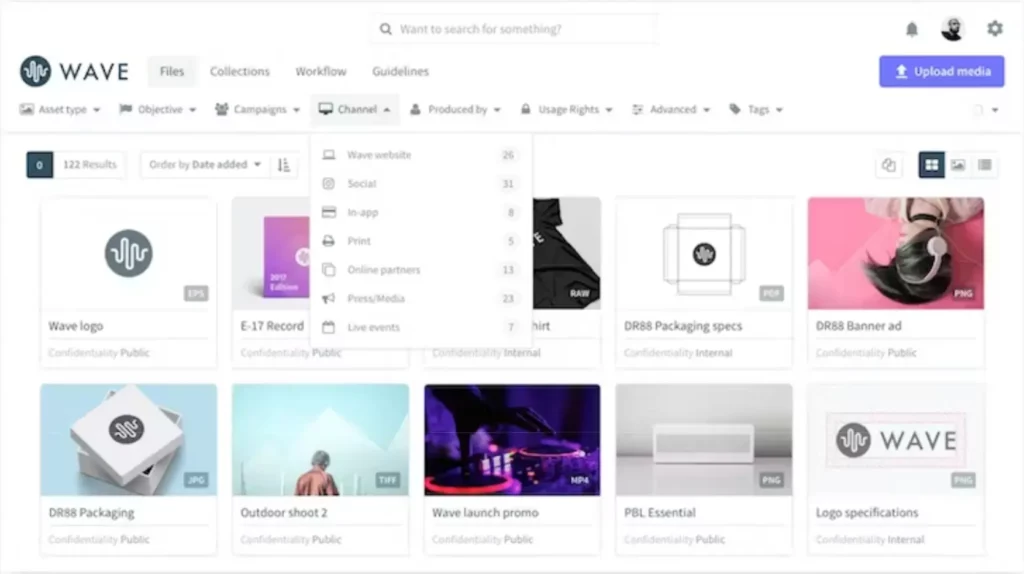
Bynder treats brand consistency as a collaboration problem more than a storage one, and it’s a popular graphic design project management choice for teams that want collaborative working built in from the start. Permissions and access controls decide exactly who can touch which assets for proper content governance, which matters once you’ve got dozens of contributors who shouldn’t all have the same level of access.
Pros
- Multiple users can collaborate on the same project, sharing feedback and new versions as they go
- Permissions and access features control who can do what to your files and assets
- Version control keeps every team in the loop on where a project’s progress stands
Cons
- Feature depth comes with a learning curve and adjustment time for you and your team
- Slow loading times have been reported by more than a few frustrated customers
- Limited or sluggish customer support has caused delays fixing issues for some users
- No free trial, so there’s no way to test-drive it before committing to a sales conversation
Pricing
Custom / quote-based. Bynder doesn’t publish a rate card or offer a free trial. Every plan is built around your user count, storage, and module selection, so you’ll need to request a quote.
4. Brandworkz – best for monitoring brand consistency
Source: brandworkz.com
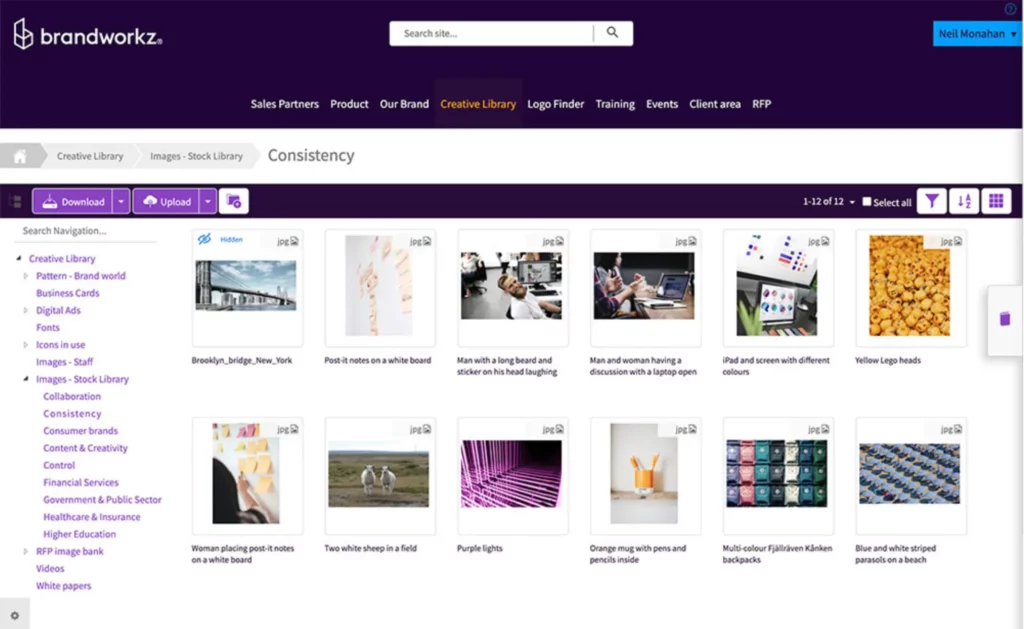
Brandworkz treats brand monitoring as an ongoing discipline, not a one-time setup, and it’s one of several solid marketing compliance platforms built for this. Customizable checklists and audits let you define exactly what your team needs to tick off before an asset ships, rather than working inside someone else’s generic template, and its single hub keeps your brand marketing management organized in one place.
Pros
- One clean, focused hub for organizing brand assets, guidelines, and templates
- Intuitive template features let you tailor assets to your brand’s style within guidelines
- Customizable checklists and audits define exactly what your team needs to approve before launch
Cons
- Automation features are relatively limited compared to other brand compliance software, so automated task assignments and notifications aren’t a strength here
- Doesn’t integrate well with social media channels, so scheduling and monitoring live content isn’t built in
- Limited analytics mean you won’t get deep insight into consumer engagement or trends
Pricing
Free plan available (Essentials, free forever). Core, Professional, and Enterprise are all custom / quote-based plans. Brandworkz no longer publishes fixed prices for any paid tier.
5. Marq – best for content creation
Source: marq.com
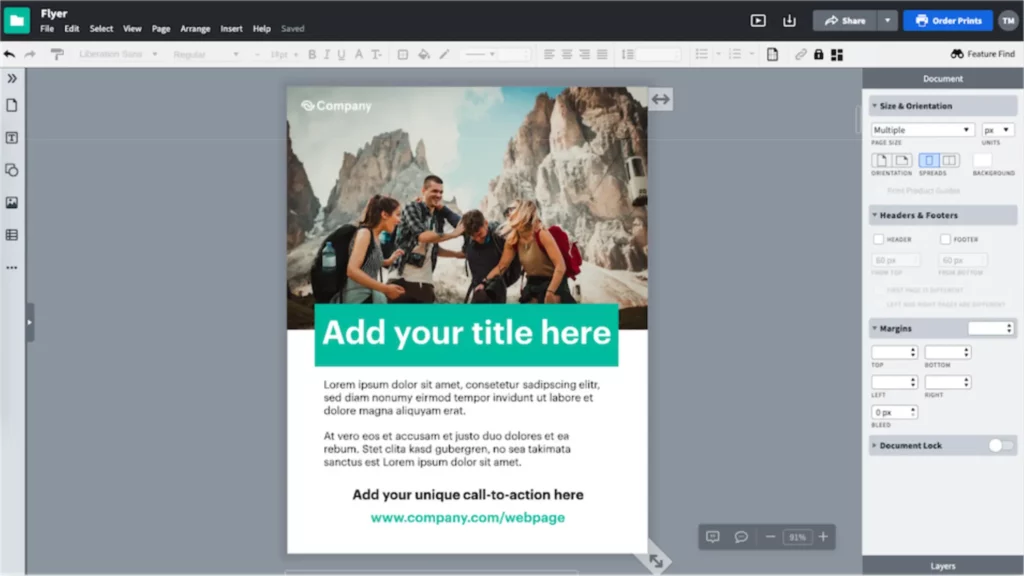
Marq spreads content creation across the whole team instead of leaving it stuck with an overworked design department. Drag-and-drop template editing means anyone can update existing brand templates regardless of their design background, while your visual identity and guidelines stay locked in behind the scenes. The Team plan also includes a free second seat, a rare perk among the tools on this list.
Pros
- Customizable templates for brochures, flyers, and newsletters, tailored to your brand
- Drag-and-drop editing lets anyone create content regardless of design experience
- Integrates directly with Google Drive, Dropbox, and HubSpot
Cons
- Can lag when working with large files or high-resolution images
- Not a replacement for a specialized label design tool; complex work still needs your design team
- Entirely cloud-based, with no downloadable option for offline use
Pricing
Free plan available (one user, three-project limit). Pro is $10/user per month billed annually ($12 billed monthly), Team is the same price with a second seat included free, and Enterprise is custom-priced.
6. Adobe GenStudio – best AI-first software for on-brand content at scale
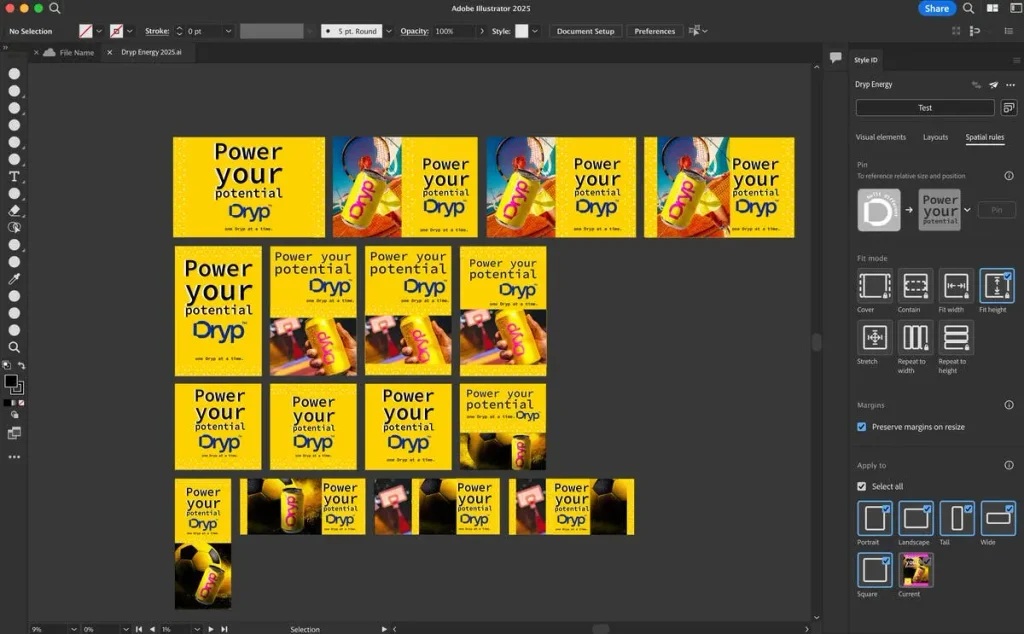
Adobe GenStudio for Performance Marketing uses generative AI trained on your brand guidelines to create and adapt ad and email content, with brand guardrails built into the generation step itself, not checked afterward. For teams already living in Adobe Experience Cloud, it removes a step most of this list still requires: someone briefing, drafting, and formatting an asset before it ever reaches a reviewer.
Pros
- Generates on-brand ad and email variations directly, cutting out a full manual production step
- Brand guardrails are built into the generation process, not applied as a separate review layer
- Real-time performance insights tie creative decisions back to campaign data
Cons
- No published pricing and no self-serve signup, so budgeting means a sales conversation before you can even test it
- Best suited to teams already inside Adobe Experience Cloud; a lot of its value depends on that ecosystem
Pricing
Custom / quote-based. Adobe doesn’t publish standard pricing for GenStudio. Base licenses are scoped around users, brands, and generative actions per year, and you’ll need to talk to Adobe sales for a quote.
7. Ziflow – Best for online proofing with automated brand checks
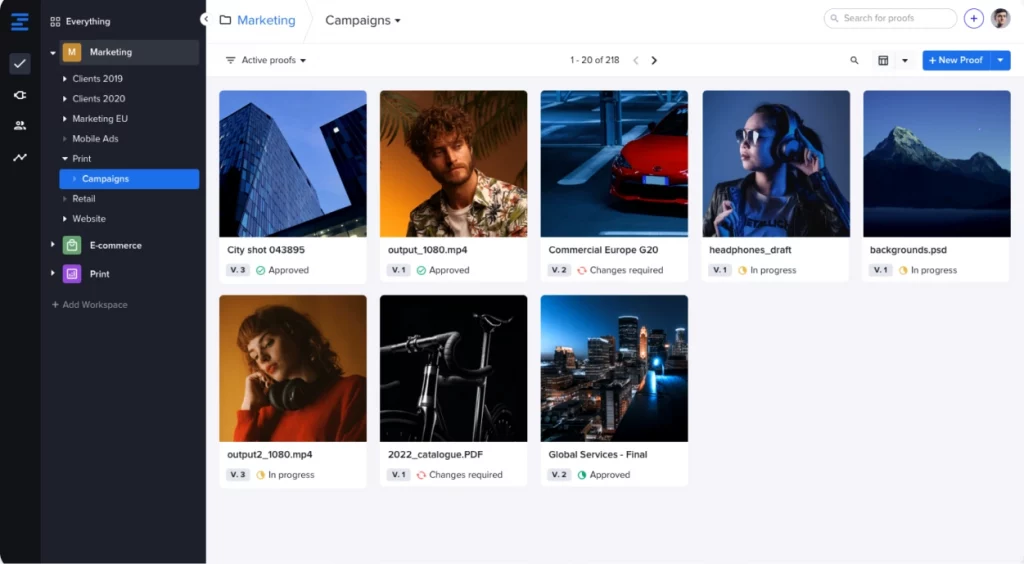
Ziflow is an online proofing tool built around one job: getting creative work reviewed, marked up, and approved fast, across image, video, document, and live website formats. Its brand-compliance angle comes through ReviewAI, which applies automated checks against criteria you set, catching issues before a human reviewer opens the file.
Pros
- Free-forever plan supports two users and unlimited reviewers, a usable tier for freelancers or small teams
- Reviews many file types, including live websites and rich media like HTML5 banners
- ReviewAI applies automated pass and fail checks before a human reviewer steps in
Cons
- ReviewAI, the tool’s standout brand-compliance feature, is only available on the Enterprise plan, so Standard and Pro users don’t get it
- The Standard plan caps out at two workflow stages
Pricing
Free plan available. Standard starts at $199/month (billed annually), Pro is $329/month (billed annually) and adds more users and storage, and Enterprise is custom-priced with ReviewAI included.
8. Brand24 – best for monitoring your brand’s online reputation
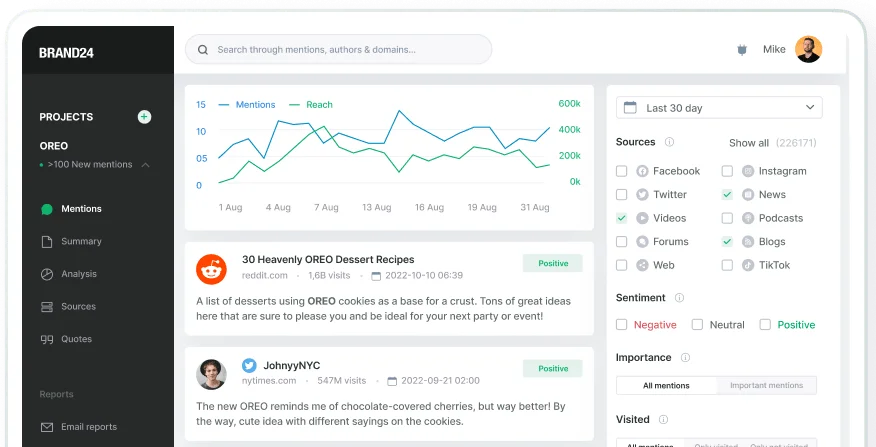
Brand24 isn’t a compliance tool in the traditional review-and-approve sense, but it covers something none of the approval tools on this list do: knowing what’s being said about your brand once content is already live. AI-powered sentiment analysis and topic mapping flag shifts in tone before a small issue becomes a bigger one, and competitor tracking benchmarks your brand’s performance against others in your space rather than watching it in isolation.
Pros
- AI-powered sentiment analysis, topic mapping, and influencer tracking help you catch trends quickly
- Strong competitor tracking benchmarks your brand against others in your space
- Full feature set for reputation management, crisis response, and campaign evaluation
Cons
- AI insights and podcast tracking coverage are locked to higher-tier plans
- Managing mentions across multiple platforms takes real time, even with a dedicated tool
- There’s a learning curve for new users
Pricing
No free plan (14-day free trial only). Individual starts at $199/month billed annually, Team is $299/month, Pro is $399/month, and Business is $599/month, all billed annually. Enterprise starts from $1,499/month.
9. Sprinklr – best for social and customer experience compliance at scale
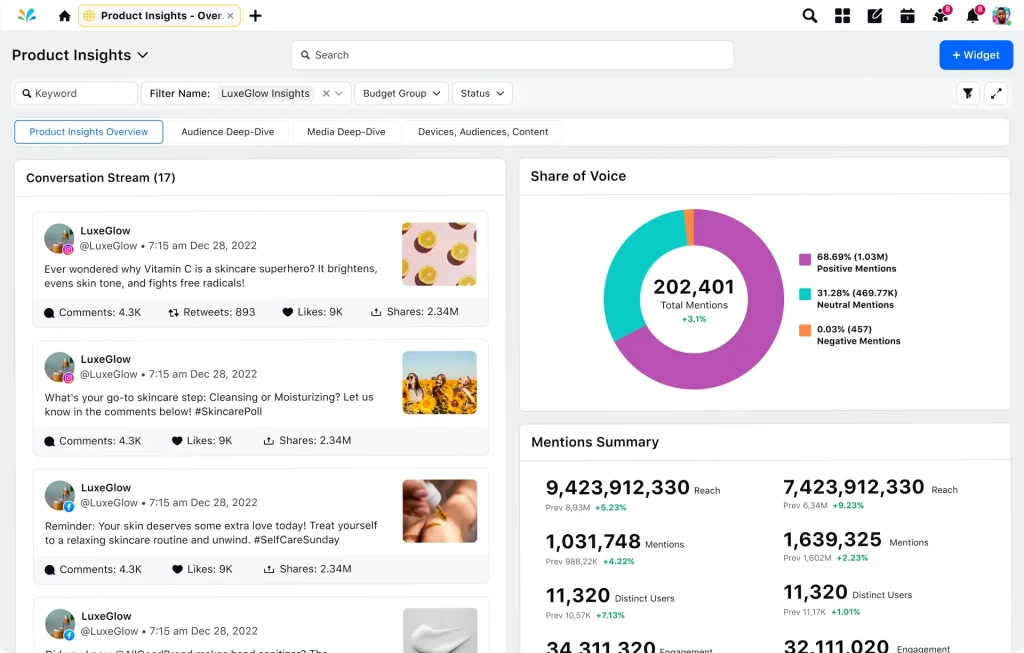
Sprinklr is a customer experience management platform that treats brand compliance as part of a much bigger job: keeping every social post, ad, and customer service reply consistent with your brand and your regulatory obligations, across dozens of channels at once. It earns its place here for teams whose real exposure sits in live customer service chats, where someone can promise something legal never approved, well beyond whether a graphic matches the style guide.
Pros
- Unified governance that ties social, customer service, and marketing channels together, with creative review as one piece of a bigger system
- Enterprise-grade permissions and approval routing built for large, distributed teams
Cons
- Steep learning curve and long implementation timeline compared to purpose-built proofing tools
Pricing
Custom / quote-based. Sprinklr discontinued self-serve pricing, so there’s no published rate card anymore, only enterprise contracts negotiated directly with their sales team.
10. PerformLine – best for regulated-industry brand compliance monitoring

PerformLine is built for a specific, high-stakes version of brand compliance: making sure marketing, sales, and partner content holds up against financial and consumer protection regulations. Most of this list checks whether content matches a style guide; PerformLine checks whether it matches the law, scanning web pages, calls, emails, and social content for language that could trigger FDA, FINRA, or state-level compliance issues.
Pros
- Purpose-built rulebooks for regulated industries, covering channels like calls, email, and social alongside web content
- Continuous monitoring surfaces compliance risks in content you never submitted for review in the first place
Cons
- Its enterprise, sales-led product is a poor fit for small teams or anyone without dedicated compliance staff
- Built for regulatory compliance specifically, so teams wanting general brand consistency will find it narrower than the rest of this list
Pricing
Custom / quote-based. PerformLine doesn’t publish self-serve pricing anywhere, reflecting its enterprise, regulated-industry focus, so you’ll need to request a quote directly.
Which tool is right for your use case?
There’s no single best brand compliance tool, only the right fit for where your team’s risk or bottleneck sits. Here’s how the picks above map to the most common use cases, so you can jump straight to what matters for your team.
Setting and enforcing brand guidelines
If your problem is that nobody can find the current logo file or remembers the right hex codes, you need a guidelines hub before anything else.
Best for this: Frontify, Brandworkz.
Frontify gets non-designers moving fastest, with an interface built for people who’ve never touched a style guide. Brandworkz trades some of that ease for deeper configuration, letting brand managers define exactly what compliance means for their organization.
Storing and sharing on-brand assets
Teams juggling assets across markets, agencies, and file formats need a real digital asset management system, not just a folder of logos.
Best for this: Bynder.
Its permissions and AI-powered tagging make it easier for dozens of contributors to work in the same library without anyone touching what they shouldn’t.
Reviewing and approving content before it ships
This is the step where most brand mistakes happen, work goes out the door before the right person signed off.
Best for this: Filestage, Ziflow.
Filestage’s reviewer groups and Review Agents suit teams juggling internal and external stakeholders on the same file, catching obvious errors automatically before a human reviewer opens it. Ziflow offers a similar automated check through ReviewAI, but it’s locked to Ziflow’s Enterprise plan, a custom-quoted tier, while Review Agents come with Filestage’s Business plan at a fixed price.
Locking templates so non-designers stay on-brand
If your bottleneck is untrained staff building their own flyers in whatever tool they have open, lock the template instead of the person.
Best for this: Marq.
Advanced template locking and a free second seat on the Team plan make it the practical pick for small teams producing their own on-brand collateral.
Monitoring how your brand shows up live
Guidelines and approvals only cover what your own team publishes. Everything else, mentions, ads, regulated claims, needs a different kind of tool.
Best for this: Brand24, PerformLine, Sprinklr.
Brand24 fits general reputation monitoring for most brands. PerformLine is built specifically for regulated industries like finance and insurance, where a stray claim can trigger a regulatory issue, a bigger problem than looking off-brand. Sprinklr fits large organizations that need governance across social, customer service, and marketing channels all at once.
Running AI content generation at scale
If your team needs to produce large volumes of ad and email variations without a full creative cycle for each one, generation-time brand guardrails do more than a review step ever could.
Best for this: Adobe GenStudio.
It’s the only tool on this list that builds brand compliance into content creation itself, rather than checking it afterward, though it only makes sense once you’re inside Adobe’s ecosystem and producing enough volume to justify it.
Final thoughts
The right brand compliance tool depends on where your risk sits. If it’s guidelines nobody follows, start with Frontify or Brandworkz. If it’s content going out before the right person signs off, Filestage and Ziflow solve that directly.
If your team is stretched thin reviewing marketing content across formats and stakeholders, that’s exactly the gap Filestage was built to close, with reviewer groups, version comparison, and Review Agents that catch brand and compliance issues before a human ever opens the file. If you want to test it yourself, start your free trial of Filestage today.
Whatever you land on, the tools that work long-term are the ones your team will actually use, not just the ones with the longest feature list.
FAQs
What is brand compliance software?
Brand compliance software helps teams keep every piece of branded content, from logos and colors to messaging and tone, consistent across every channel and touchpoint. It’s one piece of the wider marketing compliance picture, which also covers legal, regulatory, and disclosure requirements beyond the brand itself. Most tools combine a few functions: brand guideline hosting, digital asset management, content review and approval, and, in some cases, monitoring how the brand shows up once it’s live.
What’s the difference between brand compliance and brand management software?
Brand compliance software focuses narrowly on making sure content follows your existing guidelines before and after it’s published. Brand management software is broader, often including strategy, positioning, and brand-building work alongside the compliance piece, so the two categories overlap more than they compete.
How is brand compliance monitored?
Most teams monitor brand compliance through a mix of structured approval workflows before content ships and ongoing monitoring after it’s live, tracking mentions, social posts, and paid ads for anything that’s off-brand or, in regulated industries, non-compliant with the law. Tools like Filestage and Ziflow handle the pre-publish review step, while tools like Brand24, Sprinklr, and PerformLine handle what happens after content is out in the world.
How much does brand compliance software cost?
Pricing varies widely by category. Proofing and approval tools like Filestage and Ziflow start around $199/month, template and content tools like Marq start under $15/user per month, and enterprise platforms like Bynder, Sprinklr, and Adobe GenStudio are quote-based, often running into the tens of thousands of dollars a year depending on team size and modules.