
TL;DR
Content collaboration tools help creative and marketing teams work together smoothly by centralizing project creation, feedback, and approvals. They eliminate version confusion, streamline communication, and make it easier to track work in real time. The article highlights 11 top tools – from design and document collaboration to project management and visual brainstorming – that support efficient teamwork. Choosing the right tools can significantly improve your team’s productivity and content quality.
Why creative teams need content collaboration tools in 2026
Is your creative team’s workflow a masterpiece of efficiency? Or perhaps it’s more of a mosaic of missed messages and approval chaos. If you’re dealing with the latter, you have plenty of company. And the pressure is on. According to a 2025 Adobe report, 96% of creative teams have seen content demand at least double over the last two years. This is where content collaboration tools can save the day.
The right content collaboration tool transforms that pressure into performance. It replaces scattered feedback and version nightmares with a single source of truth for your projects.
This article shows you the 11 best platforms that help creative teams like yours do brilliant work, together. Let’s find your perfect fit!
What is a content collaboration tool?
A content collaboration tool, or content collaboration platform, is a shared workspace for your team’s creative projects. It’s the digital home where you create, discuss, and review work together in real time, from any location.
These platforms are essential for remote and hybrid teams to stay organized. They centralize content creation, review, and feedback, eliminating the need to juggle multiple platforms. So, instead of chasing feedback across emails, Slack, and meeting notes, you get everything in one place. This means you can finally say goodbye to version confusion and hello to a clear path for your projects.
For a deeper dive, explore our guide on what content collaboration truly entails.
11 content collaboration tools for creative teams
Ready to find your team’s new favorite tool? Keep reading as I break down the best content collaboration platforms to help you collaborate faster and smarter.
1. Filestage – best for streamlined review and approvals

Filestage is the all-in-one platform that turns messy feedback into clear, actionable steps. It’s perfect for marketing teams and creative agencies who need a simple, powerful way to get approvals on videos, designs, live websites, and documents from clients and teammates.
Key features
- In-context feedback – Reviewers leave time-stamped comments on videos and pinpoint annotations on designs
- Side-by-side version control – Compare versions instantly to see every change
- Automated workflows – Set review stages with due dates and watch the approvals roll in
- Drag-and-drop – Easy uploading with its drag-and-drop interface
- AI-powered reviews – Get instant feedback on your work against your brand guidelines
Pros
- Cuts review cycles down from days to minutes
- Super simple for clients, and no login is required for external users
- Bring all your creative files and feedback into one tidy dashboard
Cons
- No desktop or mobile app (only usable in the browser)
Pricing
Free plan ($0/month) for one active project.
Paid plans: Starter ($199/month on a yearly plan), Business ($329/month on a yearly plan), and custom-priced Enterprise plans, all with unlimited projects and a 30-day free trial.
Capterra review
4.7/5

“Our content approvals are now much more precise as you can be more specific about the content’s details and make your comment on-the-spot.”
Rain Balares, INCA Lead at GroupM
See how Filestage can speed up your approvals
Enjoy a free, 30 minutes consultation with our experts, tailored to your team and use cases.
2. Figma – best for collaborative digital design

Figma is a cloud-based design platform that lets your entire team collaborate in real time. It’s a game-changer for teams building websites, apps, and prototypes, with everyone on the same page – literally!
Key features
- Live collaboration – See cursor movements and watch designs take shape together
- Interactive prototypes – Build and test user flows without writing a line of code
- Shared component libraries – Keep your branding consistent across every project
Pros
- The gold standard for team-based UI and UX design
- Brilliant for brainstorming and iterating at lightning speed
Cons
- Not built for print design or complex illustration work
Pricing
Figma’s Starter plan is free. On the Professional plan, Collab seats cost $3/month, Dev seats cost $12/month, and Full seats cost $16/month. The Organization plan (billed annually) costs $5/month for Collab seats, $25/month for Dev seats, and $55/month for Full seats, while the Enterprise plan (also billed annually) is $5/month for Collab seats, $35/month for Dev seats, and $90/month for Full seats. Figma is free for students and educators, and all plans include free view-only and comment-only
Capterra review
4.7/5
3. Google Workspace – best for real-time document creation
Google Workspace is your go-to for creating documents, spreadsheets, and slides together. It’s a powerhouse for document collaboration and real-time communication, integrating Google Drive, Google Meet, Google Sheets, and Google Docs on a single, user-friendly platform.
Key features
- Simultaneous editing – Watch teammates type in Docs, Sheets, and Slides in real time
- Commenting and suggesting mode – Leave clear feedback and track every change
- Seamless sharing – Control access with a few clicks and work from anywhere
Pros
- Intuitive and familiar to almost everyone
- Deeply integrated with other Google tools like Drive and Gmail
Cons
- Lacks advanced features for complex creative asset management
Pricing
Google Workspace plans start at $7 per user per month for Business Starter, $14 per user per month for Business Standard, and $22 per user per month for Business Plus, with Enterprise available on a custom “let’s talk” pricing basis.
Capterra review
4.7/5
4. Bynder – best for organizing and sharing brand assets

Bynder is a Digital Asset Management (DAM) platform that acts as the single source of truth for your brand. It’s perfect for creative teams that need to store, manage, and distribute approved logos, images, videos, and brand guidelines at scale.
Key features
- Centralized asset library – Find any approved brand file in seconds with powerful search and filtering
- Brand portal – Give internal teams and external partners secure, easy access to the assets they need
- Digital rights management – See where assets are being used and control their permissions
Pros
- Stops people from using outdated or off-brand assets
- Saves huge amounts of time otherwise spent hunting for files
- Scales perfectly with growing brands and global teams
Cons
- A significant investment, often suited for larger teams
- Requires dedicated effort to set up and maintain properly
Pricing
Pricing is custom-based on your needs. You must contact Bynder for a quote.
Capterra review
4.5/5
5. Notion – best for an all-in-one docs and projects workspace

Notion combines notes, docs, project management, and databases into one incredibly flexible workspace. It’s ideal for creative teams who want to build their own perfect system for everything from creative briefs to launch calendars.
Key features
- Customizable building blocks – Create pages with text, tables, kanban boards, and more
- Linked databases – Connect your project tasks, content calendar, and meeting notes so everything stays in sync
- Powerful templates – Kickstart your workflow with templates for project wikis, design systems, and more
Pros
- Incredibly versatile – you can mold it to fit almost any workflow
- Reduces the need for multiple disparate tools
- Excellent for centralizing team knowledge and documentation
Cons
- Its flexibility can be overwhelming without a clear structure
- Can become slow and cluttered if not organized well
Pricing
Notion offers a Free plan at $0 per member per month, a Plus plan at $10 per member per month, a Business plan at $20 per member per month, and an Enterprise plan with custom pricing.
Capterra review
4.7/5
6. Airtable – best for building custom collaborative apps

Airtable looks like a spreadsheet but works like a database, giving you the power to build custom tools for your team. It’s ideal for managing complex content calendars, tracking creative requests, or building a production pipeline.
Key features
- Multiple view types – Visualize your data as a grid, calendar, kanban board, or gallery
- Customizable interfaces – Build powerful visual apps on top of your bases for specific workflows
- Extensive automations – Connect Airtable to your other tools and automate repetitive tasks
Pros
- Handles complex, relational data in a user-friendly way
- Far more powerful and visual than a traditional spreadsheet
- Perfect for tracking multi-stage creative production
Cons
- Requires a “builder” mindset to set up complex bases effectively
- Can get expensive as you scale and need more features
Pricing
Airtable offers a Free plan at $0, a Team plan from $20 per seat/month billed annually (or $24 billed monthly), a Business plan from $45 per seat/month billed annually (or $54 billed monthly), and an Enterprise Scale plan with custom pricing.
Capterra review
4.7/5
7. Miro – best for visual brainstorming and workshops

Miro is your team’s AI-powered, infinite digital whiteboard. It’s the perfect space for mapping out ideas and running workshops, so your team can build creative momentum together in real time.
Key features
- Vast template library – Jumpstart your sessions with frameworks for diagrams and mind maps
- Sticky notes and drawing tools – Capture every idea visually and with ease
- Interactive presentations – Build and run engaging sessions right on the board
Pros
- Unleashes creativity and makes remote workshops feel dynamic
- Incredibly flexible for almost any kind of visual collaboration
Cons
- Boards can become cluttered without active facilitation
- The endless canvas can be disorienting for some new users
Pricing
Miro offers a Free plan at $0 for unlimited members, a Starter plan at $8 per member/month, a Business plan at $16 per member/month, and an Enterprise plan with custom pricing starting from 30 members.
Capterra review
4.7/5
8. Slack – best for quick, everyday team communication
Slack is where your team’s daily conversations live. It organizes communication into channels, so the right people have the right context to make decisions fast.
Key features
- Organized channels – Create dedicated spaces for projects, topics, or teams
- File and message sharing – Drag and drop files and pin important messages
- Deep integrations – Connect to all the other tools your team uses every day
Pros
- Drastically reduces internal email and keeps communication fluid
- The hub for real-time updates and quick team questions
Cons
- Important information can get lost in busy channels without proper management.
- Can become a source of constant interruption without disciplined use
Pricing
Pro is about $7.92 per person/month billed yearly ($9.69 when billed monthly). Business+ is about $17.61 per person/month billed yearly ($21.13 when billed monthly). Enterprise+ includes additional enterprise features, with pricing available on request from sales.
Capterra review
4.7/5
9. Asana – best for keeping projects on track
Asana helps your team coordinate and manage their work from start to finish. It’s perfect for mapping out project timelines and assigning tasks so you can be sure to hit your deadlines.
Key features
- Multiple project views – See your work on a list, board, timeline, or calendar
- Automated workflows – Cut down on routine work and keep tasks moving forward
- Clear task assignments – Everyone knows exactly what to do and when it’s due
Pros
- Brings clarity to complex projects with many moving parts
- Intuitive enough for the whole team to adopt quickly
Cons
- Can feel overwhelming for very simple, small-scale tasks
- Advanced features and reporting require a higher pricing tier
- Creative feedback often needs to be handled outside of the tool
Pricing
Asana’s Personal plan is free forever for up to two users. Starter costs $10.99 per user per month, billed annually ($13.49 billed monthly), and Advanced costs $24.99 per user per month, billed annually ($30.49 billed monthly). Enterprise and Enterprise+ include additional security and admin controls, with pricing available upon request from sales.
Capterra review
4.5/5
10. Frame.io – best for video-focused team collaboration

Frame.io is a secure platform built for video review and collaboration. It gives video teams a central place to share work, get precise feedback, and keep projects on schedule.
Key features
- Time-synced comments – Leave feedback tied to the exact frame
- Streamlined client reviews – Make it simple for clients to give clear, actionable notes
- Adobe integrations – Review and work with media without leaving Premiere Pro
Pros
- The industry standard for professional video collaboration
- Saves video editors huge amounts of time with precise feedback
Cons
- Primarily built for video and not for other asset types like PDFs, live websites, or images – may not cover all your agency or marketing team’s needs
- Extra fees for additional team members can make it expensive to scale
Pricing
Frame.io offers a Free plan at $0, a Pro plan at $15 per member per month plus tax, a Team plan at $25 per member per month plus tax, and an Enterprise plan with custom pricing.
Capterra review
4.6/5
Torn between Filestage and Frame.io? Check out our comparison guide.
11. Trello – best for simple, visual task management
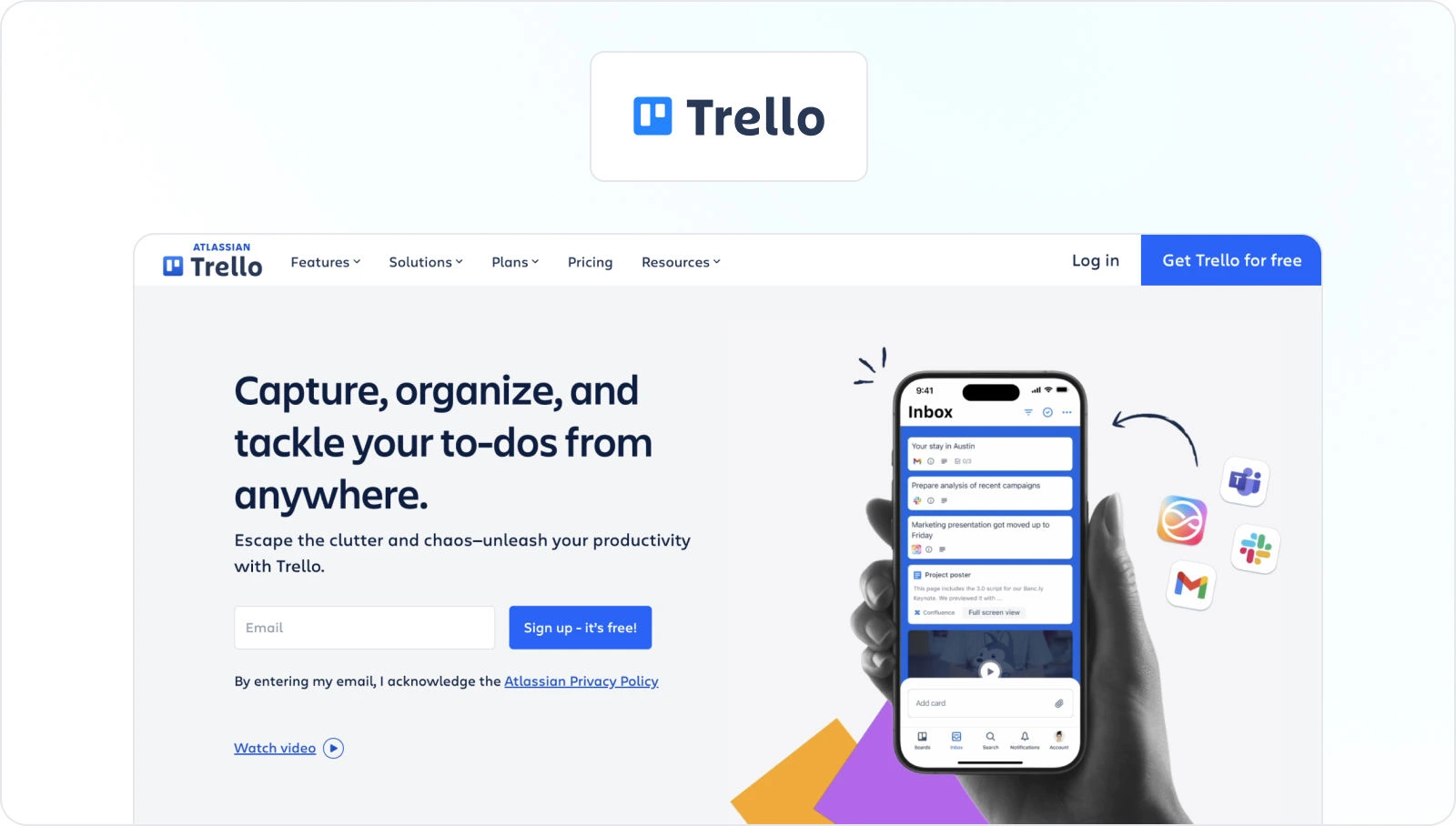
Trello uses cards, lists, and boards to help your team visualize project progress in a flexible way. It’s wonderfully simple for managing smaller projects and creative workflows.
Key features
- Intuitive Kanban boards – See every task and its status at a single glance
- Customizable cards – Add checklists, due dates, attachments, and comments to any task
- Butler automation – Automate common actions like moving cards or assigning members
Pros
- Extremely easy to learn and start using in minutes
- Provides a clear, visual overview of what the team is working on
Cons
- Can lack the structure needed for large, complex projects
- Becomes cumbersome when you have hundreds of cards on a single board
Pricing
Trello offers a Free plan at $0 USD for up to 10 collaborators per workspace, a Standard plan from $5 per user/month billed annually (or $6 billed monthly), a Premium plan from $10 per user/month billed annually (or $12.50 billed monthly), and an Enterprise plan from $17.50 per user/month billed annually.
Capterra review
4.5/5
See how Filestage can speed up your approvals
Enjoy a free, 30 minutes consultation with our experts, tailored to your team and use cases.
Key features of content collaboration platforms for hybrid teams
With so many options, it can be challenging to choose the right tools for your content workflow. To help you navigate the process, I recommend focusing on these key features.
Real-time collaboration features
This functionality is the core of seamless collaboration because it allows users to create and communicate together in real time. Real-time collaboration kills the lag of endless emails and lets your team brainstorm together, whether you’re designing a wireframe in design collaboration tools or writing copy in a shared doc.
Pro tip: Look for live cursors, comment threads, and instant notifications.
Below is an example of how comment threads work in Filestage. Reviewers can annotate creative files (videos, documents, images, and live websites) directly or leave comments at the precise spot that needs attention.

Robust security and permissions
Your creative work is valuable. So, you’ll want to protect it with tools that offer password-protected sharing, customizable user roles, and download controls. This keeps your unreleased projects safe and gives you peace of mind when sharing with clients.
Pro tip: With Filestage, you can use password protection and “team-only” comments to control who can access specific assets.

A centralized project dashboard
A clear dashboard is your mission control. It should show you project status at a glance – who has approved what, which files need attention, and what’s up next. This clarity is key to project collaboration and helps you hit every deadline.
Pro tip: Go for a tool with a visual dashboard to help keep everyone on the same page
For context, here’s how your project dashboard could look in Filestage:

A simple and intuitive user interface (UI)
If a tool is confusing, your clients won’t use it. A simple UI means less time training people and more time getting the clear feedback you need. It makes collaboration a breeze for everyone involved!
Final thoughts
Choosing the right content collaboration platform can transform your team’s workflow. It’s the difference between a scattered, stressful process and a smooth, efficient journey where everyone is aligned. The top online collaboration tools help you do your best work, together.
These platforms remove the friction from feedback and help you celebrate every milestone. So why not see the difference content collaboration tools can make for yourself?
Start your Filestage free trial today →
FAQ
1. What’s the difference between a collaboration tool and a communication tool?
In creative teams, communication tools (like Slack or Microsoft Teams) are where you talk about work: quick questions, announcements, and real-time communication. Content collaboration tools (like Filestage or Figma) are where you actually do the work together. They provide a shared space where designers, writers, and video editors can co-edit files, add comments, track version history, and manage approvals, with full context. This makes collaboration much easier than chasing feedback across chats and email.
2. What’s the difference between content management and content collaboration?
Content management is about storing and organizing finished assets so creative teams can quickly find and reuse them. That’s where a DAM or content management collaboration software comes in, with folders, tags, and access permissions. Content collaboration is the dynamic part of the creation process: brainstorming, collaborative editing, real-time editing, and giving feedback on drafts. In 2026, the best content collaboration tools for creative teams combine both – acting as a content collaboration system for producing assets and a library for storing approved work for future projects.
3. How do content collaboration tools work with project management tools in creative workflows?
Project management tools help creative teams manage projects, assign tasks, and keep multiple projects on track. A content collaboration tool handles the creative work inside those tasks: writing copy, updating visuals, and sharing storyboards or mockups in the same document. When your content collaboration software connects to project management software, comments can turn into task assignments, status updates stay in sync, and remote and hybrid creative teams spend less time jumping between tools and more time creating.
4. What should creative teams look for in an AI-powered content collaboration tool in 2026?
Creative teams need an AI-powered content collaboration tool that accelerates content production without taking control away from creators. Helpful features include AI summaries of long feedback threads, smart suggestions for next steps, automated task assignments, and content workflow automation that reduces repetitive tasks, such as routing assets to the right reviewers. Integrations with Google Workspace, Adobe Creative Cloud, cloud storage, and design tools make it easier to share documents and store files securely, while strong data protection and access permissions keep client work and sensitive data safe.
5. How can a content collaboration system boost brand consistency for creative teams?
A content collaboration system gives creative teams one place to organize file sharing, document management, and control approvals for every campaign. Brand asset management tools help teams keep logos, templates, and brand guidelines in a single, easy-to-find space. With drag-and-drop interfaces, customizable workspaces, and clear collaboration options, creatives can reuse approved assets across channels, maintain a consistent look and feel, and ensure only on-brand content makes it into final designs, videos, and social posts.
6. What’s the best way to manage video collaboration?
For video-heavy teams, the best collaboration tools for video content production offer precise, time-stamped comments so reviewers can flag changes at the exact frame that needs work. In 2026, many creative teams use a dedicated video proofing tool like Filestage because it supports high-quality playback, version control, and clear approval status. That saves editors from hunting through email threads and speeds up the path from rough cut to final export.
7. How can I get clients to adopt a new content collaboration platform?
Client adoption comes down to simplicity. Choose the best content collaboration tools with an intuitive interface, guest access, and shareable links so external stakeholders can easily review designs, layouts, and videos without creating an account. Show them how a platform like Filestage reduces long email chains, makes feedback easier to follow, and gives them clearer visibility into your creative process. When clients see faster turnarounds and fewer misunderstandings, they’re much more likely to embrace your new content collaboration platform.