TL;DR
Go-to-market (GTM) delays not only impact business revenue, but they also affect team morale. One of the biggest causes of delays is an ineffective approval process. There’s nothing worse than having a campaign stall because one stakeholder hasn’t signed off, or last-minute feedback comes in.
This guide covers seven of the best approval systems to make GTM timelines predictable. It also covers tips for choosing the right approval tool and step-by-step instructions on how to roll out an approval system without slowing launches.
Ditch approval delays – Top approval tools to hit every deadline
Finding it hard to hit your marketing deadlines? Chances are, the problem isn’t production or creative. It’s your approval process.
Research by Gleanster shows that the main causes of missed deadlines during the content creation process are: approval delays, communication issues, and “general chaos.”
And this article is going to help you fix that.
We’re going to check out the best approval systems designed to help marketing, creative, and product launch teams ditch approval delays for good. By the end, you’ll have a clear understanding of which approval process fits your team, so you can snatch back some precious time without compromising on performance.
To make these tools easier to compare, I’ve broken each one down into four key parts:
- Core use case — what it’s best for
- Approval workflow depth — how flexible and structured approvals are
- Integrations — how it fits with your existing tools
- Pricing — who it’s built for and how costs scale
1. Filestage – Centralized approvals for campaigns and content

Core use case
Filestage is the creme de la creme of review and approval software for marketing teams, allowing you to share and collect feedback on every kind of file with one centralized platform. We’re talking videos, images, PDFs, web pages, audio files, documents, and more.
This versatility means you can review entire multi-asset campaigns from start to finish, with one simple approval workflow software. Which is why Filestage is a great option for time-strapped teams that need structured, trackable automated workflows to drive operational efficiency.
Approval workflow depth
Filestage’s strength lies in its clear, intuitive approval workflows. It uses automated notifications to keep projects moving without the need to make manual approval requests and other repetitive tasks.
Here’s how you can create and customize workflows in four easy steps:
- Create a project template: Go to the Templates section, click “Create template” and give it a name.
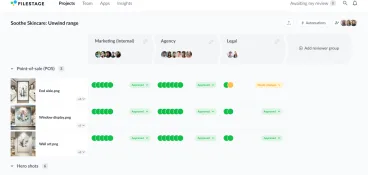
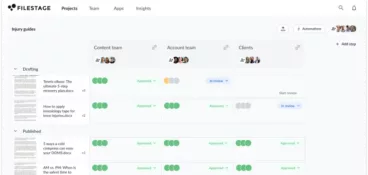
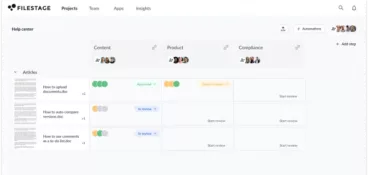
- Define reviewer groups: Add specific groups (e.g., “Design Team”) and assign the members to each stage. This applies to internal teams and whoever’s responsible for sharing client feedback.
- Set permissions: Set up permissions for each group, like allowing them to download files only after approval or allowing them to upload files.
- Add automation: Filestage has some super useful automation features that keep manual processes to a minimum. For example, moving a file to the next reviewer group automatically when the current group approves it.
Another perk of this platform is that it centralizes feedback directly on files. So you can bid farewell to those back-and-forth comments and approval requests across email and chat. Plus, external reviewers like agencies, partners, and freelancers can upload assets and leave feedback without creating an account.
In terms of features, audit trails, version control, and mobile accessibility make it easy to move forward with a clear view of your approval history and document management. You can even use it to build custom approval processes!
Integrations
Filestage integrates with major marketing tools like:
- Slack
- Asana
- Jira
- Adobe Creative Cloud
- Microsoft Teams
- Google Drive
- Dropbox
These integrations streamline the whole show, allowing teams to trigger and track approvals from within their existing workflows and collaboration tools, rather than managing reviews in isolation.
Pricing
Filestage is ideal for mid-sized to enterprise teams that manage high volumes of creative assets and multiple stakeholders. It has a variety of packages, starting with a free plan so you can test out the entire process without spending a dime.
Here’s a quick breakdown of Filestage’s four plans and what you get with each:
- Free ($0): 10 team members, 1 active project, 5 new files per month, 2 GB storage, and basic integrations — a simple way for small teams to move off email reviews.
- Starter ($199/month): Unlimited active projects and files, plus due dates and reminders, compare versions and custom branding — good for centralizing feedback and running structured approval workflows with internal and external stakeholders.
- Business ($329/month): Everything in Starter plus AI reviewers, automations, project templates, workflow integrations, and more — built for teams that want to maximize throughtput with custom review workflows.
- Enterprise (custom pricing): Centralized organizational controls plus advanced security, analytics, and dedicated support — designed for large or regulated organizations with complex approvals.
See how Filestage can speed up your approvals
Enjoy a free, 30 minutes consultation with our experts, tailored to your team and use cases.
2. StreamWork

Core use case
StreamWork is a collaborative review and approval platform for creative teams. It specializes in video and visual content, making it a popular choice for agencies and in-house creative departments that need specific, streamlined feedback on multimedia projects.
Approval workflow depth
StreamWork offers structured approval processes with real-time commenting and annotation features, making it easier to gather feedback across creative and strategic work.
While you can use it to plan approval out multiple stages, its workflows are generally less rigid than dedicated enterprise-grade approval systems. So it’s a solid choice if you’re looking for flexibility over strict governance.
Integrations
This approval system integrates with multiple platforms and some project management software like:
- Slack
- monday.com
- Asana
- Google Drive
- Dropbox
- Box
Note: its integration options are generally more limited than some of the larger review platforms. So if you’re working with more complex tech stacks, StreamWork might not fit into your workflow as well as some of the other approval systems on this list.
Pricing
StreamWork offers pricing plans for small teams all the way up to larger enterprises.
- Free ($0): 2 users, 1 workspace and project, 2GB storage, unlimited proof links and reviewers.
- Starter ($169/month): 15 users, 5 workspaces and projects, 500GB storage, 1 approval stage, task grouping and external contributors.
- Team ($299/month): 20 users, 15 projects, 1TB storage, 3 approval stages, workflow templates, integrations, and private sharing controls.
- Enterprise (custom pricing): 25 users, unlimited workspaces and projects, custom storage.
3. Wrike
Core use case
While Wrike is technically a workflow management software, it does boast some solid features for approval management. I included it in this list as it’s a good option for organizations that want approvals built into their broader project planning, task management, and resource allocation.
Approval workflow depth
Wrike offers customizable approval workflows, but they’re a little bit different in the sense that they’re tied to tasks and projects rather than individual creative assets.
This style of workflow makes Wrike handy for milestone-based approvals but less ideal for detailed asset-level review and annotation when compared to tools like Filestage. It all depends on your ideal approval process!
Integrations
Wrike integrates with a wide range of popular platforms, including:
- Salesforce
- Adobe Creative Cloud
- Slack
- Microsoft Teams
- Google Workspace.
Pricing
Wrike is pretty nicely priced, considering its use cases. It has five plans:
- Free ($0/user/month): Basic project and task management across web, desktop, and mobile, including table and Scrum views.
- Team ($10/user/month): Adds AI features, dashboards, Gantt charts, and custom workflows for 2–15 users.
- Business ($25/user/month): Advanced AI, templates, resource planning, workflow customization, and integrations for 5–200 users.
- Pinnacle (custom pricing): Advanced resource planning, budgeting, business intelligence, SSO, and enhanced security.
- Apex (custom pricing): Enterprise-grade workflow optimization powered by AI and people-centric planning.
4. PageProof

Core use case
PageProof is an online proofing system for web pages, PDFs, images, and design files. It’s mostly used by marketing teams, agencies, and publishers that need precise, visual feedback on digital assets.
Approval workflow depth
PageProof offers structured review cycles with clear statuses, role-based permissions, and in-context commenting. This approval management tool is particularly impressive when it comes to visual annotation, making it easier for you to pinpoint exact changes from the start. Which lays the foundation for a faster approval process.
Integrations
PageProof takes the chaos out of collaboration by integrating with tools like:
- Slack
- Trello
- Asana
- Adobe Creative Cloud
Pricing
PageProof positions itself as a premium tool for enterprise-grade reviews, and this is reflected in its pricing. It has three primary plans:
- Team ($249/month): Unlimited proofs, reviewers, storage, and core review tools.
- Team Plus ($399/month): Includes everything in Team plus more checklists and proof templates.
- Enterprise (custom pricing): Advanced security, data residency options, compliance and premium support.
Be sure to check out our complete Filestage vs PageProof comparison guide.
5. Kissflow

Core use case
Kissflow is a workflow automation platform with approval features built in. So while it’s more commonly used for internal business processes and budget requests, it can be adapted for structured approval workflows too.
Approval workflow depth
Kissflow allows teams to design custom approval flows visually, making it useful for organizations that want to tailor processes without heavy IT involvement. But it’s worth knowing that it lacks the asset-specific review tools that a marketing agency often needs.
Integrations
Kissflow integrates with most of the major business tools including:
- Google Workspace
- Slack
- Hubspot
- Jira
- Salesforce
- Microsoft 365
- Zapier
Pricing
Kissflow does more than just approvals, which is factored into its pricing plans.
- Basic (starts at $2,500/month): Limited apps, integrations, reporting, and support — suitable for organizations that need structured workflows but don’t require advanced governance or enterprise controls.
Enterprise (custom pricing): Unlimited apps, workflows, and integrations plus AI Copilot, advanced analytics, governance, SSO/SCIM, SLA-backed support, and custom environments.
6. Adobe Workfront

Core use case
Adobe Workfront is a well-known enterprise-grade work management and digital workflow platform often used by large marketing organizations. It’s designed to manage complex campaigns, resources, and approvals at scale with fewer errors.
Approval workflow depth
Workfront offers highly customizable, rules-based approval workflows with detailed governance controls. You can use it to manage multi-stage approvals and legal reviews, with automated routing and extensive reporting features. Great for regulated industries that require a more structured process!
Integrations
It’s probably not surprising that Adobe Workfront integrates with Adobe Creative Cloud, Experience Manager, and other Adobe tools. But it also connects to third-party platforms like:
- Salesforce
- Slack
- Jira
- Microsoft 365
Pricing
Workfront is positioned for large enterprises with significant budgets and complex operational needs. It offers three primary plans, but doesn’t publish any specific pricing details.
7. ApprovalMax
Core use case
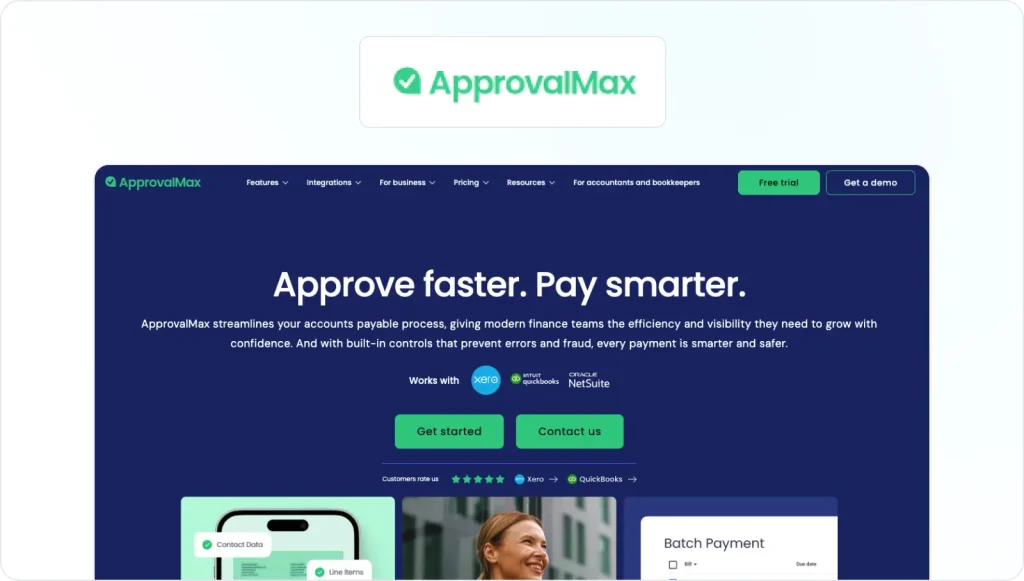
ApprovalMax is primarily designed for financial approvals but can be adapted for marketing workflows that involve budget requests, contracts, or vendor approvals. So it’s more about reviewing everything around the marketing campaigns rather than the campaign creative itself.
Approval workflow depth
The platform offers structured approval chains with clear audit trails and compliance controls. But it lacks the creative review and annotation features that marketing teams typically need for asset-level approvals.
Integrations
ApprovalMax integrates closely with accounting and ERP systems such as:
- Online
- Xero
- Netsuite
- Dext
- QuickBooks
Pricing
ApprovalMax has different pricing plans for each integration, ranging from $49.50 to $110.
How to choose the best approval system
With so many approval systems to choose from, it can be tricky to know where to start. To help you pick the best approval tool for your business, I’ve put together a simple checklist of the different features to look out for.
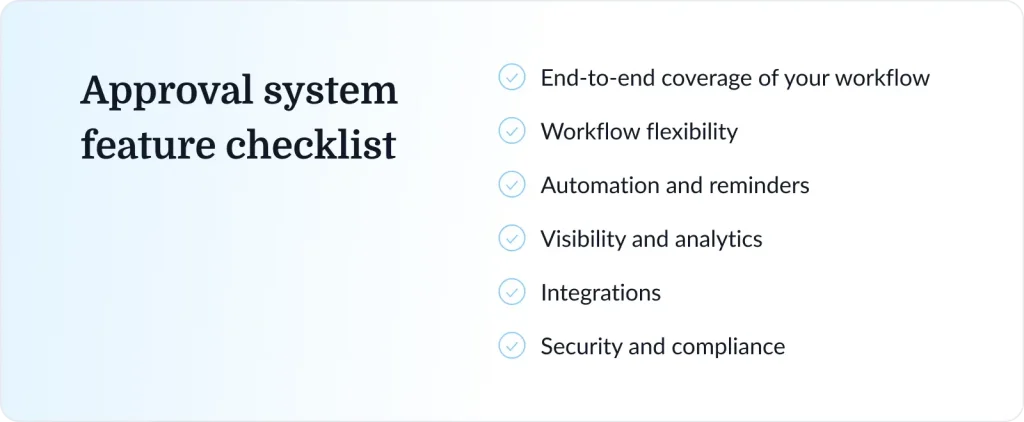
End-to-end coverage of your workflow
You need an approval system that pulls its weight. So it’s important to pick a solution that actually works across every aspect of your go-to-marketing workflow, including:
- Brief
- Draft
- Review
- Approval
- Handoff
And you likely need that across multiple different asset types.
If a system only handles one slice of your workflow (like dev tickets or finance approvals), you’ll still have to bounce between tools. And that will slow you down big time.
So, look for a platform that:
- Centralizes approvals across formats and channels
- Keeps feedback and sign-offs in one place
- Reduces tool-switching
- Offers process automation
Tools like Filestage work well because they bring creative approvals together instead of forcing you to juggle a bunch of different apps and channels.
Workflow flexibility
Approval processes are rarely a one-size-fits-all job. They change depending on the specific project. So you need your approval workflow software to keep up.
Keep an eye out for custom workflows that make it easy to plan and manage multiple different review steps, with features like:
- Serial approvals (step-by-step sign-off)
- Clearly defined roles (owner, reviewer, approver)
- Reusable templates for repeat campaigns
- Version control
This level of flexibility will make sure you can move from brief to brief without too much busywork.
Automation and reminders
Chasing feedback is nobody’s idea of a good time. Luckily, the best review and approval systems can take this task off your plate by reminding your reviewers to update the approval status to avoid missed deadlines.
A few features to look out for in this area are:
- Auto-assignment of reviewers
- Clear due dates
- Automated reminders
- Status notifications
Visibility and analytics
If you want to fix blockers in your review workflow (because let’s be honest, they will come up!), you need to be able to see them.
Your approval system should give you a dashboard showing every asset’s status along with a history of internal and stakeholder feedback. This doesn’t just make it easier to optimize your workflow as you go, it also allows for clear ownership of each task within the project.
Basic metrics matter too, like:
- Average time to first feedback
- Average time to approval
- Number of review rounds per asset
Integrations
Every time you switch between tools, you lose time. And that time adds up. So make sure to look for a review system that integrates with your existing tools, to keep your workflow smooth and simple.
Strong integrations help you:
- Sync with project management platforms
- Connect to Slack or Teams
- Pull files from Google Drive or Dropbox
- Work smoothly with creative and social media scheduling tools
Security and compliance
If you work with big brands or in regulated industries, you can’t afford loose approval processes. Your review tool needs to keep up with security standards and compliance requirements.
Look for features like:
- Encryption to protect files and feedback
- Single sign-on (SSO) for secure, centralized access
- Access controls and permissions so the right people see the right assets
- Verified approvals to confirm who signed off and when
- Audit trails to track every decision and change
Features like these are worth their weight in gold when it comes to risk management and compliance tracking.
See how Filestage can speed up your approvals
Enjoy a free, 30 minutes consultation with our experts, tailored to your team and use cases.
How to roll out an approval system without slowing launches
Change will always bring a little stress, and that’s okay. The main aim when implementing your new approval workflow software is to minimize friction as much as possible.
I’ve put together a simple game plan to help you roll out your automated approval workflow.
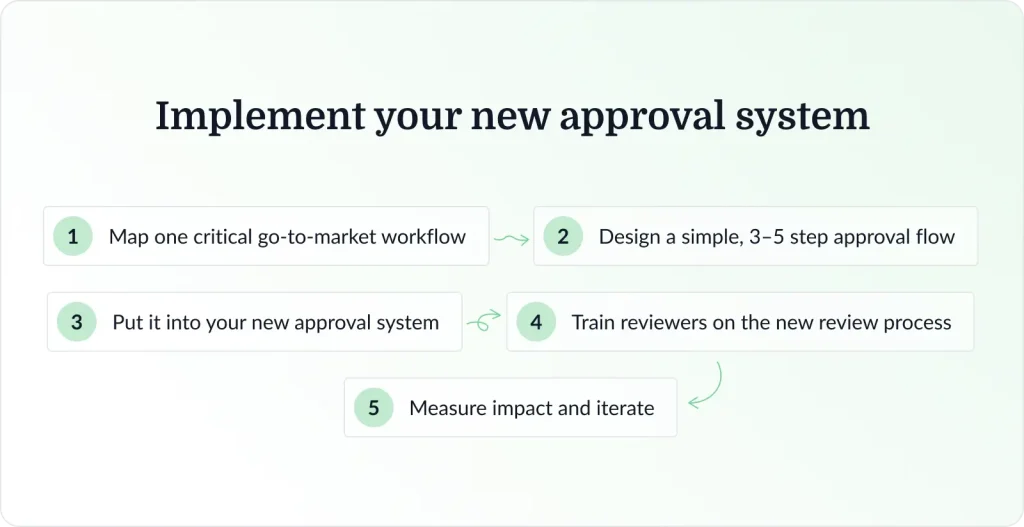
Step one: Map one critical go-to-market workflow
You don’t need to transform your entire approval process overnight. Start small with a workflow that tends to give your team trouble.
Once you’ve picked one workflow, document:
- Each step in the process
- Who owns it
- Who reviews and approves
- Where delays typically occur
It’s important to be specific here. This will make it easier to pin down exactly what you want to improve, and measure progress down the line too.
Step two: Design a simple, 3–5 step approval flow
Complex workflows are never ideal. But this is especially true when you need to monitor workflow performance and approval cycle times.
Keep things simple and define:
- Clear deadlines for each stage
- Who can give feedback throughout the process
- Who needs to give final approval
You want to prioritize quality control here, so outlining some “approval rules” with your team can be a great way to keep everyone on the same page.
Step three: Put it into your new approval system
By this stage, you’ll have picked your approval software (with the help of the section above). Now it’s time to put it to the test.
Again, keep this first project super focused:
- One workflow
- One team
- Only essential stakeholders
We’re aiming for speed and clarity, not perfection. This first workflow is a great chance to get familiar with the tool and ease your team into a new workflow.
Filestage offers a free trial for this very purpose, so you can create and test customizable workflows without the commitment.
Step four: Train reviewers on the new review process
“Training” sounds like a big job. But really, it’s just about giving your team the basic info they need to start streamlining workflows. And since you’re going to reduce manual approval processes, it’s likely to be a lot more straightforward than what everyone’s used to.
Here’s what to focus on when onboarding your reviewers:
- How to leave structured feedback
- How to approve assets
- How to escalate blockers
The rest will fall into place once they start using the review system to automate approvals, reduce manual tasks, and manage task assignments.
Step five: Measure impact and iterate
After you’ve given your pilot workflow a few cycles, take a step back to see what’s changed. I’d consider these questions:
- How long does it take to get that first feedback?
- How many revision rounds are you going through before final sign off?
- Has it helped you automate repetitive tasks? Even small reductions in approval times will add up across multiple projects.
- What is the new time to approval (TTA)? How has that increased?
Gathering your team’s feedback will help you track progress and identify opportunities to improve as you use the review system for the rest of your campaign approvals.
Accelerate your approval workflows with Filestage
If you’re regularly finding it hard to hit deadlines, it’s probably time to tighten up your review process.
I hope this article has shown that it doesn’t need to be a massive overhaul. Just a few smart adjustments (and the right approval workflow software) can make a big difference.
Oh, and speaking of the right approval software … If you’re curious to see how Filestage can help you get faster approvals and improve client satisfaction, go ahead and start your free trial today.