

For remote and hybrid organizations, effective communication is essential. It’s the difference between employees feeling united, engaged, and on the same page – and not. But in remote and hybrid work models, communication is made that much harder because of hurdles like time zone differences, lack of face-to-face interaction, and increased opportunities for misunderstandings.
That’s where corporate communication software comes in.
Business communication software is designed to bridge the physical gap between team members. By offering features such as instant messaging, video conferencing, file sharing, project management, and cloud storage, business communication tools help teams to connect and collaborate, no matter where everyone’s based.
With that in mind, here are 15 of the best business communication software for hybrid and remote teams.
1. Filestage – the best business communication software for content review and approval

Getting feedback on content can feel like a thankless task. Especially when there are lots of different stakeholders from across the business who all want to give their opinion. Endless email threads. Confusing comments. Misplaced suggestions.
It can lead to unnecessary conflicts and a whole load of frustration.
Enter Filestage.
Filestage is a review and approval platform that helps remote teams collaborate on content reviews in one centralized place. It streamlines the review process for all types of content (including documents, images, videos, and live websites) and enhances team communication across the board.
You can invite as many people as you like to review your work, and colleagues and clients can leave feedback directly on top of the content in various ways – including visual annotations and in-context comments. Feedback appears in real time, and any disagreements can be ironed out there and then.
No more lengthy email threads. No more confusion. Just smooth and effective communication and collaboration.
Key features
- In-context comments – For clear feedback that shows up in real time
- Visual annotations – To bring comments to life and make it clear what needs changing
- To-do lists – To give teams a clear picture of what needs amending
- Compare versions – To keep track of what’s changed
- Version history – To see the full journey of a file from v1 to approval
- Reviewer groups – To make sure files get reviewed by the right people at the right stage of the process
- Due dates – To keep projects on track and moving forward
- Project dashboards – To keep track of who you’re still waiting to hear from
- Automations – To reduce manual tasks and speed up content reviews
- Integrations – With Dropbox, Google Workspace, Slack, Microsoft Teams, and more
Pricing
Filestage offers different pricing plans, including:
- Free plan – With 1 active project and unlimited reviewers
- Starter plan – Starts at $199/month with unlimited projects, due dates and reminders
- Business plan – Starts at $329/month with unlimited projects and complex features like AI reviewers and automation
- Enterprise plan – Custom pricing (contact sales)
Supercharge your project communication
Share, review, and approve all your content in one place with Filestage.
2. Asana – the best business communication software for project management
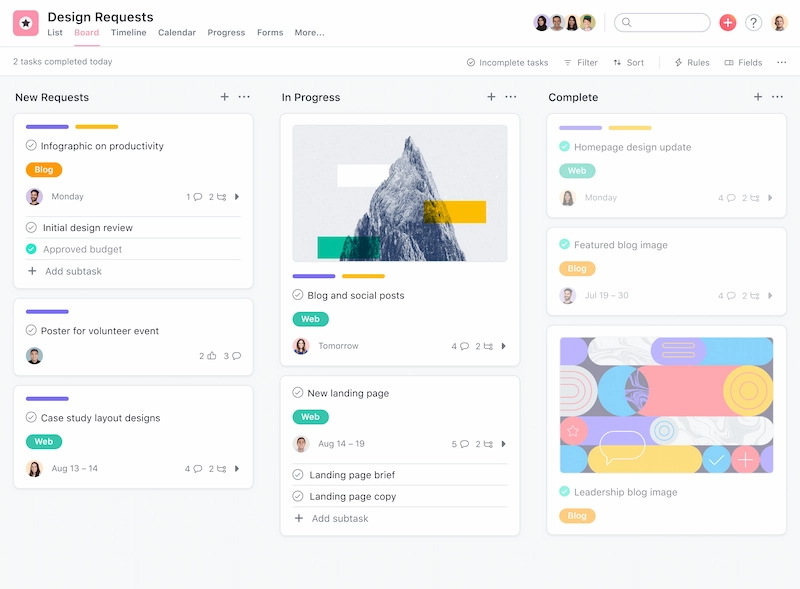
When teams are distributed, keeping everyone aligned on projects is key. If not, it can be hard for everyone to see the bigger picture. Which can result in confusion, delays, and an all-round lack of employee engagement.
Asana is a project management tool that helps organizations and teams to communicate effectively at every stage of a project. With Asana, each team member can update their progress in real-time, ask questions directly within tasks, and provide updates that are visible to everyone involved.
These team management tools make things super transparent, so everyone can clearly see what’s what, including the status of projects, upcoming deadlines, and any possible roadblocks.
Key features
- Task management tools – Create tasks, assign tasks to team members, and set due dates
- Project management tools – Create projects, organize tasks within projects, and set dependencies between tasks
- Inbox – Coordinate work, comment on tasks, respond to requests, and view attachments, project updates, and more
- Status updates – To keep your team aligned on project progress
- Priority fields – To set clear priorities for your team, so everyone knows which tasks are most important
- Integrations – Asana integrates with a variety of other collaboration tools, such as Google Drive, Salesforce, and Slack
Pricing
There’s a free plan for small teams of up to 10 people, or paid plans start at $10.99 per user/month.
3. Miro – the best business communication software for project planning and brainstorming
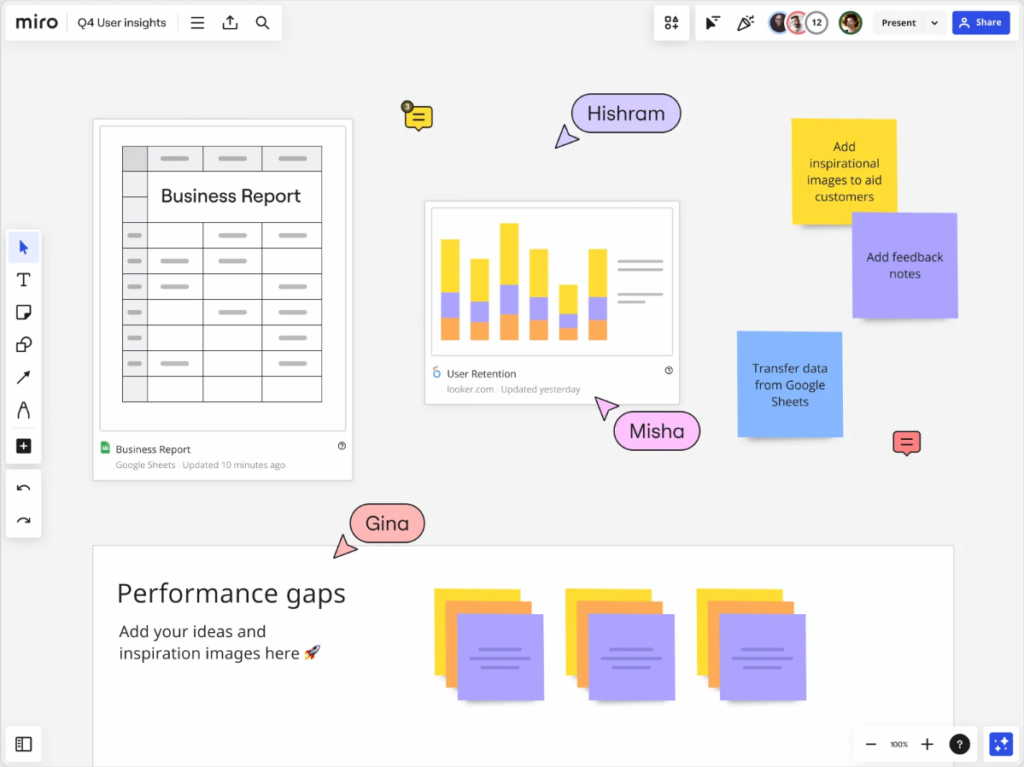
When it comes to creativity, planning, and problem-solving, the magic happens when people come together. It’s the mix of different perspectives that sparks innovation, turning good ideas into great ones. But doing this in a remote work setup is easier said than done.
Miro is a communication platform specifically designed to help teams come together virtually to brainstorm, plan projects, and tackle problems in real time. Everything happens in a shared, visual, whiteboard-style space, which breaks down virtual communication barriers and helps build a strong culture of team collaboration and innovation.
Key features
- Online whiteboards – Create boards and share them with colleagues for real-time communication and collaboration
- Real-time communication – Changes and contributions are instantly visible, for seamless team collaboration
- Visual communication tools – Including sticky notes, images, mind maps, videos, drawing capabilities, and more
- Media sharing – Upload and share documents, images, and videos directly on the canvas for easy access to project materials
- Interactive widgets – Engage team members with features like voting, timers, and sorting activities
- Customizable templates – For hitting the ground running and standardizing processes
- Integrations – With other popular business communication and collaboration platforms like Slack, Trello, and Google Drive
Pricing
There’s a free version with limited features, or paid plans start at $8 per user/month.
4. Microsoft Teams – the best business communication software for daily or weekly video calls
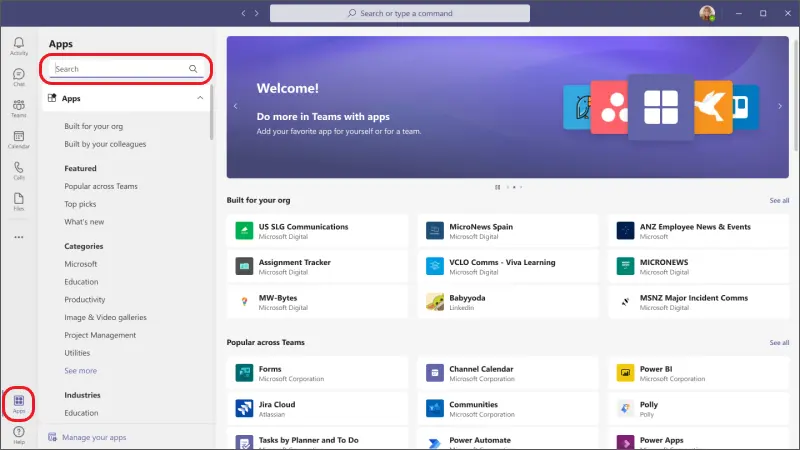
A video conferencing tool is another must-have business communication software. For internal communication, and communication with clients too.
Microsoft Teams is a business communication tool designed for organizations of all sizes. It’s part of the Microsoft Office 365 suite and helps teams stay connected via video meetings, regardless of location. But it’s not just there for video calls. This unified communication platform also offers features like instant messaging, file sharing, and seamless integration with other Microsoft apps.
Key features
- Video conferencing – Launch online meetings to stay in touch with your distributed team
- Screen sharing – To present documents or slides
- Instant messaging – For quick communication between team members, including one-on-one conversations and group chats
- Real-time collaboration tools – Work together simultaneously on documents
- File sharing – Store, share, and collaborate on files directly within the platform
- Teams and channels – To organize conversations, projects, and topics
- Integrations – With other Microsoft Office 365 apps, like Outlook, OneNote, PowerPoint, Word, and Excel
Pricing
Get Microsoft Teams Essentials for $4/user per month, or Microsoft Office 365 packages start at $6 per user/month.
5. Slack – the best team communication software for instant messaging
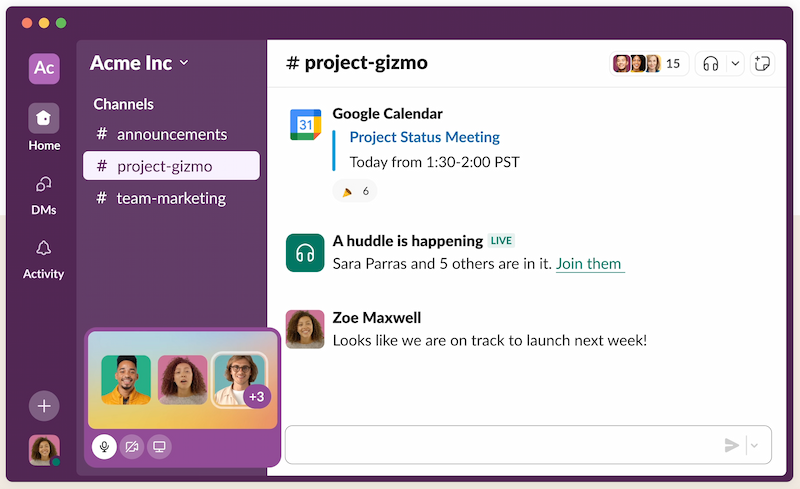
In a remote or hybrid setup, giving employees a way to communicate quickly and easily is essential. Not just for efficiency and productivity, but for keeping them feeling connected, too. It’s all a bit chicken and egg really: employee engagement boosts productivity, which in turn fosters more engagement.
Slack has got to be the best team communication software for instant messaging. It provides an intuitive solution for day-to-day internal communication and easy knowledge sharing, and gives teams a place for general chit chat too. With Slack, you can create dedicated channels for specific topics or projects, which helps keep conversations neatly organized so that they’re easy to refer back to.
Key features
- Channels – Create both private and public channels for conversations about specific topics or projects
- Direct messages – Send direct messages to individuals or create small group chats
- File sharing – Share files of all types, including documents, images, and videos
- Voice messages – Send voice messages to help you get your point across faster
- Search function – To quickly locate specific messages, files, and other content
- Audio and video calls – For face-to-face communication with teammates
- Integrations – With a variety of other business communication tools, including Google Drive, Dropbox, and Filestage
Pricing
There’s a free version with limited features, or paid plans start at $7.25 per user/month.
6. Google Workspace – the best business communication software for collaborating on files
Without a specialist communication platform, collaborating on files can be confusing, to say the least. Endless back and forth. Version control issues. Frustration when something’s missed.
Google Workspace is a one-stop shop for file collaboration, cutting through the chaos with tools like Google Docs, Google Drive, Google Sheets, and Google Slides. These collaboration platforms allow your team to effortlessly access, edit, and comment on documents, streamlining the communication and collaboration process.
With Google Workspace, your team can track changes, make notes, tag colleagues, and have real-time conversations as they work collaboratively on files. It also offers up a range of other business communication tools, with Gmail for email, Google Chat for instant messaging, and Google Meet for video conferencing.
Key features
- Real-time collaboration – Comment on files and edit in real time for flawless collaboration
- File sharing – Save files in the cloud for easy access by all your team
- Customizable permissions – Set different access settings for different team members (view, comment, or edit mode)
- Shared calendars – Use Google Calendar to see when your team is free or busy
- Video conferencing tools – Launch video calls via Google Meet
Pricing
Google Workspace plans start at $6 per user/month.
7. Zoom – the best business communication software for company town halls and webinars

Big company meetings are important for keeping employees in the loop throughout the year about important company updates, achievements, and future plans. This transparency helps keep employees engaged and motivated, as they can see the bigger picture and the part they play in it.
Zoom is a great internal communication tool for hosting large-scale virtual meetings, as it can handle hundreds of participants. With a number of useful features for collaborative video meetings, it’s a great tool for all sorts of internal business communications – and marketing teams can also use it for hosting webinars.
It’s universally known as one of the best remote and hybrid work tools out there.
Key features
- User-friendly interface – Allowing users to start, join, and schedule meetings with just a few clicks
- HD video and audio – Providing clear and reliable communication for a large number of participants
- Meeting recording and transcripts – Record meetings and save them to the cloud for easy reference
- Breakout rooms – Split meeting participants into separate, smaller groups for more focused discussions or workshops
- Integrated chat – Participants can send text messages, links, and files during a meeting
- Polling and Q&A – For enhancing employee engagement and interaction during meetings and webinars
- Advanced security features – End-to-end encryption and enterprise-grade security features for safe and secure calls
Pricing
There’s a free version with limited features, or paid plans start at $15.99 per user/month.
8. Loom – the best business communication software for sharing recordings and demos

A flexible working environment calls for a flexible approach to meetings. After all, it can be challenging to find a time that works for everyone for a video call. Asynchronous communication is the answer.
Loom is a pioneering and effective communication tool that reduces your dependence on video conferencing. Instead, it allows you to record messages and demos to send to your team. They can then watch the recordings at a time that works for them – without having to break their flow.
Key features
- Screen recording – Record your screen, face, and voice at the same time
- Comments and reactions – Viewers can leave comments and react to your video with emojis for interactive feedback
- Instant sharing – Generate shareable links immediately after recording for quick and easy distribution
- Integrations – With various communication platforms like Slack, Gmail, and more.
Pricing
There’s a free version, or paid plans with advanced features start at $12.50 per user/month.
9. Trello – the best business communication software for task coordination and visual workflow tracking
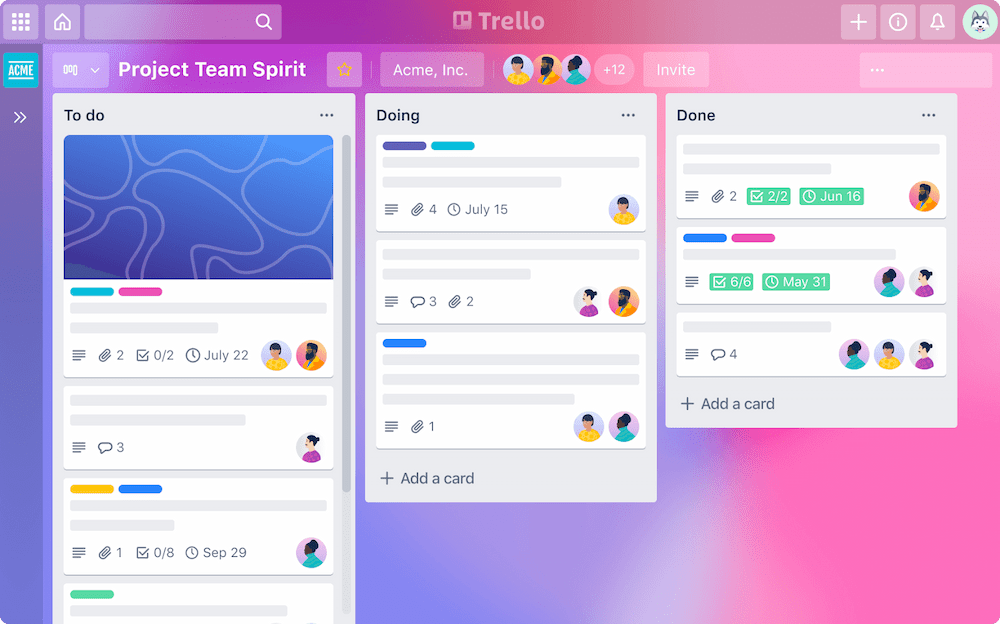
When your team is juggling multiple projects, tasks, and deadlines, clarity can quickly go out the window. And in a remote setting, it’s even harder to keep everyone on the same page.
Trello is a visual collaboration tool that makes task management and internal communication simple and engaging. Its card-and-board layout allows teams to clearly track tasks, assign responsibilities, and communicate progress – all in one place.
With Trello, teams can use cards to include notes, attachments, checklists, deadlines, and real-time updates, helping everyone stay aligned and reducing the need for back-and-forth messages.
Key features
- Visual boards – Organize tasks in columns such as “To Do,” “In Progress,” and “Done”
- Customizable cards – Add comments, checklists, attachments, and due dates
- Team collaboration – Mention team members in comments for instant notifications
- Labels and filters – Categorize and sort tasks for easy navigation
- Power-Ups – Add additional features and integrations to enhance workflows
- Integrations – Works with Slack, Google Drive, Dropbox, and more
Pricing
Free plan available with basic features. Paid plans start at $5 per user/month for additional automation and admin controls.
10. ClickUp – the best business communication software for all-in-one team productivity
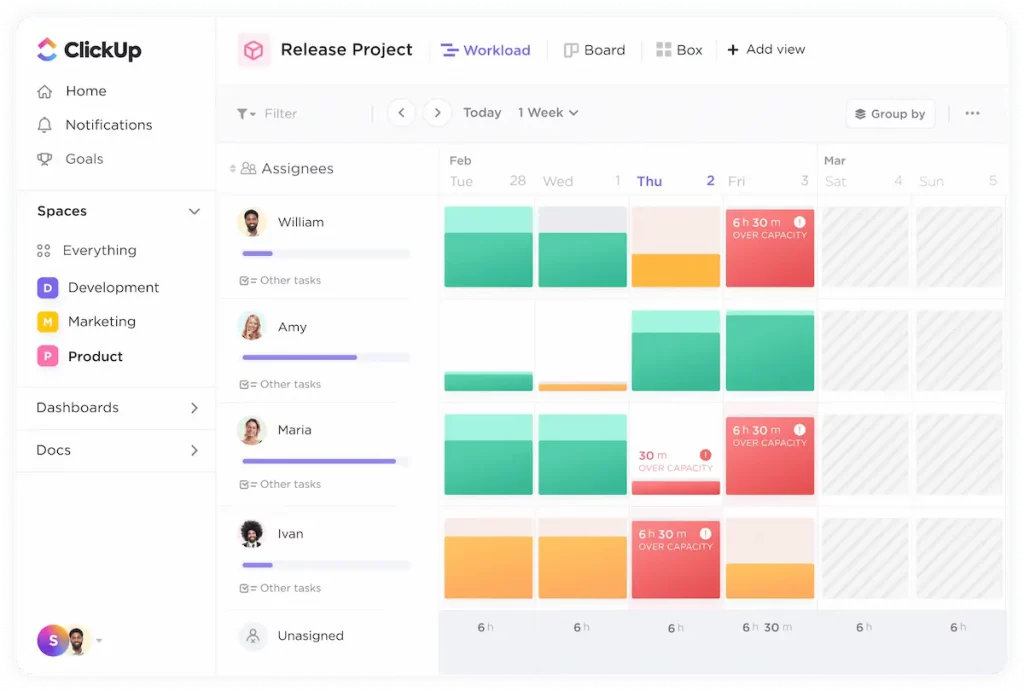
In remote teams, siloed tools can slow you down. When communication, task management, and documentation are scattered, teams waste time jumping between platforms.
ClickUp consolidates everything into one powerful productivity tool, helping remote teams communicate, manage tasks, document processes, and collaborate in real time – all from a single interface.
Its flexible structure allows teams to adapt it to their preferred workflow, and its built-in chat function makes team communication seamless without leaving the platform.
Key features
- Task management – Create tasks, assign owners, and set timelines
- Real-time chat – Communicate with teammates directly in the app
- Docs and wikis – Build and collaborate on documents inside projects
- Time tracking – Monitor how long tasks take for better project estimation
- Custom dashboards – Visualize goals, timelines, and progress
- Integrations – Supports Google Workspace, Zoom, Slack, and many more
Pricing
Free version available. Paid plans start at $7 per user/month.
11. Notion – the best business communication software for centralized team documentation
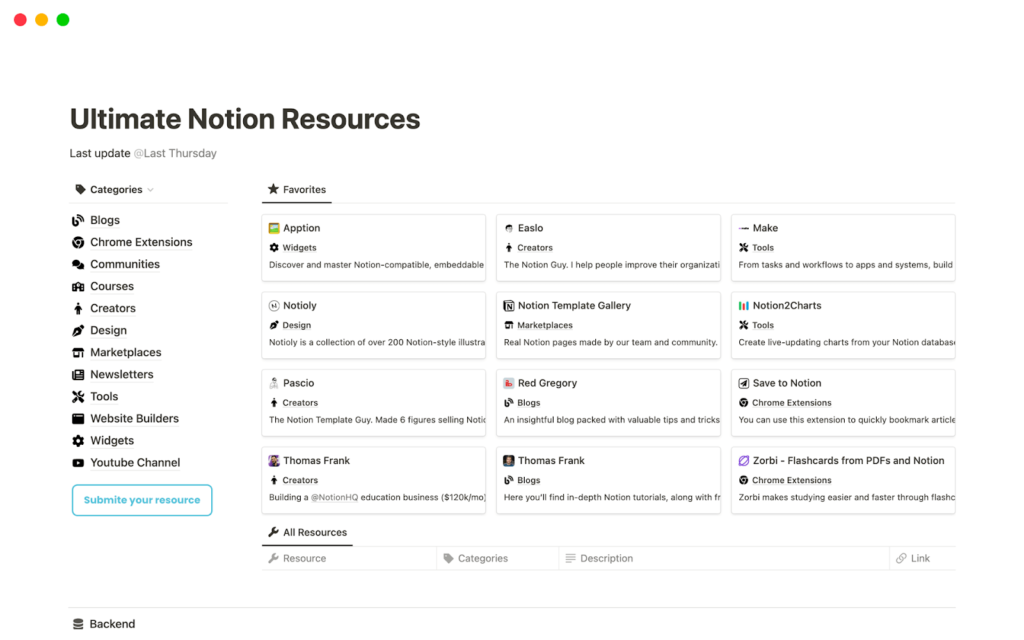
Information overload is a real problem in remote environments. When important docs are spread across different tools and hard drives, communication breaks down.
Notion brings everything together in a single workspace. It’s part note-taking app, part project manager, part knowledge base – and it’s incredibly flexible. Teams use Notion to document processes, brainstorm ideas, and track tasks, all while collaborating in real time.
It’s an excellent tool for internal communication, especially when you want to reduce the clutter and build a shared company brain.
Key features
- Team workspaces – Create shared spaces for projects, documentation, and updates
- Real-time collaboration – Multiple people can work on the same page at once
- Linked databases – Organize projects, tasks, or content in a customizable format
- Comments and mentions – Provide feedback and loop in team members
- Templates – Start faster with pre-built pages for wikis, product roadmaps, and more
- Integrations – Sync with Slack, Google Drive, Trello, and more
Pricing
Free for individuals and small teams. Paid plans start at $9.5 per user/month.
12. Chanty – the best business communication software for team chat with built-in task management
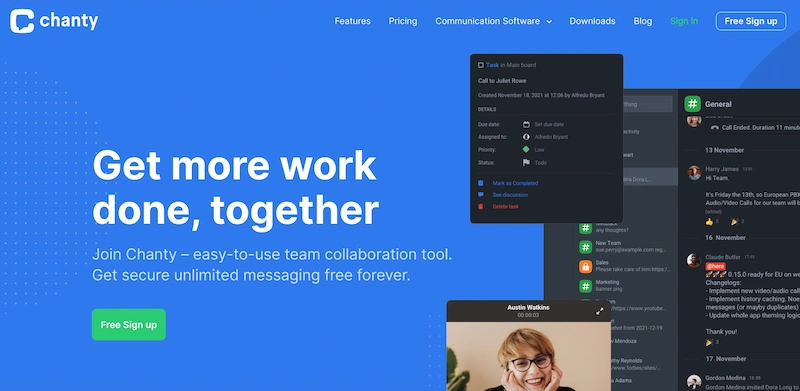
Need a lightweight alternative to Slack that combines communication with productivity? That’s where Chanty shines.
Chanty is a team chat app designed to streamline communication for remote and hybrid teams. What sets it apart is the ability to turn messages into tasks – bridging the gap between talking and doing.
With built-in task management and a simple interface, Chanty helps teams stay focused and productive without feature overload.
Key features
- Public and private conversations – Create topic-based discussions
- Task management – Turn messages into actionable tasks
- Built-in calling – Audio and video calls directly within the app
- Teambook – Organize all your messages, tasks, and files in one place
- Code snippets – Share and collaborate on code
- Integrations – Slack, GitHub, Google Drive, and more
Pricing
Free plan with basic features for small teams. Business plan starts at $3 per user/month.
13. Basecamp – the best business communication software for managing teams and client projects
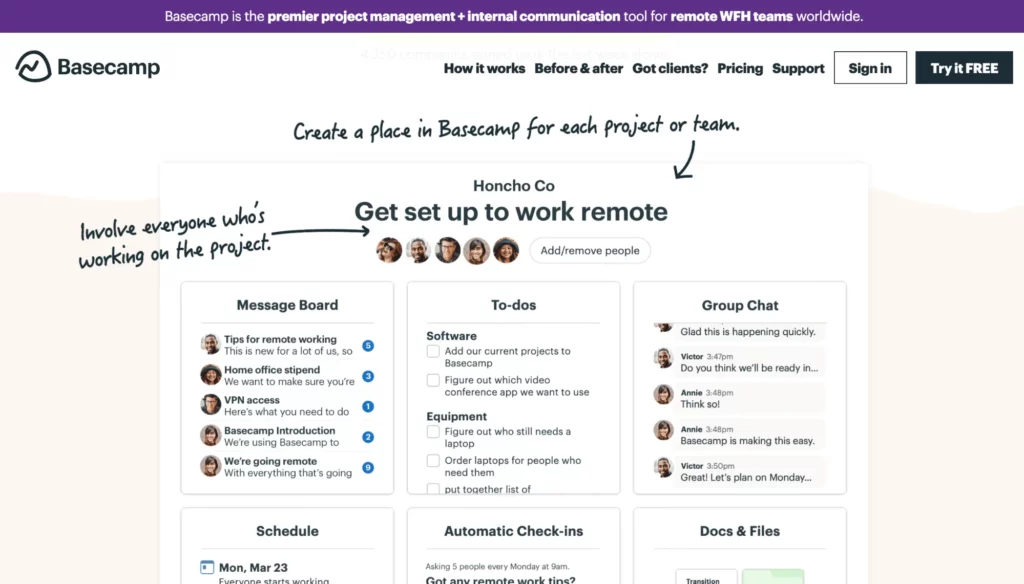
When you’re balancing team communication and client communication, things can easily get messy. Basecamp helps keep it clean and simple.
It’s a project management and communication platform that brings everything – messages, files, tasks, and timelines – into one organized place. It’s great for managing both internal projects and external stakeholder updates.
With features like message boards, group chat, and automatic check-ins, Basecamp fosters open, async communication without overwhelming your team.
Key features
- Message boards – Organize discussions around specific topics
- Group chat – Real-time chat for fast internal updates
- To-do lists – Break down work into tasks and track progress
- Document and file sharing – Store and collaborate on assets
- Client access – Invite external stakeholders to view and comment
- Schedule and calendar – Track project timelines and deadlines
Pricing
Flat pricing of $15/user/month or $299/month for unlimited users and features.
14. Twist – the best business communication software for async team collaboration

Traditional chat tools can create noise and disruption, especially across time zones. Twist takes a different approach – it prioritizes asynchronous communication.
Built by the makers of Todoist, Twist structures conversations into threads, helping teams reduce distractions and improve clarity. It’s ideal for remote teams that prefer deep work and thoughtful responses over constant pinging.
Key features
- Threaded conversations – Organize messages by topic for better context
- Async design – Built for teams in multiple time zones
- Team channels – Organize communication by projects or departments
- Integrations – Connect with GitHub, Zapier, and more
- Focused notifications – Reduce unnecessary distractions
Pricing
Free version with core features. Unlimited version starts at $8 per user/month.
15. Flock – the best business communication software for fast team messaging and collaboration
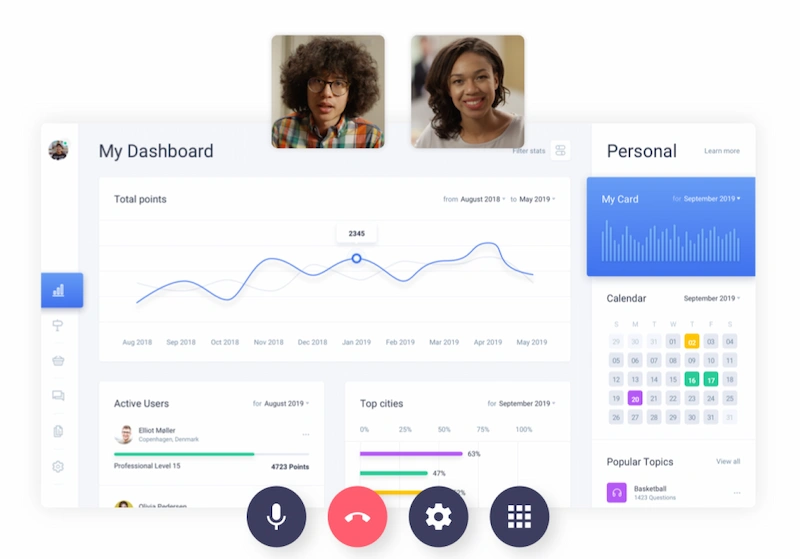
Flock is a robust communication app that offers fast messaging, video conferencing, productivity tools, and app integrations – all in one tidy package.
It’s designed to boost productivity by allowing teams to switch between communication and task execution effortlessly. Think of it as Slack meets Trello, with fewer tabs and smoother collaboration.
Key features
- Team messaging – Create channels and private chats for real-time communication
- Audio and video calls – Launch calls directly from chats
- Shared to-dos – Assign tasks and track progress together
- Reminders and notes – Stay on top of deadlines and follow-ups
- File sharing – Share and access documents within conversations
- Integrations – Includes Google Calendar, Zoom, Mailchimp, and others
Pricing
Free plan available. Paid plans start at $4.50 per user/month.
What are the 7 C’s of business communication?
The seven C’s of business communication are a framework to help you keep communication clear and effective in your organization. Here’s a brief breakdown of each of the seven C’s:
- Clear – Make sure your message is easy to understand by keeping language simple and focusing on a few key points
- Concise – Communication should be to the point and free from unnecessary details
- Concrete – You should use facts and examples to support your messages
- Correct – Double-check your communication to make sure it’s accurate (both the content and the grammar)
- Coherent – All information should be presented in a logical and structured way so it’s easy to follow
- Complete – Communication should include all the necessary information your team needs to understand your message
- Courteous – Always be respectful of your audience and mindful of cultural sensitivity
How can I decide on the best business communication tool for my team?
When choosing the right business communication software for your team, it’s important to start with the results you expect. With so many different tools on the market, you need to make sure you’re clear on the use cases and the outcomes you want. Once you’ve nailed this, you’ll have a better idea of the key features you need.
To help you, here’s a checklist:
- Assess your organization’s specific communication needs (consider team size, collaboration preferences, and context)
- List the essential features the tool should have (examples include user-friendliness, security and privacy tools, and scalability)
- Research how well it will integrate into your current tech ecosystem (Can the communication platform integrate with existing project management tools, video conferencing software, or internal communication tools?)
- Request demos or trials to test its real-world performance and gather feedback from major stakeholders
- Conduct a cost-benefit analysis to decide whether it’s the right business communication software for your needs
- Verify that the software meets industry regulations relevant to your business use cases
What are the most common types of business communication tools?
Knowledge sharing and clear communication are two major pillars in any successful business, whether you’re a remote startup or a multinational enterprise. As a result, there is a host of employee communication tools for different use cases.
Here are some of the most common:
- Company intranet – This offers a centralized hub to store company information and improve internal communication
- Collaboration tools – These project management tools (like monday.com) make it easy for teams to work on projects asynchronously
- Instant messaging – Tools like Slack allow remote teams to chat in real time and exchange information quickly
- Video conferencing – Remote teams can use tools like Zoom to host virtual meetings
- Online proofing – This software centralizes content approvals so internal and external stakeholders can share feedback on creative assets eg. Filestage
FAQs about business communication software
What are the 7 C’s of business communication?
The seven C’s of business communication are a framework to help you keep communication clear and effective in your organization. Here’s a brief breakdown of each of the seven C’s:
- Clear – Make sure your message is easy to understand by keeping language simple and focusing on a few key points
- Concise – Communication should be to the point and free from unnecessary details
- Concrete – You should use facts and examples to support your messages
- Correct – Double-check your communication to make sure it’s accurate (both the content and the grammar)
- Coherent – All information should be presented in a logical and structured way so it’s easy to follow
- Complete – Communication should include all the necessary information your team needs to understand your message
- Courteous – Always be respectful of your audience and mindful of cultural sensitivity
How can I decide on the best business communication tool for my team?
When choosing the right business communication software for your team, it’s important to start with the results you expect. With so many different tools on the market, you need to make sure you’re clear on the use cases and the outcomes you want. Once you’ve nailed this, you’ll have a better idea of the key features you need.
To help you, here’s a checklist:
- Assess your organization’s specific communication needs (consider team size, collaboration preferences, and context)
- List the essential features the tool should have (examples include user-friendliness, security and privacy tools, and scalability)
- Research how well it will integrate into your current tech ecosystem (Can the communication platform integrate with existing project management tools, video conferencing software, or internal communication tools?)
- Request demos or trials to test its real-world performance and gather feedback from major stakeholders
- Conduct a cost-benefit analysis to decide whether it’s the right business communication software for your needs
- Verify that the software meets industry regulations relevant to your business use cases
What are the most common types of business communication tools?
Knowledge sharing and clear communication are two major pillars in any successful business, whether you’re a remote startup or a multinational enterprise. As a result, there is a host of employee communication tools for different use cases.
Here are some of the most common:
- Company intranet – This offers a centralized hub to store company information and improve internal communication
- Collaboration tools – These project management tools (like monday.com) make it easy for teams to work on projects asynchronously
- Instant messaging – Tools like Slack allow remote teams to chat in real time and exchange information quickly
- Video conferencing – Remote teams can use tools like Zoom to host virtual meetings
- Online proofing – This software centralizes content approvals so internal and external stakeholders can share feedback on creative assets eg. Filestage
Final thoughts
With so much great business communication software at your disposal, it can be hard to choose just one. I hope that by breaking it down by use case, I’ve helped you get that much closer to choosing the right communication platform for your needs.
If you’d like to see for yourself how Filestage can help with effective team communication throughout the review and approval process, you can start a free trial here →