
With the world of work moving more and more toward remote collaboration, teams are increasingly expanding their portfolios of online collaboration tools. More specifically, it’s estimated that the global team collaboration software market size is projected to reach $40.79 billion by 2028.
Plus, the current working trends show that in-person meetings will account for only 25% of team conversations by 2024.
So whether you’re leading a completely remote team or you work in a hybrid environment, having a solid stack of online collaborative tools and processes will make your team members more productive and less dependent on the actual workspace.
To help you build that toolkit, I’ve rounded up 13 of the best online collaboration tools, covering everything from real-time document editing and project management to communication, design, and cloud storage.
Here are the top 13 tools currently available:
- Google Docs – for live document editing and collaboration
- Filestage – for streamlined content review and approval workflows
- Trello – for visual task and project management
- Slack – for team messaging and communication
- Asana – for task tracking and workflow planning
- Zoom – for video conferencing and virtual meetings
- Miro – for interactive whiteboarding and brainstorming
- Dropbox – for cloud file storage and sharing
- GitHub – for collaborative coding and version control
- Figma – for real-time collaborative design and prototyping
- Notion – for an all-in-one workspace combining notes, tasks, and databases
- Monday.com – for flexible project and team management
- Airtable – for spreadsheet-database hybrid collaboration
Now, let’s dive in!
Supercharge your project collaboration
Share, review, and approve all your content in one place with Filestage.
1. Google Docs – best for document editing and sharing
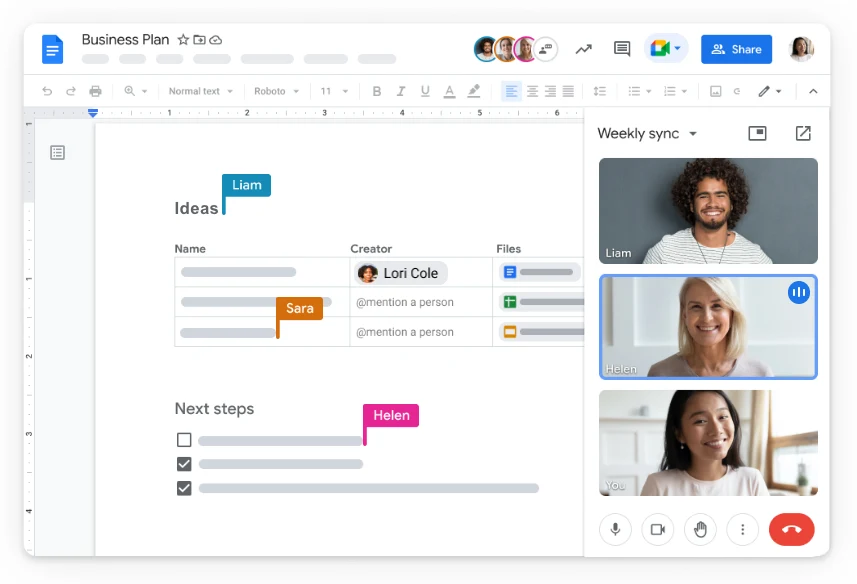
Google Docs is a powerful online word processing and business collaboration tool allowing users to create, edit, and share documents, spreadsheets, and presentations in real time.
It offers various features like different formatting options, the ability to insert images and links, and the ability to collaborate with others on the same document simultaneously. Plus, multiple users can track and update changes in real time.
Key features
- A virtual collaboration tool that allows multiple users to work on the same document simultaneously
- All changes made to a Google Doc are saved automatically, so users can always access the latest version of the document
- Google Docs integrates seamlessly with other Google tools like Google Drive, Google Sheets, and Google Slides
- This collaboration tool allows users to leave comments on specific sections of a document
Pros
- Fast and efficient collaboration between multiple users
- Free to use without any additional cost
- Automatic saving, ensuring that work is not lost even if the device crashes
- Seamless integration with other tools in the Google suite
Cons
- Limited formatting options
- Security concerns
- Limited offline access
- Compatibility issues with other software
Pricing
Google Docs is highly accessible and completely free to use, making it a popular choice for individuals and teams.
2. Filestage – best for collaborative review and approval

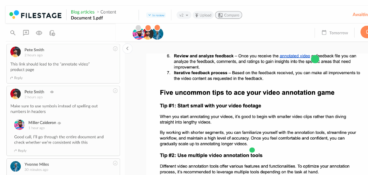
Filestage is a unique workflow management platform that allows team members to collaborate on digital content entirely online. It streamlines and automates your project review and approval processes while ensuring secure file sharing that complies with some of the top regulatory laws.
No installation is necessary, and your stakeholders can review and approve without registering an account.
Designed with creative teams in mind, Filestage is the perfect choice for marketing agencies, corporate marketing teams, and collaborative content creators.
Key features
- Automation to reduce manual tasks and speed up content reviews
- Due dates keep your projects on track and help you meet deadlines
- In-context comments make for clear feedback that shows up in real time
- Visual annotations bring comments to life and make it clear what needs changing
- To-do lists give your team a clear picture of what needs amending
- Version history helps you keep tabs on previous comments and see what’s changed
- Review steps mean your files get approved by the right people at the right stage of the process
- Project dashboards help you keep track of who you’re still waiting to hear from
- Integrations with Dropbox, Google Drive, Slack, Microsoft Teams, and more
- 256-bit SSL file encryption for secure file sharing
Pros
- Easy to use
- Time-stamped feedback
- Friendly customer support
- Streamlined process automation
- Very flexible
Cons
- No desktop or mobile app (only usable in the browser)
Ease of implementation
Filestage is a great virtual collaboration tool for teams of all sizes, as it offers different pricing packages based on the needs of each team. The tool also offers a freemium package with limited available features, that will help you get started with a fast and more efficient review and approval process.

“Filestage is one of the only tools that lets our marketing team and agency partners collaborate in one platform. Our internal team sets up the approval workflow, then the agency can upload their content directly to kickstart the review process. This makes sure everything goes through the necessary product managers and technical experts before it goes out the door, no matter whether it was created in-house or externally.”
Karina Berner, Creative Production Specialist at Sartorius
3. Trello – best for project management and task tracking
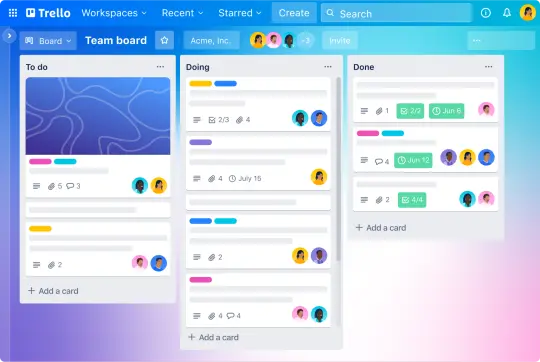
Trello is a popular project management and collaboration tool that allows individuals and teams to organize their tasks, projects, and to-do lists in a visual and intuitive way.
With Trello, users can create boards representing projects or goals and populate them with lists and cards that can be moved around as tasks are completed or priorities change.
This collaboration tool offers features like due dates, checklists, comments, and attachments to help users stay organized and collaborate effectively with their team.
Key features
- Users can create multiple boards to organize their projects and tasks visually
- Each board can have multiple lists representing different stages or categories of tasks
- Users can create cards for individual tasks and move them between lists as they change the status
- Trello allows users to assign labels to cards, making it easy to categorize and prioritize tasks
- Users can leave comments on cards to provide feedback or collaborate with their team
Pros
- Its visual system makes it easy to organize tasks and projects clearly and intuitively
- Trello allows teams to collaborate in real time to stay up-to-date on project progress
- It’s highly customizable, allowing users to tailor it to their specific needs and workflows
- It integrates with leading tools and apps, making it easy to connect with other services
- Trello’s mobile app makes it easy to access and update tasks and projects on the go
Cons
- Trello’s simplicity means it may lack advanced features
- It doesn’t have a built-in time-tracking feature
- Some users are hesitant to use Trello due to privacy and security concerns of their data
Ease of use and implementation
The tool also integrates with many other apps, making it a versatile option for anyone looking to streamline their workflow and improve productivity. This could be your go-to if you’re looking for an affordable and seamless solution to managing your daily tasks.
4. Slack – best for team communication and collaboration
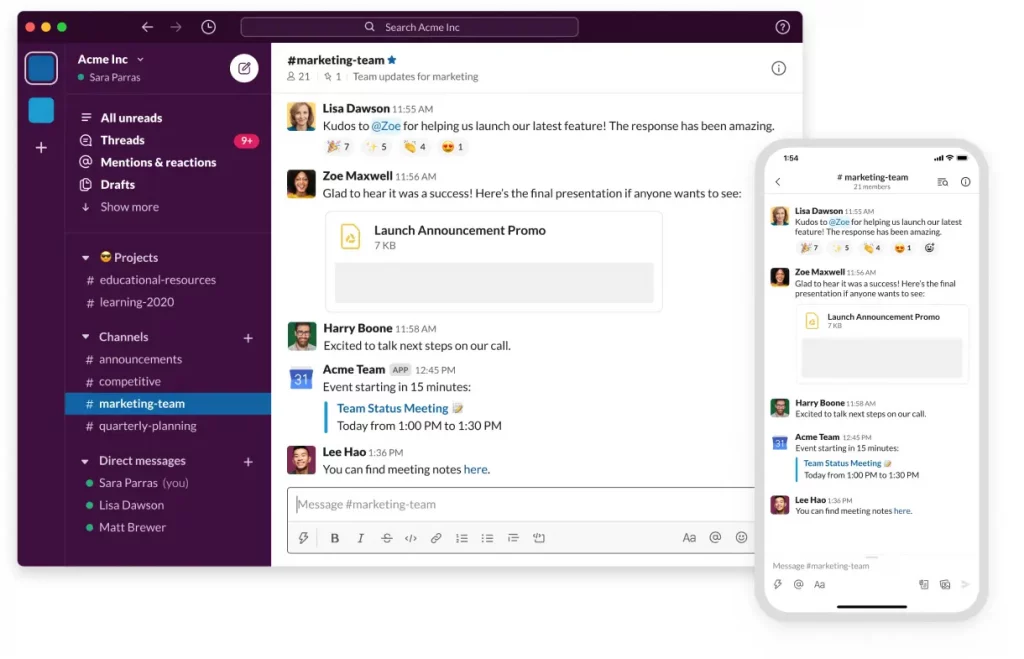
Slack is a cloud-based communication tool designed to streamline workplace collaboration.
This collaboration tool provides many features to help teams communicate, collaborate, and stay organized. It was designed as an intuitive and easy-to-use communication solution, making it a popular choice for both small teams and large organizations.
One of the key features of team collaboration software Slack is the ability to create channels, which are dedicated spaces for teams to discuss specific topics or projects. Channels can be set up for individual teams, departments, or projects and can be public or private, depending on the team’s needs.
Key features
- With channels, teams can discuss specific topics or projects, either public or private
- Direct messaging allows one-on-one conversations or collaboration on specific tasks
- Integrations with platforms like Google Drive, Trello, and Zoom make sharing information and collaboration simple
- Various bots help users automate tasks and improve productivity
- The search function helps users to quickly find information and conversations
Pros
- Slack streamlines workplace communication, making it easier to collaborate and share information in real-time
- Channels and direct messaging keep conversations organized and searchable, improving productivity and efficiency
- Slack’s integrations with some of the leading apps allow for seamless collaboration across multiple platforms
- Slack is highly customizable, with a range of settings and options that can be tailored to meet the needs of individual teams
- Slack’s mobile app allows users to stay connected and up-to-date on projects and tasks while on-the-go
Cons
- Slack’s pricing plans can be expensive for larger teams and organizations
- Some users are hesitant to use Slack due to privacy and security concerns about their data
- While Slack offers a range of features, some users find that it lacks more advanced functionalities
Ease of implementation
One of the best things about Slack is its ability to improve team communication and collaboration. Its wide range of integration options makes this collaboration tool user-friendly and a seamless solution for handling many different communication-related tasks.
5. Asana – best for project and task management
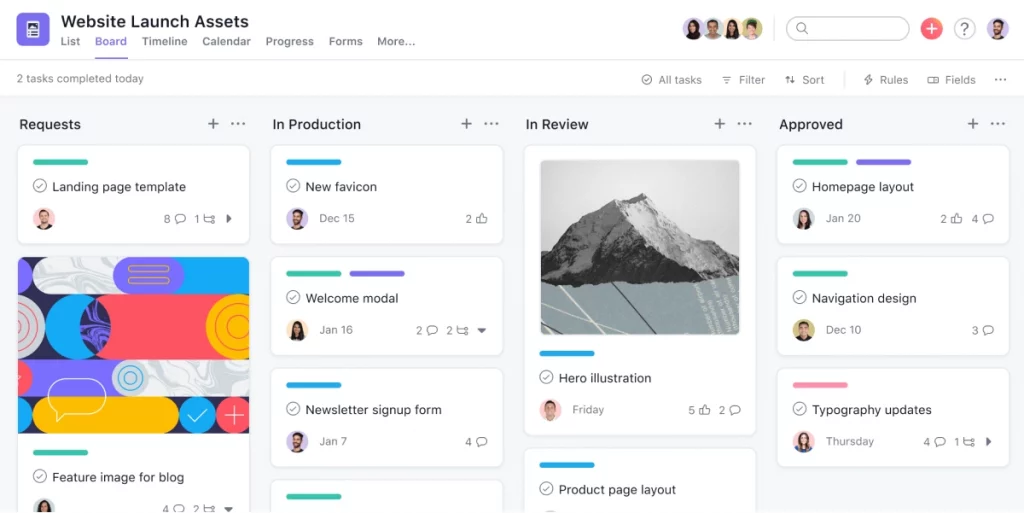
Asana is a workflow management software that helps you and your team to organize, plan, and track your work. It makes it simple to plan workflows and projects, see how your project is progressing, and keep your team on schedule at every step.
Through Asana’s colorful and visual design, all team members can see exactly what each person is tasked with, when those tasks are due, what the big goals are, and a well-defined path for achieving those goals. Project managers can organize projects as they see fit and prioritize tasks within each project.
Key features
- Task management and tracking
- Different boards for different projects
- Business process automation
- Multiple project views
- Data security
- Permission and privacy control
- Private Messaging
Pros
- Timeline view to manage dependency
- Fast and flexible
- Easy to use
- User-friendly design
- Over 100 app integrations
Cons
- Not suitable for video and other large files
Pricing plan
Asana offers a range of pricing plans to suit different business needs. Individuals or teams with up to 15 members can enjoy a free plan, and bigger teams can choose between the Premium (starting at $10.99/user per month) or a Business plan (starting at $24.99/user per month).
6. Zoom – best for video conferencing and collaboration

Zoom is a cloud-based video conferencing platform that was founded in 2011. And ever since the COVID-19 pandemic, the platform has significantly increased in popularity as remote work and virtual meetings became the new norm.
This team collaboration software offers a range of features, including video and audio conferencing, screen sharing, recording, and virtual backgrounds. It is designed to be easy to use, with a simple interface and intuitive controls.
Key features
- High-quality video and audio conferencing with up to 1,000 participants
- Share your screen with others for presentations, demonstrations, or collaborative work
- Record meetings or webinars for later viewing or sharing with others
- Customize your background to appear professional or fun with a virtual background
- Send messages and files to participants during the meeting or webinar
Pros
- It’s easy to use and requires minimal setup, even for first-time users
- Zoom provides high-quality video and audio even with low-bandwidth connections
- It can accommodate meetings and webinars with many participants, making it suitable for larger organizations
- The tool offers a range of security features, including meeting passwords, waiting rooms, and end-to-end encryption
- Zoom integrates with other platforms, including Google Drive, Slack, and Microsoft Teams
Cons
- Zoom may lack some of the advanced features that larger organizations or specialized industries require
- Its pricing plans can be expensive for larger teams and organizations
Ease of implementation
Among other video conferencing tools, this collaboration software is highly accessible, which makes it popular among individuals and organizations of all sizes, from small businesses to large enterprises. Zoom has also become essential for remote work, online education, and virtual events.
7. Miro – best for online whiteboard and collaboration
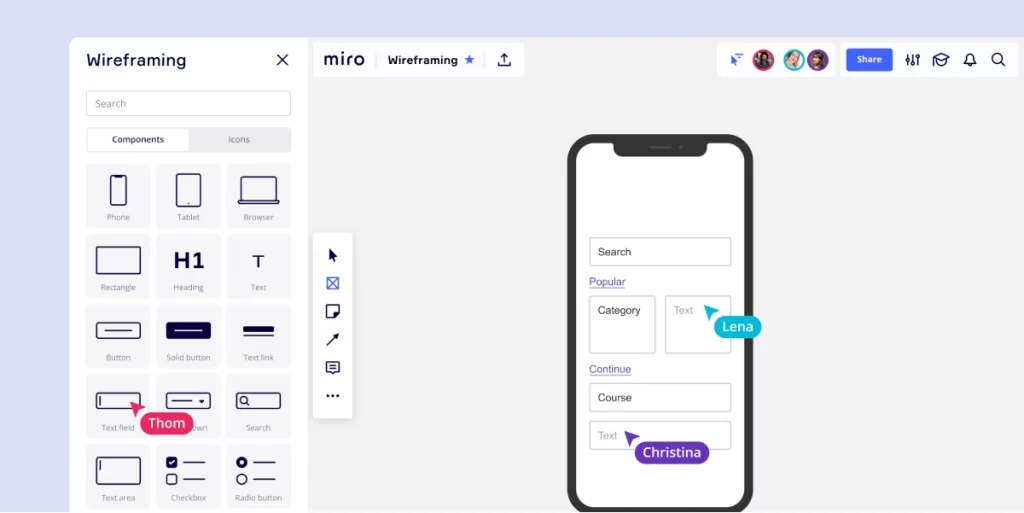
Miro is a cloud-based platform that enables teams to collaborate in real time from anywhere in the world. With its intuitive interface and a wide range of collaboration features, Miro makes it easy for teams to collaborate on projects, brainstorm ideas, and organize workflows.
Users can create and edit boards, add sticky notes, images, videos, and other multimedia content, and share them with team members for feedback and collaboration. Miro also offers integrations with apps like Slack, Jira, Trello, and Google Drive, making it a versatile tool for remote teams.
Key features
- Real-time collaboration allows teams to work together from anywhere in the world
- Customizable boards enable teams to create boards, add multimedia content, and organize workflows to fit their needs
- It offers versatile templates for different use cases like design thinking or agile planning
- Miro integrates with popular apps like Slack, Jira, Trello, and Google Drive
- The tool prioritizes security and reliability, with features like access controls and automatic backups
Pros
- Enhances remote collaboration
- Boosts productivity
- Simplifies brainstorming
- Offers a wide range of customizable templates
- Integrates with popular apps
Cons
- It can be expensive for small teams or individual users, especially for the premium features
- The mobile app doesn’t offer all the features available on the desktop version
- Large boards with a lot of content can be slow to load, leading to performance issues
User-friendly for all team sizes
Overall, Miro provides a seamless and productive collaboration experience for teams of all sizes and industries.
8. Dropbox – best for cloud storage and file sharing
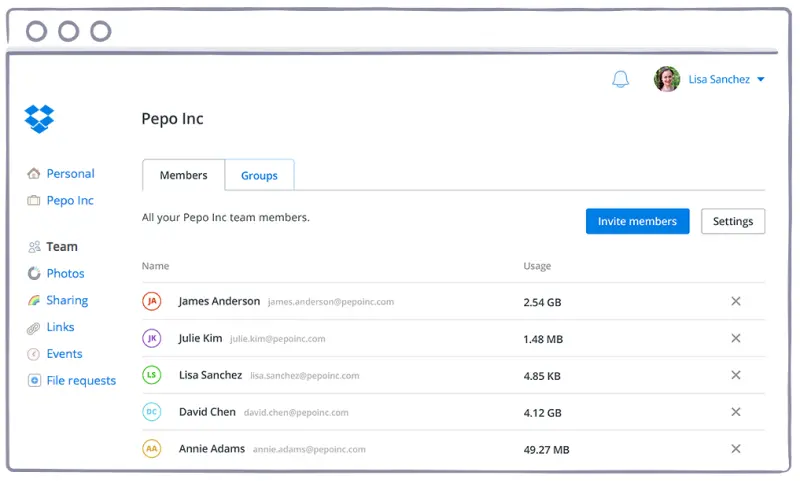
Dropbox is a popular cloud-based file-hosting service that allows users to store and share files and folders with others. Founded in 2007, Dropbox has quickly become a household name in the tech industry, with over 700 million registered users.
With features like automatic backup and file syncing, this software has revolutionized how people store and share their digital files, making it a go-to choice for many users worldwide.
Key features
- File syncing and sharing between devices and stakeholders
- Automatic file backup makes sure that important documents are always protected in case of hardware failure or other issues
- The Dropbox mobile app allows users to access and manage their files from their smartphones and tablets
- The tool integrates with a wide range of third-party apps
- Advanced security with features like two-factor authentication and end-to-end encryption
Pros
- User-friendly interface makes it easy to upload, organize, and share files
- Dropbox is compatible with multiple operating systems and devices, including Windows, Mac, iOS, Android, and Linux
- It offers other collaboration tools that allow users to work on files together in real time, including the ability to comment on files and assign tasks to team members
- Automatic file backup provides an extra layer of protection for important data
- Dropbox integrates with a wide range of third-party apps and services, making it easy to transfer files and streamline workflows
Cons
- Its free plan includes a relatively low amount of storage space with just 2 GB
- Its paid plans are expensive compared to other cloud storage services
- Despite Dropbox’s advanced security features, some users still have concerns about the safety and privacy of their data stored in the cloud
- File size limitations: Dropbox has a file size limit of 50 GB for paid plans, which is too small for users who need to transfer large files or media
Ease of implementation
Dropbox’s user-friendly interface and straightforward navigation make it easy to implement. This online collaboration tool also offers extensive documentation and tutorials to help users get started and troubleshoot any issues they may encounter.
9. GitHub – best for collaborative code sharing and version control
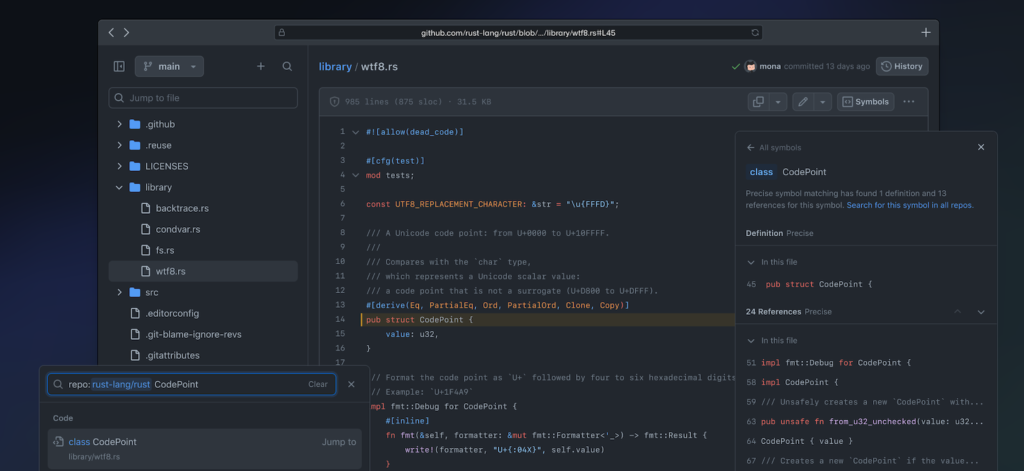
GitHub is a web-based platform for software developers to collaborate and share code. It provides developers with online collaboration tools for version control, code review, project management, and team collaboration, making it an essential online collaboration tool for software development.
This online collaboration software allows users to work on their code locally and then quickly upload and share it with others. Its features include pull requests, issue tracking, and code reviews, making it an invaluable resource for developers looking to streamline their collaborative workflows.
Key features
- Version control allows users to keep track of changes to code over time
- Code review helps users review code and suggest changes
- Collaborative features make working with others on projects easy
- GitHub’s community allows users to engage and contribute to open-source projects
- Integrates with other virtual collaboration tools and services
Pros
- Easy collaboration makes working with others seamless, regardless of location
- Version control helps keep track of code changes, making it easy to revert or merge changes
- Access a large and active community of developers
- Collaborative review improves code quality
- Integration with many collaboration platforms to streamline workflows
Cons
- Potential for data breaches and private data leaks
- Limited options for private repositories in free plans
- Paid plans can be expensive for individuals and small teams
Pricing
GitHub offers a variety of pricing options, including a free plan for individuals and small teams. For larger teams and organizations, GitHub offers paid plans with additional features and higher limits on collaborators and storage.
10. Figma – best for collaborative design and prototyping
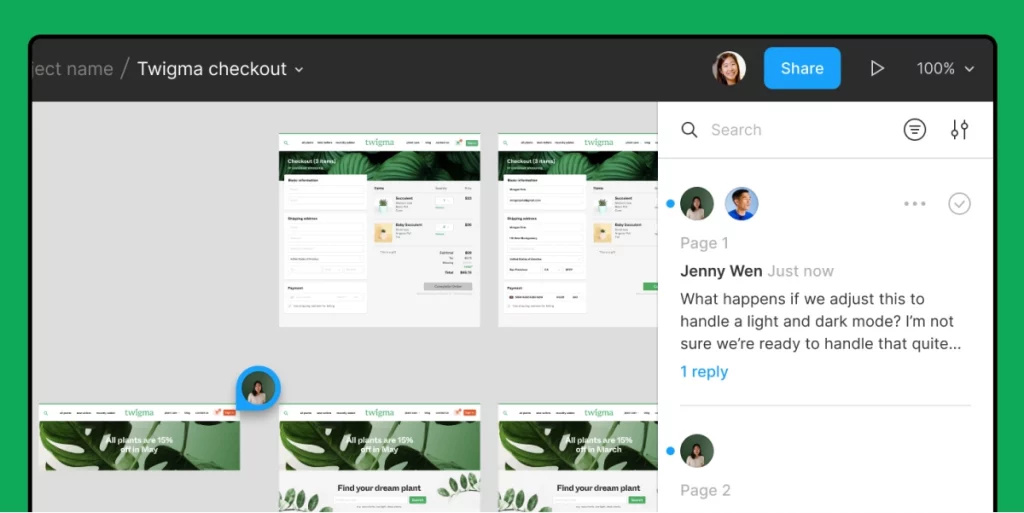
Figma is a cloud-based design and prototyping collaboration tool that allows designers to collaborate in real time on UI design projects. Figma has become a popular tool for designers due to its ease of use, collaborative features, and flexibility.
This visual collaboration software allows teams to work together in real time on design projects, with features like commenting, live editing, and version history tracking. It is also highly customizable, allowing users to create and share design components and design systems.
Key features
- Real-time collaboration helps you work together with teams in the moment
- Create interactive prototypes for UI designs
- Customizable and reusable design systems
- Version history allows you to easily track changes and revert to previous versions of a design
Pros
- Collaborate on your designs in real time from anywhere
- Access and edit your designs on any computer or mobile device
- Create interactive prototypes for user testing and feedback
- Customizable design systems help you easily create and share design components for consistency
- Design version control allows you to keep track of changes and revert to previous versions of a design
Cons
- Limited font options to what is available on Google Fonts and Typekit
- Limited design online collaboration tools compared to other design software
- Paid plans can be expensive for individuals or small teams
Ease of implementation
Whether you’re working on a small project or a large-scale design effort, Figma is designed to be easy to implement. Unlike other design collaboration tools, this one doesn’t require software installation, and you can access the platform from any web browser, which makes it easy to get started quickly.
11. Notion – best all-in-one workspace for notes, tasks, and projects
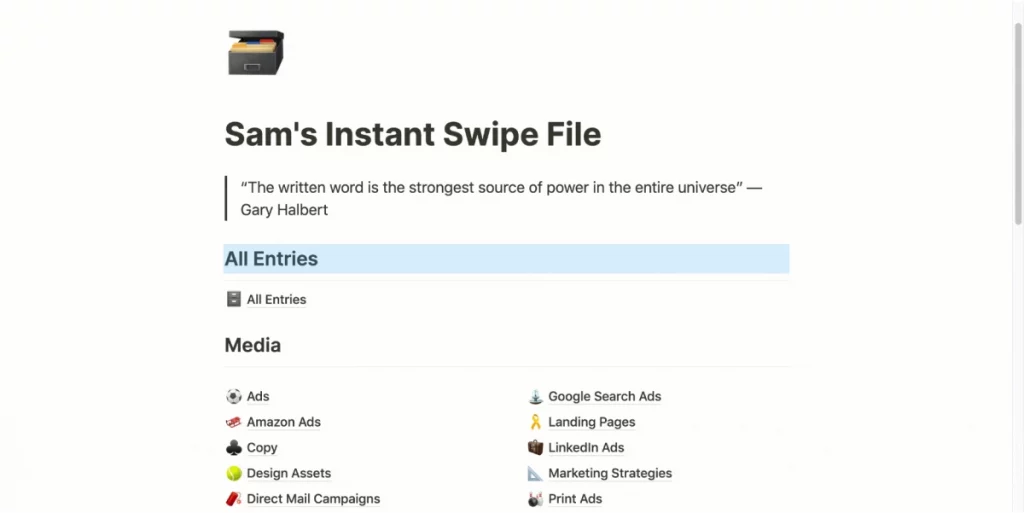
Notion is an all-in-one online collaboration tool that allows users to create, organize, and collaborate on notes, databases, tasks, and more. The platform combines functionalities of several online collaboration tools, including, note-taking apps, task management software, and project management tools.
Notion’s unique feature is its flexible and customizable interface, allowing users to tailor it to their needs. Users can create tables, databases, and templates for various purposes and share them with others for collaboration.
Key features
- Combines the functionality of several online collaboration tools into one platform
- A customizable interface allows users to adjust the interface to their specific needs and preferences
- Users can work with others in real time on projects and tasks
- Notion enables users to store and access information in a centralized and searchable database
Pros
- It combines the functionality of several productivity tools into one platform
- Customizable interface allows users to tailor the interface to their specific needs and preferences
- Collaboration features allow users to work with others in real time on projects and tasks
- Knowledge management with a centralized and searchable database
Cons
- Paid plans can be expensive, especially for large teams
- Limited options for formatting text and visuals
- The mobile app can be slow and laggy at times
- Limited storage for free plans, plus the additional storage can be expensive
Pricing
Notion offers a free personal plan with basic collaboration features. Its paid plans include Personal Pro for $5 per month, Team for $10/user per month, and Enterprise with custom pricing. Each plan offers more features and advanced collaboration capabilities.
12. Monday.com – best for project management and team collaboration
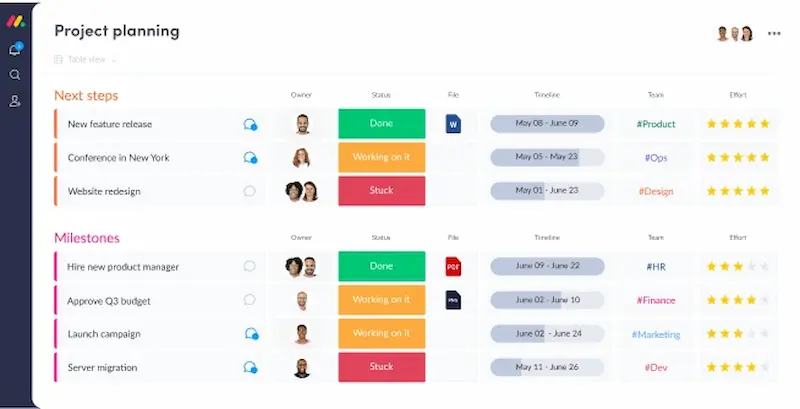
Monday.com is a cloud-based project management and online collaboration tool that allows teams to plan, track, and manage projects and tasks. It offers a customizable and intuitive interface allowing users to easily create boards, set deadlines, and collaborate with team members.
This collaboration tool is designed to help teams stay organized, productive, and efficient. With Monday.com, teams can streamline their workflow and communication, increase transparency, and monitor progress toward their goals.
Key features
- Customizable boards for a simpler task and project management
- Collaborate with team members in real time and assign tasks to individuals or groups
- Automate repetitive tasks and notifications to save time
- Generate reports and track progress toward goals
- Integrate with other team collaboration tools like Slack, Trello, and Google Drive
Pros
- The user-friendly interface makes it easy for teams to get started
- The platform can be customized to fit any team’s specific needs
- Real-time collaboration makes it easy for teams to work together on projects
- The mobile app allows users to manage tasks and projects on-the-go
- Automations help teams save time and reduce the risk of human error
Cons
- Paid plans can be expensive for small teams and startups
- Formatting options for text and visuals are limited
- Some users have expressed concerns about data security and privacy
Versatile and user friendly
Monday.com is an easy-to-use project management and collaboration tool with many features, but one of the most important is its visual, customizable board interface. This makes Monday.com one of the best collaboration tools as it allows teams to see project status easily, collaborate in real time, and track progress.
13. Airtable – best for collaborative spreadsheets and databases
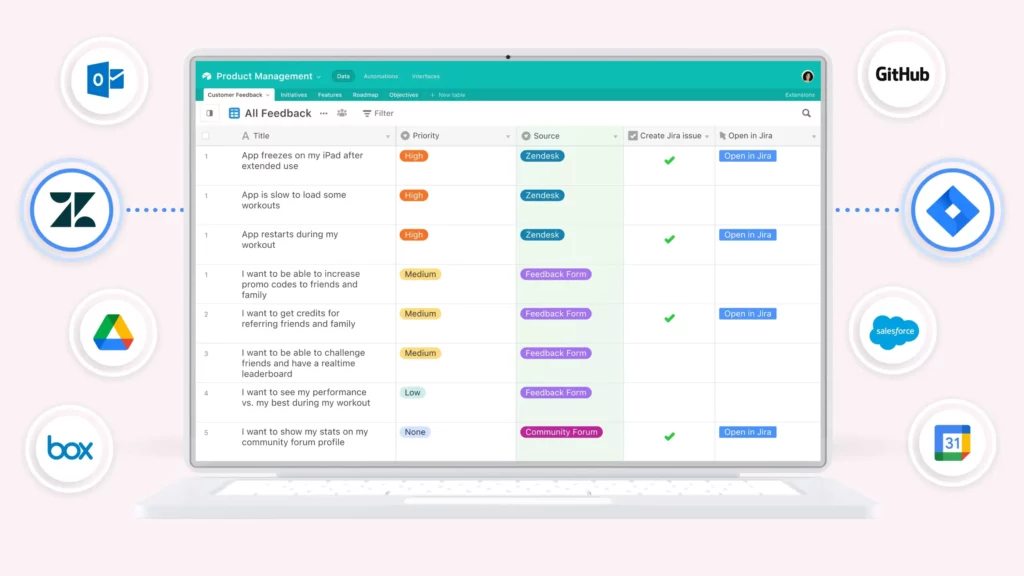
Airtable is a cloud-based relational database tool that combines the functionality of a spreadsheet with a database. It allows users to store, organize, and analyze data in a user-friendly and customizable interface.
With this online collaboration tool, users can create their workflows, automate repetitive tasks, and visualize their data in various formats. Its versatility and flexibility make it a popular choice for those who need to manage and analyze large amounts of data.
Key features
- Customizable fields for storing and organizing data in any format
- Wide variety of pre-made templates to get started quickly.
- Share and collaborate on bases with team members in real time
- Integration with team collaboration tools like Slack, Google Drive, and Zapier
- Visualize data in various formats, such as grids, calendars, and Kanban boards
Pros
- Airtable can be used for a wide range of purposes, from project management to inventory tracking
- The platform is intuitive and easy to use, even for non-technical users
- Airtable is highly customizable and can be adapted to fit any team’s specific needs
- It makes it easy for teams to collaborate on projects and share information in real time
- Airtable’s automation features help teams save time and reduce errors by automating repetitive tasks
Cons
- The platform’s reporting features are limited and can’t meet the needs of advanced users
- The visualization options are limited compared to other data analysis tools
- Importing and exporting data can be complex, and some formats are not supported
- The platform can be expensive to larger teams or enterprise-level users
Best for customized databases
Airtable is best for creating customized databases that can be used for various purposes. With its flexible data modeling and customizable views, users can create databases tailored to their specific needs, including for project management, CRM, inventory management, or any other use case.
Its ease of use and collaboration features make it a popular choice for teams of all sizes.
How to choose the best collaboration tools for your team
Choosing the best collaboration tools for your team is a critical decision that can significantly impact your productivity and success.
Here’s a criteria you should take into account when choosing your collaboration tools:
- Team needs – Understand your team’s specific requirements, such as project complexity and collaboration style
- Scalability – Ensure the tool can accommodate your team’s current size and potential growth
- Integration – Check if the tool can seamlessly integrate with your existing apps and software
- Ease of use – Look for user-friendly interfaces to minimize the learning curve
- Security – Prioritize tools with robust security features to protect sensitive data
- Functionality – Assess the tool’s capabilities in task management, document sharing, and communication
- Customization – Consider whether the tool can be tailored to fit your team’s unique workflow
- Cost – Evaluate pricing structures to find a tool that fits your budget
- User feedback – Gather insights from team members who will use the tool regularly
- Trial period – Take advantage of trial periods to test how well the tool meets your needs
- Support and training – Ensure adequate support and training resources are available
FAQs about online collaboration
What are online collaboration tools?
Online collaboration platforms allow teams to work together in real time, no matter where they’re located. They increase productivity and collaborate by offering a central place to work, communicate, and check the status of projects.
What are the four types of collaboration?
There are four main ways to collaborate:
- Syncronous collaboration – team members work together in real time but not always from the same place (e.g. live document editing, instant messaging, or video calls)
- Asyncronous collaboration – team members work on the same project at different times and from different locations (e.g. email threads, comments, project management updates)
- Co-located collaboration – team members work together physically in the same location
- Remote collaboration – team members work from different locations and use digital tools like Slack and Google to communicate
With so many teams working remotely, most businesses now engage in some kind of online collaboration.
How do you collaborate effectively virtually?
The key to effective virtual collaboration is putting the right tools and processes in place, so that everyone on the team is on the same page about how and where you communicate. Here are some best practices to follow to keep virtual collaboration on track:
- Select the right tools to facilitate seamless collaboration
- Set clear expectations and document them somewhere that they’re easy to reference
- Be transparent with your communication to avoid confusion or needless back-and-forths
- Have a central hub where all project communication lives
Final thoughts
Choosing the right combination of collaboration tools for your team will help improve your team’s productivity and deliver better results. That’s why it’s vital to try before you buy!
To see how Filestage can help you improve your virtual collaboration, make sure to try it for free →