TL;DR
Workflow automation software helps teams automate repetitive tasks, connect tools, and run business processes without constant manual updates. These tools automate manual processes, reducing the risk of human error and increasing efficiency. By reducing manual effort, these tools help save time and boost workplace productivity, allowing employees to focus on higher-value work. Filestage automates creative review and approval workflows, so marketing and content teams can get feedback, approvals, and sign-offs in one place instead of chasing email threads.
Why this guide matters
Most teams juggle separate tools for projects, content, communication, and customer data. When those tools aren’t connected, people copy and paste information, miss handoffs, and spend too much time on manual updates instead of on meaningful work.
Workflow automation software automates processes by eliminating manual steps and reducing time-consuming tasks, allowing teams to focus on higher-value activities. By automating processes, workflow automation software reduces human error and eliminates manual processes, leading to more accurate and efficient operations.
Workflow automation software fixes this by connecting your apps and automating routine steps, such as assigning tasks, updating fields, routing content for review, and syncing data between tools. Modern platforms also add AI to classify information, flag issues, and speed up decisions.
This guide helps you cut through the noise. You’ll get a clear overview of how workflow automation works, what to look for, and how AI fits into the picture, plus a vetted list of 18 tools to compare. Whether you’re testing a free solution or planning an enterprise rollout in 2026, you’ll have the context you need to choose the right workflows and the right software for your team.
The 18 best workflow automation software for 2026
Below is a complete breakdown of the top solutions for 2026.
Workflow automation tools are designed to optimize processes across various business functions, such as finance, marketing, and sales. By automating repetitive, rule-based tasks, these tools help improve productivity, reduce errors, and enhance process efficiency. They replace manual processes and minimize human error, allowing teams to focus on higher-value work.
Some tools focus on cross-app automation, enabling teams to automate tasks across thousands of apps and integrate with other business applications such as finance, HR, and customer service systems. These are classic automation workflow software options.
- Some tools specialize in data workflows, helping teams process and transform information.
- Some platforms support marketing campaigns, CRM workflows, and customer journeys, and serve as effective automation solutions for marketing.
- Some solutions handle enterprise workflow orchestration, AI workflow automation, and high-volume business processes, often positioning themselves as enterprise workflow automation software.
- And some tools automate creative review workflows, which is where Filestage leads.
Many solutions also offer integration with other tools and third-party applications, enabling broader automation across business processes. Together, they represent the top workflow automation software choices available today.
1. Filestage (Editor’s Choice)
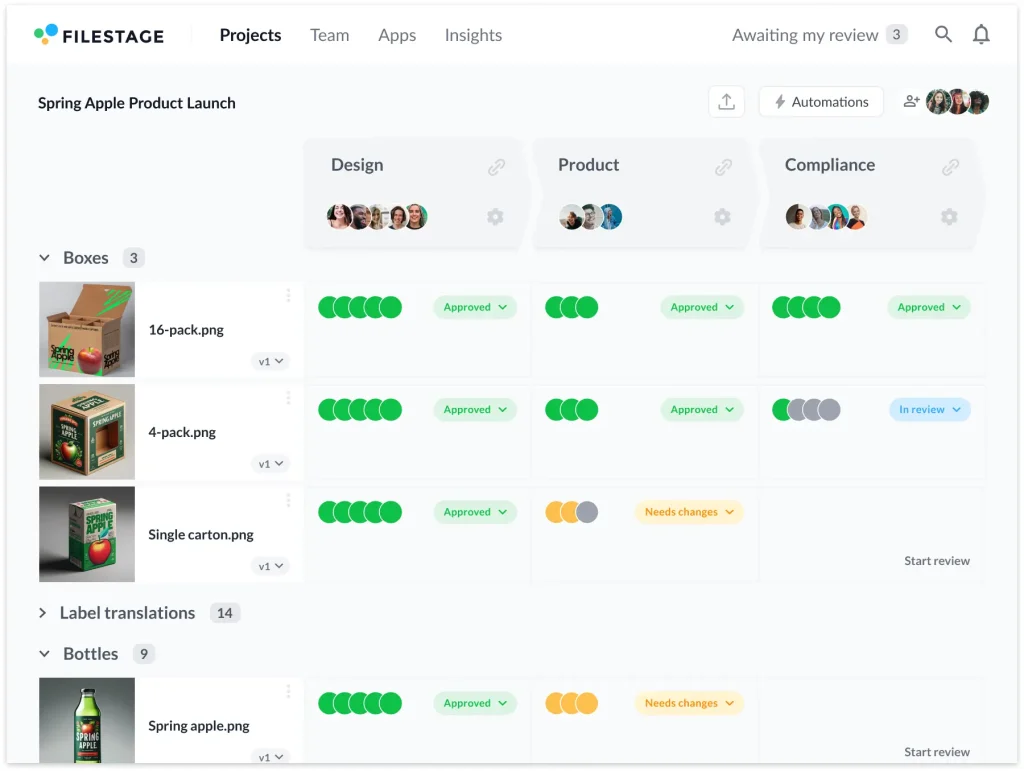
Filestage is a review and approval platform that helps marketing, creative, and content teams streamline feedback on their files. It gives stakeholders a shared space to review content, leave comments, and approve the latest version. This keeps projects moving through automation and cuts out endless email chains and manual follow-ups. By streamlining approval and feedback processes, Filestage enables teams to deliver work more efficiently and accurately, thereby increasing customer satisfaction.
With Filestage, files move through clear review steps with the right people involved at each stage. Reviewers receive automatic reminders, teams view up-to-date statuses at a glance, and all comments and decisions are kept organized in one place. That way, you avoid using outdated assets, missing feedback, or losing time chasing approvals.
Who uses it:
Marketing, creative, design, and content teams (in-house and agency) that handle regular reviews for campaigns, designs, videos, documents, and other assets and want faster, more controlled approvals.
Key Features:
- Shared online workspace for files, feedback, and approvals
- Multi-stage review workflows with specific reviewer groups and due dates
- Automated reminders and notifications for pending feedback
- Centralized comments with clear version history
- Integrations with project management and file storage tools
- Role-based access and permissions for internal and external stakeholders
Pricing: Free plan ($0/month) for small teams, plus Basic ($109/month on a yearly plan), Professional ($299/month on a yearly plan), and custom-priced Enterprise plans – all with unlimited team members and a free trial on paid tiers.
Book a demo to learn more about Filestage today.
2. Zapier
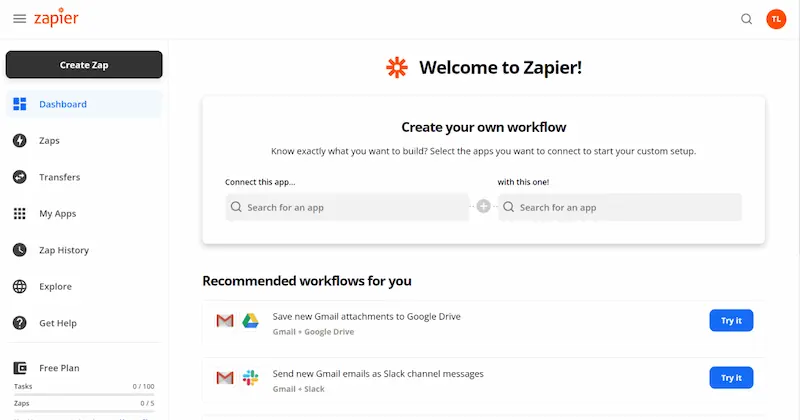
Zapier is a no-code automation platform that connects thousands of web applications, enabling automated data transfer between them. Workflows (called Zaps) are built from triggers and actions, so teams can replace manual copy-paste work with automated flows across tools like Slack, Gmail, HubSpot, Notion, Google Sheets, and many more.
Who uses it
Teams and individuals who want fast, simple cross-app automation without writing code, typically marketing, operations, sales, customer success, and founders/solo operators.
Key features
- Triggers and actions for thousands of apps (8,000+ officially supported)
- Multi-step workflows, filters, and paths to build more complex logic (e.g., IF conditions)
- AI-powered steps to summarize, classify, or transform content inside a Zap
- Pre-built templates for standard automations (e.g., “send Typeform responses to Google Sheets”)
- Webhooks and API-level integrations for advanced routing and custom apps
- Shared folders, permissions, and admin controls on team/enterprise plans
Pricing:
- Free plan: Basic automation with single-step or simple two-step Zaps and around 100 tasks/month.
- Paid plans: Start at about $19.99/month (billed annually) and add multi-step Zaps, premium apps, higher task limits, and collaboration features.
(Exact Zap/task limits and plan names do change, so it’s safest to confirm on Zapier’s pricing page.)
3. Make
Make (formerly Integromat) is a visual, no-code automation platform that lets you create complex workflows using a drag-and-drop canvas. You connect apps and APIs into scenarios, define detailed logic, and let Make execute them as data flows between systems.
Who uses it
Operations, product, engineering-adjacent, and data-savvy teams that need deeper control over workflows, branching logic, and data transformations than simpler tools typically offer.
Key features
- Visual builder for multi-step workflows (scenarios) with a node-based interface
- Data transformation and routing: map fields, aggregate data, and transform payloads between apps
- Complex filters and branching: conditionals, loops, error handling, and retries for robust workflows
- Modules for 2,000+ apps and APIs, plus generic HTTP/API modules for custom services
- Scheduling & monitoring: run scenarios on a schedule or via webhooks; inspect logs and operation history
Pricing (high-confidence summary)
- Free plan: Typically includes around 1,000 operations/month and a small number of active scenarios, enough to test real workflows.
- Paid plans: Entry-level plans start at approximately $9/month and scale based on operational quotas, scenarios, and team features, progressing to advanced and enterprise tiers.
4. IFTTT
IFTTT (“If This Then That”) lets you create simple automation rules (Applets) that connect apps, services, and smart home devices. It’s designed for straightforward automations, especially around consumer apps and IoT devices, rather than deep business workflows.
Who uses it
Individuals and small teams starting with basic automation, often for personal productivity, home automation, and simple cross-app tasks.
Key features
- Applets that follow a simple “if this, then that” pattern (one trigger, one or more actions)
- Connects hundreds of apps and devices, with strong coverage of smart home and consumer services
- Quick, guided setup via web and mobile apps
- Support for notifications, posting to apps, logging to sheets, and simple multi-step behaviors (on paid plans)
Pricing (high-confidence summary)
- Free plan: A limited number of Applets (approximately 5) with basic features.
- Paid plans: Start at about $2.99/month and offer faster runs and more powerful Applets.
5. Pabbly Connect
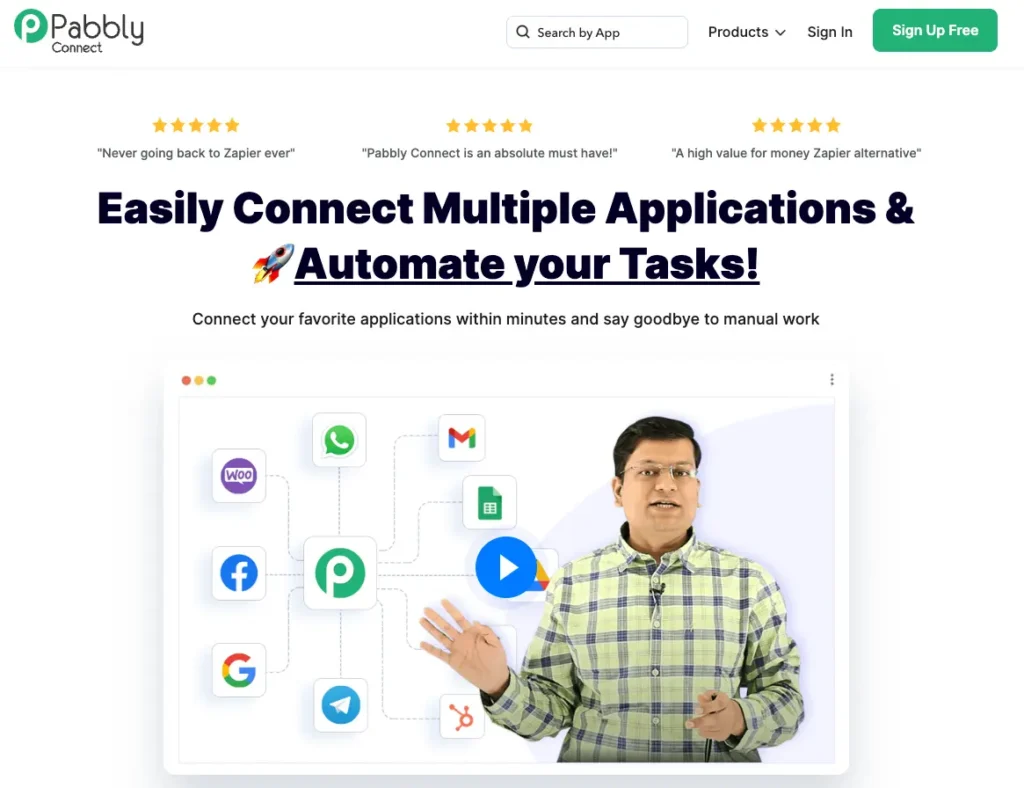
Pabbly Connect is a workflow automation tool designed to be a more cost-effective alternative to tools like Zapier and Make. It enables you to build visual workflows between apps, particularly in marketing, CRM, and small-business stacks, and is recognized for its generous (sometimes unlimited) task allowances on specific plans and lifetime deals.
Who uses it
Small teams and businesses that want affordability and simplicity, often with a focus on marketing, lead management, and day-to-day operations.
Key features
- Drag-and-drop builder for multi-step workflows
- Pre-built integrations with many marketing, CRM, and payment tools
- Multi-step workflows with conditions and paths
- High or unlimited daily task allowances and unlimited workflows on many plans, depending on whether you’re on subscription or lifetime offers
- Scheduling, delays, and simple data transformations
Pricing (high-confidence summary)
- Pabbly advertises a “free forever” tier with a small monthly task quota (around 100 tasks) and unlimited workflows.
- Paid plans typically start at around $16/month, with higher task limits and the same unlimited workflow model; there are also lifetime deals with large or effectively unlimited task allowances.
6. Notion
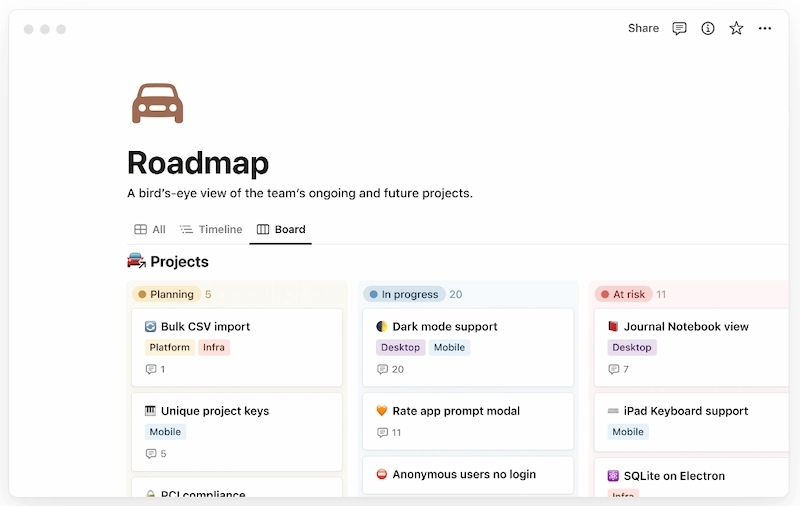
Notion is a connected workspace that combines docs, wikis, databases, and lightweight project management. Additionally, Notion now includes built-in automation capabilities (e.g., database automations, Notion AI, and integrations), allowing teams to set up simple workflows directly within their workspace.
Who uses it
Teams and individuals who want a single, flexible workspace for documentation, tasks, projects, and light workflow automation.
Key features
- Databases with linked views (tables, boards, calendars, galleries)
- Formulas, filters, relations, and rollups to model workflows and dependencies
- Templates for recurring workflows, sprints, content calendars, and more
- Version history and page history on paid plans
- Native automation rules (e.g., “when a status changes, set this field”) and integrations with tools like Slack, Jira, and GitHub
- Built-in Notion AI to summarize, rewrite, or generate content inside pages
Pricing
- Generous free plan for individuals and very small teams.
- Paid plans (Plus, Business, Enterprise) add advanced permissions, admin controls, SSO, and more extended history.
(Exact prices vary over time and by region.)
7. Parabola
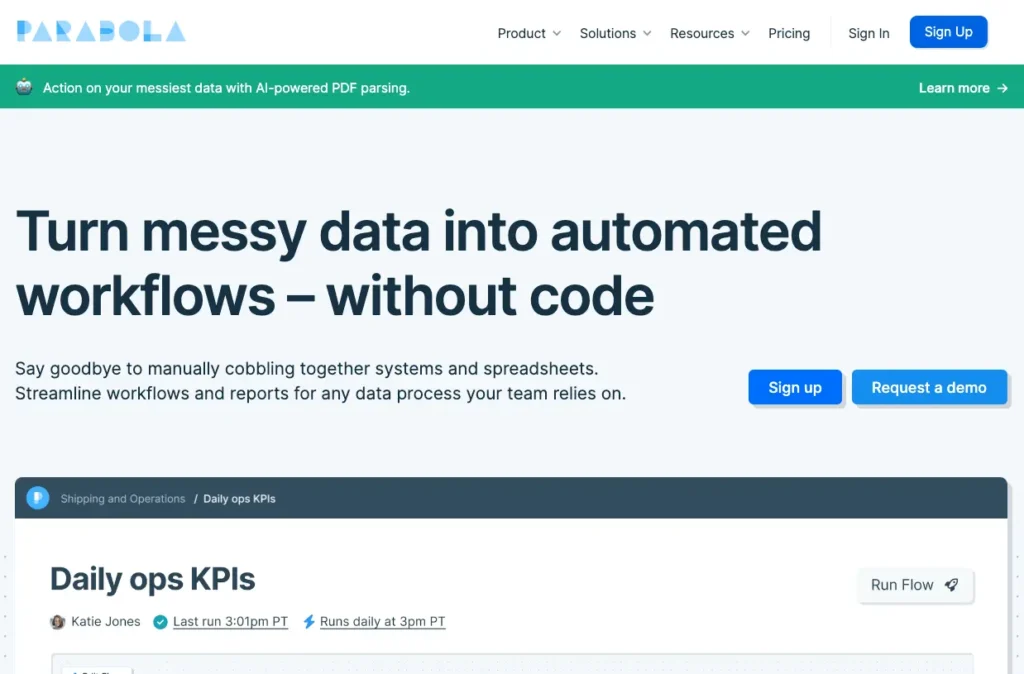
Parabola is a visual data workflow tool. It focuses less on generic app-to-app automation and more on pulling data from various sources, transforming it, and pushing it to the destinations it needs to reach, often for operations and revenue teams.
Who uses it
Revenue, operations, and analytics teams that work heavily with spreadsheets, CRMs, e-commerce platforms, and APIs, and want to automate recurring data prep and reporting without writing code.
Key features
- Visual data flow builder: drag-and-drop “steps” to build a pipeline
- Connectors for spreadsheets, databases, APIs, and popular business tools
- Steps for cleaning, normalizing, enriching, and merging datasets
- Scheduling to run flows automatically (hourly, daily, etc.), plus on-demand runs
- Export to CRMs, data warehouses, and files for downstream teams
To dive deeper into Parabola’s data workflow capabilities, explore their additional resources or documentation.
Pricing
- Free plan with limited runs/credits suitable for light or evaluation use.
- Paid plans scale based on usage (runs, rows, or credits) and feature set, starting at $20/month.
8. HubSpot
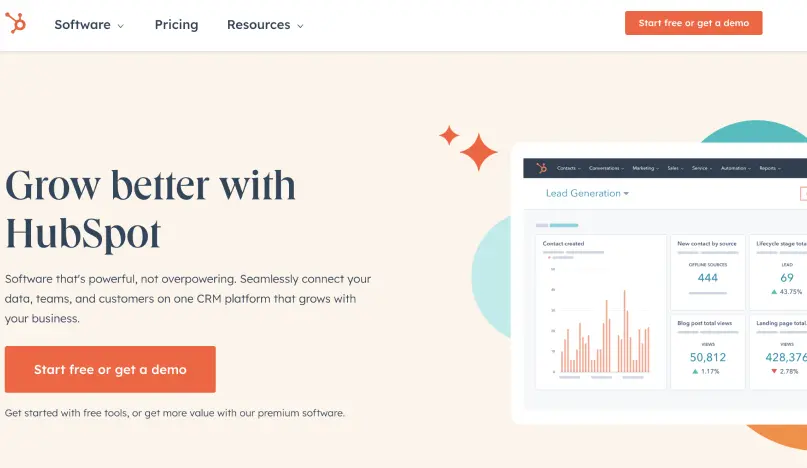
HubSpot is a CRM platform with built-in automation for marketing, sales, and service. Its visual workflows sit on top of the CRM data, which makes it easy to automate emails, lead routing, deal updates, ticket handling, and more.
Who uses it
Teams that want to manage the whole customer journey (marketing + sales + service) in one platform and automate touchpoints from a central CRM.
Key features
- Automated email campaigns and nurture sequences
- Lead nurturing workflows triggered by behavior, lifecycle stage, or form submissions.
- Lead scoring and task assignment for sales teams.
- Deal, contact, and ticket automation (e.g., moving deals between stages, auto-assigning tickets)
- Native forms, landing pages, and analytics tied back to CRM objects
Pricing
- Free CRM and a set of free marketing, sales, and service tools.
- Advanced automation is available in the paid Marketing, Sales, and Service Hub tiers, which are typically priced by feature set, number of seats, and contact volume.
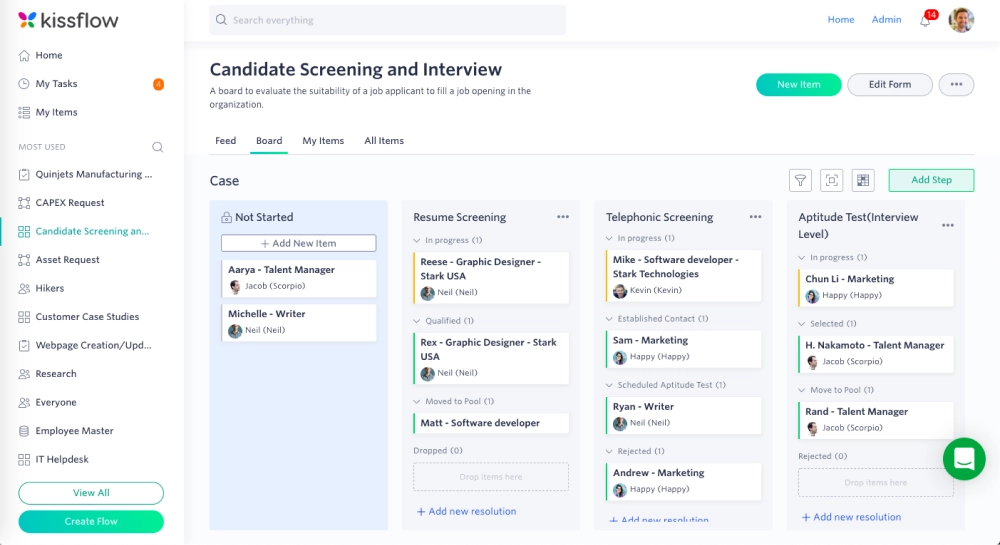
9. Kissflow
Kissflow is a no-code process and workflow automation platform designed for structured, repeatable business processes, such as approvals, internal requests, and simple case handling. It also features modules for projects and boards, but its core is centred on process automation.
Who uses it
Operations, human resources (HR), finance, procurement, and IT teams that need standardized workflows for requests, approvals, and internal processes. Human resources teams utilize Kissflow to automate HR workflows, including onboarding, leave management, and employee data updates, thereby improving efficiency and reducing manual errors.
Key features
- Visual workflow builder: design process steps, transitions, and rules
- Custom forms to capture requests and structured data
- Templates for standard processes (leave requests, purchase approvals, expense claims, etc.)
- Role-based access and permissions per app/workflow
- Audit logs and tracking to see who did what, when
- Reporting and basic process analytics
Pricing
- Subscription plans start at $2,500 per month and vary by the number of users and features, typically offering a free trial to allow teams to test before committing.
10. Mailchimp
Mailchimp is a marketing platform best known for its email capabilities, but it also offers basic CRM features, customer journey management, and audience segmentation. Its automation is focused on sending the right messages at the right time based on subscriber behavior.
Who uses it
Small and mid-sized businesses, creators, and marketing teams that want approachable email and marketing automation.
Key features
- Automated email workflows triggered by events (signups, purchases, page visits, etc.)
- Audience segmentation based on behavior, attributes, and engagement
- Customer journey builder to map sequences across channels (mostly email + some ads/retargeting)
- Reports on engagement: opens, clicks, conversions, and revenue attribution
- Basic forms, landing pages, and campaign management
Pricing
- A free plan with limits on contacts, sends, and features (subject to change).
- Paid plans start at $20/month and scale based on subscriber count and feature set (e.g., more advanced journeys, A/B testing, and advanced reporting).
11. UiPath
UiPath is an enterprise-grade robotic process automation (RPA) platform. It uses software robots (bots) to automate repetitive tasks in desktop and web applications, and it includes tools for discovery, building, running, and governing automations.
Who uses it
Large organizations are automating high-volume, rule-based processes in finance, insurance, shared services, IT operations, and back-office workflows.
Key features
- Software robots that can interact with UIs, documents, and systems like a human
- Document processing with AI and machine learning for reading invoices, forms, and unstructured documents, enabling intelligent document processing and workflow automation
- Orchestration tools (UiPath Orchestrator) for scheduling, monitoring, and governing bots
- Integration with enterprise systems (ERPs, CRMs, mainframes, etc.)
- Process mining and task mining to identify automation opportunities
Pricing
- Starts at $25/month. Enterprise licensing is available in different editions and with various deployment options. There’s also a community edition, free for individual and small-scale use.
12. Automation Anywhere
Automation Anywhere is another leading enterprise automation platform that blends RPA with AI to automate complex business processes. It supports attended and unattended bots, document understanding, and centralized management.
Who uses it
Enterprises with complex, cross-department processes in operations, finance, HR, IT, and customer service, often at a significant scale.
Key features
- Digital workers (bots) that execute repetitive digital tasks across applications
- Document and task automation with AI-based document understanding
- AI modules for classification, extraction, and decision support
- Natural language processing enables users to create automations using plain-language prompts, making it easier to design workflows without extensive coding
- Centralized management for bot deployment, monitoring, and security
- Analytics to track bot performance and ROI
Pricing
- Enterprise pricing based on platform usage, number of bots, and deployment needs; typically customised per organization.
13. Workato
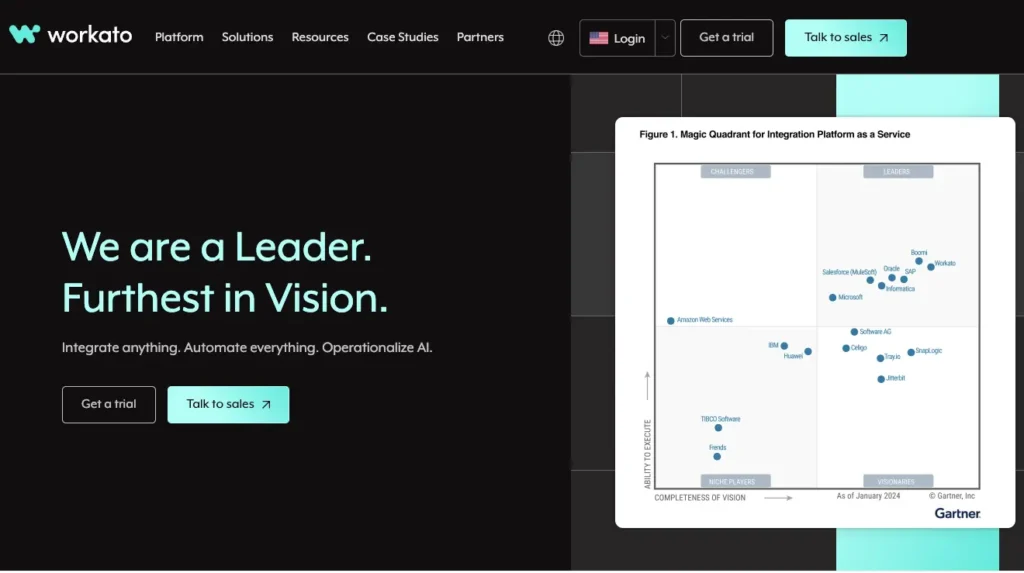
Workato is an incredibly powerful enterprise integration and automation platform (iPaaS) that emphasises security, governance, and deep integrations. Workflows are built using Recipes, which combine triggers, actions, and logic in a low-code environment.
Who uses it
Organizations that require scalable, secure workflow orchestration across many systems, often IT, RevOps, HR, and product/engineering teams.
Key features
- Pre-built recipes for standard business processes across popular enterprise apps
- Low-code builder with triggers, actions, loops, and conditions
- Real-time data synchronization between systems (e.g., CRM ↔ ERP)
- Governance controls: roles, approvals, workspaces, audit logs
- AI-assisted suggestions and mapping to speed up recipe creation
Pricing
- Custom/enterprise pricing, typically based on use cases, recipe count, and volume, usually requires a discussion with sales.
14. Asana
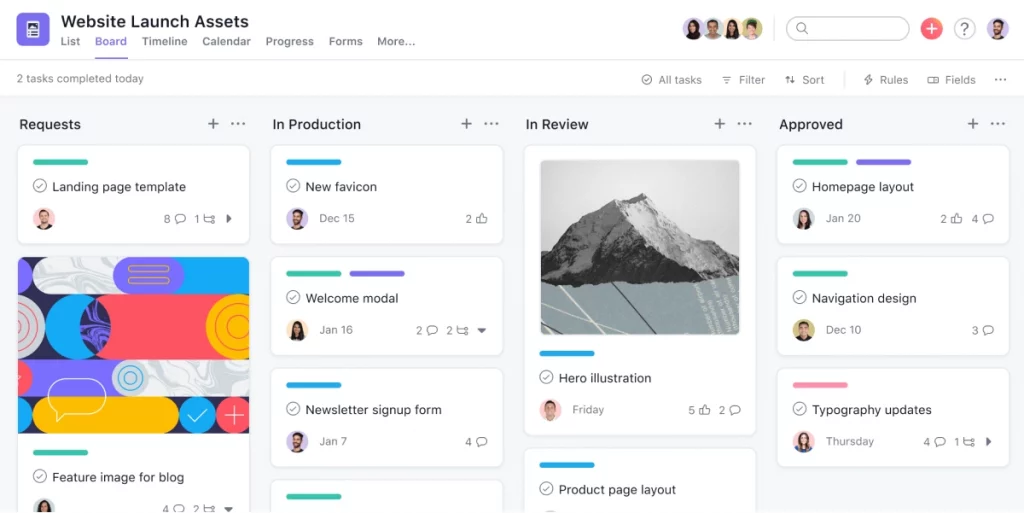
Asana is a work and project management platform with built-in automation rules. It helps teams manage tasks, projects, and portfolios by automating updates, keeping them up to date without manual administrative work.
Who uses it
Teams managing projects across many stakeholders, especially marketing, product, ops, and agency teams.
Key features
- Tasks, projects, boards, and timelines for planning and execution
- Automation rules (e.g., when a task moves stage, update assignee, due date, or fields)
- Templates for recurring processes like campaigns, product launches, and onboarding
- Basic workflow approvals and forms
- Reporting and dashboards for tracking workloads and progress
Pricing
- A free tier with core features for small teams.
- Paid tiers start at approximately $12.75 and include advanced rules, approvals, portfolios, and admin controls, with pricing scaling based on the number of seats.
15. monday.com
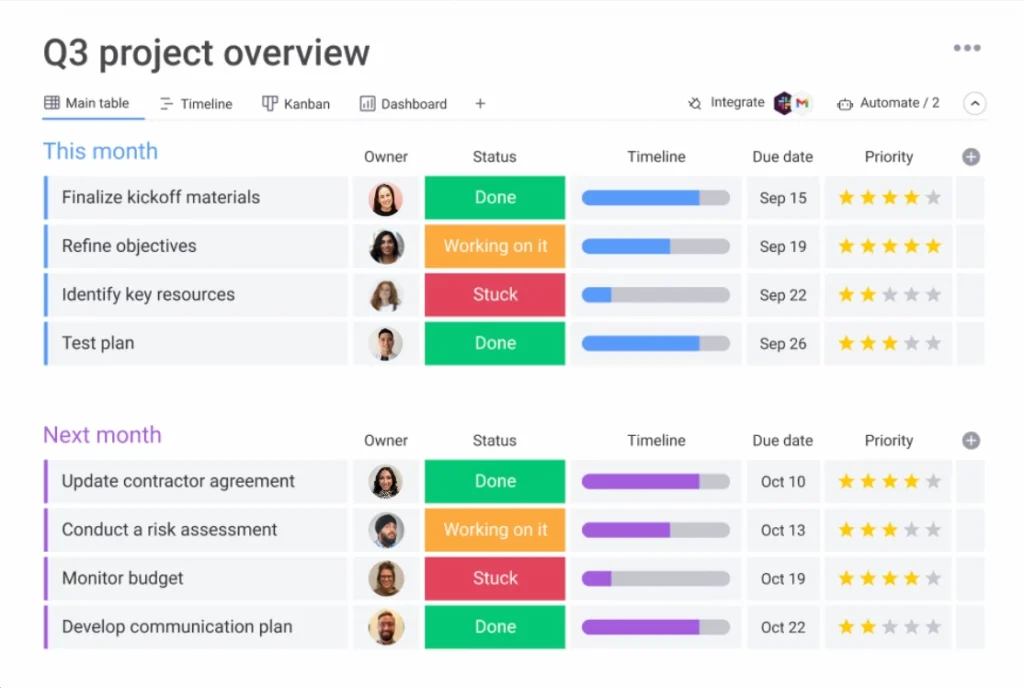
monday.com is a flexible work management platform. Work is organized in customizable boards, and automation rules handle repetitive updates, notifications, and status changes.
Who uses it
Cross-functional teams managing projects, operations, and ongoing processes (marketing, PMO, IT, operations, etc.).
Key features
- Custom boards with columns for statuses, owners, dates, numbers, lookups, and more
- Automation rules to trigger updates, create items, and send notifications based on changes
- Dashboards to visualize progress, workloads, and KPIs across boards
- Integrations with standard tools (Slack, Google Workspace, CRMs, dev tools)
- Templates for project tracking, CRM, content calendars, and more
Pricing
- Typically focuses on paid plans starting from $9 with a free trial, priced per seat and tier; a limited free option is also available for very small teams.
16. Salesforce Pardot
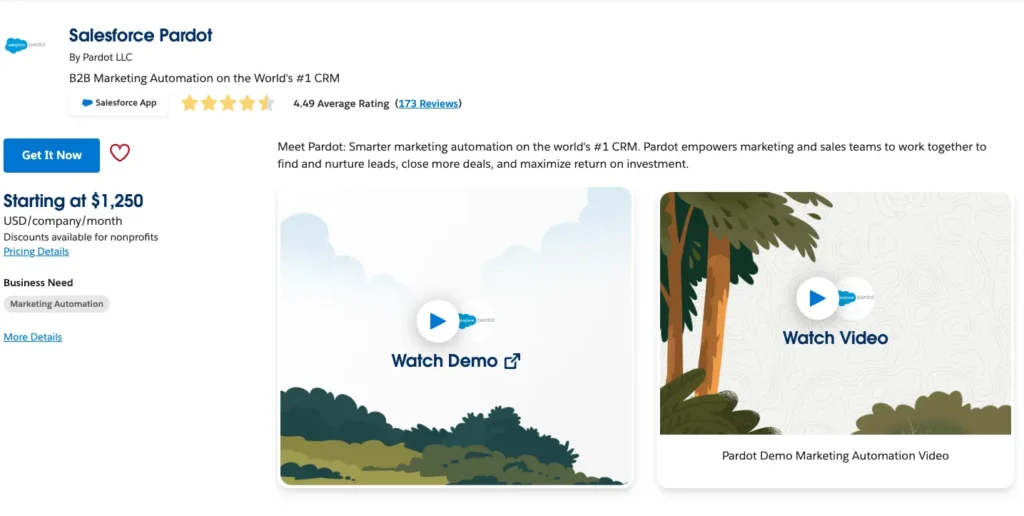
Pardot is now branded as Salesforce Marketing Cloud Account Engagement. It’s Salesforce’s B2B marketing automation product for running campaigns, lead nurturing, and scoring on top of Salesforce CRM.
Who uses it
B2B marketing teams running lead nurturing, account-based campaigns, and pipeline workflows tightly integrated with Salesforce Sales Cloud.
Key features
- Lead nurturing journeys with email drips and branching logic
- Lead scoring and grading based on engagement and fit
- Campaign automation triggered by behavior and CRM changes
- Drag-and-drop canvas for building engagement programs
- Deep Salesforce CRM integration for syncing contacts, opportunities, and campaign influence
Pricing
- Tiered Salesforce plans (by edition), usually priced by the number of contacts and feature level; typically requires a quote or Salesforce sales contact.
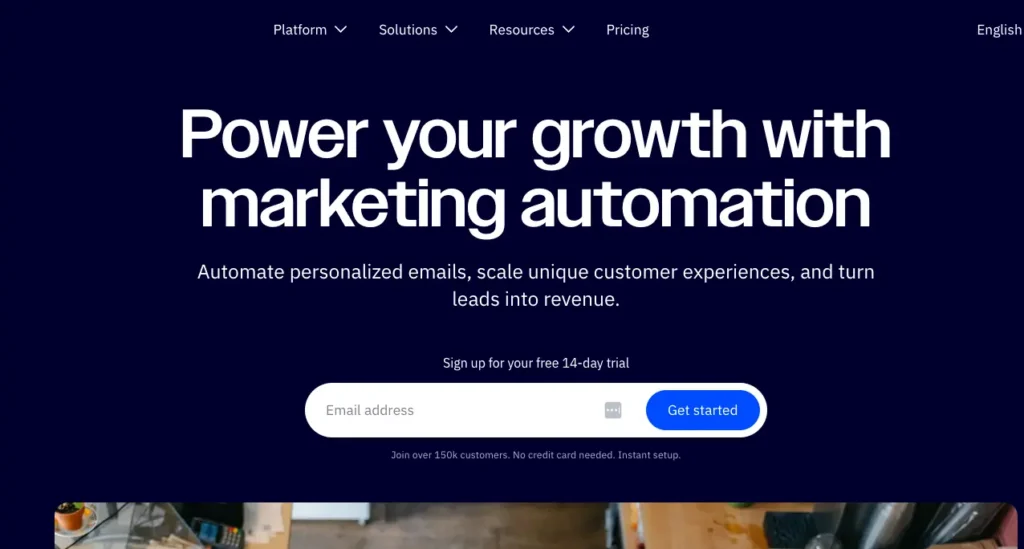
17. ActiveCampaign
ActiveCampaign combines email marketing, marketing automation, and a lightweight CRM. It’s designed to run multi-step customer journeys and track sales pipelines on a single platform.
Who uses it
Small and mid-sized businesses that want richer automation than basic email tools, plus integrated sales/CRM features.
Key features
- Visual journey/automation builder with triggers, conditions, and actions
- CRM pipelines to manage deals and follow-ups
- Segmentation and personalization using tags, custom fields, and behavior
- Campaign reporting: deliveries, opens, clicks, revenue, and automation performance
- Site tracking and event tracking for behavior-based targeting
Pricing
- Starts at $15/month and is tiered by the number of contacts and feature set (e.g., Marketing, Sales, bundles), with higher tiers offering deeper automation and advanced features.
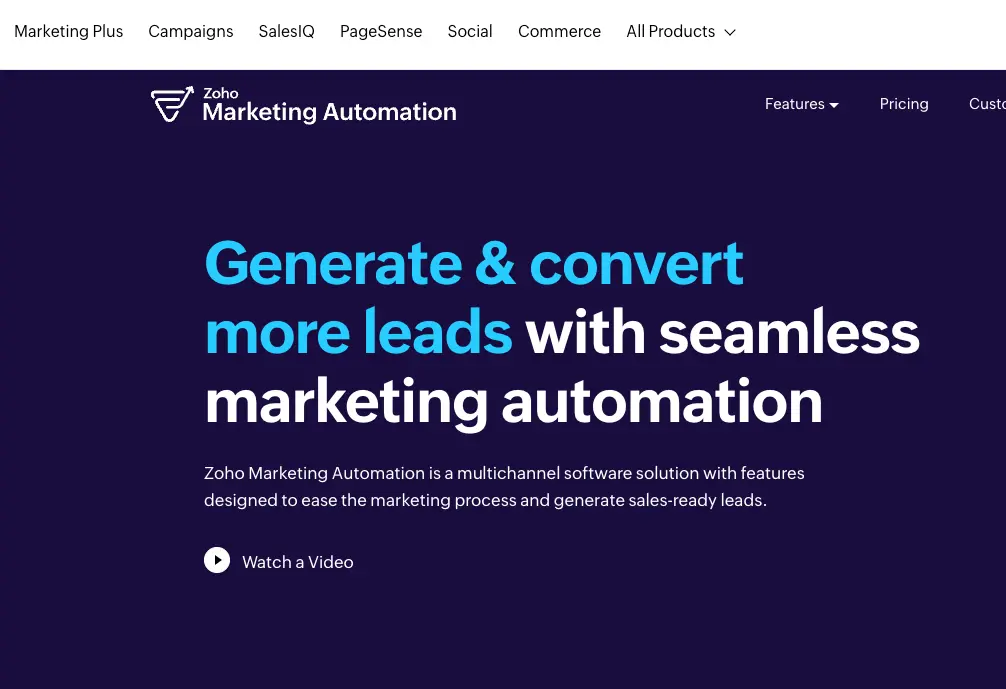
18. Zoho Marketing Automation
Zoho Marketing Automation is Zoho’s tool for orchestrating marketing campaigns, leads, and workflows across channels, with tight integration into the broader Zoho ecosystem (especially Zoho CRM).
Who uses it
Businesses already using Zoho tools, or those that want an all-in-one stack for CRM and marketing, including small and mid-size companies.
Key features
- Multi-channel marketing journeys (email, web, and other Zoho-connected channels)
- Lead scoring and segmentation based on behavior and attributes
- Integrations within the Zoho ecosystem (Zoho CRM, Zoho Campaigns, etc.)
- Analytics and reporting on campaign performance and funnel metrics
- Lead capture forms and nurture journeys tied back to CRM records
Pricing
- Subscription plans are based on the number of contacts and features, often with different tiers for growing databases. They frequently include trials or lower-tier entry options. Plans start at approximately $16.25/month.
What counts as workflow automation
Effective workflow automation follows four layers that appear across most business applications:
- Trigger: The event that starts the workflow, such as a new customer inquiry or a completed form.
- Action: The automated task that follows the trigger, like sending an email or updating a database.
- Condition: Rules that determine if or how the action should proceed, such as checking if a customer is a VIP.
- Result: The workflow’s outcome, such as a notification sent or a record updated.
You’ll see this pattern in almost every automation software workflow you design.
Strong workflow automation software is highly customizable, enabling organizations to design processes tailored to their unique needs. The ease of building and maintaining workflows is crucial. Customizable workflows enable teams to adapt processes as requirements change, improving efficiency and collaboration. Building workflows that are tailored to organizational requirements ensures flexibility and maximizes the value of automation.
By automating routine work, workflow automation software enables employees to focus on high-value tasks.
1. Triggers
A workflow begins when something happens. This could be a form submission, a new file, a field update, a comment, a status change, or a specific action in another tool.
2. Logic
Rules determine what should happen next. For example, if a task’s status is set to “Ready”, assign it to a specific team. If a file is uploaded, send it for review. If a message contains specific data, send it to the corresponding system.
3. Actions
Workflows update fields, route files, assign tasks, move items, send notifications, post to apps, create records, add data, or run AI-powered transformations. Some platforms now support multi-step AI agents that process more complex tasks.
Workflow automation software also enhances task management by automating task assignment and tracking, making it easier to organize work, streamline processes, and improve team collaboration.
4. Orchestration
Scaling automation requires transparent governance, a clear version history, well-defined permissions, effective monitoring, and comprehensive visibility. This ensures workflows remain predictable, secure, and consistent across teams and business processes.
Orchestration features support cross-functional collaboration by making work more transparent across teams. This makes it easier for everyone to stay aligned and informed. A shared workspace also plays a key role, providing technical and non-technical teams with a single place to work together and manage governance in a unified environment.
Workflow automation software is strongest when it makes all four layers easy to build and maintain, without requiring engineering resources.
How we evaluated these tools
To produce a fair comparison, each workflow automation tool was evaluated based on publicly available, verifiable information, with a focus on the following features that best meet business needs. Criteria include:
- Connections and integrations across different apps
- Automation capabilities and support for more complex workflows
- Ease of use and user-friendly interface
- Support for repetitive tasks and more advanced processes
- AI features that help automate tasks or classify data
- Scalability, governance, and workflow orchestration
- Value for money across free plans and paid plans
- Suitability for real-world business operations
Workflow automation software also provides real-time data and visibility, helping organizations make informed decisions.
The right top workflow automation software should also enable organizations to quickly adapt and respond to changing market demands.
Choose workflow automation that improves work, not complexity
Workflow automation is not about replacing people; it’s about augmenting them. It is about improving business operations by removing the repetitive tasks that slow teams down. When workflows run automatically, information stays up to date, processes stay consistent, and teams can focus on meaningful work.
Filestage makes automation practical in one area where teams lose the most time: creative review and approvals. Instead of chasing feedback, managing versions, or tracking decisions manually, Filestage provides automated workflows that keep projects moving with less manual effort.
If your team wants to boost productivity, reduce delays, and improve service delivery across creative workflows in 2026, Filestage is the most efficient place to start.
To see how Filestage automates reviews and approvals, start a free trial and explore how it fits your workflow.
FAQ
What is workflow automation software?
Workflow automation software helps you turn manual, repeatable work into automated processes. It connects your apps, moves data between them, and runs tasks automatically based on rules, triggers, or schedules. Instead of copying data, chasing approvals, or sending reminders manually, the software automates these tasks in the background. For creative review and approvals, tools like Filestage automate versioning, reminders, and sign-offs, allowing projects to move forward faster.
Do I need technical skills to automate workflows?
For most modern tools, no coding is required. Most tools use visual, drag-and-drop editors, so even non-technical users can design and update workflows. These tools also offer pre-built templates to help you get started quickly. That said, more advanced platforms do offer options for power users (API calls, webhooks, custom code), which you can grow into later or leave to your technical teammates. Filestage, for example, lets non-technical teams set up multi-step review and approval workflows without writing any code.
How is AI workflow automation different?
Traditional workflow automation follows fixed rules: if X happens, do Y. AI-powered automation can interpret and classify data, handle unstructured content, and make decisions based on patterns (for example, routing a support ticket based on sentiment, or extracting fields from a messy PDF). In short, AI helps with the “fuzzy” parts of a process, while rules handle the clear, repeatable steps.
Which workflows should I automate first?
Start where you’ll see quick wins:
- Repetitive, predictable tasks (approvals, status updates, notifications)
- Simple data movement (copying info between tools, logging form submissions, syncing contact records)
- High-volume manual work (data entry, basic reporting, assigning tickets/leads)
Pick 1–3 workflows that are easy to define and happen often. Automate those first, prove the value, then move on to more complex processes. If you handle a lot of content or campaign assets, centralising reviews and approvals in Filestage is an ideal first workflow to automate.
How do I measure the success of workflow automation?
Track both speed and quality:
- Shorter cycle times (e.g., time to approve, time to onboard, time to respond)
- Fewer errors (duplicate records, missing fields, wrong statuses)
- Reduced manual effort (hours saved per week, fewer repetitive tasks per person)
- Better visibility (clear ownership, fewer “stuck” items, easier reporting)
If people spend less time chasing tasks and more time on actual work, and your metrics move in the right direction, your automation is working. For creative teams using Filestage, this typically results in faster review cycles, fewer versioning mistakes, and more transparent accountability regarding who needs to approve what and when.