
TL;DR
Asynchronous feedback means giving and receiving written or recorded input on your own schedule, rather than in live meetings. For creative and marketing teams, it reduces scheduling conflicts, improves feedback quality, and speeds up approvals overall. When structured properly, async feedback cuts meeting time dramatically. The key is choosing what goes asynchronous, setting clear expectations, and using the right tools to centralize comments and approvals.
Skip the meetings and harness asynchronous feedback
If I had a penny for every time the dreaded, “Can we jump on a quick call?” request slowed down a project …
The thing is, that “quick call” is never quick. It inevitably turns into scheduling conflicts across time zones, half the stakeholders missing context, and feedback that feels rushed. Meanwhile, project development comes to a standstill.
In remote and hybrid work environments, synchronous meetings aren’t always the fastest path to decisions. Yes, today’s messaging tools and video calls have made real-time communication easy. But that constant availability has created an “always on” culture that breaks concentration and leads to rushed, shallow feedback.
Asynchronous feedback solves that tension. It gives people dedicated time to think, review, and provide thoughtful responses at their own pace, without derailing everyone’s to-do list. In this guide, I break down how you can speed up content approvals with a proper asynchronous feedback process. Let’s dive in.
What is asynchronous feedback?
Asynchronous feedback is written or recorded feedback that people give on their own schedule.
Instead of gathering in synchronous meetings or real-time conversations, stakeholders and reviewers can leave:
- Comments on a design draft
- Written communication in a review tool
- Time-stamped notes on a video
- Screen recordings explaining changes
Synchronous feedback, by contrast, happens live. It includes video calls, workshops, brainstorming sessions, and collaborative whiteboard discussions.
In simple terms:
- Asynchronous communication happens on your own time
- Synchronous communication happens in real time
In creative work, asynchronous design feedback allows reviewers to examine the overall layout, brand aesthetic, and first fold design without pressure. It encourages thoughtful responses instead of immediate reactions.
When done well, async feedback actually promotes feedback momentum rather than slowing it down.
Asynchronous vs synchronous feedback: when each works best
I don’t believe in choosing one over the other. Smart teams know how to blend both the benefits of asynchronous and synchronous collaboration.
Asynchronous feedback works best for:
- Distributed and remote teams
- Reviewing assets like video, images, documents, and web pages
- Busy stakeholders dealing with timezone differences
- Creatives who need uninterrupted focus
- Gathering input from many people without scheduling a large meeting
Async feedback reduces scheduling conflicts. It avoids the pressure of required instant design feedback. It also minimizes the risk that stakeholders will give unconsidered design feedback simply because they had to respond immediately.
When people review on their own time, they often provide more meaningful insights.
See how Filestage can speed up your approvals
Enjoy a free, 30 minutes consultation with our experts, tailored to your team and use cases.
Synchronous feedback works best for:
- Kicking off major projects
- Aligning on goals and other factors
- Complex trade-offs
- Unblocking disagreements quickly
- Strengthening relationships where exchanging thoughts live matters
Live workshops and synchronous meetings still matter. Real time feedback is sometimes tremendously beneficial, especially when tone or ambiguity creates tension.

In practice, I recommend a blend:
Live kickoff → asynchronous design feedback on drafts → short synchronous session to finalize decisions.
Most detailed feedback can happen asynchronously within a review and approval tool like Filestage. Then you use synchronous time for decisions instead of live commenting.
That shift alone can transform the feedback dynamic.
Four benefits of asynchronous feedback for approvals
1. Fewer meetings, more focus
The primary benefit of asynchronous feedback is focus.
Instead of jumping between video calls and quick messages, reviewers assess work during dedicated time. Creatives don’t lose momentum to real-time communication interruptions. This promotes feedback momentum instead of draining it.
2. More thoughtful, higher-quality feedback
Immediate feedback isn’t always better feedback. When stakeholders feel pressure to respond in synchronous collaboration, they may give unthoughtful design feedback.
In contrast, asynchronous communication allows people to:
- Rewatch a video
- Zoom into a design
- Reread a document
- Gather further information
The result is more constructive feedback and more intelligent insights. As a feedback seeker, I would much rather receive feedback that someone considered carefully than an immediate response that misses context.
3. Easier asynchronous client feedback across time zones
With asynchronous client feedback, customers or stakeholders in different regions can provide insights while your team sleeps. Remote collaboration continues without friction.
And because comments are written or recorded, you get accurate transcripts of decisions instead of vague meeting notes. That creates a clearer asynchronous feedback loop and a better audit trail.
4. Faster approvals overall
Async feedback may feel slower per reply but, overall, it speeds up the feedback process.
You avoid:
- Waiting days to schedule a meeting
- Delays caused by unavailable stakeholders
- Project development stalls due to missed calls
Multiple reviewers can provide feedback in parallel, meaning work continues while others review.
When all comments, change requests, and approval states live in one platform instead of scattered tools, approvals move faster. That’s where the right feedback tools matter.
How to set up an asynchronous feedback process that actually speeds things up
Below you can find a tried-and-tested workflow to cut feedback time and reduce frustrating back-and-forths.
1. Decide which feedback goes async
Not every conversation should be asynchronous. I suggest this rule of thumb:
If it can be written or recorded clearly in under five minutes, it can be async.
Use asynchronous feedback for:
- Copy reviews
- Design feedback
- Video feedback
- Decks and presentations
Reserve synchronous meetings for strategy alignment, conflict resolution, or complex trade-offs.
Adding asynchronous feedback doesn’t eliminate live collaboration. It simply protects synchronous time for what truly requires it.

2. Set expectations for your async feedback process
Asynchronous feedback only works when expectations are clear. Start by defining:
- Who should review
- Who is optional
- Deadlines (for example, 48 hours)
- What good feedback looks like
Clear instructions prevent async feedback from feeling like just another task. So, encourage reviewers to:
- Be specific
- Provide examples
- Suggest alternatives
- Keep tone respectful
A healthy seeker-giver balance improves feedback quality dramatically.
3. Use a shared space for comments and approvals
Async feedback fails when it’s scattered across email, chat, and random documents. To keep things crystal clear, seviewers should be able see each other’s comments to avoid duplicates and conflicting instructions. They should also see status changes clearly.
A single source of truth is essential.
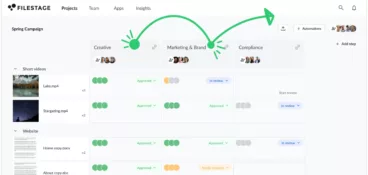
Filestage gives teams a central hub to upload files, invite reviewers, and collect asynchronous feedback and approvals. Comments appear directly on the design draft or video, and approval states remain visible. That structure prevents confusion and promotes feedback momentum.
4. Close the loop: from async comments to decisions
It’s important to remember that async comments are not decisions. Someone should still:
- Review all input
- Decide what changes to implement
- Mark approval or request changes
- Hand off to production or publishing
I’ve seen many async systems fail because nobody owns the final call.
To avoid this, someone must summarize key decisions in the client feedback tool itself so nobody has to dig through threads. That clarity keeps remote teams aligned and avoids tension altogether.
Best three tools for asynchronous feedback and creative reviews
1. Filestage

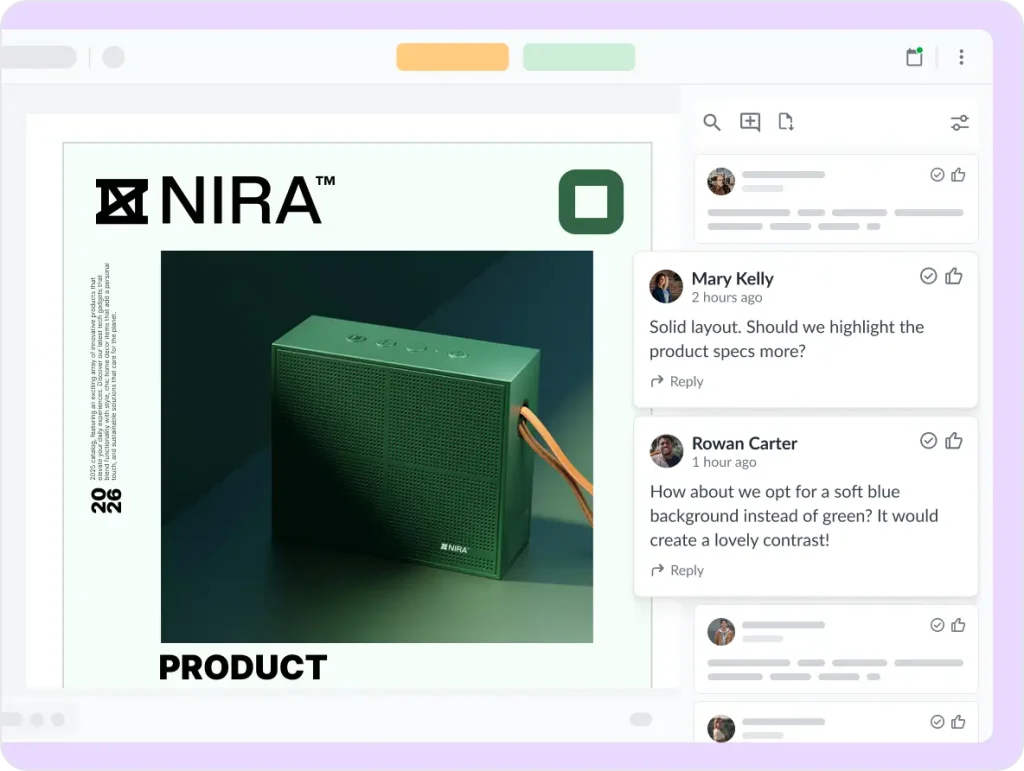
For creative teams, asynchronous tools need to support rich media. Filestage allows time-stamped comments on video, visual annotations on images and designs, and written feedback on documents and websites.
Clients can also provide feedback without complicated logins, which makes asynchronous client feedback far easier to manage across time zones.
All comments stay tied to the correct version, and reviewers can see each other’s input in context. Plus, clear approval statuses and structured workflows help teams move toward sign-off without chasing replies across multiple asynchronous communication tools.
If your team handles multi-format content and needs structured approvals, Filestage is built for asynchronous collaboration at scale.
See how Filestage can speed up your approvals
Enjoy a free, 30 minutes consultation with our experts, tailored to your team and use cases.
2. Loom
Loom supports asynchronous communication through recorded video messages. Instead of scheduling synchronous meetings, a reviewer can record their screen, walk through a design draft, and explain feedback in context. That makes it useful for quick explanations, walkthroughs, or sharing reactions without requiring an immediate response.
For asynchronous video feedback specifically, Loom works well when feedback is primarily verbal and exploratory. That said, it doesn’t provide structured approval states, centralized version tracking, or consolidated review workflows.
Teams often use Loom alongside other tools when they need formal sign-off or a clearer feedback process tied directly to specific assets.
3. Slack
Slack enables asynchronous feedback through written communication, channels, threads, and shared files. It’s often the default space where teams exchange thoughts, send quick messages, and react to updates. For lightweight discussions, it supports async collaboration effectively.
However, Slack wasn’t built as a dedicated review tool. Design feedback can become fragmented across channels, and approval decisions may get buried in conversation history. Without structured version control or formal approval states, teams risk losing clarity as projects scale.
Slack works well for conversation, but for structured asynchronous design feedback and approvals, most teams rely on more specialized tools.
Get faster approvals with asynchronous collaboration and feedback
Asynchronous feedback works because it respects people’s time and provides space to focus. When teams move asset reviews async, they reduce meetings, improve feedback quality, and navigate time zones without friction.
I’ve seen approvals accelerate simply by removing the expectation of immediate response. In my experience, the key is simple and follows three steps:
- Choose which feedback goes asynchronous
- Set expectations and timelines
- Use the right tools so comments and approvals stay organized
If you want to make asynchronous client feedback and approvals easier, start a free trial of Filestage and see how structured async feedback can move your projects forward.
FAQ
What’s the difference between synchronous and asynchronous feedback?
Synchronous feedback happens in real time through video calls or live meetings. Asynchronous feedback happens through written feedback or recorded messages that people respond to at their own pace. Async reduces scheduling conflicts and often improves feedback quality.
What’s an asynchronous review?
An asynchronous review is a structured process where stakeholders provide feedback on a design draft, document, or video without meeting live. Comments, questions, annotations, and approval states are recorded in a shared system, creating a clear feedback loop.
How do you introduce asynchronous feedback to clients used to live calls?
Start gradually. Use live kickoff meetings, then shift detailed asset reviews to async tools. Provide clear instructions and deadlines. Once clients see fewer scheduling conflicts and clearer feedback trails, adoption will increase quickly.
What are common mistakes when switching to asynchronous design feedback?
The biggest mistakes are unclear deadlines, scattered comments, and no decision owner. Avoid those by setting expectations, centralizing feedback in one tool, and assigning responsibility for final approval.