

TL;DR
Creative workflow software helps teams manage creative projects from brief to final delivery, replacing scattered emails and disconnected tools with a centralized system for task management, file review, feedback, and approvals. Tools range from full project management platforms like monday.com and Asana to specialized review and approval solutions like Filestage. This guide covers 11 of the best options available in 2026, with pricing and Capterra scores for each.
Why creative workflow software matters
Creative teams face mounting pressure to produce more content across more channels without slowing down. According to the Content Marketing Institute’s 2025 B2B research, only one in three marketers say they have a scalable model for content creation. For most teams, the bottleneck isn’t talent. It’s process.
Most still coordinate projects through email chains, shared drives, and chat threads. Feedback gets lost, file versions multiply, and soon you’re not even sure which version anyone is talking about anymore.
Creative workflow management tools replace that chaos with a structured system. Instead of chasing approvals over Slack and managing ten versions of the same file, your team gets a single platform where creative work moves through defined stages, stakeholders review at the right moment, and every decision is documented.
What is creative workflow software?
At its core, creative workflow software is about stopping work from getting stuck. It does this by structuring and automating the stages of creative production, from the initial creative brief through creation, review, approval, and final delivery.
It’s built around the specific needs of creative teams: visual feedback tools, version control, multi-stakeholder approval chains, and asset management. This makes it distinct from general workflow management software, which handles tasks and timelines but isn’t designed for the feedback-heavy realities of creative work.
To understand how this fits into your broader process, it helps to explore creative workflow management and how it connects to your team’s day-to-day operations.
Core components
In practice, most creative workflow platforms cover the same core ground, just with different strengths. They all generally include some combination of:
- Task and project management for letting teams assign tasks, set deadlines, and track progress
- Collaboration and feedback tools for visual comments, annotations, and threaded discussions
- File and version management to keep assets organized with clear version histories
- Workflow automation for routing assets to the right reviewers at the right time
- Approval workflows for collecting sign-off from internal teams and external clients
Types of creative workflow tools
Not all creative workflow tools are the same. The main categories are:
- Creative project management platforms like monday.com, Asana, and ClickUp help teams plan and track work, with some collaboration features built in
- Proofing and approval specialized tools like Filestage focus on structured review cycles and collecting precise, contextual feedback on creative assets
- Digital asset management (DAM) systems like Bynder centralize brand assets with metadata, version control, and distribution capabilities
- Enterprise work management platforms like Adobe Workfront coordinate complex creative operations at scale for enterprise creative teams
Many teams use a combination: a project management tool for planning and a dedicated proofing tool for reviews.
11 best creative workflow tools for marketing teams
The solutions below cover the full range of creative workflow needs, from lightweight task management to enterprise-grade approval workflows. I give an overview of what each tool is best for, key features, pricing, and a Capterra score.
1. monday.com – best for visual workflow management (Capterra score: 4.6/5)
Monday.com is a flexible work OS built around visual boards, dashboards, and automations. Creative teams use it to plan campaigns, track content production, manage resources, and monitor project status across multiple workstreams. It’s highly customizable, letting you build workflows that match how your team actually works.
AI features help teams automate repetitive coordination tasks, generate status updates, and surface project risks earlier. Monday.com is a strong choice for creative teams that need cross-team visibility and the flexibility to manage diverse project types in one platform.
Pros
Highly flexible and visually intuitive, strong automations and integrations, and scales well for diverse team structures.
Cons
Can get expensive as your team size grows. The setup process can take a while; proofing and approval features are limited compared to dedicated tools.
Free plan available. Paid plans start at $9/user per month.
2. ClickUp – best for all-in-one creative team management (Capterra score: 4.6/5)

ClickUp is an all-in-one productivity platform that combines tasks, docs, timelines, goals, and dashboards in a single workspace. Creative teams use it to manage the full production cycle, from assigning briefs and tracking progress to reviewing assets and managing approvals, without switching between tools.
AI features help with task creation, content summarization, and status updates. It’s a practical starting point for growing creative teams looking to consolidate their stack.
Pros
Extensive feature set, generous free plan, strong for teams that want a single platform for all creative work.
Cons
Can feel overwhelming for smaller or simpler creative teams, steep learning curve, and proofing features are limited compared to dedicated tools.
Free plan available. Paid plans start at $7/user per month.
3. Filestage – best for review and approval workflows (Capterra score: 4.7/5)

Filestage is a dedicated review and approval platform built for marketing teams, creative agencies, and enterprise creative operations. It centralizes feedback on large media files like videos, images, PDFs, HTML banners, audio files, and live websites, with version control and automated approval workflows keeping every review round organized.
Reviewers can leave contextual comments directly on the asset, pinpointing exactly what needs to change, while automated routing ensures the right stakeholders are notified at each stage.
AI reviewers can also scan uploaded files before human review begins, flagging spelling errors, forbidden terms, and brand guideline violations automatically.
Because Filestage is built specifically for the creative approval workflow rather than general project management, it’s the strongest fit for teams managing the full review and approval process across multiple stakeholders. If approvals are where your projects tend to slow down, Filestage is the answer.
Pros
Purpose-built for structured review cycles, supports external reviewers without additional seat costs, and has strong version control across all major file formats.
Cons
Not a full project management platform – works best when paired with a task management tool for broader workflow tracking.
Free plan available. 30-day free trial. Paid plans start at $199/month, including an unlimited plan for larger teams.
See how Filestage can speed up your approvals
Enjoy a free, 30 minute consultation with our experts, tailored to your team and use cases.
4. Adobe Workfront – best for enterprise creative operations (Capterra score: 4.4/5)

Adobe Workfront is an enterprise work management platform for large organizations coordinating complex projects across marketing, creative, and operations teams. Its integration with the Adobe ecosystem, including Creative Cloud, Adobe Experience Manager, Frame.io, and Adobe Express, makes it a natural fit for teams already invested in Adobe tools.
Workfront handles task assignment, resource allocation, configurable approval workflows, and project portfolio management at scale. Its AI-powered brief processing and workflow automation features help teams cut down on repetitive coordination tasks and keep multi-team projects on track.
Pros
Powerful enterprise workflow management, best-in-class Adobe ecosystem integration, offers strong governance and access controls for large teams.
Cons
Significant learning curve – more than most small or mid-sized teams need.
Pricing is available on request.
5. Wrike – best for agencies managing multiple clients (Capterra score: 4.4/5)
Wrike is a project management platform with built-in proofing and approval features, making it a solid choice for agencies that need client management across multiple accounts or departments. Wrike Proof lets reviewers annotate and approve images, PDFs, and videos, keeping client review and feedback tied to tasks and projects.
It connects with a wide range of tools, including Adobe Creative Cloud, Slack, Microsoft Teams, Google Drive, and Salesforce, and offers strong cross-team visibility through dashboards and custom reporting.
AI features through Wrike Lightspeed assist with project risk analysis and automated task creation, helping teams stay ahead of bottlenecks before they affect delivery.
Pros
Good combination of project management and basic proofing, strong cross-team visibility, and offers a wide integration set.
Cons
Proofing capabilities are less robust than purpose-built tools – it can feel complex for smaller teams.
Free plan and free trial available. Paid plans start at $10/user per month.
6. Airtable – best for custom content pipelines (Capterra score: 4.7/5)

Airtable is a hybrid spreadsheet-database platform that creative teams use to build custom workflows for tracking content production, managing creative requests, and organizing asset pipelines. Its flexibility makes it a good fit for teams with non-standard workflows that don’t map neatly onto conventional project management tools.
It supports multiple views, including grid, Kanban, calendar, and gallery, along with automations and integrations with common creative tools. Recent AI features help with content generation, data summarization, and workflow automation.
Pros
Extremely flexible; handles complex, relational data in a user-friendly interface; good for custom production pipelines
Cons
Requires significant setup investment to get full value, can get expensive at scale, and no built-in proofing.
Free plan available. Paid plans start at $20/user per month.
7. Asana – best for structured campaign planning (Capterra score: 4.5/5)
Asana is a project management tool known for its clean interface and strong support for structured, dependency-driven workflows. Creative teams use it to plan campaigns, coordinate production timelines, and track deliverables across multiple workstreams. Timeline views, task dependencies, and portfolio dashboards make it easy to see how projects are progressing and where work is getting blocked.
Automation features cut routine coordination, like notifying reviewers when assets are ready or moving tasks forward when a status changes, so your team can stay focused on the work itself.
Pros
Intuitive interface, excellent for multi-stage campaign planning, and it offers strong automation and timeline features.
Cons
Can feel heavy for simple tasks, advanced reporting and features require higher-tier plans.
Free plan available. Premium plans start at $10.99/user per month.
8. Trello – best for small teams with simple workflows (Capterra score: 4.5/5)

Trello is a Kanban-based workflow tool built around cards, lists, and boards. It’s fast to set up, easy to learn, and works well for smaller creative teams or freelancers managing a steady flow of individual projects. Power-Ups extend its functionality when the basics aren’t enough, adding time tracking, automation, and integrations with tools like Slack and Google Drive.
Trello is best for lightweight creative workflows where simplicity matters more than depth. It’s less suited to complex, multi-stakeholder production pipelines that require structured approval chains or detailed version control.
Pros
Very simple to adopt, solid free plan, and easy to extend with Power-Ups.
Cons
Limited for complex workflows as there are no built-in proofing or approval features.
Free plan available. Standard plan starts at $5/user per month.
9. Smartsheet – best for teams moving beyond spreadsheets (Capterra score: 4.5/5)

Smartsheet is a work management platform with a spreadsheet-style interface, making it an accessible choice for distributed teams that are comfortable with spreadsheets but need more structure and automation. It supports Gantt views, Kanban boards, approval workflows, and cross-team reporting.
It’s particularly useful for teams managing structured creative workflows, like packaging reviews, campaign sign-off processes, or content production schedules, where a grid-style view maps naturally to how work is tracked. The platform integrates with Adobe Creative Cloud and a range of business tools.
Pros
Familiar spreadsheet interface, strong automation and approval workflows, good for structured, process-driven creative work
Cons
Can feel rigid for highly iterative creative work.
30-day free trial available. Paid plans start at $9/user per month.
10. Notion — best for flexible all-in-one workspaces (Capterra score: 4.7/5)

Notion is an all-in-one workspace that combines docs, wikis, databases, and project tracking in a single, highly customizable platform. Creative teams use it to manage briefs, track content pipelines, store brand documentation, and coordinate work across multiple teams without switching between tools.
Its database views, including Kanban boards, calendars, galleries, and tables, let teams structure their creative workflows however suits them best. Notion AI, available on the Business plan, helps with drafting, summarizing, and pulling insights from workspace content. It’s a strong fit for teams that want a flexible, consolidated workspace rather than a tool built around a specific workflow.
Pros
Extremely flexible, combines docs, tasks, and databases in one place, has a generous free plan, and is easy for teams to customize without technical setup.
Cons
No dedicated proofing or approval features, can require significant upfront setup to get full value, and performance can slow with large or complex workspaces.
Free plan available. Paid plans start at $10/user per month.
11. Bynder – best for enterprise digital asset management (Capterra score: 4.5/5)

Bynder is a digital asset management (DAM) platform built for large organizations managing high volumes of brand content. It centralizes creative assets with powerful metadata, version control, and governance features, making it easy for teams across departments and external partners to find and use the right approved assets.
For enterprise teams focused on maintaining brand consistency at scale, Bynder acts as the single source of truth for logos, imagery, templates, and brand guidelines. It works best as part of a broader creative stack, paired with a workflow or approval tool for the production process itself.
Pros
Excellent for large-scale brand asset management, strong access controls and digital rights management, and scales well for global teams.
Cons
Significant investment, requires dedicated setup and ongoing maintenance, and is not a standalone workflow tool.
Free trial available. Pricing is available on request.
Quick comparison table of all creative workflow tools
| Tool | Best for | Strength | Pricing |
|---|---|---|---|
| monday.com | visual workflow management | Visual boards and creative workflow automation processes that make complex workflows easy to track at a glance | starts at $9/user per month |
| ClickUp | creative team management | All-in-one platform with deep customization and integrated docs, tasks, and time tracking | starts at $7/user per month |
| Filestage | review and approval workflows | Streamlined feedback and approval processes with precise annotations and version control | starts at $199/month for 10 team members |
| Adobe Workfront | enterprise creative operations | Robust enterprise-grade resource management and seamless integration with Adobe Creative Cloud | available on request |
| Wrike | agencies managing multiple clients | Strong project visibility across multiple clients with advanced reporting and workload management | starts at $10/user per month. |
| Airtable | custom content pipelines | Flexible database-style structure that adapts to any content workflow or pipeline | starts at $20/user per month |
| Asana | structured campaign planning | Clear task dependencies and timeline views for organizing complex campaigns | starts at $10.99/user per month. |
| Trello | small teams with simple workflows | Simple, Kanban-style boards that are easy to adopt and quick to set up | starts at $5/user per month |
| Smartsheet | teams moving beyond spreadsheets | Familiar spreadsheet interface combined with powerful automation and project tracking | starts at $9/user per month |
| Notion | flexible all-in-one workspaces | Combines docs, databases, and collaboration in a flexible workspace | starts at $10/user per month |
| Bynder | enterprise digital asset management | Centralized asset library with strong brand governance and distribution controls | available on request |
See how Filestage can speed up your approvals
Enjoy a free, 30 minute consultation with our experts, tailored to your team and use cases.
Six benefits of creative workflow software
The right platform does more than organize tasks. Here are some of the key benefits that creative workflow software can deliver for your team.

1. Faster production cycles
Automated handoffs and approval workflows eliminate repetitive processes and cut the manual follow-up that slows most creative teams down. Work moves to the next stage without anyone having to chase reviewers over email or Slack.
2. Centralized collaboration
All feedback, assets, and decisions live in one place, enabling seamless collaboration across teams. That means no more hunting through email threads to find the latest version or the comment that got buried under five replies.
3. Improved visibility and accountability
Clear task ownership and progress tracking mean everyone knows who’s responsible for what. Project managers can see where work is blocked before it becomes a problem, and the project status is always visible.
4. Fewer version conflicts
Structured approvals and version control prevent teams from working on outdated assets or circulating the wrong file to clients and stakeholders. This keeps everyone on the same page and reduces frustration.
5. Scalability for growing teams
As content volumes grow, creative workflow software scales with your team, supporting multiple teams, more stakeholders, and more complex approval chains without the process falling apart.
6. Better resource management
Dashboards showing team capacity help managers balance workloads, match skills to projects, and reduce the risk of burnout during peak production periods.
If automation is a priority for your team, our guide to creative automation tools covers the specific platforms built for automating repetitive tasks across creative workflows.
How to choose a suitable creative workflow software for your team
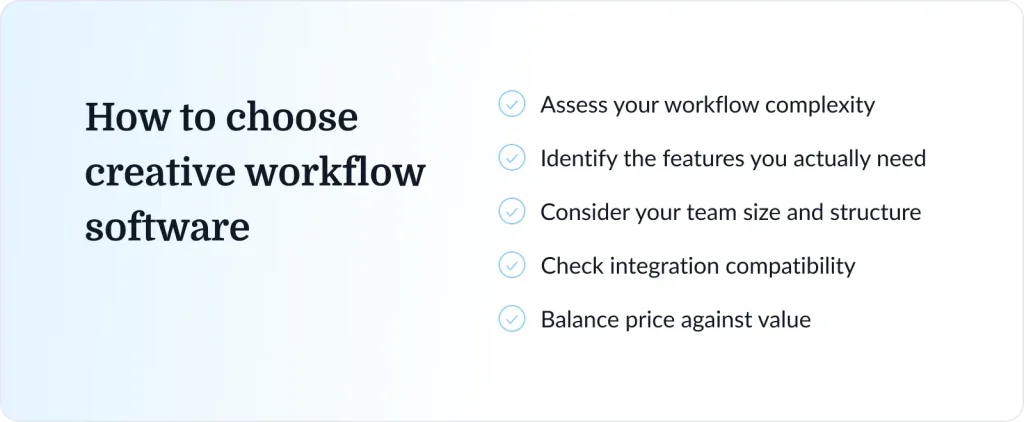
With so many creative workflow platforms available, narrowing down the list takes a clear view of your team’s needs. This is where most teams tend to overcomplicate things. It helps to keep in mind that the goal isn’t to find the “best” tool, but rather to find the one that actually fits how your team works.
This practical framework will help you make an informed decision.
1. Assess your workflow complexity
Simple campaigns with one or two approvers have different needs than multi-channel content programs involving multiple stakeholders and sign-off layers. If your team runs complex, multi-stakeholder approval chains, a dedicated proofing and approval tool will serve you better than a general project management platform.
2. Identify the features you actually need
Review and approval capabilities, automation, integrations, time tracking, and resource management vary significantly across platforms. List your must-haves before evaluating tools. Otherwise, you’ll end up paying for features you won’t use.
3. Consider your team size and structure
Smaller teams benefit from simpler, faster-to-adopt tools like Trello or Asana. Larger creative operations, especially those managing work across agencies and multiple clients, typically need more powerful automation, permissions management, and cross-team reporting.
4. Check integration compatibility
Your creative workflow tool needs to connect with the tools your team already uses: Adobe Creative Cloud, Slack, Google Drive, your DAM or CMS, and other tools in your stack. A platform that doesn’t integrate well adds friction instead of removing it, and switching costs are real.
5. Balance price against value
Per-user pricing adds up fast for larger teams. Tools with flat-rate pricing can offer better value at scale than per-seat platforms. Calculate the total cost for your actual team size, not just the headline starting price.
Common creative workflow mistakes and how to fix them
Even with the right tools in place, teams can undermine their own workflows. Here are the five most common mistakes and what to do instead.
1. Relying on email for feedback
Email is not a feedback tool. It feels convenient at first, but it falls apart as soon as more than two people are involved. Comments get buried, context disappears, and you end up managing contradictory revisions from the same thread. A dedicated review platform keeps feedback tied directly to the asset, where everyone can see it.
2. No clear approval ownership
When it’s not clear who has final sign-off authority, approvals stall. Every creative project needs defined roles: who gives feedback, who approves, and who has the final call. Without this, work cycles through endless revisions.
3. Disconnected tools
Switching between project management, file storage, review, and communication tools creates friction and causes information to fall through the gaps. Look for platforms that integrate well, or consolidate where it makes sense for your team.
4. No standardized process
When every project starts from scratch with different tools, different stages, and different reviewers, your team spends time on process instead of production. Templates and defined workflow stages solve this quickly.
5. Underestimating change management
The best creative workflow software fails if the team doesn’t adopt it. Invest in proper onboarding, make sure everyone understands why the change is happening, and choose tools that are genuinely easy to use from day one.
For a deeper look at how to structure your team’s review cycles, see our guide to the creative review process.
Conclusion
Creative workflow software turns chaotic creative processes into structured, scalable systems. The right tool won’t eliminate creative challenges, but it will stop the process from getting in the way of the work. Start with your biggest pain point, pick the tool that solves it, and build from there.
You’ve compared 11 tools. If structured review and approval cycles are where your team loses the most time, Filestage is built for exactly that.
Start your free trial of Filestage today and see how fast your team can move when feedback has a home.
FAQs
What is the difference between project management and creative workflow software?
Project management software helps teams plan and track work broadly, covering timelines, tasks, and resources. Creative workflow software is more specialized, with features built for content production: visual proofing, structured approval chains, version control, and support for reviewers who don’t need full platform access. Many teams use both, combining a project management tool for planning with a dedicated proofing tool for reviews.
Do small teams need creative workflow software?
Yes, particularly when managing multiple projects or working with external reviewers. Even a three-person team benefits from having a clear review process. Simple tools like Trello cover the basics, while purpose-built approval platforms like Filestage are worth the investment once review cycles start taking up significant time.
Is creative workflow software the same as a DAM?
No. Digital asset management (DAM) tools focus on storing, organizing, and distributing approved assets. Creative workflow software like Filestage focuses on the production process, moving work through creation, review, and approval stages. Many teams use both: a DAM for asset storage and a workflow tool for the production cycle itself.
Can AI replace creative workflow tools?
AI tools can automate specific tasks within a workflow, like generating briefs, summarizing feedback, or flagging inconsistencies, but they don’t replace the structure that workflow software provides. You still need defined stages, clear ownership, and a documented approval process. AI works best as a layer on top of a solid workflow, not as a substitute for one.
What is the best tool for managing creative approvals?
Dedicated creative approval software like Filestage is built specifically for structured review and approval workflows, with contextual commenting, version control, and automated routing across all major file formats. General project management tools offer basic approval features, but they lack the visual feedback precision and multi-format support that dedicated proofing platforms provide.