
TL;DR
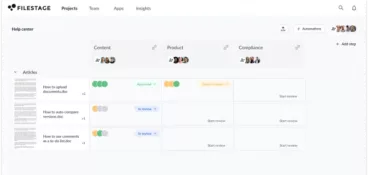
A creative approval workflow is a structured process that takes creative assets from first draft to final sign-off. It defines who reviews what, when, and in what order. This guide walks you through how to build one that works, and how Filestage makes the whole thing faster and easier to manage.
Why you need a creative approval workflow
Creative teams move fast. Approvals, well … not so much. A single campaign might involve designers, marketing managers, product teams, compliance reviewers, and external stakeholders.
Each person adds feedback at different review stages and, before you know it, the approval process turns into a mix of scattered comments, conflicting feedback, and missed approval deadlines.
In fact, research from Typeface found that 67% of marketers say outdated review and approval processes cause their brand to miss key cultural moments. And among larger companies, more than one in four need over a week just to approve real-time content.
I’ve seen this happen in many teams. Instead of producing creative work, people spend their time digging through email threads, checking Slack messages, and trying to figure out which version of a file is actually the latest.
If that sounds familiar, this guide is for you.
A clear creative approval workflow solves this problem. It organizes the creative process into defined steps so your team knows when to review, what feedback is needed, and how projects move toward final approval.
But what exactly does a creative approval workflow look like in practice?
What is a creative approval workflow?
A creative approval workflow is a structured process that guides creative assets through review and approval stages until they reach final approval.
In simple terms, it defines who reviews each asset, how feedback is shared, and how your team tracks progress through the approval flow.
When your workflow is structured, your team avoids version confusion, maintains proper version control, and creates audit trails that show exactly how decisions were made and which version received the final sign-off.
How to set up your custom creative approval workflow in 10 minutes
First things first, setting up a creative approval workflow doesn’t have to be complicated. The goal is simply to create a structured workflow where your creative assets move through a predictable review process.
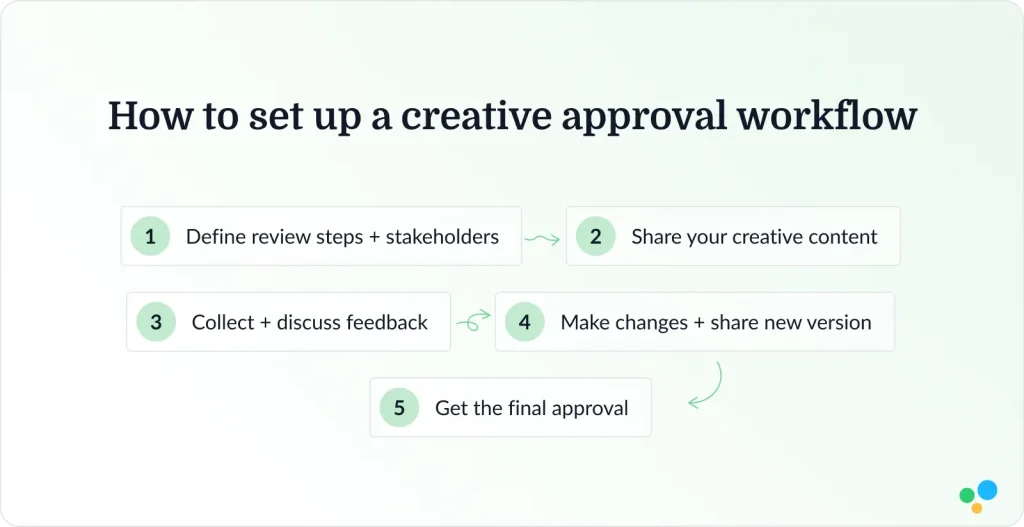
Below is a simple framework I often recommend to marketing teams that want a more efficient creative workflow.
1. Define review steps and stakeholders
Start by identifying the approval stages your creative projects usually require.
In most teams, the workflow includes several stakeholders such as:
- Designers or creators
- Marketing managers
- Brand or compliance reviewers
- Leadership or final approvers
Your internal teams might focus on creative quality and campaign goals, while external stakeholders may review messaging, regulatory requirements, or brand guidelines.
Clearly defining who participates in each review stage prevents delays later on in the approval process. When everyone understands their role, projects move forward more smoothly.
It also helps your team manage compliance considerations. For example, teams working in regulated industries often include a formal compliance review stage before creative assets move to final approval.
Speed up your creative approval workflow
Share, review, and approve all your creative content in one place with Filestage.
2. Share your creative content
Once your approval stages are defined, the next step is sharing your creative assets with the right reviewers.
This could include campaign visuals, video content, social media graphics, landing pages, or other outputs from your content creation process. Many teams still do this through email attachments or shared drives, which makes it difficult to track progress.
Here is where I recommend using a central online proofing tool like Filestage where your team can upload creative content and invite reviewers in one place. That way, everyone involved in the creative review process can see the latest version and begin reviewing without confusion.

3. Collect and discuss feedback
Feedback is the basis of every creative review process but it’s also where many workflows break down.
When comments arrive through email, chat, and documents at the same time, it becomes difficult to consolidate feedback. Reviewers often give conflicting suggestions because they can’t see each other’s comments or the context behind earlier feedback.
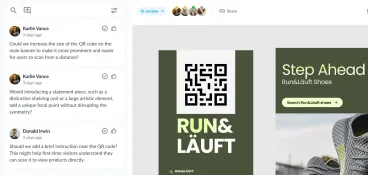
A centralized creative review environment solves this problem. Reviewers can leave constructive feedback directly on the asset, discussions stay visible to everyone involved, and feedback loops become easier to manage.
For your team, this means better creative collaboration and a much more organized review stage.

4. Make changes and share a new version
Once feedback is collected, your creators revise the work and upload a new version.
This step sounds simple, but it can quickly create confusion if version control isn’t handled properly. Reviewers sometimes comment on outdated versions, which leads to unnecessary approval cycles and slows down complex projects.
Version comparison tools help solve this. They allow reviewers to quickly see what changed between versions so your team can focus on reviewing the latest updates.
This keeps the review process efficient while supporting continuous improvement across your creative projects.

5. Get the final approval
The final stage of the approval process is final approval or final sign off.
At this point, the responsible stakeholder confirms that the creative asset meets project goals, follows brand guidelines, and satisfies compliance requirements.
Clear approval statuses also help your team track pending approvals and understand whether a project is ready for its final delivery date.
With a properly structured workflow, you get a clear audit trail showing who approved the work and when the decision was made. This documentation can be especially important for marketing operations teams working under strict compliance requirements.

Five benefits of using Filestage for your creative approval workflow
A structured workflow becomes much easier to manage when your team uses an approval workflow tool designed for creative reviews.
Filestage helps marketing teams build approval workflows that keep projects moving without adding extra manual work.
Here are five key benefits of design approval tracking software like Filestage.
1. Project templates
Setting up content approval workflows from scratch for every project can slow your team down.
Project templates allow you to create approval workflows once and reuse them across future creative projects. Each template includes predefined review steps, stakeholders, and workflow settings.
This helps your team maintain a consistent structured process with the added benefit of saving time during project setup.
2. Due dates and automated reminders
Approval deadlines often slip when reviewers forget to provide feedback or simply lose track of tasks.
Filestage helps your team track progress by assigning due dates to each review stage. It’s also got automated notifications to remind stakeholders when feedback is needed so projects stay aligned with project timelines.
Instead of chasing people for input, your workflow handles the reminders for you.

Speed up your creative approval workflow
Share, review, and approve all your creative content in one place with Filestage.
3. Review Agents
Creative teams spend more time than you might expect checking small details like spelling errors, missing logos, or wording issues related to brand guidelines.
Filestage’s Review Agents feature can automate many of these checks. They review creative assets against predefined rules and highlight potential issues before human reviewers begin their review stage.
This helps your team focus on strategic feedback rather than basic corrections.

4. Workflow automations
As creative workflows grow more complex, coordinating approvals manually becomes harder.
Workflow automations reduce manual work by automatically routing creative assets through predefined approval stages. When one reviewer approves the work, the asset moves to the next stage in the approval flow.
This keeps your workflow moving and helps your team manage complex projects more efficiently.

5. Integrations
Creative teams often rely on several tools for content creation, communication, and project management.
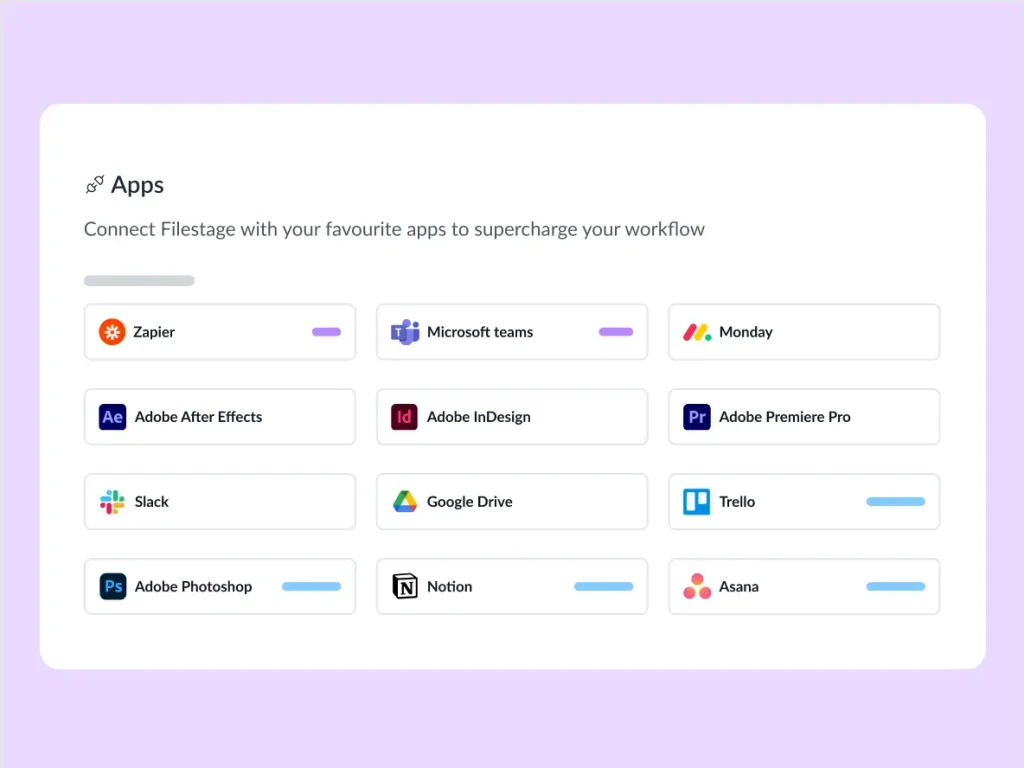
Filestage integrates with tools across the creative ecosystem, including Adobe Creative Cloud and common project management tools. These integrations allow review tasks to connect with your existing project management systems.
As a result, you get a more seamless review process across your entire tech stack.
Three best practices for managing your creative approval workflow
Even with the right creative approval software, your team still needs strong processes to keep reviews running smoothly.
Here are three best practices I’d recommend.
1. Define clear approval stages
Every creative workflow should have clearly defined approval stages. When your team knows who reviews the asset and when, projects move through the review process faster.
Clear ownership also helps prevent bottlenecks during approval cycles.
2. Centralize feedback
If feedback lives across multiple places, creative collaboration becomes a lot more difficult.
By centralizing feedback in a single review platform, your team and external stakeholders can see all comments in context. This reduces duplicated suggestions and eliminates confusion caused by conflicting feedback.
3. Use parallel approvals when possible
Many creative workflows rely on sequential approvals where one reviewer must finish before the next reviewer begins.
In many cases, your team can speed up the approval process by using parallel approvals. Multiple stakeholders review the asset at the same time, which shortens review cycles and helps you reach final approval faster.
Final thoughts on setting up your content approval workflow
At the end of the day, creative projects move much faster when the approval process is structured and predictable.
A well-defined creative approval workflow helps your team keep feedback organized and move assets toward final approval without unnecessary delays.
When reviews happen in one place, your team spends less time chasing comments and more time improving the work. Progress becomes easier to track, and decisions happen with fewer approval cycles.
If you want a simpler way to manage this process, using review and approval workflow software like Filestage helps your team coordinate feedback and move creative projects forward with confidence.
Get started with a free trial of Filestage today →
FAQ
What is a creative approval workflow?
A creative approval workflow is a structured process that guides creative assets from draft to final approval. It defines who reviews the work, how feedback is shared, and when stakeholders approve the final version. By organizing the review process into clear stages, teams can manage feedback more easily and avoid version confusion.
What are the typical stages in a creative approval workflow?
Most workflows include content creation, internal review, stakeholder feedback, and final approval. Marketing teams usually review messaging and creative quality first, while brand, legal, or compliance teams may review assets before final sign off. The exact stages vary by organization, but the goal is always to move creative work through clear approval steps.
What are common challenges in a creative approval workflow?
Common challenges include conflicting feedback from multiple stakeholders, unclear ownership during review stages, and long approval cycles. When feedback is spread across email, chat, and documents, teams struggle to consolidate comments and track progress. A structured workflow helps centralize feedback and keep projects moving forward.
How can teams speed up a creative approval process?
Teams can speed up approvals by defining clear review stages and assigning specific stakeholders to each step. Centralizing feedback in one place helps reviewers see existing comments and avoid duplicate suggestions. Many teams also shorten approval cycles by setting deadlines and allowing parallel reviews.
What features are important in creative approval software?
Key features include version control, automated notifications, clear approval stages, and audit trails. These tools help teams track revisions, manage feedback, and confirm which version of an asset received final approval. Integrations with creative tools and project management platforms also help streamline the workflow.
How much does creative approval software cost?
Creative or design approval software pricing varies depending on features and workflow complexity. Some tools, like Filestage, offer free plans or trials for smaller teams, while paid plans typically use a monthly subscription model. Pricing may depend on project volume, advanced workflow features, or enterprise compliance capabilities.