If you run an enterprise marketing team, you know all about the anxiety of the silent workflow. The Slack pings and accidental reply-alls, plus the “just checking in” messages that pile up while a campaign hangs in the balance.
Asana’s Anatomy of Work Index found that knowledge workers spend 60% of their time on “work about work”. This includes chasing status updates and approvals instead of the skilled work they were hired for. In large companies, that’s an invisible approval bottleneck.
Approval tracking software fixes it by giving you full status visibility, putting an end to the guesswork and the chasing.
What is approval tracking software?
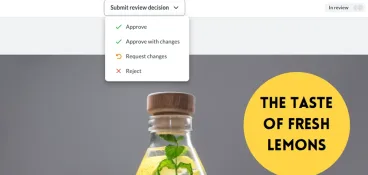
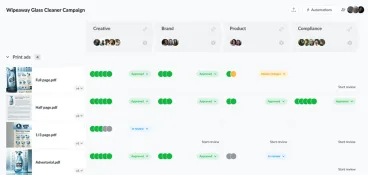
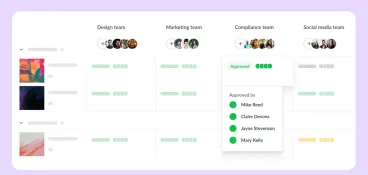
Approval tracking software is a tool that shows you the real-time status of every file and asset in review. At a glance, you can see who’s signed off and who’s still holding things up, without digging through your inbox to piece it together. Instead of guessing, you get one clear view of the whole approval process, with everyone on the same page.
It’s easy to confuse approval tracking software with general project management software, but the job is different. A project management tool tracks tasks: what’s assigned, in progress, blocked, or done. Approval tracking software tracks decisions. It replaces the manual process of inbox archaeology with one clear view of where each piece of content sits in its review cycle.
Some teams run it as part of broader content approval software, while others use dedicated workflow approval software built for review and approval.
Why marketing teams lose hours to approval chaos
Marketing teams in large companies rarely have a simple approval process. One campaign might need sign-off across multiple departments: brand, legal, compliance, and a regional lead, with external agency files mixed in alongside internal assets. When there’s no single place to see what’s waiting on whom, hours disappear into coordination.

When you can’t see the status, the chasing starts
Without a shared view of approval status, the only way to move things forward is to ask. So project managers chase reviewers by email, ping them on Slack, and call status meetings to reconstruct where everything stands. Every follow-up is a manual process, and it compounds as your team grows and your asset volume climbs.
Outstanding approvals pile up faster than anyone can chase them. What may have worked for a handful of files a month falls apart at scale, causing the marketing approval process to start feeling like a second job.
The cost of a missed approval deadline
A missed approval deadline does real damage. It pushes back your go-live date, wastes media spend you’ve already committed, and blocks every downstream team waiting on final approval.
Slow sign-offs are one of the most common reasons campaigns miss their window, which is why some teams treat approval systems that reduce go-to-market delays as a core part of their stack. The longer the approval process takes, the more committed media spend you burn.
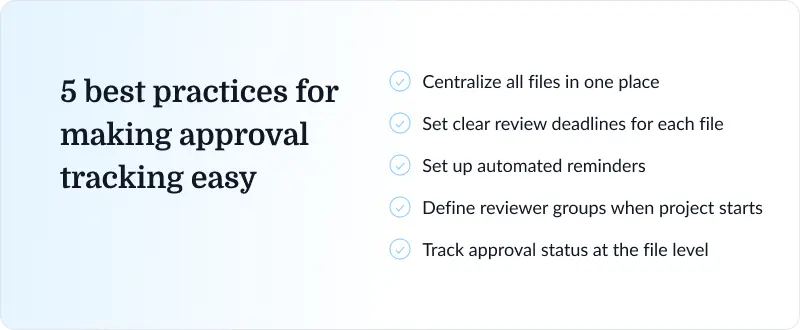
Best practices for making approval tracking easy
Many visibility issues boil down to process and habits. The fixes below work for marketing and creative teams alike, no matter what tool you land on, from a lightweight content approval workflow to full digital workflows. Get these right and the right software just makes them easier to sustain.
Centralize all files in one place
Pick one platform and make it your single source of truth. If a reviewer has to look in three places to find what they’re reviewing, your approval status breaks down before anyone’s even left a comment. Dedicated creative approval software keeps every file, version, comment, and decision together, and lets reviewers annotate documents in context, so nothing gets approved against the wrong draft.
Set clear review deadlines for each file
Approvals without deadlines get deprioritized. Assign a specific due date to each file for each review round, and reviewers can be notified automatically as the deadline nears. A deadline turns a vague “in review” into a clear expectation, and it gives you a fair reason to follow up when a review runs late. Without one, a file can sit untouched for a week and technically still be “on track”.
Replace manual follow-ups with automated reminders
The system should chase reviewers, not you. Set up automated reminders that trigger on deadline proximity or overdue status, so nudges go out on their own instead of landing on your to-do list. This frees up hours of project manager time, and it takes the awkwardness out of personal follow-ups. Good automated notifications also reach reviewers where they already work, whether that’s email or a messaging tool like Slack, so approval requests don’t get buried.
Define reviewer groups before the project starts
In large companies, the right approvers change by market, brand, region, or department. Set up your reviewer groups at project kickoff, before any files go out, so your approval routing is locked in from the start. Mapping your internal workflows up front saves a lot of rework later, which is exactly what a well-defined creative approval workflow is designed to prevent.
Track approvals at the file level, not just the project level
A project can show as “in review” while its files sit at completely different stages. In a campaign with 10 assets, one blocked video can quietly delay the whole launch while everything else looks fine. Track approvals per file, keep an eye on pending approvals, and escalation becomes something you do early instead of in a panic.
To structure this properly, this guide to approval management shows you how to set up your approval tracking.
The best approval tracking software for marketing teams
The right marketing approval software depends on your team size, the file types you review, and whether approvals happen internally, with agencies, or with clients.
We’ve selected these tools to cover a range of different approval tracking software. To help you make the right choice, here’s a breakdown of the tools, based on factors like use case, pricing, and what sets them apart from other software on the market.
| Tool | Best for | Free plan | Starting price | Key differentiator |
| Filestage | Tracking creative asset approvals at scale | Yes | $199/month | Automated approval workflows, side-by-side version comparison |
| Wrike | Teams that want approvals inside their project plan | Yes | $10/user per month | Approval tracking built into a full project management suite |
| monday.com | Visual status tracking across campaigns | Yes | $9/seat per month | Color-coded, board-based visual tracking across multiple campaigns at once |
| Bynder | Brand teams managing asset libraries | No | Custom | Approval workflow paired directly with digital asset management (DAM) |
| Simple Admation | Marketing teams in regulated industries | No | Custom | Automatic, exportable audit trail with mandatory compliance checklists |
1. Filestage — best for tracking creative asset approvals at scale

Filestage is our own review and approval platform, built for exactly this use case. Its home dashboard shows the real-time approval status of every file across all your projects, and you can filter that view by review status, due date, or project to zero in on what needs attention.
Automated reminders chase reviewers for you, and version tracking ties every approval to a specific file version, so you can compare previous versions and always know what was signed off.
It handles the full range of marketing file types, from video and PDFs to images and live websites, and connects with Adobe Creative Cloud apps like Premiere Pro.
Because it’s purpose-built for creative review rather than adapted from a generic workflow tool, it drives faster approvals.

“Filestage has reduced our team’s daily email inbox by roughly 25-30% [so now] we can focus on other important tasks for the day.”
See how Filestage can speed up your approvals
Enjoy a free, 30 minute consultation with our experts, tailored to your team and use cases.
2. Wrike — best for teams that want approvals inside their project plan

Wrike puts approval status inside its broader project and workflow management view, so sign-off sits next to the tasks and timelines it affects. If your team already runs campaigns end to end in one place, that context is useful. You can see that an asset is awaiting approval right alongside the milestone it’s blocking, without switching to a separate platform.
The trade-off is that approval tracking is one feature among many rather than the core focus, so the review experience is less specialized than a dedicated proofing tool.
For teams that value keeping everything in a single project management hub, that’s a fair exchange.
3. monday.com — best for visual status tracking across campaigns
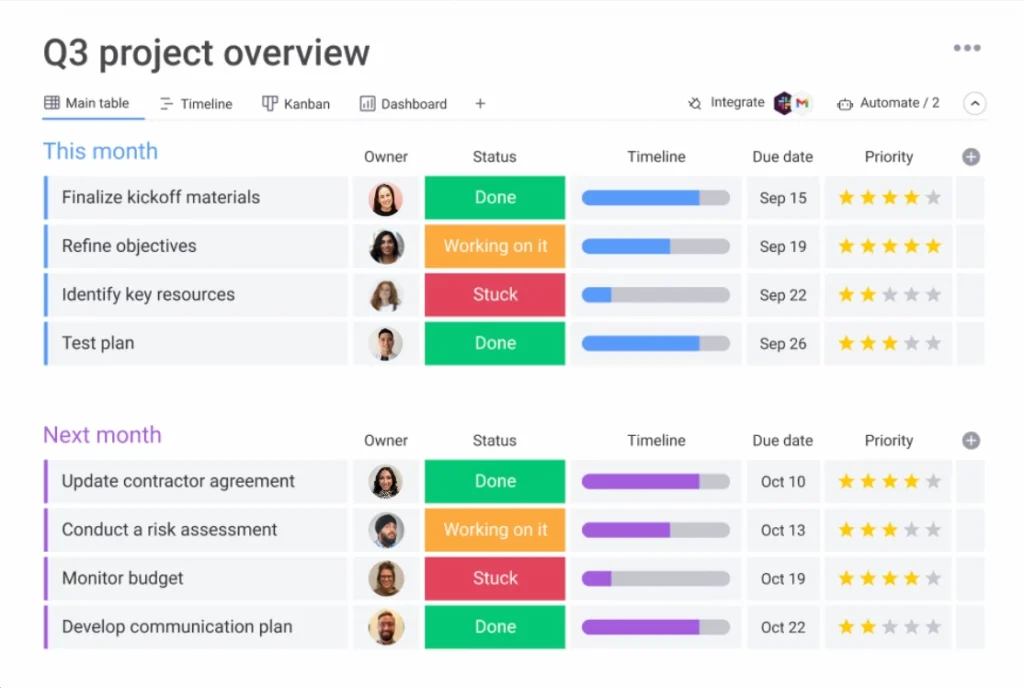
monday.com leans on its board-style view to make approval status scannable at a glance. Color-coded statuses let you see across several campaigns at once, so you can tell which assets are approved and which are still pending.
It works well for marketing teams already using monday.com to plan campaigns who want tracking in the same workspace. You can build an approval system on top of its boards and automate repetitive steps like status changes and handoffs.
As with other work management platforms, the approval features are configurable rather than purpose-built, so you’ll spend some time setting up the workflow to match how your team reviews.
4. Bynder — best for brand teams managing asset libraries
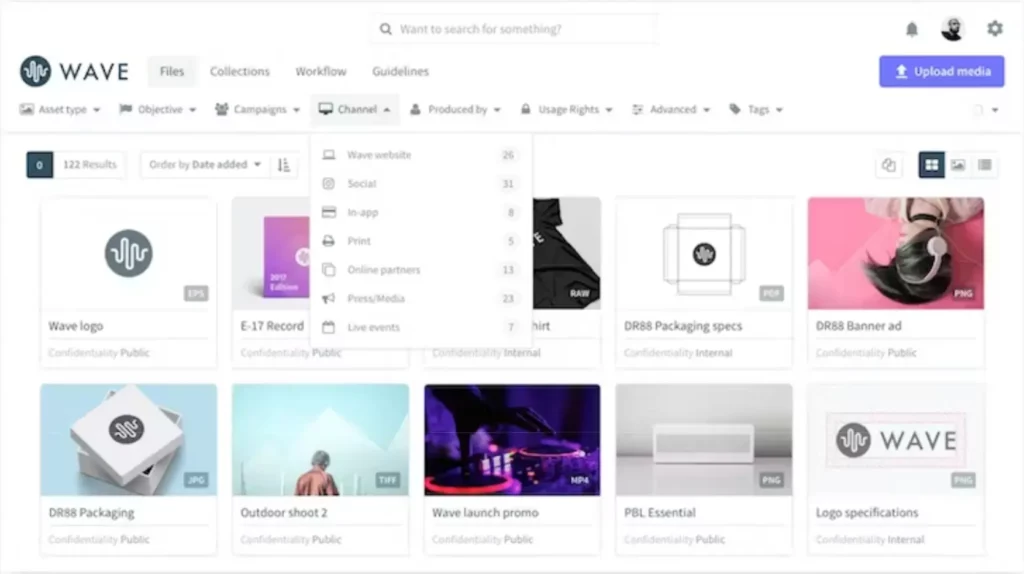
Bynder pairs approval workflows with digital asset management (DAM), so once something gets final approval it flows straight into a managed brand library. That’s useful when governance over approved assets matters as much as the approval itself, which is often the case for brand teams policing consistency across markets.
You can track an asset through review and know that the approved version is the one that lands in the library. It’s a heavier platform than a focused proofing tool, aimed at organizations that need asset management and approval together.
If your main pain is a messy library as much as slow sign-off, that combination is the draw.
5. Simple Admation — best for marketing teams in regulated industries

Simple Admation is built for marketing compliance in regulated sectors like pharma, banking, insurance, and financial services. Its approval tracking comes with an automatic audit trail, recording every review action with a timestamp and user attribution, exportable for regulatory submission.
A structured approval workflow with mandatory checklists and approval pathways that can’t be bypassed stops an asset from moving forward until reviewers confirm the required compliance steps. For teams whose approvals have to satisfy auditors, that documentation is the point.
It’s a broader, heavier platform than a focused creative review tool, so it’s the strongest fit when compliance and governance are core requirements.
What to look for in approval tracking software
If you’re evaluating approval workflow tools, look past the feature list and ask how each one holds up for a large marketing team running many campaigns at once. These five things matter most.
1. A central dashboard that shows approval status across all projects
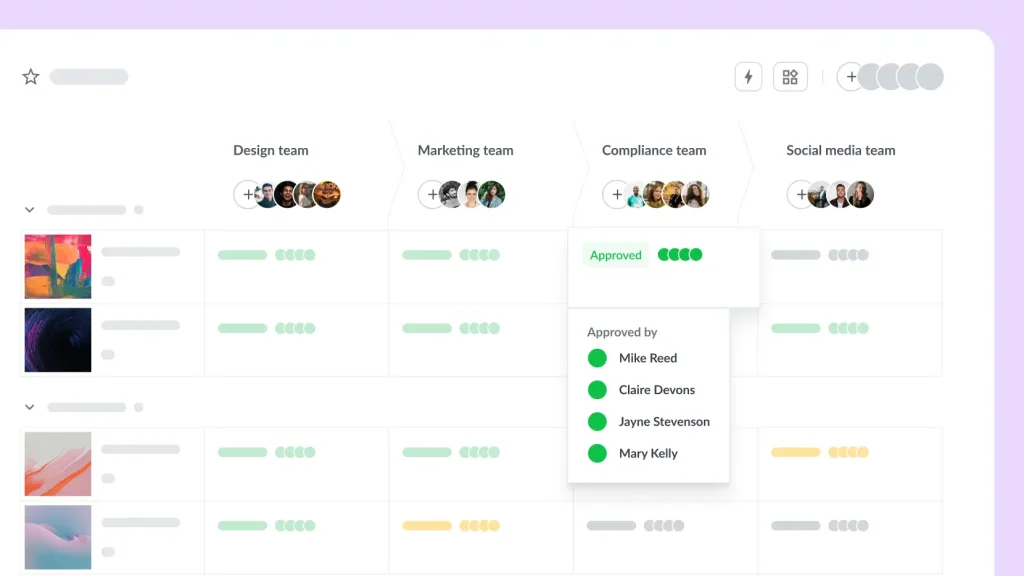
A single-project view isn’t enough when you’re running 10 campaigns at once. You need one dashboard that shows approval status across everything, so you can spot bottlenecks and escalate before a deadline slips. Without that top-level view, tracking becomes a series of separate check-ins, which defeats the purpose.
2. Automated reminders

Manual reminders don’t scale, and they create friction every time. The tool should nudge reviewers on its own, with escalation built in for when a deadline passes without a response. That’s what keeps approval requests moving when you’re not watching them.
3. Support for automated and custom approval workflows
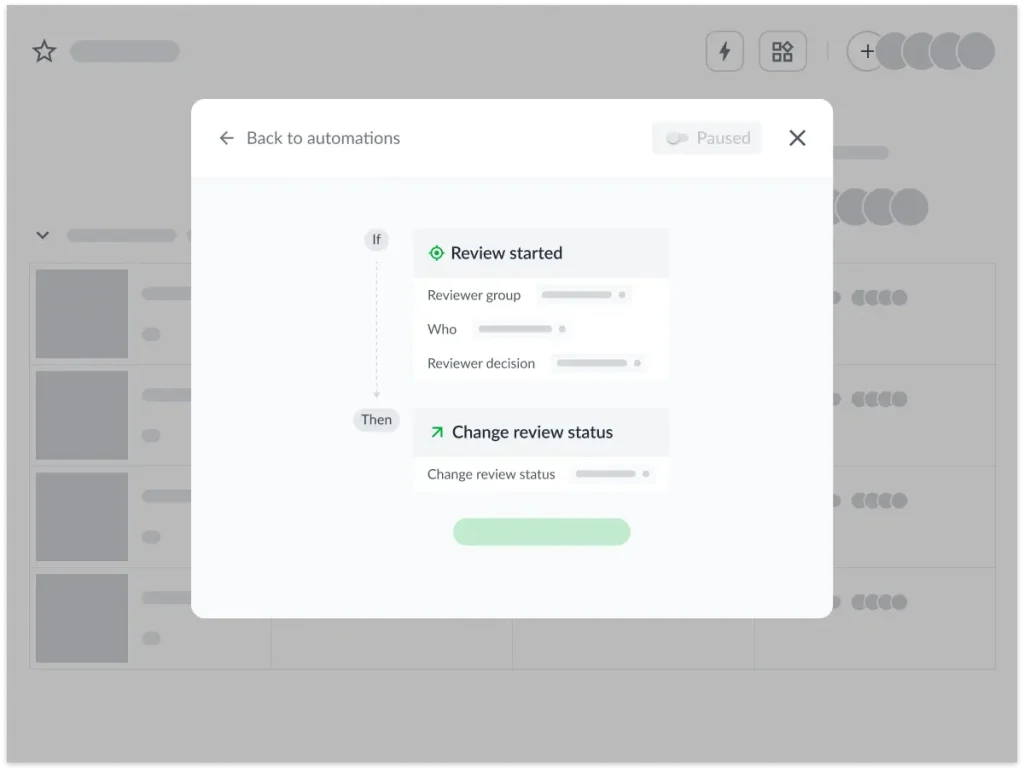
The best approval workflow software goes beyond simple routing. Look for workflow automation that supports parallel approvals, so several reviewers can work at once, and conditional approvals, where rules determine who signs off next.
Custom approval workflows and pre-built workflow templates let you match the tool to more complex processes, and dynamic request forms capture the right detail up front. A proper approval management system keeps these automated workflows moving without manual handoffs.
4. Clear version control
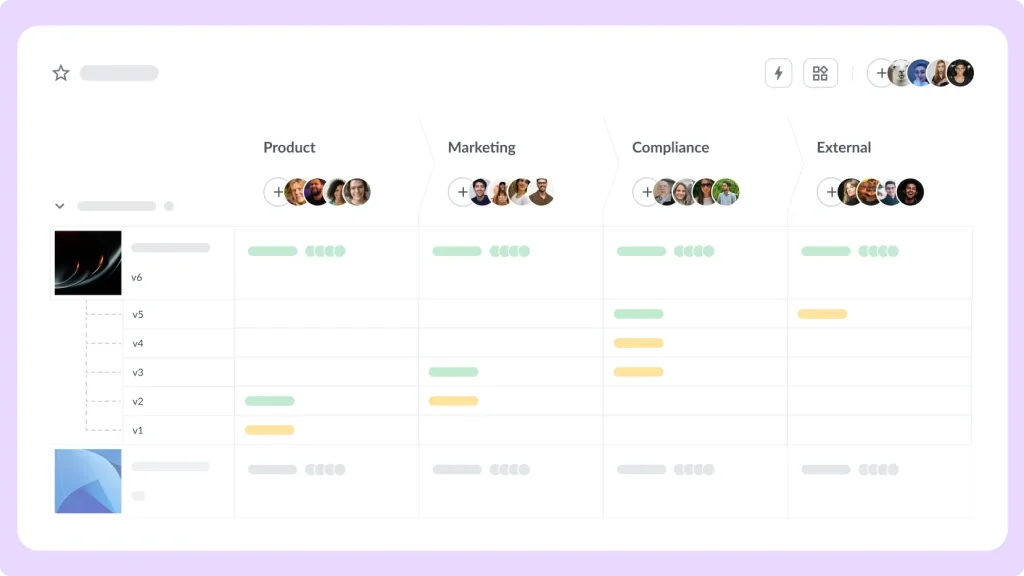
When a campaign goes through several rounds of changes, approving the wrong version is a real risk. Good version control makes it explicit which version each approval applies to, and lets you compare against previous versions, so sign-off always maps to the latest file. If you review a lot of documents, this document approval workflow guide is worth a look.
5. External reviewer access without a paid seat
Large brands constantly pull in agencies and clients to review work. If those external stakeholders need a paid account just to open a file, adoption stalls on day one. Look for client approval software that lets external reviewers add feedback through a simple link, so client feedback lands in the same place as everything else.
Now’s the time to make approval status visible by default
When approvals drag, it’s tempting to blame difficult stakeholders. More often, the real issue is that nobody can see where things stand. Give your team a clear, shared view of approval status, and the chasing takes care of itself. Reviewers know what’s waiting on them, and project managers stop playing detective, so everyone’s energy goes into the campaign instead of the admin.
The right approval tracking software makes that visibility the default rather than something you rebuild every week.
If you’re ready to see it in action, start your free trial of Filestage and track your next round of approvals in one place.
Frequently asked questions
Still weighing up whether approval tracking software is right for your team? Here are quick answers to the questions marketing managers ask most.
What’s the difference between approval tracking software and approval workflow software?
Approval workflow software focuses on routing: it moves a file through a defined sequence of reviewers and stages. Approval tracking software focuses on visibility: it shows you where every file sits in that process at any moment.
Can approval tracking software handle external reviewers like agencies or clients?
Yes. The better tools let external stakeholders review through a shared link with no paid seat, so agency and client feedback lands in the same place as your internal reviews.
How does approval tracking software reduce campaign delays?
When you can see which asset is stuck and who’s holding it up, you escalate early instead of finding the blocker the day before launch. Automated reminders keep reviews moving, so approvals land faster.
What should large teams look for in approval management software?
The deciding factor is whether the tool tracks status clearly across every campaign, not its feature count. Look for an approval system that scales and keeps internal and external reviewers on the same page.
Is approval tracking software useful for regulated industries?
Very. In regulated sectors like pharma and finance you need a full audit trail of who approved what and when, and mandatory steps that block anything going live before it’s reviewed.