
TL;DR
An approval process is a structured sequence of steps that guides assets through the right people before it’s finalized. A well-designed one reduces errors and keeps projects moving without endless back-and-forth. In this guide, you’ll learn what an approval process is, how to set one up in six steps, and how to streamline it so your team can make faster, more confident decisions.
Why you need a standardized approval process
Without a standardized approval process, work piles up in email chains and no one’s sure who has the final sign-off. Teams waste time chasing approvals, making changes that haven’t been requested, or waiting on stakeholders who don’t know the ball is in their court.
PMI research found that only 35% of projects worldwide finish on time, on budget, and on brief. A broken or inconsistent approval process is one of the most common reasons the other 65% go off the rails.
In my experience, it’s rarely a lack of effort that causes projects to miss. It’s the absence of a clear, repeatable process for getting work signed off.
This is why you need a standardized approval process. It gives everyone clear guidelines, defined roles, and a repeatable system that keeps approval requests moving from submission to sign-off. The result is fewer delays and a team that actually spends its time doing the work, not managing the chaos around it.
See how Filestage can speed up your approval process
Enjoy a free, 30 minute consultation with our experts, tailored to your team and use cases.
What is an approval process?
An approval process is a systematic sequence of steps that organizations use to review, validate, and authorize documents, requests, or actions before they’re finalized.
It defines who reviews what, in what order, and what criteria must be met before work moves forward. Whether you’re handling purchase orders or marketing campaigns, the core logic is the same: the right people review the work at the right time, against clear criteria, and their decision is properly documented.
Organizations use approval processes to maintain quality control, ensure compliance with internal policies and external regulations, manage risk, and create audit trails that make decision-making transparent and accountable. The result is a more streamlined process for everyone involved.
Four benefits of an approval process
1. Improved quality and compliance
An approval process ensures that every piece of work is reviewed against specific criteria before it’s finalized. That reduces human error and keeps your output aligned with company policies and external regulations.
2. Clear accountability
When you define designated approvers and approval steps upfront, everyone knows who’s responsible for what. There’s no ambiguity about who needs to sign off, and decisions are properly documented throughout the entire process.
3. Faster decision-making
A structured workflow reduces back-and-forth by routing approval requests to the right people in the right order. That keeps things moving in a timely manner and removes the unnecessary steps that slow teams down.
4. Audit trails and risk management
A well-documented approval process creates a clear record of who reviewed what, what feedback was given, and when final approval was granted. That’s essential for compliance reporting, risk management, and resolving disputes when they come up.
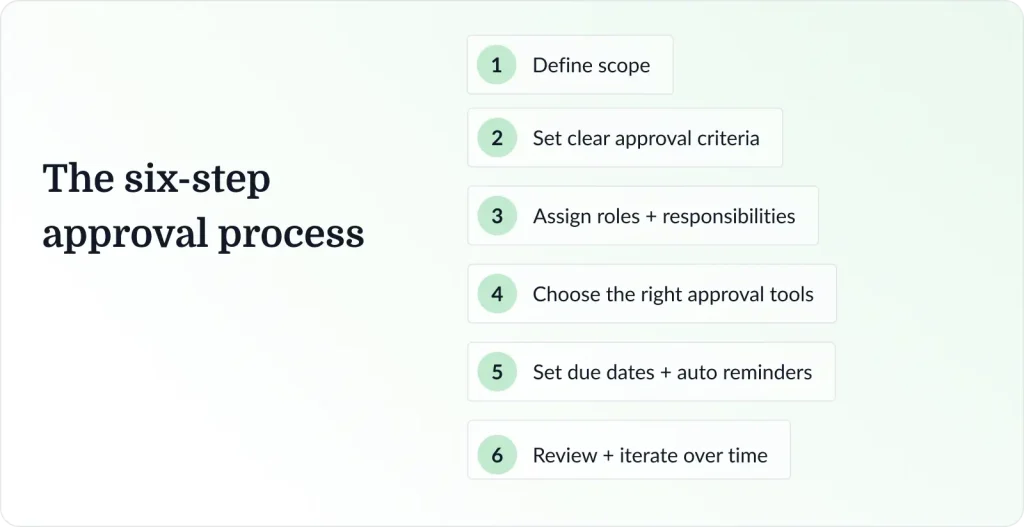
How to set up your approval process in six steps
An effective approval process follows six key steps: submission, review, feedback, revision, final approval, and implementation. Here’s how to design each one.
Step 1: Define what needs approval
Start by mapping out all the business processes in your organization that require formal sign-off. Think about creative assets, purchase orders, contracts, budget requests, campaign briefs, and any other output that touches multiple stakeholders.
Not everything needs the same level of scrutiny. Some approval requests can be handled by a direct manager; others need a department head or executive sign-off. Mapping this out upfront saves a lot of confusion later and prevents unnecessary bottlenecks from forming.
This is also a good time to decide what type of approval workflow each process needs. A repeatable process (like monthly invoice approval) suits a fixed, automated workflow. A one-off project with changing requirements might need a more flexible structure that can adapt as you go.
Step 2: Set clear approval criteria
If I had to pick the single biggest cause of unnecessary revision rounds, it would be this: nobody defined what “approved” actually means for each type of request.
You’ll also need to ask: What standards must be met? What information must be included at initial submission? What are the grounds for rejection?
Vague criteria lead to inconsistent decisions and unnecessary revision rounds. When approvers don’t know what they’re evaluating, they default to personal preference, which creates friction and slows the entire process down.
Document your criteria and make sure they’re visible to everyone involved, including the people submitting work and the designated approvers reviewing it.
Step 3: Assign roles and responsibilities
Use a RACI matrix or similar framework to make roles explicit. For each approval workflow, define:
- Who submits the approval request
- Who reviews the submission
- Who can provide feedback
- Who grants final approval
- Who’s notified when the approval status changes
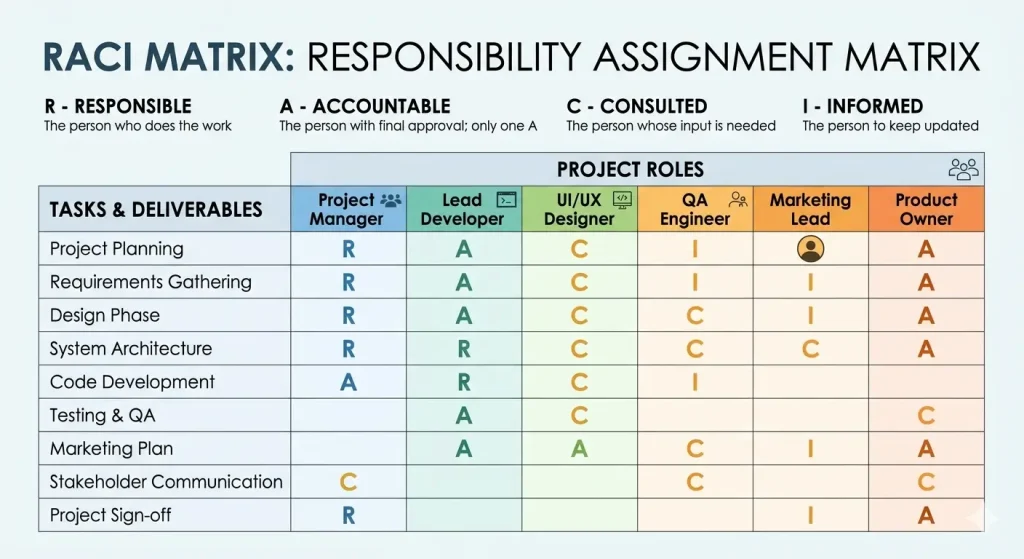
Be specific about whether a project manager, creative director, or compliance lead is the designated approver for each content type. For regulated industries especially, it’s worth setting conditional thresholds: a standard social post might need one internal sign-off, while packaging artwork or a pharma marketing claim needs medical, legal, and regulatory review before it goes anywhere.
This step is where a lot of approval processes fall down. Multiple approvers without a defined order, or unclear escalation paths, cause requests to stall on pending approval indefinitely.
Step 4: Choose the right tools
Manual approval workflows that run on email and spreadsheets are difficult to track and easy to lose. A dedicated tool lets you manage approval status, automate routing, send email notifications, and maintain a clear audit trail, all in one place.
The right tool depends on your approval process type. For creative and marketing content, purpose-built review and approval platforms like Filestage are the best fit. For document and contract approvals, tools like DocuSign work well. For general approval management across business processes, platforms like Monday.com or Jira offer configurable workflows.
We cover the best options in our guide to approval software.
See how Filestage can speed up your approval process
Enjoy a free, 30 minute consultation with our experts, tailored to your team and use cases.
Step 5: Set due dates and escalation rules
Every approval step needs a due date. Without one, pending approval requests get deprioritized and the process stalls. Build in escalation rules so that if an approver doesn’t respond within the agreed timeframe, the request is automatically flagged or escalated to the next relevant party.
Due dates also help manage expectations across the team. When reviewers know when they’re expected to respond, they can plan their workload accordingly. This leads to more efficient project management.
Step 6: Iterate over time
Let’s be real: no approval process survives first contact with a real team unchanged. I’d treat the first version as a working draft and expect to iterate. Then, schedule regular reviews to assess how the workflow is performing. Track metrics like average approval time and how often requests are escalated or rejected.
Use that data to identify bottlenecks, eliminate unnecessary steps, and adapt your workflow as your business evolves. Regular process improvement keeps your approval workflows lean and ensures they continue to serve the team rather than slow it down.
Three examples of approval processes
1. Creative approval process
The creative approval process covers the review and sign-off of assets like designs, videos, web banners, and marketing campaigns. It typically involves multiple stakeholders across creative, brand, legal, product, and marketing teams. The risk of feedback getting scattered across email and comment threads is high.
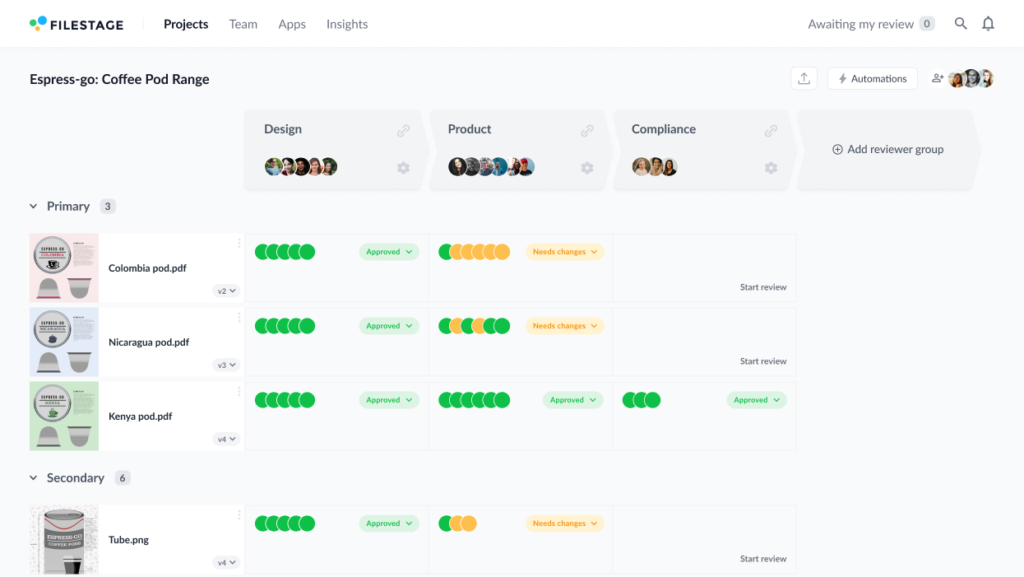
A typical workflow runs like this:
- A designer or content creator submits a draft
- A project manager routes it to the relevant reviewers
- Feedback is collected and consolidated
- Revisions are made
- The final version gets sign-off before publication.
The key to making this work is keeping all feedback and approval status in one place. See our in-depth guides to the marketing approval process and design approval process for more detail.
2. Document approval process
Document approval processes cover PDFs, contracts, compliance documents, legal agreements, policy updates, and any other formal document that requires review before it’s finalized. These workflows often carry regulatory requirements, making version control and audit trails especially important.
A well-structured document approval workflow ensures every version is tracked, every change is logged, and the final sign-off is formally documented. That protects your organization if decisions are ever questioned later.
3. Purchase approval process
Purchase approval processes ensure that every expenditure falls within budget and is properly authorized before any money is committed. A typical workflow routes a purchase order from the initiator to a direct manager, then to a department head or finance team, with conditional thresholds determining whether senior executive sign-off is required.
Invoice approval works on similar principles. A permissions policy ensures only authorized personnel can approve invoices, creating a clear audit trail and reducing the risk of fraud or misuse.
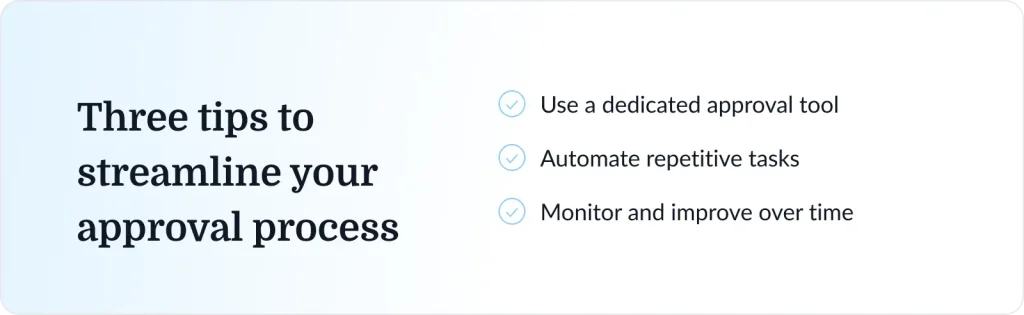
How to streamline your approval process: three tips
These three tips can help you get marketing collateral signed off as much as five times faster than email-led reviews.
1. Use a dedicated approval tool
Honestly, the single highest-impact change most teams can make is getting off email. Feedback gets buried in threads and approval status is unclear. That confusion has a way of killing momentum on otherwise well-run projects.
A dedicated tool gives you a structured system where every approval request, every piece of feedback, and every status change is visible to all relevant parties.
For marketing content and creative assets, Filestage is purpose-built for this. It supports review and sign-off across all file types, including images, videos, PDFs, and websites, in one centralized platform. For broader business process workflows, tools like Monday.com, Asana, and Jira offer configurable approval workflows.
You can also explore our roundup of review and approval software to compare options.
See how Filestage can speed up your approval process
Enjoy a free, 30 minute consultation with our experts, tailored to your team and use cases.
2. Automate repetitive tasks
Automated approvals dramatically reduce the manual overhead involved in managing approvals. Once you’ve defined your approval criteria and workflow structure, you can set up rules that handle routine tasks automatically: routing requests to the next approver when a step is complete, sending email notifications when approval status changes, flagging overdue items, and escalating pending approval requests that have gone past their due date.
This frees up your team to focus on decisions that genuinely need human judgment, and it reduces the manual handoffs where things most often go wrong. Automating your content approval workflow is one of the fastest ways to save time across a marketing or creative team.
3. Monitor and improve over time
Collecting data on your approval workflows is the only reliable way to improve them. Track how long each approval step takes, where requests tend to stall, how many revision rounds assets typically go through, and how often escalations occur.
Over time, patterns will emerge. Maybe a particular approver is consistently the bottleneck. Or perhaps your approval criteria aren’t clear enough for a specific workflow, leading to more revision rounds than you’d expect. Regular reviews let you catch these issues and fix them before they get embedded in how your team works.
How Filestage simplifies your approval process for marketing content
For marketing teams, creative agencies, and regulated industries like pharma and consumer goods, the approval process carries real stakes. A campaign that misses its launch window, or packaging artwork that goes to print with an unapproved change, can be costly in ways that go well beyond the project itself.
Filestage is designed for exactly these environments, built specifically as creative approval software for marketing and creative teams.
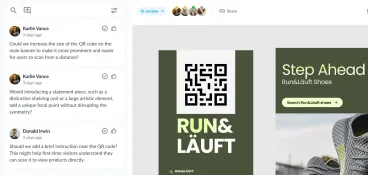
You can upload any file type, invite reviewers, and collect structured feedback directly on the content. Approvers mark assets as approved or request changes, and the approval status updates automatically for everyone in the workflow.
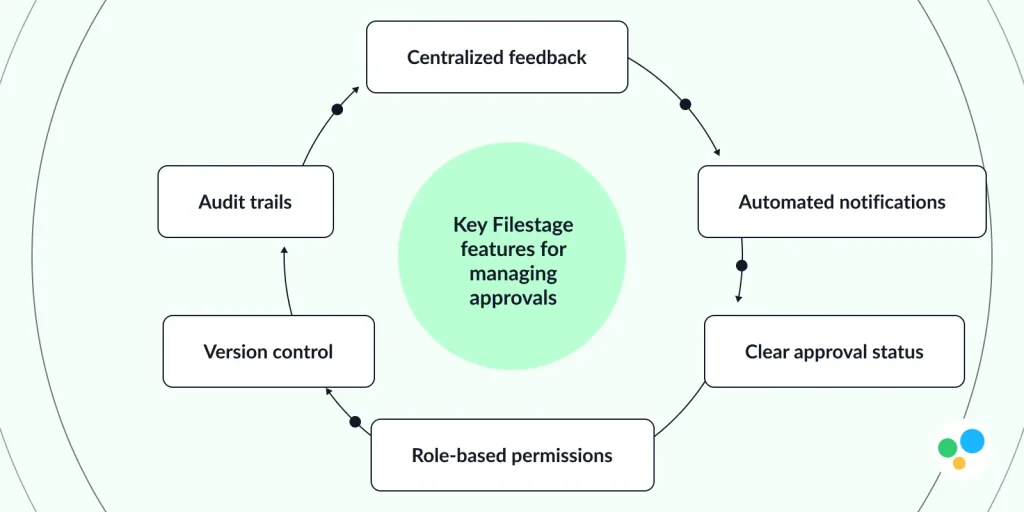
Key Filestage features for managing approvals:
- Centralized feedback across images, videos, PDFs, and live websites
- Automated email notifications at each approval step
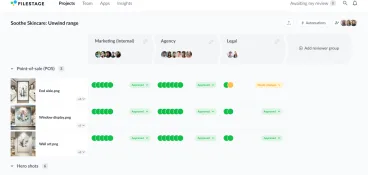
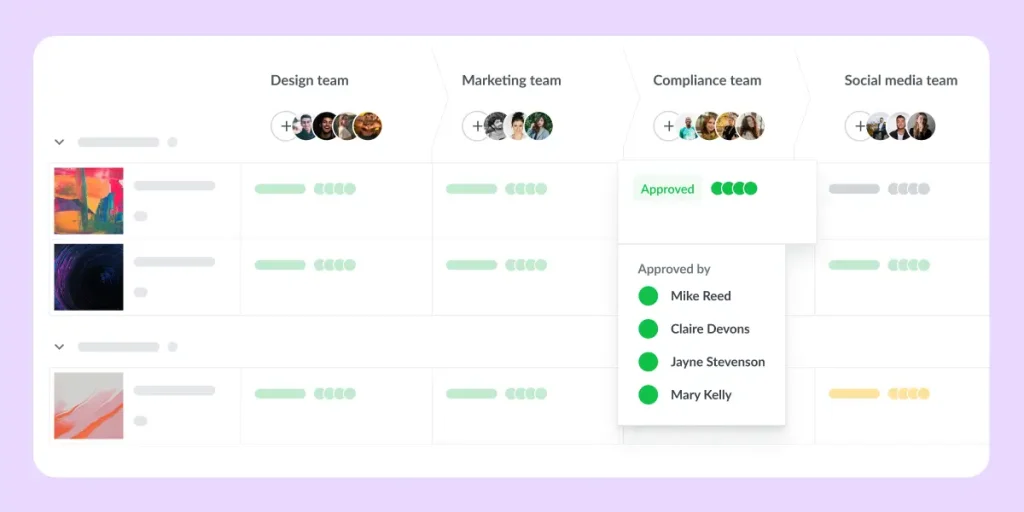
- Clear approval status for every file, so nothing sits on pending approval unnoticed
- Version control that tracks every revision alongside its feedback
- Role-based permissions that make sure the right stakeholders review and approve at the right stage
- Audit trails for compliance, sign-off documentation, and accountability
It replaces scattered email chains with a single source of truth for your entire approval workflow, so your team can focus on the work rather than the admin around it.
Final thoughts
A well-designed approval process keeps work moving and gives your team the structure they need to make informed decisions quickly. Whether you’re managing creative assets, purchase orders, or legal documents, the principles are the same: clear criteria, defined roles, the right tools, and a habit of reviewing and improving over time.
If you’re looking to bring more structure to your review and approval workflows, Filestage is a good place to start.
Start your free trial of Filestage today →
FAQ
What are common challenges in the approval process?
The most common challenges include unclear approval criteria, too many approvers in the review chain, no visibility into approval status, and a lack of defined due dates. These issues create delays and leave stakeholders unsure of where things stand. A structured workflow with designated approvers, clear guidelines, and a central tool for managing approvals solves most of these problems.
What’s the difference between a manual and automated approval process?
A manual approval process relies on email or in-person sign-offs to move work through each step. An automated approval process uses software to route requests, send notifications, update approval status, and log decisions automatically. Automated approvals are faster and easier to audit. They also reduce the risk of human error and free up time that would otherwise go toward chasing approvers.
How can I streamline my approval processes with AI?
AI can handle the repetitive, rules-based parts of your approval process, checking content against forbidden terms, scanning for spelling errors, and verifying that mandatory logos or regulatory marks are present before a file reaches a human reviewer. Filestage’s Review Agents do all of this automatically, so your team can focus on the decisions that actually need human judgment.