TL;DR
A content approval process template defines who reviews your content, in what order, and what must be confirmed before it moves forward. This guide shows marketing teams and social media managers how to build their own content approval workflow template inside Filestage in six steps.
Why you need a content approval process template
Content teams lose more time to approval delays than almost anything else. Feedback lands in the wrong place, reviewers repeat tasks already completed, and missed deadlines quietly accumulate across projects. For marketing teams, social media managers, and legal teams handling high volumes of content, a disorganized approval process is a direct drag on output.
A content approval process template gives your team a repeatable system to move content from creation to publication with as little friction as possible. With 78% of employees in remote-capable roles now working in hybrid or fully remote arrangements (Gallup, 2026), structured digital workflows are no longer optional.
This guide explains what a content approval process template includes, why it matters, and how to build one that scales with your team.
See how Filestage can speed up your approvals
Enjoy a free, 30 minute consultation with our experts, tailored to your team and use cases.
What is a content approval process template?
A content approval process template helps teams map out the journey of a content asset in a standardized, repeatable way. It defines every review stage, who is responsible at each point, and what conditions must be confirmed before content moves forward. Think of it as a content approval workflow your whole team can follow without anyone needing to ask what comes next.
Content stages typically include drafting, internal review, subject matter expert or legal checks, and final sign off. Each stage has a clear purpose and a named decision-maker.
Key components of a template
An effective content approval workflow template has five core components.
- Defined roles and responsibilities for creators, editors, legal reviewers, project managers, and final approvers
- A stage-gate process where content must pass each review before moving forward
- A single place for all feedback, so comments don’t scatter across other tools
- Clear timelines and due dates to hold every stage on schedule
- Approval status tracking so stakeholders can track progress at a glance
How it differs from a general workflow
The distinction between a content approval process template and a generic project management workflow is specificity. A content approval template includes structured feedback and revision cycles, and focuses on content quality, brand voice, legal standards, and compliance at every stage.
What are the benefits of using a template for your approval process?
A well-built approval workflow template does more than keep content on schedule. Here’s how it supports your entire team:

Eliminates confusion over roles
Defined roles mean creators, editors, and the rest of your review team know exactly what they’re responsible for. This prevents conflicting feedback and reduces delays caused by unclear ownership. Assigning a single final approver per stage keeps the approval flow clean and accountable.
Reduces missed deadlines
Structured approval workflows with clear due dates at every stage reduce the chance of missed deadlines across projects. Automated notifications remind the next reviewer as soon as their tasks are ready, so content doesn’t stall between handoffs.
Improves content quality and compliance
Multiple review stages ensure every piece of content gets a thorough review before publication. An approval checklist at each stage verifies that content meets brand voice requirements, legal standards, and compliance criteria before it gets published.
Strengthens project management and collaboration
A central approval workflow consolidates task assignments, feedback, and version control in one place. Teams improve collaboration and reduce inefficiencies by removing the need to chase approvals across email, Slack, or other tools. The approval status is visible to all stakeholders at every step, which builds transparency and accountability across your content operation.
How to create your content approval process template with Filestage
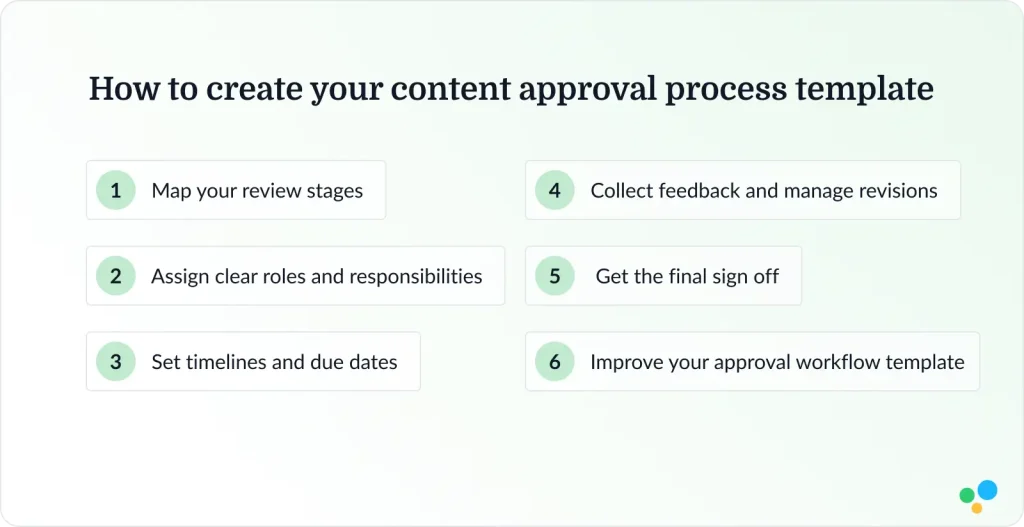
Follow these steps to build your own content approval process template inside Filestage, then save it to reuse across every new project. You can also create a new template for different content types as your operation grows.
Step 1: Map your review stages
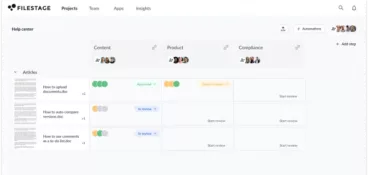
Start by defining the reviewer groups your content needs to pass through before publication. Keep the content workflow simple: three to five stages is usually enough.
Common stages for marketing teams include brand review, product review, and legal review. Each stage should have a clear purpose and a defined goal. For example, the goal of a brand review is to confirm tone, messaging, and visual consistency. A product review checks factual accuracy and claims. A legal review verifies compliance with regulations and internal standards.

Step 2: Assign clear roles and responsibilities
Assign one decision-maker per stage where possible. Common roles in a content approval workflow include:
- creator
- editor
- subject matter expert
- legal reviewer
- final approver
Filestage lets you assign different reviewers to each stage of the process, so the right people are looped in at the right time.
Save the full setup as a reusable template using Filestage’s project template feature, available on the Business plan. A RACI framework helps clarify who is responsible, accountable, consulted, and informed at each stage, which removes confusion before the first review tasks begin.
Step 3: Set timelines and due dates
After uploading content to your project, set a due date for each file in a stage. Aim for 48 hours per stage as a starting point, and build in buffer time for revisions.
In Filestage you can also automate due dates for new files, which removes a layer of repetitive tasks from your list. Setting clear deadlines for every stage is the single most effective step you can take to avoid delays in your approval process.
Step 4: Collect feedback and manage revisions
Start the review at the first stage with all stakeholders clear on their role. Filestage lets reviewers annotate directly on documents, images, and videos, making feedback clearer and collaboration easier. After the first round of feedback, revise your content and share a new version, before starting the next review round.

Step 5: Get the final sign off
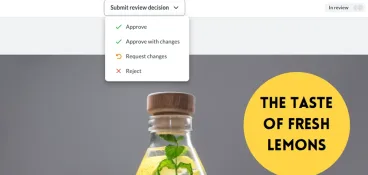
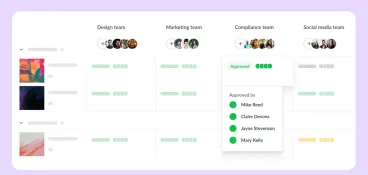
Require explicit approval before content advances to the next stage. Use Filestage’s approval status tracking to monitor progress in real time and confirm that only approved versions move forward. The full version history gives your team a clear audit trail for compliance and accountability, so every stakeholder knows exactly where content sits in the approval flow.
Step 6: Improve and scale your approval workflow template
Your content approval workflow template isn’t something you create once and then it’s finished. Review it quarterly, look at your analytics to find out where content gets stuck, which stages take the longest, and where reviewers consistently push back. Update your Filestage project template to reflect what you learned, and roll out your best practices across teams to reach the full potential of your content approval process.
See how Filestage can speed up your approvals
Enjoy a free, 30 minute consultation with our experts, tailored to your team and use cases.
Common mistakes to avoid in your content approval process
Even well-organized teams fall into the same traps. Here are four of the most common ones to watch for.
Too many reviewers
More reviewers don’t mean better content. They often lead to conflicting feedback and slower approval cycles. Limit each stage to three or four key decision-makers and assign one final approver with the authority to make the call.
No centralized feedback system
Scattered comments across email, shared drives, and other tools create version confusion and wasted effort. A dedicated content approval platform keeps all feedback tied to a specific document version, so nothing gets lost and no one duplicates work.
Unclear timelines
Without a firm deadline at each stage, content stalls. Every stage in your approval workflow needs a due date and a named person responsible for meeting it.
No fast-track option for urgent content
Standard approval workflows aren’t designed for urgency. Build an exception process for high-priority content so social media posts and time-sensitive blog post content don’t get stuck behind a standard review queue.
For teams that run high-volume social media approvals, a separate fast-track workflow is worth setting up from the start.
Conclusion
A content approval process template brings clarity to one of the most complex parts of any marketing operation. When your team has defined stages, assigned roles, and real-time approval status tracking at every step, content moves faster and meets a higher standard before it publishes.
Follow the six steps in this guide to build your own content approval workflow template inside Filestage.
Start your free trial to set up your first project template and see how much faster your team can move from first draft to final sign off.
FAQ
What is included in a content approval process template?
A content approval process template includes defined workflow stages, clear roles, responsibilities, deadlines, a defined feedback and revision process, and approval status tracking. It covers every step from first draft to final sign off, giving teams a repeatable framework for every piece of content they produce.
How many people should be involved in the content approval process?
Keep it lean. Three to four reviewers per stage is typically enough. Too many stakeholders generate conflicting feedback and slow the approval process down. Assign a single final approver at each stage to make the final call.
How can you speed up content approvals?
Set firm deadlines for every file in every stage, automate review rounds and notifications, and consolidate feedback into a single platform. Defining clear roles at the start of each project removes the most common sources of delay in any content approval workflow.
What tools can help manage and streamline content approvals?
Review and approval platforms like Filestage let you manage your full content approval workflow in one place, with inline feedback, automated notifications, version history, and approval status tracking all built in. For teams that also need to review creative assets, the design approval process follows the same structure inside Filestage.
Can small teams benefit from a content approval process template?
Yes. A simple two or three-stage content approval workflow reduces missed deadlines and cuts the time spent on repetitive tasks, regardless of team size. You can also review our creative asset feedback and approval template to see how the same approach applies across different content types.