TL;DR
- A campaign approval workflow is the structured path that moves every asset from brief to final sign-off, so nothing ships off-brand or off-schedule.
- The five core steps are approving the brief, assigning owners, sequencing steps with deadlines, centralizing feedback, and archiving with an audit trail.
- Filestage, Planable, and Wrike each handle approvals differently, so the best fit depends on whether you need multi-format review, social-first sign-off, or approvals inside a wider work management tool.
- Match the workflow to risk. A throwaway social post needs a quick sense-check, while regulated content needs legal, compliance, and localization review built in.
- Most delays are structural. Vague briefs, too many reviewers, and late compliance checks cause far more rework than slow individuals do.
_______________________________________
Marketing teams are creating more campaign content than ever, and the approval step is usually where it all slows down. In its 2025 B2B content report, the agency 10Fold found that 91% of marketers are producing more content, while most teams saw their budgets grow by no more than 10%. More work and flat resources put real pressure on how fast you can review, revise, and sign off.
A clear campaign approval workflow is what keeps that pressure from turning into missed deadlines and off-brand mistakes. Here’s how to build one that actually holds up.
What is a campaign approval workflow and why marketing teams need one
A campaign approval workflow is the structured process that moves your campaign assets from brief to final sign-off, with clear steps, named approvers, and a record of every decision along the way. Instead of chasing feedback across email chains and Slack messages, you route each asset to the right people in the right order, then track its status until it’s approved.
Most marketing teams start without one. Approvals happen over email, feedback lands in three different places, and someone eventually asks which file is the latest version. That informal setup feels faster early on, but it quietly creates problems. Off-brand work slips through because no one owns the brand check. Legal sees the campaign too late to flag a claim. Deadlines drift because no single person is responsible for moving things forward.
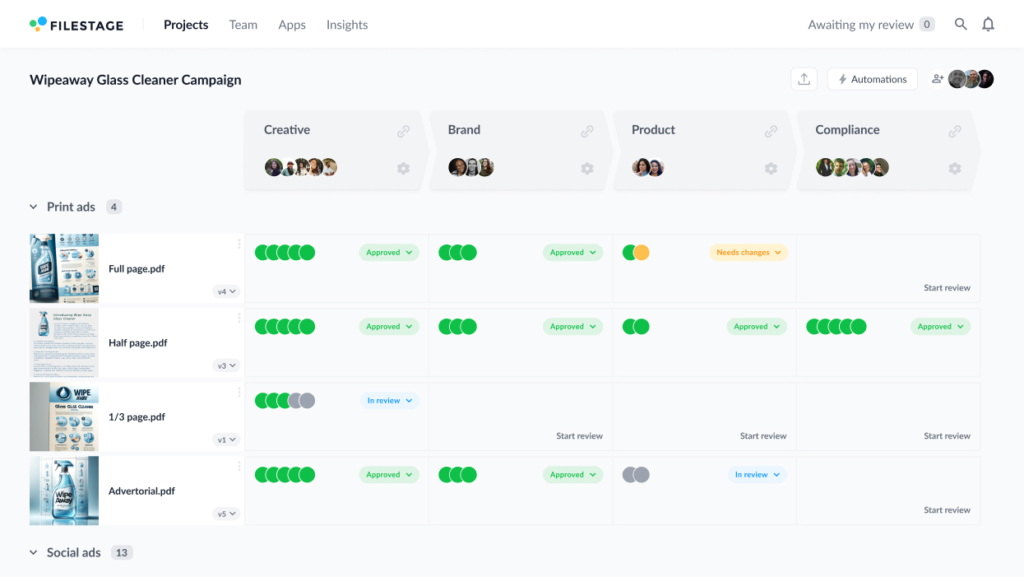
A defined approval process fixes that by making the path visible. Everyone knows who reviews what, when their turn is, and what counts as done.
The rest of this guide walks through how to design that process, which tools support it, how to adapt it to different content and risk levels, and how to clear the bottlenecks that slow most teams down.
See how Filestage can speed up your approvals
Enjoy a free, 30 minute consultation with our experts, tailored to your team and use cases.
How to set up a campaign approval process in five steps
A really good campaign approval process boils down to sequence and ownership. Before you build anything new, audit your current process and look for where work actually stalls, then put these five steps in place.

Step one — Approve the brief before creative work begins
Most revision rounds trace back to the brief rather than the creative work itself. When the goal, audience, channels, and mandatory messaging aren’t locked before design starts, you end up redoing work that was built on a guess.
Make brief approval the first formal step of your workflow. Use a standardized brief template with mandatory fields, and require sign-off from whoever owns the campaign before any creative work begins. A clear, approved brief keeps the creative team pointed in the right direction and prevents the extra revision cycles that come from misalignment. It’s also where you set expectations for the rest of the campaign planning process.
Step two — Define roles and ownership at every step
A workflow only works if the roles inside it are crystal clear. When ownership is vague, assets sit in someone’s inbox while everyone assumes someone else is handling it.
Before the campaign starts, decide who creates each asset, who reviews it, who holds brand and legal sign-off, and who gives final approval. Brand managers protect consistency, legal teams catch compliance issues, and a campaign or marketing manager usually owns the final call. Name those people and share the list with everyone involved, so there’s no confusion about who’s responsible at each step.
Naming owners is the backbone of any approval workflow, and role-based access helps too, since it keeps each reviewer focused on the decision that’s actually theirs to make.
Step three — Set review stages and deadlines
If the only deadline is the end, work bunches up at the last minute and every approver feels rushed.
Set a deadline for each stage instead, and sequence those stages in a logical order. Legal and compliance review should come before final commercial approval, not after, because a late legal change can send the whole campaign back to the start. Decide in advance what happens when a deadline slips, whether that’s an automatic reminder, an escalation, or a reassigned reviewer. Realistic per-stage deadlines are one of the simplest ways to stop bottlenecks before they form.
Step four — Collect feedback in a centralized platform
Scattered feedback is one of the biggest drags on creative teams. When comments arrive by email, chat, and the occasional WhatsApp audio, the creator has to piece them together and guess which ones win.
Keep all feedback in one place, attached to the asset itself. That way conflicting feedback gets resolved between reviewers before it reaches the creator, rather than landing as a pile of contradictory notes. Centralized, in-context comments cut the number of revision rounds because everyone is reacting to the same version and the same context. It also gives you a clear view of what’s still pending approval and what’s already cleared.

Step five — Archive the approved version with a full audit trail
Approval doesn’t end the moment someone says yes. You still need a clear record of what was approved and by whom.
Archive the final, approved version somewhere everyone can find it, with a timestamped history of who signed off and when. Audit trails matter for any team, but they’re essential in regulated industries where you may need to show exactly how a piece of content was reviewed and cleared. For teams handling high volumes, connecting your workflow to a digital asset management (DAM) system keeps the latest version and its approval history together, so the next campaign starts from the right file.
Three best tools for campaign approval workflows
The right tool removes the manual work of chasing approvals, tracking versions, and pulling feedback together. These three handle campaign approval in different ways, so the best fit depends on how your team works.
If you want to compare the wider stack, our guides to campaign management tools and content approval software cover more options.
Filestage — best for multi-format campaign review across many stakeholders
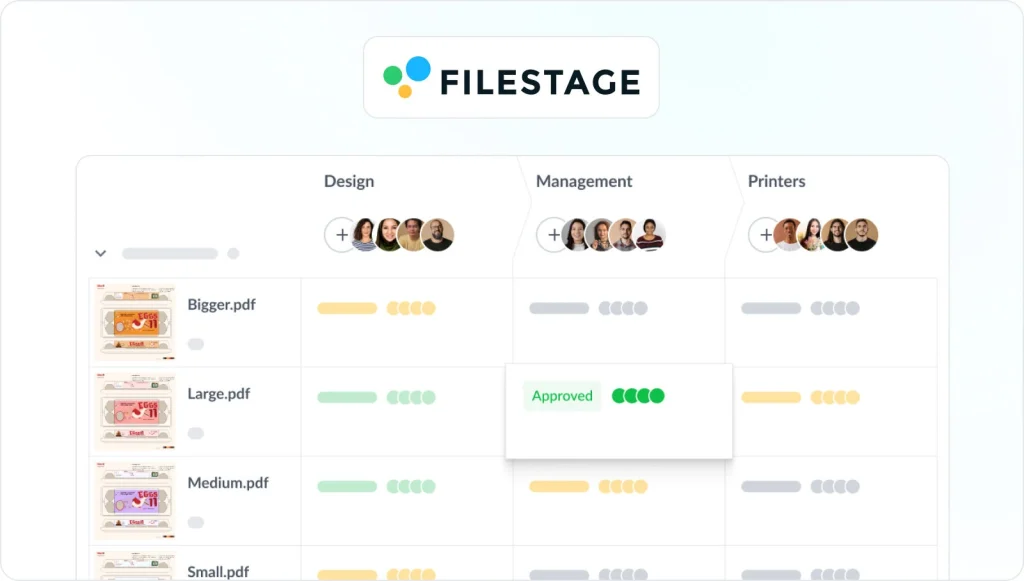
Filestage is a dedicated review and approval platform built for marketing and creative teams. Reviewers leave clear feedback directly on videos, PDFs, images, and live websites, while automated workflows route each asset to the right stakeholders at every step. Version tracking and a complete audit trail record every decision from brief to final sign-off, and automated reminders chase reviewers so your team doesn’t have to. It’s a strong fit for teams managing high content volumes across multiple stakeholders and approval steps.
See how Filestage can speed up your approvals
Enjoy a free, 30 minute consultation with our experts, tailored to your team and use cases.
Planable — best for social-first content approval

Planable is built around social media content, which makes it popular with agencies juggling multiple client accounts. Teams draft and preview posts in a visual content calendar, then move them through approval flows that scale from one-click sign-off to multi-stage review. Because it shows posts the way they’ll actually appear, stakeholders can approve with full context instead of imagining the final result. If most of your campaign work lives on social channels, it’s a practical way to streamline approvals without a heavyweight setup.
Wrike — best for approvals inside a wider work management tool
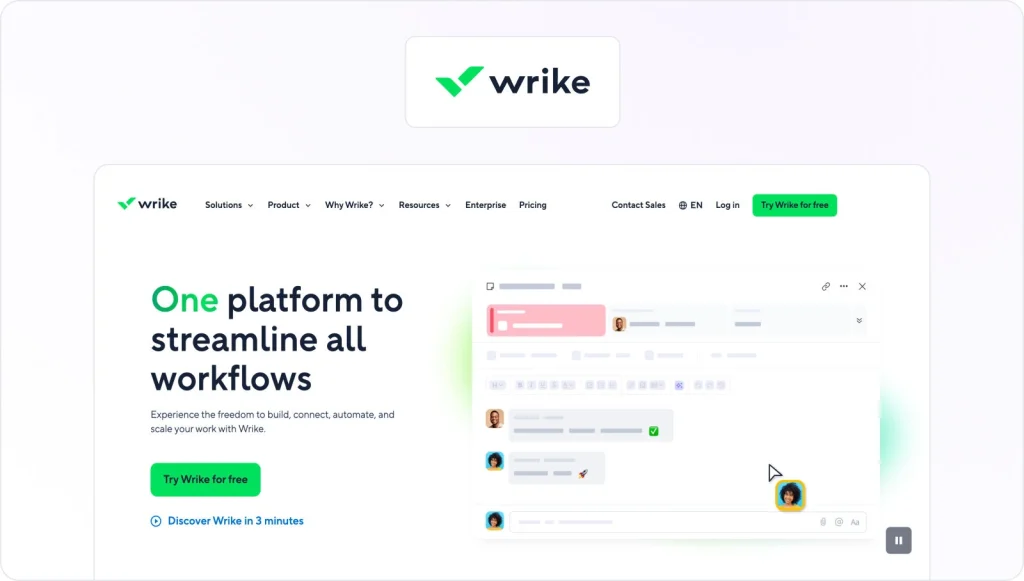
Wrike is a work management platform with approval and proofing features built in, so reviews live alongside the tasks, timelines, and projects your team already manages there. Assets route through review stages, reviewers mark up files in context, and approvals connect back to the broader project plan. It suits teams that would rather run campaign approval inside the tool they use for everything else than add a separate platform. The trade-off is that its review features are part of a much larger product, so there’s more to learn before it earns its place.
How to adapt your campaign approval workflow to content type and risk level
Running every asset through the same approval process is a common mistake. A quick organic post and a regulated product claim don’t carry the same risk, so they shouldn’t carry the same number of review stages. The fix is to match the depth of review to the cost of getting it wrong, and a useful way to do that is to sort content into three risk tiers.
Tier one: Low-risk content like organic social posts and internal comms
For low-risk content, speed matters more than scrutiny. One internal reviewer and a short turnaround are usually enough, with no mandatory legal step. Standardized templates and a brand-locked design system do most of the quality control before anything reaches review, so the approval step becomes a final sense-check rather than a full audit. When you lock your templates, the reviewer is mostly confirming that the content fits an approved pattern, which keeps the whole thing fast.
Tier two: Medium-risk content like paid ads, email, and landing pages
Medium-risk content needs a bit more structure. A two- or three-stage flow works well here, typically a creative review, then brand sign-off, with final approval from a campaign lead or account manager. Compliance review stays conditional at this tier, triggered only when the content makes a specific claim or targets a regulated audience. The aim is enough oversight to protect the brand and the message without piling on steps that slow routine campaigns down. Higher-stakes assets at this level often sit better in a dedicated creative approval workflow with named approvers at each step.
Tier three: High-risk content like regulated industries and global product claims
High-risk content earns the full workflow. That means brief approval, creative review, mandatory legal and compliance sign-off, a localization review for global campaigns, and final commercial approval at the end. Every step has a named owner, a firm deadline, and a complete audit trail. In regulated industries, legal and risk teams review the content for accuracy against your brand guidelines and any legal requirements, and no step gets skipped, however tight the deadline. This is where a clear, auditable approval workflow earns its keep.
Common campaign approval bottlenecks and how to fix them
Even a well-designed workflow hits friction. Here are two snags that tend to show up once the basics are in place, with a quick fix for each.
Rejected campaigns that bounce back without a clear reason
A rejection that just says “not quite right” leaves the creative team guessing and burns a full revision round. Ask approvers to give a specific, actionable reason whenever they reject an asset, tied back to the brief or your brand guidelines. Clear reasons turn rejected campaigns into a quick fix instead of a second round of mind-reading.
The wrong version gets approved
When several versions of an asset are floating around, it’s easy to sign off on the wrong one. Keep a single source of truth where the latest version is obvious, and lock older files so they can’t be approved by mistake. Version control sounds basic, but it’s what stops a superseded draft from going live with your campaign.
Campaign approval workflow FAQs
A few questions come up again and again when teams build their first campaign approval workflow. Here are short answers to the most common ones.
How is a campaign approval workflow different from a generic approval process?
A generic approval process can apply to almost anything, like a budget request or a contract. A campaign approval workflow is built specifically for marketing campaigns, so it accounts for multiple asset types, brand and legal review, and the tight deadlines that come with a launch date. The steps and approvers are tuned to creative work rather than general business sign-off.
How many approval stages does a campaign need?
As few as the risk allows. A low-risk social post might need a single reviewer, while a regulated campaign could run through brief, creative, legal, compliance, and final approval. Match the number of stages to how much is at stake, and resist adding reviewers who don’t change the outcome.
What are the steps in the approval process?
At the asset level, the approval process runs as a loop. You share the asset with the first group of reviewers, collect their feedback in one place, revise the asset, then share it again for sign-off. You repeat that cycle with each stakeholder group whose approval you need, such as brand and legal, until the asset reaches final approval.
How do I get stakeholders to approve content faster?
Give each stakeholder clear context, a firm due date, and only the content that needs their specific expertise. When people see exactly what they’re reviewing and why, they respond faster. Automated reminders handle the follow-up, so no one has to chase approvals by hand.
What should I look for in a campaign approval tool?
Look for version control, in-context commenting, configurable approval stages, role-based permissions, automated reminders, status dashboards, and audit trail capabilities. Together these features let you route assets, resolve feedback, and prove how each campaign was approved without living in your inbox.
How can we speed up approvals without bypassing legal and compliance?
Move legal and compliance earlier in the sequence rather than removing them. When these teams review before final commercial sign-off instead of after, you avoid the late changes that restart the whole process. Locked templates and pre-approved claims also cut the volume that needs full legal review in the first place.
Final thoughts
A campaign approval workflow isn’t complicated, but it does need to be deliberate. Get the steps in the right order, give every step a named owner and a real deadline, and let a tool handle the chasing and version control. Do that, and you’ll spend less time tracking down sign-offs and more time launching campaigns that land on brand and on schedule.
Start your free trial of Filestage to see how a structured approval workflow fits your next campaign.