

Your team’s distributed across cities, time zones, and working patterns. Messages live in four different apps. Decisions happen in virtual meetings that half the team can’t attend, and somewhere in a shared drive there’s still a file called “final_FINAL_v4”.
This is the reality of remote work in the modern digital workplace, with a Gartner study revealing that 84% of marketing teams experience “collaboration drag”.
Prioritizing how we work together is key to helping teams ship better work and feel more in control. Without a clear digital collaboration strategy, communication breaks down, projects stall, and problems stay invisible until a customer shines a light on them.
What is digital workplace collaboration?
Digital workplace collaboration is the way teams work together using connected tools, shared workflows, and clear collaboration processes so they can do great work from any location. Instead of relying on quick hallway chats and messy whiteboards, it uses digital collaboration tools to replicate and improve those interactions in a digital workplace.
In practice, that covers a range of collaboration types:
- Internal collaboration involves a single function, like a marketing team working on a campaign
- Cross-team collaboration connects departments such as marketing, product, and legal around shared goals
- External collaboration pulls clients, agencies, and freelancers into the workflow
- Stakeholder collaboration focuses on visibility, approvals, and sign-off without giving everyone full access to internal systems
The best digital workplaces treat collaboration as an ongoing process. They combine messaging, project tracking, content creation, and review into a connected system so teams can work in real time when it makes sense and asynchronously when it doesn’t.
Digital vs. traditional collaboration
Traditional collaboration is tied to place and schedule. People meet in the same room at the same time, pass paper around, and take notes that may or may not get shared.
Digital workplace collaboration removes those constraints. Teams can co-edit documents in real time, share feedback asynchronously, access files from any device, and keep communication searchable instead of locked in inboxes or meeting notes. This shift is at the heart of modern remote collaboration and hybrid work.
Real-time vs. asynchronous collaboration
Real-time collaboration happens simultaneously. Think virtual meetings, live document editing, and workshop-style sessions where teams need to react in the moment.
Asynchronous collaboration happens on each person’s own schedule. People review, comment, and contribute when they have time, not when a calendar invite forces it. Most effective digital workplaces use both. They reserve real-time collaboration for decisions and workshops, and they lean on asynchronous collaboration for deep work, reviews, and day-to-day progress.
Why digital workplace collaboration matters
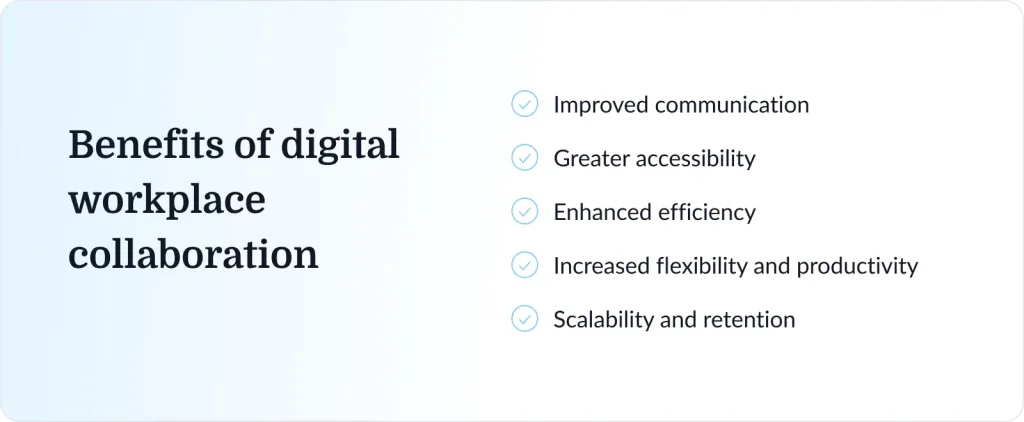
Digital workplace collaboration is a genuine performance lever. When organizations invest in it, the gains are measurable, not just felt. Gallup’s data shows that flexible, well-supported setups improve employee engagement and reduce burnout, particularly in hybrid work environments. This also helps lower turnover risk over time.
Here’s how those gains show up in day-to-day work:
- Improved communication: Clear collaboration processes and structured workflows replace ad-hoc status meetings and scattered updates, keeping everyone on the same page.
- Greater accessibility: Remote and hybrid teams can contribute equally instead of being limited to whoever can make an early-morning meeting.
- Enhanced efficiency: Digital collaboration tools automate progress tracking, task assignment, and version control, so teams spend less time hunting through email threads.
- Increased flexibility and productivity: Supporting both real-time and asynchronous work helps people balance deep focus with reviews and updates.
- Scalability and retention: A connected stack of digital workplace collaboration tools enables seamless digital collaboration, scales with the organization, and makes work feel less stressful.
If you’re seeing issues like unclear ownership, scattered feedback, or slow approvals, our guide to collaboration challenges is a useful starting point for diagnosing where your digital workplace collaboration system is breaking down.
Digital workplace collaboration tools by category

No single platform can handle every aspect of digital workplace collaboration. Instead, high-performing teams build a stack of communication tools and collaboration apps around the main types of work they do, then connect them.
Our guide to online collaboration tools breaks down the tools in more detail, but here’s a practical overview of the key categories.
Messaging and communication platforms
Messaging tools are the backbone of digital workplace collaboration software, handling day-to-day communication, quick questions, and informal updates. Still, the average worker receives 117 emails daily according to a Microsoft Work Trend Index report. By moving quick conversations and project updates into messaging tools, teams can significantly reduce endless email threads, “reply-all” chains, and CC clutter.
Most platforms support both real-time communication and async messaging, so people can respond when it suits their schedule. Common features include channels, direct messages, thread replies, status indicators, file sharing, and integrations with other digital collaboration tools.

Examples: Slack, Microsoft Teams, Google Chat
For distributed setups, these tools sit alongside specialized remote collaboration tools to create a coherent communication system.
Video conferencing tools
Some conversations still need faces. Video conferencing tools make real-time connection possible across locations, whether you’re running weekly team rituals, high-stakes decision meetings, or one-off workshops.
Modern platforms go beyond basic video and audio. Recording, live transcription, and AI-generated meeting summaries are increasingly standard, so decisions and action items don’t depend on somebody taking perfect notes. Screen sharing and breakout rooms help teams co-create, present work, and run collaborative sessions.

Examples: Zoom, Google Meet, Cisco Webex
Project and task management tools
Project tools keep work visible. Instead of asking “Where does this stand?” in status meetings, teams can see at a glance who’s responsible for what, what’s blocked, and what’s coming next.
These tools connect directly back to the efficiency and scalability benefits of digital workplace collaboration. They centralize task tracking, timelines, resource allocation, and progress visibility across teams, which helps prevent surprises and bottlenecks.
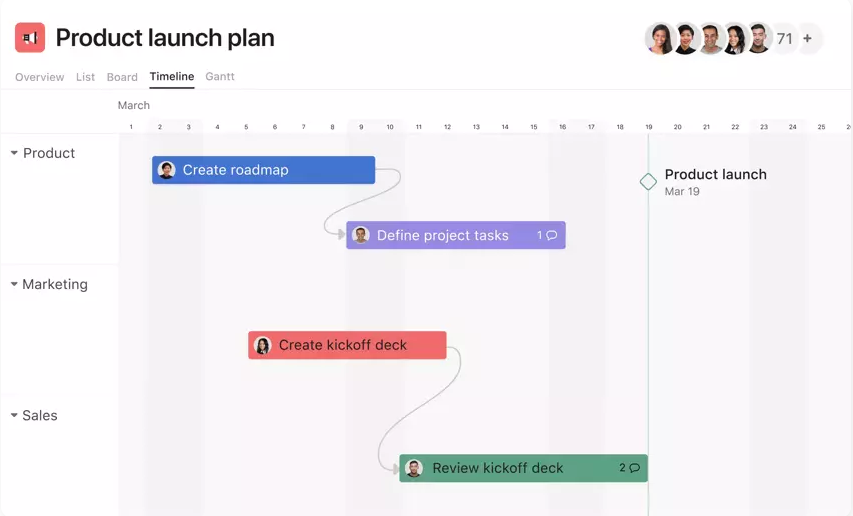
Examples: Asana, Trello, monday.com
For a more detailed breakdown, our guide to project collaboration tools compares popular options and use cases.
Document collaboration tools
Document collaboration tools allow multiple people to work on the same file at once, without passing attachments around or losing track of the latest version. They bring real-time co-editing and async comments together, which makes it much easier to work across time zones and functions.
Common features include inline commenting, tracked changes, version history, and template libraries. These platforms are central to content-heavy workflows and are often the backbone of document management and knowledge sharing in a digital workplace.
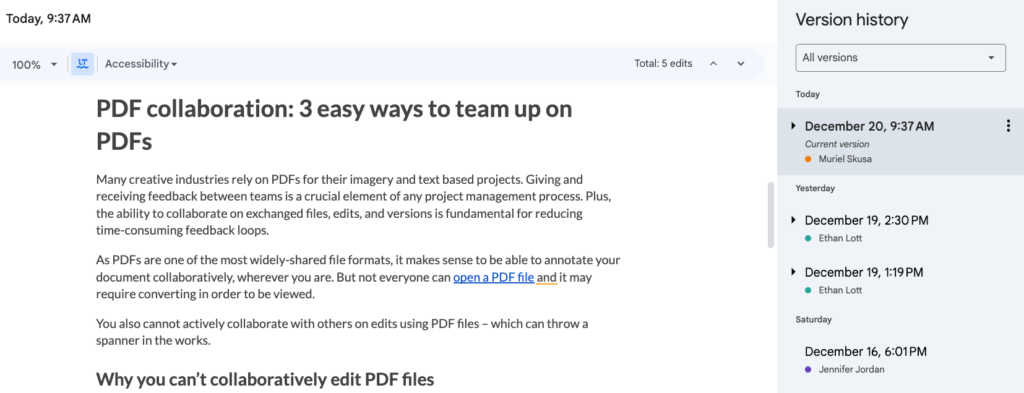
Examples: Google Workspace (Docs, Sheets, Slides), Microsoft 365, Notion
To explore how these tools fit into broader content workflows, see our guide to content collaboration tools.
Content creation tools
Teams need to produce polished content without relying on designers for every slide or social post. Content creation tools give non-specialists the ability to build high-quality assets within brand guidelines, often in collaboration with others.
Drag-and-drop editors, shared brand libraries, templates, and multi-user editing make it easier to create presentations, reports, social graphics, and internal documents. These tools are essential for creative and marketing teams in a modern digital workplace.
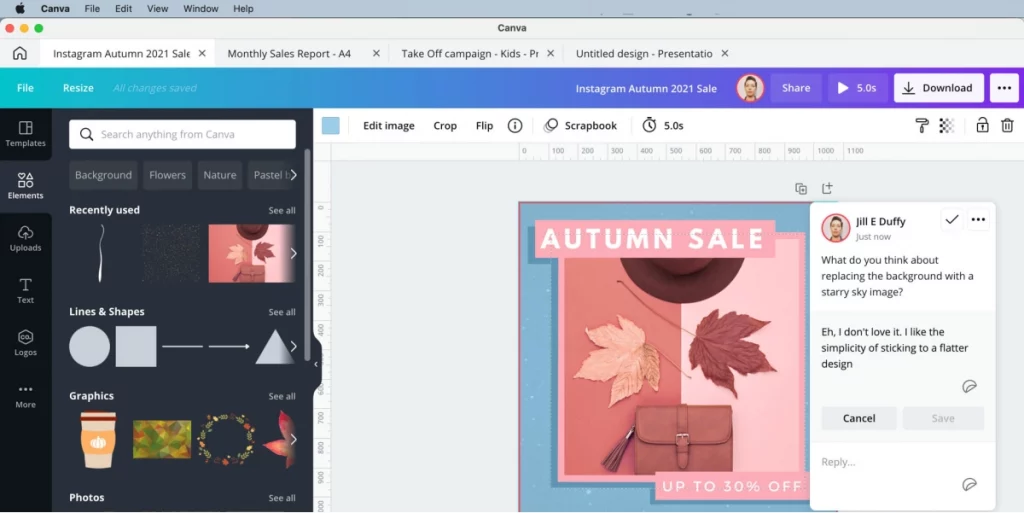
Examples: Canva, Figma, Adobe Express
For a deeper look at how teams set up content workflows, check out our guide to digital content creation and our overview of design collaboration tools.
Content review and approval tools
When it comes to creative assets, campaigns, or product copy, a shared drive and email feedback quickly become a mess. Content review and approval tools bring structure to this part of digital workplace collaboration.
They provide a centralized dashboard where stakeholders can comment directly on files, move work through defined review stages, and track approval status. Features typically include annotation, due dates, automatic reminders, and clear approve/reject actions.
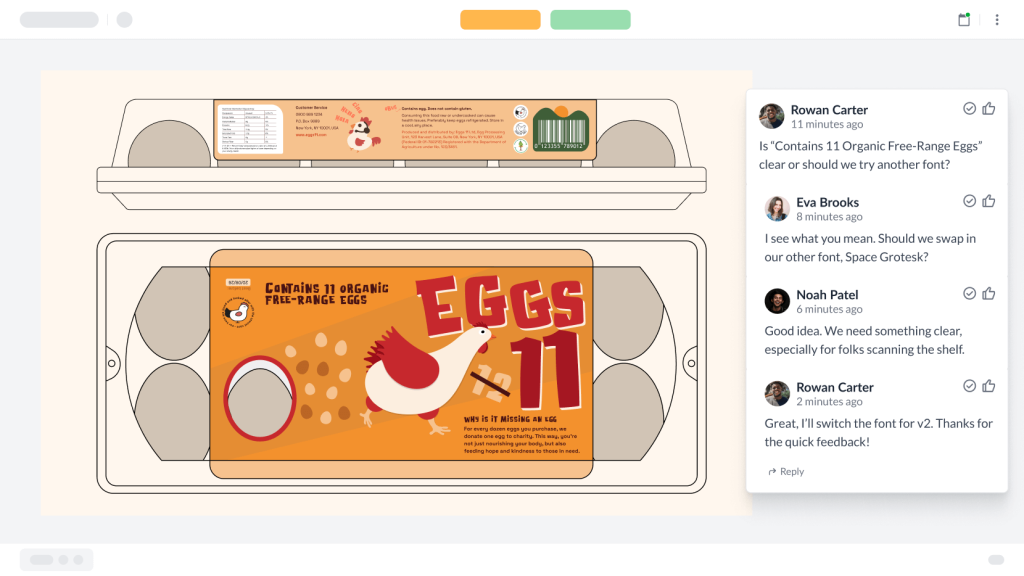
Examples: Filestage, GoVisually, Markup.io
Filestage streamlines creative reviews and helps busy teams run more reliable collaboration processes.
Supercharge your marketing reviews
Share, review, and approve all your content in one place with Filestage.
File sharing and knowledge management tools
File sharing tools and knowledge bases give teams a single source of truth for assets and institutional knowledge. They combine secure storage with search and documentation so people can find what they need without relying on tribal knowledge.
Key features include folder-level permissions, link sharing with expiry dates, full-text search, wiki-style knowledge hubs, and integrations with other digital collaboration tools. When they’re set up well, they reduce duplicate work and make onboarding far smoother.
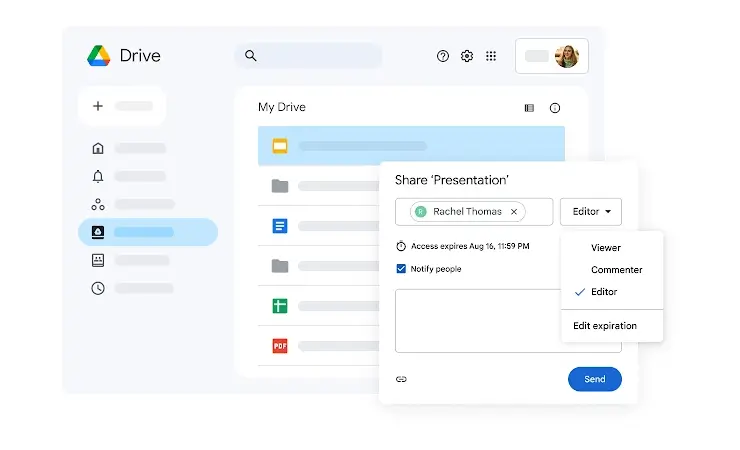
Examples: Google Drive, Dropbox, SharePoint
Five best practices to make digital collaboration successful
Digital workplace collaboration tools are only half the equation. The way teams use them, and the collaboration processes that tie them together, determine whether they actually deliver value.
Here are five best practices that show up consistently in teams that collaborate well.
1. Set up clear processes and workflows
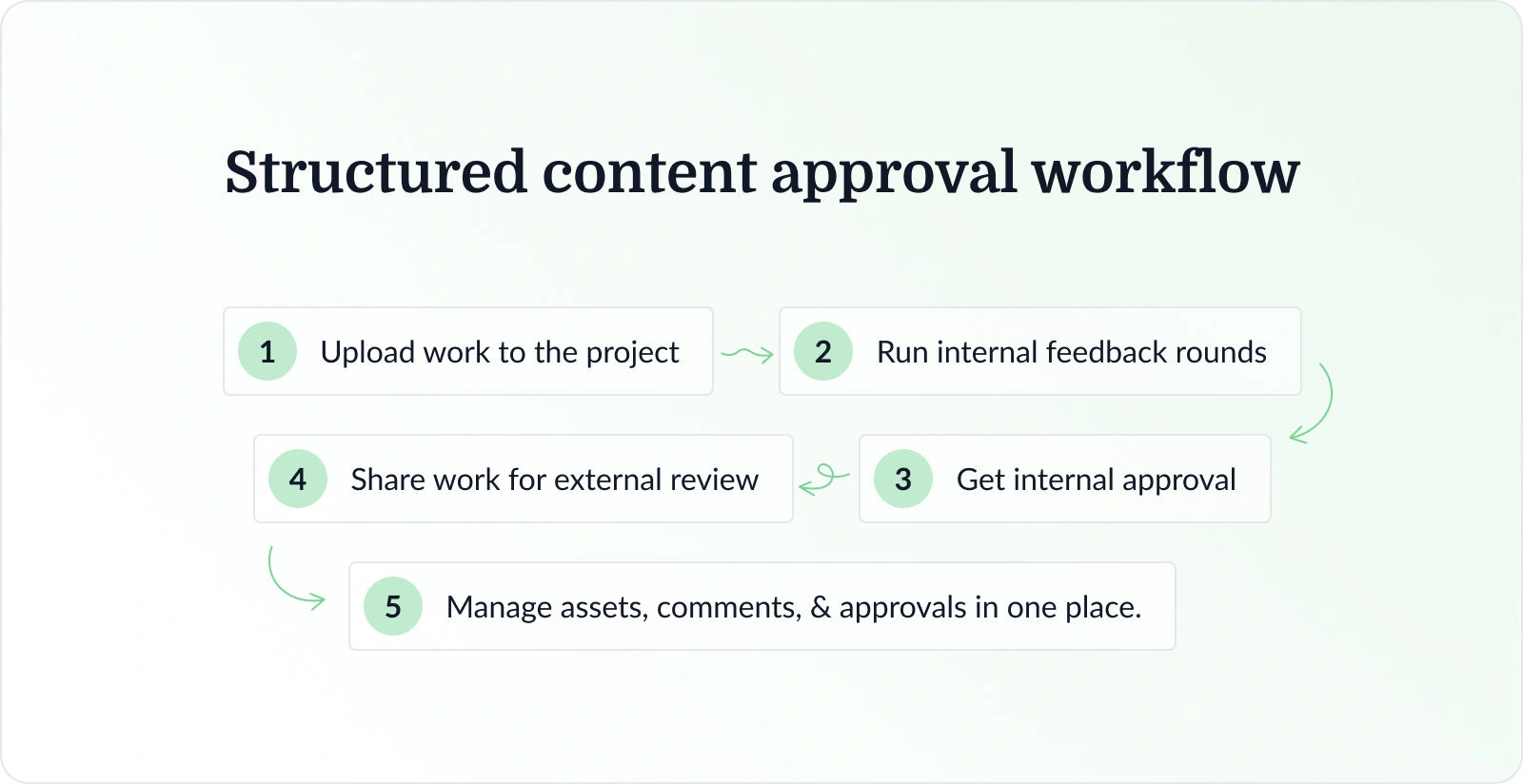
Tools without processes turn into digital clutter. A content approval workflow is a simple example. Without a clear process, feedback arrives via email, chat, comments in docs, and random remarks in meetings. Nobody’s entirely sure which version is current or who needs to approve next.
With a defined process inside a review tool, every stakeholder knows where to leave feedback, which review stage they’re part of, and what needs to happen before a file is approved. Version history and approvals live in one place, and the process itself becomes part of your digital workplace. That’s effective digital collaboration in practice.
2. Build a collaboration-first culture
Technology can support collaboration, but it can’t create it on its own. Teams need a culture where sharing work in progress, asking for input, and documenting decisions feels normal, not risky.
Culture change takes time, and it usually starts with leaders. When leaders share drafts openly, ask questions in public channels rather than private messages, and document decisions in shared spaces, they send a clear signal that transparency is expected. Over time, this kind of behavior makes collaboration feel safer and more natural.
3. Establish clear communication guidelines
Without guidelines, teams tend to use every tool for everything. Urgent issues land in the same channel as casual chat, and structured feedback gets buried in email. The result is notification fatigue and confusion.
Simple collaboration protocols fix this. For example:
- Urgent issues go into a dedicated team messaging channel.
- Structured feedback on creative work passes through the review tool.
- Decisions get documented in a shared doc or knowledge base.
These norms help people know where to look and which tools to prioritize, which makes for more efficient communication and reduces stress.
4. Onboard your team properly to new tools
Poor adoption is one of the biggest hidden costs in digital workplace collaboration. A platform that only a handful of people use properly creates confusion and often pushes teams back to old habits.
When you introduce new digital workplace collaboration tools, make onboarding part of the project. Short training sessions, written how‑to guides, and a designated go‑to person for questions all help. Just as important, explain why the tool exists, which old process it replaces, and how it fits into your wider collaboration system.
5. Connect your collaboration tools
A digital workplace where tools don’t talk to each other is a group of islands, not a system. When project management doesn’t connect to messaging, or document tools don’t integrate with file storage, teams end up copying information manually and maintaining parallel versions.
Integrations and automation platforms help you connect your stack. Updates in one tool can trigger status changes in another, and notifications appear where people already spend their time. This kind of unified setup is a big part of effective remote collaboration and hybrid work.
Get started with digital collaboration
Digital workplace collaboration is all about creating a connected system that supports how your teams actually work.
Start by mapping your current workflows, identifying where communication, or approvals break down, and then matching those gaps to the categories of digital collaboration tools we’ve covered. As you improve collaboration across your team and refine the processes around it, you’ll see smoother projects and faster review rounds.
If content review and approval is a bottleneck in your creative or marketing workflow, Filestage gives your team a structured workspace for feedback, version control, and sign‑off.
Start your free Filestage trial and see how much faster work moves when every stakeholder knows exactly where to review and what to approve.
Frequently asked questions
Here are answers to the questions we hear most often about digital workplace collaboration.
Which digital collaboration tools are commonly used in the workplace?
Most workplaces rely on a mix of messaging tools, video platforms, project management, document editors, and review systems. Slack and Microsoft Teams handle messaging, Zoom and Google Meet cover video, and tools like Asana or Trello keep projects on track. Google Workspace and Microsoft 365 are common for documents, while platforms like Filestage take care of structured content review.
What are the five C’s of collaboration?
Different models define them differently, but a common set is communication, coordination, commitment, common purpose, and culture. Communication and coordination focus on information flow and timing. Commitment and common purpose make sure people care about the same goals. Culture ties it all together by making collaboration feel normal rather than exceptional.
What is an example of digital workplace collaboration?
Imagine a marketing campaign. The copywriter drafts messaging in a shared doc. The designer creates assets in a design tool and uploads them to a review platform. Legal, brand, and the client all review and annotate directly on the files. Once approvals are complete, assets move into the project tool for scheduling and publishing. Every step happens inside a connected digital workplace, without a single messy email chain.
What are the biggest challenges of digital workplace collaboration?
Common challenges include tool overload, inconsistent adoption, scattered team feedback, and time zone friction in distributed teams. People can feel overwhelmed by notifications or unsure where to look for updates. The good news is that each challenge is fixable with clearer processes, better onboarding, and a more intentional tool stack.