

TL;DR
This article covers the top online proofing tools that help creative and marketing teams centralize feedback, streamline reviews, and speed up approvals on videos, documents, images, and web content. We’ve updated the tool list for 2026, added pricing and integration details for each platform, and included insights on security features, collaboration benefits, and how to choose the right tool for your team size and workflow.
Why you need an online proofing tool in 2026
Tired of chasing feedback through endless email chains and confusing spreadsheets? Getting feedback on your creative work shouldn’t take up all your time and energy. With an online proofing tool, you can get feedback in minutes, not days.
Online proofing software helps your team share files, collect clear feedback, and get approvals faster. It allows you to take control of your review process, so you can spend less time managing feedback and more time creating amazing work.
Let’s take a closer look at our top 15 online proofing tools that can help you speed up your workflow.
1. Filestage

Filestage is an AI-assisted online proofing platform built specifically for brands and agencies. It supports video, documents, images, audio, live websites, and interactive HTML in a single workspace, removing the need to switch between tools to share or approve files.
Filestage offers teams a better way to manage creative projects, add contextual comments directly on files, compare versions side-by-side, and follow structured review and approval processes.
Advanced security features, custom workflows, AI-assisted reviews, and robust markup tools make it ideal for teams that create high volumes of content or have a complex creative review process. Both internal and external reviewers can upload files, so your team can scale your creative operations without worrying about extra costs.
Best for:
Marketing teams and agencies that need to centralize feedback and review video, documents, images, and audio within a structured approval workflow.
Pricing:
Free plan available with 10 team members included. Paid plans start from $199/month (unlimited active projects, 10+ team members). Enterprise pricing available on request.
Integrations:
Filestage integrates with tools like Slack, Asana, and Microsoft Teams. It also offers plugins for Adobe Premiere Pro and After Effects. If you prefer to create your own integrations, you can connect Filestage using Zapier, Make, and other integration platforms.
Security:
ISO 27001 certified, AES-256 encryption, GDPR compliant, full audit trails, SSO, AI-assisted compliance checks, and role-based access controls.
Here’s how it works:
- Upload your files and add a due date
- Invite your reviewers or send them a link (they don’t need an account)
- Let reviewers add their feedback and discuss ideas in the comments
- Turn the comments into a to-do list so you can tick off edits for the next version
- Upload the new version to Filestage

“Filestage has reduced our team’s daily email inbox by roughly 25-30% [so now] we can focus on other important tasks for the day.”
Rain Balares, INCA Lead
See how Filestage can speed up your approvals
Enjoy a free, 30 minute consultation with our experts, tailored to your team and use cases.
2. Ziflow
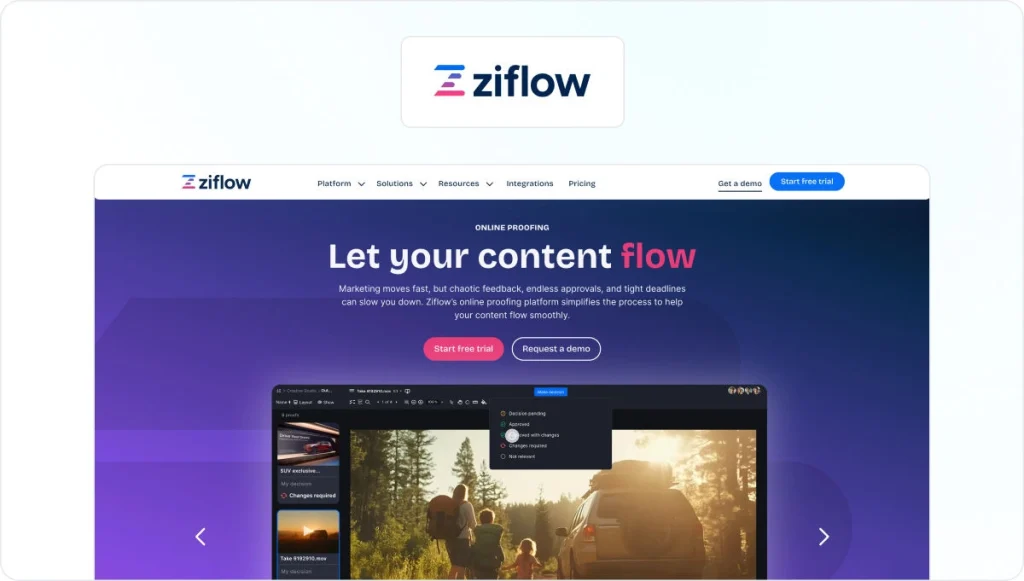
Ziflow is a robust online proofing platform positioned for marketing teams at larger organizations that need to manage media-rich approval processes. It supports video, images, PDFs, live websites, and HTML5 ads. Teams can set up automated reminders and status updates to keep review cycles moving.
Ziflow is a strong choice if workflow power and compliance tracking are top priorities, but user reviews report a steeper learning curve than simpler proofing tools on this list.
Best for:
Large marketing departments and agencies that need robust automated workflows and compliance tracking.
Pricing:
Starting from $199/month (15 users). Enterprise pricing on request. There’s also a free plan available for 2 users.
Integrations:
Ziflow integrates with monday.com, Asana, Slack, Dropbox, Box, and 1,000+ more apps via Zapier. API access on higher plans.
Security:
SOC 2 Type II, electronic signatures, SSO, 2FA, and IP-based access controls.
3. Frame.io
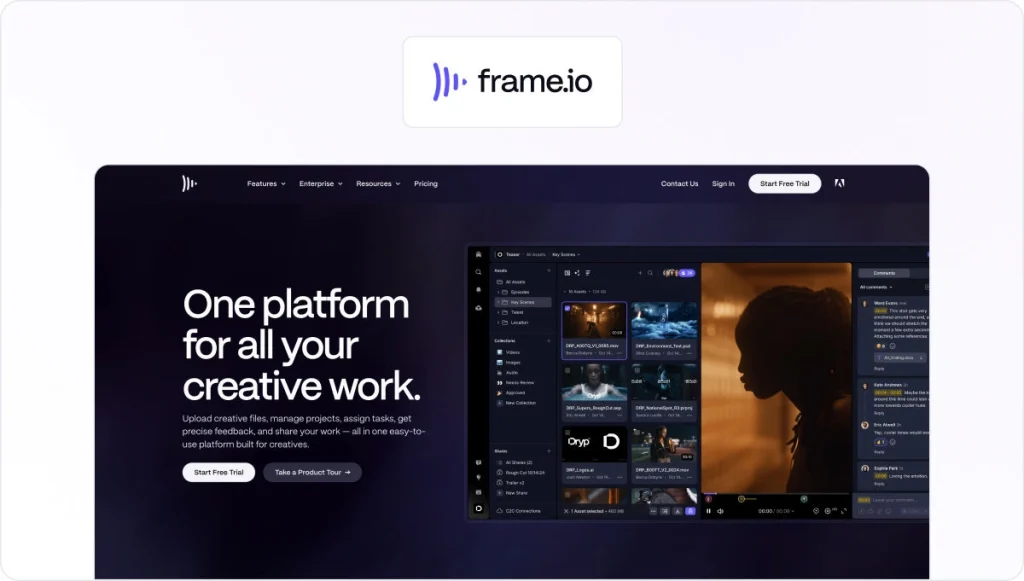
Frame.io is a video-first review platform, widely used by filmmakers and post-production studio teams embedded in the Adobe ecosystem. Time-coded comments allow reviewers to leave frame-accurate feedback directly on video, and the Camera to Cloud (C2C) feature lets footage upload from set to the cloud in near real-time.
Its deep integrations with Adobe Premiere Pro, After Effects, and Final Cut Pro make it a good choice for editors who want to centralize feedback without leaving their editing timeline.
Since Frame.io is purpose-built for video, marketing teams working with documents, designs, or multi-format digital content may find it limited outside that use case.
Best for:
Video production companies, post-production studios, and content teams working primarily within the Adobe ecosystem.
Pricing:
There’s a Free plan that includes 2 members and 2 GB. Pro plans start from $15/member/month + tax (5 members). Team and Enterprise plans are also available.
Integrations:
Integrates with Adobe Premiere Pro, After Effects, Final Cut Pro, DaVinci Resolve, Slack. Integrations outside Adobe are limited.
Security:
Watermarking, passcode-protected sharing, access controls, and enterprise SSO.
4. PageProof

PageProof is an online proofing platform designed for creatives and marketing teams looking to automate workflows and speed up approvals.
It supports multiple file types and offers advanced proofing features, making it ideal for design teams that create creative assets in various formats.
User reviews report that the login experience for external reviewers can be confusing. This may cause friction if your team works with a high number of agencies, partners, or freelancers.
Best for:
Marketing and design teams that handle confidential digital content and need the highest available encryption standard.
Pricing:
Plans start from $249/month (unlimited users). No free trial. Demo available on request.
Integrations:
PageProof integrates with a range of project management software, Adobe Creative Cloud, and Microsoft Teams.
Security:
PageProof is ISO 27001 certified and offers AES-256 encryption on all plans.
Check out this page for a detailed comparison of Filestage vs PageProof.
5. ProofHub

ProofHub is an online proofing software that helps creative teams streamline their review and approval process. It provides a central place to share files, review them, add annotations, and approve work.
Teams with complex approval workflows and annotation needs may find ProofHub’s capabilities in these areas limited compared to other tools.
Best for:
Small to mid-sized teams that want project management and creative review combined in a single flat-rate tool.
Pricing:
Essential plan starts from $45/month (flat rate, unlimited users). Ultimate Control plan starts from $150/month.
Integrations:
ProofHub integrates with third-party apps like Google Drive, OneDrive, Dropbox, and Box.
Security:
Security capabilities include SSL encryption, role-based access control, IP restriction, and activity logs.
6. GoVisually
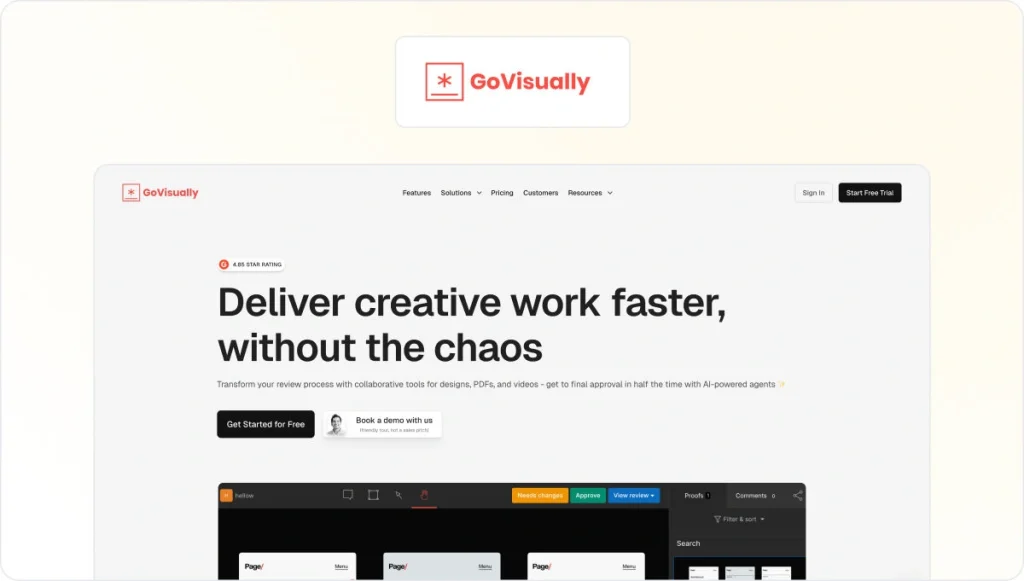
GoVisually is an online proofing tool designed to streamline the creative review process for freelance designers and marketing teams. It offers real-time collaboration features so team members can work on creative projects simultaneously – live updates make sure stakeholders never miss anything.
With GoVisually, you can use an “AI-powered compliance” guardian to do real-time content checks and keep a full audit trail with its version history feature.
GoVisually doesn’t currently have an internal review stage built in, which may create friction in the review process if your team works with clients.
Best for:
Freelancers and small marketing teams that need a simple, affordable tool for collecting visual feedback from clients on designs and videos.
Pricing:
Lite plan starts from $16/user/month for 1 to 5 users. Team plans start at $33/user/month. Free trial available.
Integrations:
GoVisually integrates with a range of apps, including Slack, Asana, Trello, Zapier, and Adobe Creative Cloud.
Security:
SSL encryption, role-based access controls, version history with audit trails, and AI-powered compliance checks.
7. Adobe Workfront

Workfront is an enterprise project management tool designed to help large, multidisciplinary teams collaborate. While the setup can take weeks, it allows marketing teams to build strategies and launch campaigns at scale.
Workfront is a powerful enterprise work management software, but the lengthy implementation time may not be ideal for teams looking for an agile online proofing platform.
Best for:
Large enterprise organizations that need to connect proofing with campaign planning and resource management across multiple teams.
Pricing:
Custom enterprise pricing. Contact Adobe for a quote.
Integrations:
Workfront integrates with the full Adobe Creative Cloud suite, Slack, Microsoft Teams, Jira, and many enterprise tools.
Security:
Enterprise-grade SSO, role-based permissions, audit trails, and compliance controls.
8. Approval Studio

Approval Studio is an online proofing tool built for artwork and design approval, with strong support for packaging, print, and graphic design workflows. Its AI-powered difference finder automatically highlights changes between file versions, a barcode scanner verifies barcodes on packaging artwork, and an on-screen ruler lets designers check measurements directly in the review view.
Approval Studio is a good fit for packaging and print workflows, but teams in regulated industries should note that it does not appear to hold company-level ISO 27001 certification. This may rule it out for pharmaceutical, financial, or government creative operations. Storage and advanced features are limited on lower-tier plans.
Best for:
Packaging agencies, print studios, and graphic design teams that need precise artwork review with barcode verification and AI-powered version comparison.
Pricing:
Lite plan starts from $60/month (5 users included). 14-day free trial.
Integrations:
Approval Studio integrates with Adobe Creative Cloud (Photoshop, Illustrator, InDesign), Slack, Zapier (5,000+ apps), Shopify, and custom API.
Security:
Password protection, GDPR compliant, SSO supported, and data handled in line with ISO/IEC 27001:2013 best practices.
9. Ashore

Ashore offers online proofing for creatives. It’s designed for client-facing approval automation for agencies and studios. Teams can build branded approval processes by defining stages, assigning approvers, and attaching white-labeled email templates. Clients access proofs through a branded portal without needing a login.
Ashore supports all major file formats and a full version history with audit trail is included.
Ashore is a strong choice for smaller agencies that prioritize a branded client experience. That said, it’s less suited to teams that need complex multi-stakeholder internal workflows or a broad range of integrations.
Best for:
Freelancers and small agencies that want white-labeled client portals and automated approval processes to reduce manual follow-up.
Pricing:
Standard plan starts from $46/month and includes 3 users and unlimited storage. Free version available for 1 user and up to 30 files per month.
Integrations:
Ashore integrates with Zapier, Adobe, and major cloud storage providers.
Security:
SSL encryption, password-protected proof sharing, and audit trails with version history.
10. Lytho

Lytho is a creative operations platform that helps teams build stronger collaborations with clients and stakeholders. The teams can do that by building creative workflows to efficiently manage all important aspects of the project, from stakeholder reviews to resource management.
Lythos combones digital asset management (DAM), project management, intake forms, and online proofing in a single tool. However, it is a more complex platform to onboard and configure.
Best for:
In-house creative teams at mid-to-enterprise companies that want to combine creative operations, DAM, and proofing in one platform.
Pricing:
Custom pricing.
Integrations:
Lytho integrates with Adobe Creative Cloud, Google Drive, Zapier, and various project management tools.
Security:
Offers security features like secure review links, access controls, and audit trails.
11. Frankie by Cospective

Frankie by Cospective is a browser-based video review and approval platform. It’s built for short-form content produced by ad agencies and production companies, letting teams and clients review video in real time from any browser. Reviewers join via a single link, leave frame-accurate annotations and drawings directly on the video, and all notes are auto-saved and exported as a PDF.
Since Frankie is purpose-built for video, it doesn’t support documents, designs, or multi-format campaigns. As a result, it’s a poor fit for teams that review mixed content types. The integration ecosystem is also narrow compared to other online proofing tools in this list.
Best for:
Ad agencies, production companies, and post houses that need a fast way to review short-form video with clients.
Pricing:
Frankie Basic starts from $49/month for 1 project and 2 reviewers. 30-day free trial available.
Integrations:
cineSync, ftrack. Browser support across Chrome, Safari, Firefox, and Edge. iOS app available for iPad and iPhone.
Security:
Browser-based delivery with secure server communication and controlled session access – links required to join reviews.
12. QuickReviewer
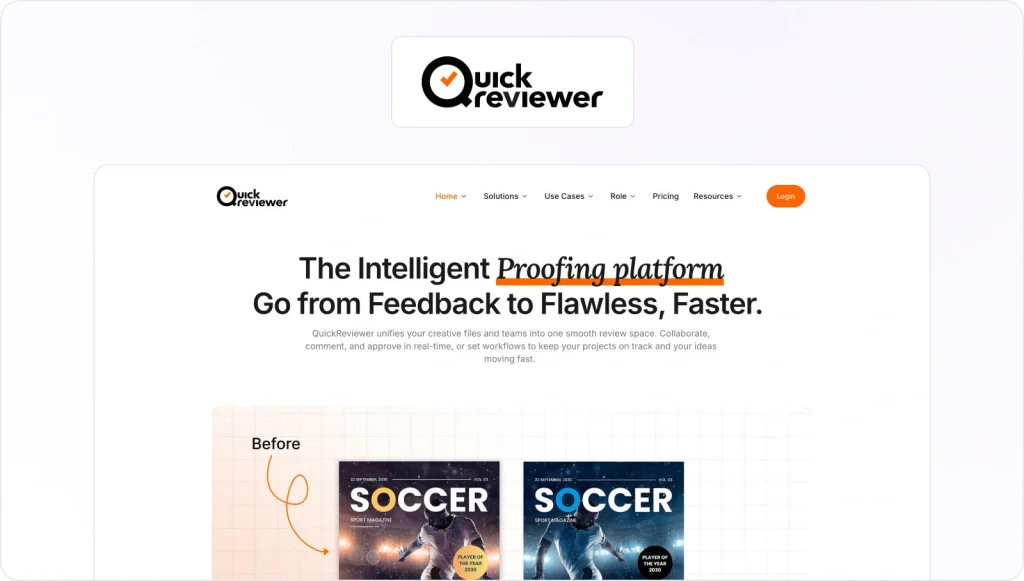
QuickReviewer is a cloud-based online proofing platform designed to offer fast, centralized feedback. It works across a wide range of file types, including video, images, PDFs, live websites, HTML5 banners, and audio.
It uses a Google Drive-style interface that is quick to learn, supports side-by-side version comparison, drag-and-drop upload, and shareable review links without requiring reviewers to create an account. That said, it offers fewer integration options than some other tools on this list.
Best for:
Budget-conscious creative agencies and marketing teams reviewing multiple file types who want an affordable, easy-to-deploy solution.
Pricing:
Free plan available for 1 team member. Paid plans start from $79/month and include 10 team members.
Integrations:
Adobe Creative Suite, Google Drive, Dropbox, Box, Zapier, and more.
Security:
SOC 2 Type II certified and GDPR compliant, password protection, and granular role-based permissions control.
13. Aproove

Aproove is a web-based work management and online proofing platform designed for larger organizations and regulated industries where compliance, governance, and automated approval workflows are top priorities. It combines proofing tools with task management, business process automation, and detailed reporting dashboards.
Aproove’s power comes with complexity and cost. It is one of the more expensive options on this list and requires significant configuration to set up, making it less ideal for most marketing and creative teams without a dedicated IT resource to manage it.
Best for:
Enterprise teams in regulated industries that need compliance-grade audit trails, advanced automated workflows, and governance controls.
Pricing:
Enterprise pricing on request.
Integrations:
API-based integration with most enterprise applications via Aproove Concoord iPaaS.
Security:
SOC2, HIPAA compliant, ISO-27001 certified, and enterprise-grade audit trails.
14. ReviewStudio
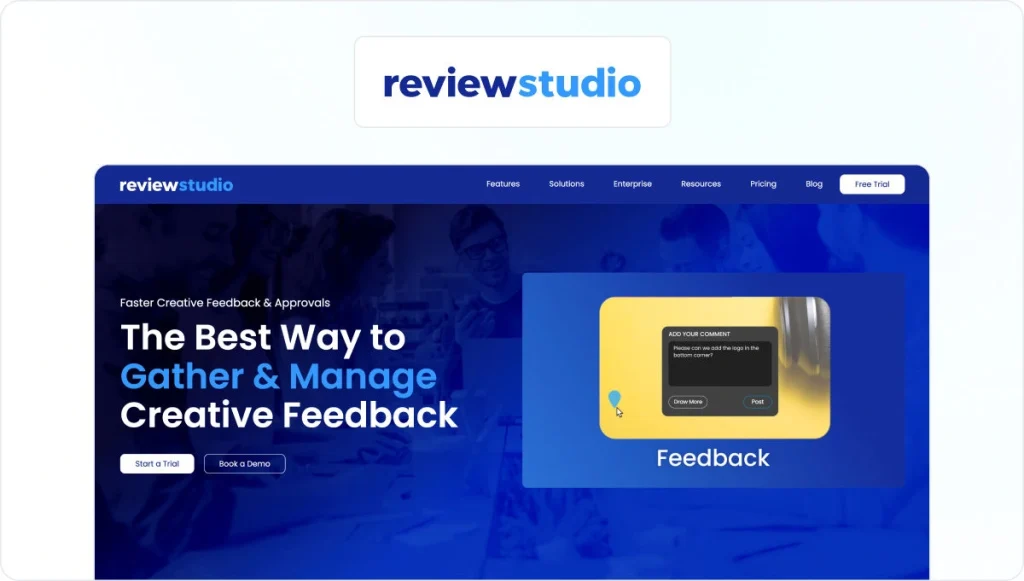
Review Studio is an online proofing tool built for creative teams that need a simple way to review, annotate, and approve visual content. It supports images, videos, PDFs, and live websites, with on-screen commenting, version comparison, and markup tools. Teams can organize projects, invite external reviewers, and track approvals in one place without relying on email.
The platform is accessible for both internal teams and external stakeholders. However, user reviews suggest that larger teams may find its workflow automation and integrations less advanced compared to more enterprise-focused tools.
Best for:
Creative teams looking for an easy-to-use proofing tool for visual content.
Integrations:
ReviewStudio integrates with tools like Slack and offers connections via Zapier for additional apps.
Pricing:
The pro plans starts from $12/user/month and includes 10 active reviews per user. There’s also a free version with 3 active reviews and unlimited users.
Security:
Security capabilities include SSL encryption, password-protected sharing, and access controls.
15. Markup.io

Markup.io is a visual commenting platform that excels at collecting feedback on live websites and digital assets. A Chrome extension lets reviewers click directly on any live webpage to leave precise, anchored comments without taking screenshots. It supports over 30 file types, including images, PDFs, and videos.
Markup.io is well-suited to web design and digital marketing teams, but reviewers have noted that integration depth is limited compared to some other multi-format proofing platforms.
Best for:
Web design and development teams that need precise feedback on live websites, landing pages, and digital campaigns.
Pricing:
Pro plan starts from $79/month (billed annually) and includes unlimited users. Enterprise pricing on request.
Integrations:
Integrates with a range of tools, including Figma, WordPress, HubSpot, and ClickUp.
Security:
SOC-2 documentation and SSO (SAML) are available on the Enterprise plan.
Five core features to look for in an online proofing tool

With so many options available, it can be challenging to find the best proofing solution for your use case. When choosing an online proofing tool, I recommend focusing on these five core features:
1. Markup and annotation tools
The ability to add comments, draw, highlight, and strike out text directly on a file is essential. Visual markup tools like arrows, shapes, and color-coding make feedback clear and actionable. This makes sure all feedback is contextual, reducing frustrating back-and-forths or reworks.
Here’s an example of how visual markups look in Filestage:

2. Version comparison
Look for tools that let you compare versions side-by-side. This makes it easy to check that all requested changes have been made correctly. Some tools offer overlay and pixel comparison modes to spot subtle differences.
For context, in Filestage, you can compare the latest version of images, documents, and even videos. Changes are automatically highlighted to speed up reviews and save reviewers time.

3. Workflow automation
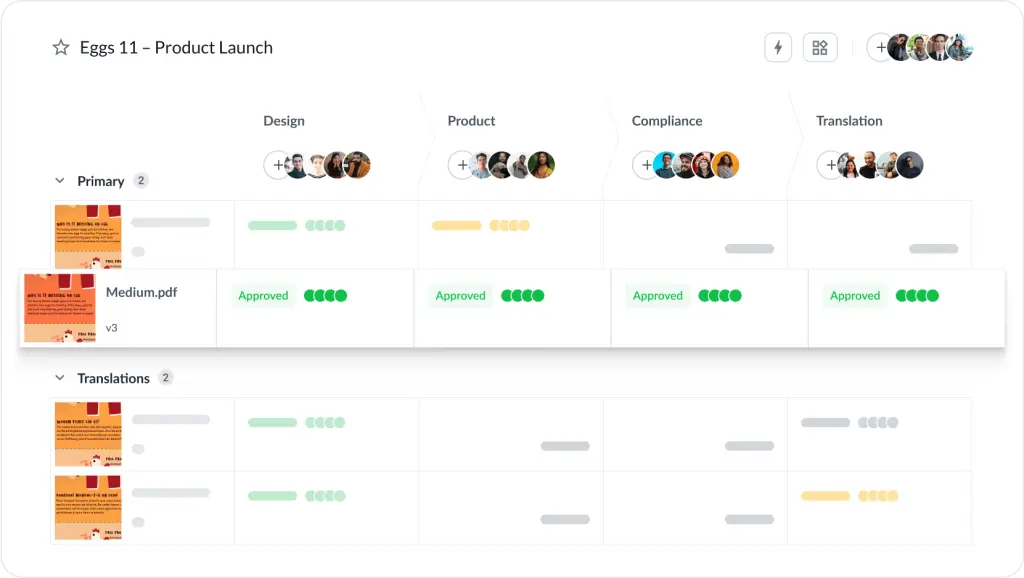
This is a big one if you’re producing high volumes of content. Ideally, you should be able to create automated review workflows that direct files to the right stakeholders in the right order. This saves time and makes sure no one is missed.
Let’s take Filestage as an example here.
You can set up automations so assets move to the next reviewer group once everyone in the previous group has sign-off. Automated due dates and reminders keep projects on track, and project managers can monitor progress from a central dashboard.
4. Integrations
You’re trying to streamline your creative operations, not add more tools to toggle between. So, make sure your tool of choice integrates with the software you already use.
For instance, Filestage integrates with the following apps:
- Project management tools – Asana, Trello
- Creative software – Adobe Creative Cloud, Figma
- Team chat apps – Slack, Microsoft Teams
- Storage and asset management – Google Drive, One Drive
5. File format support
The best online proofing tools support a wide range of file formats, including documents, images, videos, audio files, and even interactive web content.
For example, Filestage supports everything from video to artwork to PDFs. Here’s an example of how easy it is to leave feedback on a live website – simply click and leave your comments.

Six security features Enterprise Teams should look for in an online proofing tool

If your team handles sensitive creative assets (think confidential campaign materials, pharmaceutical packaging, financial advertising, or regulated digital content), security is a non-negotiable when evaluating online proofing tools.
Here are the key security features I’d recommend looking for:
1. Audit trails and approval logs
Every version upload, comment, and approval decision should be logged, giving your team complete visibility and accountability across the entire review process. This is essential for compliance in regulated industries and for resolving disputes.
A strong audit trail should show:
- Who viewed what
- Who commented or approved
- When decisions were made
2. Role-based permissions
Your platform should allow admins to control who can view, comment on, download, or approve files. Enterprise-ready tools like Filestage offer granular permission settings across internal teams and external reviewers for added security. This ensures your sensitive files aren’t exposed to the wrong reviewers.
3. Password-protected review links
Opt for a platform where you have the option to send password-protected review links and restrict reviewers’ access to sensitive content. This adds an extra layer of security to your creative operations.
4. SSO and access controls
Look for software that supports authentication via Google SSO, SAML, OpenID Connect, and other federated SSO providers. SSO (Okta, Azure AD, Google Workspace). This gives enterprise IT teams centralized control and reduces risk when employees join or leave your organization.
5. Electronic signatures
If you need to add verifiable, documented sign-off to the automated approval workflow, look for a tool that provides legally recognized e-signatures for approvals.
6. Compliance certifications
Most enterprise procurement teams won’t consider a vendor unless they meet strict data governance and compliance requirements.
If your enterprise is in a regulated industry, look for a platform with:
- Choice of data hosting region (EU, US, etc.)
- Clear data segregation between customers
- Backup and disaster recovery policies
- ISO 27001
- SOC 2 Type II
Four ways online proofing tools make feedback easier
Getting feedback on your content can be a headache. But online proofing makes life easier for everyone involved – from content creators to C-level stakeholders.
Here are four ways proofing software makes feedback easier:
- See what’s happening across all your projects
- Get crystal clear feedback with full context
- Make sure everyone’s on the same page
- Manage versions and review rounds with ease
1. See what’s happening across all your projects
Imagine if you could answer any question about the status of your content within 10 seconds. Maybe even five. With Filestage, you can.
The problem
Checking the status of your content takes some serious detective work. And not the fun kind. The very, very boring kind where you have to pour through email chains, chat threads, in-app comments, and spreadsheets just to work out if a piece of work is approved or not.
In fact, you would probably struggle to answer any of these questions quickly:
- Is this version approved and ready to be published?
- Who still needs to give feedback?
- Which images has the client approved?
- When can we expect feedback from the product team?
- Has the latest version been shared with Jane in Legal?
How proofing tools help
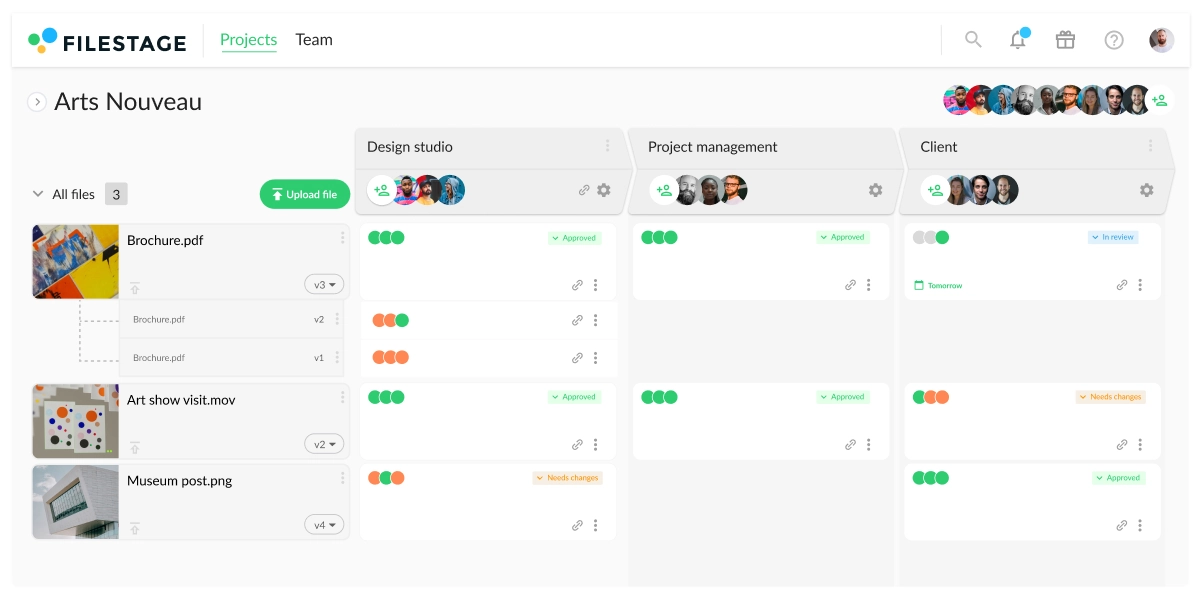
With free online proofing software like Filestage, you can see the status of all your content from your project dashboard. This gives you a bunch of important information at a glance, including:
- Approval status – see which stakeholder groups have approved your content (e.g. Creative) and which ones still need to give feedback (e.g. Product)
- Review decisions – see whether each reviewer has given their approval, requested changes, or still needs to take a look
- File status – see which files are in review, approved, or ready to be worked on
- Due dates – see when feedback is due and find out who is holding up the review process
- Version management – see which version is the latest and check who approved previous versions
And because Filestage supports all the most popular file formats, it’s like a video proofing tool and document review system all rolled into one.
The cherry on top
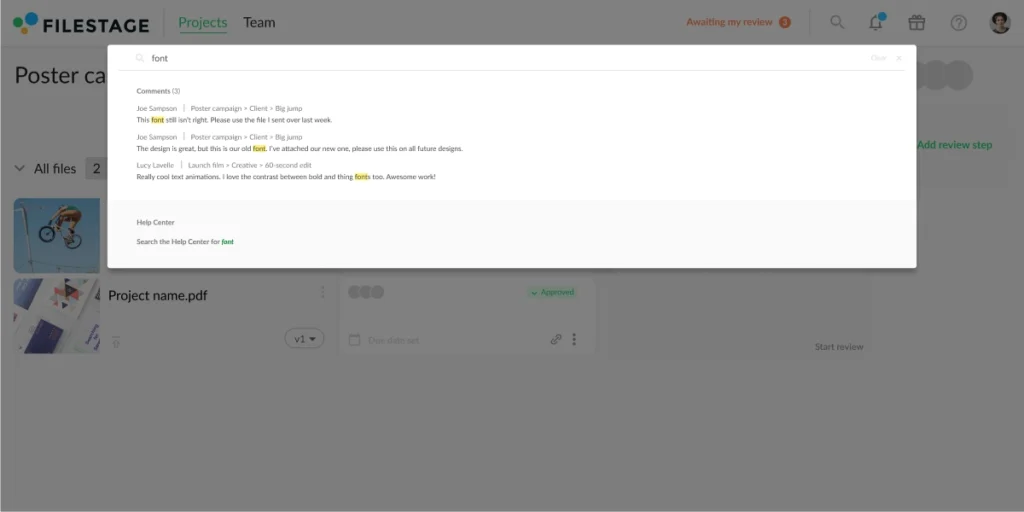
With Filestage, you can tap “F” to search every project, file, reviewer, version, and comment. So if you remember an important piece of feedback but can’t remember where you saw it, you can track it down in no time.
2. Get crystal clear feedback with full context
Rumor has it that if you add up all the hours people in your company waste capturing screenshots, copying out timecodes, writing out long descriptions that make no sense to anyone but themselves, and attending meetings to explain what they meant … Well, safe to say you’d have a very big number!
The problem
Separating files and feedback is a recipe for disaster. Here are three reasons why:
- It wastes time for stakeholders – there’s no simple way for your reviewers to give feedback, so they have to explain which parts of your content they’re talking about
- It creates a huge margin for error – it’s easy to misinterpret the feedback and make the wrong edits, leading to more work later in the process
- It leads to conflicts and confusion – feedback is rarely consolidated between stakeholders, so meetings need to be called to resolve things
How online proofing tools help
Review software for videos and other file formats makes it easy to give and receive feedback with pinpoint accuracy – down to the frame, letter, or pixel.
Here are five Filestage features that help make comments clear:
- Markers – tap anywhere on your content to create a marker, even if it’s a video
- Annotations – draw on top of your content to perfectly illustrate your point
- Highlights – select a word or sentence you want to comment on
- Strikeouts – select a word or sentence you want to delete
- Attachments – add a reference or asset to your comment
The cherry on top
In Filestage, you can get clearer feedback on all your content. That includes documents, PDFs, videos, images, live websites, interactive HTML, and audio. So you can also save your team time bouncing between tools!
See how Filestage can speed up your approvals
Enjoy a free, 30 minute consultation with our experts, tailored to your team and use cases.
3. Make sure everyone’s on the same page
I used to wonder why stakeholders shared feedback with so many conflicts. But then I realized something. You may not like it, but I promise it’s true. It isn’t your stakeholders’ job to consolidate their feedback.
I repeat: it isn’t your stakeholders’ job to consolidate their feedback.
The problem
Your stakeholders don’t have time to read and understand everyone else’s feedback. They barely have time to give feedback themselves. And even if they want to see what other people have said, they’re sure to have trouble finding it.
Here’s why:
- You don’t have a standardized process for collecting feedback
- Stakeholders share feedback in the way that best suits them
- Comments end up scattered across lots of tools and email chains
How online proofing tools help
Online proofing puts transparency and collaboration at the heart of your feedback process.
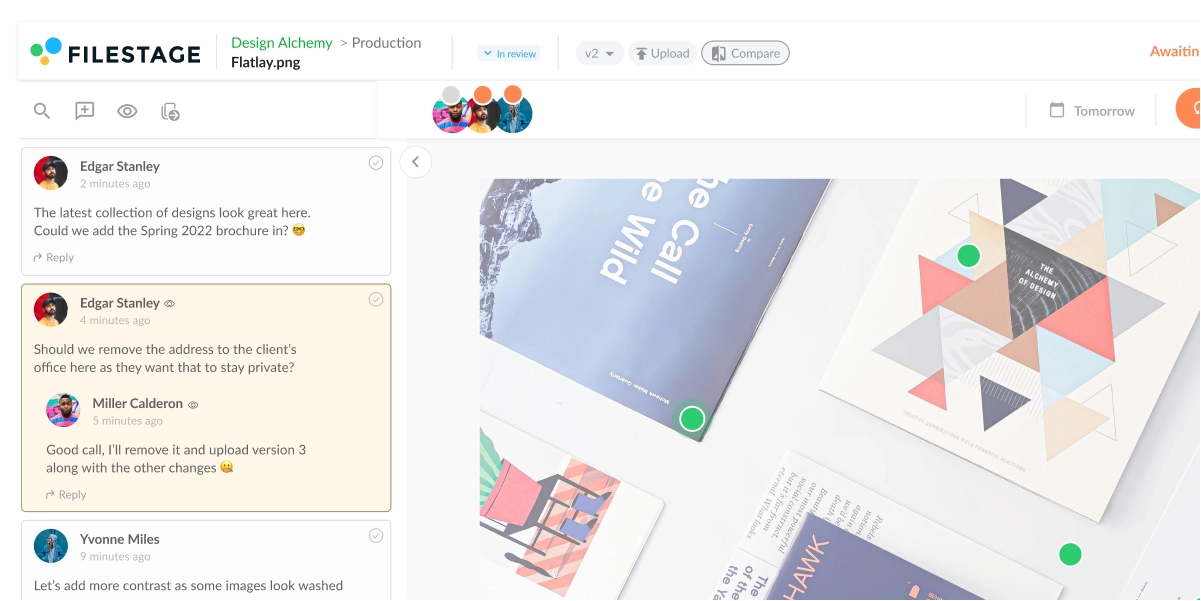
In Filestage, all your stakeholders give feedback in the same place. So as they’re watching your latest edit or reading your brochure, they’ll see exactly which points other people have commented on.
So if they agree with something, all they have to do is give a thumbs up And if they don’t, they can add a comment and @ the other person to kick off a discussion in real time.
The cherry on top
Filestage also includes team-only comments. This lets you post a comment or reply that only your teammates can see, helping to keep discussions in context. So if a client posts an outlandish suggestion in the comments, you can tag a teammate to check you’re not the only one who thinks it’s crazy.
4. Manage versions and review rounds with ease
Versions are like relationships. When it’s clear things aren’t working, you need to draw a line in the sand and reflect on what went wrong. Only then are you truly ready to move on.
The problem
Version control is, well, out of control. And modern collaboration tools are only making things worse. Documents and designs are in a constant state of flux, changing every time a new comment appears. Then, once the edits are done, the comments are ticked off or resolved. Almost as if nothing happened.
Here’s why that’s a problem:
- There’s no record of where your content began and how it developed
- There’s no history of who said what and how it impacted your work
- Your versions all blend into one endless feedback loop
Even without these tools, you’ve still probably faced your fair share of version woes. Like getting feedback on an old version, or having your client edit your copy directly.
How. Dare. They.
How online proofing tools help
Software proofing tools automatically manage your versions so everyone knows which one is the latest.
Here are three ways Filestage helps with version management:
- Version history – use the drop-down menu on your dashboard to revisit previous versions and check the content or comments
- New version available – if anyone opens an old version of a file, a message appears to make it clear that there’s a newer version
- Auto-versioning – if you upload multiple new versions at once, they’re automatically matched with files of the same name
The cherry on top
With Filestage, you can compare two versions of your content side by side. So if you need to check the new version against what you and your teammates said last time, your feedback is only a click away.

Get creative work approved faster with Filestage
Everyone faces challenges in the feedback process, but few choose to do anything about it.
I hope I’ve helped to shine a light on these problems and identify some solutions that work for you, your team, and your stakeholders. If you’d like to take a closer look at Filestage’s online proofing solution, start a free trial.
FAQ
What is an online proofing tool?
An online proofing tool is a platform that streamlines how you review and approve creative assets. Think of it as a central hub for all your feedback on videos, documents, images, websites, and more. Instead of sending files back and forth over email, you can share a single link.
Your team and clients can then add comments directly on the file, making their feedback clear. This is essential for teams with complex review processes with multiple stakeholders or high volumes of content, like marketing departments and creative agencies. Also known as a client feedback tool, it’s the best way for creative teams to get visual feedback.
Not only is every feedback comment in one dashboard, but you can easily create a comprehensive audit trail to track the progress of creative projects.
Who uses online proofing software?
Online proofing software is used by a wide range of professionals and teams who need to collaborate on creative content. This includes:
– Marketing teams reviewing campaigns, ads, and social media content.
– Creative agencies managing feedback from multiple clients.
– Video production companies collaborating on edits and post-production.
– Graphic designers sharing designs for review.
– Publishing houses proofing documents and layouts.
What file formats can you proof online?
Online proofing tools generally support a variety of file formats to accommodate different types of content.
Here’s what file formats are supported in Filestage:
– Documents: PDF, PDF/X, DOC (Microsoft Word), DOCX (Microsoft Word Open XML), XLSX (Microsoft Excel Open XML), PPTX (Microsoft PowerPoint Open XML)
– Images: JPG, PNG, TIF/TIFF, AI, PSD, SVG, GIF, EPS, WEBP, NEF, CR2, DNG, ARW, HEIC ,TTF, PSB
– Design files: Adobe Photoshop (PSD), Adobe Illustrator (AI), Adobe InDesign (INDD), Sketch (SKETCH), CorelDRAW (CDR), Scalable Vector Graphics (SVG)
– Video: MOV (h.264, Apple ProRes, Avid DNxHD, DVCPro etc.), MP4, 3GP, AAC, AVI, FLC, MPEG-2, WMV, MXF
– Audio: MP3, AAC, WAV (browser-dependent). In the Internet Explorer, audio waveform visualization and WAV files are only supported in version 13 (Edge) or higher
– Web content: TTPS sites, HTML (files need to be uploaded in a Zip file)
What software do online proofing tools integrate with?
Online proofing tools often integrate with a variety of software applications and platforms to improve collaboration, streamline workflows, and facilitate the review and approval process.
These integrations help you connect the review process with your existing systems without having to switch between different platforms.
When considering an online proofing tool, it’s important to check its list of supported integrations to ensure that it aligns with the software your team is already using.
Here are some common types of software that online proofing tools mostly integrate with:
Project management and collaboration tools – Asana, Trello, Monday.com, Basecamp, Jira, Slack
Creative software and design tools – Adobe Creative Cloud (Photoshop, Illustrator, InDesign, etc.), Sketch, Figma, Canva
Content management systems (CMS) – WordPress, Drupal, Joomla, HubSpot
Cloud storage and file sharing services – Google Drive, Dropbox, Box, OneDrive
Video collaboration tools – Frame.io, Wistia, Vimeo
Marketing automation and email marketing platforms – HubSpot, Marketo, MailChimp
Customer relationship management (CRM) software – Salesforce, HubSpot CRM
Productivity suites – Microsoft Office 365, Google Workspace
Web development platforms – WordPress, Wix, Squarespace
Analytics and reporting tools – Google Analytics, Adobe Analytics
Social media management tools – Hootsuite, Buffer
What are the key benefits of using an online proofing tool?
Getting feedback on your content can be a headache. But an online proofing tool makes life easier for everyone involved – from content creators to C-level stakeholders. This leads to improved collaboration, faster project completion, and higher quality of your projects.
Here are the five key advantages of using an online proofing platform:
1. Efficient collaboration – Team members, clients, and stakeholders can collaborate in real-time, no matter where they are. Users can easily provide feedback, comments, and annotations directly on the content, eliminating the need for lengthy email chains or in-person meetings.
2. Faster review cycles – By centralizing feedback, you cut down on back-and-forth communication and misunderstandings. This helps you get work approved and delivered faster.
3. Clear version control and audit trail – Online proofing tools often include version tracking and maintain a detailed history of changes made to the content. This helps users keep track of different iterations, compare changes over time, and maintain a clear audit trail of feedback and approvals.
4. Improved visual communication – Annotation and mark-up features in online proofing tools make it easier to communicate visual feedback. Reviewers can pinpoint specific areas for improvement directly on files, leading to clearer communication and a better understanding of required changes.
5. Improved accuracy and consistency – Online proofing helps reduce errors and inconsistencies in the final content. By capturing feedback and changes directly on the content itself, there is less chance of misinterpretation or miscommunication.