
TL;DR
Video production management software gives creative teams one platform to plan shoots, assign tasks, share scripts and assets, and track progress across the entire video production process. By integrating your video project management software with a review and approval platform for file sharing, feedback, and workflow management, your whole crew stays organized from first draft to final video.
Overcoming review bottlenecks in the video production process
You’ve made it through the video production process. You’ve met every deadline you’ve set yourself. But you’re being held up by stakeholders at the review stage, pushing your publishing date further and further back.
It’s an age-old problem faced by just about every content creator, whether that’s at a video production company, an advertising agency, or in-house.
And you’re definitely not the only one: in a 2025 survey of 500 marketing and creative professionals, 85% said approval delays regularly push projects beyond their planned timelines.
But that’s where video production management software like Filestage comes into play.
Filestage is a review and approval platform that helps you to collate feedback in one place, and keep on top of who’s approved your content and who you’re still waiting for. Stakeholders are held accountable to the due dates you set, and since you can see version history and previous comments, conflicts and contradictions are no longer a problem.
Here are five ways that Filestage can help to speed up your creative reviews on video projects:
1. Create a consistent process to manage your video project
The video production process involves a lot of steps, a lot of stakeholders, and a lot of stress (if not managed efficiently, that is). If you want to learn more about the three stages of video production, we recommend watching this video:
But with Filestage’s project management software for video production, things are a whole lot easier. For you, and for your stakeholders too.
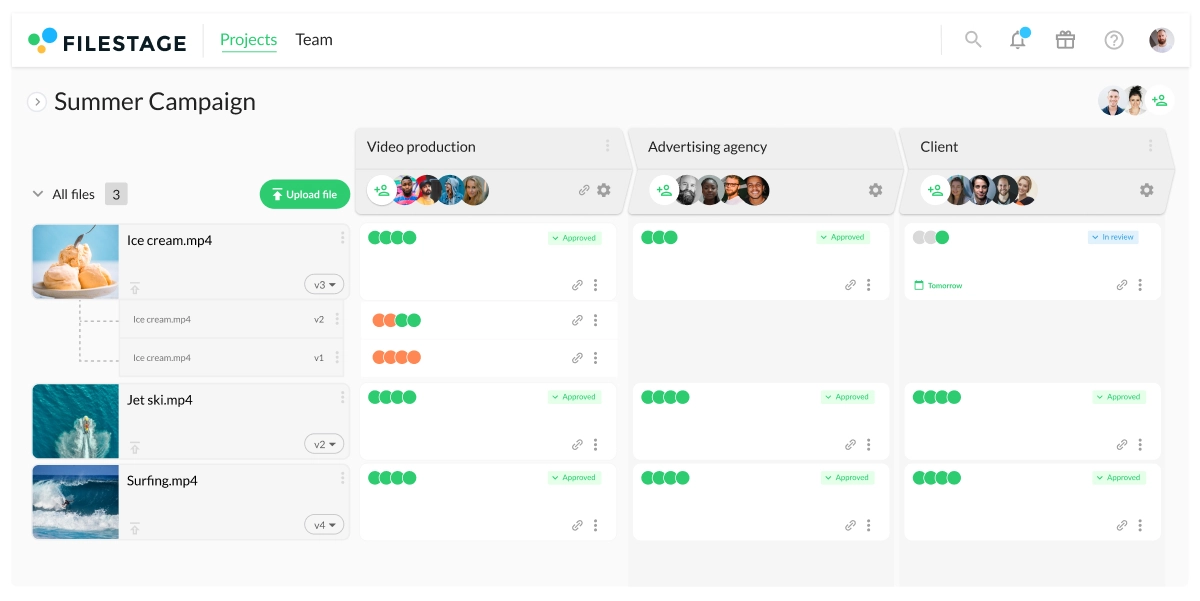
Filestage can be used at every stage of the video production process, facilitating feedback on scripts and storyboards before you’ve even started shooting.
A consistent process throughout helps you to stay organized and prevents confusion down the line. You can set due dates, upload new versions, and track the progress of your content. All in one place.
Supercharge your video review rounds
Get point-and-click feedback on your video edits with Filestage.
2. Set due dates to make sure feedback arrives on time
A global 2025 study from the IPA and WFA found that the average number of revisions before creative approval has jumped from three to five rounds. Many agencies describe the approval process as “inconsistent” and “slow,” which means more time chasing feedback and less time improving the work.
Next thing you know, you’re forced to stay late or have to get freelancers in to help you meet the deadline.
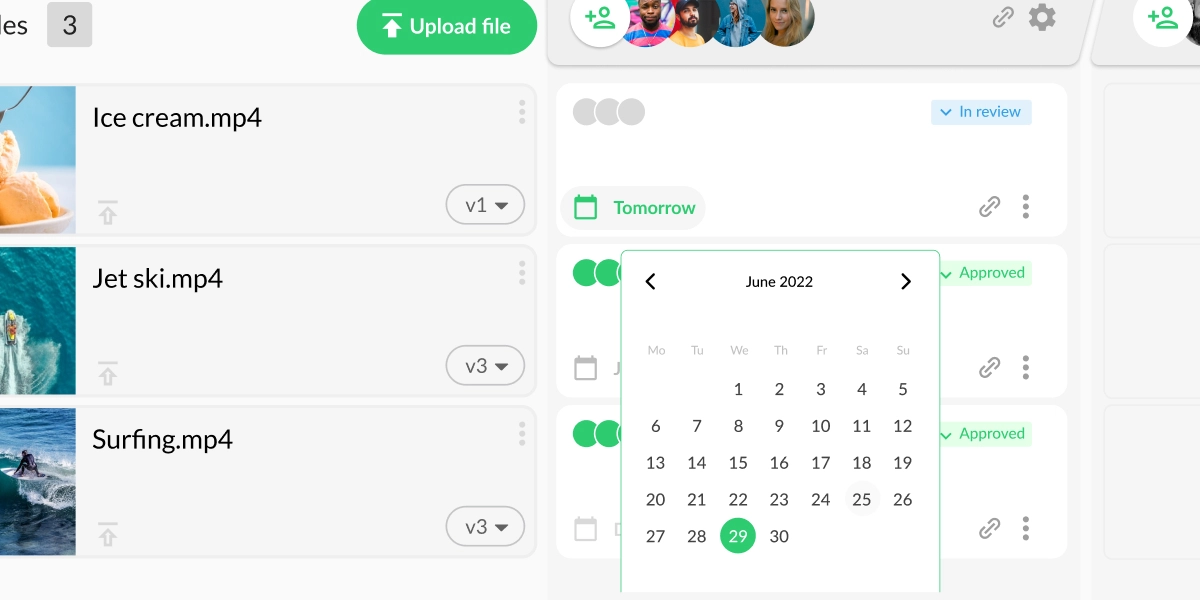
Filestage is designed with fast feedback in mind. Each time you share a file with your reviewers, you can set a due date to let them know when you need their feedback. And if you still haven’t received it from them on the day before the due date, Filestage sends automated reminders to give them a nudge.
Your days of chasing people around offices and inboxes are over!
3. Collect feedback on your videos with full context
Collecting feedback by email can be nothing short of a nightmare. Screenshots. Long-winded descriptions. Conflicting comments. The list goes on. And you’re left piecing the whole gigantic puzzle together so you can match the mountain of feedback up with the latest edit.
Oh, the joy!
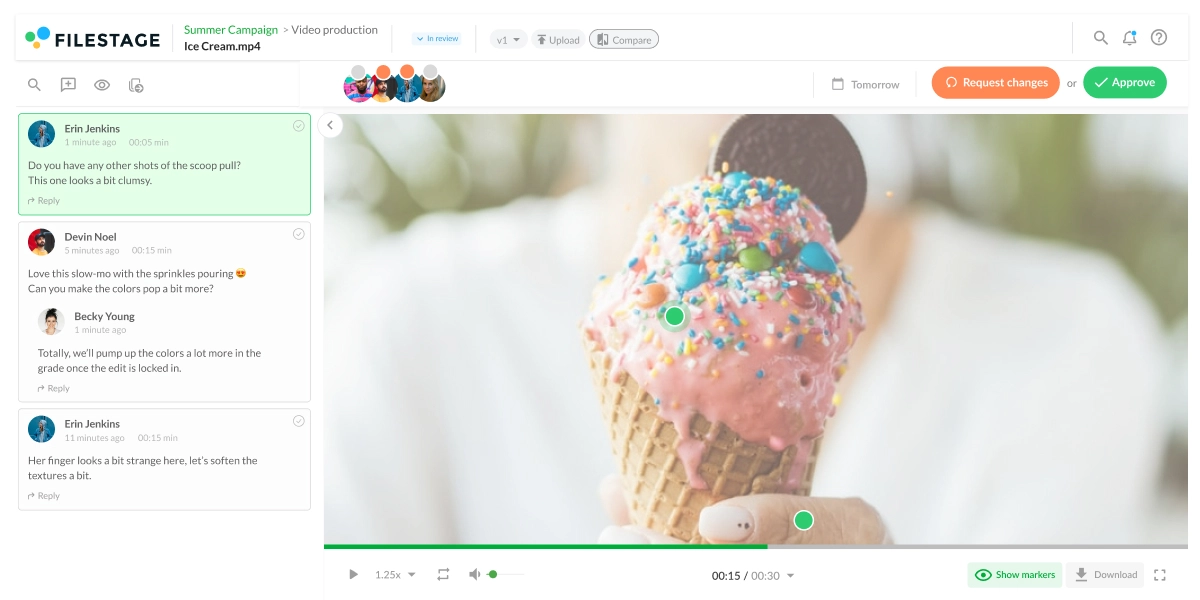
In Filestage, collecting feedback on videos is quick and easy. Reviewers can click and comment, and their feedback will be attached to that timecode, so it’s easy to see exactly what they’re referring to. They can also draw on videos and highlight specific areas for more visual feedback.
All comments appear in the sidebar. Simply click on a comment, and you’ll jump to that frame in the video. Or hit play on the video and click on a marker to highlight that comment.
That means less time messing around with feedback and more time making sure your next edit is the best yet.

“In most cases, we just share links with clients and ask them for feedback on whichever file version we’re working on at that moment. This makes getting contextual feedback faster and easier, and speeds up the final sign-off.”
Donald Chan, Founder of the IMPACT Brand Communications Agency
4. Collaborate on new versions until you get approval
If you think getting feedback on v1 is a struggle by email, wait until you get into v2, v3, and even v4. The feedback process can quickly descend into chaos, with different stakeholders missing emails and commenting on different versions of your video.
Here are three ways Filestage helps with video collaboration:
- Version history – all your versions are neatly stacked together, so you and your stakeholders can clearly see which is the latest. But you can still go back and check the content and comments on older versions, too.
- To-do lists – the comment sidebar doubles as a to-do list for video editors. Your team can tick off comments as they go along to make sure all feedback has been addressed.
- Review decisions – reviewers can choose to “Approve” a file or “Request changes”, so you’re always clear on the status of your content.

Supercharge your video review rounds
Get point-and-click feedback on your video edits with Filestage.
5. Track the progress of all your content in one place
Video can be a big investment for your business and clients. And often the bigger the budget, the more stakeholders are involved in the sign-off process.
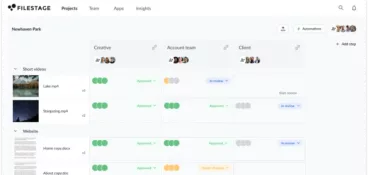
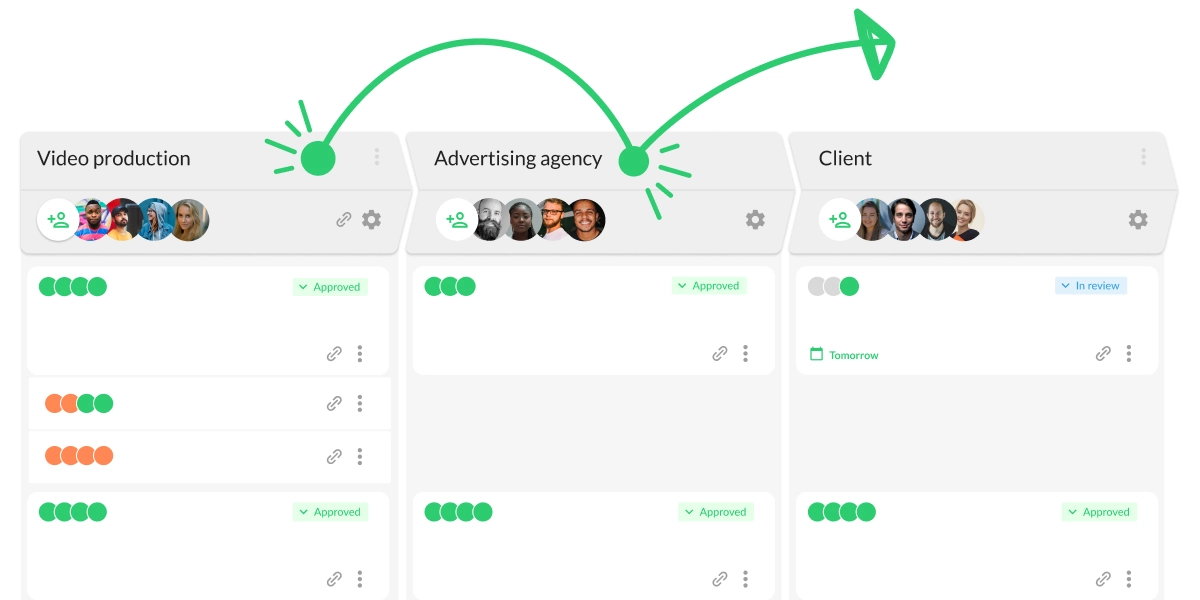
Filestage makes it easy to track the progress of your content. From your project dashboard, you’ll be able to see exactly what’s what, including:
- How many versions have been shared
- Which files have feedback that’s ready to be worked on
- How many comments have been added
- Who has approved each file
- Who still needs to submit a review decision
Five best video production project management tools
Continuously delivering great video projects is no walk in the park. Having just one video finished and ready for publishing requires alignment between many stakeholders in various stages of video production.
Everything from deciding on the video’s strategy and goals to its actual look and feel is a part of the video project management process. And in this process, you can use various tools to help you get your video projects ready for publishing in less time.
Let’s look at the five best video production project management tools.
1. Filestage

Filestage is an all-in-one video review and collaboration software that allows you to manage your video project more efficiently. You can share video projects and collect feedback right on top of your content, with automated timestamps to save time between versions.
Here are six ways in which Filestage makes video feedback and approval easier:
- Click on videos to add comments in context
- Automatically create timestamps
- Make feedback on a video project clear with annotations
- Compare versions and comments side by side
- Tick off feedback as you work on new edits
- Send reviewers automated reminders to make sure no one misses a deadline
On top of that, Filestage is packed with security features that put you in full control of your creative review process.
The tool allows you to password-protect your content, restrict downloads, and anonymize feedback in just a couple of clicks, making it a video collaboration software designed for your peace of mind.
2. Asana
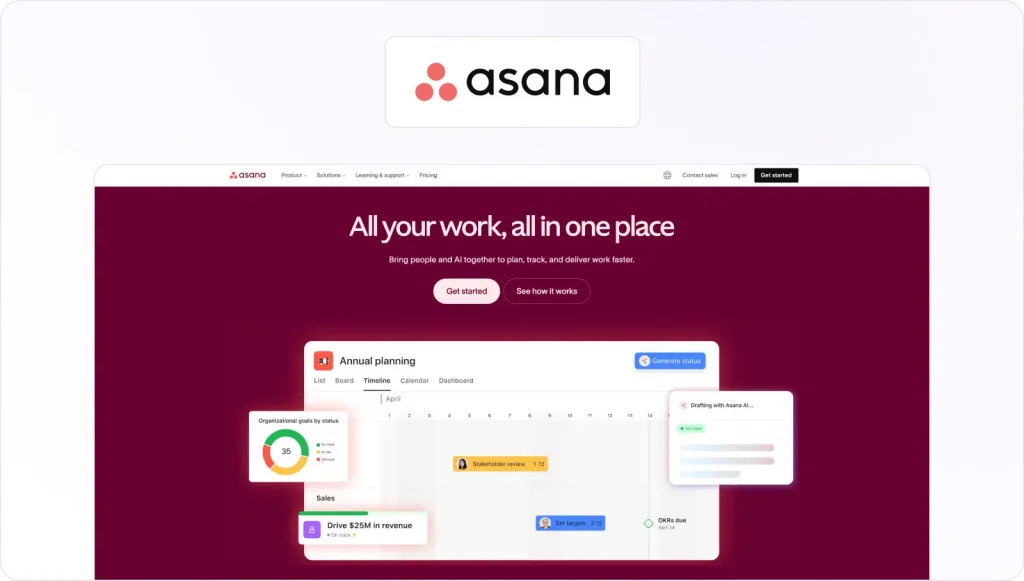
Asana is a powerful project management tool that can greatly benefit video production teams by streamlining communication, task management, and collaboration. The time-saving tool allows teams to create and assign tasks easily, set deadlines, and track progress in real time.
This helps teams ensure everyone is on the same page and that projects are completed on time and within budget. Asana also allows teams to upload and share files, making collaborating on video content and providing feedback easy.
Here are five ways in which Asana simplifies video production project management:
- Streamlining task management with easy-to-create and assign tasks and deadlines
- Enhancing collaboration by uploading and sharing files and communicating in real time
- Promoting transparency with a centralized platform
- Improving workflow efficiency by automating repetitive tasks
- Simplifying project management by providing a clear and organized interface
3. Trello

Trello is a flexible project management tool that can be highly effective for video production teams. The tool allows teams to create and organize tasks on virtual “boards,” which can be easily customized to fit each team’s specific needs.
This project management software has a visual interface that makes it easy to see the status of each task at a glance, allowing team members to quickly prioritize and adjust their work as needed.
Its collaborative features simplify processes like file sharing, giving feedback, and communicating in real time, enhancing teamwork and productivity.
Here are the four most prominent ways in which Trello helps teams improve their video production project management process:
- Visualizing the project workflow due to its highly visual interface
- Customizing boards to fit project needs
- Enhancing collaboration with features like file sharing and real-time communication
- Streamlining project management by providing a centralized platform
4. ClickUp

ClickUp is a comprehensive project management tool that allows teams to manage tasks, projects, and workflows in one platform. Its intuitive interface makes it easy to create and assign tasks, set deadlines, and track progress in real time.
ClickUp’s collaborative features, like file sharing and real-time communication, promote teamwork and make sure everyone is on the same page. This project management tool can be a valuable addition to video production teams looking to increase efficiency, productivity, and collaboration.
Here are four ways in which ClickUp helps you speed up video production:
- Teams can manage tasks, projects, and workflows all in one place
- Customizing workflows and templates for their specific video production needs
- Real-time progress tracking and status updates so everyone stays up-to-date on project developments
- Collaborative features like file sharing, comments, and real-time communication allow teams to work together seamlessly
5. Monday
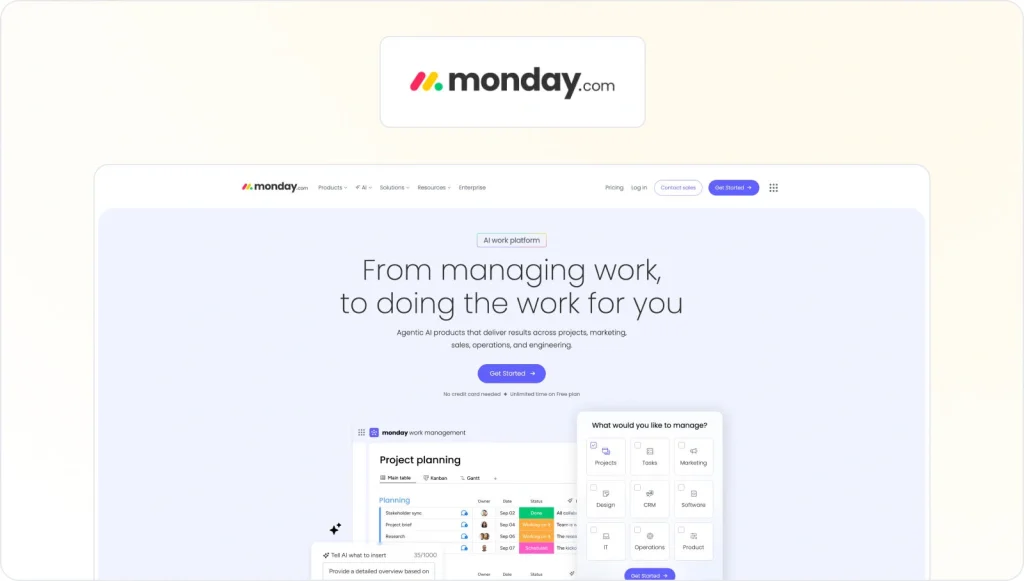
Monday.com is a user-friendly project management tool that can be highly effective for video production teams. The tool allows teams to manage projects, track progress, and collaborate with ease.
The platform offers customizable templates, allowing teams to tailor the tool to their needs. This helps video production teams manage their projects more effectively and efficiently.
Here are three ways in which Monday.com simplifies video production project management:
- It offers customizable templates that can be tailored to fit a video production team’s specific needs
- Task automation helps automate routine tasks like sending reminders or updating project statuses
- Its visual interface makes it easy for any video production team to see the status of each task and project at a glance
Final thoughts
I hope you’ve enjoyed learning how to speed up creative reviews with video production management software.
If you’d like to see for yourself how Filestage could help with feedback and approvals for your video projects, you can request a free trial here →
FAQ
What is video production management?
Video production management involves organizing, managing, producing, and distributing videos. As a video project manager, you’ll be responsible for setting a timeline and sticking to it, and for gathering feedback and getting the video over the line.
What is video production management software?
Video production management software is a powerful tool that helps you run the entire video production process in one place. It gives your team a clear overview of every project, from planning and pre-production through post-production and final delivery. Instead of juggling email threads, scattered files, and status updates in different tools, you use a single platform to coordinate people, deadlines, and assets.
The best video production management software will help to:
– Keep your video editing workflow running smoothly
– Improve communication and collaboration
– Organize files and versions
– Track feedback and edits awaiting your review
What’s the best project management software for video production?
There’s no single “best” project management software for video production, because different teams need different things. Many video teams use general project management software (such as Kanban or Gantt-based tools) or dedicated video production project management software to plan shoots, assign tasks, build shooting schedules, and track progress throughout the entire video production process. This kind of software for video production is great for budgeting, resource planning, and keeping your entire production on schedule.
Where Filestage stands out is in the video post-production workflow. Instead of replacing your main project management software for video production, it sits alongside it as a specialist tool for reviews and approvals:
– You can use it at every stage to collect feedback on scripts, storyboards, animatics, and edits before you lock the final video.
– It makes collaboration a breeze – loop in stakeholders from across the company and get precise feedback directly on your videos.
– You can set due dates so feedback arrives on time, keeping you on track to meet deadlines.
– You can track the status of all your videos and versions in one place – no chaotic email chains, no missed comments, and no confusion over which file is the latest.
So, think of classic video production management software as the backbone for planning and managing projects, and Filestage as the best companion tool to streamline feedback and approvals in post-production.
What software do production companies use?
Most production companies use a mix of tools:
– Video production software like Adobe Premiere Pro, Final Cut Pro, and other editing tools for media creation and post-production
– Film production management tools for call sheets, production calendars, and shooting schedules (e.g., StudioBinder, Yamdu)
– Video production management software to assign tasks, track progress, and keep the entire production workflow organized (e.g., Asana, monday.com, Wrike)
– Review and approval tools like Filestage to share cuts, collect feedback from clients, and sign off on the final result
Together, this stack helps teams manage the entire production, from pre-production planning to the final video. Find out more about the best post-production software for different situations.
Is there free video production management software for small teams?
Yes. Many video production management tools offer a free plan or free version, which is ideal for small production companies or creative teams testing a new process. Free video production management software usually lets you create basic projects, assign tasks, and track progress, but it may limit storage, users, or advanced features like Gantt charts and custom workflows. As your team grows and you take on more complex video projects, you’ll likely want to upgrade to a paid plan with more detail, automation, and integrations with your other tools.