

Reviewing and approving creative assets can quickly descend into chaos if you’re still running the process via email. Feedback is scattered between different tools, your inbox is clogged, and you’re up to your eyes in screenshots. Plus, your stakeholders are having to use multiple tools to give feedback on PDFs, videos, artwork, and websites.
It’s not efficient, and it’s costing your brand or agency hundreds of hours on the creative feedback process.
This is where online approval software can be a lifesaver for busy marketing teams. The right tool can replace your time-consuming and nerve-wracking email ping pong with a streamlined, centralized process.
So, let’s look at the top cloud-based approval workflow software for 2026.
1. Filestage – best approval workflow software for brands and agencies
Filestage simplifies the content review and approval process for everyone involved. This online proofing software makes it easy to share, discuss, and approve files such as PDFs, videos, and images with colleagues or external partners. It’s an ideal too for leaving contextual feedback on visual content.
All invited reviewers can leave comments and annotations directly on the file and discuss changes with each other in real time. This makes collaboration simple, fast, and stress-free.

“Filestage has reduced our team’s daily email inbox by roughly 25-30% [so now] we can focus on other important tasks for the day.”
Rain Balares, INCA Lead
Filestage’s centralized marketing approval software makes project management easy too. You can organize your approval processes with different stakeholders groups for each project, while always keeping track of a file’s status. This way, Filestage creates approval processes that save time, ensure transparency, and reduce misunderstandings.
It also integrates with popular project management software, content creation tools, and media asset management solutions.
See how Filestage can speed up your approvals
Enjoy a free, 30 minutes consultation with our experts, tailored to your team and use cases.
2. ProofHub – online approval system
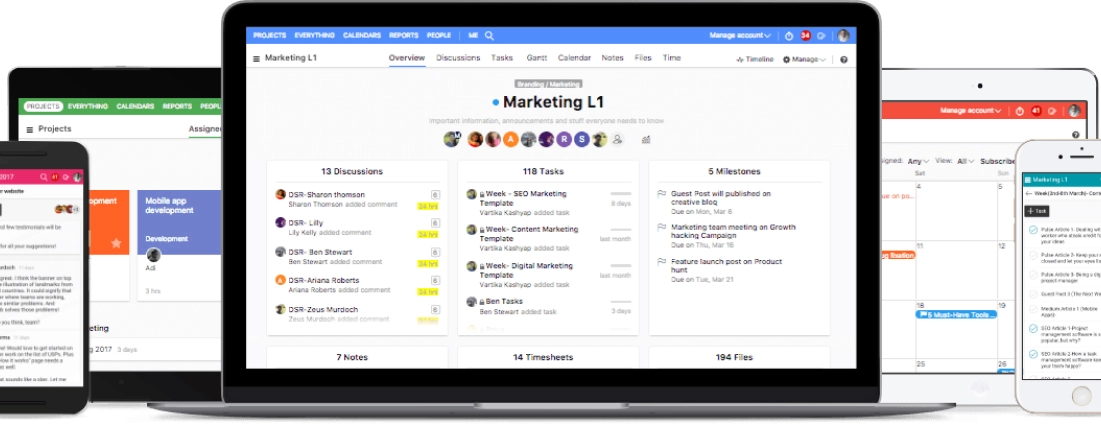
ProofHub is an online approval system designed to streamline project management of creative workflows. This collaborative tool is intended for a wide variety of users and can be scaled up or down to suit the size of the business.
The software is designed to make communication easier across teams and invested parties. ProofHub provides users with an integrated group chat function, automated online workflows, and discussion boards as well as the capability to create their own boards for each project.
It can also assist remote workers away from their desks, as the software can be accessed via any device using an Android or iOS operating system.
3. Approval Studio – artwork approval software
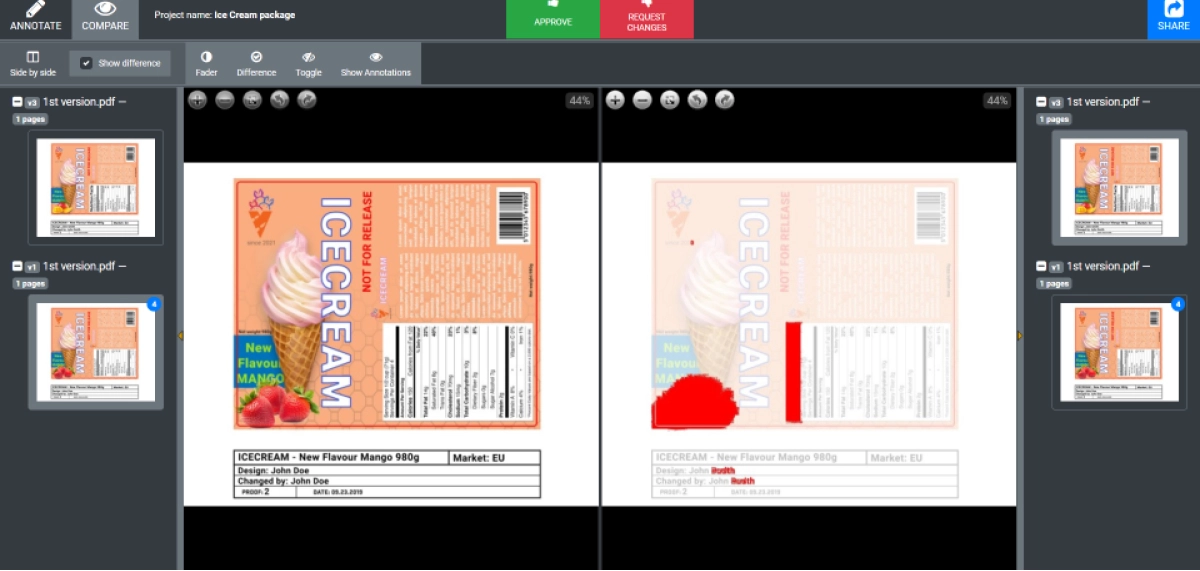
Approval Studio is a label design software that is specifically designed to help teams that create graphics, and branded artwork. This software enables teams to better organize their workflow by assigning specific tasks to each team member, based on the requirements outlined in the review and approval request.
Through this tool, teams can capitalize on each other’s strengths and insights to create new artwork.
With Approval Studio, annotations and discussions can take place in real time, allowing the team to work together on the same document.
Additionally, it allows you to track approvals and offers version control tools to ensure thorough management of creative workflows.
Check out how Filestage compares to Approval Studio.
4. WebProof – workflow software and proofing tools
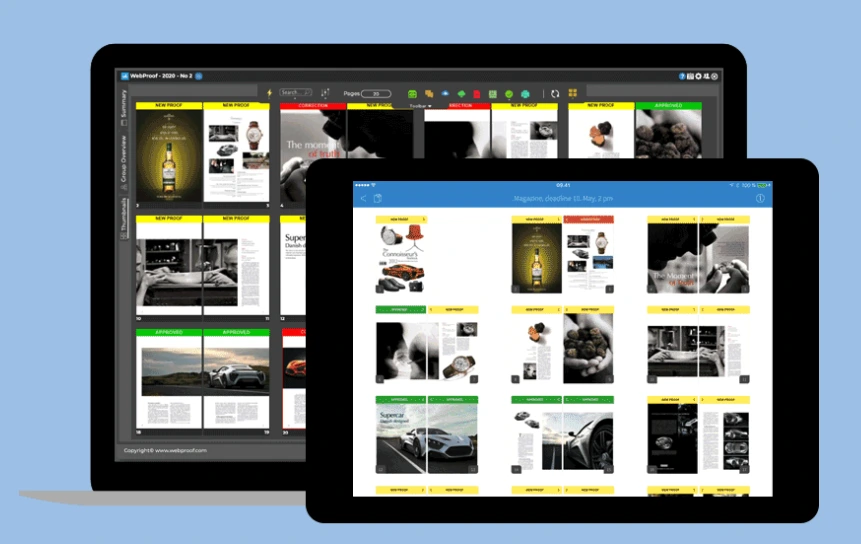
WebProof is a piece of online proofing and approval software that is ideal for projects that have multiple contributors or editors from more than one department.
The software serves as a centralized, online location where contributors can upload their work, and reviewers can easily drag and drop comments on specific areas of the project.
WebProof is designed for graphic businesses and creative teams as well as more complex documents produced by magazines and newspapers.
For such publications, the approval process can be especially complicated, and require an ongoing series of reviews and amendments from different stakeholders.
5. Integrify – low-code approval process solution
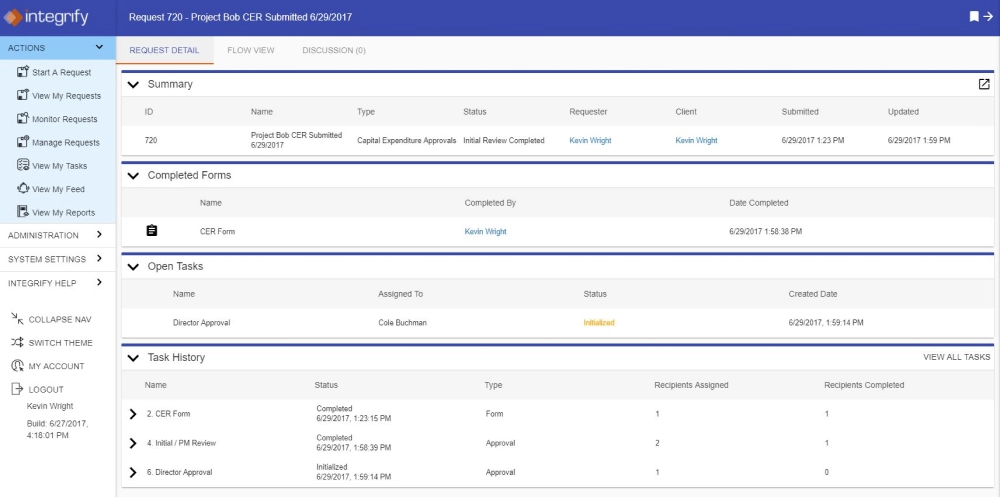
Integrify is a versatile piece of approval management software, offering a low-code tool that can be applied to any business processes. This software then collects and stores the historical data of your previous approval workflows in order to create an audit with all information about the approval.
Integrify is used for workflow management across all business areas, such as Information Technology, Human Resources, Finance, Sales, Marketing, and other types of services.
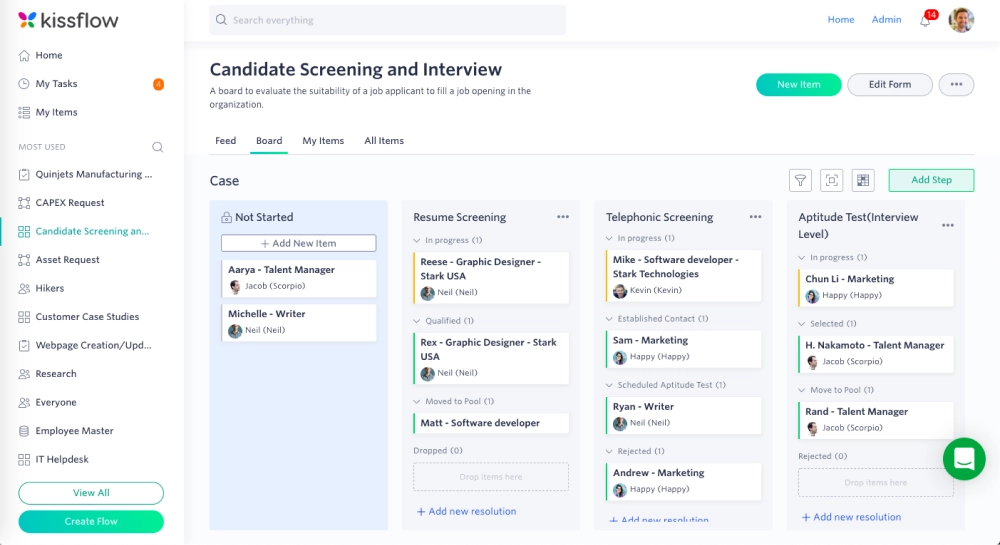
6. Kissflow – end-to-end workflow software
Kissflow is a no-code online approval platform that allows teams to automate their processes, create project boards, manage their workflow, and collaborate on the approval process.
The tool offers businesses to create powerful apps, processes, or case boards all natively integrated and flexible! This means they can design custom apps, or install pre-built apps to modernize, automate, and digitize their business with minimal coding.
7. Frevvo – visualized forms and workflows
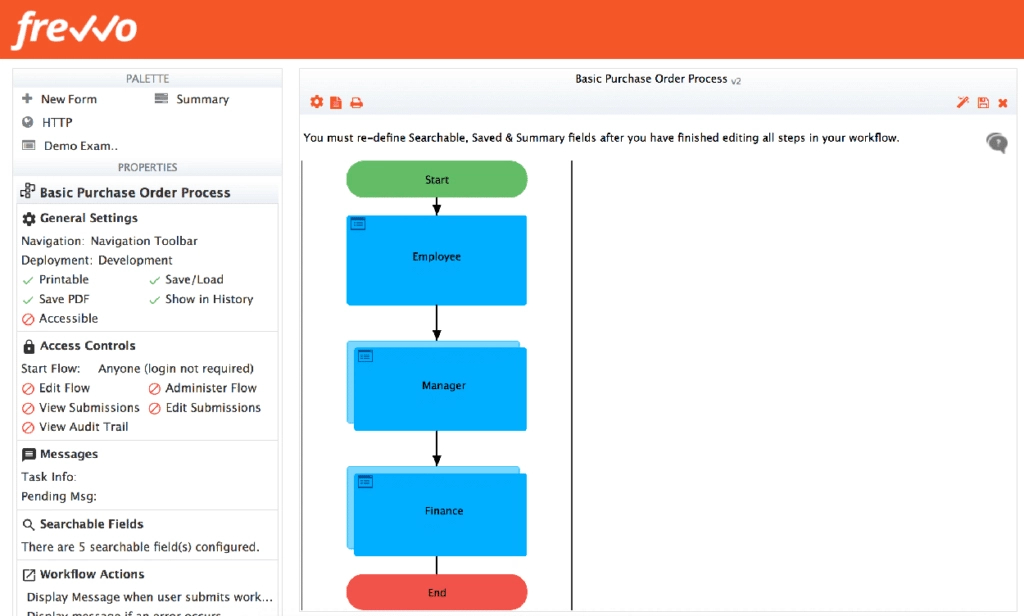
Frevvo‘s approval workflows enable users to create highly visual, automated approval forms and workflows. This software works by combining pre-made workflow designs with point-and-click wizard tools.
With Frevvo, businesses can automate their everyday approval processes in record time. This helps you enable your employees, roll out business processes and initiatives more quickly, and over-deliver on customer service.
8. Process.st – a one-click approval workflow
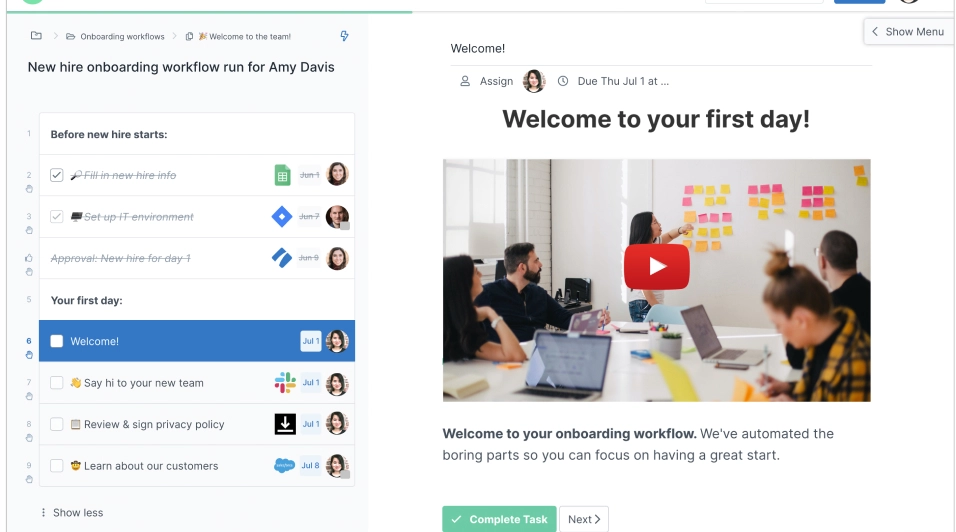
Process.st allows you to create standardized approval processes using customized, automated approval workflow templates. Users can grant quick one-click approvals, build customized task management lists, and create approval checklists for each workflow.
They offer the simplest way to manage recurring workflows for teams by stimulating them to create workflow templates, run multiple instances of the same workflow, and track approvals progress and collaborate.
9. Approval Donkey – approval management software
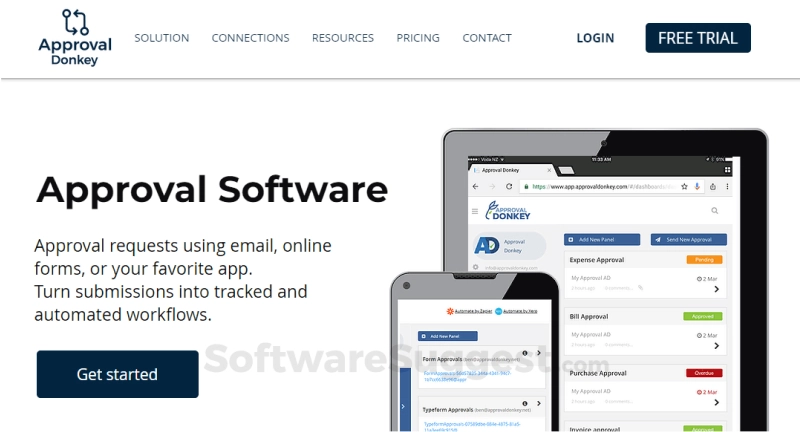
Approval Donkey allows users to submit and approve requests that have been submitted through email, apps or online approval forms. Then, through this centralized location, the approval requests can be gathered and converted into digital, automated workflows.
With Approval Donkey, users can improve their teamwork, get faster online approvals, and automate their accounting.
10. ApprovalMax – create bill and purchase order approvals
ApprovalMax is a cloud-based tool designed for small and medium-sized businesses. With it, users can create approval workflow solutions for their accounting and business finance needs.
Besides setting up approval workflows and getting faster approvals on their financial documents, users can also get automated audit trails and set up adjustable reports tailored for their business.
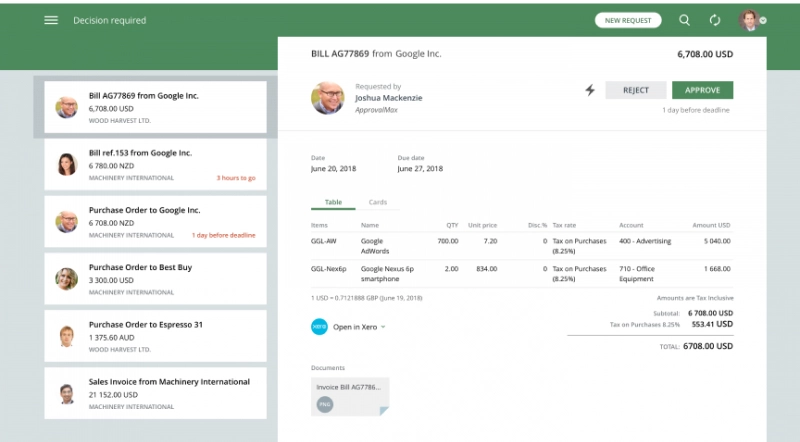
Example of an approval process managed with approval software
Once you implement approval process software into your workflow, you will see an almost immediate uptake in efficiency.
This process works well for a wide variety of marketing materials, including automating the social media approval process and improving the approval processes of artwork and design.
To give you an idea, here’s an example of an online approval workflow.
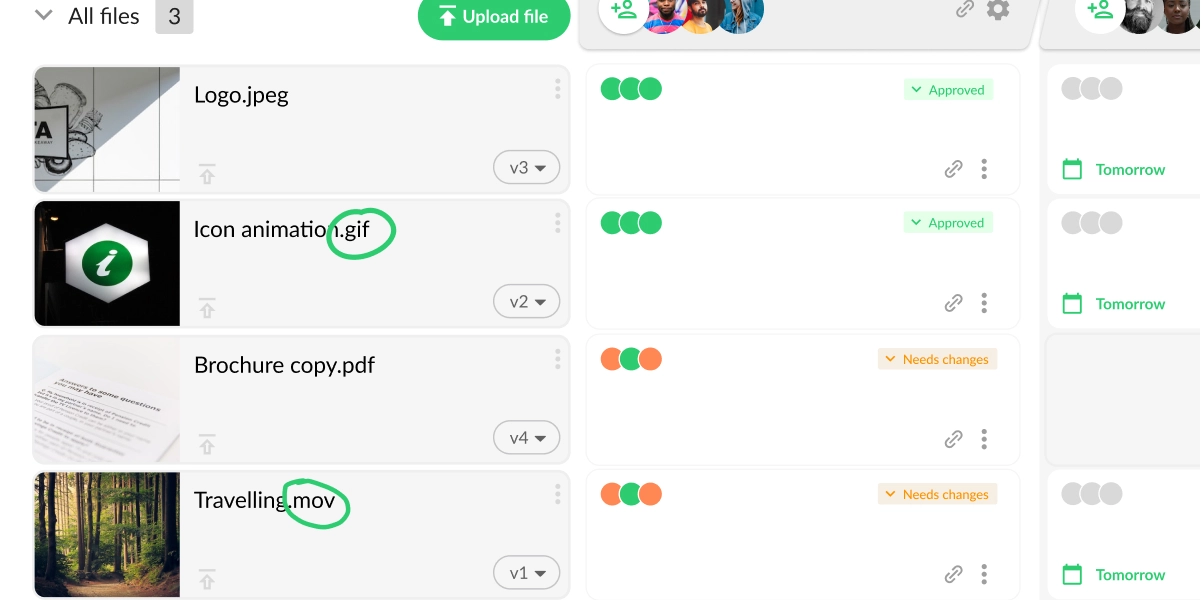
1. Share your assets with the reviewers
Once the creator of the asset has finished the first draft, it can be uploaded to the software platform. Then, reviewers can be provided with access to the asset.
With Filestage, users can upload the asset in a specific project folder and then invite reviewers to the new project via an online invitation.
Top tip: Once you have invited reviewers, set a deadline for their feedback. This helps minimize hold-ups in the process.
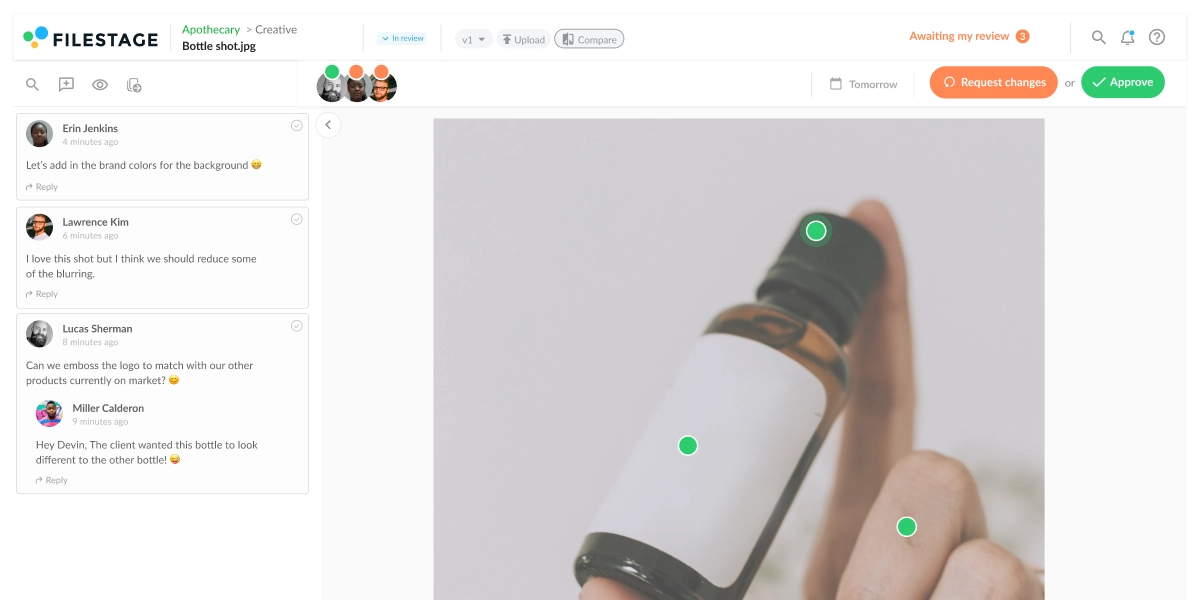
2. Reviewers leave and discuss feedback
With Filestage, reviewers can leave their comments directly on the file, whether it’s a text document, video, image or audio file. Additionally, reviewers can discuss their feedback with each other in real-time in the comment section.
Top tip: Annotation features help reviewers to make their feedback even clearer, e.g. by framing the section where the logo should be added.
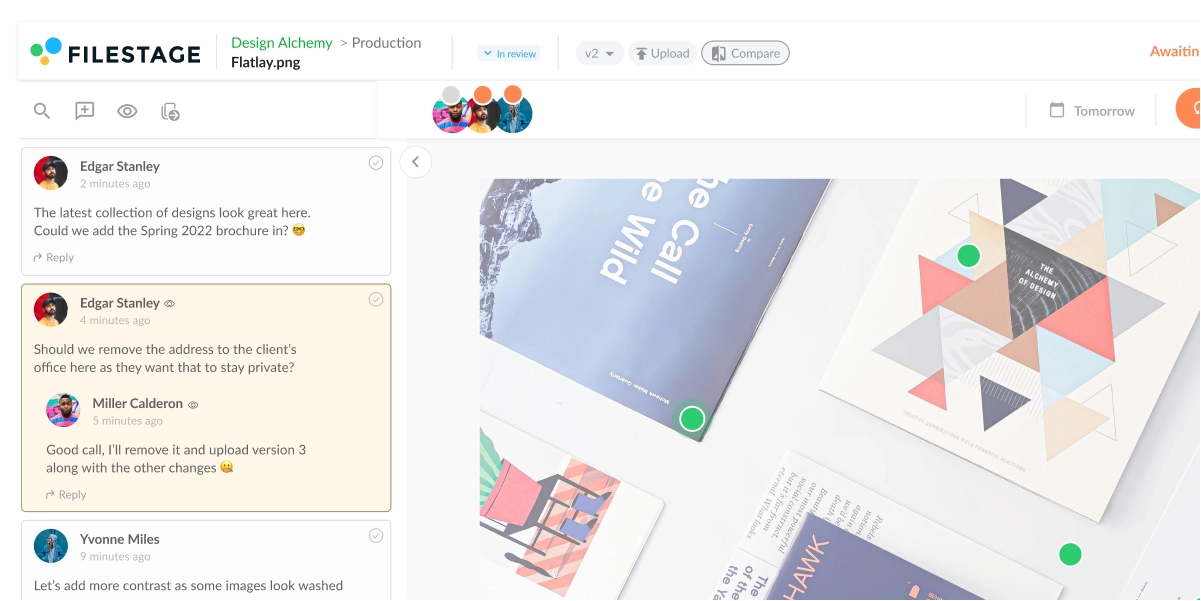
3. Editor adapts the asset and uploads the new version
After the first review round, the content editor usually implements the requested changes.
With Filestage, the editor can easily upload the new version of the asset to the platform, ready for a second review.
Top tip: Automatic versioning features in online approval software ensure that everyone has a clear overview of the progress of the asset.
4. Reviewers leave additional feedback or approve the asset
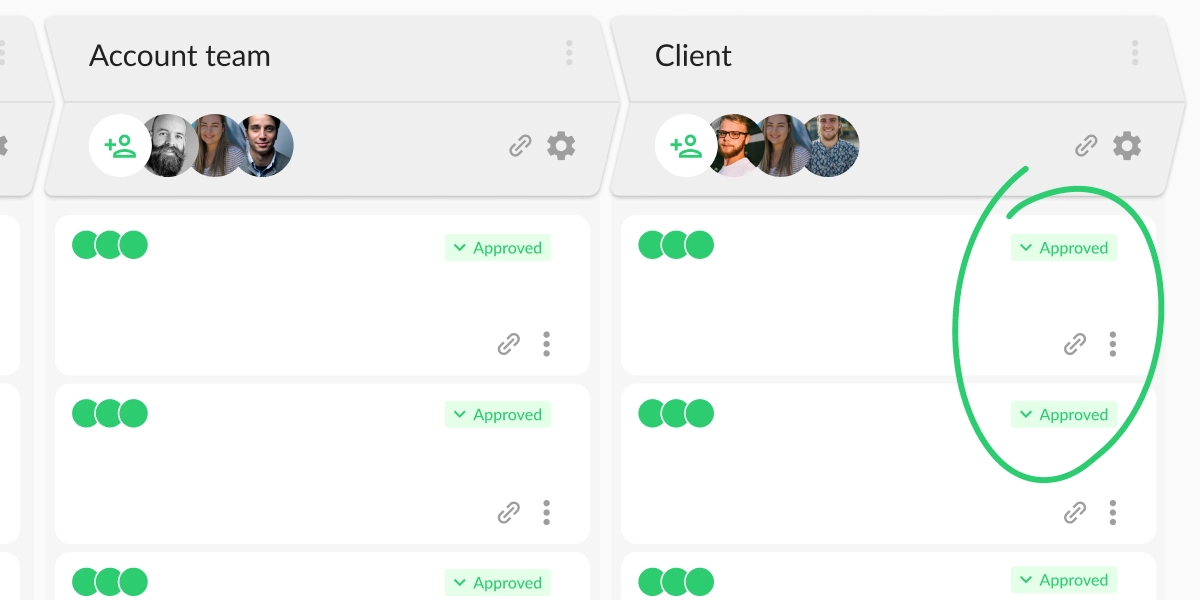
With Filestage, reviewers will automatically be notified that there is a new version ready for review. Then, they can either leave comments and request additional changes or, if they are satisfied with the second version, give their approval to the file with just one click.
Top tip: If you are the editor, add a comment to the new version that summarizes the changes that have been made. This will make it easier for the reviewers to make their approval decision.
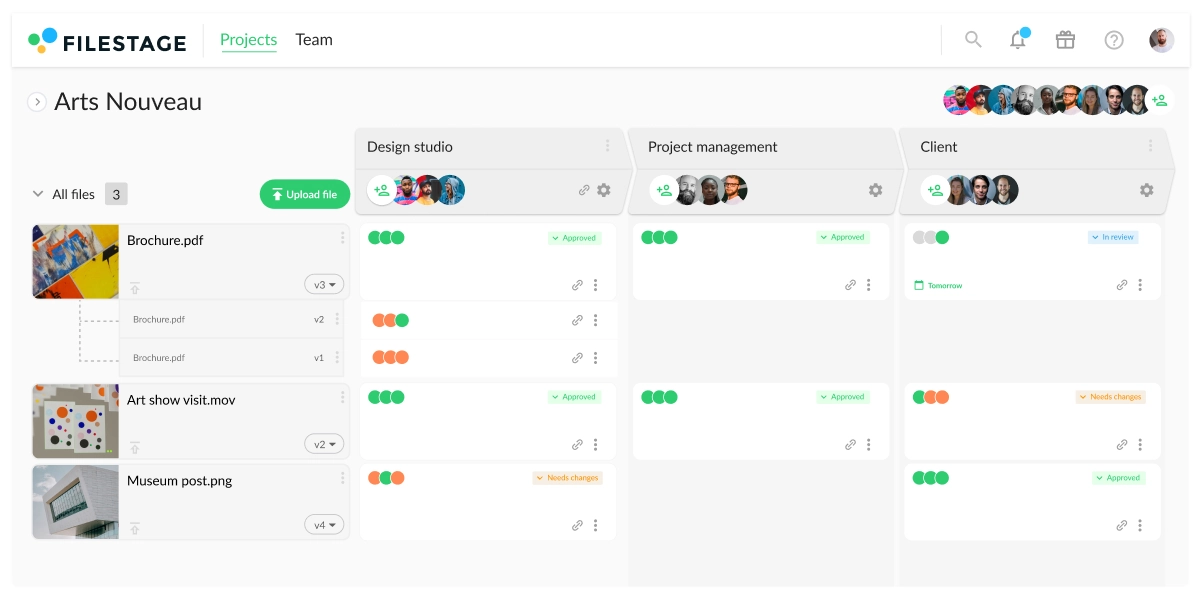
5. The approved asset can be moved to the next step in the review process
With Filestage, if your approval process consists of multiple review steps for different stakeholders, you can use the drag-and-drop function to move the approved asset to the next review step. The next round of reviewers will be notified automatically once they are invited to the review step.
Top tip: Plan who should review and approve your asset in advance. That way, you will have a structured approval process in place and ready for the asset.
6. Final approval and publication
After the asset has received final approvals from all stakeholders, the approval process is finished. The asset can now be published or shared.
Some parts of this workflow may be familiar as you may be using written forms or emails to achieve something similar. However, the use of online approval software is essential for any business strategy that requires collaborative work.
As you can see in the example above, an automated, online system makes it infinitely easier to not only provide feedback but take action on it too. These highly efficient approval processes save teams considerable time while also enabling them to improve content.
Need more help in standardizing your artwork approval process? Check out how to create an artwork approval form in six steps!
See how Filestage can speed up your approvals
Enjoy a free, 30 minutes consultation with our experts, tailored to your team and use cases.
5 tips for creating efficient digital approval workflows
According to a recent survey by FlexJobs, 51% of professionals reported that they worked more productively when using digital platforms to work remotely. But with so many of us working remotely, we need digital approval workflows more than ever.
Here are my top five tips for setting up your approval workflow:
1. Give reviewers clear instructions
Ensure that every reviewer knows exactly what is expected of them. It also helps to share background information about the content if reviewers were not involved in the creation process. But most importantly, you need to give reviewers details about the type, extent, and nature of the feedback that they should provide.
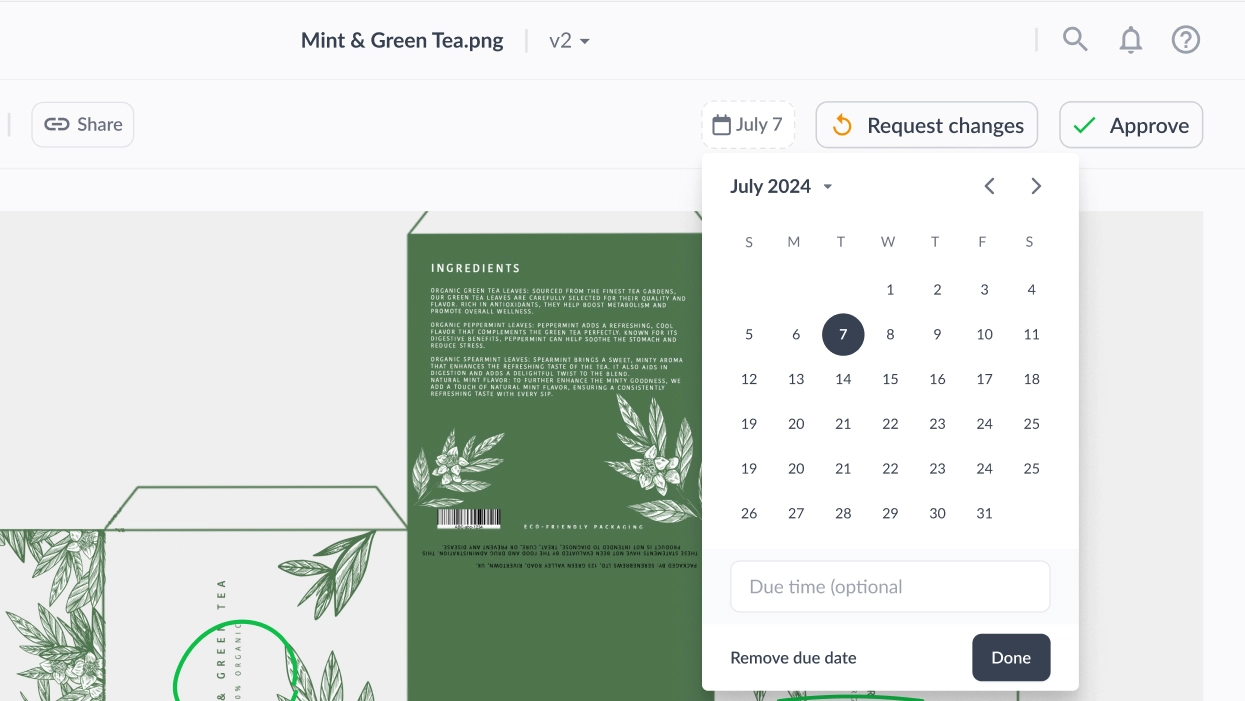
2. Assign clear deadlines for each file
According to a piece by Psychology it Better, the benefits of assigning deadlines include encouraging a team to rely more on intuition, improving the outcomes of negotiation, and keeping a team more organized across the board.
In Filestage, you can add a due date for each file in each review step. Reviewers will automatically receive reminders from the tool as each due date approaches. That way, everyone is clear when feedback is due and whose feedback is missing.
3. Set up review steps for different stakeholder groups
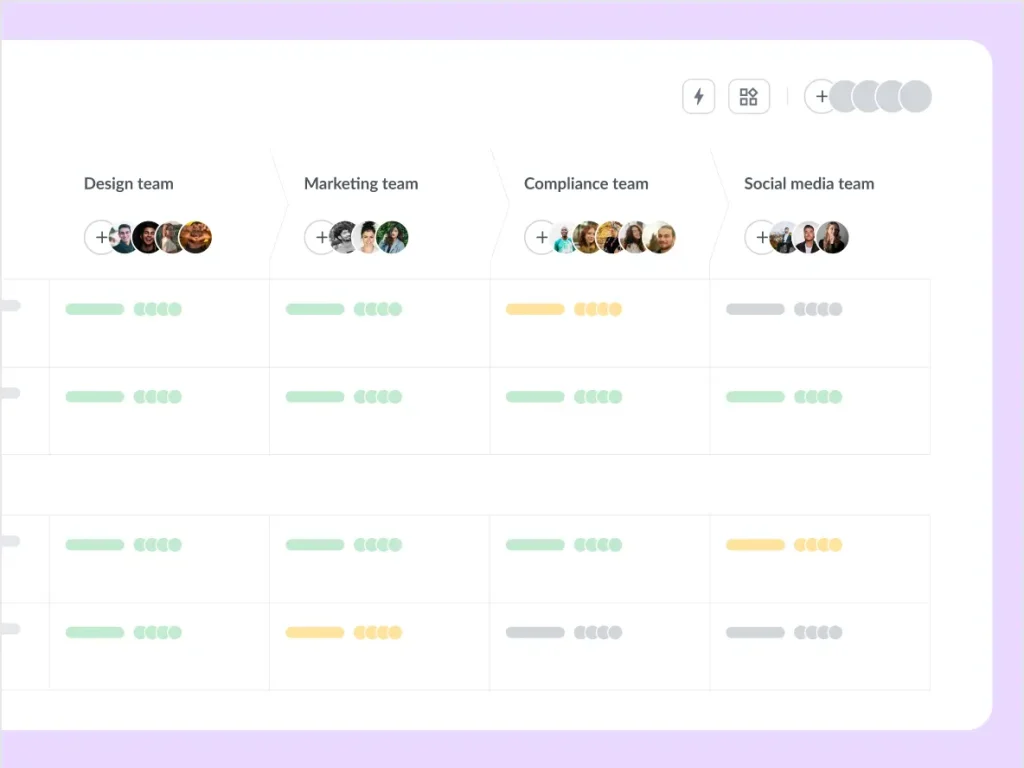
Creating separate review steps for different stakeholder groups helps you structure your approval workflow and makes it easier to manage. Plus, each reviewer group can focus on specific criteria based on their expertise, making feedback clearer and more precise.
But the biggest advantage? Having only the essential people in each review round will drastically speed up the approval process.
For example, if you are creating a visual asset to promote a product, the different stakeholder groups could include:
- The design team (to check the slogan and design aligns with the brand)
- The marketing team (to check for messaging alignment)
- The compliance team (to check if the content passes regulatory standards)
- The social media team (to check for brand consistency across different channels)
4. Think about the right timing
Will you need certain reviewers to leave their feedback before others? It’s important to think of the order in which you want your reviewer groups to check your content. For example, before sending the work to a client, you may wish to have your internal team review and edit the document first.
5. Automate manual tasks
In a SmartSheet study, 60% of participants estimated that they could save six or more hours a week by automating repetitive work tasks.
Enter approval workflow tools.
Here are some examples of how you can use Filestage’s approval workflow automation features to save your team time:
- Remind reviewers to give feedback – When you share a file for feedback, add a due date. This will trigger an approval workflow automation as the due date creeps closer. Your reviewers will then get a quick reminder to add feedback, helping to keep your project moving forward.
- Change the status of a file – Set up automated approval workflows based on your stakeholders’ review or approval decision. If everyone requests changes, you can automatically change the file’s status to “Needs changes”, “Approve with changes”, or “Reject” the file. Or, if everyone is happy in your internal or marketing review step, you can automatically start the next step in your approval process.
To learn more about how to create the most efficient approval process, check out this video:
Ready to improve your approval process?
Hopefully this outline of approval software helps you get started with updating any time-wasting email-based processes. By using an automated approval workflow, you can finally start maximizing your team’s talents and creative contributions to thrive your company’s marketing strategy.
If you want to see how Filestage can help you set up an effective approval process, make sure to start a free trial →
FAQ
1. What is approval software?
Approval software is a type of online proofing tool that helps managers and creative teams oversee and automate this final step in content creation workflows.
Before a new marketing asset can be released to your audience, it needs a green light from different stakeholders, such as managers, colleagues, or client approval.
By making approval requests a standardized step in the asset creation workflow, you can ensure that every text, design, or video you publish is on-brand and mistake-free.
Approval workflow software simplifies the review and approval processes for new content by establishing a more efficient and organized workflow.
2. What is an approval process?
An approval process covers everything that may be created in an organization – from multimedia assets to written content or even elements that have been redesigned. When using approval workflow software, creators can upload a finished asset and submit it to all stakeholders for approval.
Stakeholders access the file using the same cloud-based approval software and either suggest changes or give their approval online. You can also adapt these steps for document review, multimedia content, marketing resources, and redesign materials.
3. What are the main features of approval software?
Approval software is designed to make teams’ approval processes simpler and more efficient. The tool makes it easier for creators to submit their work as it only requires you to upload a file to the cloud-based platform.
Review and approval tools make collaborative work seamless with features like:
– A centralized platform to upload and access files
– A clear structure for housing files in projects and folders
– Multiple review steps for different reviewer groups
– The ability for users to leave and discuss comments and annotations directly on files
– A formal way for the reviewer to submit their decision
– An integrated to-do list
– A tool to assign due dates
– Automatic reminders for reviewers
– Clear file versioning
4. What are the benefits of using approval software?
According to some fascinating research by The McKinsey Global Institute, workers spend around 13 hours checking their inbox and communicating via email every single week, on average. This represents almost a third (around 28%) of the time that they spend at work.
Wondering why your current email-based approval processes should be shifted to online workflow software? Check out these seven benefits of approval management software:
1. You can improve your quality control and ensure consistent and high-quality content
2. It saves a lot of time as each asset will require fewer review rounds
3. You can reduce misunderstandings as everyone’s comments are clear and transparent
4. No feedback will get lost or overlooked
5. It provides teams with more transparency – not just at the final approval stage, but throughout the entire review and approval process
6. If an individual is off work, colleagues can easily jump in
7. You can make sure any false advertising claims are removed from your content before it goes to print
With the right approval workflow software, you can simplify and speed up even the most complicated approval processes. And you can avoid embarrassment for your brand like these shocking cosmetics advertising examples.
5. Which tool should you use to request approvals?
You can create an approval request through a simple use of email, or via a specialized approval platform. By requesting approval through a specialized approval platform like Filestage, you can gather all your stakeholders and file versions in one place and create an efficient approval workflow. Say goodbye to confusing long email chains, and make sure all your files get approval on time.
6. What are the most common review steps?
Here are the five key steps you need to include in your approval workflow:
1. Request feedback on your work
2. Process and filter the feedback
3. Implement feedback into your work
4. Request further feedback
5. Reflect on feedback for future projects