Imagine this: the marketing team (or client) emails your design team with a vague brief, like “Make something cool for our summer campaign.” The designer starts working, guessing at colors, tone, and imagery. A few days later, the first draft lands. The marketing team hates it. “This isn’t what we wanted,” they say. The designer asks questions, tweaks it, and sends it back.
Round two: still not right. Round three: deadlines are tight, the designer is frustrated, the marketing team is stressed, and the campaign launch is slipping.
All of this could have been avoided with an effective design request form. This form captures goals, brand guidelines, and expectations upfront, making sure creative teams get clarity, stakeholders feel heard, and projects move faster from concept to approval.
In this short guide, I’ll walk you through the seven core questions you should always include and some effective tools to build your creative request form.
Supercharge your design reviews
Manage every comment, version, and approval in one place with Filestage.
1. What’s your name?
Glad you asked! Undoubtedly, one of the most crucial questions.
Building rapport with your client is paramount. Knowing their name fosters accountability and a human connection.
It facilitates tailored feedback and a place where design teams can manage requests, enhancing the design process when building the design request form.
In a collaborative setting with multiple stakeholders, knowing names prevents confusion and ensures accurate responses.
2. What’s your email address?
Requesting an email address on a design request form is vital for several reasons.
Firstly, it gives you some contact details for the stakeholder or client, which you’ll need to keep them updated on your progress.
Secondly, it creates a digital record for tracking progress and interactions.
Lastly, it enables sending notifications and updates, enhancing client engagement, and transparency in collaboration, ultimately leading to successful design outcomes.
3. What’s the project title?
Including a project title field in a design request form is crucial for clarity and organization. It offers design teams a focused understanding of the project’s purpose, aligning their efforts with the client or stakeholder’s vision.
This clear title streamlines cataloging and prioritizing tasks, serving as a reference point to reduce miscommunication. Essentially, a project title enhances productivity, collaboration, and efficiency.
4. What’s the project brief?
A design request form must emphasize the importance of a project brief.
This foundational document encapsulates the client’s vision, enabling design teams to create visually appealing designs that align with expectations.
A well-structured brief serves as a reference point, reducing misunderstandings and streamlining workflow. This enables effective communication and constructive feedback while promoting a strong client-designer partnership for a seamless design process.
5. What’s the goal of this project from a business perspective?
Inquiring about the project’s business goals on a design request form is invaluable for designers.
It guides the creation of visuals aligned not only with aesthetics but also with brand and company success. This question prompts clients to specify outcomes like brand visibility, conversions, engagement, or revenue growth, keeping on top of communication and ensuring designs meet business needs.
This information empowers graphic designers to make informed creative decisions and prioritize tasks that drive client goals effectively and improve the proofing process.
6. Do you have any examples of designs you like?
Asking for examples in a graphic design request form invites clients to share creative inspirations and preferences to enhance the project.
A design request form provides valuable visual references, sparks creativity, and fosters seamless communication. This will inspire design teams to create work that matches the clients’ unique style, keeping up with trends and competitors.
7. What are the deliverables and design specifications for this project?
Requesting deliverables and design specifics in a design request form ensures clarity and alignment.
Clients can specify their needs, from a logo to unique elements, guiding designers effectively. Delving into details like color palette, size, and images refines the vision.
Transparency reduces surprises and revisions, creating a smoother, informed, and client-satisfying design process.
The best free tools for building your design request form
Building a design request form can be a needlessly time-consuming task. So, to save yourself valuable time, here are a few free tools that can help you generate your design request forms.
Typeform
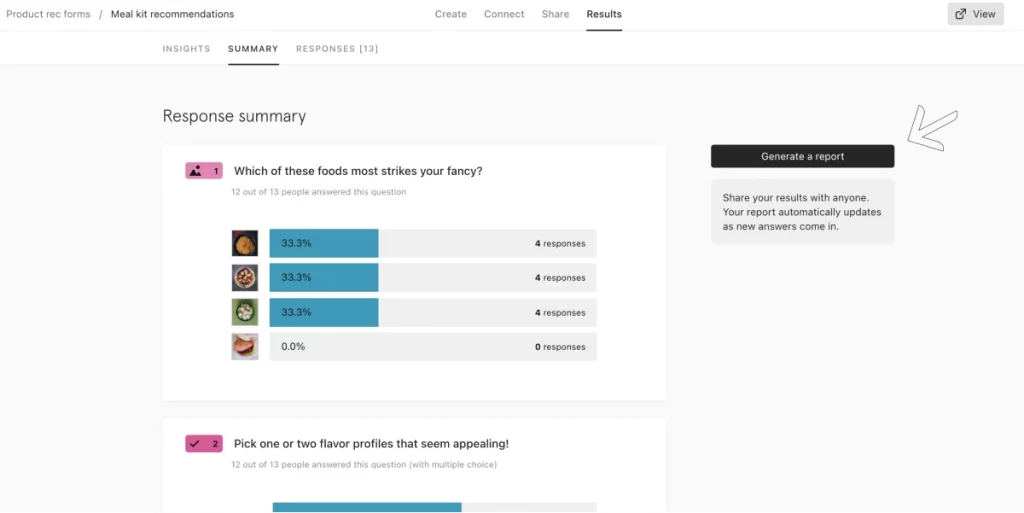
Typeform’s form builder is a top-tier (and free) solution for crafting a design request form.
With its user-friendly interface and sleek design options, it makes design request forms a breeze. You can customize your form to reflect your brand too.
Typeform’s conditional logic feature allows you to create dynamic forms, tailoring questions based on previous responses, streamlining the design request process.
You can also tailor your questions according to the brief, gathering all the essential information about the creative project, such as:
- Target audience
- Specific color schemes
- Style preferences
- References
- Deadlines and timeline projection
And voila, you have a free template.
So, if you’re looking for a stylish, efficient, and cost-effective way to build a graphic design request form, Typeform is a great option.
Jotform
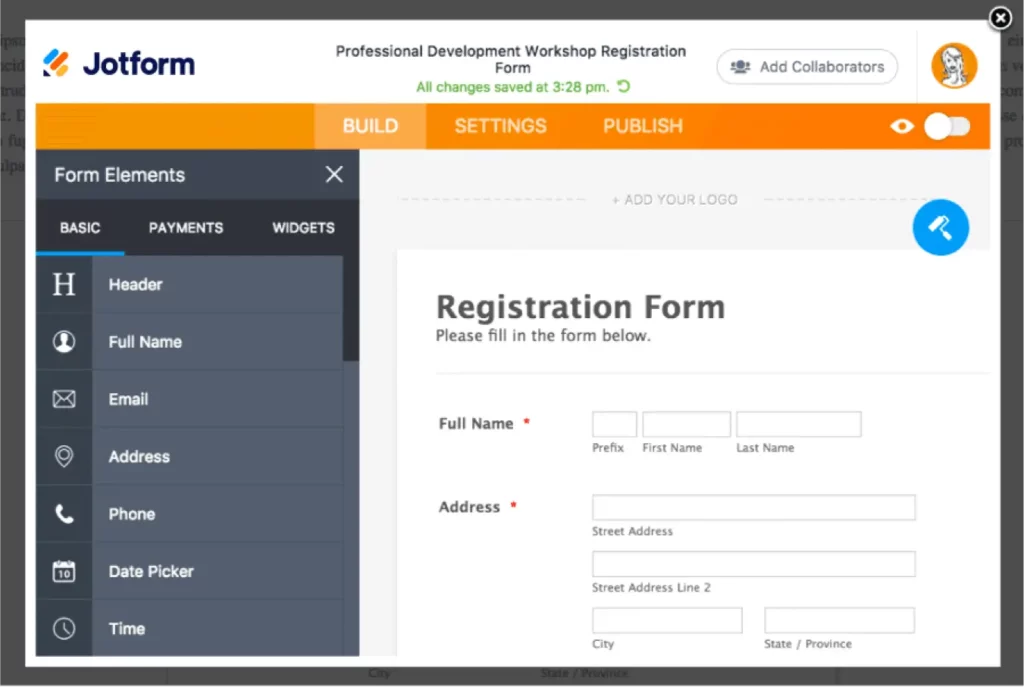
Its user-friendly drag-and-drop interface makes it easy to build a simple form that caters to both designers and stakeholders. It also offers an extensive array of completely customizable templates, saving designers time with quick and hassle-free form creation.
Jotform is a perfect choice for building a design request form for numerous reasons.
Jotform’s robust integrations with various design and project management tools, like Adobe Creative Cloud, streamline the design workflow. Not to mention its robust security features, which let stakeholders and designers rest easy knowing sensitive design requests and data are protected.
Lastly, its analytics and reporting tools facilitate in-depth data analysis, enhancing the decision-making process.
How to review your design assets using Filestage
Whether you’re talking to your team, customers, or other stakeholders, the aim is to grasp as much of what they are thinking about your design as possible, and this can be done with a carefully curated design request form.
But how can you make your design feedback process equally effective? That’s where design review software comes in. Here’s how to quickly review brand assets in Filestage.
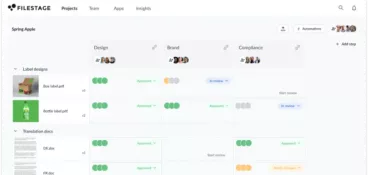
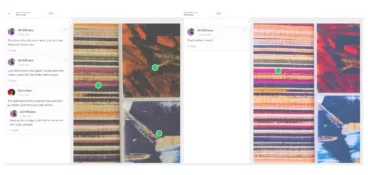
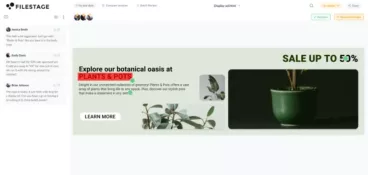
You can set up a reliable and repeatable design review process and invite stakeholders to add feedback right on top of your designs. This makes the process faster for your reviewers and keeps every comment in context for you! Plus, it’s mobile-friendly, so stakeholders can sign off on visual assets from any device.
FAQs – Design request forms
What is a design request form?
A design request form is a simple tool that captures everything a designer needs to get started on a creative brief. It lays out all the essential project information, including goals, branding, deadlines, and formats. As a result, designers have what they need to nail the brief the first time, without lengthy follow-up questions or rework.
Who typically uses creative request forms?
Creative agencies, marketing teams, and freelance designers typically use design request forms to speed up approvals and make sure creative work lands right the first time.
What are the seven steps in the design process?
There are seven key steps in the design process:
- Define the problem you’re solving, including your goals, audience, and any challenges in your way
- Research your audience, competitors, and industry trends, then pull inspiration
- Explore ideas and concepts
- Develop your strongest concepts into layouts, wireframes, or mockups
- Build a working prototype to test your design concept and gather early feedback
- Test the prototype with key stakeholders and refine based on their feedback
- Polish the design, prepare the final files, and deliver them for production or launch
Final thoughts
Design request forms are essential tools that facilitate effective communication and collaboration between design professionals, clients, and colleagues.
A creative request form plays a crucial role in both in-house design teams and freelance work, ensuring that design projects begin with a clear understanding of objectives and client expectations. Ultimately, this enhances the efficiency of the design process.
And when you’re ready to share your new designs with stakeholders for feedback, Filestage can help. Start a free trial today to see it in action.