
TL;DR
A marketing tech stack is the set of digital marketing tools your team uses to plan, execute, and measure marketing activities. Most teams build theirs backwards, buying tools before defining strategy and their needs, ending up with a bloated, disconnected marketing stack they barely use.
This guide covers:
- the four steps to building a robust marketing tech stack,
- 12 essential tool categories, from CRM and marketing automation to content collaboration and analytics,
- and how to pick the right tools for your team.
Why teams need a marketing tech stack
Marketing today runs on software more than almost any other business function. From lead generation to content approvals to campaign reporting, there’s a tool for every part of the job. In fact, there are now over 15,000 marketing technology solutions on the market.
But having the right tools in place, and making sure they all work seamlessly together, has become a must-have rather than a nice-to-have in 2026.
A well-built marketing tech stack connects all your marketing processes and channels, keeps customer data flowing between systems, and helps your team move faster without making costly mistakes.
In this guide, we’ll explore how to build a marketing tech stack that connects your tools, streamlines your workflows, and gives your team a clear view of what’s actually driving results.
What is a marketing tech stack?
A marketing technology stack (or martech stack) is a collection of software that enables marketers to plan, execute, and measure their marketing activities. But it’s not just a bunch of tools. It’s the connected infrastructure that supports every marketing touchpoint, from first click to closed deal.
And the difference between a stack that’s connected and one that isn’t is huge. In fact, 78% of marketing executives say their technologies are siloed. Individual tools can be powerful, but the real value comes when they share lead and customer data, and support seamless handoffs across your marketing processes, from capturing a lead in your CRM to tracking campaign performance in your analytics tools.
That’s what makes modern, data-driven marketing possible at scale.
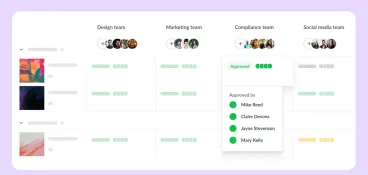
Supercharge your marketing reviews
Share, review, and approve all your content in one place with Filestage.
How to build a marketing tech stack
When you put together a martech stack, the goal isn’t to identify the best tools. It’s to find the right ones for your goals, team, and workflows.
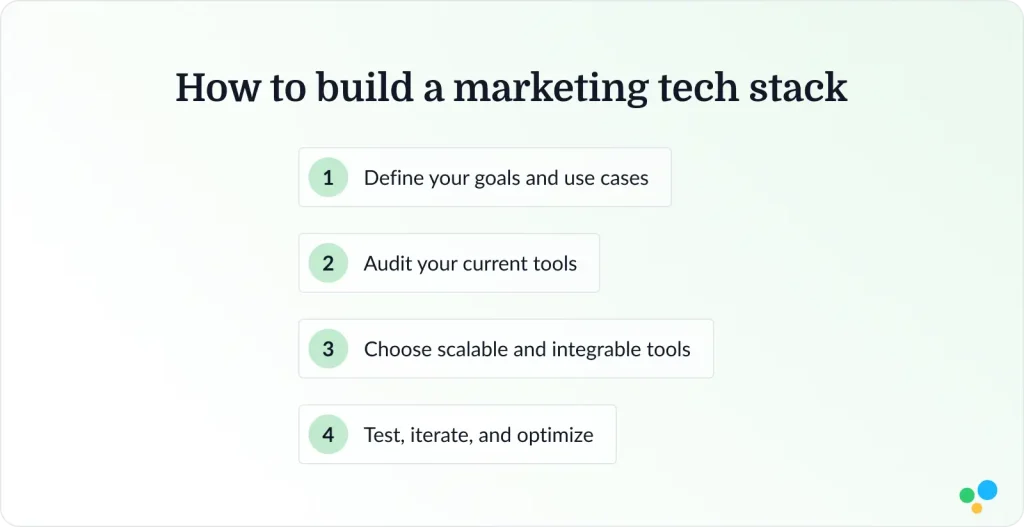
Here’s a four-step process you can follow.
1. Define your goals and use cases
Define your strategy first, before you look for software. Get clear on what tasks the tool should support you with, e.g.:
- Lead generation to build pipelines and capturing new prospects.
- Customer retention to keep existing customers engaged and reducing churn.
- Brand awareness to reach new audiences and growing your share of voice.
- Revenue growth to connect marketing activity directly to business outcomes.
Each of these goals needs a different tool category.
- A team focused on lead generation needs strong CRM and marketing automation.
- A team prioritizing brand awareness needs content creation and social media management.
Defining your goals upfront stops you from buying tools that don’t serve your actual needs, and helps you build a stack with purpose rather than one that just grows by default.
2. Audit your current tools
Before adding anything new, review what you already have.
- What overlaps? Identify tools doing the same job and consolidate.
- What’s missing? Spot gaps in your workflow that are slowing your team down.
- What’s underutilized? Find features you’re paying for but never use.
Most teams are surprised by how much capability they’re already paying for but not using. A thorough audit often reveals that optimization delivers more value than adding new tools, and it’s a lot cheaper. I’d recommend doing this before you even open a vendor’s website.
It also gives you a clearer picture of where the real gaps are before you spend a cent on new software.
3. Choose scalable and integrable tools
Prioritize tools that:
- Integrate easily with your existing systems via APIs or native integrations, so data flows freely across your stack
- Scale with your business. Select tools that grow with your team and don’t require a costly migration in 18 months.
- Fit your team’s workflows without forcing a major process overhaul that kills adoption.
Tools that tick all three boxes are worth paying a premium for. The ones that don’t tend to become shelfware within six months, sitting in your stack but adding nothing to your marketing efforts.
4. Test, iterate, and optimize
Your martech stack likely evolves over time. What works for a team of five won’t necessarily work for a team of fifty, and the marketing technology landscape changes fast.
Regularly review your tool stack, at least once a year, to:
- Audit performance and identify which tools are actively contributing to results.
- Cut what’s not working and remove tools that have low adoption or duplicate functionality.
- Explore what’s new and stay up to date with the marketing technology landscape and evaluate emerging tools against your goals.
12 marketing tech stack categories with example tools
Here are the 12 core categories every marketing team should consider, with leading tools in each one and a clear breakdown of what each category is for, what it’s used for, and when you need it.
1. Customer relationship management (CRM)
CRM systems are the foundation of any robust marketing tech stack. They store contact and account data, track every lead and customer interaction, and give marketing and sales teams a single source of truth to manage customer relationships and drive customer engagement across the entire customer journey.
You need a CRM the moment you have more leads than you can manage in a spreadsheet. For most teams, that’s almost immediately. Without it, you’re guessing who to follow up with and when, and marketing alignment with your sales team becomes almost impossible.
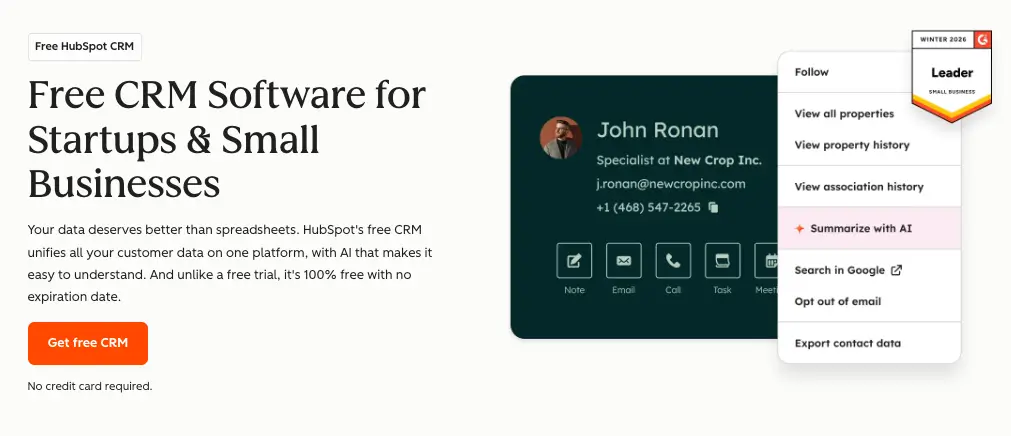
- HubSpot is the go-to for small and mid-size teams, combining CRM with marketing, sales, and service tools in one platform.
- Salesforce is the enterprise standard, highly customizable and built for complex sales cycles and large marketing and sales teams.
- Microsoft Dynamics is a strong choice for organizations already embedded in the Microsoft ecosystem.
2. Email marketing
Email remains one of the highest-ROI channels in any marketing tech stack. Email marketing tools let you send campaigns, build subscriber lists, segment audiences, and track opens, clicks, and conversions across your marketing campaigns.
Every team needs this category, whether you’re sending a weekly newsletter or a complex drip sequence designed to move leads through the customer journey.
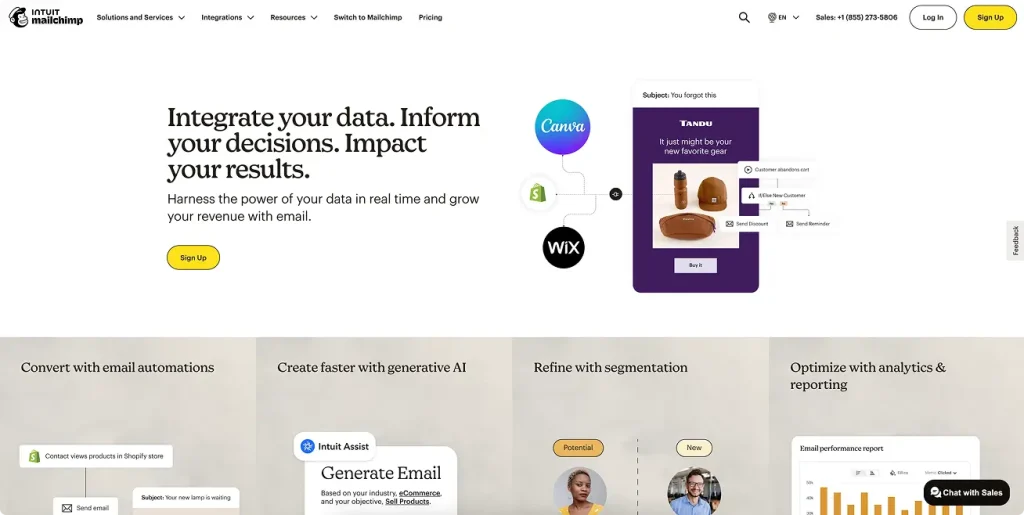
- Mailchimp is the most accessible entry point, ideal for smaller lists and straightforward marketing campaigns.
- Klaviyo is built for e-commerce, offering deep segmentation and revenue-focused reporting.
- Campaign Monitor sits in the middle: clean, user-friendly, and strong on design and deliverability.
3. Marketing automation
Marketing automation tools take your email marketing further by letting you trigger communications based on customer behavior, score leads, and nurture prospects through complex journeys without manual effort.
If your marketing operations team is spending hours on repetitive tasks like sending follow-up emails, updating contact records, and moving leads through stages, automation is the fix. It’s also what makes personalization at scale possible.
- Marketo is a powerhouse for enterprise B2B teams, offering sophisticated lead scoring tools, lead management, and marketing attribution.
- ActiveCampaign combines email marketing with CRM and automation in a package that punches above its price point.
- Brevo is a budget-friendly standalone option that covers email marketing, automation, and lead scoring without the enterprise price tag.

4. Content management systems (CMS)
A CMS is where your website lives. It lets marketing team members publish pages, blog posts, and landing pages, handle search engine optimization at scale, and make updates without needing a developer every time. If you’re doing any kind of digital marketing through content, you need a solid CMS that your team can actually use, with strong support for keyword research and on-page SEO.
- WordPress powers a huge portion of the web and offers unmatched flexibility with its plugin ecosystem, including a wide range of search engine optimization tools.
- Webflow gives designers and marketers more visual control without sacrificing performance.
- Contentful is a headless CMS built for teams that need to publish content across multiple channels and platforms.

5. Content creation
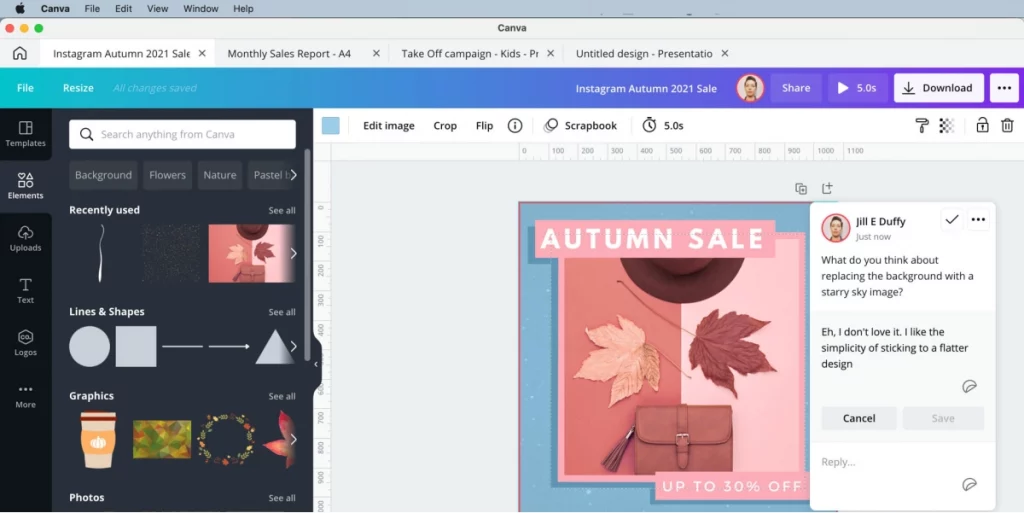
This category covers everything your marketing team uses to design visuals, edit video, build graphics, and produce the creative assets that fuel your marketing campaigns and channels.
- Canva is a go-to for non-designers, with a huge library of templates covering everything from social media posts to presentations and beyond.
- Adobe Creative Cloud is the industry standard for professional designers and video editors who need the full power of Photoshop, Illustrator, Premiere, and the rest of the suite.
- Figma has become the go-to for collaborative UI design and brand asset creation.
6. Content collaboration and approval
Creating great content is only half the job. Getting it reviewed, approved, and out the door on time is where most marketing teams lose hours, and sometimes miss deadlines. A dedicated online proofing tool brings your review process into one place, so feedback is clear, versions are tracked, and nothing slips through the cracks.
It’s one of the most impactful upgrades you can make to your marketing operations.
- Filestage is built specifically for marketing and creative teams who need a structured, fast review and approval process. You can share any file type (video, PDF, image, audio) and collect feedback from stakeholders in one place, with no account required for reviewers. Version control keeps everything organized, and review statuses make it clear where every asset stands. If your team is still managing feedback over email, Filestage is the upgrade that makes the biggest immediate difference.
- Wrike combines project management with review features, making it a strong fit for teams that want to handle task tracking and approvals in the same tool.
- ClickUp takes a similar approach, with flexible workflows and built-in review functionality that works well for teams managing high volumes of content.

Supercharge your marketing reviews
Share, review, and approve all your content in one place with Filestage.
7. Digital asset management (DAM)
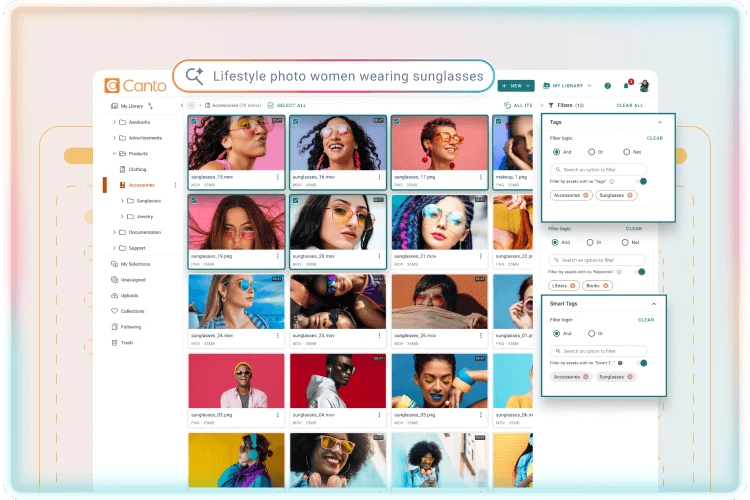
As your content library grows, finding the right file at the right time becomes a real problem. Digital asset management tools give you a centralized home for all your approved brand assets, including logos, photos, videos, and templates, making it easy to find, share, and reuse them across your team and with external partners.
A good DAM eliminates duplicate work and makes sure your marketing team members are always working from the latest, approved versions. For teams managing large volumes of media, it’s also worth exploring media asset management software as a more specialized option.
- Canto is well-regarded for its clean interface and strong search and tagging capabilities.
- Bynder is built for larger enterprise teams, offering powerful brand management and portal customization.
- Brandfolder makes asset organization intuitive and includes analytics to track how assets are being used.
8. Social media management
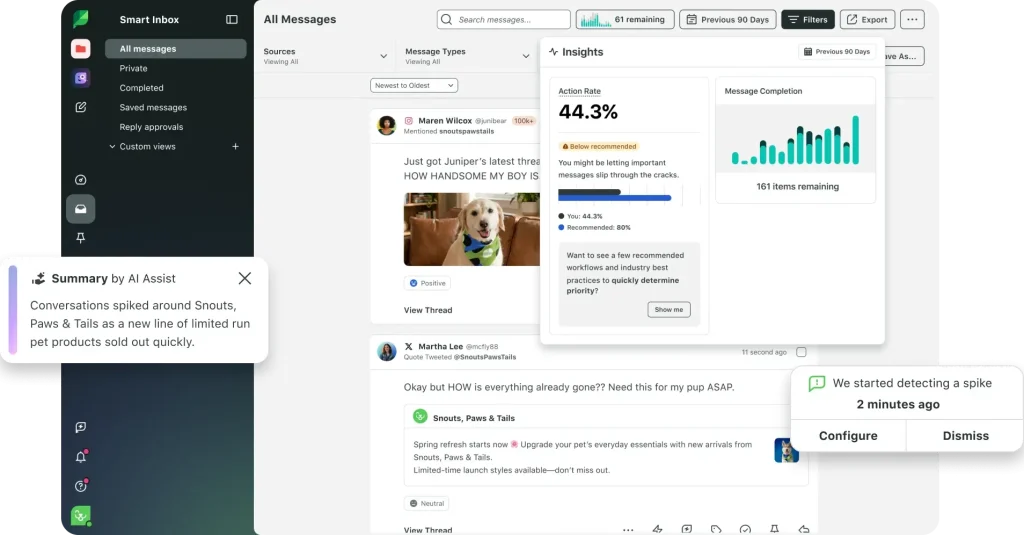
Social media management tools let your marketing team plan, schedule, publish, and analyze content across platforms in one place, without logging in and out of every network manually. They’re essential once you’re active on more than one or two channels, or when more than one person is involved in social publishing.
The best tools also include social listening features that surface customer insights you can feed back into your marketing strategy.
If content approvals are part of your social workflow, our guide to social media approval software is worth a read.
- Sprout Social offers the most complete package, combining scheduling, listening, analytics, and team collaboration.
- Hootsuite is the long-standing market leader, strong on scheduling and supporting a wide range of platforms.
- Buffer is a cleaner, simpler option that’s great for smaller marketing teams who want to schedule posts and track basic campaign performance without the complexity.
9. Analytics and reporting
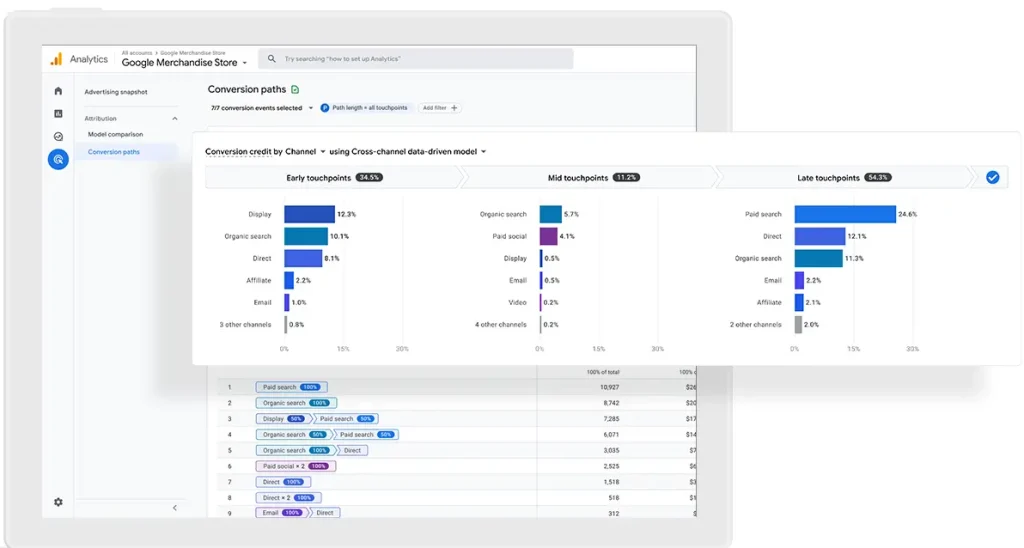
You can’t improve what you can’t measure. Analytics tools help you understand what’s working across your marketing efforts, where web traffic is coming from, how marketing campaigns are performing, and where your marketing budget is actually delivering return.
A powerful analytics tool is also essential for marketing attribution, so you can understand which touchpoints across the customer journey are driving conversions.
- Google Analytics is the default starting point. It’s free, powerful, and integrated with the rest of Google’s ecosystem for tracking web analytics and web traffic.
- Tableau is a best-in-class data visualization platform for teams that need to pull from multiple data sources and turn complex data analysis into clear, shareable reports.
- Looker (now part of Google Cloud) is built for data teams that need to connect multiple data sources and build custom reporting dashboards for tracking marketing efforts across the business.
10. Workflow automation
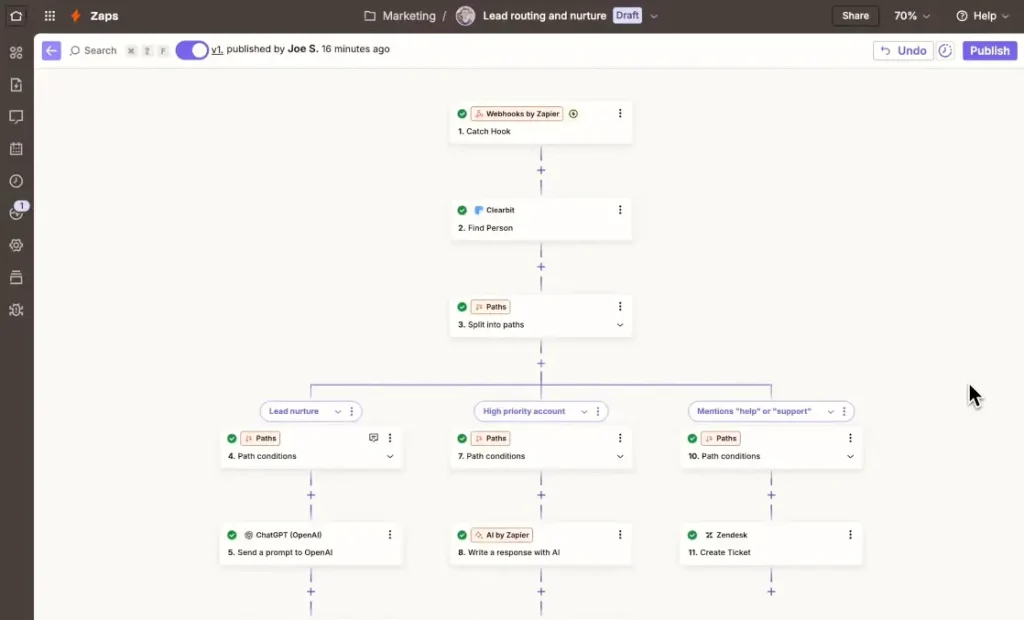
Workflow automation software connects your apps and automates the repetitive tasks that eat into your team’s day. Think automatically adding a new lead from a form to your CRM, triggering a notification when a campaign goes live, or syncing customer data between existing systems that don’t natively integrate.
These tools are the glue that holds a well-integrated martech stack together and drives real operational efficiency.
For a closer look at how automation fits into your broader marketing processes, check out our guide to marketing workflow software.
- Zapier is the most accessible option, with thousands of app integrations and a no-code interface that any marketer can use.
- Make offers more complex, multi-step automations for marketing operations teams that need greater control and logic.
- n8n is an open-source alternative gaining traction among technical teams who want full customization and data ownership.
11. Project management tools
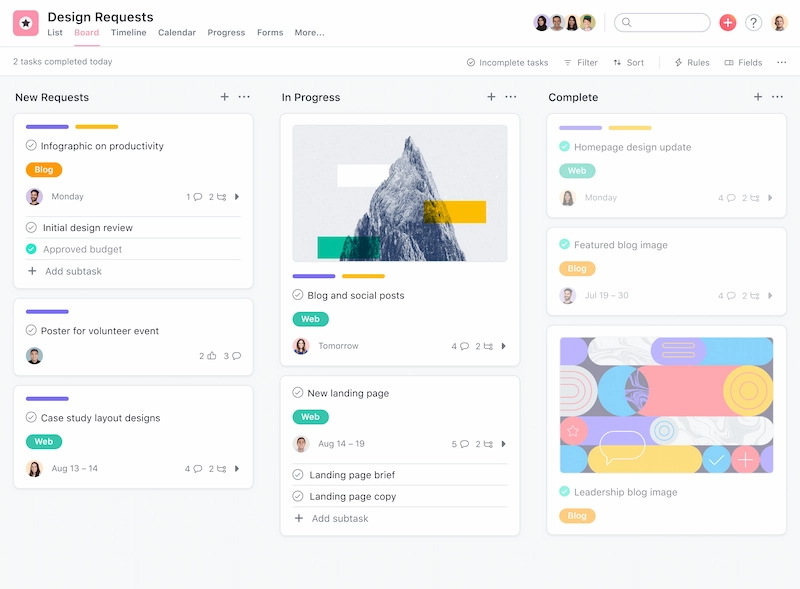
Marketing teams run on projects: campaigns, product launches, content calendars, events. Marketing project management tools keep marketing activities organized, assign ownership, track progress, and make sure nothing falls behind.
They’re especially important for keeping marketing and sales teams aligned on timelines and deliverables.
- Asana is one of the most popular choices for marketing teams, offering flexible views, task dependencies, and strong integration options with the rest of your stack.
- Trello is a visual, Kanban-style tool that’s easy to adopt and great for marketing team members who like to see their work as cards on a board.
- Monday.com is highly customizable and works well for teams that need both project tracking and reporting on marketing activities in one place.
12. Collaboration and communication
Even with the best martech stack in place, your team needs a way to talk. Online collaboration tools keep conversations organized, reduce reliance on email, and make it easier to work across time zones and locations. That matters especially for distributed marketing and sales teams managing complex, multi-channel marketing campaigns.
If your team leans into flexible working, our guides on team communication tools and asynchronous communication tools are worth a read.
- Slack has become the default for real-time team messaging, with channels, direct messages, and deep integrations with the rest of your marketing tech stack.
- Zoom remains the go-to for video meetings, webinars, and client calls.
- Google Workspace brings together Gmail, Docs, Sheets, Drive, and Meet in one suite that covers most of a marketing team’s collaboration needs.

How to pick the right tools for your marketing tech stack
There’s no universal formula for building the perfect martech stack. Every team is different, and what works for one business can be completely wrong for another.
Here are my top five tips for picking the right tools for your team:
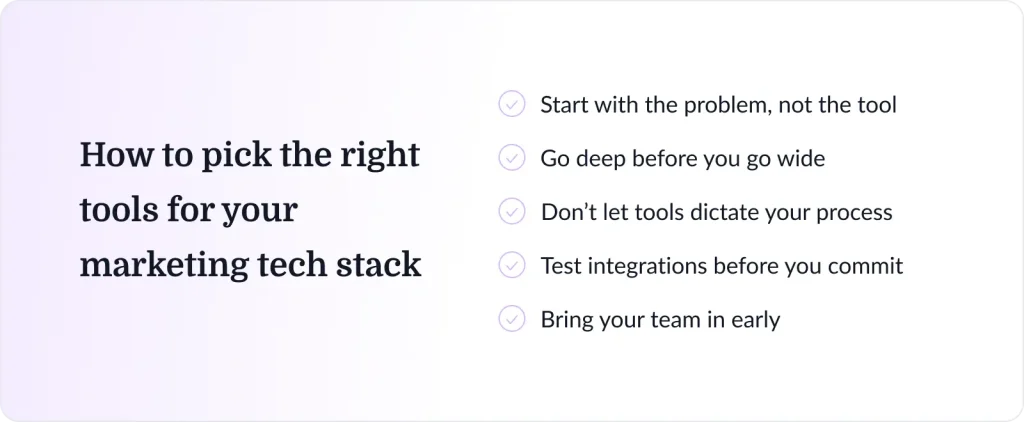
Start with the problem, not the tool.
The best purchases start with a specific pain point, not a features list. Before evaluating anything, write down the exact problem you’re trying to solve.
- Is feedback getting lost across email threads?
- Are assets hard to find?
- Is reporting taking hours of manual work?
The clearer the problem, the easier it is to find the right solution, and to say no to tools that look impressive but don’t actually fix anything.
Go deep before you go wide
A smaller set of tools your team fully adopts will always outperform a bloated stack of half-used ones. Before adding something new, audit what you already have. Most marketing platforms have features teams never discover, from automation workflows to reporting dashboards to integrations that are sitting dormant. You might already have the solution. You’re just not using it yet.
Don’t let tools dictate your process
Your stack should flex around how your team works, not the other way around. If a tool requires you to completely restructure your workflow to make it work, that’s a red flag. The best tools are the ones your team starts using without needing a training day. If adoption requires a change management program, the switching cost will almost always outweigh the gains.
Test integrations before you commit
A tool that doesn’t talk to the rest of your stack doesn’t save time; it creates new problems. Before signing any contract, map out exactly how the tool will connect to your CRM, email platform, and analytics tools. Then test it. Don’t take a vendor’s word that the integration works. Broken integrations mean manual data entry, fragmented reporting, and gaps in your marketing attribution that are hard to unpick later.
Bring your team in early
The people using these tools every day will spot problems you won’t see in a demo. A 30-minute conversation with your content team, your social media manager, or your marketing ops lead can save you from a six-month contract on something nobody actually uses. Involve them in the evaluation, let them test the tool in their real workflow, and weigh their feedback heavily. A tool no one uses is just an expensive line item on your budget.
Build your stack with intention
A robust marketing tech stack isn’t just a collection of tools. It’s the connected infrastructure that enables marketers to acquire customers, run smarter campaigns, build stronger customer relationships, and prove the impact of every marketing effort.
Start with your strategy and marketing goals, audit your existing tools, choose marketing technology solutions that integrate well and scale with your business, and keep reviewing your stack as your needs evolve.
Do that, and you’ll have the foundation to run faster marketing campaigns, make smarter decisions across the entire customer journey, and get your best work approved every time.
And if content reviews and approvals are slowing your team down, Filestage can help you fix that fast. Try it free and see the difference it makes.
FAQs
How many tools should a marketing tech stack include?
There’s no magic number, but most effective martech stacks cover six to ten core categories. Start small, master what you have, and add new tools only when there’s a clear gap in your marketing operations. A focused stack of well-integrated marketing tools will always outperform a bloated one full of overlap and underused features.
What is the most important tool in a marketing tech stack?
It depends on your marketing goals, but for most marketing and sales teams, the customer relationship management system is the foundation everything else connects to. It holds your customer data, informs your targeting, enables marketing attribution, and ties your marketing efforts to business outcomes. Without a solid CRM, the rest of your stack is working in silos.
How often should I review and update my marketing tech stack?
At least once a year, and any time there’s a significant shift in your marketing goals or team size. A regular stack audit helps you spot underused tools, identify gaps in your marketing processes, and stay current with new options in the marketing technology landscape that might serve you better.
What are common mistakes when building your marketing tech stack?
The four most common ones are:
– Choosing tools before defining marketing strategy, leading to misaligned purchases
– Poor integration between existing systems, creating fragmented customer data and manual work
– Underutilizing existing tools, paying for features you never use
– Overcomplicating the martech stack, adding martech tools for every edge case until the whole system becomes unmanageable
The fix for all four is the same. Start with a marketing strategy, keep it simple, and review regularly.