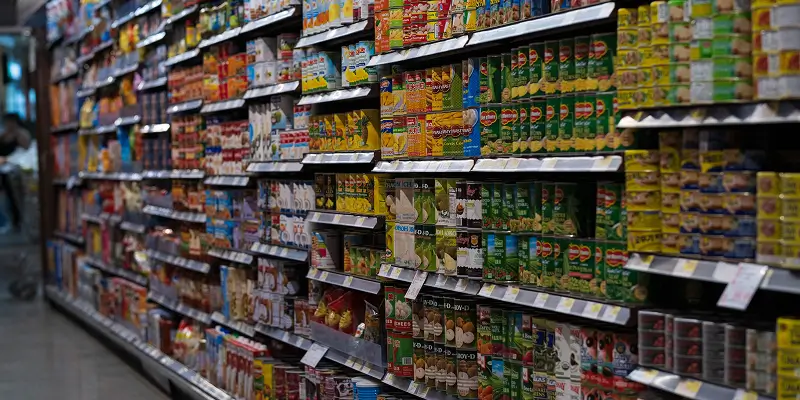

Packaging workflow software exists because packaging mistakes are expensive. An outdated claim, a wrong barcode, an incorrect label, or a missed approval can mean a costly reprint, and in the worst cases a recall. About 40% of US food recalls in 2025 stemmed from allergens missing from the package label, according to US PIRG.
The right software helps catch those mistakes before print by coordinating the artwork, stakeholders, approvals, and production handoffs behind every pack.
If you’re on a brand, packaging, regulatory, or QA team weighing up your options, this guide shows how a packaging workflow runs and what to look for when you choose a platform.
What is packaging workflow software?
Packaging workflow software is a tool that moves packaging artwork and labels from brief to print through set review and approval steps. It routes files to the right reviewers, tracks every version, records who approved what and when, and keeps brand, regulatory, design, and print teams on the latest file.
Typical users include brand owners and marketing managers, packaging development, regulatory, and QA teams, plus the agencies, designers, translators, and print suppliers they work with.
Many packaging operations adopt it once the number of SKUs, markets, or reviewers outgrows email. With feedback and approvals in one place, everyone involved can see where things stand, and compliance tracking gets much easier.
Packaging workflow software vs. artwork management, DAM, and PLM
These terms often get used interchangeably, but each system does a different job.
| System | Primary purpose | Typical owner |
| Packaging workflow software | Tasks, routing, deadlines, and approvals across the whole job | Packaging or brand ops |
| Artwork management software | Artwork lifecycle, copy, label content, and often prepress | Packaging development, regulatory |
| DAM (digital asset management) | Storing, organizing, and distributing final approved assets | Marketing ops |
| PLM (product lifecycle management) | Managing product specs, formulas, and materials | R&D, product |
In practice, these systems work together rather than replace one another. The workflow tool moves each job through review, label and artwork management tools handle copy and label content, the DAM stores the final approved files and brand guidelines, and your PLM holds the product data that feeds them all.
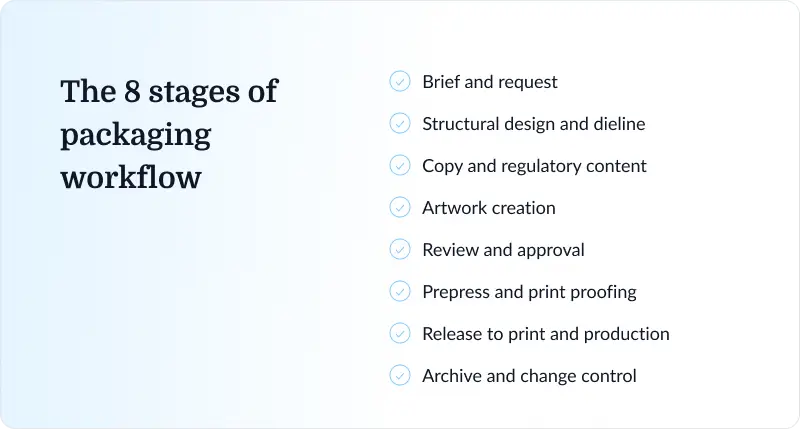
The eight stages of a packaging workflow
Most packaging projects move through roughly the same stages, from the first request to the archived file. Here’s who’s involved at each one, where things usually go wrong, and how packaging workflow management software helps.
1. Brief and request
Who’s involved: Brand or product managers and packaging development.
Main challenge: Incomplete briefs with missing SKUs, markets, or deadlines, which cause rework later.
What software does: Mandatory fields on the request form block any job that’s missing its SKUs, markets, or launch date. The system then sets up the project and assigns owners, working due dates back from launch.
2. Structural design and dieline
Who’s involved: Packaging engineers, structural designers, and packaging materials suppliers or converters.
Main challenge: Designers build on an old dieline without realizing it.
What software does: Keeps one approved dieline attached to the job and marks it as current, so suppliers can sign it off before any artwork begins. If you’re still shaping the creative side, this packaging design process breaks it down step by step.
3. Copy and regulatory content
Who’s involved: Regulatory, legal, product, and translation teams.
Main challenge: Copy changes late in the packaging process, after the artwork is built, or text gets retyped from spreadsheets and picks up errors along the way.
What software does: Copy goes through its own review process before design starts, and approved text is locked so designers only use the signed-off version. Some label and artwork management platforms pull label data straight from PLM or enterprise resource planning (ERP) systems.
4. Artwork creation
Who’s involved: In-house designers or the agency.
Main challenge: Designers pick up an outdated brief or copy deck, and drafts circulate by email.
What software does: Puts the brief, dieline, and approved copy in one place. Each draft goes up as a new version of the same file, and built-in version control ends any guessing over which attachment is current.
5. Review and approval
Who’s involved: Brand, marketing, legal, regulatory, and QA, reviewing in sequence or in parallel.
Main challenge: Approval processes often involve several stakeholders with competing priorities. Their comments arrive by email and often contradict each other, with no clear final approver. This is often where delays build up.
What software does: Moves the packaging artwork through a set review step for each stakeholder group. Comments go straight onto the file, and overdue reviews trigger reminders and escalations automatically. Every step closes with a recorded approval, long before anything reaches the packaging line.
Review and approval platforms like Filestage are built specifically for this stage. Our breakdown of the artwork approval process covers it in more depth.
6. Prepress and print proofing
Who’s involved: The prepress team and the printer or converter.
Main challenge: Color, barcode, or separation problems only surface on press, after sign-off.
What software does: Shares print proofs with the printer and checks them against the approved artwork for any unintended changes. Prepress quality control, like color and barcode verification, usually sits in dedicated artwork suites, where automated preflight checks flag technical problems (missing fonts or low-resolution images, for example) before files go to press.
7. Release to print and production
Who’s involved: Packaging operations, the printer, and supply chain.
Main challenge: The wrong version is sent to print and ends up on the packaging line.
What software does: Only the final approved version can go out. It’s locked against further edits, and the system logs who released it and when.
8. Archive and change control
Who’s involved: Packaging operations, regulatory, and the DAM owner.
Main challenge: Someone edits an archived file directly, wiping out its approval history.
What software does: Stores the approved version alongside its full audit trail. Changes start a new job that goes back in at stage one or stage three, so every revision gets reviewed and stays traceable.
Signs you’ve outgrown email and spreadsheets
Most packaging teams start with email and a shared tracker. These signs show that setup has stopped working, and each one points to a gap that workflow management tools fill.
- You can’t tell where a packaging artwork project stands right now
- Comments are split between email, chat, and marked-up PDFs
- Nobody’s sure who signed off the final artwork
- One copy tweak restarts the whole review
- Approvals routinely miss their deadlines
- Brand consistency drifts between SKUs and markets
- Reviewers end up commenting on different versions
- Audit or recall checks mean an inbox search
Key features to look for in packaging workflow software
These are the features with the biggest impact on packaging accuracy and production timelines.
Configurable multi-stage approval workflows
Your approval processes should mirror how your packaging teams actually work. Look for sequential or parallel review steps for each stakeholder group, with one final approver per stage.
Conditional steps matter too. A pharma SKU or a new market might need an extra regulatory review that a simple line extension doesn’t, and the workflow should add that step automatically instead of relying on someone to remember it.
You can see how those review steps work in practice in our walkthrough of packaging approval.

Artwork proofing and annotation
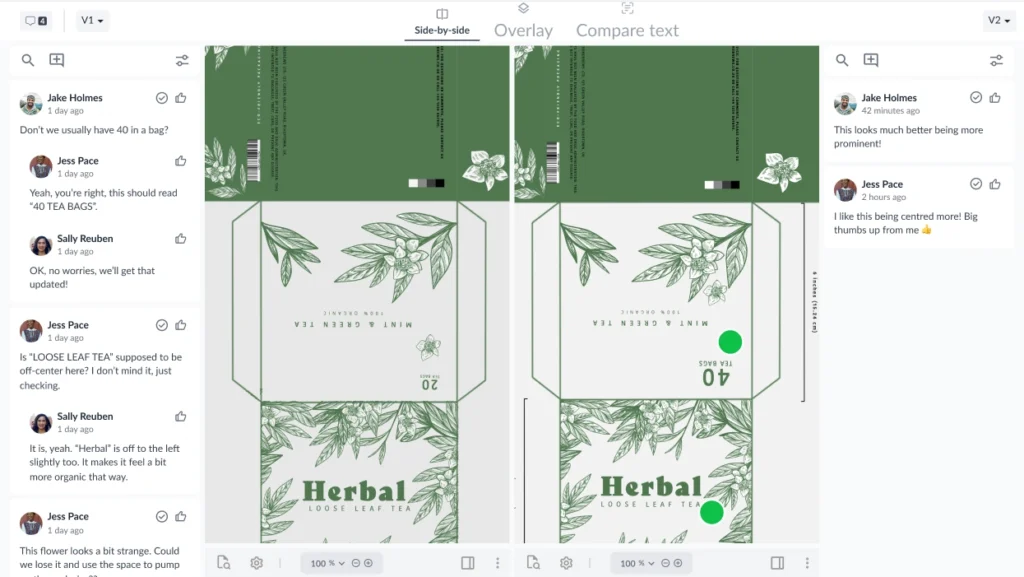
Artwork proofing tools let multiple stakeholders mark up high-resolution files, pinning comments to a specific line of text, graphic, or design element on the artwork itself. On a dense label, a general email comment could apply to several lines of text. A comment placed on the exact word removes the guesswork and cuts down on extra artwork approval cycles.
Version control and comparison
Every file version should live in one place, with the latest clearly marked. Comparison tools that highlight what changed between versions let reviewers check only the edits instead of rereading the whole pack. They also make it harder to approve an outdated file by mistake. These document version control best practices apply just as well to packaging files.
Audit trail and approval records
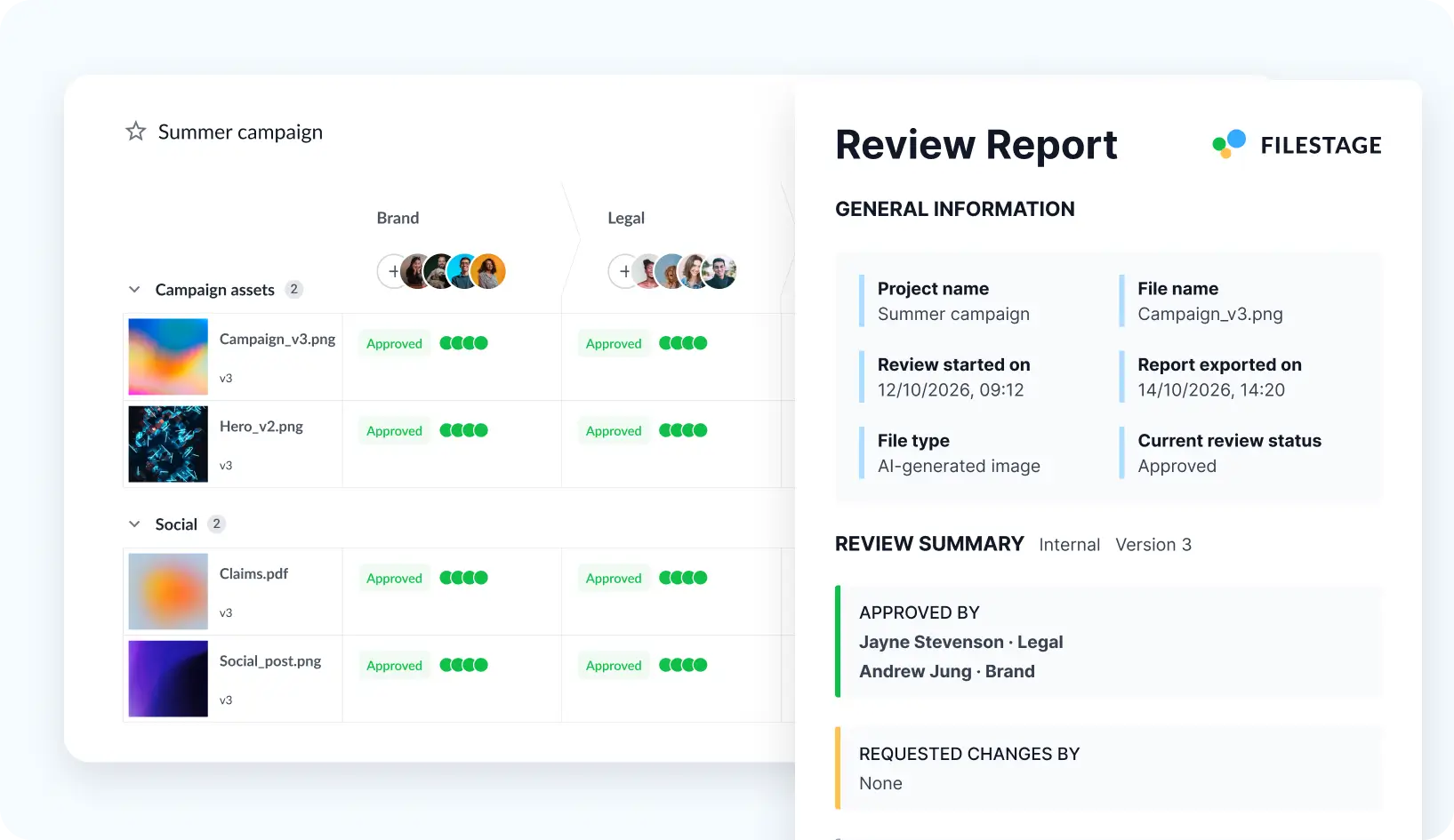
Your software should record every file version, reviewer comment, approval decision, and timestamp. That tells you exactly who approved which artwork version and when. In regulated packaging environments, it’s the first thing you’ll need to prove regulatory compliance in an audit or a recall investigation.
Pharma and medical device teams may also need electronic records and signatures that meet FDA 21 CFR Part 11. If that applies to you, ask each vendor how they support it before you buy.
This guide to the artwork approval process in pharma covers the stakeholders and review steps involved.
Image: Filestage Review Report
See how Filestage can speed up your artwork approvals
Enjoy a free, 30 minute consultation with our experts, tailored to your team and use cases.
Automated reminders and status tracking
Packaging workflow automation software takes the chasing off your plate. With modern workflow management technology, automated notifications go out when a review starts, reminders follow when it’s overdue, and a live status view shows where every job stands.
Packaging projects keep moving without manual intervention, and project managers can spot bottlenecks before they push back a launch date.
Secure external collaboration
Agencies, printers, translators, and co-packers all need to see your artwork, but they don’t need full accounts. Look for guest reviewer access, role-based access control, password-protected links, and a way to revoke access once a job is done. That way, internal and external teams review the same file without anyone sharing logins.
Checklists and AI-assisted content checks
Review checklists give each reviewer group its own checkpoints, so the regulatory team confirms the mandatory statements while the brand team takes care of maintaining brand consistency across SKUs, from logos to colors. Some newer tools also run AI checks before human review.
Filestage’s Review Agents, for example, flag spelling mistakes, forbidden terms, unreadable barcodes, and missing mandatory images like recycling symbols or allergen icons. You can also use them to check label text against the EU’s CLP regulation. And with a custom prompt, you can set your own review criteria, like checking for approved claims. Review Agents don’t approve anything, so a person always makes the final call.

Integrations
Most artwork workflows start in Adobe Creative Cloud or other packaging design software, so check for connections there first. Then look at your DAM, PLM, or ERP, and any workflow management systems your team already uses. Workflow management technology that doesn’t connect to the rest of your stack leaves people copying information between multiple systems by hand.
Types of packaging workflow software
Not all workflow management systems cover the same ground. Different tools solve different parts of the packaging lifecycle, and most fall into one of these groups.
End-to-end packaging and artwork management suites

Examples: Esko WebCenter, Loftware Smartflow, ManageArtworks, Cway, and DALIM FUSION.
Best for: Large consumer packaged goods (CPG) and pharma teams that want label and artwork management, prepress, and ERP integration in one artwork management system.
Trade-offs: Longer implementation and enterprise pricing, which can put a full artwork management solution out of reach for smaller packaging teams.
Review and approval platforms

Example: Filestage.
Best for: Brand, marketing, and regulatory teams held up mainly by feedback and sign-off. Adding stakeholders is quick, and it runs alongside a DAM or artwork suite.
Trade-off: No prepress or color management.
Our comparison of artwork approval software covers 18 options in this category.
General project management tools
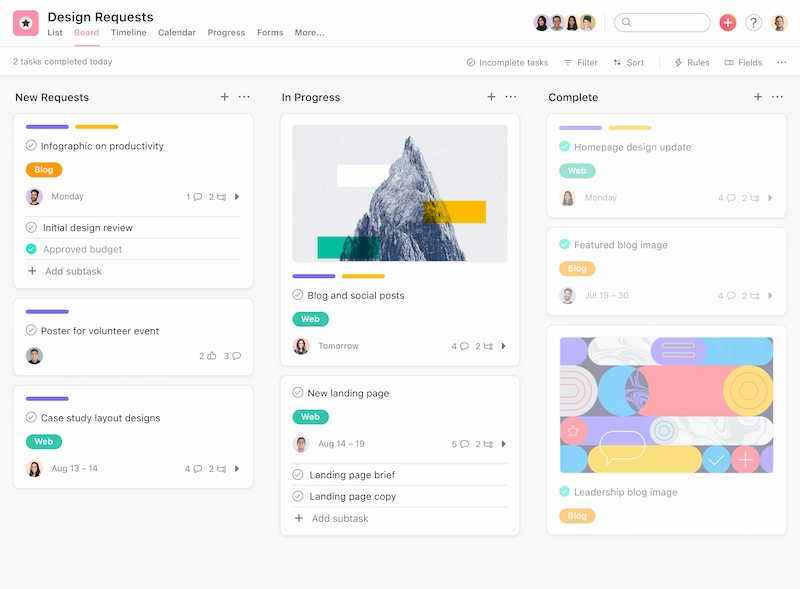
Examples: Asana and monday.com.
Best for: Small teams handling basic packaging project management at low SKU volume, with few stakeholders and simple approval processes.
Trade-offs: Generic project management tools handle file-level feedback, version comparison, and approval records poorly, so sign-off slides back into email.
For a side-by-side look at seven dedicated packaging tools, including pricing, see this roundup of artwork management software.
How to choose and implement packaging workflow software
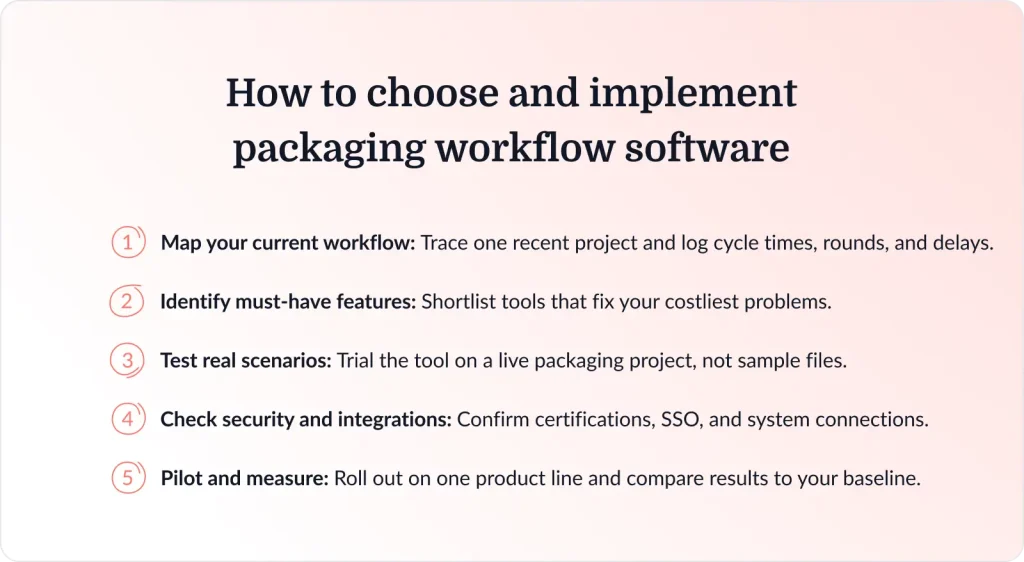
These five steps help packaging teams move from evaluation to a working rollout.
1. Map your current workflow
Trace a recent packaging artwork project from request to release. Note where it stalled and where errors crept in, then measure review cycle times, approval rounds, and production delays. That’s your baseline for judging any fully digital process.
2. Identify your must-have features
Next, ask the people closest to those problems, from brand and regulatory to packaging development and external partners, what would help most. Shortlist tools that fix your costliest problems, not the packaging management software with the longest feature list.
3. Test real packaging scenarios
Then run a trial or demo on a live project rather than sample files. Check whether the tool can:
- Run one file through several approval stages
- Pin comments to exact spots on artwork
- Highlight changes between versions
- Make the approved version obvious
- Export approval records and audit trails, ready to share
4. Check security, compliance, and integrations
Before you commit, check for ISO 27001 or SOC 2 certification, GDPR compliance and data residency options, single sign-on (SSO), and access controls for external partners. Confirm the workflow management technology connects to your existing systems. In regulated industries, ask how the vendor supports your recordkeeping and validation requirements.
5. Pilot and measure results
Roll out the new approval process on one product line first. Compare review turnaround, approval rounds, overdue reviews, and errors caught before production against your baseline to track workflow performance, and treat the results as the start of continuous improvement. How quickly you expand depends on your workflow’s complexity and the integrations or validation it needs.
Final thoughts
Choosing a packaging workflow management solution comes down to one question: where does your process lose the most time?
If it’s prepress and label content, you’ll likely need a full artwork management suite. If it’s scattered feedback and approvals that keep stalling, start with a dedicated review platform for CPG and packaging teams, which works alongside the tools you already have.
Start your free trial of Filestage to see how it fits your packaging workflow.
Frequently asked questions
Do small brands need packaging workflow software?
Not always. With a handful of SKUs, one or two reviewers, and rare copy changes, a shared folder and simple approval processes can work fine. Once you have multiple workflows running simultaneously, with external stakeholders involved or regulated claims on pack, it’s usually worth moving to dedicated software.
How much does packaging workflow software cost?
It depends on the type. Many enterprise label and artwork management suites don’t publish prices, so you’ll get a quote based on the scope of your artwork management process. Review and approval platforms cost less to start with. Filestage, for example, has a free plan, with paid plans from $199/month. General project management tools like monday.com start at $9/seat per month.
Who should own the packaging workflow?
Packaging or brand operations usually own it. They sit between design, regulatory, and production, so packaging project management falls naturally to them. The owner sets the review stages, maintains templates, and has the authority to resolve conflicting feedback. Regulatory should own compliance sign-off rather than the whole packaging process.
Can the same software handle labels and packaging artwork?
Yes. Most packaging workflow management software treats packaging labels, cartons, and other artwork as files that move through the same process of review and approval. Label-heavy teams in regulated industries may also need content management that pulls approved text into multiple label variants, which is where label and artwork management suites are strongest.