TL;DR
Annotation tools make it easy to add comments, highlights, and markup to documents, images, videos, and web pages. This helps teams give feedback in context and keep projects moving. In this guide, you’ll discover the best annotation tools and free annotation tools to annotate different content types. It covers simple annotator tools for classrooms and powerful annotation platforms for data, AI, and creative review workflows.
Why annotation tools matter more than ever in 2026
In today’s data-driven world, annotation tools have become indispensable for various tasks, ranging from data labeling and content review to collaborative editing and research analysis.
Microsoft reports that employees in the highest “ping” volume group are interrupted every two minutes during core work hours by meetings, emails, or chats. That constant context switching is exactly why teams rely on annotation tools to keep feedback attached to the file rather than scattered across messages.
These tools empower users to add comments, highlights, and annotations to different types of content, enabling enhanced organization, collaboration, and understanding.
In this article, we will explore the top 8 annotation tools for different purposes and domains.
See how Filestage can speed up your approvals
Enjoy a free, 30 minutes consultation with our experts, tailored to your team and use cases.
What is an annotation tool?
Annotation tools are software applications or platforms designed to facilitate the addition of comments, highlights, and other annotations to various types of content. These tools play a crucial role in tasks such as data annotation, document review, collaborative editing, and research analysis.
Annotation systems offer a range of features and functionalities that let users mark specific sections of text, images, videos, or documents for further context, explanation, or reference.
Types of annotation tools
There are various types of annotation systems on the market that cater to specific needs.
Here’s a list of the seven most common types of annotation tools:
- Data annotation tools – highlight, underline, strikethrough, or add comments to text-based content
- Image annotation tools – add text, shapes, or drawings to visual documents
- Video annotation tools – annotate videos frame by frame, marking objects, actions, or events
- Audio annotation tools – annotate audio files by adding markers, tags, or comments at specific timestamps or sections
- Web annotation tools – add annotations to web pages or online documents, facilitating collaborative research and discussions
- Document annotation tools – annotate academic papers, research, articles, and more
- Code annotation tools – add comments, explanations, or documentation within source code files
How to choose the best annotation tool for your needs
So how do you know which annotation tool is best? It all comes down to your use case and needs. If you only need to annotate audio files, for example, your best choice is a dedicated audio annotation tool.
But let’s say you’re a busy marketing team or agency, you’ll most likely need an annotation tool that can handle the most common types of annotations:
- Adding contextual comments directly on assets
- Highlighting and marking up text or design elements with your feedback
- Drawing or adding circles directly on files to illustrate your suggestions
You’ll also want to find an annotation tool that supports a variety of file types, such as documents, images, video, and even live websites.
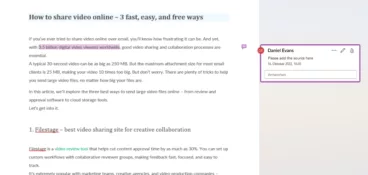
Here’s an example of how Filestage’s annotation feature works. You can draw directly on files or leave comments with more context. That not only saves you time as a reviewer but also allows project managers to have all feedback comments in one place, making execution easier.

Our shortlist of the top three annotation tools
Annotation tools can serve different purposes. Here’s a closer look at the top three tools offering a comprehensive set of features from different fields of annotation.
1. Filestage – the best annotation tool for reviewing creative assets in multiple file formats
Filestage is a review and feedback tool that makes it simple to collaborate on PDF documents, share videos, graphics, and marketing projects in general.
It offers project managers a wide range of annotation and proofing features, making it easy for your internal and external key stakeholders to provide and discuss logical, in-context feedback in real time.
A range of workflow features will ensure you never miss a deadline or a game-changing suggestion. In addition to custom pricing options, Filestage offers a free plan, so you can try the markup software at no risk.
With the ability to integrate Filestage with Microsoft Teams, Jira, Adobe Premiere Pro, and more, it fits seamlessly into your tool stack.
Key features
- Collaborative video annotation – Filestage enables multiple stakeholders to review and annotate various file types, including images, videos, and documents, in a centralized platform
- Review workflow management – It offers customizable workflows and task assignments, facilitating seamless collaboration and efficient annotation processes
- Commenting and markup tools – You can leave comments, draw annotations, and highlight specific areas within files to provide feedback and suggestions
- Document version control – Filestage keeps track of file versions, allowing reviewers to compare changes and feedback over time
- Approval and feedback management – You can either approve or reject, and consolidate feedback from multiple reviewers

“Our content approvals are now much more precise as you can be more specific about the content’s details and make your comment on-the-spot.”
Rain Balares, INCA Lead at GroupM
See how Filestage can speed up your approvals
Enjoy a free, 30 minutes consultation with our experts, tailored to your team and use cases.
2. Labelbox
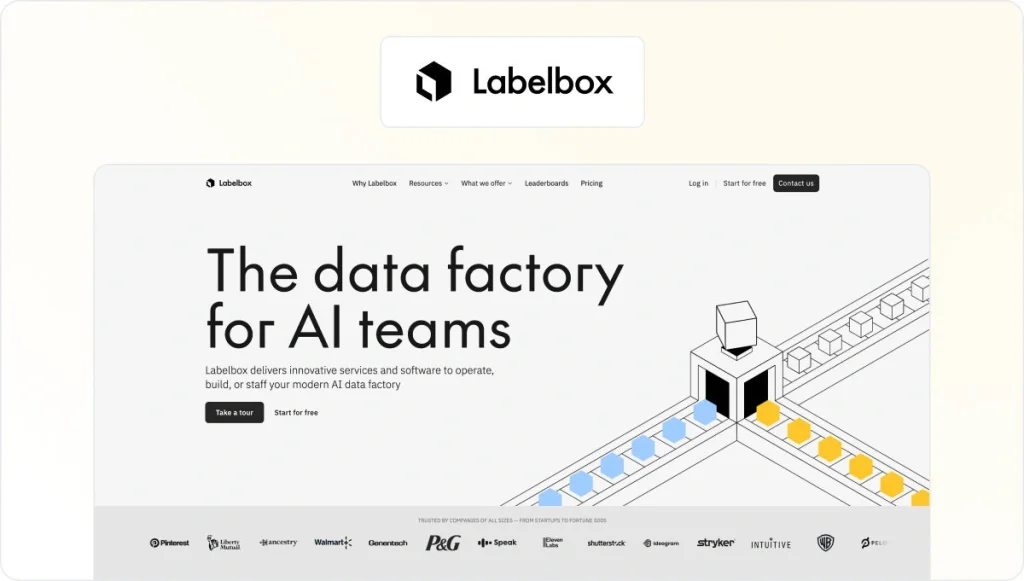
Labelbox is a popular data annotation platform that offers a wide range of annotation capabilities for images, videos, and text. It provides an intuitive interface for data annotation and labeling, along with robust collaboration and project management features.
Labelbox supports various annotation types, including bounding boxes, polygons, keypoints, and semantic segmentation. It also offers automation features like active learning and model-assisted labeling.
Key features
- Data annotation – Labelbox supports a range of annotation types, including bounding boxes, polygons, semantic segmentation, and keypoint annotations, for various data types such as images, videos, and text
- Collaboration and review – It allows teams to collaborate on annotation projects, review annotations, and manage annotation quality control.
- Automation and active learning – Labelbox offers features for automating certain annotation tasks using pre-trained models and implementing active learning techniques to reduce annotation efforts
- Workflow management – users can create customized annotation workflows, assign tasks, and track the progress of annotation projects
- Integration and deployment – You can connect it with popular machine learning frameworks and cloud storage platforms for seamless data management and model deployment
3. SuperAnnotate

SuperAnnotate is a versatile, feature-rich data annotation platform for image and video annotation. It offers a user-friendly interface with advanced annotation capabilities for bounding boxes, polygons, keypoints, and semantic segmentation.
SuperAnnotate provides powerful automation capabilities, including AI-assisted annotating and collaborative review workflows. It also offers integrations with popular machine-learning frameworks and platforms.
Key features
- Advanced annotating – You can use bounding boxes, polygons, keypoint detection, instance segmentation, and semantic segmentation
- Collaboration and review – It enables real-time collaboration among team members, allowing them to review and validate markups together
- Quality control – SuperAnnotate provides features for quality control, such as metrics calculation, consensus review, and inter-annotator agreement analysis
- Automation and AI assistance – The platform uses AI to accelerate annotation tasks, improve efficiency, and reduce human error
- Project management and versioning – SuperAnnotate offers project management features, version control, and comparison features for managing and tracking annotation projects
Other powerful annotation platforms for different use cases
Here are the top five platforms to support various annotating projects:
1. Amazon SageMaker Ground Truth – best data annotation tool
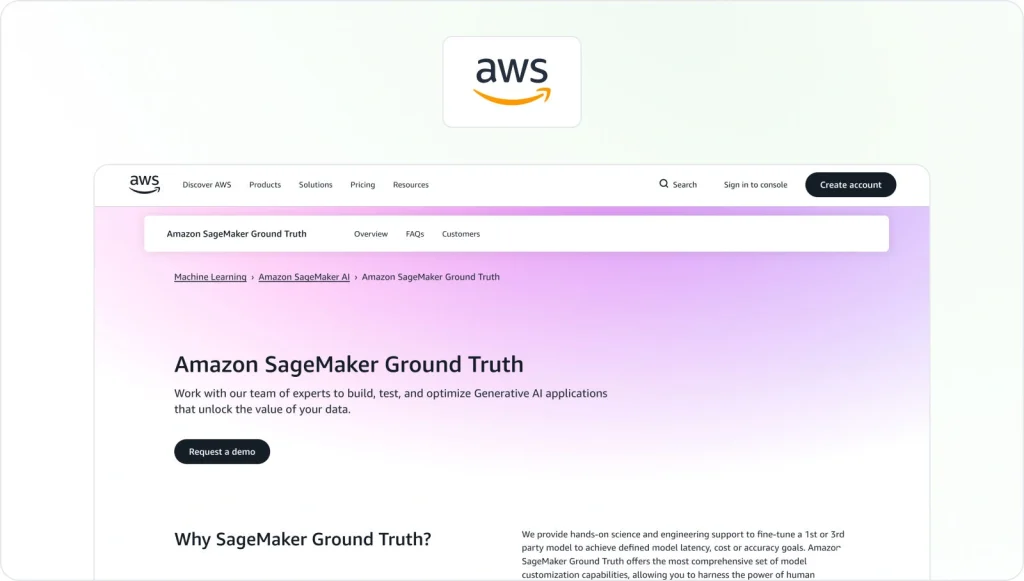
SageMaker Ground Truth is a data annotation tool provided by Amazon Web Services (AWS). It simplifies the creation of high-quality, labeled datasets for machine learning models. It offers a scalable and customizable platform for annotation tasks, supporting both automated and human-in-the-loop labeling.
SageMaker Ground Truth supports multiple annotation types, including bounding boxes, semantic segmentation, and text classification. It integrates seamlessly with other AWS services, enabling end-to-end machine learning workflows.
Key features
- Customizable annotation workflows – It allows users to create custom annotation workflows tailored to specific data types and annotation tasks
- Human-in-the-loop annotation – It combines automated annotation with human review, providing mechanisms to review and improve machine-generated annotations
- Scalability – The tool is designed to handle large-scale annotation projects
- Active learning – It supports active learning techniques to intelligently select samples for annotation and optimizes the annotation process
- Integration with Amazon Services – It seamlessly integrates with other Amazon Web Services (AWS) products, such as Amazon Rekognition, for enhanced annotation capabilities
2. Adobe Acrobat – a powerful document annotation tool

Adobe Acrobat is a widely used and feature-rich document annotation tool. It offers a comprehensive set of annotation features, including highlighting, underlining, strikethrough, adding comments, and drawing shapes. Adobe Acrobat supports collaboration and review workflows, enables form filling, and offers advanced features such as redaction and document security. It is compatible with PDF files and available on both desktop and mobile devices.
Key features
- Comprehensive PDF editing features
- PDF form creation and fillable forms
- Document security and protection
- OCR (Optical Character Recognition)
- Integration with Adobe Creative Cloud
3. RectLabel – visual object detection tool
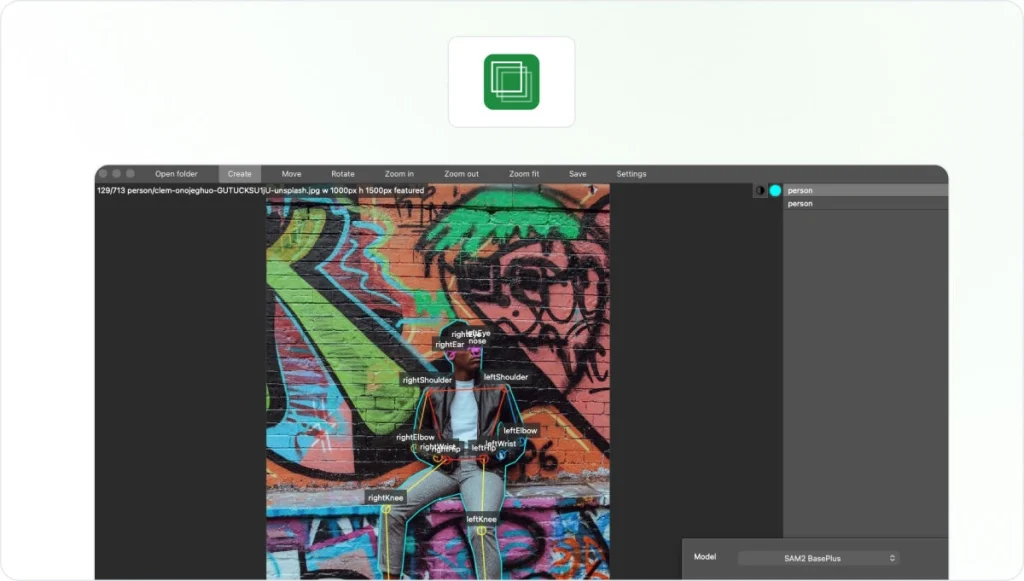
RectLabel is a powerful visual object tagging tool designed for object detection and localization. It provides an intuitive interface with robust image annotations, including bounding boxes, polygons, lines, and keypoints.
RectLabel supports automatic annotation suggestions and offers features including image segmentation, instance tracking, and batch processing. It also integrates seamlessly with popular machine learning frameworks like TensorFlow and PyTorch.
Key features
- Image annotation – RectLabel focuses on image annotation and offers features for bounding box annotation, segmentation masks, keypoints, and text annotations
- Object tracking – It provides features for object tracking within videos, allowing users to annotate objects across frames and track their movement
- Collaboration and versioning – RectLabel supports collaboration among team members and keeps track of changes across versions of the data
- Customizable annotation features – Users can customize the platform and labels to match their specific annotation requirements and workflow
- Export formats – You can export annotations in various formats, including Pascal VOC, COCO, YOLO, and TensorFlow Object Detection API
4. VGG Image Annotator (VIA) – best image annotation tool

VIA is a versatile and open-source image annotation tool developed by the Visual Geometry Group at the University of Oxford. It supports annotation of various shapes, including points, polygons, rectangles, and ellipses.
VIA allows for annotating visuals individually or in batches, and it supports exporting annotations in multiple formats. It also offers customizability and extensibility, making it suitable for research and specialized requirements.
Key features
- Multi-format support – VIA supports a wide range of image formats, allowing users to annotate visuals in JPEG, PNG, and GIF formats
- Multiple annotation types – You can use bounding boxes, polygons, keypoints, and region descriptions to annotate objects and regions of interest within images
- Collaboration and version control – VIA supports collaborative annotating, allowing multiple users to work on the same set of visuals simultaneously
- Import/export – VIA allows users to import and export annotations in different formats, including JSON, CSV, and VIA
- Customization and automation – VIA offers customization options, such as custom attribute definitions, and allows users to apply pre-trained models for automated annotation
5. Video Annotation Tool from Internet Curation (VATIC) – best video annotation tool

VATIC is a popular open-source video annotation tool developed by the Computer Vision Group at Stanford University. It offers an intuitive web-based interface for annotating videos frame by frame. Users can draw bounding boxes, track objects, and add labels or attributes to the annotated regions. VATIC supports collaboration, allowing multiple annotators to work on the same video simultaneously.
Key features
- Video annotation capabilities – VATIC focuses specifically on video annotation, allowing users to annotate objects, track their movements, and draw on videos
- Collaborative annotation – It supports collaborative workflows, enabling multiple users to annotate videos and review annotations together.
- Tracking and object identification – VATIC provides features for object tracking, allowing users to annotate objects across frames and track their trajectories
- Review and quality control – The tool offers review and validation features
- Project management – It includes features like task assignment and progress tracking
Want some additional reading? Be sure to check out our guide on how to open mov files.
Annotate your files for free with Filestage
Filestage is a free annotation tool that lets you leave feedback on PDFs, videos, graphics, and other marketing assets.
With Filestage, you can streamline the annotation process by enabling all key stakeholders to provide feedback and review files.
Filestage’s free version is designed for freelancers and smaller teams and includes:
- Unlimited files, versions, and reviewers
- 2 active projects
- 2 GB of secure storage
- 2 reviewer groups
- Support for all file formats
- Integrations
- Due dates and reminders
- Awaiting my review
Final thoughts
Whether you’re annotating images, videos, audio, code, or text content, these eight tools will provide you with valuable features and capabilities to streamline your annotation workflows.
If you’d like to see how Filestage can help you annotate various file formats and streamline your annotation process, make sure to try it for free →
FAQ
1. How do I choose the best annotation tools for my needs in 2026?
Start by listing the content types you need to annotate, for example, PDFs, images, videos, and web pages. The best annotation tools and annotating tools let you add comments, highlight text, draw on the file, and color-code different types of feedback in a single platform.
Look for an annotator tool with an intuitive interface, strong search, and support for a wide array of files, including online PDFs and uploaded documents. If you work in a team, check whether the tool works with your existing software, offers a team plan, and includes basic version control so other users can see progress across projects.
2. Are there good free annotation tools available in 2026?
Yes. Many platforms offer a free plan of an annotation tool, perfect for students, freelancers, or small teams. These annotation tools’ free options often let you annotate PDFs, take screenshots, use an annotation tool-style approach for quick markups, and add sticky notes or simple drawings in your browser with no installation needed.
You can also find open-source software that works as a PDF annotator, a design annotation tool, or a lightweight video annotation tool. When comparing free annotation tools, check limits on files, storage, and collaboration, and whether you can upgrade to a paid team plan later.
3. How are annotation tools used in AI, data science, and computer vision projects?
In data and computer science projects, teams rely on functional annotation tools to prepare training data for AI models. Image annotation tools help label objects for object detection, semantic segmentation, and other computer vision tasks.
Video annotation tools support object tracking and frame-by-frame labeling, enabling models to learn how things move over time. These annotating tools often include active learning features that suggest which data to annotate next, saving time and keeping the focus on the most valuable examples. If you work with data at scale, look for an annotation tool that supports private cloud or enterprise support so you can manage security and performance.
4. What are the four types of annotations?
The four types of annotations are:
1. Text annotations – Adding written comments or notes directly onto the content.
2. Drawing annotations – Freehand marks, arrows, or shapes to highlight or point out specific areas.
3. Highlight annotations – Marking sections of text, images, or video to emphasize important parts.
4. Stamp or symbol annotations – Using predefined icons or stamps (like checkmarks, emojis, or approval symbols) to give quick feedback.
5. Where does Filestage fit in among all the different annotation tools?
Most annotation tools focus on a single use case, such as image annotation, video annotation, or a basic PDF annotator. A review and approval platform such as Filestage is designed for teams that need to add comments on many content types, including documents, images, and videos, and keep all that feedback organized across projects.
You can annotate videos and PDFs, draw on files, and invite other users to provide feedback, all with clear instructions and deadlines, in one place. This makes Filestage a strong option if you need an annotation tool that supports structured workflows, team collaboration, and a smooth approval process for marketing and creative content.